AJournal - Planner & Journal

AJournal - Planner & Journal

Download on App Store
Spark by MWM logo
Logo of AJournal - Planner & Journal
AJournal: The Ultimate Aesthetic Digital Planner for Your Mindful Productivity

Transform your iPad into a beautiful, personalized sanctuary. Seamlessly blend your digital calendar with the creative freedom of handwriting to organize your days, track habits, and design your dream life.

Publisher

WonderApps AB

Category

Lifestyle

Downloads

1M+

User Rating

4.6/5

Total Ratings

10K+

Locales

19

Your Life, Artfully Arranged

Discover the interface used by 1M+ users.
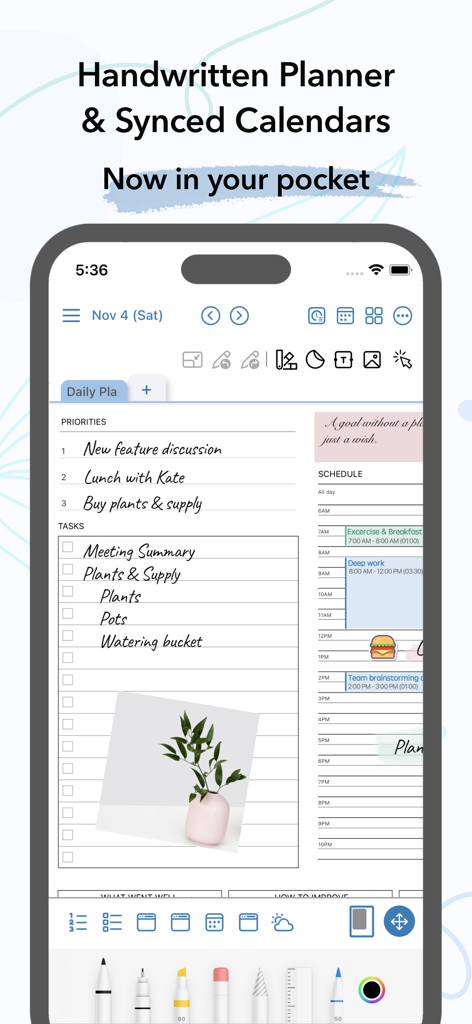
AJournal interface on iPhone featuring a handwritten daily planner and synced digital calendar

AJournal interface on iPhone featuring a handwritten daily planner and synced digital calendar

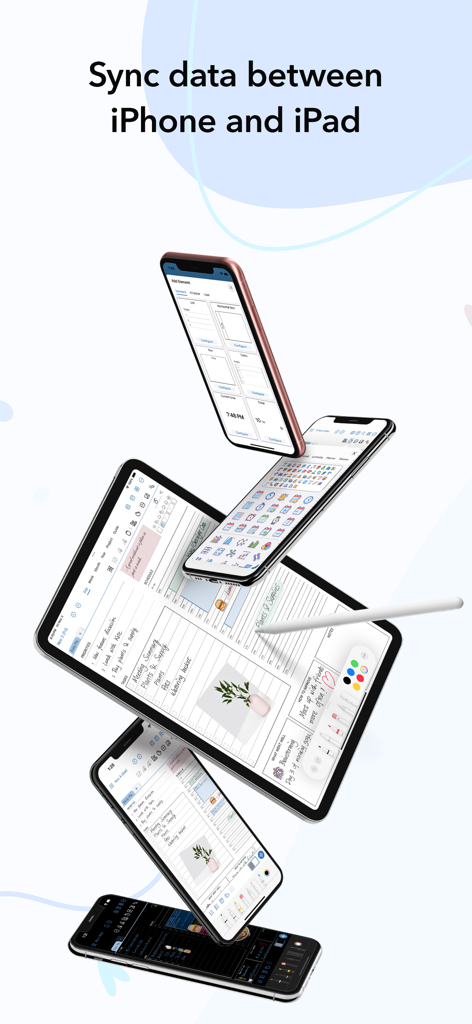
AJournal digital planner sync between iPhone and iPad showing calendar and habit tracker templates

AJournal digital planner sync between iPhone and iPad showing calendar and habit tracker templates

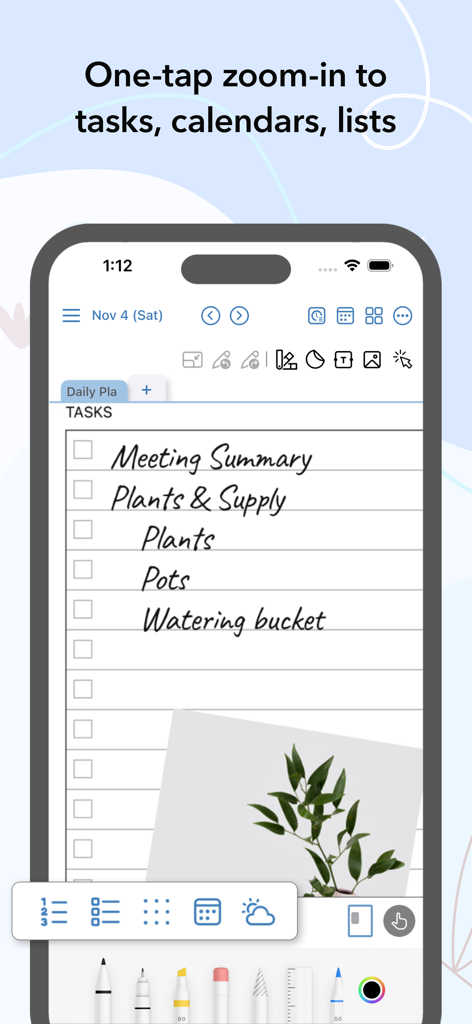
AJournal mobile app showing a handwritten task list with zoom functionality and plant photo

AJournal mobile app showing a handwritten task list with zoom functionality and plant photo

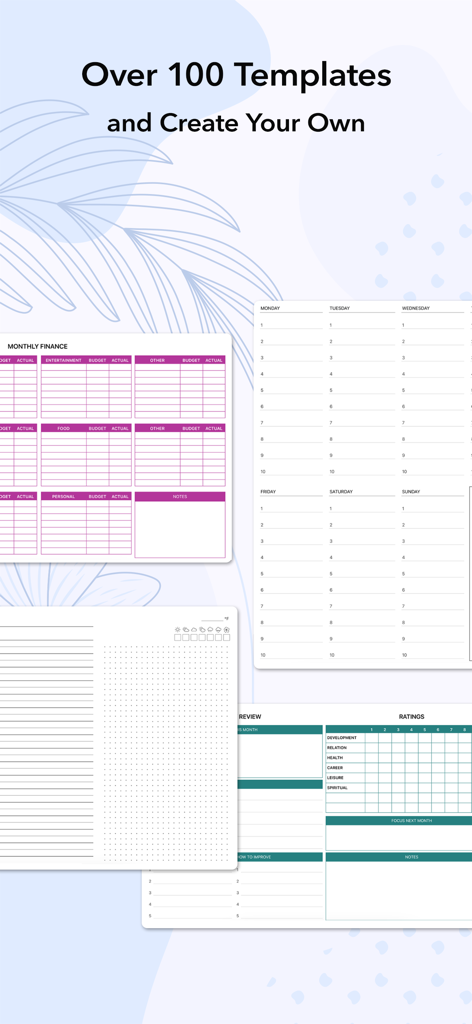
Display of various digital planner templates for finance tracking and daily scheduling in the AJournal app

Display of various digital planner templates for finance tracking and daily scheduling in the AJournal app

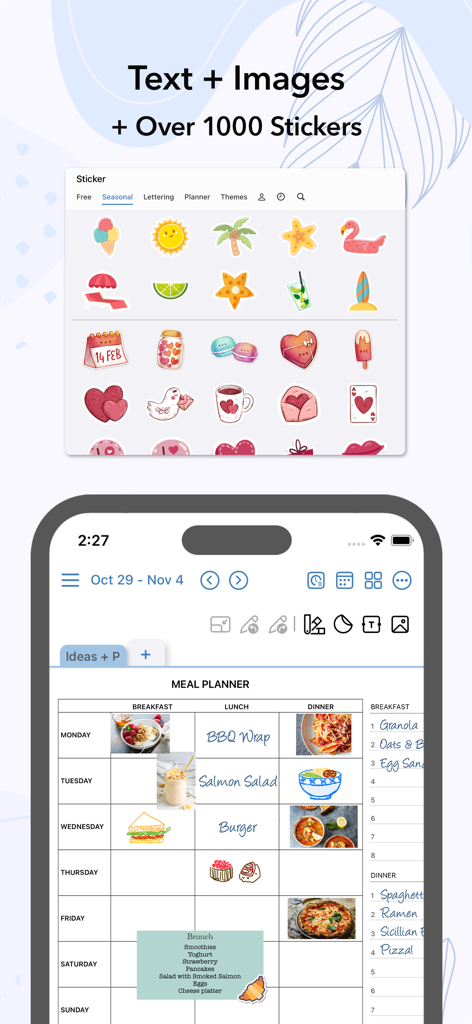
AJournal digital meal planner template featuring food images and various colorful stickers.

AJournal digital meal planner template featuring food images and various colorful stickers.

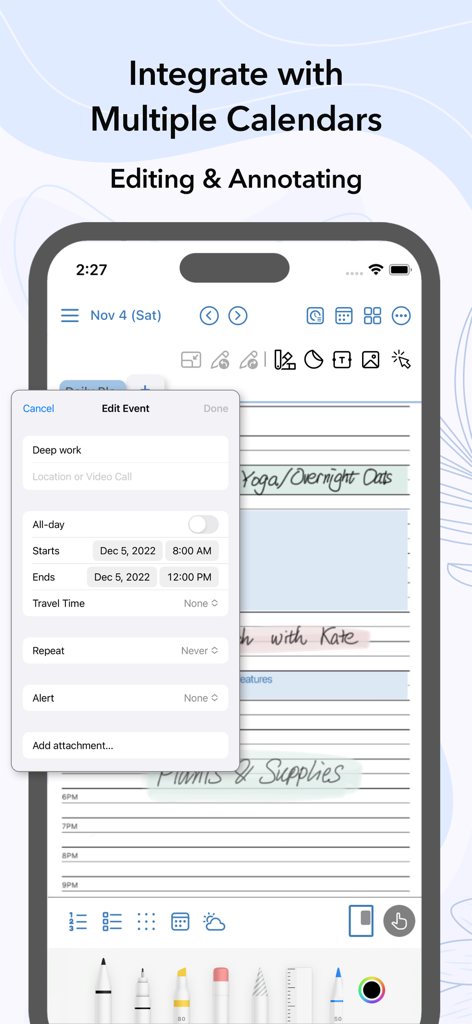
A screenshot of AJournal app showing the interface to edit a calendar event called Deep work on an iPhone with handwriting and digital planning elements.

A screenshot of AJournal app showing the interface to edit a calendar event called Deep work on an iPhone with handwriting and digital planning elements.

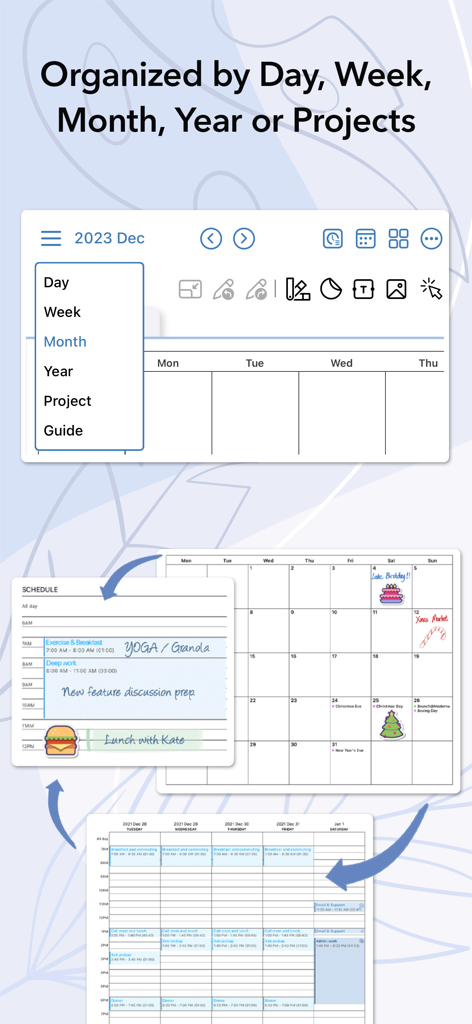
AJournal digital planner showing day, week, month, and project organization views

AJournal digital planner showing day, week, month, and project organization views

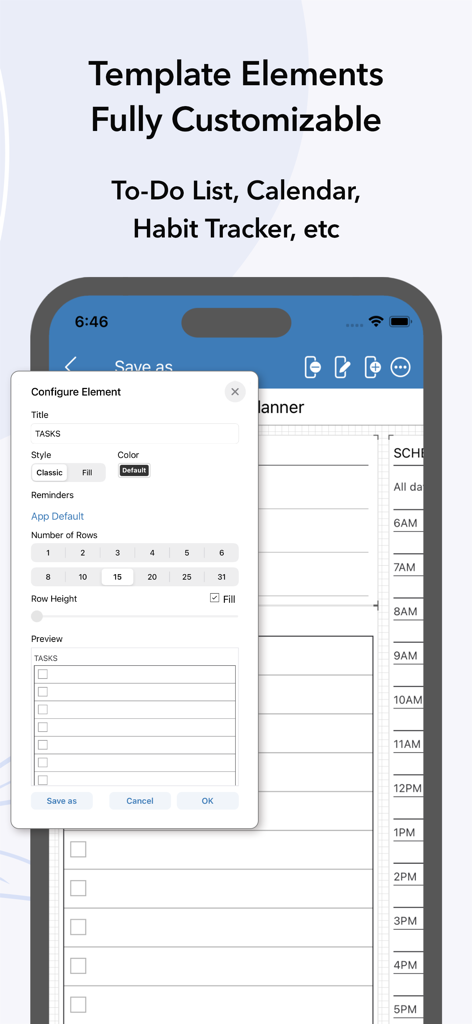
Interface showing customizable template elements like a to-do list in AJournal

Interface showing customizable template elements like a to-do list in AJournal

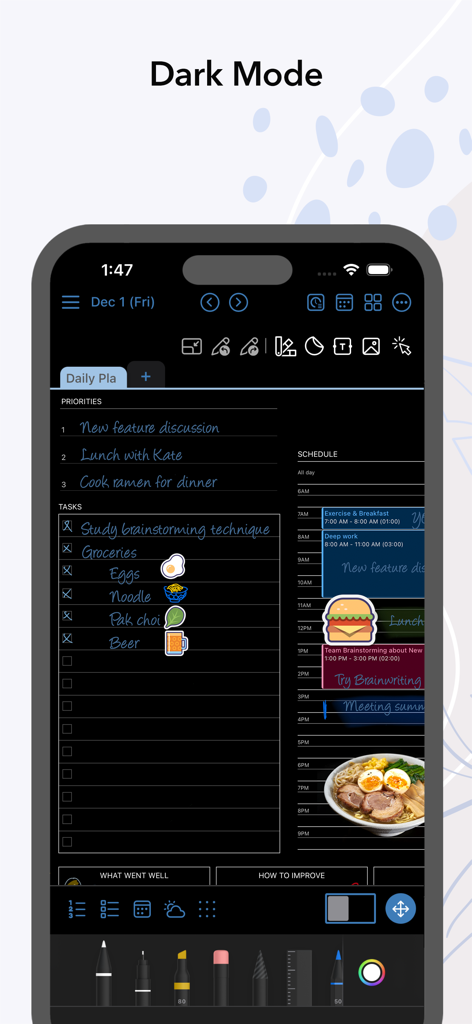
AJournal digital planner app showing a daily schedule and task list in dark mode

AJournal digital planner app showing a daily schedule and task list in dark mode

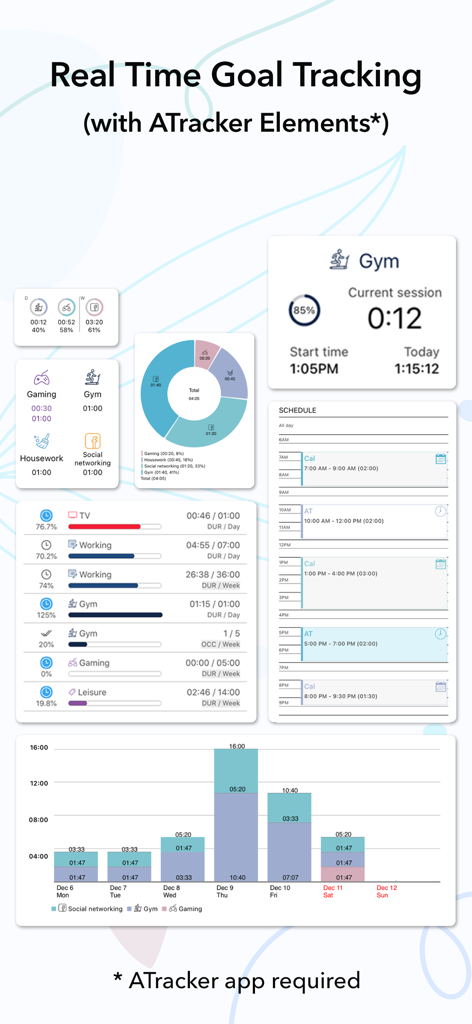
AJournal app interface displaying real-time goal tracking widgets and activity analytics charts integrated with ATracker.

AJournal app interface displaying real-time goal tracking widgets and activity analytics charts integrated with ATracker.

Craft Your Perfect Day, Digitally

The tools that make this app stand out, trusted by 1M+ users.

✍️

Mindful Handwriting & Design

Express yourself freely with Apple Pencil support. Use over 2,500 stickers and aesthetic templates to make your planner as beautiful as it is functional.

📅

Smart Calendar Integration

Never miss a beat. Sync your Apple Calendar and Reminders directly into your daily pages to bridge the gap between your schedule and your thoughts.

📊

Personalized Habit Tracking

Visualize your growth with 100+ professional templates. Track habits, finances, and projects in real-time to turn your aspirations into achievements.

Loved by users worldwide

Trusted by 1M+ people who love this app.

"

"AJournal is exactly what my iPad was missing. I used to carry heavy paper planners, but now I have everything in one place. The templates are so aesthetic, and being able to use my Apple Pencil to handwrite my daily reflections while my classes sync from Apple Calendar is a game-changer for my productivity!"

Chloe_Studies
"

"As a freelance designer, I need both creative freedom and strict organization. AJournal bridges that gap perfectly. I love how it integrates with ATracker so I can visualize my billable hours right alongside my habit trackers. It’s the first digital planner that actually feels as intuitive as paper."

Marcus Creative

About the app

Everything you need to know about AJournal - Planner & Journal.

Description

AJournal is your all-in-one planner and digital journal that combines the mindfulness of handwriting with powerful organization tools. Plan your days, weeks, and months, set goals, and capture reflections — all in one place. Use Apple Pencil to create and customize your own daily planners, to-do lists, and journal pages, or start instantly with over 100 professionally designed templates to track habits, projects, and progress effortlessly. SUPPORTS HANDWRITING, TEXT & IMAGES - Write/draw with Apple Pencil or finger - Text input with Scribble or keyboard, with complete formatting support like fonts, colors, etc - Save links to a website or another planner page - Add images and resize, rotate, or object crop - Choose among over 2500 stickers to make your journal/planner fun and personal - Save your own images as stickers for easier access DIGITAL CALENDARS - Connect any digital calendar so all events will show up in daily/weekly planners - Write/Scribble/Type alongside the events from the digital calendars REMINDERS - Apple Reminders are integrated into daily planners STAY ORGANIZED - Navigate effortlessly through journals/planners by dates, weeks, months, and projects - Search function for inputted texts makes it easier to find a journal/planner OVER 100 TEMPLATES TO CHOOSE FROM & FULL CUSTOMIZATION - Over 100 templates with minimalist design and cover every need: daily/weekly/monthly planners, project planners, finance planners, meal/fitness/habit trackers, ATracker, etc - The templates are fully customizable, simply add/remove/rearrange/configure elements and set colors/headers - Personalize a page with your writing/drawing and save it as a template Aesthetic Backgrounds & Color Themes - Choose from over 100 backgrounds with different textures, styles, and seasonal themes. - Select from various tints and foregrounds. INTEGRATION WITH ATRACKER (OPTIONAL) - With over 2 million downloads, ATracker is a time tracking tool trusted by users worldwide. - Combined with task/goal tracking in ATracker, you can follow up on your progress in AJournal in real time. EXPORT & BACKUP - Export your journals/planner as PDFs to read in other tools or for keepsake - Create backups to keep your data safe SPLIT VIEW & SLIDE OVER ICLOUD SYNC - You can now use AJournal on your iPhone - AJournal data can be synced via iCloud (Active subscription needed) SUBSCRIPTION AJournal supports unlimited pages per day/week/month/year and projects with a subscription. This add-on is optional. • AJournal subscriptions purchased in-app renew monthly or yearly, depending on your plan. Plan pricing may vary by country. • Payment will be charged to iTunes Account at confirmation of purchase • Subscription automatically renews unless auto-renew is turned off at least 24-hours before the end of the current period Users can try out AJournal without any limitation with a 7-day free trial. SUPPORT Visit http://Ajournal.pro or contact us at support@Ajournal.pro. Terms of Service: http://Ajournal.pro/TOS.html Privacy Policy: http://Ajournal.pro/policy.html AJournal - Organize your thoughts, keep track of your goals

Latest Version

9.7

Size

118.8 MB

First Released

Dec 16, 2021

Start Your Journey to a More Mindful & Organized You

Join over 1 million users who have transformed their iPad into the ultimate aesthetic planner. Download AJournal today and enjoy a 7-day free trial of the most powerful blend of handwriting and digital organization.

Download on App Store
FAQ

Frequently Asked Questions

Everything you need to know about AJournal - Planner & Journal

Does AJournal support Apple Pencil for handwriting?

Yes, AJournal supports handwriting and drawing with Apple Pencil or finger for creating and customizing planners and journal pages.

Can users customize templates within the AJournal app?

Yes, AJournal templates are fully customizable. Users can add, remove, rearrange elements, and set colors or headers. They can also save personalized pages as new templates.

Does AJournal offer iCloud synchronization across devices?

Yes, AJournal data can be synced via iCloud, allowing use on devices like the iPhone. An active subscription is required for iCloud sync functionality.

Is a free trial available for AJournal?

Yes, users can try AJournal without any limitation with a 7-day free trial. This allows full access to features before committing to a subscription.

Can AJournal integrate with digital calendars?

Yes, AJournal connects with any digital calendar to display all events within daily/weekly planners. Users can write, scribble, or type alongside these integrated events.

Does AJournal integrate with the ATracker time tracking tool?

Yes, AJournal integrates with ATracker. This optional integration allows users to follow up on their task and goal progress from ATracker in real time within AJournal.

Can users export their journals and planners from AJournal?

Yes, users can export their journals and planners as PDFs. This feature allows for reading content in other tools or for safekeeping.

Does AJournal offer a dark mode interface?

Yes, AJournal supports a dark mode interface. This option provides a different visual theme for user preference and reduced eye strain.

How many templates are available in AJournal?

AJournal provides over 100 professionally designed templates. These cover various needs including daily, weekly, monthly, project, finance, meal, fitness, and habit trackers.

Can I add images and stickers to my journal in AJournal?

Yes, AJournal allows users to add images, resize, rotate, or crop them. It also offers over 2500 stickers and the option to save personal images as stickers.