
Element Note



Experience a distraction-free, next-gen digital notebook designed for fluid handwriting, powerful organization, and seamless iCloud collaboration across all your devices.
Publisher
Category
ProductivityDownloads
620K+User Rating
Total Ratings
5K+Locales
12Discover the interface used by 620K+ users.
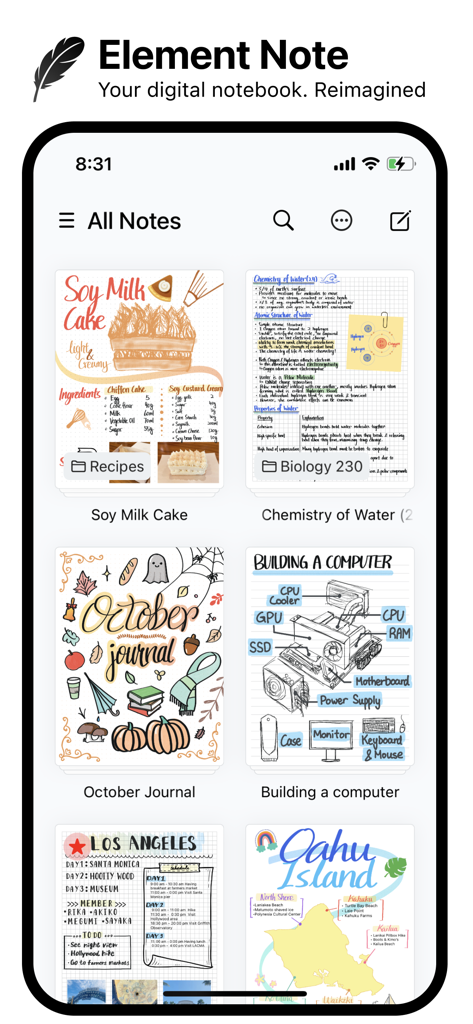
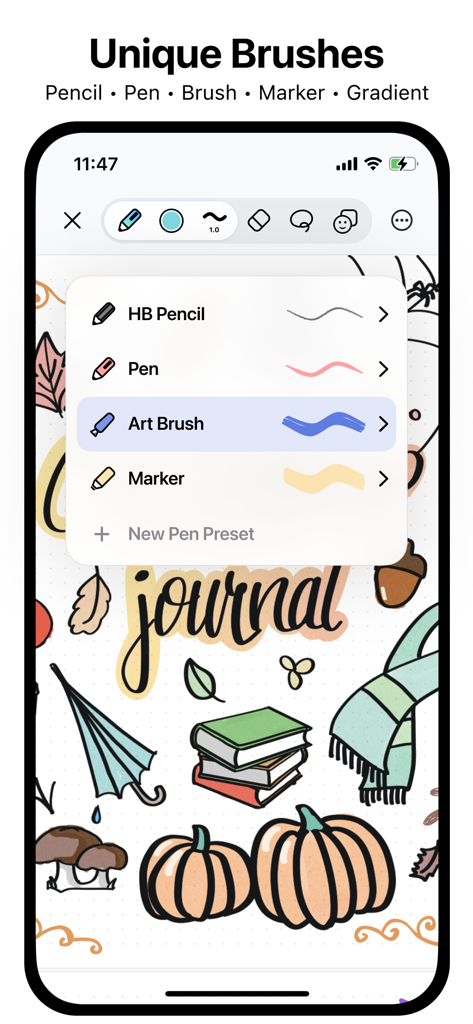
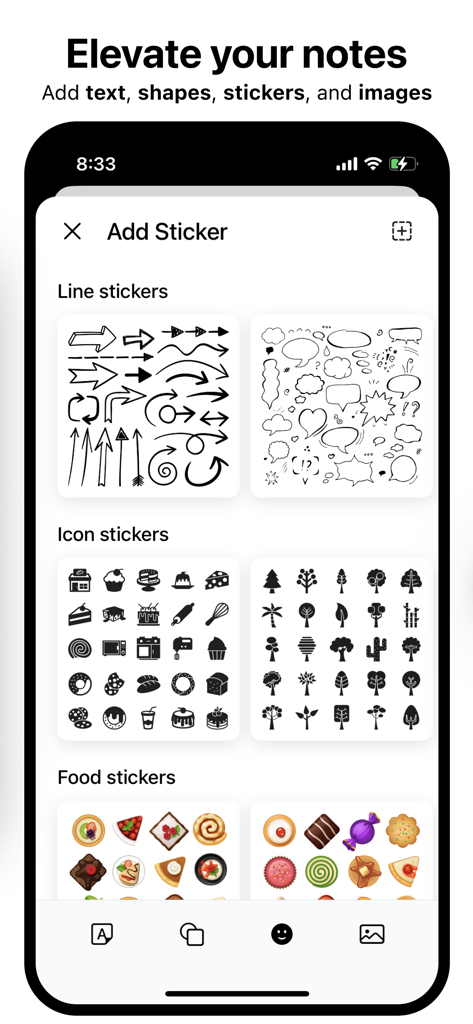
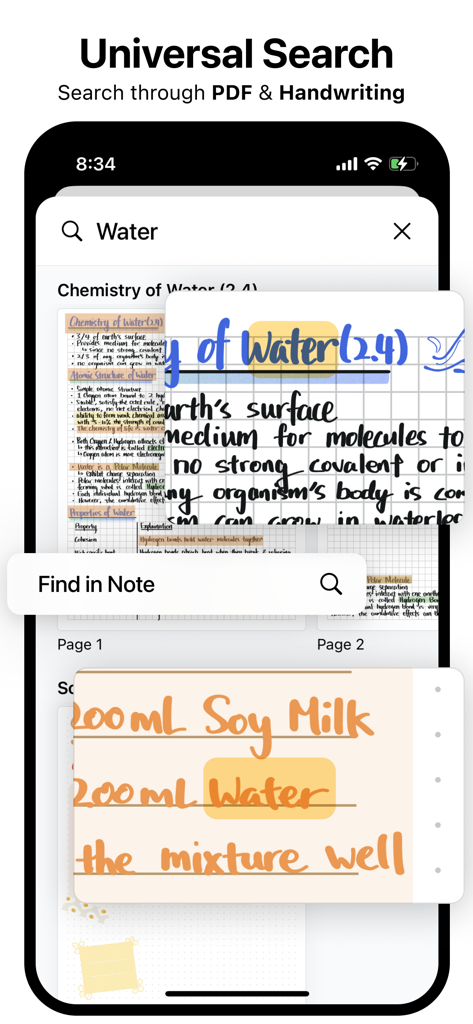
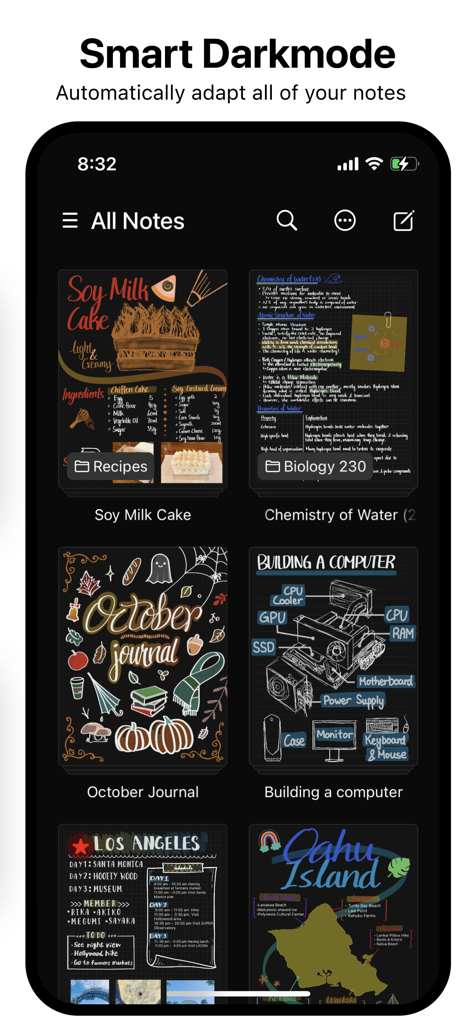
The tools that make this app stand out, trusted by 620K+ users.
Powered by Apple’s Metal engine for a lag-free, natural writing experience that captures every nuance of your Apple Pencil strokes.
Locate any thought instantly. Use on-device OCR to search through your PDFs and handwritten notes without your data ever leaving your device.
Manage complex projects with intuitive drag-and-drop gestures and seamless iCloud sync across your iPhone, iPad, and Mac.
Trusted by 620K+ people who love this app.
"As a medical student, I deal with hundreds of pages of lecture slides and handwritten diagrams. The OCR search in Element Note is a game-changer; it lets me find specific terms across all my PDFs and handwriting instantly. The Metal-powered engine makes the Apple Pencil feel incredibly fluid, making long study sessions much more comfortable."
"The minimalist interface is exactly what I needed for my creative brainstorming sessions. Unlike other bloated productivity apps, Element Note provides an elegant, distraction-free space. The Smart Darkmode is brilliant for late-night sketching, and the seamless iCloud sync between my iPad and Mac keeps my workflow perfectly integrated."
Everything you need to know about Element Note.
Description
Latest Version
2.7.0
Size
80.9 MB
First Released
Nov 3, 2022
Join over 620,000 creators and professionals using Element Note. Download now to start your first three notes for free and feel the difference of a distraction-free digital notebook.
Everything you need to know about Element Note
Element Note is a digital notebook application for next-generation note-taking, PDF annotation, and light sketching. It offers an elegant, distraction-free writing space with modern features and powerful rendering.
Yes, Element Note provides unique brushes including Pencil (HB, Mechanical), Pen (Pen, Line, Fountain), Brush (Art, Round), and Marker (Marker, Round). It also supports gradient ink.
Element Note ensures smooth and fluid drawing through its best-in-class note rendering engine, which is powered by Metal technology. This provides an optimized visual experience.
Yes, Element Note features Universal Search, allowing users to search through both their PDF documents and handwritten notes using on-device OCR technology.
Yes, Element Note includes a Smart Darkmode feature. It intelligently adapts all notes to the system's dark mode without altering the paper or stroke colors.
Yes, Element Note supports iCloud Sync, allowing users to sync their notes via their personal iCloud. No user data is passed to the Element Note servers.
Yes, Element Note enables collaboration through iCloud collaboration. Users can collaborate on notes with up to 100 other users.
Element Note is free to try for up to three notes. Users can unlock the full app with unlimited note creation through an in-app purchase.
Element Note uses personal iCloud for syncing and collaboration, ensuring no user data is passed to Element Note's servers. Users can review the Privacy Policy on their website.
Element Note allows users to add various powerful attachments to their notes, including text, shapes, stickers, and images. This enhances note customization.
Apps with similar features and user experience

1381802 Ontario Inc.

Hangzhou Tensorart Technology Co., Ltd

MAXEYE US INC.

WonderApps AB

User Camp Inc.

Kairoos Solutions S.L.

ZIIKR Pte. Ltd.

Kairoos Solutions S.L.

伟典 苏