Notes Writer - Note Taking

Notes Writer - Note Taking

Download on App Store
Spark by MWM logo
Logo of Notes Writer - Note Taking
Notes Writer: The All-in-One Workspace for Your Notes, PDFs, and Ideas

Join over 8 million students and professionals who have transformed their iPad and iPhone into a powerful digital office. Write, annotate, and organize your world with the ultimate tool for your second brain.

Publisher

Kairoos Solutions S.L.

Category

Productivity

Downloads

8M+

User Rating

4.5/5

Total Ratings

56K+

Locales

10

Your Workflow, Visualized

Discover the interface used by 8M+ users.
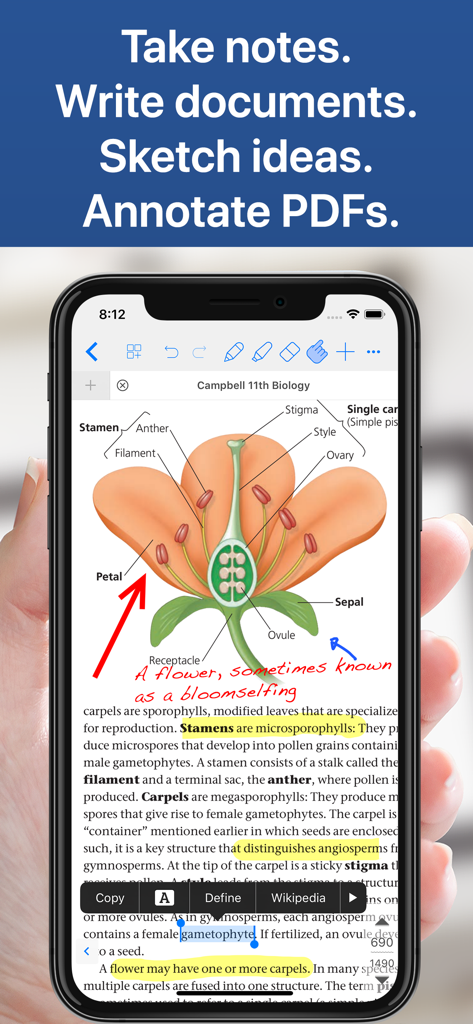
Notes Writer app on iPhone displaying a biology textbook PDF with handwritten notes and highlights

Notes Writer app on iPhone displaying a biology textbook PDF with handwritten notes and highlights

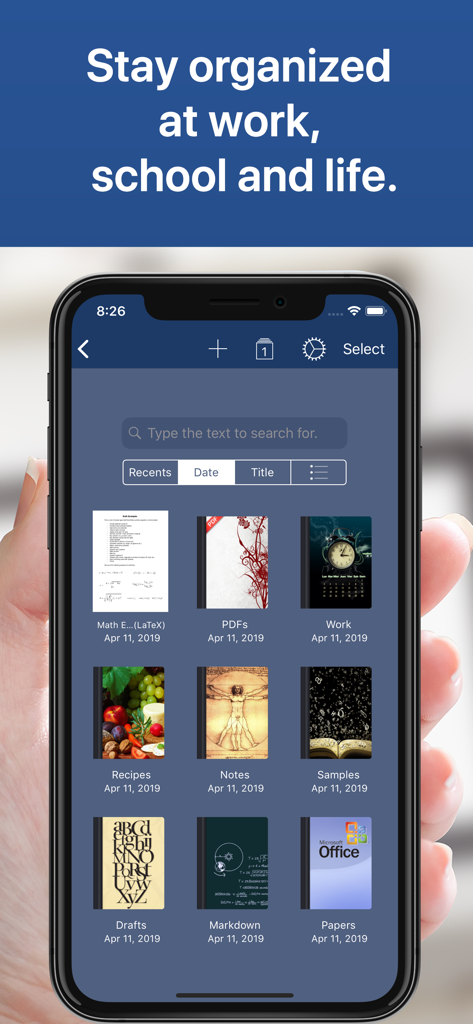
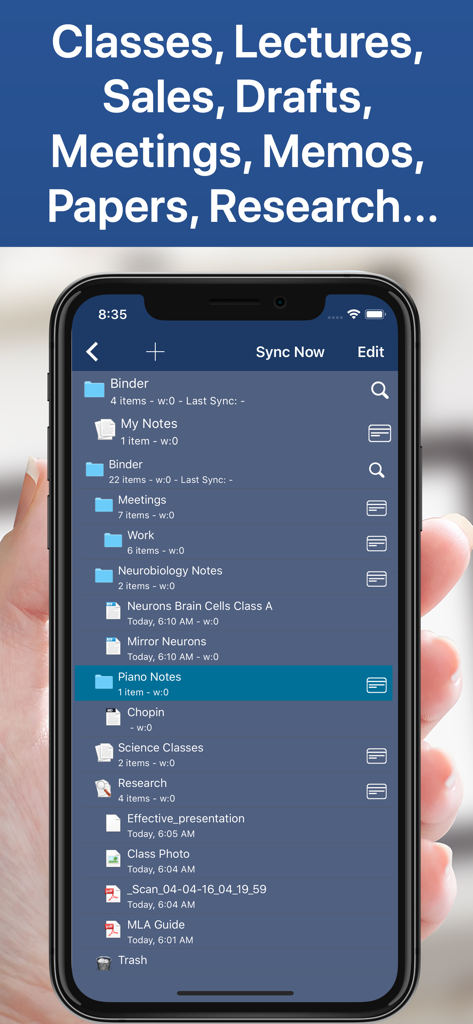
Interface of Notes Writer app showing a library of organized notebooks and folders on a smartphone

Interface of Notes Writer app showing a library of organized notebooks and folders on a smartphone

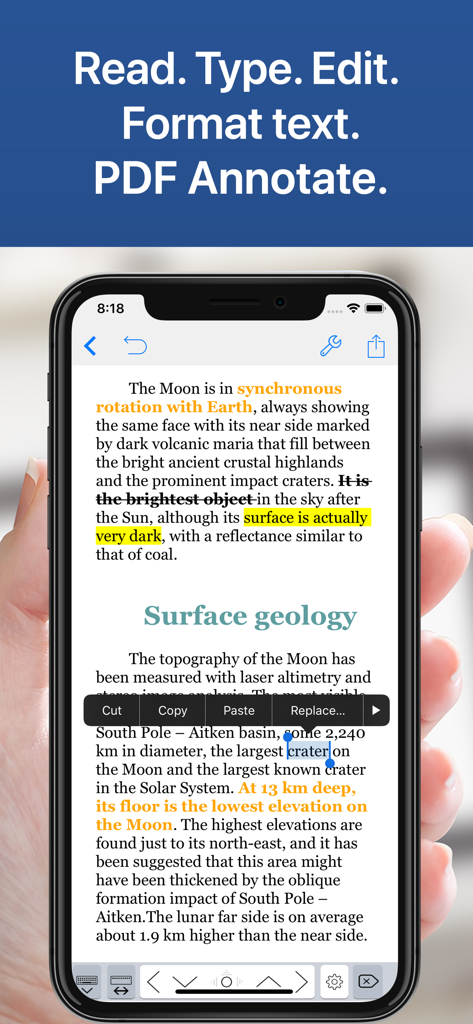
Notes Writer app interface on iPhone showing text formatting and PDF annotations

Notes Writer app interface on iPhone showing text formatting and PDF annotations

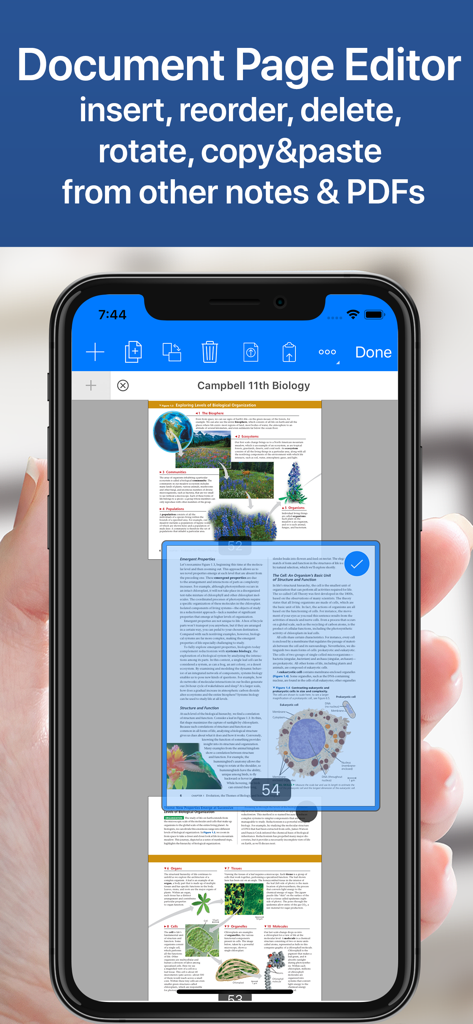
Notes Writer app document page editor interface on iPhone showing a biology textbook PDF with options to reorder and manage pages

Notes Writer app document page editor interface on iPhone showing a biology textbook PDF with options to reorder and manage pages

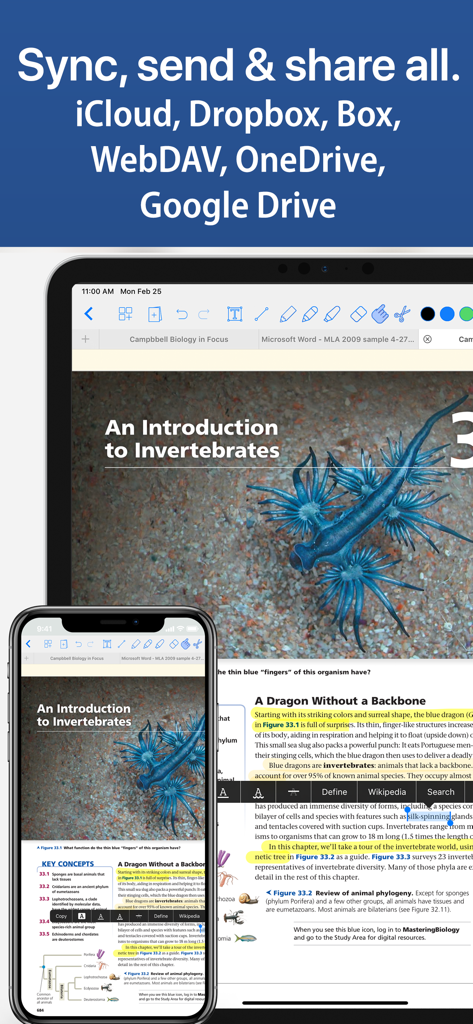
Notes Writer app interface on iPad and iPhone showing document synchronization across cloud services like iCloud and Google Drive

Notes Writer app interface on iPad and iPhone showing document synchronization across cloud services like iCloud and Google Drive

Smartphone screen displaying organized folders for academic and professional notes in Notes Writer

Smartphone screen displaying organized folders for academic and professional notes in Notes Writer

Master Your Mobile Workflow

The tools that make this app stand out, trusted by 8M+ users.

✒️

Distraction-Free Writing

Craft manuscripts or class notes with Markdown support, typewriter mode, and automated MLA/APA formatting for academic excellence.

🖊️

Advanced PDF Toolset

Highlight textbooks, sign legal contracts, and fill complex forms instantly. Use Dual-View to research and write simultaneously.

☁️

Infinite Organization & Sync

Structure your projects with unlimited folders and stay in sync across iCloud, Google Drive, and Dropbox for a truly paperless life.

Loved by users worldwide

Trusted by 8M+ people who love this app.

"

"As a doctoral student, I used to juggle three different apps for my research. Notes Writer changed everything. I can annotate long PDF papers while writing my drafts side-by-side in dual-view. The built-in MLA formatting tools and the ability to organize hundreds of folders make it the ultimate second brain for my dissertation."

Sarah L., Ph.D. Candidate
"

"This is the most versatile writing tool I’ve found for my iPad. Whether I'm using the distraction-free typewriter mode for a new article or signing contracts on the fly with the secure PDF tools, it handles it all perfectly. It is my entire mobile office in one app, and the offline mode is a lifesaver for my commute."

Marcus T., Freelance Journalist

Review Analysis

Insights from user reviews.

Sentiment Score

23%
Negative

Summary

This note-taking app receives largely negative feedback, primarily due to its controversial payment model and numerous stability issues. Many users express frustration with hidden costs, the requirement to repurchase "Pro" features across different devices, and a perceived lack of transparency regarding subscriptions and AI features. Recurring critical problems include frequent app crashes, significant data loss without recovery options, and unresponsive customer support. Despite these drawbacks, the app garners some praise for its strong PDF annotation capabilities, variety of templates, ease of use for basic note-taking, and efficient file transfer, with a few users highlighting its useful free version features.

Common Themes

Ease of Use(4)
PDF Annotation(3)
Templates & Customization(1)
File Transfer(1)
Free Version Features(1)
Handwritten Notes(1)

About the app

Everything you need to know about Notes Writer - Note Taking.

Description

Transform the way you write, annotate, and organize on your iPad and iPhone. Perfect for students, educators, writers, professionals, and anyone who needs a powerful, all-in-one note-taking and PDF editing solution—Notes Writer works wherever you are, even offline. Write, Edit & Format • Write anywhere: Capture lecture notes, journal entries, articles, and more—even on the go. • Advanced editing: Create RTF and Markdown documents with customizable margins, headers, footers, and paper sizes. Format your work effortlessly using MLA/APA styles. • Real-time metrics: Monitor word counts, character counts, and more as you write. • Voice and accessibility: Use dictation to speak your text and text-to-speech for seamless proofreading. • Focus mode: Enjoy distraction-free typewriter mode and extra keys for effortless editing. • Multilingual support: Type in over 30 languages, including Japanese, Chinese, Arabic, and Hebrew. Annotate PDFs, Fill Forms & Sign Documents • Dynamic PDF tools: Highlight, underline, strikeout, and add notes—plus voice annotations, pencil marks, stamps, and digital signatures. • Easy form filling: Complete PDF forms with full AcroForms support and sign documents securely. • Signature validation: Ensure your signatures are authenticated and legally sound. Organize, Structure & Find • Unlimited organization: Create and manage unlimited notebooks, folders, and subfolders. Design custom covers and structure your projects intuitively. • Powerful search: Instantly find any note or document with full-text search across your entire library. Scan, Research & Manage Your PDF Library • Dual-view mode: Compare two PDFs or handwritten notes side by side. • Comprehensive PDF manager: Read, annotate, and organize textbooks, ebooks, articles, and more. • Document scanning: Convert physical documents, recipes, and tickets into PDFs using your device’s camera. • Multi-file compatibility: Open PowerPoint, Word, and Excel files directly within the app. Share, Export & Protect Your Work • Seamless sharing: Sync with iCloud, Dropbox, Box, WebDAV, and Google Drive. Open attachments directly from your Mail app. • Flexible exports: Convert notes to RTF, Markdown, PDF, ePub, HTML, TXT, and more. Easily zip and email entire notebooks. • Secure backups: Protect your work with a passcode and enjoy automatic backups for peace of mind. Notes Writer is more than a note-taking app—it’s your smart, versatile writing workspace designed to boost productivity in study and business. Download today and experience a smarter way to capture, organize, and share your ideas. Privacy Policy http://www.noteswriter.com/Kairoos_Privacy_Policy.html EULA https://www.apple.com/legal/internet-services/itunes/dev/stdeula/

Latest Version

18.4.0

Size

359.4 MB

First Released

Aug 15, 2018

Start Your Smarter Workspace Today

Join 8 million power users who have traded cluttered apps for one unified home. Download Notes Writer and master your notes, PDFs, and projects in one place.

Download on App Store
FAQ

Frequently Asked Questions

Everything you need to know about Notes Writer - Note Taking

What is Notes Writer?

Notes Writer is an all-in-one note-taking and PDF editing solution for iPad and iPhone. It enables users to write, annotate, organize, scan, and manage documents effectively for study and business.

Can I use Notes Writer without an internet connection?

Yes, Notes Writer functions offline. The application allows users to capture notes, journal entries, and articles regardless of internet availability, ensuring productivity anywhere.

What types of files can Notes Writer export?

Notes Writer exports notes to various formats, including RTF, Markdown, PDF, ePub, HTML, and TXT. It also allows users to zip and email entire notebooks directly from the app.

Does Notes Writer support PDF annotation?

Yes, Notes Writer supports comprehensive PDF annotation. Users can highlight, underline, strikeout, add notes, voice annotations, pencil marks, stamps, and digital signatures directly on PDFs.

How does Notes Writer help organize documents?

Notes Writer provides unlimited organization. Users create and manage unlimited notebooks, folders, and subfolders. It features custom covers and a powerful full-text search across the entire library.

What cloud services does Notes Writer sync with?

Notes Writer offers seamless synchronization with iCloud, Dropbox, Box, WebDAV, and Google Drive. Users can also open email attachments directly within the application.

Does Notes Writer include a document scanner?

Yes, Notes Writer incorporates document scanning. This feature converts physical documents, recipes, and tickets into PDF files directly using the device’s camera for digital organization.

Can I open Microsoft Office files like Word or Excel in Notes Writer?

Yes, Notes Writer supports opening PowerPoint, Word, and Excel files directly within the app. This enhances its utility as a comprehensive document manager.