Authenticator App ℗

Authenticator App ℗

Download on App Store
Spark by MWM logo
Logo of Authenticator App ℗

Authenticator App ℗: Secure Your Digital World with Pro-Grade 2FA & Password Management

The most secure and intuitive way to protect your online identity. Sync seamlessly across your iPhone, iPad, and Apple Watch with encrypted iCloud backups for total peace of mind and zero lockout risk.

Publisher

RHO DEVELOPERS LLC

Category

Productivity

Downloads

303K+

User Rating

4.5/5

Total Ratings

700

Locales

7

Security at a Glance

Discover the interface used by 303K+ users.
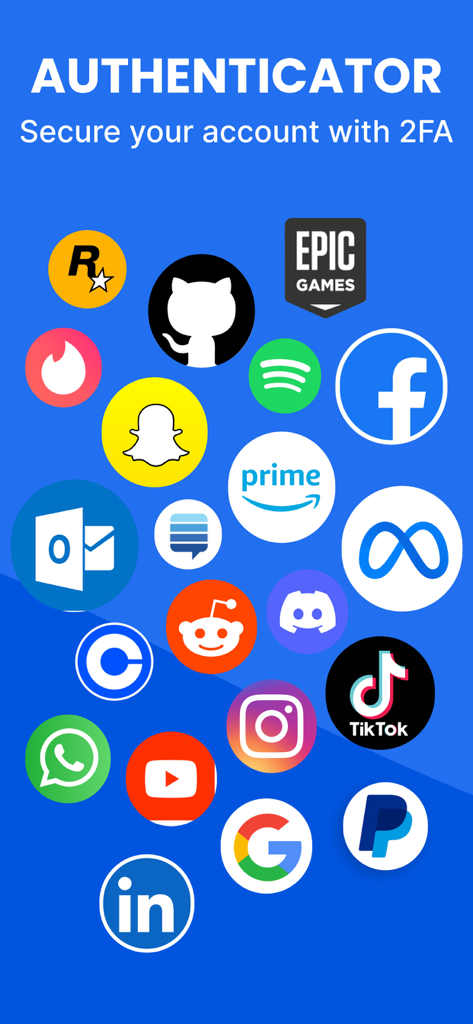
A collage of icons for popular platforms like Facebook Google and TikTok supported by the Authenticator app for two factor authentication

A collage of icons for popular platforms like Facebook Google and TikTok supported by the Authenticator app for two factor authentication

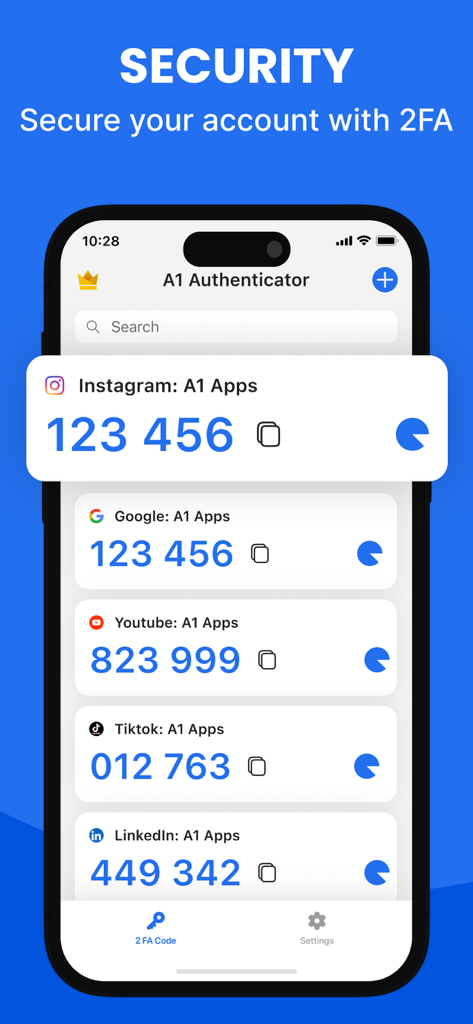
A smartphone screen displaying various 2FA authentication codes for accounts like Instagram, Google, and TikTok.

A smartphone screen displaying various 2FA authentication codes for accounts like Instagram, Google, and TikTok.

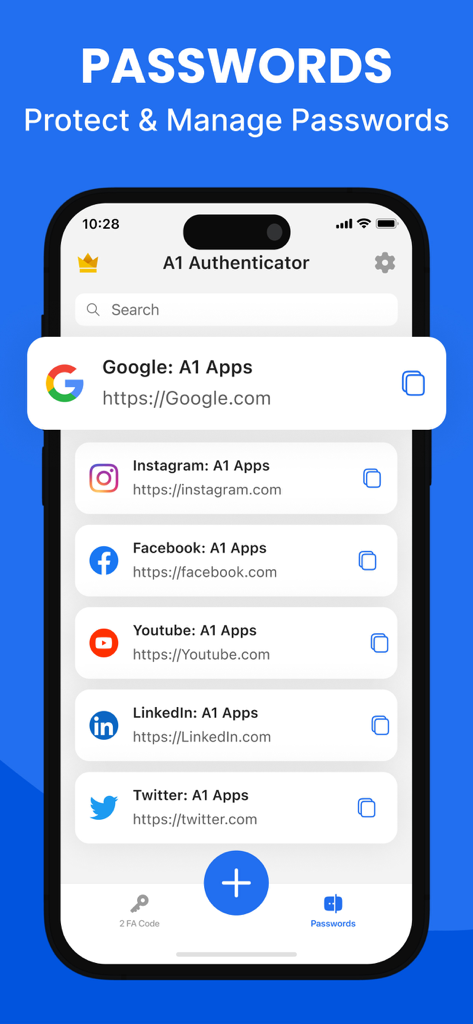
Smartphone display showing the password management feature of the Authenticator App with a list of saved social media accounts.

Smartphone display showing the password management feature of the Authenticator App with a list of saved social media accounts.

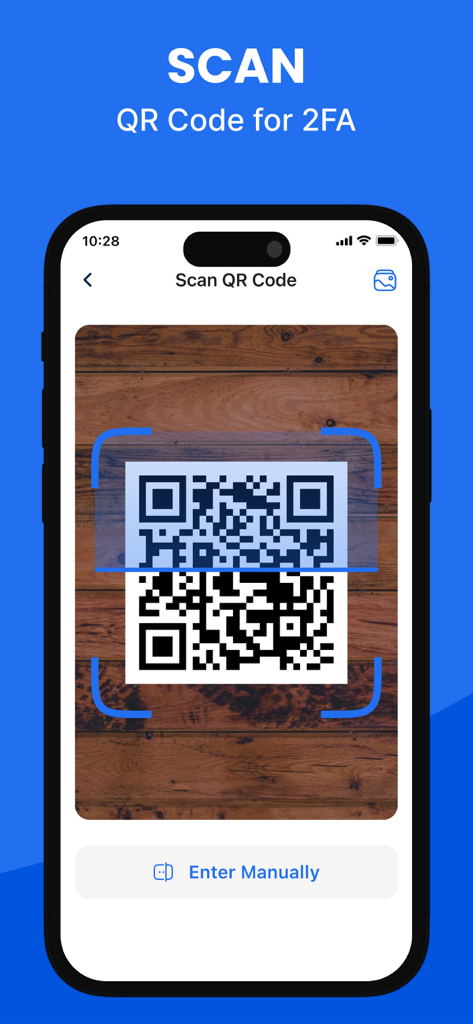
iPhone scanning a QR code for two-factor authentication setup in the Authenticator App.

iPhone scanning a QR code for two-factor authentication setup in the Authenticator App.

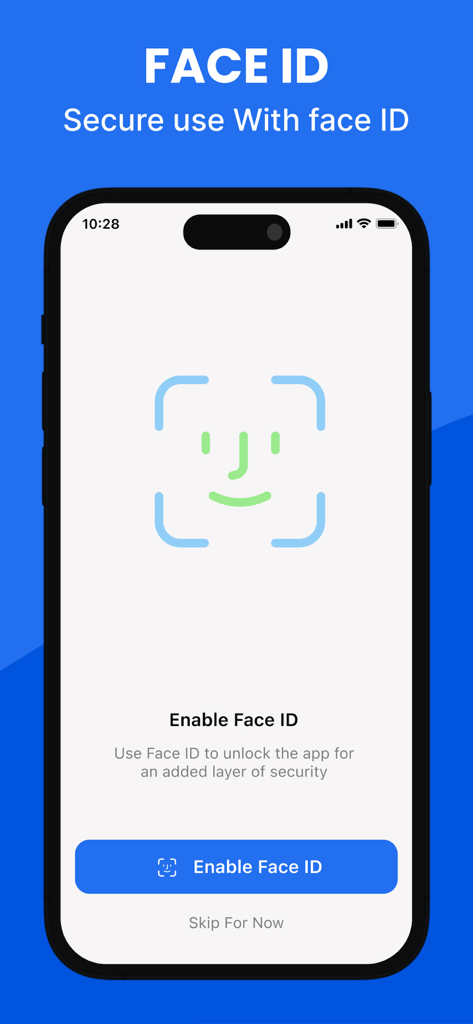
Face ID biometric security setup screen in the Authenticator App

Face ID biometric security setup screen in the Authenticator App

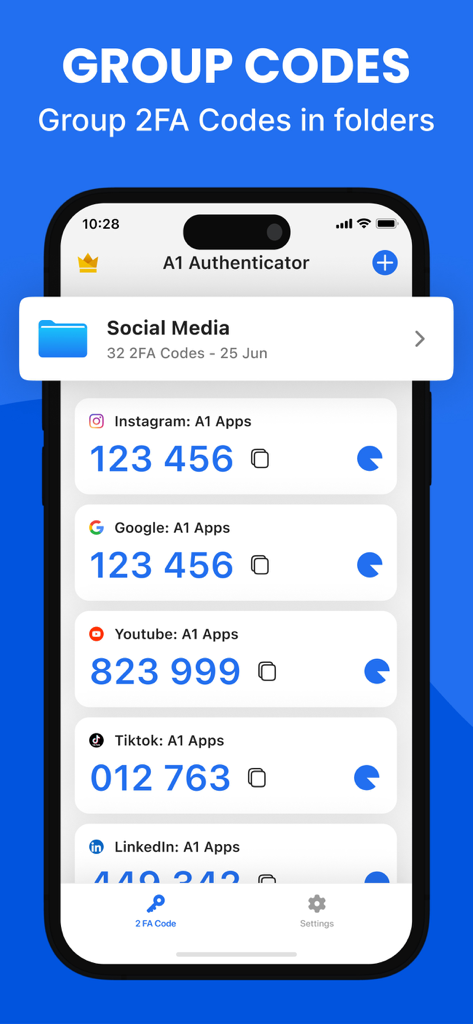
Screenshot of the Authenticator App showing 2FA codes organized into a folder for social media

Screenshot of the Authenticator App showing 2FA codes organized into a folder for social media

Fort Knox Security, Simplified for You

The tools that make this app stand out, trusted by 303K+ users.

Instant Access, Anywhere

Authenticate in a heartbeat using Home Screen widgets or your Apple Watch. Stop digging for your phone and stay in your professional flow.

☁️

Zero-Knowledge iCloud Sync

Never worry about losing access again. Your 2FA keys are end-to-end encrypted and backed up automatically to your private iCloud for easy device upgrades.

📂

All-in-One Security Hub

Ditch multiple apps. Manage complex passwords and 2FA codes in organized folders, protected by FaceID and military-grade encryption.

Loved by users worldwide

Trusted by 303K+ people who love this app.

"

"Finally, an authenticator that doesn't make me panic when I switch phones! The iCloud backup and Apple Watch support are game changers for my workflow. I can grab codes right from my wrist without stopping my work. It is the most seamless security tool I have used."

Sarah J., Creative Director
"

"I love how I can organize my work and personal accounts into folders. The custom icons make finding the right code instant. Plus, having a password manager and 2FA in one encrypted app has totally decluttered my digital life. FaceID protection gives me real peace of mind."

David L., Software Engineer

About the app

Everything you need to know about Authenticator App ℗.

Description

Authenticator App – Secure Accounts and Passwords Authenticator App helps you protect your accounts from unauthorized access by adding an extra layer of security through two-factor and multi-factor authentication. Easily manage your 2FA codes, passwords, and login credentials with a user-friendly, encrypted system built for security and privacy. Secure & Private All of your data in Authenticator App is always encrypted locally and in iCloud, ensuring that only you can access it. Our end-to-end encryption means that not even we can see your codes or passwords. Built-in Password Manager Authenticator App is more than just a 2FA authenticator. Store and manage all your passwords in one secure place. Get instant alerts for leaked credentials and breaches, along with detailed password health reports to keep your accounts safe and organized. 2FA Encrypted Backup Automatically back up your 2FA codes, secret keys, and passwords to iCloud with secure encryption. Easily restore access when switching devices or sync across multiple devices for seamless access. Sync Across Devices Keep your authentication codes and passwords synchronized across all your devices. Once linked to your online accounts, the app securely shares your data across iPhone, iPad, and other supported devices. Import From Other Apps Switching to Authenticator App is simple. Import your 2FA codes from apps like Microsoft Authenticator or Google Authenticator using QR code scanning or CSV file upload — all in just one tap. Export Anytime Need a backup? Easily export all your 2FA codes and accounts from Authenticator App via QR code or CSV file. Your data, your control. Quick Access with Home Screen Widget View and copy your 2FA codes instantly from your device’s Home Screen using the Authenticator App widget — enabling faster, one-tap authentication without opening the app. Apple Watch Support Access your 2FA codes directly on your Apple Watch. Whether you’re logging in on your computer or phone, your watch gives you instant access to your authentication codes without reaching for another device. A seamless way to stay secure on the go. Organize with Folders Create folders to categorize your 2FA accounts and passwords. Easily manage, move, and sort your data with a simple drag-and-drop interface. Custom Icons Quickly recognize your accounts by assigning custom or auto-detected service icons. Authenticator App automatically fetches icons for easy identification. App Lock & Biometric Security Protect your app with a 4-digit PIN, Face ID, or Touch ID. Enable auto-lock after inactivity to ensure only you can access your authenticator codes and password manager securely. Supports All Major Services Compatible with thousands of platforms including Google, Facebook, Instagram, Amazon, Microsoft, Twitter, Dropbox, Reddit, PayPal, Zoom, Uber, and more. Download Authenticator App Today Take control of your online security and protect your digital life with the most secure and user-friendly Authenticator App-2FA & Password Manager. Start now and keep your accounts safe from unauthorised access. Privacy Policy: https://sites.google.com/a1apps.co/privacypolicy-aiauthenticator/home Terms of Use: https://blog.a1apps.co/terms-of-use-a1-authenticator/

Latest Version

1.1.26

Size

175.9 MB

First Released

Jul 10, 2024

Secure Your Digital Life with Total Confidence

Experience the perfect harmony of military-grade encryption and Apple-style simplicity. Join over 300,000 professionals who never worry about account lockouts or forgotten passwords again.

Download on App Store
FAQ

Frequently Asked Questions

Everything you need to know about Authenticator App ℗

What is Authenticator App ℗?

Authenticator App ℗ protects accounts with two-factor and multi-factor authentication. It securely manages 2FA codes, passwords, and login credentials using a user-friendly, encrypted system focused on privacy.

Is Authenticator App ℗ secure and private?

Yes, Authenticator App ℗ encrypts all data locally and in iCloud using end-to-end encryption. This ensures only you can access your codes and passwords, guaranteeing complete privacy and security.

Does Authenticator App ℗ include a password manager?

Yes, Authenticator App ℗ features a built-in password manager. It stores and manages all your passwords, provides alerts for leaked credentials, and offers password health reports for enhanced account safety.

Can Authenticator App ℗ back up 2FA codes?

Yes, Authenticator App ℗ automatically backs up 2FA codes, secret keys, and passwords to iCloud with secure encryption. This allows for easy restoration and seamless access across multiple devices.

Does Authenticator App ℗ sync across devices?

Yes, Authenticator App ℗ synchronizes authentication codes and passwords across all your devices. Data is securely shared across iPhone, iPad, and other supported devices once online accounts are linked.

How can I import 2FA codes into Authenticator App ℗?

Users can import 2FA codes into Authenticator App ℗ from other apps like Microsoft or Google Authenticator. This is accomplished easily via QR code scanning or CSV file upload in one tap.

Can I export my 2FA codes from Authenticator App ℗?

Yes, Authenticator App ℗ allows users to export all 2FA codes and accounts. This can be done via QR code or CSV file, providing full data control and backup capabilities.

Does Authenticator App ℗ have a Home Screen Widget?

Yes, Authenticator App ℗ provides a Home Screen Widget. It allows instant viewing and copying of 2FA codes directly from your device's Home Screen for faster, one-tap authentication without opening the app.

Is Authenticator App ℗ compatible with Apple Watch?

Yes, Authenticator App ℗ supports Apple Watch. Users can access their 2FA codes directly on their watch, providing instant authentication access without needing to retrieve another device.

How can I organize accounts in Authenticator App ℗?

Authenticator App ℗ allows users to organize 2FA accounts and passwords into folders. It features a simple drag-and-drop interface for managing, moving, and sorting data efficiently.

Does Authenticator App ℗ support custom icons for accounts?

Yes, Authenticator App ℗ supports custom icons and automatically fetches service icons. This feature aids quick recognition of accounts for streamlined management within the app.

How does Authenticator App ℗ secure the application itself?

Authenticator App ℗ secures access with a 4-digit PIN, Face ID, or Touch ID. It also includes auto-lock after inactivity, ensuring only authorized users can access codes and the password manager.

What services does Authenticator App ℗ support for 2FA?

Authenticator App ℗ supports thousands of platforms for 2FA. These include major services such as Google, Facebook, Instagram, Amazon, Microsoft, Twitter, Dropbox, Reddit, PayPal, Zoom, and Uber.