Camera Lucida™: AR Drawing

Camera Lucida™: AR Drawing

Download on App Store
Spark by MWM logo
Logo of Camera Lucida™: AR Drawing
Camera Lucida™: AR Drawing: Master Every Sketch with Professional AR Tools

Experience the gold standard of AR art with 12+ years of innovation. Create stunning physical art, record time-lapses, and enjoy lifetime access with one single purchase—no subscriptions, ever.

Download on App Store

Publisher

Big Idea Design LLC

Category

Graphics & Design

Downloads

313K+

User Rating

4.8/5

Total Ratings

3K+

Locales

1

Mastery in Motion

Discover the interface used by 313K+ users.
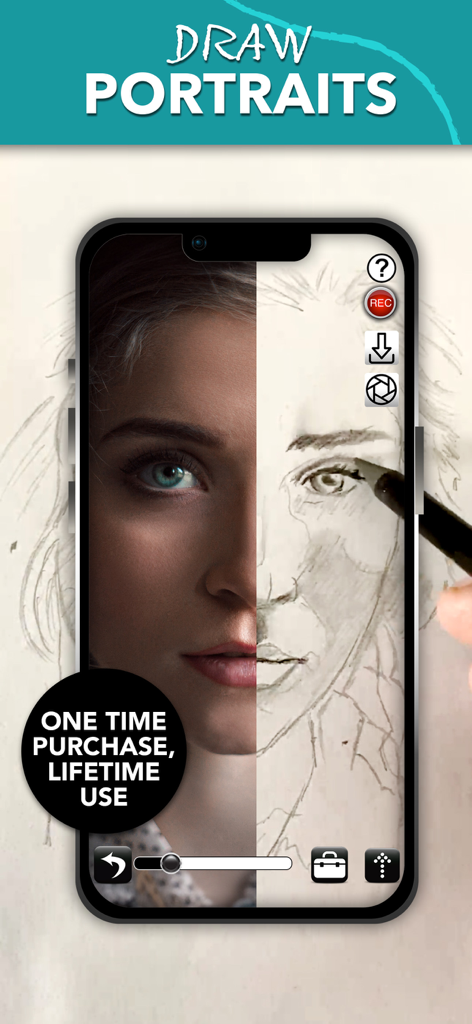
A smartphone screen showing the Camera Lucida app with a split view of a reference portrait photo and a hand drawn pencil sketch

A smartphone screen showing the Camera Lucida app with a split view of a reference portrait photo and a hand drawn pencil sketch

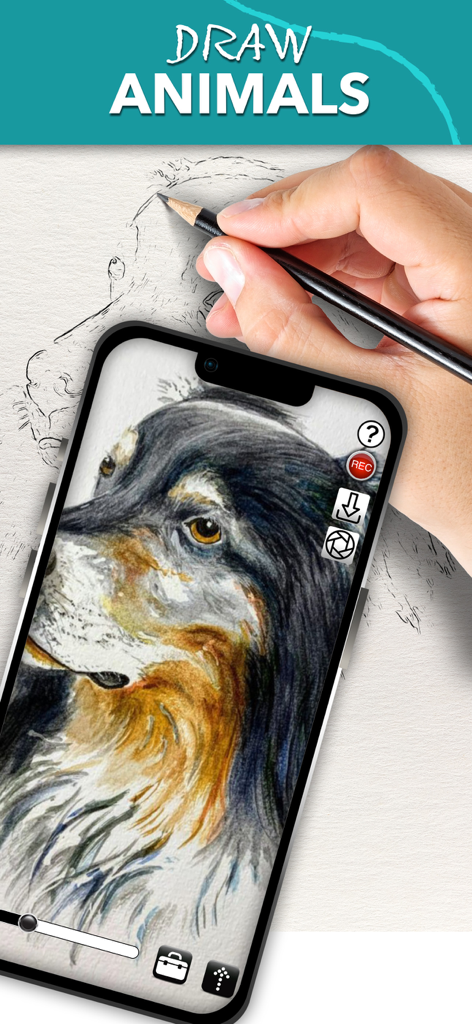
A person using the Camera Lucida app on an iPhone to draw a detailed dog portrait on paper using an AR overlay

A person using the Camera Lucida app on an iPhone to draw a detailed dog portrait on paper using an AR overlay

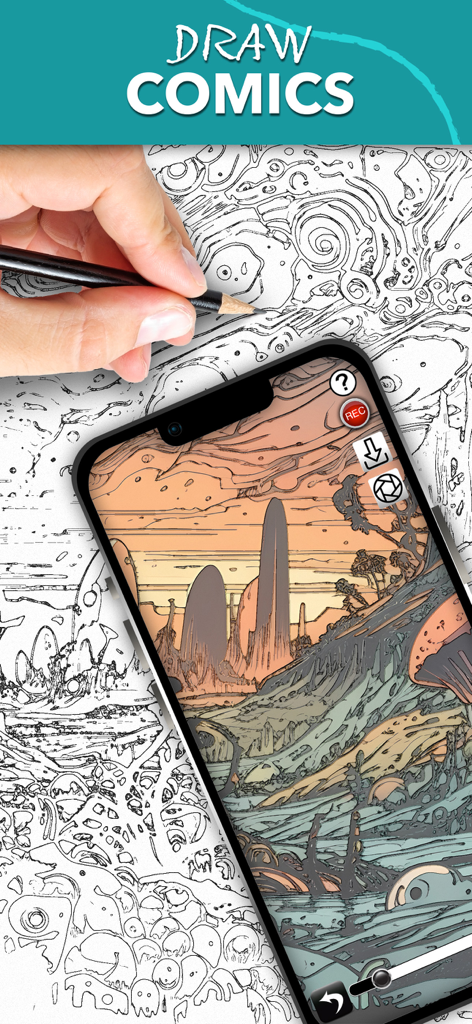
A person using the Camera Lucida app on a smartphone to sketch a complex comic landscape by following an AR overlay.

A person using the Camera Lucida app on a smartphone to sketch a complex comic landscape by following an AR overlay.

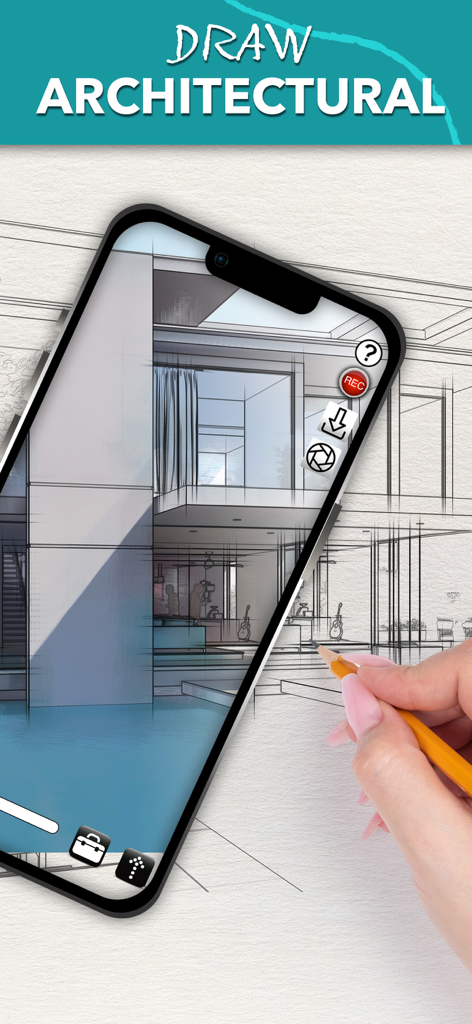
A person tracing an architectural house sketch on paper using the Camera Lucida AR drawing app on an iPhone.

A person tracing an architectural house sketch on paper using the Camera Lucida AR drawing app on an iPhone.

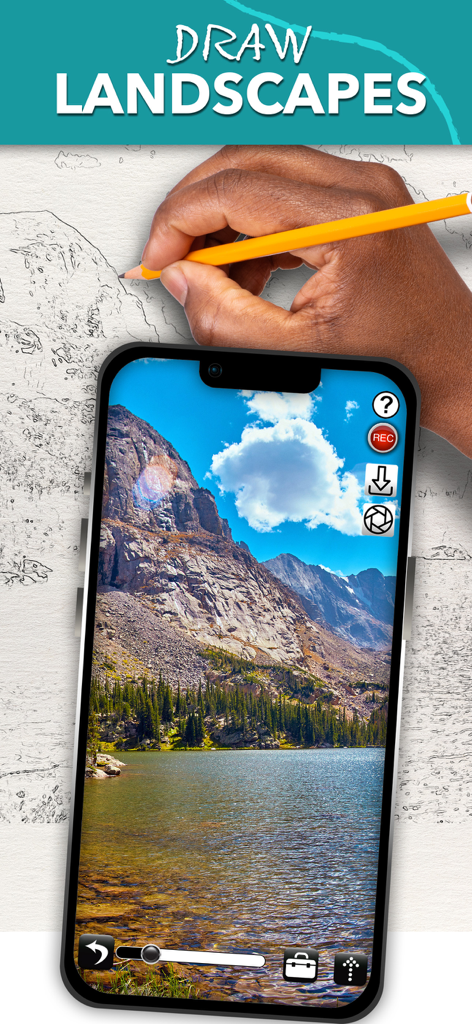
Drawing a landscape on paper using the Camera Lucida AR drawing app on a smartphone

Drawing a landscape on paper using the Camera Lucida AR drawing app on a smartphone

Master Every Stroke with AR Technology

The tools that make this app stand out, trusted by 313K+ users.

🎨

Perfect Proportions, Every Time

Overlay any reference image directly onto your canvas, paper, or even a cookie. It is more precise than a projector and easier than a traditional light table.

💎

One-Time Purchase, Lifetime Use

Join thousands of US artists who value ownership. Pay once and enjoy professional features like Zoom Lock and Advanced Filters with no monthly fees.

🤳

Build Your Social Brand

Capture high-quality time-lapse videos of your creative process. Easily share your journey on TikTok, Pinterest, or Instagram to grow your audience.

Loved by users worldwide

Trusted by 313K+ people who love this app.

"

"As a professional cookie decorator, this app has been a total game-changer for my small business. I use it to project intricate logos and patterns directly onto my icing with perfect precision every time. The one-time purchase model is so refreshing compared to all the monthly subscriptions out there, and the session restore feature is a lifesaver when I have to pause a large order."

Elena Rodriguez, Custom Baker & Etsy Seller
"

"I’ve always wanted to get into sketching but struggled with proportions and 'blank page syndrome.' This app made it so approachable! The AR overlay is rock-solid, and I love using the built-in time-lapse feature to share my drawing process on Instagram. It’s the perfect bridge between digital convenience and the tactile feel of pencil on paper."

Mark Thompson, Aspiring Artist

About the app

Everything you need to know about Camera Lucida™: AR Drawing.

Description

Draw Like a Pro with Camera Lucida™: AR Drawing One-Time Purchase: No subscriptions! Buy it once and use on your devices. Enhance Your Art Skills: Whether you're sketching with a pencil or painting with a brush, Camera Lucida™ helps you become a better artist. Unmatched Functionality: With 12+ years of development, Camera Lucida™ offers features that no competitor can match. Create stunning physical art using your iPhone or iPad's camera. Simply point your device at your drawing surface, and watch the screen to see your reference image superimposed over your work. It's more versatile than a light table, better than a projector, and easier to use than a traditional Camera Lucida™. How It Works: Place your iPhone or iPad between your eyes and your drawing surface. The app shows a virtual image on your screen, guiding your hand as you draw. This clever method makes it easy and fun to create detailed art. Top Features: • Buy it once for lifetime use. • Advanced Image Filters: See with an artist's eye. • Zoom in Lock: For ultra detailed drawing. • Session Save & Restore: Automatically realign your camera, sketch, and reference image. • Full Color Palette Control: Use your own paints, markers, and more. • Camera Adjustments: Use your device camera and adjust for different setups manually or with an in-app purchase to auto-adjust. • Time-Lapsed Recordings: Share your drawing process on social media. • Advanced Tools: Vertical split screen sliders, timed image fading, and more. • Video Tutorials: Watch tutorials within the app or on YouTube. • Comprehensive User Manual: Accessible from within the app. • Reliable Customer Support: Plus, an active user community for inspiration. • External USB Camera Support: For USB-C equipped iPads running iOS 17. Easy Setup: Secure your iPhone or iPad above your drawing surface using common household items like a stack of books or a vase. Tutorials are included to help you get started. Contact: For any questions or support, email cameralucida@bigidesign.com.

Latest Version

17.1

Size

54.8 MB

First Released

Mar 20, 2010

Master Any Surface. Pay Once, Create Forever.

Join over 313,000 creators and experience the gold standard of AR drawing. Say goodbye to subscription fatigue and unlock your full artistic potential on iPhone and iPad today.

Download on App Store