PicTrace: AR Drawing & Sketch

PicTrace: AR Drawing & Sketch

Download on App Store
Spark by MWM logo
Logo of PicTrace: AR Drawing & Sketch

PicTrace: AR Drawing & Sketch – Unlock Your Artistic Superpower

Transform any photo into a stunning sketch with AR tracing. Master Manga, record your process, and go viral with your creations. Join 3M+ creators today.

Publisher

ANDROID VIETNAM TECHNOLOGY CORPORATION

Category

Graphics & Design

Downloads

3M+

User Rating

4.5/5

Total Ratings

84K+

Locales

15

Art in Motion

Discover the interface used by 3M+ users.
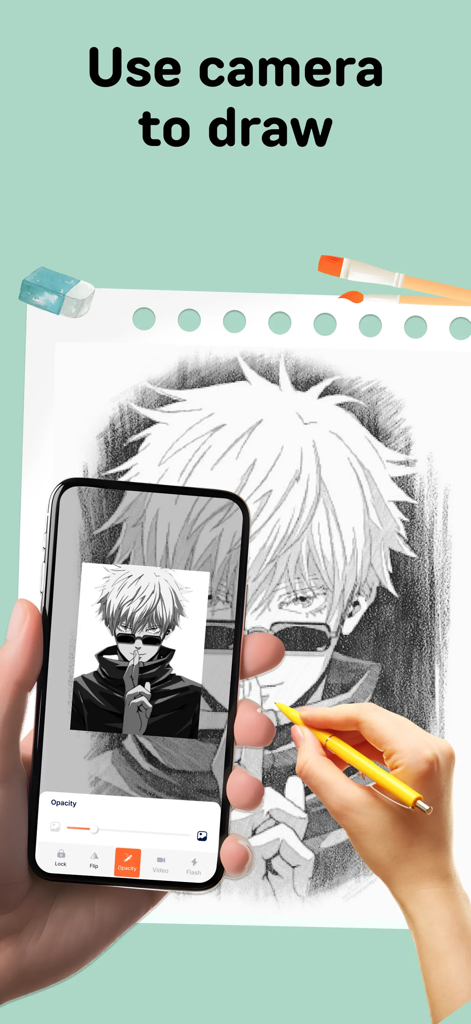
A person using the PicTrace app to trace an anime character onto paper using their phone camera and augmented reality.

A person using the PicTrace app to trace an anime character onto paper using their phone camera and augmented reality.

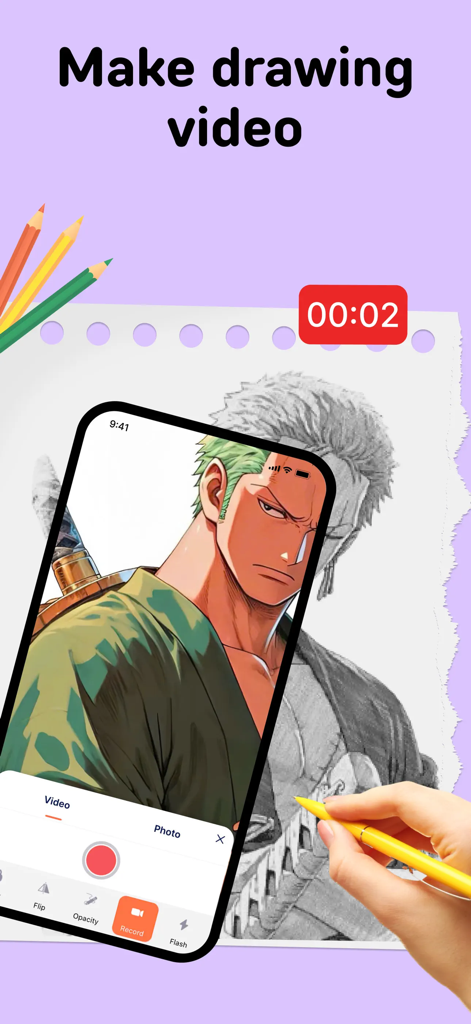
Recording a video of an anime character being traced with the PicTrace AR drawing app

Recording a video of an anime character being traced with the PicTrace AR drawing app

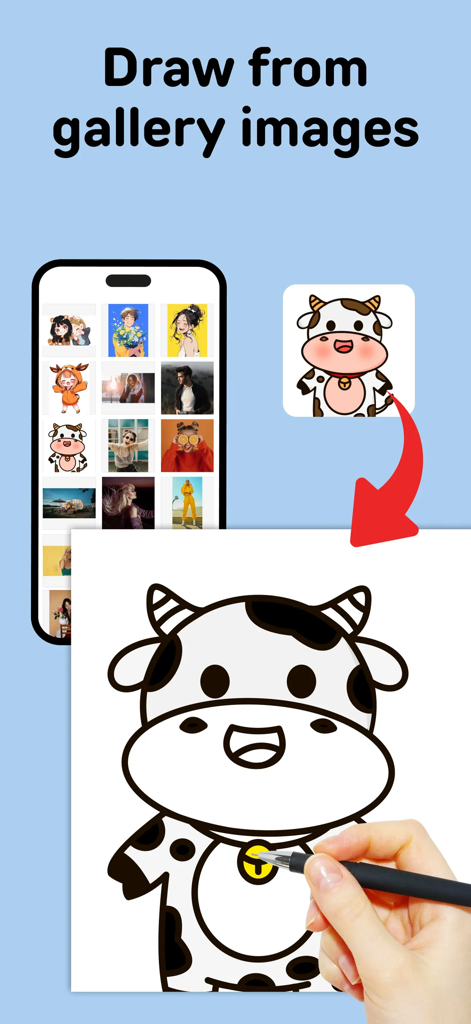
Drawing a cartoon cow from a smartphone gallery using AR tracing

Drawing a cartoon cow from a smartphone gallery using AR tracing

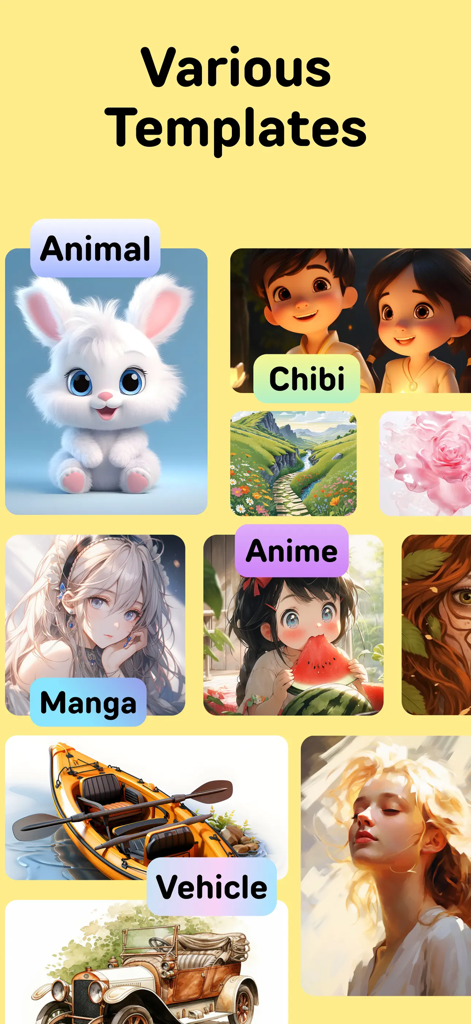
A collection of various drawing templates for animals manga anime and vehicles in the PicTrace app

A collection of various drawing templates for animals manga anime and vehicles in the PicTrace app

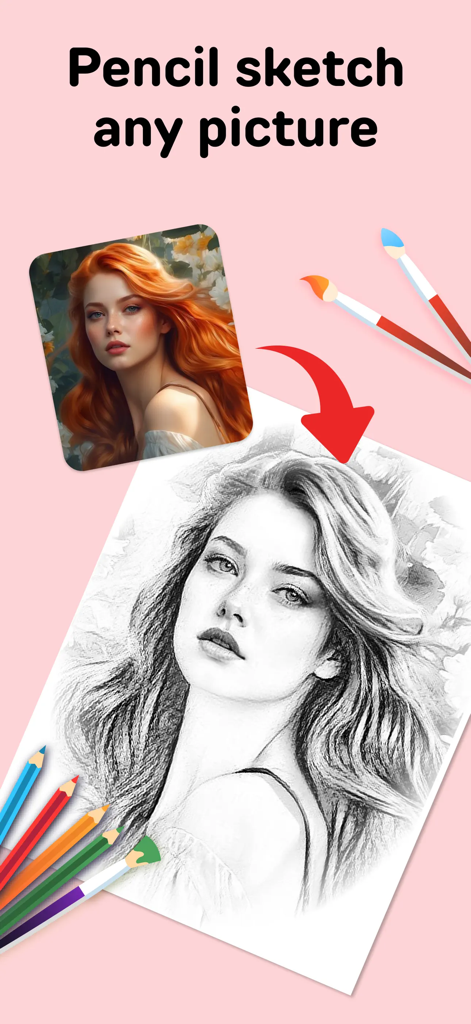
Graphic showing a colorful portrait being transformed into a detailed pencil sketch on paper with pencils and brushes around it

Graphic showing a colorful portrait being transformed into a detailed pencil sketch on paper with pencils and brushes around it

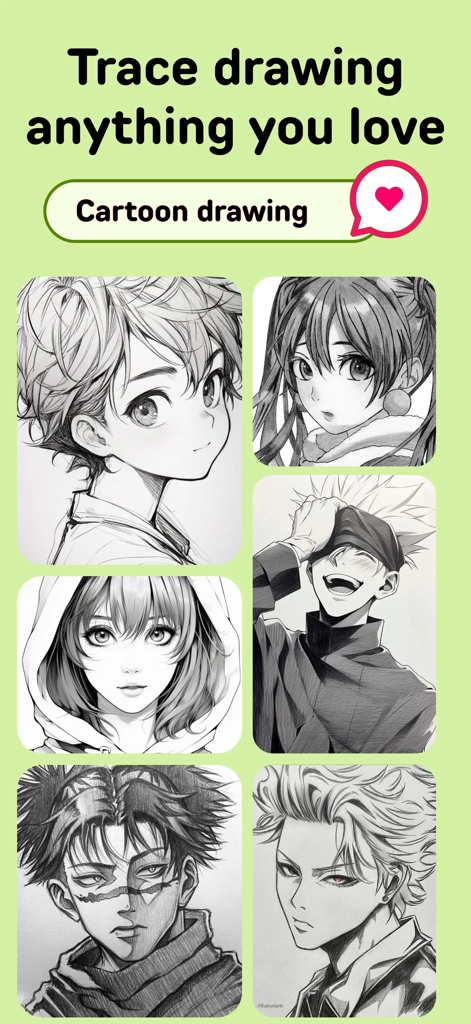
A collection of anime and manga character sketch templates for AR trace drawing

A collection of anime and manga character sketch templates for AR trace drawing

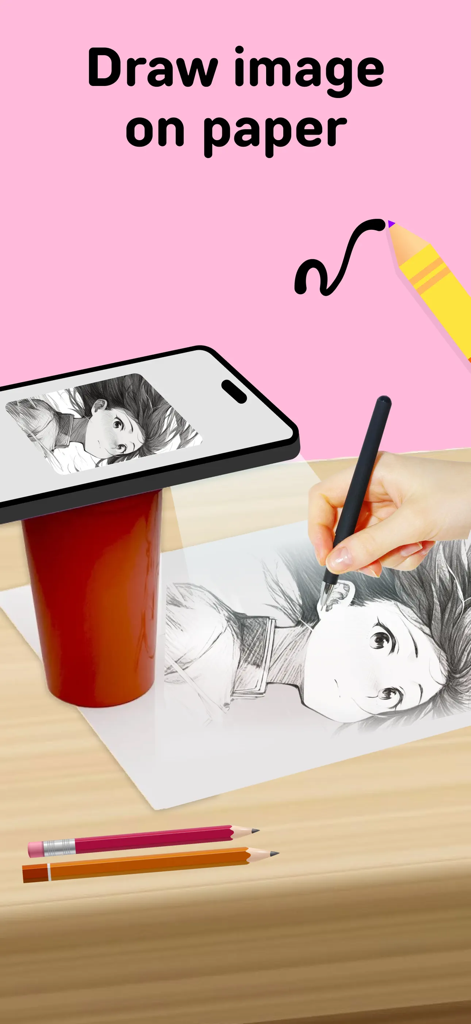
Tracing an anime character onto paper using PicTrace AR projection from a smartphone

Tracing an anime character onto paper using PicTrace AR projection from a smartphone

Turn Your Phone into a Magic Art Projector

The tools that make this app stand out, trusted by 3M+ users.

Precision AR Tracing

Skip the 'blank page' syndrome. Project clear outlines onto any surface and nail every detail and proportion perfectly from the start.

🎨

Your Gallery, Traceable

Turn your favorite photos or trending anime characters into sketches instantly. Personalize your art by importing any image you love.

🎥

Built for Social Creators

Record your drawing process automatically. Share satisfying time-lapse videos of your creations directly to TikTok and Instagram to grow your following.

Loved by users worldwide

Trusted by 3M+ people who love this app.

"

"I've always wanted to draw my favorite anime characters but struggled with proportions. PicTrace changed everything! The AR projection makes it so easy to get the lines perfect, and the time-lapse recording is a hit on my TikTok. It literally turned my phone into a professional light box!"

Chloe M.
"

"As someone who could barely draw a stick figure, this app is a game-changer. I used it to sketch a portrait of my dog from a photo in my gallery, and it turned out amazing. The interface is super intuitive, and I love that I can find any image online and start tracing immediately."

James L.

About the app

Everything you need to know about PicTrace: AR Drawing & Sketch.

Description

PicTrace: AR Drawing & Sketch is your ultimate companion for trace & draw enthusiasts, offering an immersive experience in AR tracing. This app lets you turn any photo or sample into an outline that you can trace, perfecting your skills and creating stunning artworks with ease. Features: 1. AR Drawing, draw with Camera: Immerse yourself in the world of AR drawing with real-time projections on your drawing surface. Whether it's a real sketch or a fun doodle, our app makes it simple and enjoyable. 2. Turn Photos into Real Sketches: We've added a powerful new feature that allows you to transform any photo into a trace sketch outline. This is perfect for those who want to create detailed, real sketches with precision. 3. Sketch Templates: Explore a wide array of sketch templates from animals to vehicles, Manga to Anime, and more. These templates are perfect for practicing and perfecting your trace drawing technique. 4. Instantly Find and Trace Anything: Import photo from your camrera or gallery or browser. Once you find something inspiring, you can instantly convert it into a traceable sketch and start drawing right away. 5. Capture the Process with Video Recording: Document your creative journey by recording your AR Draw Sketch sessions. This feature allows you to revisit your process or share it with others, providing a unique way to showcase your artistic evolution. 6. Save and Share: Once you've finished your trace to sketch creation, save it to your gallery or share it on social media. Show off your sketch trace to family and friends with just a few taps. PicTrace: AR Drawing & Sketch is more than just an app; it's your gateway to mastering the art of tracing and sketching. With our newly added features—Turn Photos into Real Sketches and Instantly Find and Trace Anything—your creative possibilities are endless. Whether you're creating a detailed real sketch or a simple outline, our app provides the tools you need to bring your drawings to life with AR tracing. Download PicTrace: AR Drawing & Sketch today and start your creative journey! - Experience the best in AR tracing with our cutting-edge technology. - Transform photos into artistic masterpieces with trace to sketch functionality. - Create beautiful trace drawings effortlessly using AR draw sketch. - Perfect your skills with a wide range of sketch templates. With PicTrace: AR Drawing & Sketch, your creativity knows no bounds. Sketch trace with ease, and explore the world of AR drawing with this powerful app. Download now and unleash your creativity like never before! • Privacy policy: https://sites.google.com/view/art-racer-trace-drawing/home • Term of use(EULA): https://sites.google.com/view/eula-ar-tracer/home Download PicTrace: AR Drawing & Sketch now and unleash your creativity!

Latest Version

4.9.20251212

Size

191.1 MB

First Released

Jul 5, 2024

Ready to Create Your First Masterpiece?

Join over 3 million creators who use AR to turn any photo into professional sketches instantly. Download PicTrace today and start drawing like a pro.

Download on App Store
FAQ

Frequently Asked Questions

Everything you need to know about PicTrace: AR Drawing & Sketch

What is PicTrace: AR Drawing & Sketch?

PicTrace: AR Drawing & Sketch is an app that provides an immersive AR tracing experience. It allows users to convert photos or samples into outlines for drawing, helping to perfect skills and create artworks easily.

How does AR drawing work with PicTrace: AR Drawing & Sketch?

PicTrace: AR Drawing & Sketch uses your device's camera to project outlines onto a physical drawing surface in real-time. This AR drawing feature simplifies tracing directly from the screen onto paper.

Can I turn my own photos into sketches using PicTrace: AR Drawing & Sketch?

Yes, PicTrace: AR Drawing & Sketch allows users to transform any photo from their camera or gallery into a trace sketch outline. This feature supports creating detailed, real sketches.

Does PicTrace: AR Drawing & Sketch offer drawing templates?

Yes, PicTrace: AR Drawing & Sketch offers a wide array of sketch templates. These include categories like animals, vehicles, Manga, and Anime, which are perfect for practicing drawing techniques.

Can I record my drawing process in PicTrace: AR Drawing & Sketch?

Yes, PicTrace: AR Drawing & Sketch includes a video recording feature. This allows users to document their AR Draw Sketch sessions, revisit their creative process, or share it with others.

How do I import images for tracing in PicTrace: AR Drawing & Sketch?

Users can import photos instantly into PicTrace: AR Drawing & Sketch from their camera, gallery, or web browser. Once imported, the app converts them into traceable sketches for drawing.

Where can I find the privacy policy for PicTrace: AR Drawing & Sketch?

The privacy policy for PicTrace: AR Drawing & Sketch is available directly within the app's description. The link provided is: https://sites.google.com/view/art-racer-trace-drawing/home.