ECOVACS HOME

ECOVACS HOME

Download on App Store
Spark by MWM logo
Logo of ECOVACS HOME

ECOVACS HOME: Master Your Floors from Anywhere

Take back your time with the ultimate smart home cleaning companion. Effortlessly schedule, map, and customize your DEEBOT's performance with precision—all from the palm of your hand.

Publisher

Ecovacs Robotics Inc.

Category

Lifestyle

Downloads

14M+

User Rating

4.7/5

Total Ratings

366K+

Locales

34

Smart Cleaning, Visualized

Discover the interface used by 14M+ users.
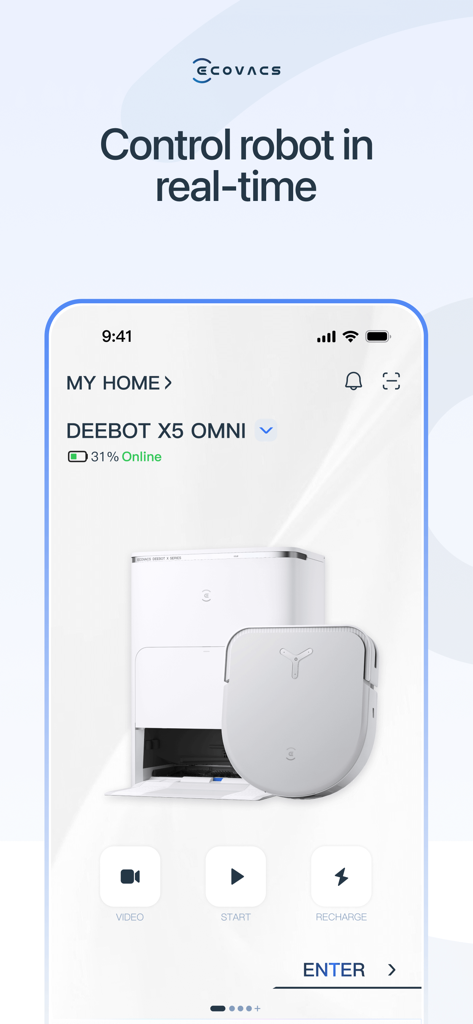
ECOVACS HOME app interface showing real-time control for a DEEBOT X5 OMNI robot vacuum

ECOVACS HOME app interface showing real-time control for a DEEBOT X5 OMNI robot vacuum

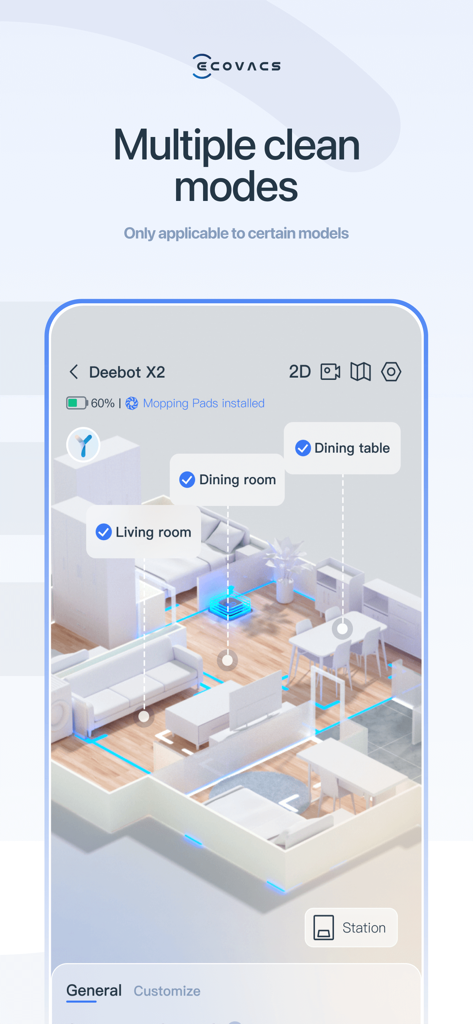
ECOVACS HOME app interface showing 3D house mapping and custom cleaning modes for Deebot robot vacuum

ECOVACS HOME app interface showing 3D house mapping and custom cleaning modes for Deebot robot vacuum

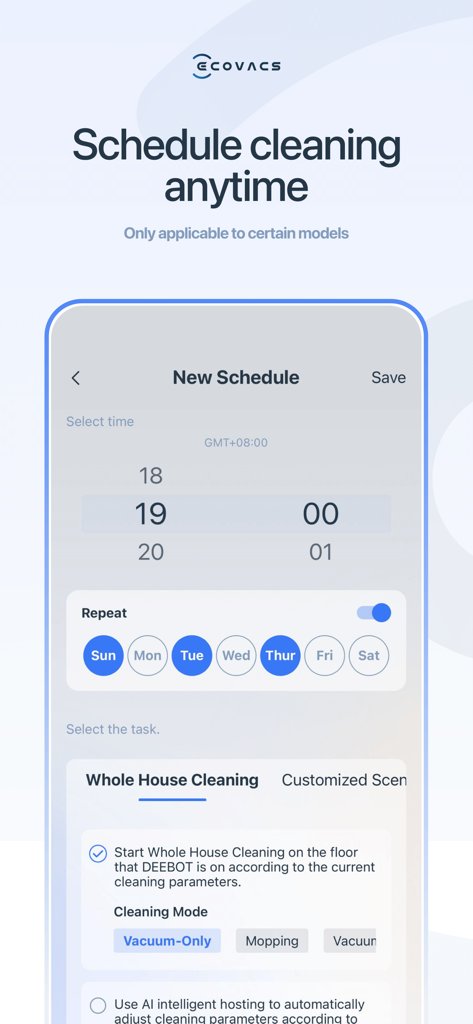
ECOVACS HOME app interface for scheduling robot vacuum cleaning tasks

ECOVACS HOME app interface for scheduling robot vacuum cleaning tasks

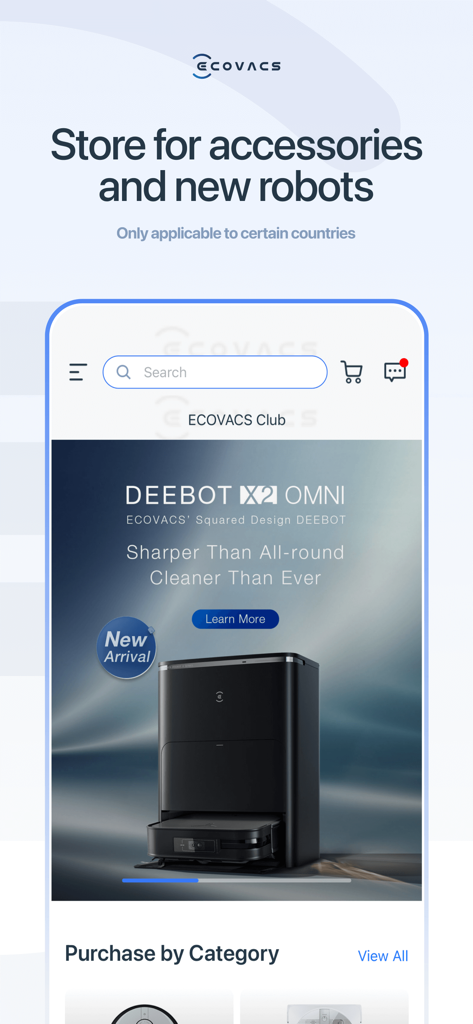
ECOVACS HOME app interface showing the in-app store for purchasing robot vacuum accessories and new DEEBOT models.

ECOVACS HOME app interface showing the in-app store for purchasing robot vacuum accessories and new DEEBOT models.

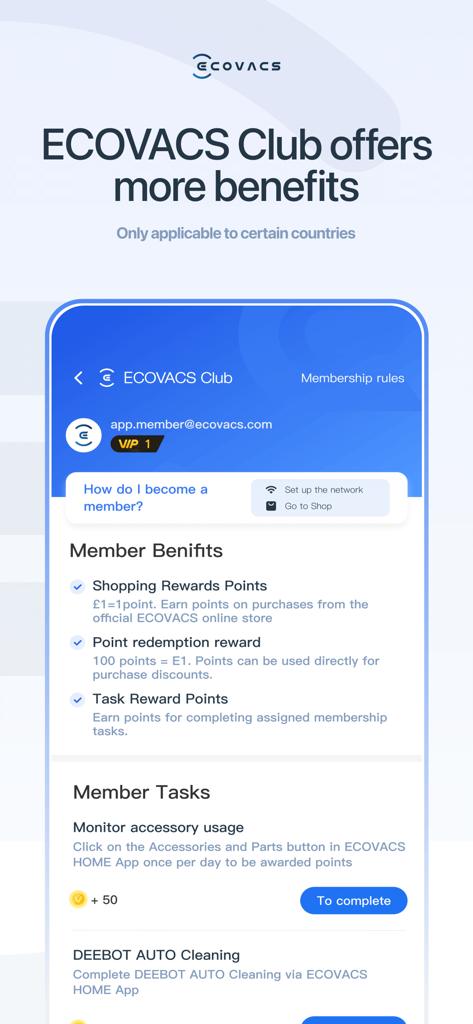
ECOVACS Club membership screen in the ECOVACS HOME app showing rewards points and cleaning tasks

ECOVACS Club membership screen in the ECOVACS HOME app showing rewards points and cleaning tasks

Clean Your Home Without Lifting a Finger

The tools that make this app stand out, trusted by 14M+ users.

🗺️

Precision Mapping & No-Go Zones

Use Smart Navi™ technology to map your home and set Virtual Boundaries™ to keep your robot away from pet bowls or children's play areas.

📱

Total Control from Anywhere

Start, pause, or schedule cleaning sessions while you are at work or on the go, ensuring you always return to a spotless home.

📊

Real-Time Visual Progress

Monitor your robot's path and cleaning stats in real-time, providing you with visual proof of a job well done through our intuitive dashboard.

Loved by users worldwide

Trusted by 14M+ people who love this app.

"

"As a pet owner with two shedding golden retrievers, this app has been a total lifesaver. I can trigger a custom clean for the living room right from my phone before I even get home. Setting up 'No-Go' zones around the dog bowls took seconds, and the real-time mapping gives me so much peace of mind!"

Sarah M., Austin TX
"

"The integration with my smart home setup is flawless. I love being able to schedule cleanings around my remote work meetings and using the 'Do-Not-Disturb' mode. It is the ultimate set-it-and-forget-it tool for anyone who values their time. The map accuracy is miles ahead of anything else I have tried."

Marcus J., San Francisco

About the app

Everything you need to know about ECOVACS HOME.

Description

ECOVACS HOME debuts! With awesome connected features, our latest App allows you to control your DEEBOT anytime, anywhere, and takes your cleaning experience to a new level. By connecting to your DEEBOT, you can: • Start, pause, or stop cleaning • Set a regular cleaning schedule • Set voice report, suction power, and Do-Not-Disturb time* • Receive notifications from your Wi-Fi enabled robot* • Share DEEBOT with your friends through multiple accounts* • Receive software and firmware updates* • Access instruction manuals, video tutorials and FAQs, and contact customer service And you can do much more with your advanced mapping DEEBOT (powered by Smart Navi™ Technology): • Set up Virtual Boundary™ to create no-go zones* • Use Custom Cleaning to customize any cleaning area you want* • View real-time stats from the visual map of your home, areas cleaned, and cleaning time* • Adjust water flow level when DEEBOT is mopping (Robots with mopping function only)* *Features vary with models. Go to ecovacs.com to see detailed features of your model. Plus, you can control your DEEBOT with simple commands through Amazon Alexa and Google Home**. **Smart Home commands are available only in some countries/regions. *** App permissions*** The application service requires the following permissions on your phone. For optional permissions, if they are not accessed, the related features will not be available, but it will not affect the basic using of the App. [Required Permissions] / [Optional Permissions] -Location: Used for device networking, discovering nearby devices, and obtaining WiFi information currently connected to the mobile device. -Camera: Scan the QR code on the Robot for networking, and scan the sharing code for device sharing. -Photos and Videos(Storage): Used for changing profile pictures, posting image comments, and online customer service providing feedback via images. -Microphone: Audio and video call feature for customer service and Robot Video Manager. -Bluetooth: Used for connecting devices via Bluetooth, enabling network configuration and robot controlling. -Nearby Devices: Used for scanning and discovering nearby Bluetooth devices during network configuration. -WLAN: Used for connecting to the Wi-Fi hotspot emitted by the device for network configuration. -Notifications: Used for sending device and system notification messages to users. -Local Network: Used to enable local network access on iOS devices, allowing connection to the Wi-Fi hotspot released by the device during network configuration. -Music and audio: Audio and video call feature for customer service and Robot Video Manager. Requirements: Wi-Fi with 2.4 GHz or 2.4/5 GHz mixed band support only Mobile device with Apple iOS 10.0 or later Need help? Visit ecovacs.com for more information or to contact our customer service team.

Latest Version

3.10.1

Size

325.4 MB

First Released

May 3, 2018

Ready to Reclaim Your Free Time?

Join over 14 million users who have automated their home maintenance. Download ECOVACS HOME today to schedule cleans, set virtual boundaries, and enjoy a spotless home without lifting a finger.

Download on App Store
FAQ

Frequently Asked Questions

Everything you need to know about ECOVACS HOME

How can I control my DEEBOT robot vacuum with the ECOVACS HOME app?

Yes, the ECOVACS HOME app allows you to start, pause, or stop cleaning, set schedules, adjust suction power, and define Do-Not-Disturb times for your DEEBOT.

Can I set a cleaning schedule for my DEEBOT using the ECOVACS HOME app?

Yes, the ECOVACS HOME app allows you to set a regular cleaning schedule. You can specify the time and select specific days for the cleaning tasks.

Does the ECOVACS HOME app support creating no-go zones for my DEEBOT?

Yes, for advanced mapping DEEBOT models, the ECOVACS HOME app features Virtual Boundary™ to create specific no-go zones where the robot should not clean.

How does Custom Cleaning work in the ECOVACS HOME app?

The ECOVACS HOME app allows you to customize any cleaning area you want using the Custom Cleaning feature, applicable to advanced mapping DEEBOT models.

Can I view real-time cleaning information in the ECOVACS HOME app?

Yes, the ECOVACS HOME app displays real-time stats including a visual map of your home, areas cleaned, and total cleaning time for advanced mapping DEEBOTs.

Is the ECOVACS HOME app compatible with smart home voice assistants?

Yes, you can control your DEEBOT with simple commands through Amazon Alexa and Google Home, though smart home commands are available in some countries/regions.

Can multiple users share control of a DEEBOT via the ECOVACS HOME app?

Yes, the ECOVACS HOME app allows you to share your DEEBOT with friends through multiple accounts, enabling shared control and management.

What are the minimum requirements to run the ECOVACS HOME app?

The ECOVACS HOME app requires Wi-Fi with 2.4 GHz or 2.4/5 GHz mixed band support and a mobile device running Apple iOS 10.0 or later.

Which app permissions does ECOVACS HOME request?

ECOVACS HOME requests optional permissions for Location, Camera, Photos/Videos, Microphone, Bluetooth, Nearby Devices, WLAN, Notifications, Local Network, and Music and audio to enable related features.

Can I purchase accessories for my DEEBOT directly through the ECOVACS HOME app?

Yes, the ECOVACS HOME app features a dedicated store for accessories and new robots, although this functionality may only be applicable to certain countries.

What are the benefits of joining the ECOVACS Club in the ECOVACS HOME app?

The ECOVACS Club offers benefits like Shopping Rewards Points, Point Redemption Rewards, and Task Reward Points, which users can earn by completing assigned membership tasks.

Can I adjust the water flow for mopping with my DEEBOT in the ECOVACS HOME app?

Yes, for DEEBOT robots equipped with a mopping function, the ECOVACS HOME app allows you to adjust the water flow level directly through the interface.

Does the ECOVACS HOME app display the DEEBOT's online status?

Yes, the ECOVACS HOME app shows the real-time online status of your DEEBOT, indicating if it is connected and ready for control.

Can I check the battery level of my DEEBOT in the ECOVACS HOME app?

Yes, the ECOVACS HOME app prominently displays the current battery percentage of your connected DEEBOT robot vacuum in the main interface.

What cleaning modes are available in the ECOVACS HOME app for DEEBOT?

The ECOVACS HOME app supports various cleaning modes, including "Whole House Cleaning", "Vacuum-Only", and "Mopping", with options to customize scenarios based on the model.