Roomba Home

Roomba Home

Download on App Store
Spark by MWM logo
Logo of Roomba Home

Roomba Home: Master Your Space with Intelligent, Effortless Cleaning

Take total control of your 2025+ series robot with advanced mapping, custom routines, and real-time insights—designed to keep your home spotless while you focus on what matters.

Publisher

iRobot Corporation

Category

Lifestyle

Downloads

1M+

User Rating

4.6/5

Total Ratings

40K+

Locales

21

Intelligence in Action

Discover the interface used by 1M+ users.
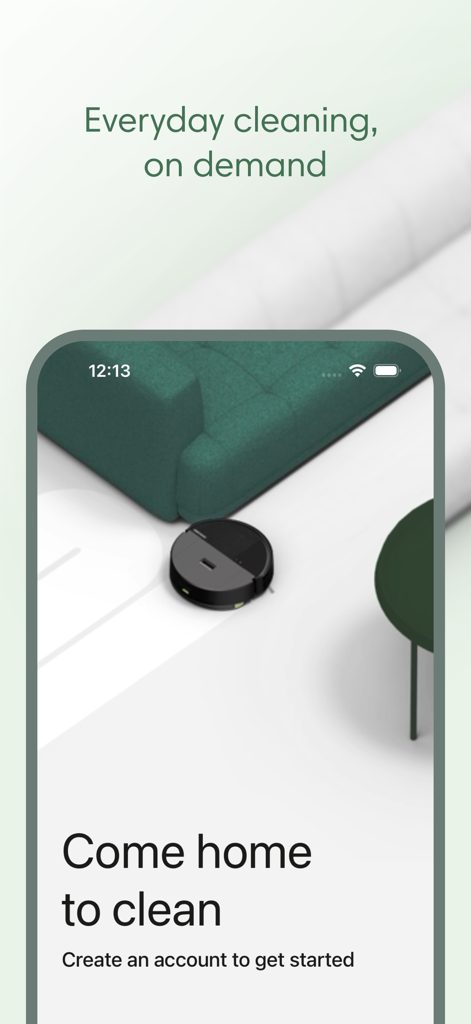
Roomba Home app welcome screen featuring a robot vacuum cleaning a modern living room

Roomba Home app welcome screen featuring a robot vacuum cleaning a modern living room

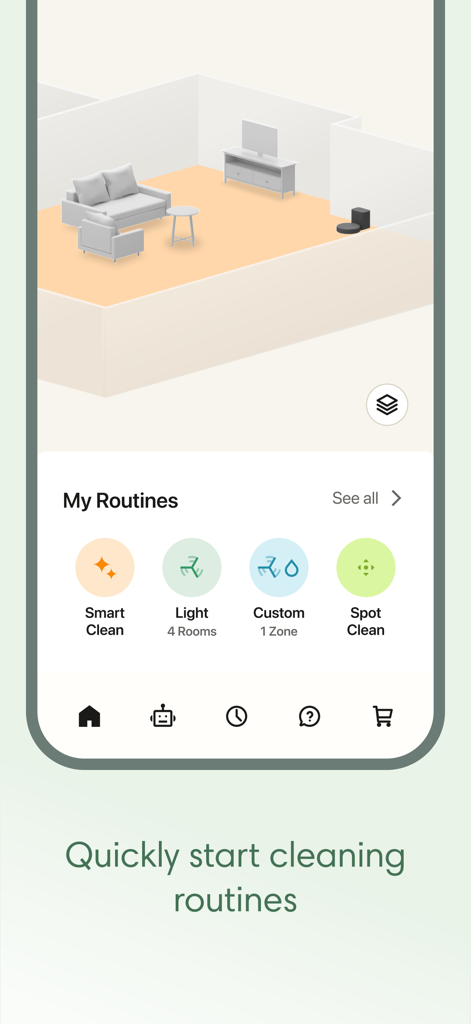
Roomba Home app interface showing 3D mapping and cleaning routines

Roomba Home app interface showing 3D mapping and cleaning routines

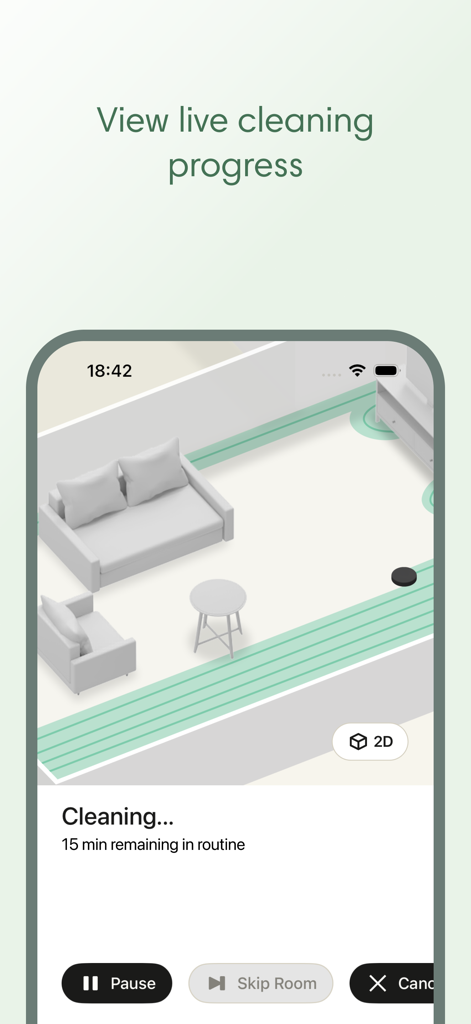
A screenshot of the Roomba Home app showing real-time cleaning progress on a digital room map.

A screenshot of the Roomba Home app showing real-time cleaning progress on a digital room map.

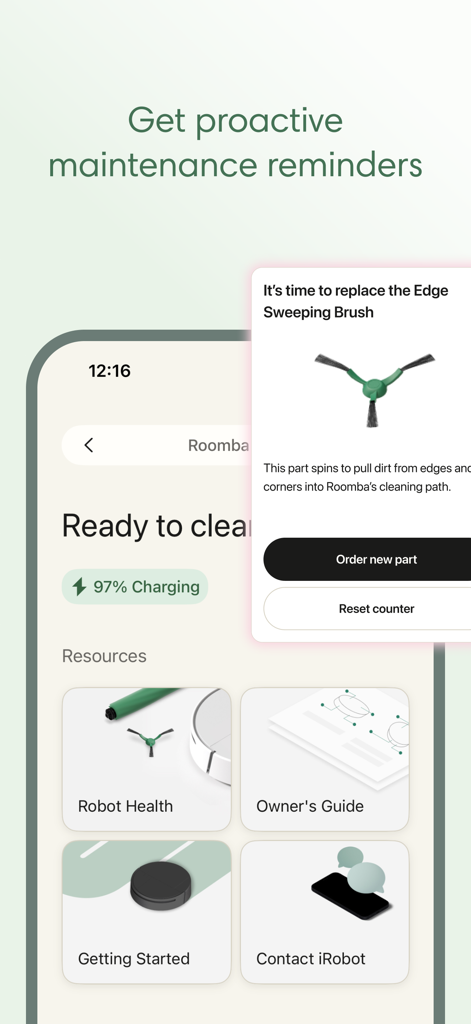
Roomba Home app proactive maintenance reminder for replacing the edge sweeping brush

Roomba Home app proactive maintenance reminder for replacing the edge sweeping brush

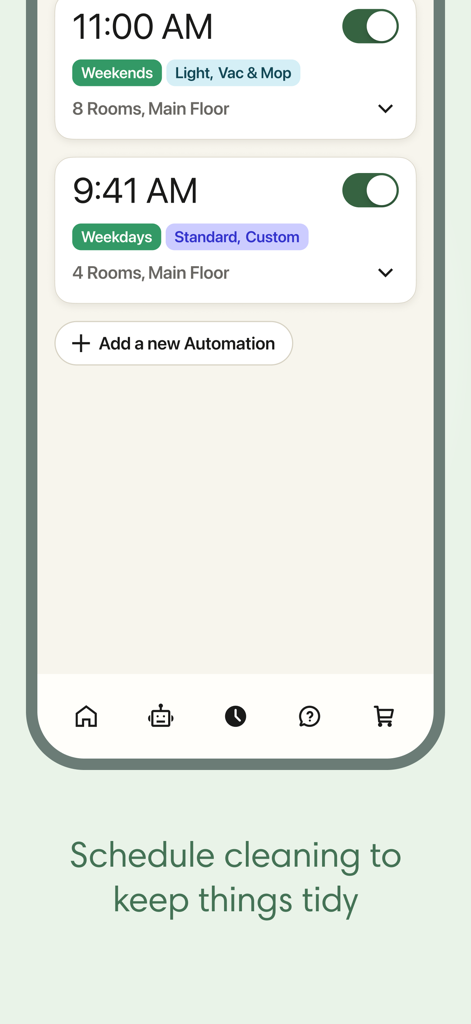
Screenshot of the Roomba Home app scheduling screen showing weekday and weekend automation presets for vacuuming and mopping.

Screenshot of the Roomba Home app scheduling screen showing weekday and weekend automation presets for vacuuming and mopping.

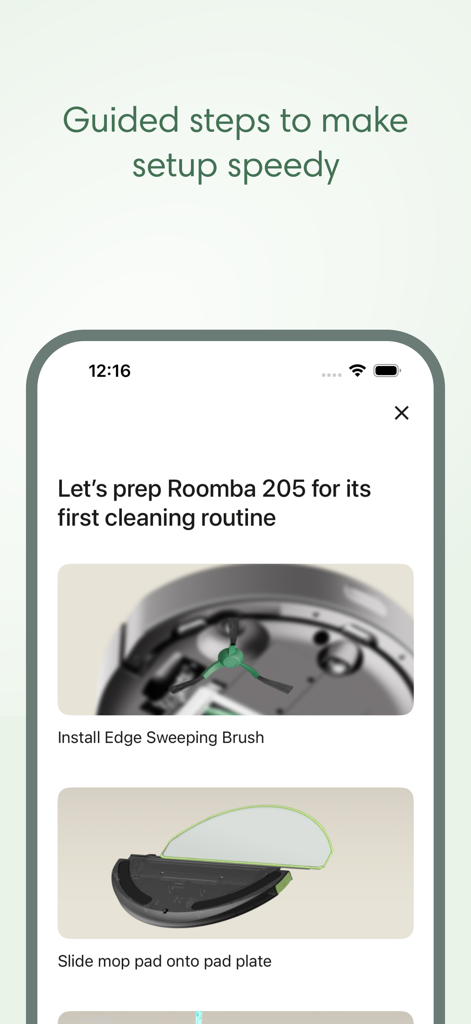
Roomba Home app onboarding screen showing guided setup steps for the Roomba 205 robot vacuum

Roomba Home app onboarding screen showing guided setup steps for the Roomba 205 robot vacuum

Intelligence That Cleans for You

The tools that make this app stand out, trusted by 1M+ users.

📍

Custom Map Control

Label rooms and define 'No-Go' zones across 5 distinct floor maps for hyper-targeted cleaning that respects your space.

Personalized Routines

Build automated workflows that adjust suction and moisture levels based on room type, pet activity, or your specific daily schedule.

📈

Proactive Health Insights

Protect your investment with real-time maintenance alerts and a health dashboard that ensures your robot always performs at its peak.

Loved by users worldwide

Trusted by 1M+ people who love this app.

"

"The Routine Builder has completely cleared my mental load. I have scheduled deep cleans for high-traffic areas after breakfast, and the precision mapping ensures my hardwood floors stay spotless even with two shedding dogs."

Sarah Jenkins
"

"As someone who loves home automation, the voice integration and real-time insights are top-notch. I can check the Health Dashboard to stay ahead of maintenance, ensuring my robot stays in peak condition without any guesswork."

David Chen

About the app

Everything you need to know about Roomba Home.

Description

The Roomba® Home App is compatible with Roomba® 100, 200, 400, 500 and 700 series robots sold after March 2025. For other models, please download the iRobot Home (Classic) app. Get ready to elevate your cleaning game with the intuitive Roomba® Home app! Easily start, stop, or schedule your robot, adjust cleaning settings, customize detailed maps of your home, and create personalized cleaning routines. Dirty rooms are noted based upon previous cleaning jobs to help you clean more effectively without having to think about it. See where and how your robot is cleaning in real-time, proactive product maintenance, and seamless smart home integrations. From setup to daily use, the Roomba® Home app offers intelligent recommendations and a user-friendly experience to keep your home spotless with minimal effort. - Easy, Seamless Setup: Easy-to-follow onboarding guides you from unboxing to your first cleaning run with helpful tips along the way. - Cleaning Routines: Effortlessly create cleaning routines with Routine Builder. Select which rooms to clean, adjust settings, and turn on advanced scrubbing to clean just the way you like. - Schedules: Easily adjust the days and times your robot cleans so it runs when it’s most convenient for you. - Cleaning Settings: Choose to vacuum, mop or both, and adjust settings like suction & mopping liquid levels, number of cleaning passes and turn on advanced scrubbing to clean each room just the way you like. - Maps: Save up to 5 maps, label rooms, add zones and furniture for more targeted cleaning control, and start cleaning specific areas with a click. - Real-Time Insights: See where and how your robot is cleaning and manage it along the way with real-time controls. - Voice Control: Hands full? No need to stop what you're doing. Alexa, Siri or Google Assistant-enabled* compatibility allows you to clean with a simple command. - Robot Maintenance & Health Dashboard: Keep your robot operating smoothly and in tip-top shape with a list of maintenance and troubleshooting suggestions, while the Health Dashboards monitors robot and accessories health. Note: Roomba® 100 series products require a 2.4 GHz Wi-Fi® network. Not compatible with 5GHz Wi-Fi® networks. *Works with Alexa, Siri, and Google Assistant-enabled devices. Alexa and all related logos are trademarks of Amazon.com or its affiliates. Google and Google Home are trademarks of Google LLC. Siri is a registered trademark of Apple Inc., registered in the U.S. and other countries and regions.

Latest Version

1.7.2

Size

588.5 MB

First Released

Feb 19, 2025

Ready to Reclaim Your Time?

Download the Roomba Home app today to unlock advanced mapping, intelligent cleaning routines, and a spotless home that manages itself while you focus on what matters most.

Download on App Store
FAQ

Frequently Asked Questions

Everything you need to know about Roomba Home

Which Roomba models are compatible with the Roomba Home app?

The Roomba Home app is compatible with Roomba® 100, 200, 400, 500, and 700 series robots sold after March 2025. For other models, use the iRobot Home (Classic) app.

Does the Roomba Home app provide guidance for initial setup?

Yes, the Roomba Home app offers easy-to-follow onboarding guides. These guides assist users from unboxing their robot to performing their first cleaning run.

Can users schedule cleaning times with the Roomba Home app?

Yes, the Roomba Home app allows users to easily adjust the days and times their robot cleans. This ensures the robot runs when it is most convenient for them.

What mapping features does the Roomba Home app offer?

The Roomba Home app allows users to save up to 5 maps, label rooms, add zones, and include furniture for targeted cleaning control. Users can start cleaning specific areas with a click.

Does the Roomba Home app support voice commands?

Yes, the Roomba Home app is compatible with Alexa, Siri, and Google Assistant-enabled devices. Users can control their Roomba robot with simple voice commands.

Can I view my Roomba's cleaning progress in real-time using the Roomba Home app?

Yes, the Roomba Home app provides real-time insights. Users can see where and how their robot is cleaning and manage it with live controls during the process.

Does the Roomba Home app assist with robot maintenance?

Yes, the Roomba Home app includes a Robot Maintenance & Health Dashboard. It offers maintenance and troubleshooting suggestions, monitoring the robot's and its accessories' health.

What are the Wi-Fi requirements for Roomba 100 series with the Roomba Home app?

Roomba® 100 series products require a 2.4 GHz Wi-Fi® network. The Roomba Home app is not compatible with 5GHz Wi-Fi® networks for these models.

How does the Roomba Home app manage cleaning routines?

The Roomba Home app features a Routine Builder. Users can effortlessly create cleaning routines, select specific rooms, adjust settings, and enable advanced scrubbing for a customized clean.