
Entrust Identity



Replace hardware tokens with a single trusted app for seamless authentication, transaction verification, and self-service password management.
Publisher
Category
BusinessDownloads
2M+User Rating
Total Ratings
400Locales
9Discover the interface used by 2M+ users.
The tools that make this app stand out, trusted by 2M+ users.
Manage multiple professional and personal credentials within a single, secure environment, eliminating the need for physical hardware tokens.
Regain access to your accounts immediately with built-in password reset tools, designed to bypass IT support queues and keep you productive.
Verify logins and sensitive financial actions with encrypted push notifications that provide instant confirmation and secure verification.
Trusted by 2M+ people who love this app.
"Switching from physical security tokens to Entrust Identity has been a game-changer for our remote team. The self-service password reset feature saved me a lengthy call with IT last week, and the biometric login makes accessing our corporate VPN seamless and secure."
"I use this app to authorize high-value transfers and secure my investment accounts. The transaction verification feature provides incredible peace of mind by showing me the details on my phone before I approve. It is far more reliable and secure than SMS-based authentication."
Everything you need to know about Entrust Identity.
Description
Latest Version
25.4.0
Size
53.9 MB
First Released
Aug 5, 2010
Ditch the hardware tokens. Join millions of professionals managing high-value transactions and self-service password resets with the power of Entrust Identity.
Everything you need to know about Entrust Identity
The Entrust Identity mobile application is a platform providing strong identity credentials for employee and consumer users. It offers authentication, transaction verification, and advanced password reset capabilities.
Yes, the Entrust Identity mobile application provides authentication and transaction verification capabilities that replace traditional hardware tokens for users.
Yes, the Entrust Identity application allows users to create and activate unique one-time passcode soft token applications for use with different organizations.
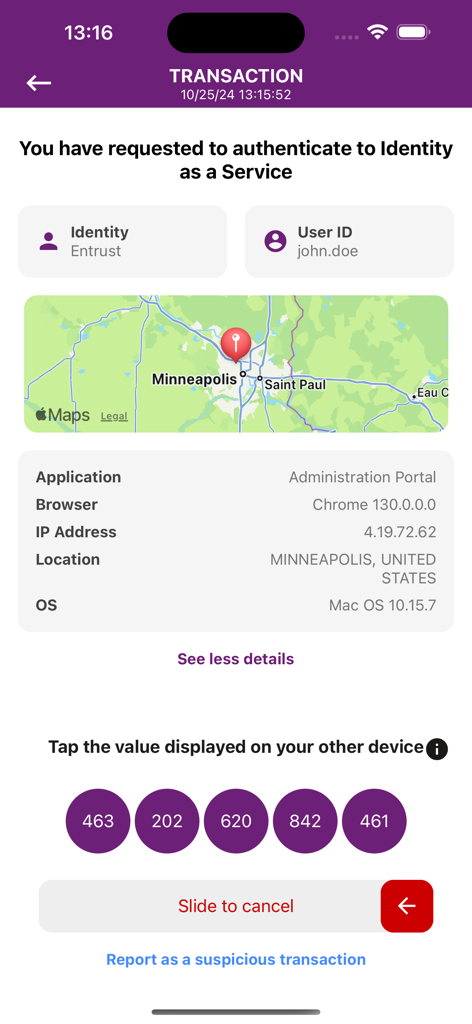
The Entrust Identity app protects online transactions by receiving confirmation directly to the mobile application. Users confirm details and enter a secure, one-time passcode to complete the transaction.
During transaction verification, the Entrust Identity app displays details such as Identity, User ID, application, browser, IP address, location, and operating system.
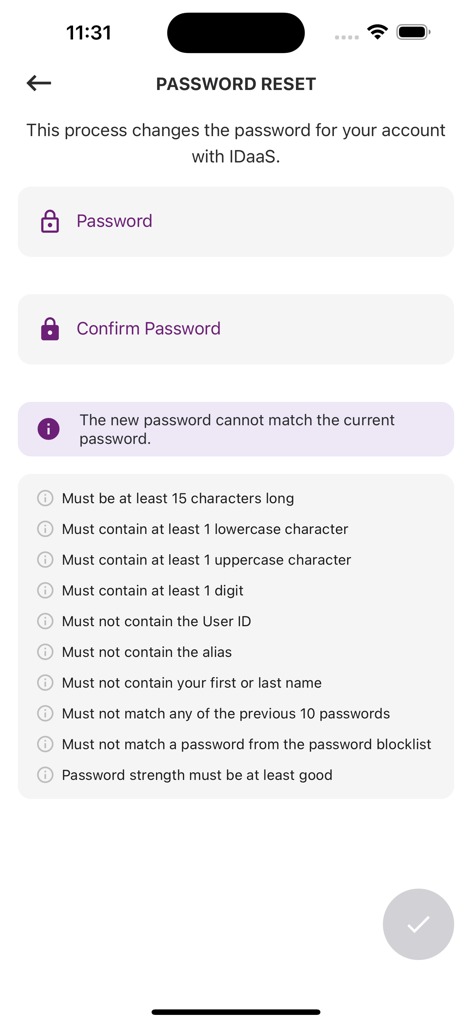
Yes, the Entrust Identity application includes advanced password reset capabilities, enabling employees to manage and reset their passwords directly from the mobile app.
Password requirements include being at least 15 characters long, containing uppercase, lowercase, and digits, and not matching user ID, alias, name, or previous passwords from a blocklist.
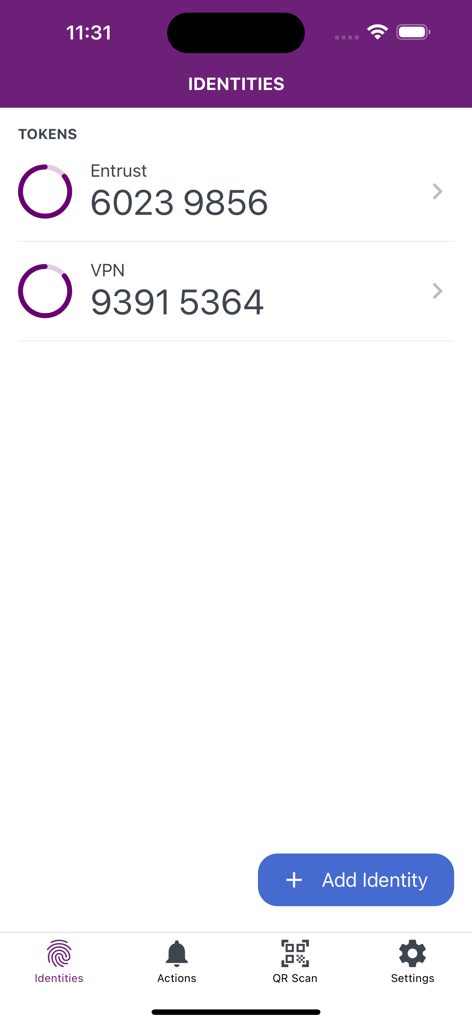
Yes, the Entrust Identity app displays unique one-time passcodes (soft tokens) for various identities, such as "Entrust" and "VPN" tokens.
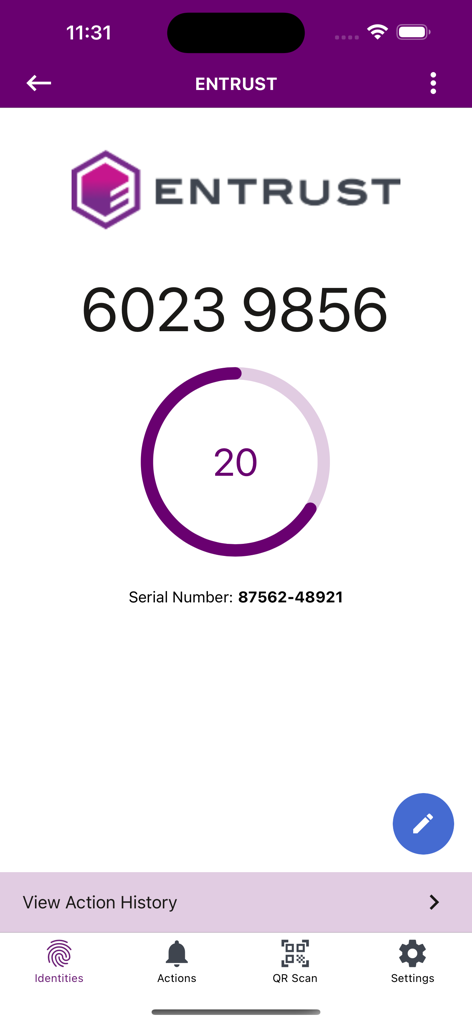
Yes, the Entrust Identity app displays a countdown timer for each one-time passcode, indicating its validity period. For example, a 20-second timer is visible.
Apps with similar features and user experience

WatchGuard Technologies Inc.

MULTIFAKTOR, OOO

Acceptto Corporation

Tirender Wig

Aladdin R.D. ZAO

RSA Security

Google LLC

Fortinet, Inc

Closed Joint Stock Company"Trade House"Perekrestok