FileMaster Pro

FileMaster Pro

Download on App Store
Spark by MWM logo
Logo of FileMaster Pro

FileMaster Pro: The Ultimate Wireless Bridge Between Your PC and iPhone

Skip the cables and slow cloud uploads. Effortlessly transfer and manage videos, documents, and media from any Windows or Mac computer to your iOS device using high-speed Wi-Fi.

Publisher

继伟 王

Category

Utilities

Downloads

175K+

User Rating

4.2/5

Total Ratings

400

Locales

33

Productivity in Every Frame

Discover the interface used by 175K+ users.
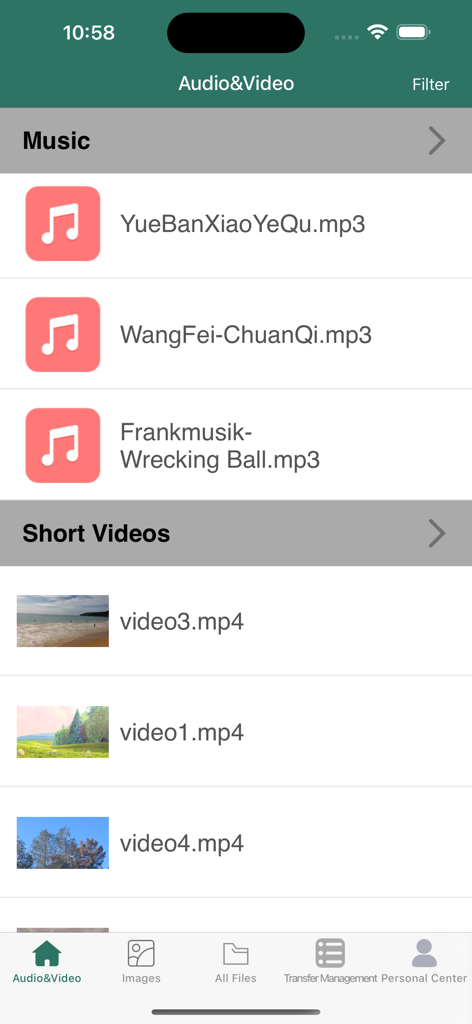
FileMaster Pro app interface displaying organized lists of music and short video files

FileMaster Pro app interface displaying organized lists of music and short video files

FileMaster Pro app music player screen with playlist and playback controls

FileMaster Pro app music player screen with playlist and playback controls

Mobile video player interface in FileMaster Pro showing a 3D animated bird

Mobile video player interface in FileMaster Pro showing a 3D animated bird

FileMaster Pro app screen displaying organized photo albums and image thumbnails

FileMaster Pro app screen displaying organized photo albums and image thumbnails

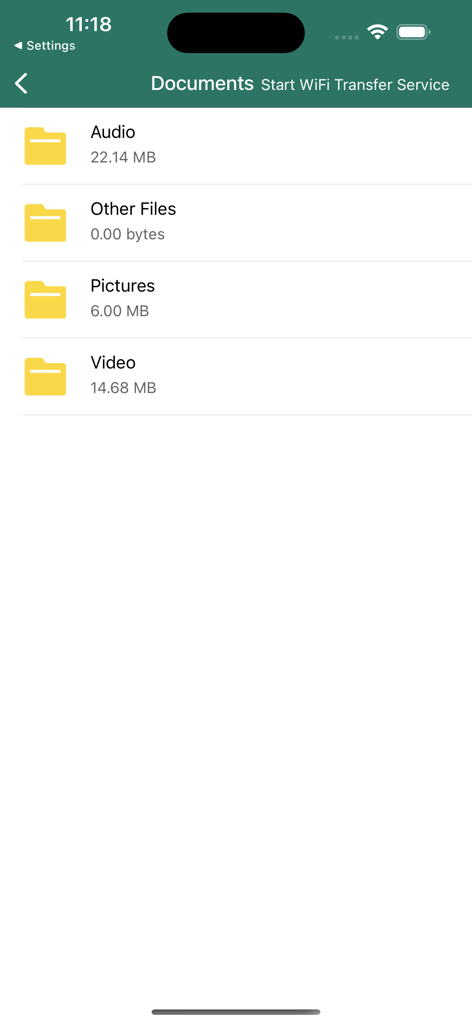
FileMaster Pro app interface showing categorized folders for audio, pictures, and video with a wifi transfer service option.

FileMaster Pro app interface showing categorized folders for audio, pictures, and video with a wifi transfer service option.

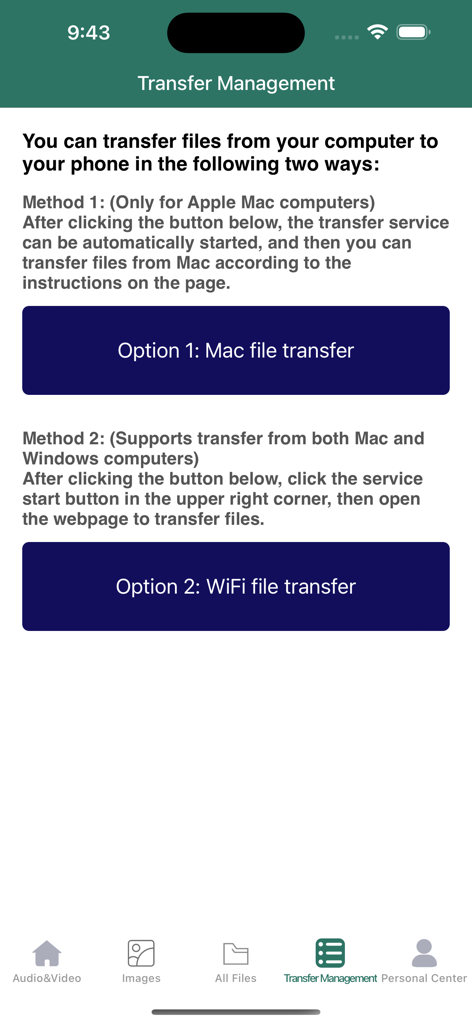
FileMaster Pro app screen displaying options for Mac and WiFi file transfers from computer to phone.

FileMaster Pro app screen displaying options for Mac and WiFi file transfers from computer to phone.

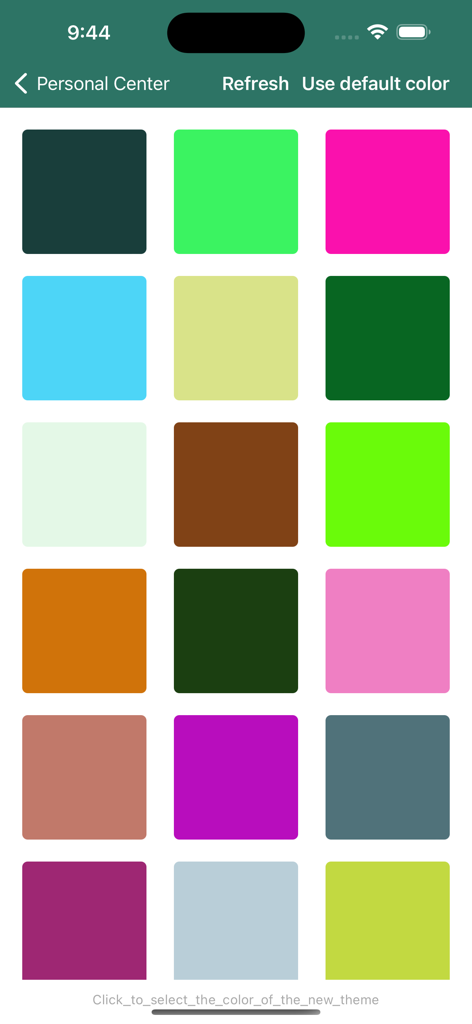
Grid of theme color options in FileMaster Pro app

Grid of theme color options in FileMaster Pro app

Master Your Digital Files Anywhere

The tools that make this app stand out, trusted by 175K+ users.

📶

Seamless Wireless Transfer

Move high-quality videos and large documents from your PC or Mac via local Wi-Fi—no cables or iTunes required.

📂

Pro-Level Organization

Manage Word, Excel, PDFs, and media files in one centralized hub designed for maximum productivity.

🛡️

Secure & Cloud-Free

Skip the cloud and keep your data private. Local-only transfers ensure your files are safe and accessible even without internet.

Loved by users worldwide

Trusted by 175K+ people who love this app.

"

"As a Windows user with an iPhone, moving large video files was always a nightmare until I found FileMaster Pro. The Wi-Fi transfer via the web interface is incredibly fast and saves me from the 'Apple Tax' of buying more iCloud storage. It has completely streamlined how I sync my work documents and media between my PC and my iPad."

David R., Marketing Manager
"

"I prefer keeping my personal files off the cloud for privacy reasons, and this app is the perfect solution. Being able to move high-res photos and FLAC audio files directly from my Mac to my iPhone over my local network is seamless. The built-in file manager is also much more organized and intuitive than the native iOS Files app."

Sarah M., Freelance Videographer

About the app

Everything you need to know about FileMaster Pro.

Description

Welcome to our brand new iOS app! The main purpose of this app is to enable you to effortlessly transfer files from your computer (Mac or Windows) to your iPhone/iPad and conveniently manage them. You can transfer various types of files such as videos, audios, images, Word documents, Excel spreadsheets, and more, and open these files directly in the file manager. You can easily view videos, audios, pictures, etc. by category on the App homepage. We utilize a convenient Wi-Fi transfer method to achieve this goal. Mac users can directly connect to the file management app on their iPhones/iPads, while Windows users can easily connect to the file management app through a web interface, allowing direct modification of files on the iPhone/iPad (for detailed connection steps, please refer to the app's built-in help documentation). Our commitment is to provide you with a simple and efficient file transfer and management experience. We look forward to you enjoying the convenience and functionality that this app brings! If you have any questions, please feel free to contact our support team. Video Tutorials: Option 1. Mac File Transfer Playback Links:
 YouTube Playback Link: https://youtu.be/LCDibQC--wo Bilibili Playback Link: https://www.bilibili.com/video/BV1zV4y1t75g/ Option 2. WIFI File Transfer: YouTube Playback Link: https://youtu.be/R6Q1QAdMQHA Bilibili Playback Link: https://www.bilibili.com/video/BV16F411f7c8/

Latest Version

2.5.3

Size

49.9 MB

First Released

Aug 14, 2023

Master Your Files Across Every Device

Join over 175,000 users who have ditched the cables. Download FileMaster Pro today for the fastest, most secure way to sync your PC and iPhone over Wi-Fi.

Download on App Store
FAQ

Frequently Asked Questions

Everything you need to know about FileMaster Pro

What is the main function of the FileMaster Pro app?

FileMaster Pro enables effortless file transfer from Mac or Windows computers to iPhone/iPad. It also provides convenient file management within the app.

What types of files can FileMaster Pro manage?

FileMaster Pro can transfer and manage videos, audios, images, Word documents, and Excel spreadsheets. Users can open these files directly in the file manager.

Does FileMaster Pro facilitate file transfers from Windows computers?

Yes, FileMaster Pro facilitates file transfers from Windows computers. Users connect via a web interface using the convenient Wi-Fi transfer method to modify files directly.

How do Mac users transfer files to FileMaster Pro?

Mac users transfer files to FileMaster Pro by directly connecting to the app on their iPhone/iPad. A specific option for Mac file transfer is available.

Can FileMaster Pro organize files by category?

Yes, FileMaster Pro organizes files by category. Users can view videos, audios, and pictures on the App homepage for easy access and management.

Are there video tutorials available for FileMaster Pro's file transfer?

Yes, FileMaster Pro provides video tutorials for both Mac and Wi-Fi file transfer methods. Links to YouTube and Bilibili are available within the app description.

How do users access file transfer services in FileMaster Pro?

Users access file transfer services in FileMaster Pro via the "Transfer Management" tab. This section provides options for Mac file transfer and Wi-Fi transfer.

Does FileMaster Pro support changing the app's theme color?

Yes, FileMaster Pro supports changing the app's theme color. Users can select from various color options in the "Personal Center" menu.