
GlobalProtect™


Experience seamless, always-on security that connects you to your corporate network automatically, ensuring your data stays protected wherever you work.
Publisher
Category
BusinessDownloads
2M+User Rating
Total Ratings
6K+Locales
7Discover the interface used by 2M+ users.
The tools that make this app stand out, trusted by 2M+ users.
Eliminate the hassle of manual logins with Always-On VPN and iOS On-Demand technology that secures your connection automatically.
Stay productive with intelligent gateway discovery that automatically connects you to the fastest server based on your current location.
Confidently use your personal device for work with Per-App VPN features that protect corporate data without accessing your personal information.
Trusted by 2M+ people who love this app.
"The seamless integration with iOS is a game-changer for my hybrid workflow. I never have to worry about manually connecting; the VPN just works in the background while I move between client meetings and remote sites. It provides the perfect balance of enterprise-grade security and a frictionless user experience."
"GlobalProtect makes working from anywhere incredibly easy. I can securely access all my internal corporate tools from my personal device without any complex setup or performance lag. It is invisible, reliable, and gives me total peace of mind regarding data privacy while on public Wi-Fi."
Insights from user reviews.
Sentiment Score
Summary
This mobile app receives overwhelmingly negative feedback, primarily due to persistent connection issues and frequent demands for re-authentication. Users report critical bugs, including the "missing required input parameters" error, especially on MacBooks, and complete VPN blockage following the 6.1.10 update. While some users praise the core VPN functionality when it works and appreciate a clean interface, common complaints highlight poor device compatibility and a frustrating login process. Many users also express a strong preference for older, more stable legacy versions of the application.
Common Themes
Everything you need to know about GlobalProtect™.
Description
Latest Version
6.1.10
Size
14.3 MB
First Released
Sep 16, 2018
Join millions of professionals and experience seamless, enterprise-grade protection that works automatically, wherever your work takes you.
Everything you need to know about GlobalProtect™
GlobalProtect for iOS connects mobile users to a GlobalProtect gateway on a Palo Alto Networks next-generation firewall, providing enterprise security protection for their devices.
GlobalProtect for iOS supports Always-On VPN, Remote Access VPN, and Per App VPN modes. Enterprise administrators configure these connection modes.
Yes, GlobalProtect for iOS automatically adapts to the user's location and connects them to the best available gateway, ensuring optimal performance without user intervention.
Yes, a GlobalProtect gateway subscription, enabled on your organization's Palo Alto Networks firewall, is required to use GlobalProtect for iOS. Check with your IT department.
Yes, GlobalProtect for iOS supports automatic VPN connection using iOS VPN On-Demand functionality, providing seamless access.
Yes, GlobalProtect for iOS supports Bring Your Own Device (BYOD) by offering Remote Access VPN and App Level VPN capabilities.
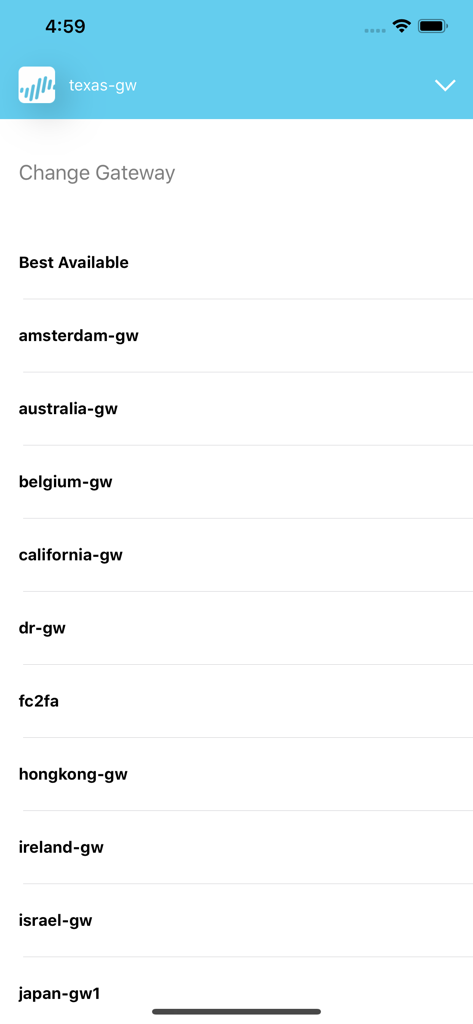
Yes, GlobalProtect for iOS provides a manual gateway selection capability. Users can choose from a list of available gateways to connect.
GlobalProtect for iOS establishes connections over IPSec or SSL protocols. This ensures secure and encrypted communication for enterprise users.
Yes, GlobalProtect for iOS supports users changing expired Active Directory (AD) or RADIUS passwords when they connect remotely.
Yes, GlobalProtect for iOS supports two-factor authentication (2FA) using RADIUS or SAML for One Time Password (OTP) based methods.
GlobalProtect for iOS requires Palo Alto Networks next-generation firewalls running PAN-OS versions 7.1, 8.0, 8.1, or any later releases.
GlobalProtect for iOS is supported on devices running iOS 10 and all subsequent later releases, ensuring broad compatibility.
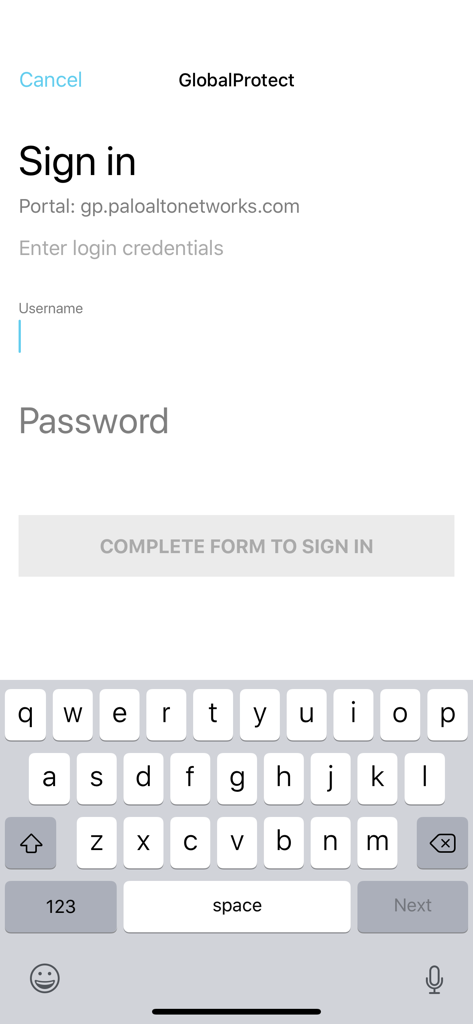
Users sign in to GlobalProtect for iOS by entering their username and password on the dedicated login screen for the specified portal.
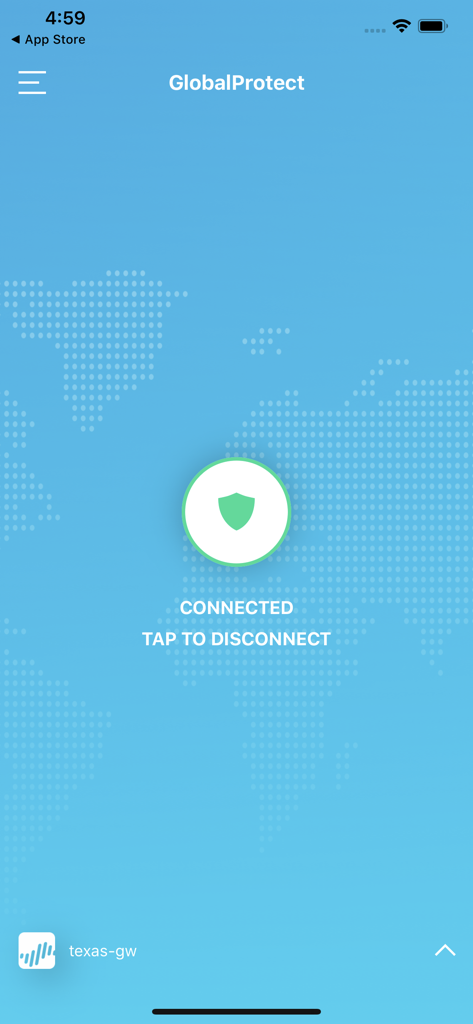
GlobalProtect for iOS indicates a connected status with a prominent "CONNECTED" message and a shield icon on the main screen, alongside a "TAP TO DISCONNECT" prompt.
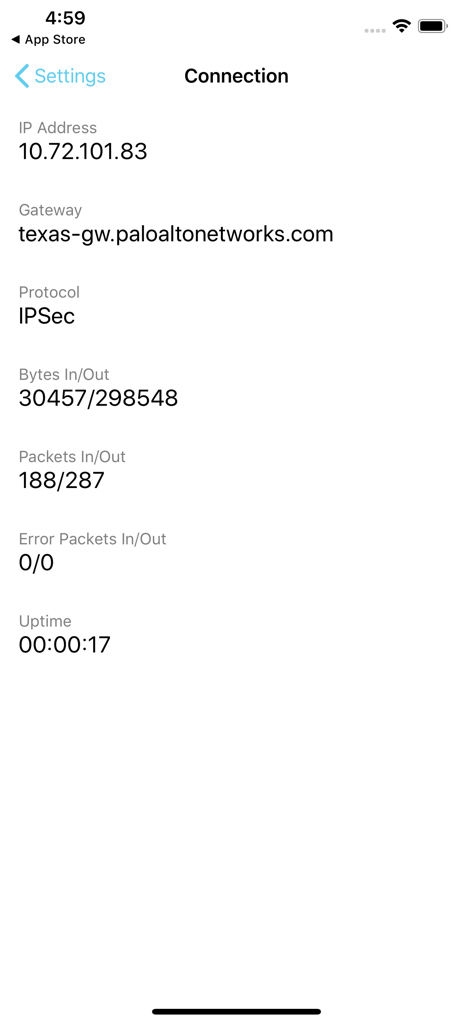
GlobalProtect for iOS displays connection details such as the IP address, connected gateway, protocol (e.g., IPSec), bytes in/out, packets in/out, error packets, and uptime.
Apps with similar features and user experience

OpenVPN Inc.

Pulse Secure LLC

Pickpointio LLC

Shanghai best oray information s&t co.,ltd

Fortinet, Inc

Cisco

Publicroam B.V.

Zscaler inc

Check Point Software Technologies Ltd.