i Map Editor

i Map Editor

Download on App Store
Spark by MWM logo
Logo of i Map Editor

i Map Editor: Design Beautiful Hand-Drawn Maps for Your Events and Business

The ultimate iPad tool for creating personalized route guides. Draw streets with a touch, add photo milestones, and share unique maps that are as clear as they are charming.

Download on App Store

Publisher

NOKKEUSI Inc.

Category

Lifestyle

Downloads

22K+

User Rating

1.0/5

Total Ratings

0

Locales

3

Maps with a Personal Touch

Discover the interface used by 22K+ users.

An iPad app interface for creating custom maps with streets, icons, and illustrated landmarks.

An iPad app interface for creating custom maps with streets, icons, and illustrated landmarks.

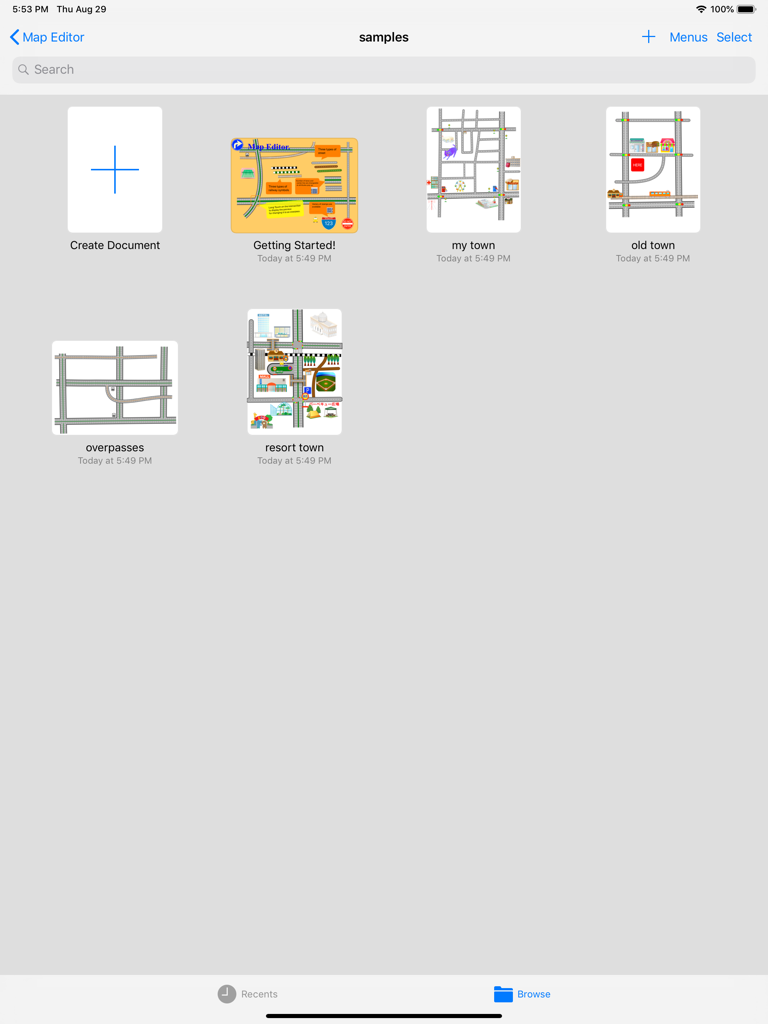
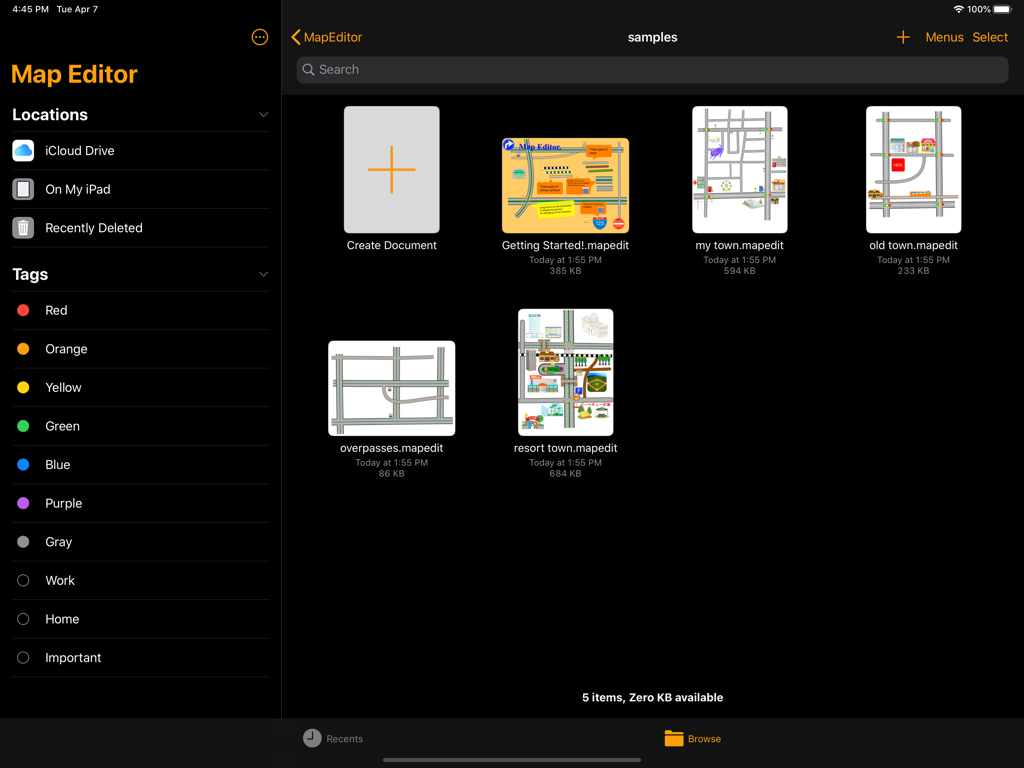
Dashboard of i Map Editor on iPad showing sample projects and a create document button

Dashboard of i Map Editor on iPad showing sample projects and a create document button

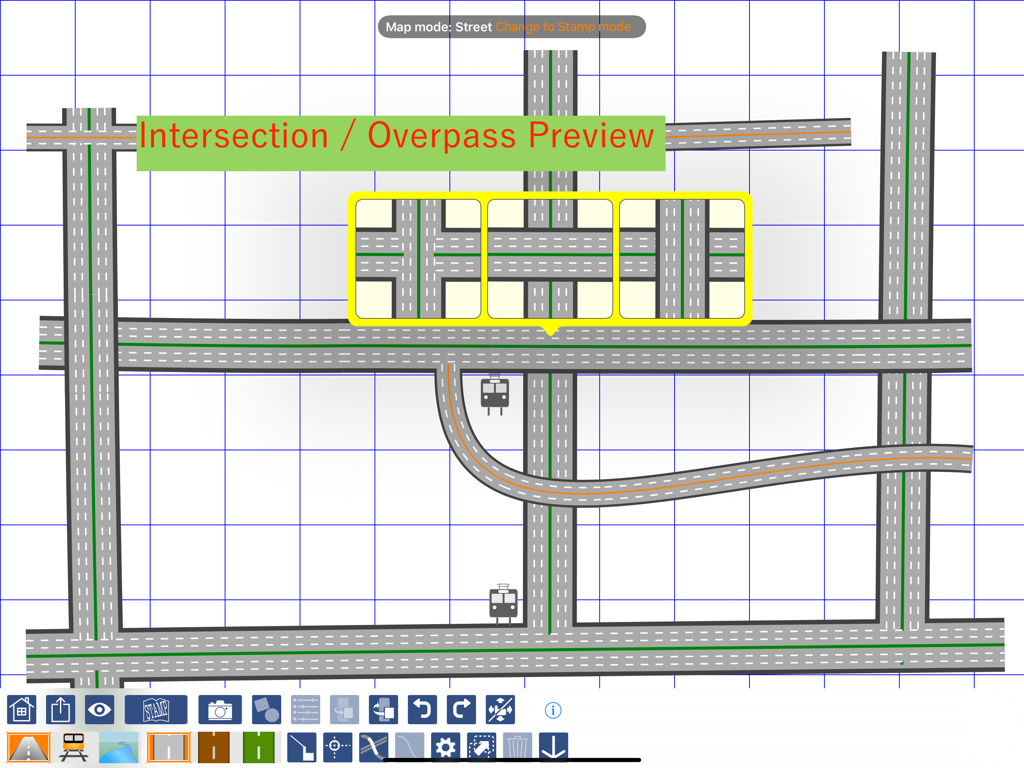
Custom map creation interface showing road intersection and overpass preview options on an iPad.

Custom map creation interface showing road intersection and overpass preview options on an iPad.

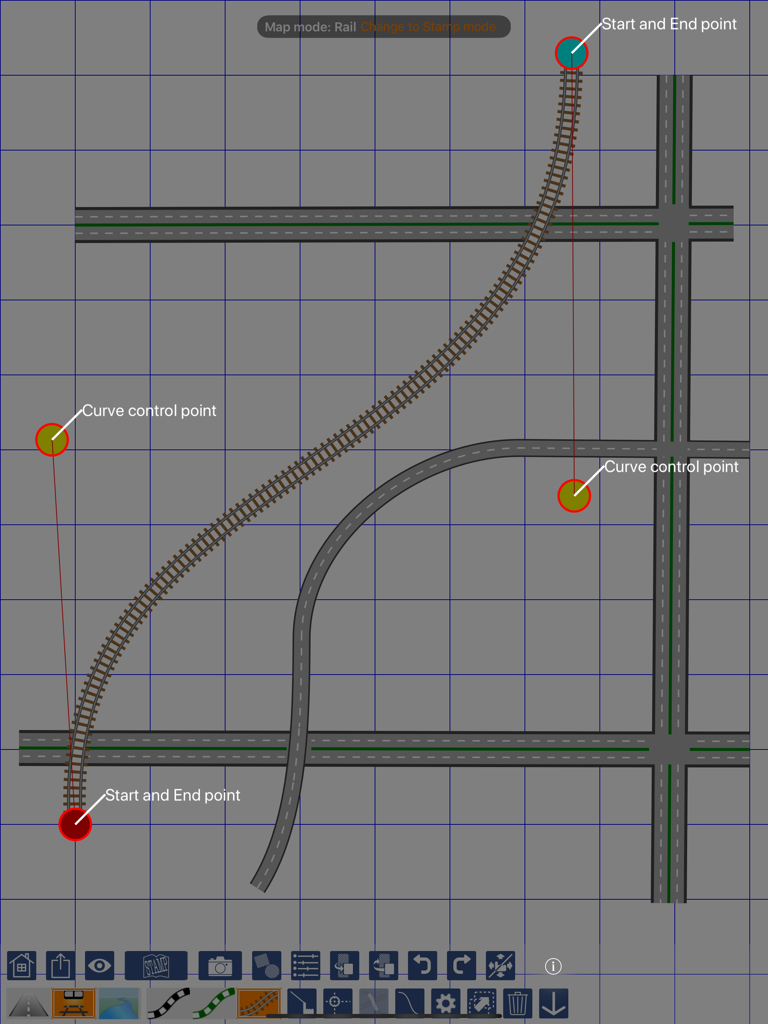
iPad screen showing the map editing interface with a curved railway track and control points on a blue grid.

iPad screen showing the map editing interface with a curved railway track and control points on a blue grid.

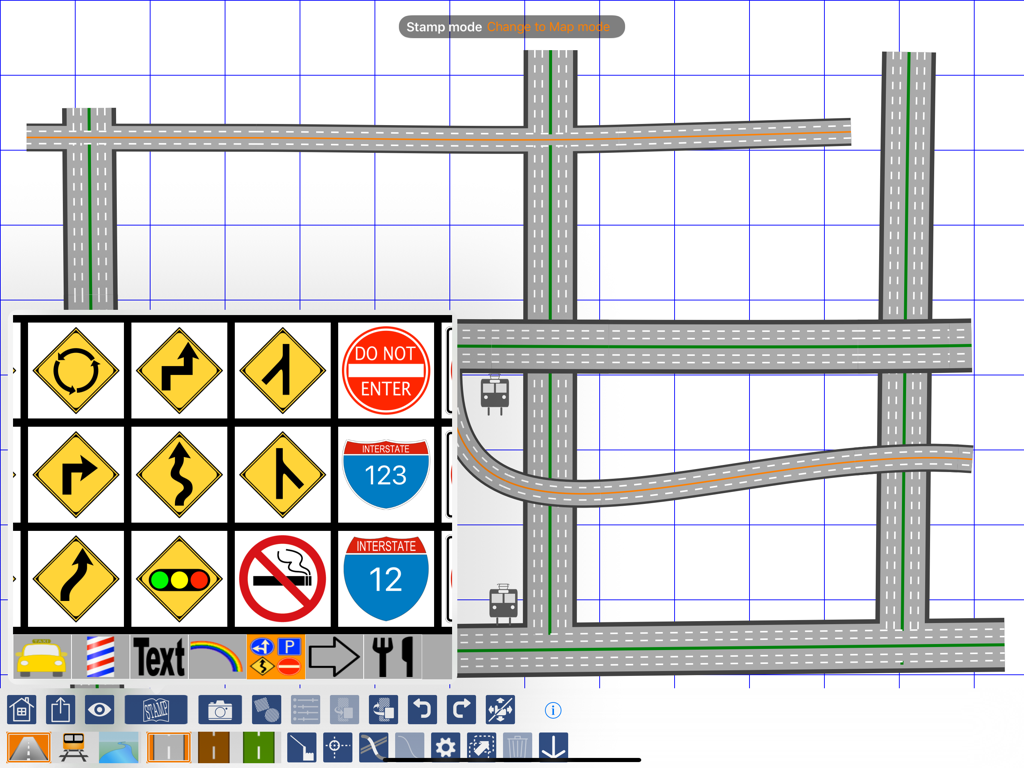
iPad screen displaying the i Map Editor app with a hand drawn road map and a menu of road sign stamps

iPad screen displaying the i Map Editor app with a hand drawn road map and a menu of road sign stamps

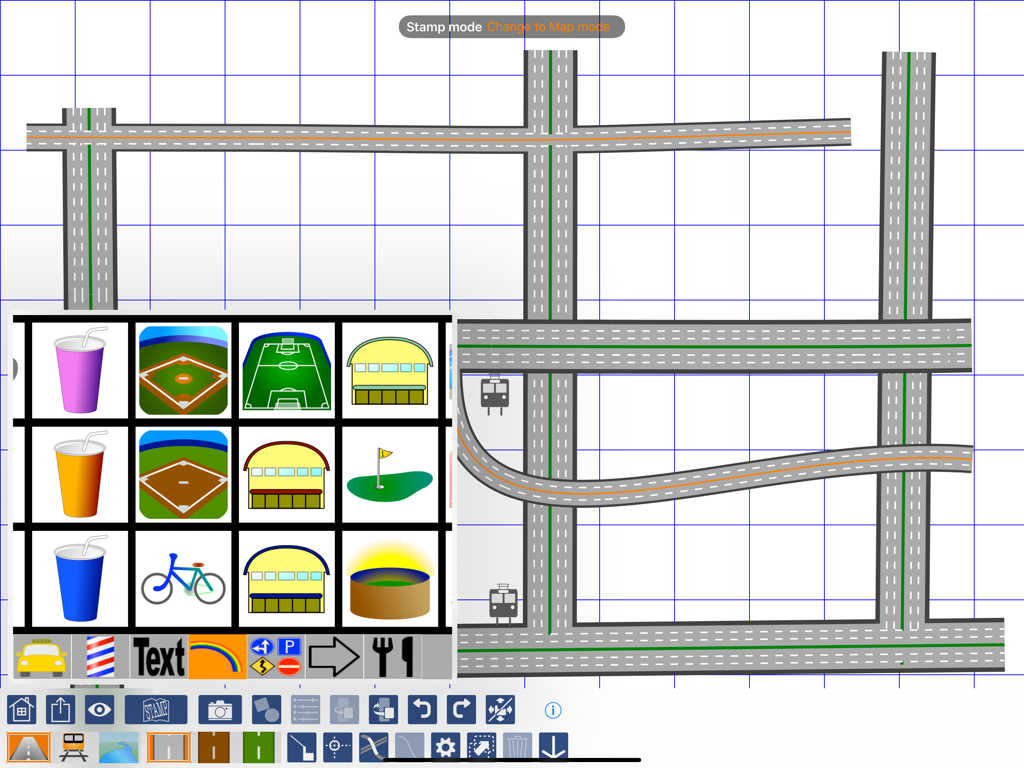
iPad screen displaying i Map Editor with custom road drawings and a menu of map stamps

iPad screen displaying i Map Editor with custom road drawings and a menu of map stamps

A screenshot of the i Map Editor app showing the feature to add custom text stamps like Home and School to a personalized map layout

A screenshot of the i Map Editor app showing the feature to add custom text stamps like Home and School to a personalized map layout

iPad dashboard for i Map Editor app displaying sample map projects and file management options

iPad dashboard for i Map Editor app displaying sample map projects and file management options

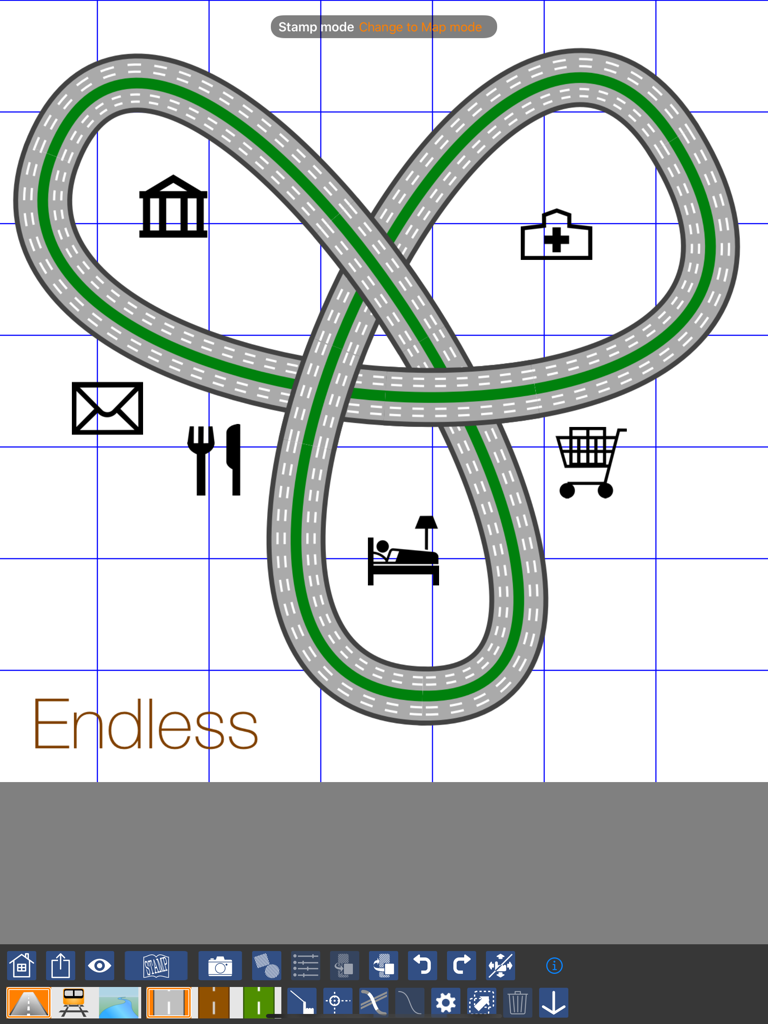
Custom map design on i Map Editor for iPad showing a road loop with icons for a hospital bank and restaurant

Custom map design on i Map Editor for iPad showing a road loop with icons for a hospital bank and restaurant

Create Beautiful, Personalized Maps

The tools that make this app stand out, trusted by 22K+ users.

✏️

Intelligent Canvas

Draw streets effortlessly with your finger or Apple Pencil. Intersections merge automatically, allowing you to create professional layouts without any design experience.

🎨

Fully Customizable Styles

From dashed center lines to green belts, control every aesthetic detail. Use built-in stamps or your own graphics to ensure your map perfectly matches your event's theme.

📸

Visual Milestone Markers

Insert your own photos as landmarks. Help guests find their way with recognizable visual cues that ensure they never miss a turn at the red barn or the hidden gate.

Loved by users worldwide

Trusted by 22K+ people who love this app.

"

"I used i Map Editor to create the direction inserts for our outdoor wedding. Standard GPS apps were too cluttered, but I was able to draw a clean, beautiful map and add photos of the actual landmarks guests needed to look for. It was both a functional guide and a lovely personal touch that matched our invitations perfectly!"

Sarah Jenkins
"

"As a real estate agent, I frequently need to show clients the 'vibe' of a neighborhood beyond just a street address. This app allows me to quickly sketch out local highlights, parks, and shortcuts on my iPad. The ability to customize lane types and add my own icons makes the maps look professional and uniquely branded to my business."

Marcus Thompson

About the app

Everything you need to know about i Map Editor.

Description

Today, sending an URL of map via mail is very easy. But, drawing your original map may be fun and you can make it more impressive and more understandable. Draw streets with your finger on the canvas. Intersections is automatically determined when any streets cross. Two streets merges into one shape at the intersection amazingly. Each stroke of streets has start, end and two curve control points. By dragging these points, a street changes its shape. It will be very fun. Default street has two lanes with white dash center line. You may change it with more lanes and different center line type; such as orange colored "No Pass" line, green belt, concrete center zone and etc. Railways and Rivers are also very fun to draw. Same as street strokes, they have control points with which you can change the shape. After placing some streets, railways and rivers on the canvas, "STAMP" button shows you stamp catalog from which you can choose road signs, map symbols and variety of icons. Not only the built in stamps, you can put your own photos or graphic images. It may be a good idea putting some pictures as milestones on your route guide. Maps are exportable as graphic files and you can share it attaching on other apps including email, message, iCloud, Dropbox and etc. Note: iMap Editor document data is not compatible with the OS X version of Map Editor.

Latest Version

2.40

Size

26.2 MB

First Released

Apr 14, 2016

Start Crafting Your Custom Map Today

Join thousands of iPad users creating beautiful, personalized route guides. Download i Map Editor and turn simple directions into a visual masterpiece.

Download on App Store