Kino - Pro Video Camera

Kino - Pro Video Camera

Download on App Store
Spark by MWM logo
Logo of Kino - Pro Video Camera
Kino — Cinematic Video, Instantly

Bring the film look to your iPhone with professional color presets and smooth AutoMotion. Capture, grade, and share stunning footage with the camera app designed for modern creators—no editing required.

Publisher

Lux Optics Incorporated

Category

Photo & Video

Downloads

194K+

User Rating

4.8/5

Total Ratings

4K+

Locales

12

Cinema in Your Pocket

Discover the interface used by 194K+ users.

iPhone screen showing Kino app interface with cinematic color presets and a yellow apply button for instant video grading.

iPhone screen showing Kino app interface with cinematic color presets and a yellow apply button for instant video grading.

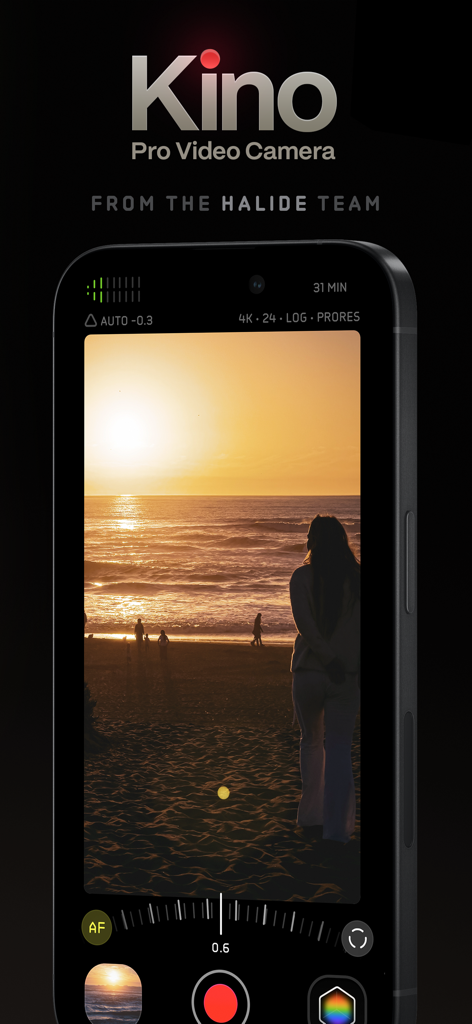
Kino Pro Video Camera app interface on iPhone featuring a cinematic sunset recording

Kino Pro Video Camera app interface on iPhone featuring a cinematic sunset recording

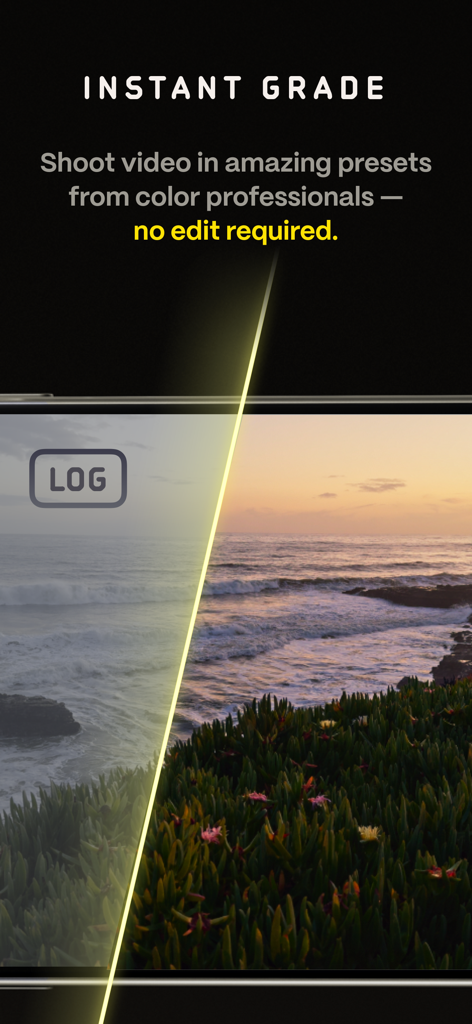
Split screen comparison of raw log footage versus professional color grading in the Kino video app

Split screen comparison of raw log footage versus professional color grading in the Kino video app

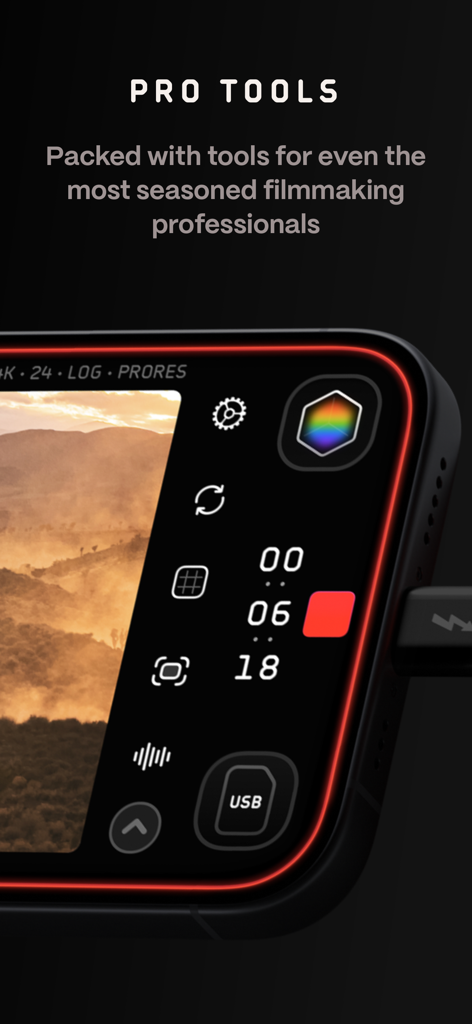
Close up of the Kino pro video camera app interface showing manual controls and recording settings.

Close up of the Kino pro video camera app interface showing manual controls and recording settings.

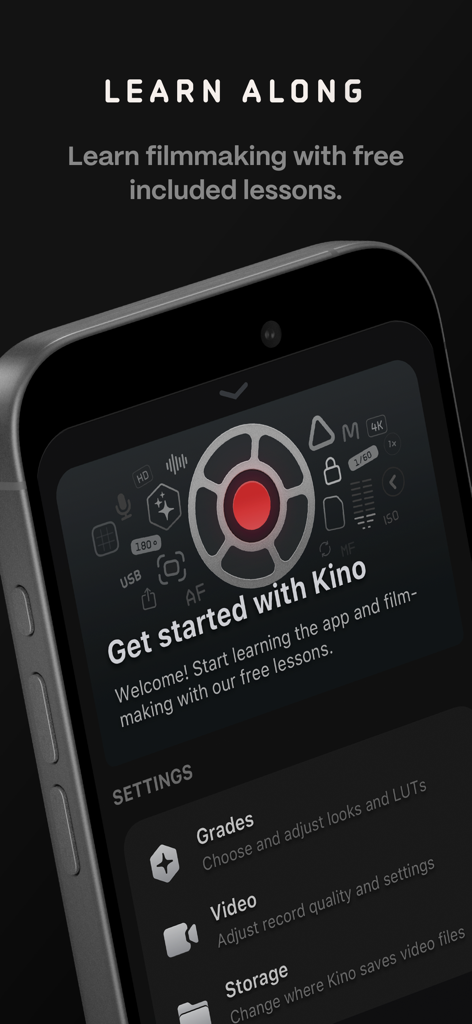
Kino app onboarding screen featuring free filmmaking lessons and camera settings

Kino app onboarding screen featuring free filmmaking lessons and camera settings

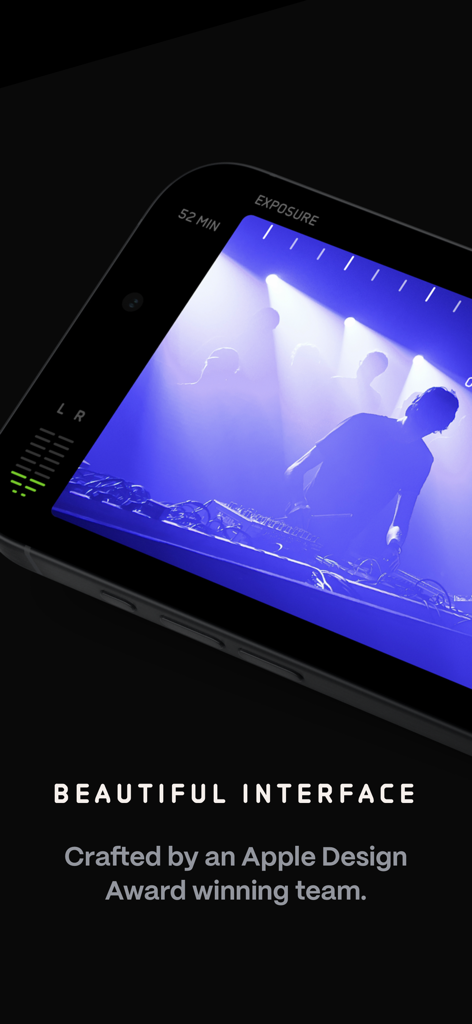
A close up of the Kino pro video camera app interface showing a cinematic recording session with professional exposure and audio meters

A close up of the Kino pro video camera app interface showing a cinematic recording session with professional exposure and audio meters

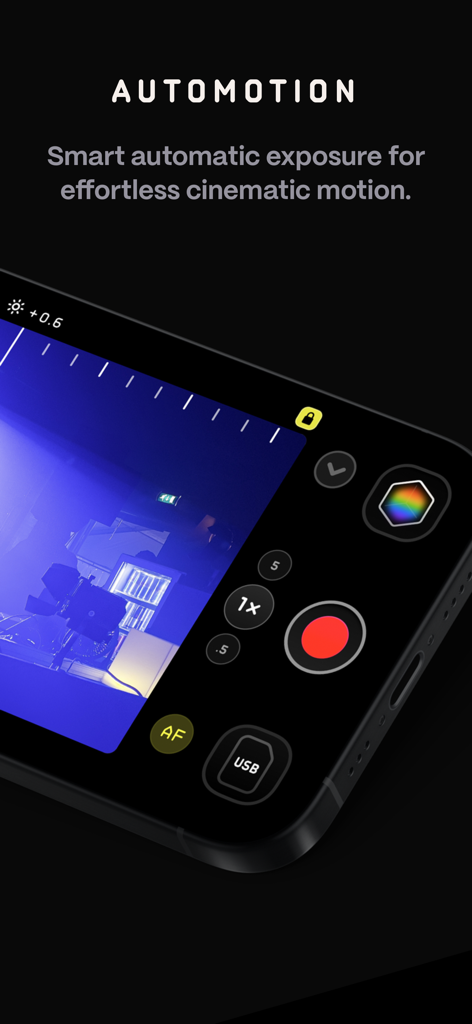
The AutoMotion feature in the Kino Pro Video Camera app for cinematic motion.

The AutoMotion feature in the Kino Pro Video Camera app for cinematic motion.

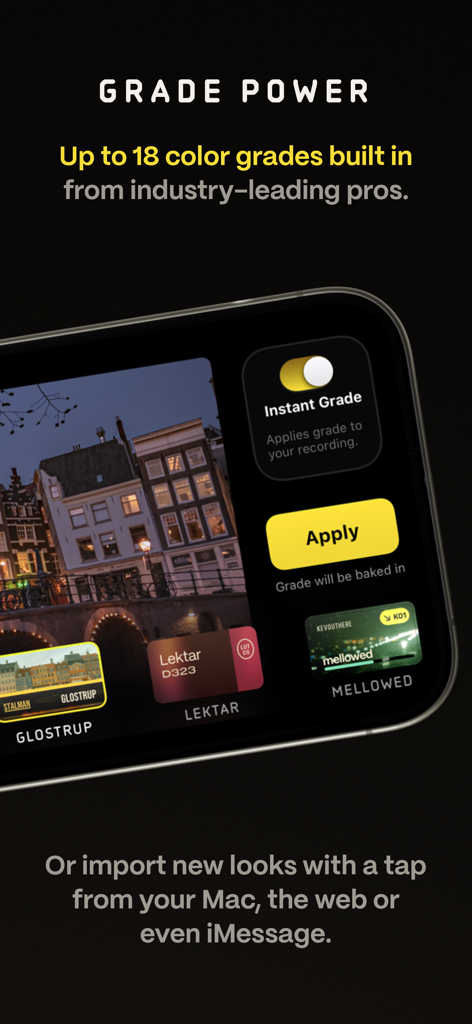
Kino video camera app displaying professional color grade presets and instant grading options.

Kino video camera app displaying professional color grade presets and instant grading options.

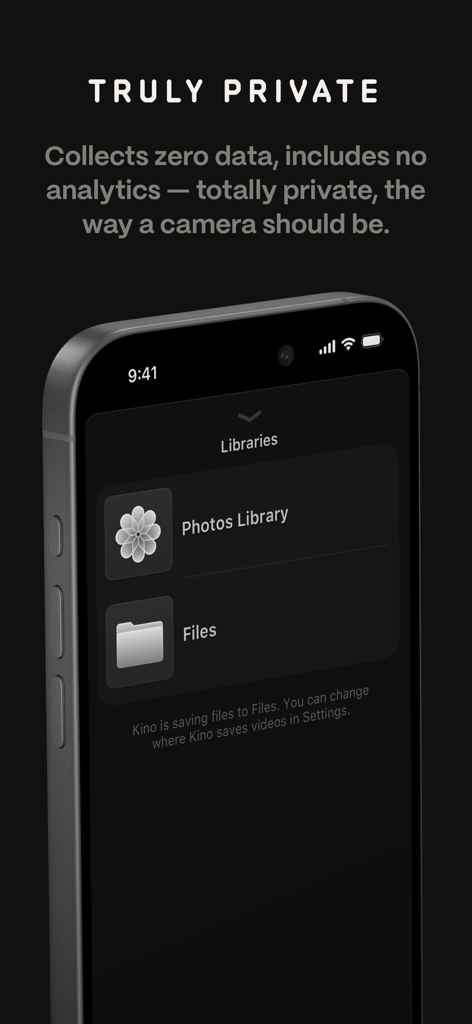
Kino app screen showing privacy policy and file library storage options

Kino app screen showing privacy policy and file library storage options

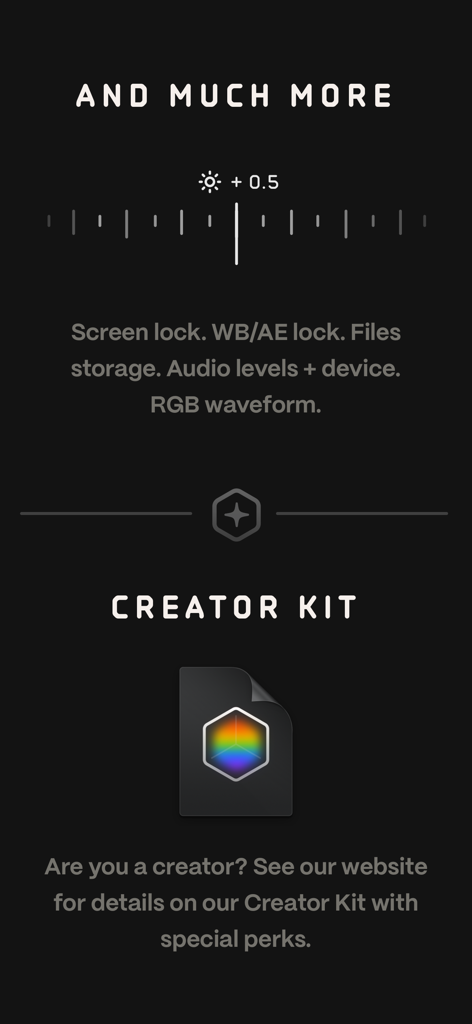
A screenshot of the Kino app interface highlighting pro tools like RGB waveform and audio levels alongside information about the Creator Kit for filmmakers.

A screenshot of the Kino app interface highlighting pro tools like RGB waveform and audio levels alongside information about the Creator Kit for filmmakers.

Capture Cinematic Brilliance, Instantly

The tools that make this app stand out, trusted by 194K+ users.

🎨

Instant Professional Color

Skip the editing booth. Apply expert-crafted LUTs while you record to get that perfect film look the moment you hit stop, ready to share on social media.

🎬

Effortless Cinematic Motion

Achieve the organic 180-degree shutter look automatically. Our AutoMotion technology handles the technical math so your footage stays smooth and cinematic.

⚙️

Pro Control, Simple Design

Access manual exposure, focus peaking, and RGB waveforms through a beautiful, minimalist interface that puts professional precision right under your thumb.

Loved by users worldwide

Trusted by 194K+ people who love this app.

"

"Kino has completely changed how I film content for my brand. The Instant Grade feature means I can shoot cinematic footage and post it to Reels immediately without any editing. It is like having a professional colorist in my pocket."

Sarah Jenkins
"

"As a hobbyist filmmaker, AutoMotion is a game-changer. I finally get that smooth 180-degree shutter look on my iPhone without messing with manual math. The interface is gorgeous and the privacy focus is a huge plus."

David Chen

About the app

Everything you need to know about Kino - Pro Video Camera.

Description

Make great video easy! Kino lets you just press record and create cinematic video with color presets created by expert filmmakers—no edit required. Plus, with “AutoMotion,” the app automatically creates that smooth "film look" you see at the movies. Shoot great video with no film school required. Are you an experienced filmmaker? Kino includes all the features you need to shoot like a Pro, such as a full manual mode, focus peaking, color waveform, audio meters, and more. If you’re experienced in color, you can import LUTs quickly and use the same powerful Instant Grade feature to output video with baked in LUTs. Regardless of your skill level, Kino adapts to your needs. Pick your experience level when setting up the app to dial things in your way or go with recommended, simple settings. The beautiful, simple interface shows only essential things, while keeping powerful features under thumb’s reach. INSTANT GRADE Kino comes packed with pro color presets by experts like Stu Maschwitz, Sandwich Video, Evan Schneider, Tyler Stalman and Kevin Ong. With one tap, you can shoot video with cinematic, film-like color by selecting a Grade preset. With Instant Grade, you don’t have to apply it later or do any editing steps: Kino just saves the processed video for you, ready to share. LEARN ALONG Getting started with video? The Kino team has a free series of lessons prepared you can dive into right away to learn filmmaking with the app. Start out with our simple recommended settings and enroll in a lesson plan to get lessons emailed to you that are easy to follow and let you unlock every feature of the app to use for making better videos. PRO TOOLS Kino’s simple interface does not mean it lacks in powerful pro tools. Start out with automatic exposure with EV adjustment and AE and WB lock, or drop into full manual mode with shutter speed, angle and ISO adjustment. Compose a shot with the grid with built in level, check exposure with the RGB waveform, and pull focus with focus peaking. Kino can store your recordings in Files instead of Photos for better and easy shot management, and even features a screen lock to prevent inadvertent taps messing up your shot. Set custom recording settings (like 4K 60FPS Apple Log ProRes422HQ on iPhone 15 Pro) or get started with presets for flexibiltiy. BEAUTIFUL INTERFACE Thoughtful touches are abound in Kino: from a screen-wide telltale ring to show you are recording, to beautiful custom typography throughout with our own bespoke fonts, Kino balances beauty and simplicity with flexibility and control for users of any skill level. AUTOMOTION Get cinematic motion like in feature films. Introducing: AutoMotion. Kino biases exposure towards a 180° shutter speed by default. If you land in this sweet spot, and available light supports it, the ‘Auto’ label turns green — showing you are in the sweet spot for great cinematic motion. Bright day out? Pop an ND filter on your iPhone and don’t worry about adjusting manual settings: Kino will take care of prioritizing shutter angle so you can just shoot and get great results. LUT FRIENDLY One of the powerful aspects of Kino is being able to download new looks from your favorite creators or your own making. Author .cube LUT files in Pixelmator Pro, Davinci Resolve, or other apps (up to 33x33) and open them in Kino with a tap. TRULY PRIVATE None of our apps gather or collect data, or analyze your videos and photos. We believe the most important thing a camera can be is private. CREATOR SPECIAL Are you a creator or filmmaker and want to get started with or love using Kino? Get in touch with us to get our ‘Creator Kit’: see the Kino website for more details. When sharing your work, tag it #shotwithkino so we can feature it online. Thanks for making it this far! Kino is made by friends — Ben Sandofsky and Sebastiaan de With, with the help of Katie-Rose Summerfield and Doug Broussard. We made this app with love and care and we hope you love it.

Latest Version

1.3.2

Size

51.0 MB

First Released

May 29, 2024

Your iPhone, Now a Pro Cinema Camera

Stop settling for standard mobile video. Unlock instant color grades and cinematic motion with the app designed for creators who value quality, simplicity, and privacy.

Download on App Store
FAQ

Frequently Asked Questions

Everything you need to know about Kino - Pro Video Camera

What is Kino - Pro Video Camera?

Kino - Pro Video Camera is an app that allows users to record cinematic video with color presets and smooth motion, without requiring editing. It provides both simple and professional tools for all skill levels.

Does Kino - Pro Video Camera include advanced manual controls for experienced filmmakers?

Yes, Kino includes a full manual mode with shutter speed, angle, ISO adjustment, focus peaking, color waveform, and audio meters. Users can also import LUTs and use the Instant Grade feature.

How does Kino - Pro Video Camera's AutoMotion feature create a cinematic look?

AutoMotion in Kino biases exposure towards a 180° shutter speed, which is the cinematic sweet spot. It automatically prioritizes the shutter angle to achieve a smooth, film-like motion.

Can users import custom LUTs into Kino - Pro Video Camera?

Yes, Kino supports importing custom .cube LUT files from apps like Pixelmator Pro or Davinci Resolve. Users can open these files in Kino with a tap.

Does Kino - Pro Video Camera collect user data or analytics?

No, Kino - Pro Video Camera states that it collects zero data, gathers no information, and includes no analytics. The app emphasizes user privacy.

What is the Instant Grade feature in Kino - Pro Video Camera?

Instant Grade allows users to shoot video with cinematic, film-like color using expert-created presets. Kino saves the processed video directly, eliminating the need for post-capture editing.

Can Kino - Pro Video Camera save recordings to Apple's Files app?

Yes, Kino can store recordings in the Files app instead of Photos. This provides better and easier shot management for users.

Does Kino - Pro Video Camera offer any learning resources for new users?

Yes, the Kino team provides a free series of lessons to help users learn filmmaking with the app. Users can enroll in a lesson plan to receive easy-to-follow lessons.

Who developed the Kino - Pro Video Camera app?

Kino - Pro Video Camera was developed by Ben Sandofsky and Sebastiaan de With, with assistance from Katie-Rose Summerfield and Doug Broussard. It is from the Halide team.