
LIFELENZ



The essential mobile tool for hourly workers to manage shifts, swap with colleagues, and see your estimated pay in real-time.
Publisher
Category
BusinessDownloads
697K+User Rating
Total Ratings
600Locales
2Discover the interface used by 697K+ users.
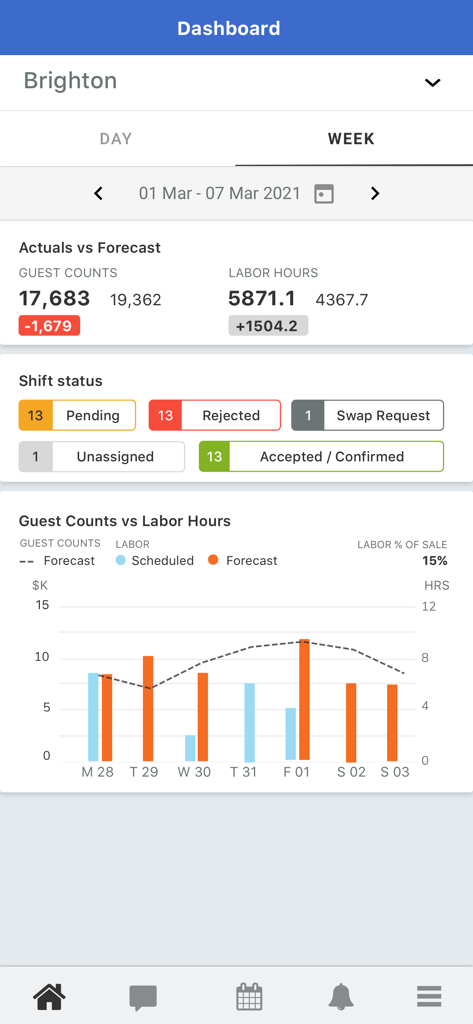
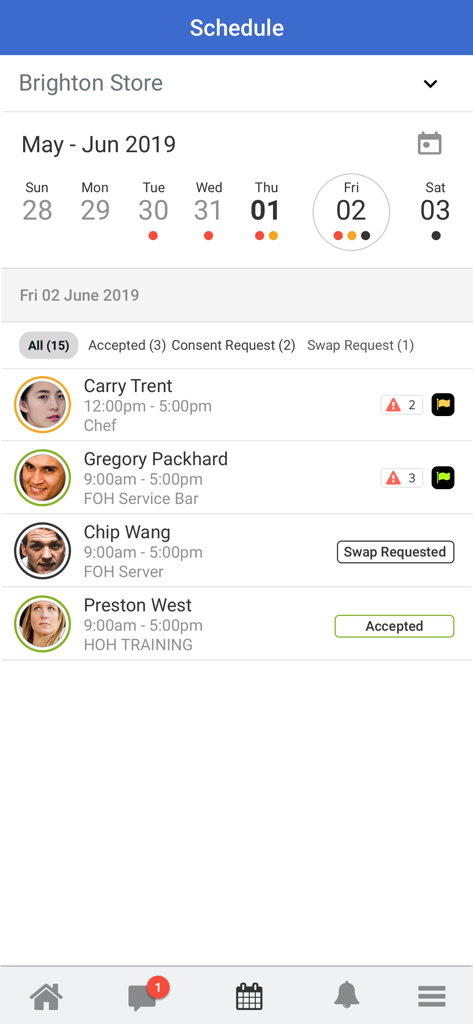
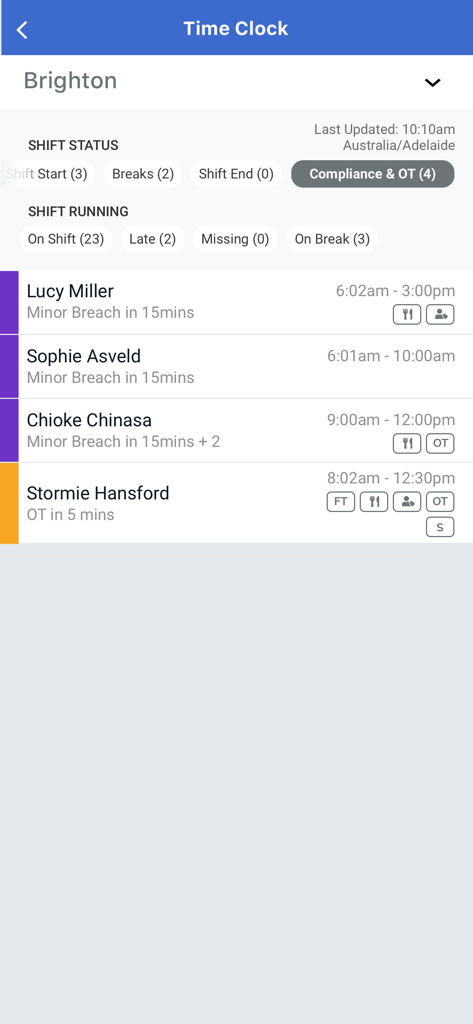
The tools that make this app stand out, trusted by 697K+ users.
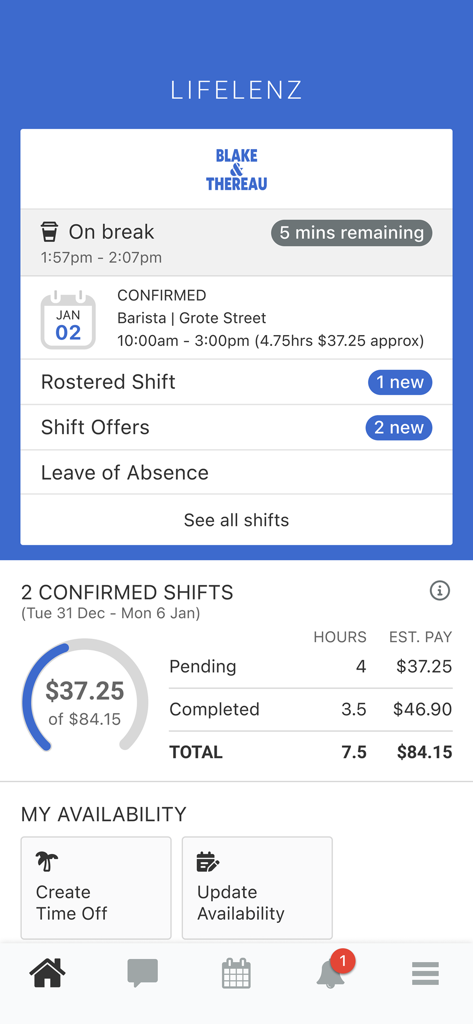
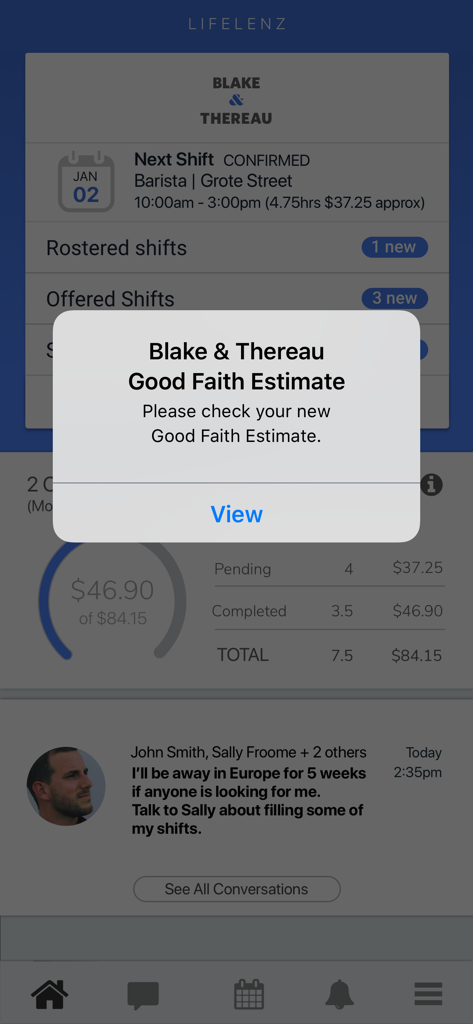
Stop waiting for your paycheck to see your progress. Get instant estimates of your shift earnings so you can plan your budget with total confidence.
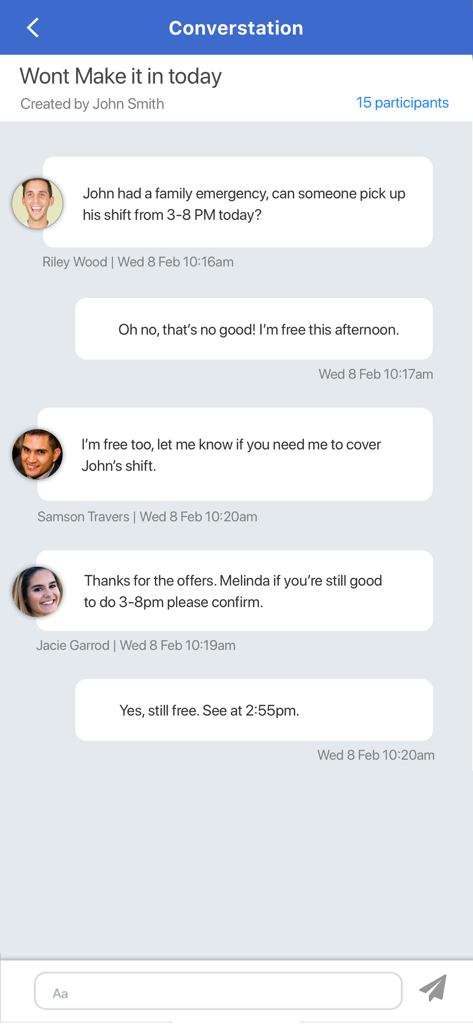
Life happens. Swap shifts directly with your coworkers without the back-and-forth phone calls or manager tag. Flexibility is just a tap away.
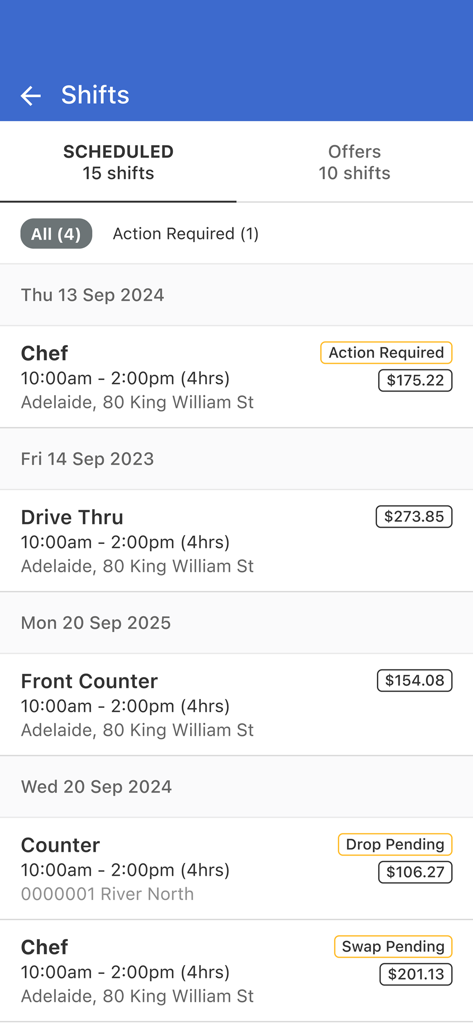
Eliminate scheduling anxiety. Receive immediate push notifications for new shifts, roster changes, and approvals, so you are always in the loop.
Trusted by 697K+ people who love this app.
"LIFELENZ has been a lifesaver for balancing my retail job with my university classes. The shift swap feature is so seamless—I can trade shifts with my coworkers in seconds without having to wait for a manager to call me back. Plus, the notifications ensure I never miss a schedule update."
"I love being able to see exactly what I am going to earn for each shift right in the app. It makes planning my monthly budget so much easier. Everything is clear and organized, from my start times to the specific location details, which really takes the stress out of my work week."
Everything you need to know about LIFELENZ.
Description
Latest Version
1.71.50
Size
46.1 MB
First Released
Aug 16, 2018
Join thousands of workers managing their shifts, tracking earnings, and swapping hours with ease. Download LIFELENZ today to start owning your schedule.
Everything you need to know about LIFELENZ
LIFELENZ is an application that simplifies work roster management. It allows users to view, accept, reject, and swap shifts, receive notifications, and track estimated earnings.
Yes, LIFELENZ allows users to view shifts allocated to them directly from the main dashboard or the dedicated shifts section. This includes details like date, time, role, and location.
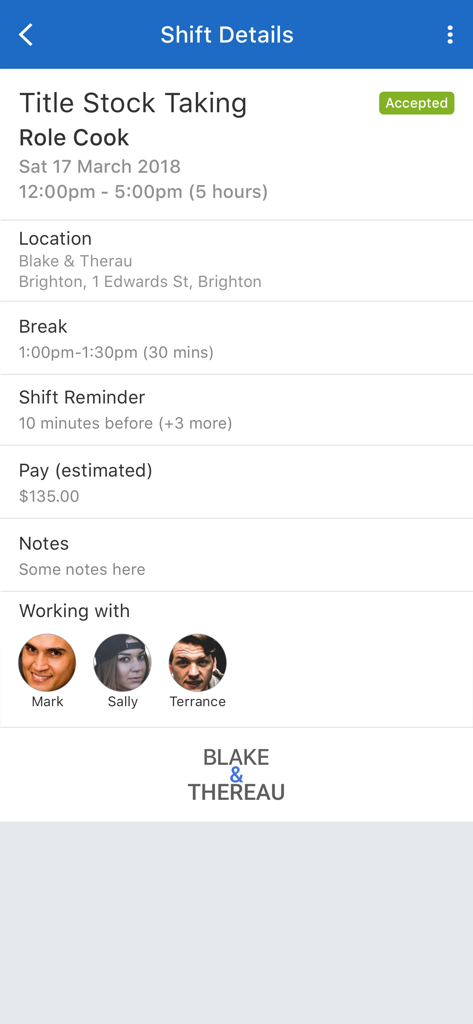
Yes, LIFELENZ provides detailed information for each shift, including title, role, date, time, location, break times, estimated pay, and notes. It also shows colleagues working.
Yes, LIFELENZ enables users to accept or reject shifts offered to them directly within the application. Shift offers appear on the dashboard for action.
Yes, LIFELENZ sends notifications for new shifts and any changes to existing shifts. This ensures users are always informed about their work schedule updates.
LIFELENZ displays estimated shift earnings for individual shifts and provides an overview of total estimated pay for confirmed shifts on the dashboard.
Yes, LIFELENZ facilitates swapping shifts with colleagues. The app description explicitly states this feature for managing work schedules flexibly.
Yes, LIFELENZ features a time clock function that displays shift status, tracks employees on shift, late, missing, or on break, and monitors compliance and overtime.
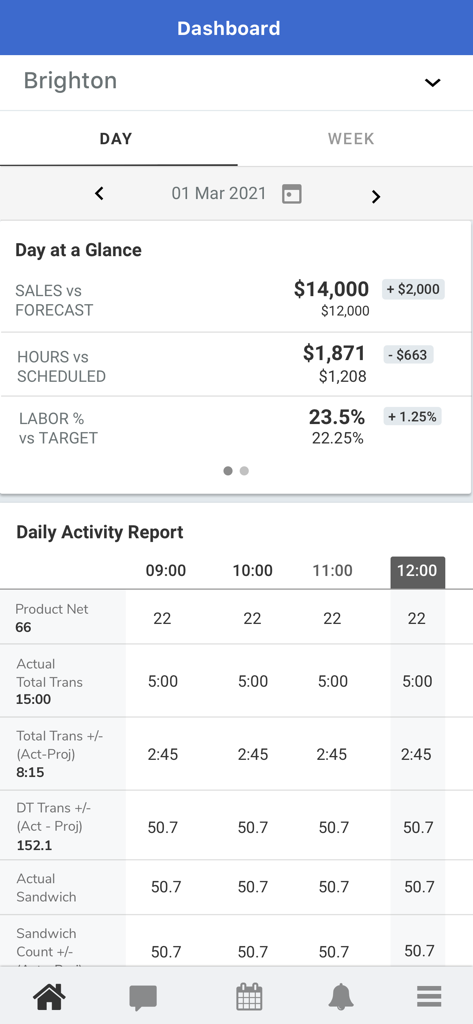
Yes, LIFELENZ provides managers with a dashboard to view daily and weekly operational reports, including sales forecasts, labor hours, and shift status breakdowns.
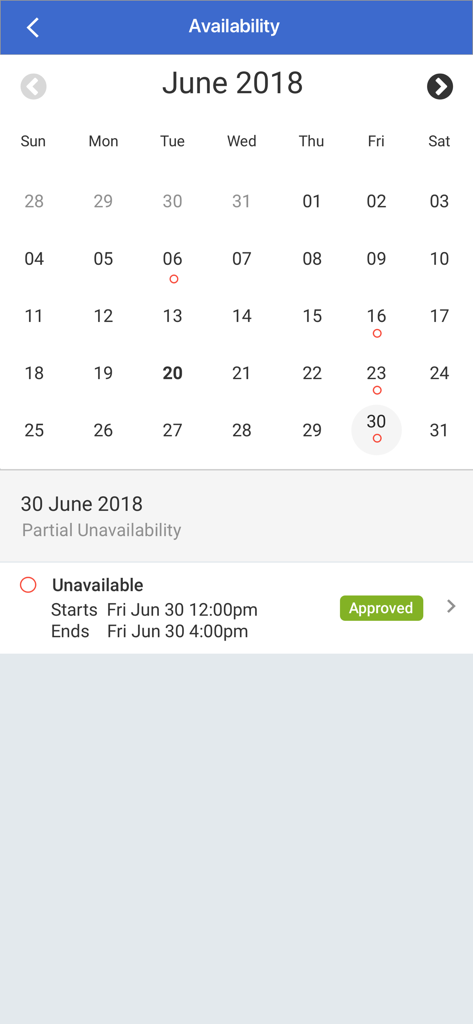
Employees manage their availability in LIFELENZ through the "My Availability" section on the dashboard. They can create time off requests and update their availability using a calendar interface.
Apps with similar features and user experience

Paylocity Corporation

Paychex Inc.

Paycom Payroll, LLC

Gusto, inc.

AMZN Mobile LLC

TaxDome LLC

Walmart

Peninsula Online Services Limited

Senior Sistemas S/A
