履歴書作成(インディード)

履歴書作成(インディード)

Download on App Store
Spark by MWM logo
Logo of 履歴書作成(インディード)

履歴書作成(インディード): Create a Professional Resume and AI Headshot in Minutes

The all-in-one mobile toolkit for your next career move. Use AI-guided photography, smart templates, and automated formatting to build a perfect resume on the go—then print directly from your phone and get hired faster.

Publisher

Indeed Inc.

Category

Lifestyle

Downloads

1M+

User Rating

4.6/5

Total Ratings

30K+

Locales

1

Seamlessly Professional

Discover the interface used by 1M+ users.
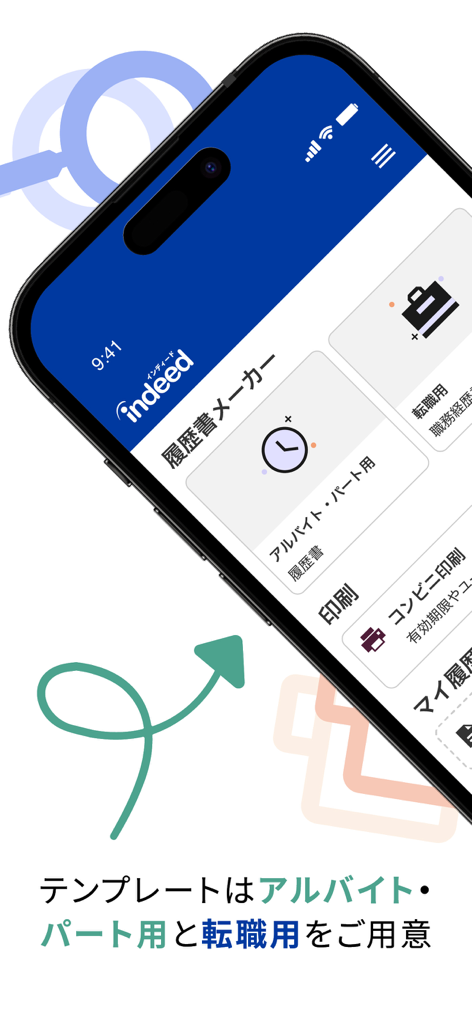
Home screen of the Indeed resume builder mobile app showing options for part-time and career change templates

Home screen of the Indeed resume builder mobile app showing options for part-time and career change templates

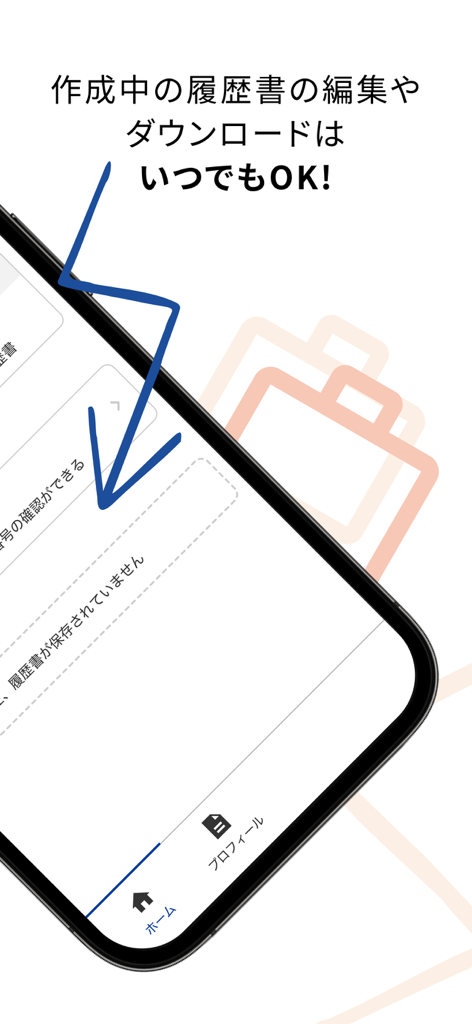
Mobile app interface of Indeed Resume Builder showing resume editing and downloading features.

Mobile app interface of Indeed Resume Builder showing resume editing and downloading features.

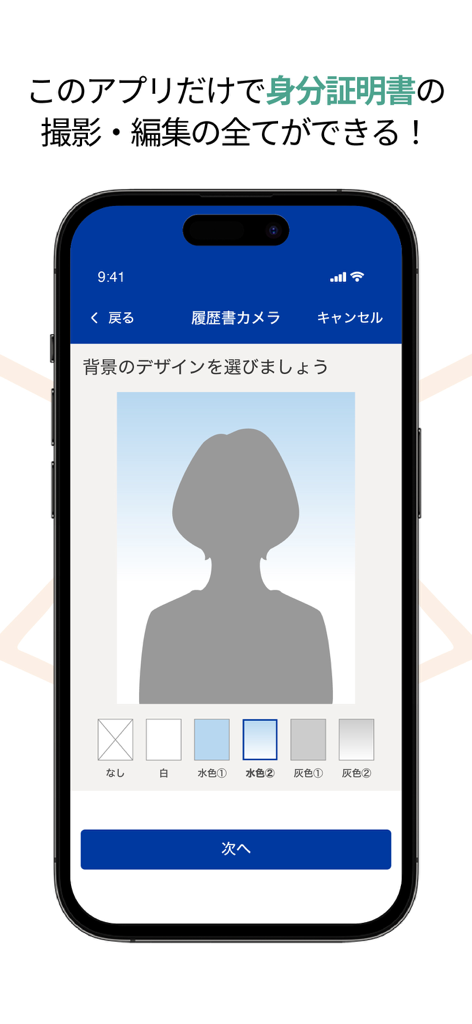
Indeed Resume Builder app feature for creating and editing professional ID photos

Indeed Resume Builder app feature for creating and editing professional ID photos

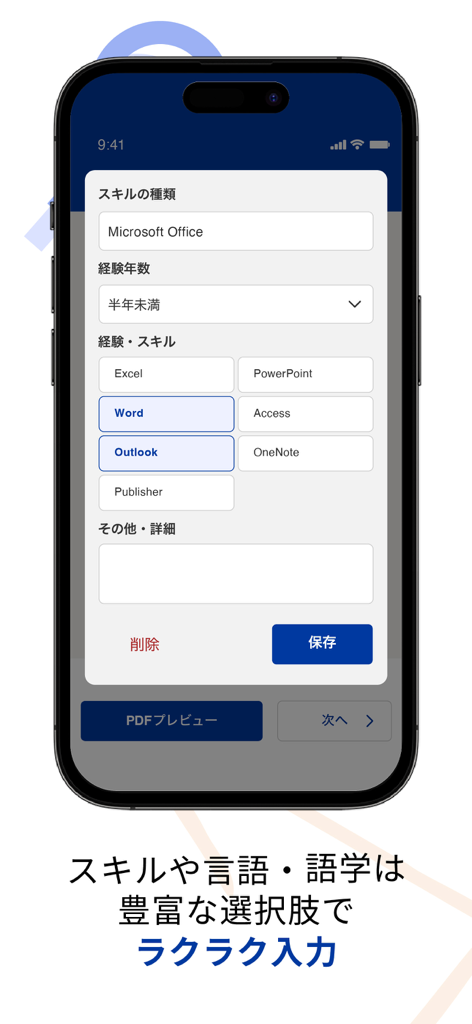
Mobile interface for selecting professional skills in the Indeed Resume Builder app

Mobile interface for selecting professional skills in the Indeed Resume Builder app

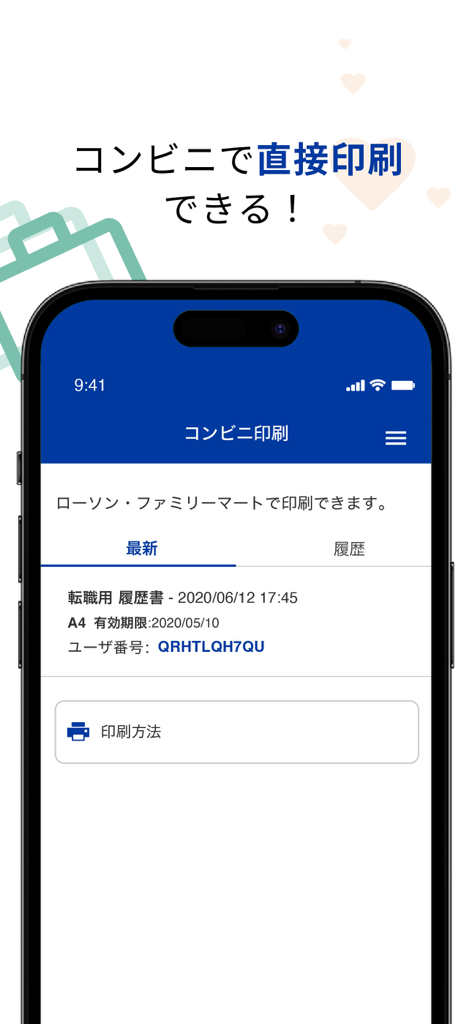
Mobile app screen showing the convenience store printing feature for resumes

Mobile app screen showing the convenience store printing feature for resumes

Build Your Professional Resume with Zero Stress

The tools that make this app stand out, trusted by 1M+ users.

Smart Auto-Fill & Templates

Skip the tedious manual entry. We auto-calculate your dates and provide professional writing samples so you can build a standout profile without the writer's block.

🤳

AI-Powered Pro Headshots

No need for an expensive studio. Our AI-guided camera helps you snap the perfect angle and adjusts the background for a professional look in seconds.

📲

Mobile-to-Print Ready

No printer at home? Send your resume directly to local printing hubs or download a clean PDF to apply online instantly with just one tap.

Loved by users worldwide

Trusted by 1M+ people who love this app.

"

"I always struggled with what to write in the self-promotion section, but the templates in this app made it so easy. I finished my entire resume during my commute! The AI photo feature is a lifesaver—I didn't have to spend a dime at a photo booth to look professional."

Yuki M.
"

"The automatic date calculation saved me so much time and stress. I used to get confused with graduation years, but this app handles everything perfectly. Being able to print directly at the convenience store right before my interview was the ultimate convenience."

Kenji S.

About the app

Everything you need to know about 履歴書作成(インディード).

Description

『履歴書作成(インディード)』が大幅アップデート! 『履歴書作成(インディード)』なら、無料で簡単にアルバイト・パートや転職用の履歴書・職務経歴書を作成できます。 活かせるスキルや語学は豊富な選択肢をご用意!学歴や職歴の年月は誕生日から自動計算されるから入力いらず! 証明写真はアプリ内の履歴書カメラで全て完結!撮影中は、AIが顔の位置を認識するので、ガイダンスに従って顔を動かせば、キレイな証明写真が撮れちゃいます。さらに証明写真の背景の変更やフィルターの調整もできます。 作成した履歴書・職務経歴書は直接コンビニで印刷OK。 アルバイト・パート・転職の求人に申し込むときに、一番面倒な作業である「履歴書の作成」。志望動機や自己PRを考えていると、履歴書作成が進まないなんてことも・・・。そんな時にオススメ!『履歴書作成(インディード)』なら難しいことを考えずに、例文のように志望動機や自己PRをマネして入力するだけで、サクッとカンタンに作成できます。家にプリンターがなくても大丈夫、作成した履歴書は直接コンビニで印刷ができます。 <『履歴書作成(インディード)』のポイント> ▼目的別のテンプレート アルバイト・パート用の履歴書と転職用の履歴書から選択可能! アルバイト・パート用の履歴書は、勤務曜日・時間などの希望を入力でき、提出するバイト・パート先の方にもわかりやすいテンプレートとなっています。 転職用の履歴書は職務経歴書も作成できます。履歴書の作成後、履歴書と職務経歴書で項目が重複しているものは、職務経歴書にも自動で入力されます。 ▼とにかく入力がカンタン 各項目に記入例が記載してあるから、マネして入力するだけ! 難しいと思われがちな自己PRや志望動機にも例文があります。例文を参考にすれば、カンタンにあなたの自己PRや志望動機が作れます。 ▼活かせるスキルや言語・語学の選択肢が豊富 手動で入力すると面倒な活かせるスキルや言語・語学の選択肢を豊富にご用意! 入力する手間を減らし、ラクに作成できるようになりました。 ▼学歴や職歴は入力いらず 学歴や職歴の年月は誕生日から自動で計算! なかなか覚えていられない、自分で計算すると間違える、などの心配は不要です。 ▼証明写真はアプリ内で撮影・編集の全てが完結 AI機能導入でキレイな証明写真を作成できます。 撮影中は、AIが顔の位置を認識するので、ガイダンスに従って顔を動かせば、キレイな証明写真が撮れます。さらに証明写真の背景の変更やフィルターの調整もできるので、家での撮影でも大丈夫! ▼コンビニで直接印刷 作成した履歴書はコンビニ(ファミリーマート及びローソン)で直接印刷が可能! ネットワークプリントと連携しているので、他のアプリを使わずに印刷ができちゃいます。 サイズは履歴書はB5・A3、職務経歴書はA4での印刷が可能です。 もちろん、PDFファイルをダウンロードして、自宅や学校からの印刷もできます。 ▼作成したデータは自動バックアップ アプリを間違って消してしまったり、端末の変更や故障・紛失した場合でも、作成したデータは消えません! 自動でバックアップを取り、iCloud上にデータが残るので、再インストールすれば、以前のデータがそのまま引き継がれます。 <『履歴書作成(インディード)』はこんな方にオススメ!> ・アルバイトやパート、転職をしたいが、履歴書を作るのが面倒 ・履歴書、職務経歴書、証明写真を全て一つのアプリで完成させたい ・どうやって履歴書を作ればいいかわからない ・どの履歴書テンプレートを使用するのかわからない ・履歴書になにを書くのかわからない ・履歴書を作る時間があまりない ・いつも履歴書を作るときは、ネットで調べながら作っている ・空いた時間で履歴書を作りたい ・どうやって職務経歴書を作ればいいかわからない ・見やすい職務経歴書を作れない ・キレイに文字を書こうとすると緊張してうまく書けない ・ボールペンで書いた文章はよく間違えて、修正テープを使ってしまう ・証明写真を撮るお金がもったいない ・どこで証明写真を撮ればいいかわからない ・自分でキレイな証明写真を撮りたい ・志望動機をどうやって書けばいいかわからない ・自己PRがどういうものかわからない ・本人希望欄に何を書いていいかわからない ・機種変更するたびに新しいアプリで履歴書をもう一度作成している ・どの履歴書アプリを使えばいいかわからない そんな方はぜひ『履歴書作成(インディード)』をご利用ください!

Latest Version

3.2.4

Size

22.2 MB

First Released

Nov 13, 2019

Ready to Get Hired? Create Your Perfect Resume in Minutes.

Join over 1 million users who trust Indeed to build professional resumes, take AI-powered headshots, and print on the go—all for free.

Download on App Store
FAQ

Frequently Asked Questions

Everything you need to know about 履歴書作成(インディード)

Is the 『履歴書作成(インディード)』 app free to use?

Yes, 『履歴書作成(インディード)』 is a free application. It allows users to create resumes and CVs for part-time jobs, temporary work, or career changes without any cost.

What types of resumes can I create with 『履歴書作成(インディード)』?

『履歴書作成(インディード)』 allows users to create both resumes for part-time/temporary work and CVs (職務経歴書) for転職 (career change). The app provides distinct templates for each purpose.

Can I take and edit my ID photo directly within the 『履歴書作成(インディード)』 app?

Yes, 『履歴書作成(インディード)』 integrates an AI-powered resume camera. It automatically recognizes face positions during shooting and allows background changes and filter adjustments for professional photos.

Does 『履歴書作成(インディード)』 support printing resumes at convenience stores?

Yes, 『履歴書作成(インディード)』 offers direct printing at FamilyMart and Lawson convenience stores. Users can also download PDF files for printing at home or school.

How does 『履歴書作成(インディード)』 handle academic and work history dates?

『履歴書作成(インディード)』 automatically calculates academic and work history dates from the user's birthdate. This eliminates the need for manual input and reduces calculation errors.

Does 『履歴書作成(インディード)』 make it easy to input skills and languages?

Yes, 『履歴書作成(インディード)』 provides rich selection options for skills and languages. This simplifies input, allowing users to select relevant entries instead of typing them manually.

Does 『履歴書作成(インディード)』 backup my created resume data?

『履歴書作成(インディード)』 offers automatic data backup to iCloud. If the app is deleted or the device is changed, lost, or damaged, previous data remains accessible upon reinstallation.