My Recipe Box: My Cookbook

My Recipe Box: My Cookbook

Download on App StoreDownload on Google Play
Spark by MWM logo
Logo of My Recipe Box: My Cookbook

My Recipe Box: My Cookbook – Your All-in-One Digital Kitchen Assistant

Join millions of organized home chefs who have traded cluttered browser tabs and messy folders for a neat, intuitive digital cookbook. Import recipes from any website, search by ingredients you already have, and simplify your meal planning and grocery lists in seconds.

Download on App StoreDownload on Google Play

Publisher

CmonApp

Category

Food & Drink

Downloads

403K+

User Rating

4.8/5

Total Ratings

900

Locales

30

Your Kitchen, Reimagined

Discover the interface used by 403K+ users.
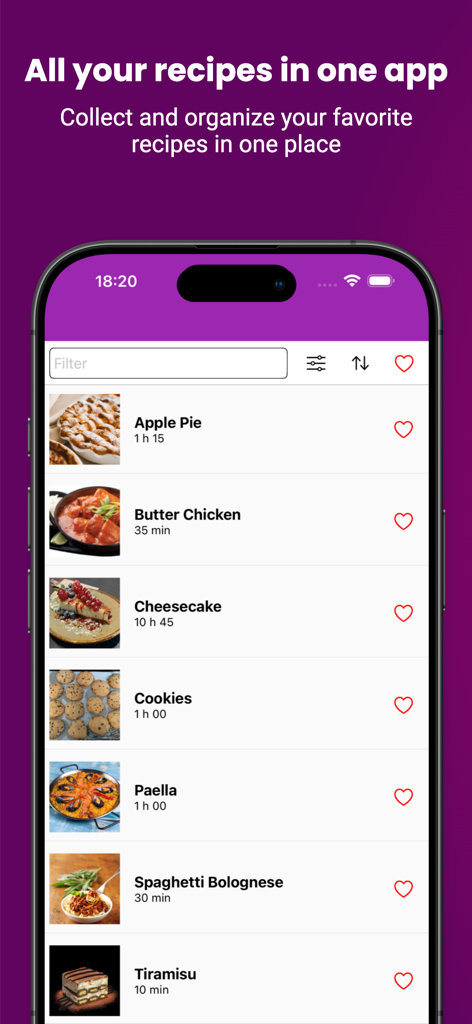
Smartphone screen showing a list of organized recipes with images and cooking times in the My Recipe Box app

Smartphone screen showing a list of organized recipes with images and cooking times in the My Recipe Box app

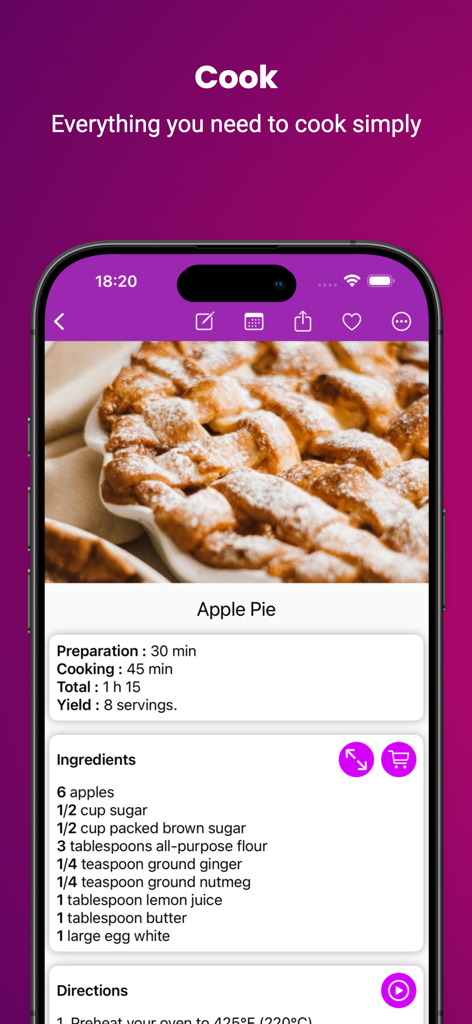
A digital cookbook interface showing an apple pie recipe with prep times and ingredient list

A digital cookbook interface showing an apple pie recipe with prep times and ingredient list

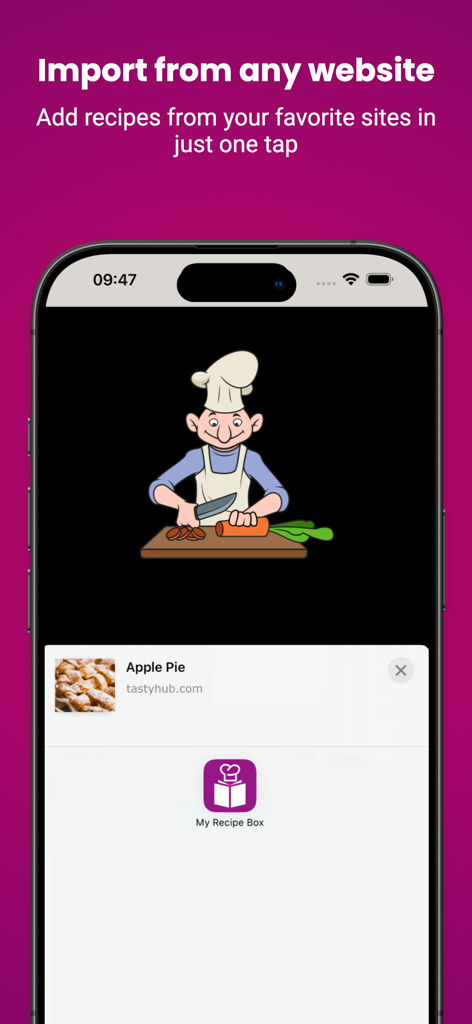
Smartphone screen showing the feature to import recipes from websites into the My Recipe Box cookbook app.

Smartphone screen showing the feature to import recipes from websites into the My Recipe Box cookbook app.

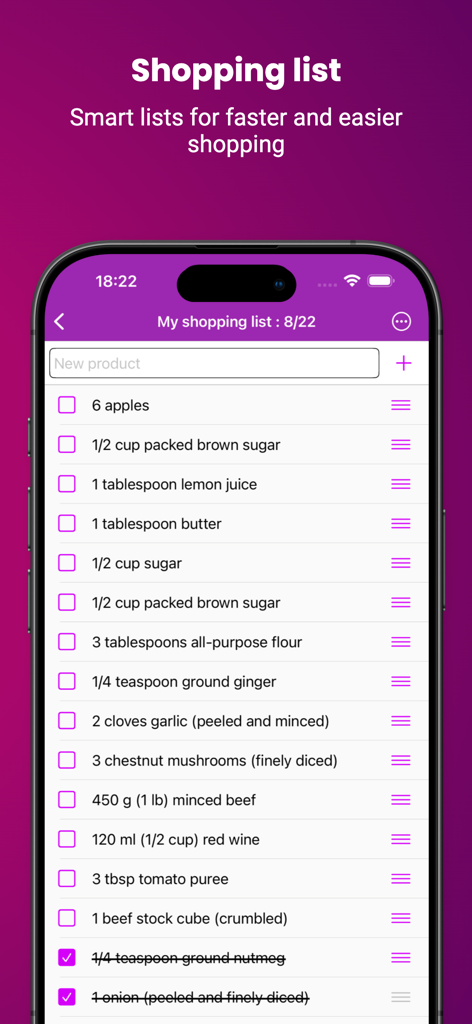
Digital shopping list feature in My Recipe Box app with ingredient checklist

Digital shopping list feature in My Recipe Box app with ingredient checklist

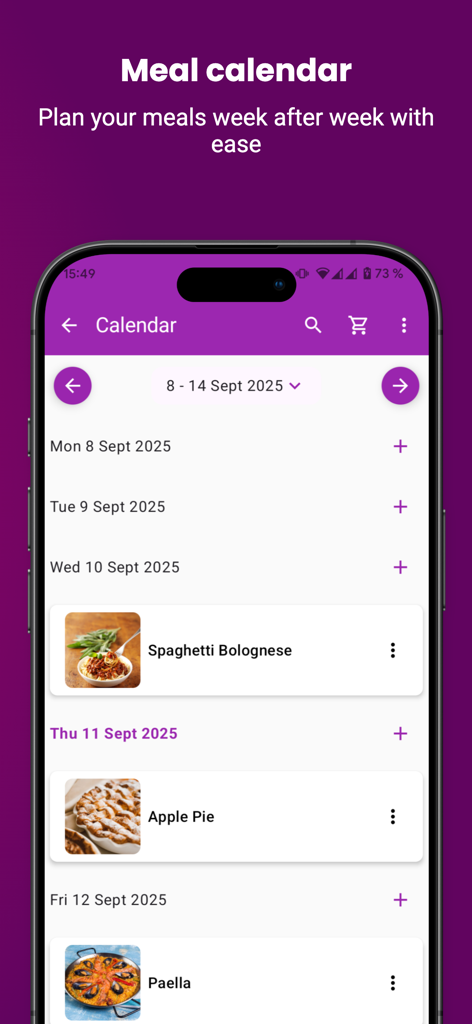
Digital meal calendar interface for organizing weekly recipes and home cooking schedule

Digital meal calendar interface for organizing weekly recipes and home cooking schedule

Master Your Kitchen with Ease

The tools that make this app stand out, trusted by 403K+ users.

📥

One-Click Web Import

Instantly save recipes from any website. We strip away the long blog stories and ads, leaving you with just the ingredients and steps you need.

🥗

Cook with What You Have

Reduce food waste and save money on groceries. Simply search by the ingredients already in your fridge to find your next favorite meal.

📅

Smart Meal Planning

Eliminate the daily "what's for dinner?" stress. Plan your week in advance and automatically generate organized shopping lists for the store.

Loved by users worldwide

Trusted by 403K+ people who love this app.

"

"Finally, an app that actually simplifies my life! I used to have dozens of browser tabs open for recipes, but now everything is in one place. I love how it imports just the instructions and leaves out the long blog stories. The grocery list generator has saved me so much time during my Sunday meal prep."

Sarah M., Busy Parent
"

"This is the digital cookbook I have been looking for. The 'search by ingredient' feature is a game-changer for clearing out my fridge before grocery day. I have also digitized all my grandmother's old handwritten cards so I will never lose them. It is clean, intuitive, and works perfectly on my iPad in the kitchen."

David K., Home Cooking Enthusiast

About the app

Everything you need to know about My Recipe Box: My Cookbook.

Description

● Join millions of cooking lovers that use our recipe keeper to save and use their favorite recipes. Saving, organizing, and finding recipes has never been easier. My Recipe Box is your neat, clutter-free, and intuitive digital cookbook that also comes with a grocery list creator and meal planner. Say yes to mindful cooking with My Recipe Box. With a wide range of powerful features, My Recipe Box is like having a digital cookpad that empowers you to take control of your recipes, streamline meal planning, and unleash your inner chef. ■ YOUR COOKBOOK Unleash your culinary creativity by adding your own unique recipes to My Recipe Box. Create your recipe library and organize recipes with ease. Whether it's a treasured family secret or a newfound cooking triumph, keep all your creations in one place. ■ SEARCH OR IMPORT RECIPES FROM WEBSITES My Recipe Box has a search engine to easily find and import recipes from most cooking websites. ■ ADJUST & CUSTOMIZE RECIPES Personalize your recipes by editing and customizing them to your liking with our recipe generator. Make notes, add cooking tips, and adapt ingredients to suit your taste using the recipe creator. ■ INTUITIVE RECIPES ORGANIZER Organize your recipes effortlessly by categorizing them using this digital cookbook. Find what you need in seconds with sorting and filtering options that keep your recipe gallery collection tidy and accessible. Thanks to the different filters available (categories such as cake recipes baking recipes etc; ingredients; tags; favorite recipes), you will find recipes in a flash. ■ SEARCH BY INGREDIENT Wondering what to make with the ingredients you have on hand? Use the ingredient search feature to find recipes that match what's in your fridge, helping you reduce food waste and whip up delicious meals on the spot. ■ SHARE, BACKUP, RESTORE RECIPES Impress your friends and family by sharing your culinary masterpieces with just a few taps. Spread the joy of cooking! Also, keep your recipes safe with backup and restore options, and sync with Dropbox. ■ GROCERY LIST AND MEAL PLANNER Simplify grocery shopping by making shopping lists directly from your recipes. No more forgotten ingredients or multiple trips to the store. Also, plan your meals with ease by scheduling recipes for the week ahead. Stay organized and make meal prep a breeze. ■ My Recipe Box, COOKBOOK RECIPES APP FEATURES: • Add your own recipes • Import recipes from most cooking websites. • Edit your recipes & recipe notes • Sort and filter your recipes by category • Search by ingredients; finish the leftovers from the fridge! • Add favorite recipes & manage your own categories • Share your recipes by email • Backup and restore recipes • Create your shopping lists from recipe Ingredients • Change the quantities (automatically calculated) • Search by tags • Plan your recipes week by week • Sync with Dropbox Premium features : • Remove ads and watermarks • Export all your recipes in PDF • Sync with Google Drive, pCloud, WebDAV • Link your recipes Say goodbye to cluttered recipe folders and hello to a world of culinary possibilities at your fingertips. ► Download My Recipe Box for FREE! Terms of Use: https://www.myrecipebox.app/terms

Latest Version

5.5.7

Size

151.1 MB

First Released

Feb 17, 2017

Ready to Simplify Your Kitchen?

Join over 400,000 home managers who have traded messy bookmarks for a perfectly organized digital cookbook. Download My Recipe Box for free today and start cooking stress-free.

Download on App StoreDownload on Google Play
FAQ

Frequently Asked Questions

Everything you need to know about My Recipe Box: My Cookbook

What is My Recipe Box?

My Recipe Box is a digital cookbook and recipe keeper application. It allows users to save, organize, and find their favorite recipes, create grocery lists, and plan meals efficiently.

Can I add my own recipes to My Recipe Box?

Yes, My Recipe Box allows users to add their own unique recipes. Users can create a personal recipe library and organize their culinary creations within the app.

Does My Recipe Box allow importing recipes from websites?

Yes, My Recipe Box features a search engine to easily find and import recipes from most cooking websites. This streamlines the process of adding online recipes to your collection.

Can I customize recipes within My Recipe Box?

Yes, My Recipe Box allows users to personalize recipes. You can edit and customize them, make notes, add cooking tips, and adapt ingredients using the built-in recipe generator.

How does My Recipe Box help with grocery shopping?

My Recipe Box simplifies grocery shopping by enabling users to create shopping lists directly from their recipes. This feature helps prevent forgotten ingredients and multiple store trips.

Does My Recipe Box include a meal planner?

Yes, My Recipe Box includes a meal planner feature. Users can easily schedule recipes for the week ahead, which helps organize meals and streamline meal preparation.

Is there a way to find recipes using ingredients I already have in My Recipe Box?

Yes, My Recipe Box provides an ingredient search feature. Users can find recipes based on the ingredients they have on hand, which helps reduce food waste.

Can I share recipes from My Recipe Box?

Yes, My Recipe Box allows users to share their culinary creations. Recipes can be shared by email with friends and family with just a few taps.

Does My Recipe Box offer backup and restore options?

Yes, My Recipe Box offers backup and restore options to keep your recipes safe. The app also supports syncing with Dropbox for data management.

Are there any premium features in My Recipe Box?

Yes, My Recipe Box offers premium features. These include removing ads and watermarks, exporting recipes in PDF, syncing with Google Drive, pCloud, WebDAV, and linking recipes.

How much does My Recipe Box cost?

My Recipe Box is available for free download. It also offers optional premium features for users seeking an enhanced experience within the application.

How can I organize my recipes in My Recipe Box?

My Recipe Box provides an intuitive organizer to categorize recipes. Users can sort and filter recipes by categories, ingredients, tags, and favorites, ensuring easy access.