
NetClash-Network's Vital Signs



Monitor stability, visualize data paths, and eliminate bottlenecks with professional-grade ping tests and traceroute tools designed for tech enthusiasts.
Publisher
Category
ProductivityDownloads
180K+User Rating
Total Ratings
1K+Locales
2Discover the interface used by 180K+ users.
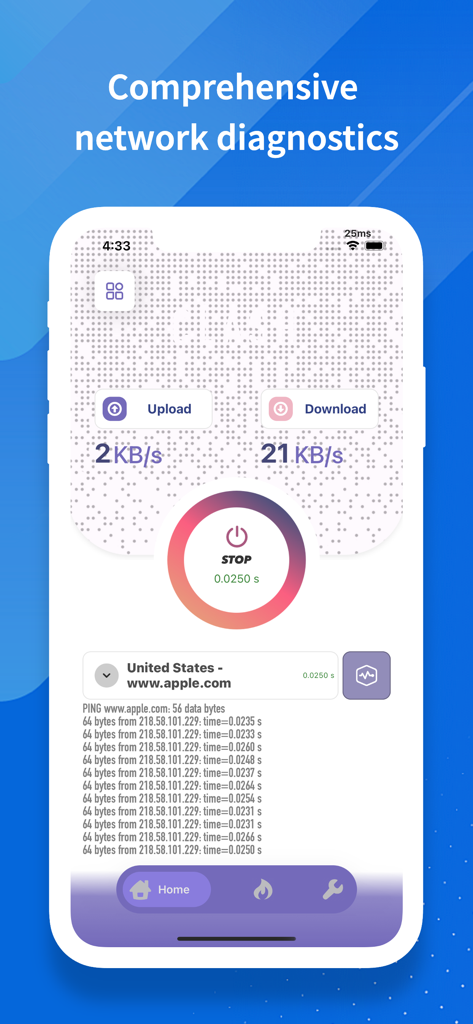
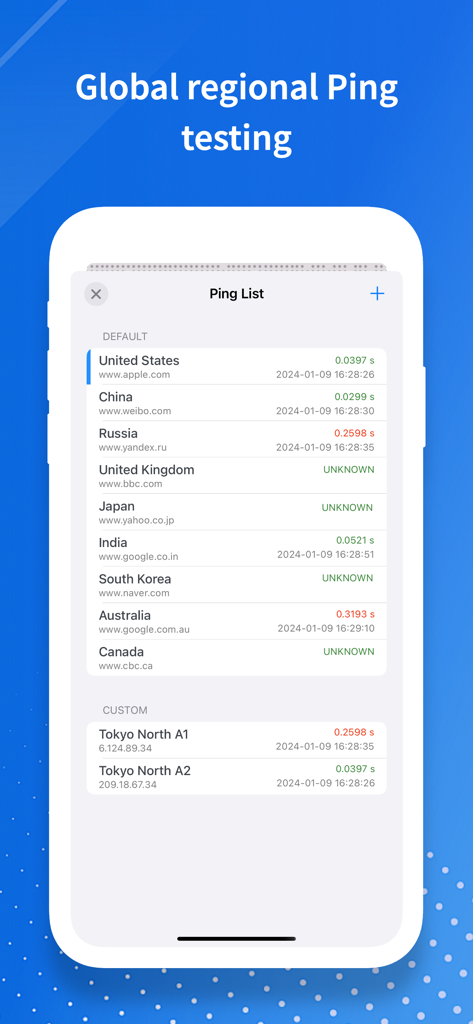
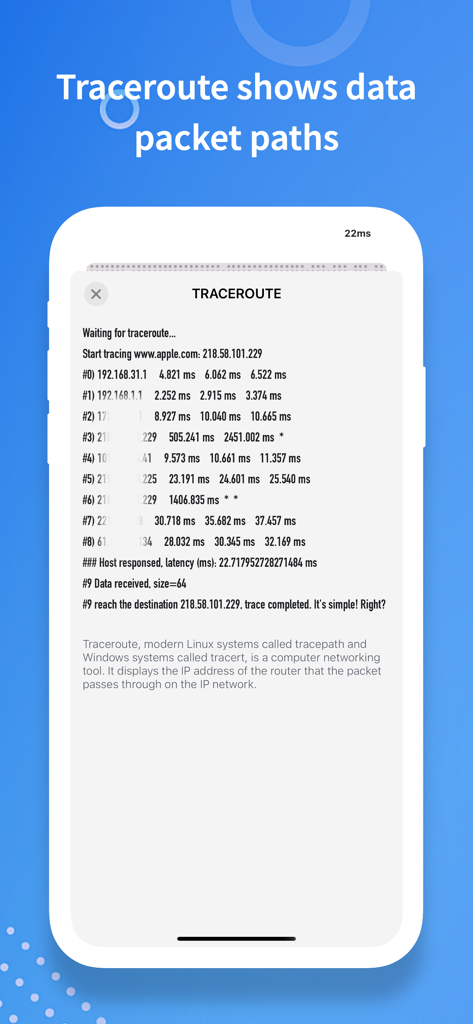
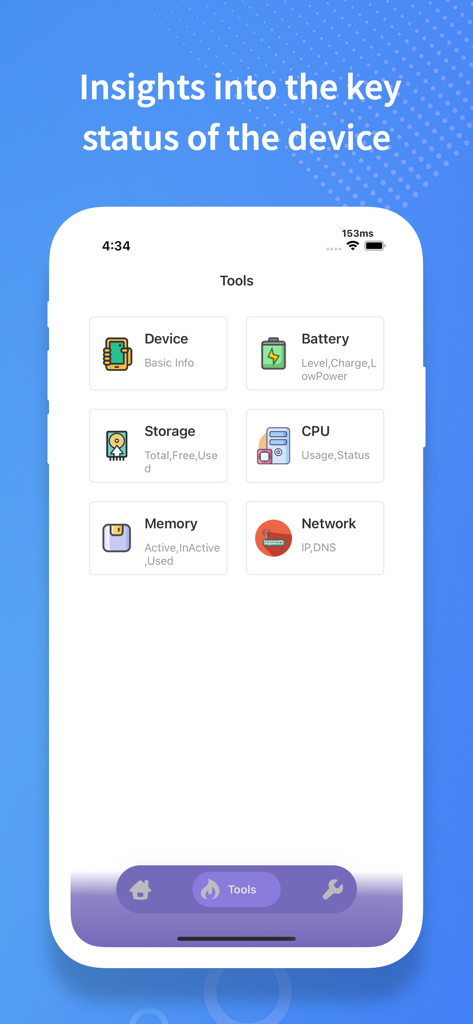
The tools that make this app stand out, trusted by 180K+ users.
Test latency across worldwide regions to ensure your connection is optimized for competitive gaming or high-stakes international calls.
Visualize every hop your data takes with Traceroute. Identify exactly where delays occur, from your local router to the remote server.
Get instant health reports on your device and network status. Arm yourself with technical data to resolve ISP issues faster than ever.
Trusted by 180K+ people who love this app.
"NetClash has become an essential part of my remote work toolkit. Being able to run regional ping tests and visualize packet paths with traceroute helps me troubleshoot connectivity issues before they even affect my calls. The UI is incredibly clean for such a powerful utility."
"Finally, a network tool that doesn't look like it was made in the 90s! I use it to check server stability across different regions before I hop into a match. It's fast, accurate, and gives me all the device info I need in one tap."
Everything you need to know about NetClash-Network's Vital Signs.
Description
Latest Version
1.2.1
Size
20.4 MB
First Released
Jan 7, 2024
Join over 180,000 tech-savvy users and get professional-grade diagnostics to eliminate lag, troubleshoot bottlenecks, and optimize your connection today.
Everything you need to know about NetClash-Network's Vital Signs
NetClash-Network's Vital Signs is a comprehensive network diagnostics tool. It helps users evaluate, troubleshoot, and enhance their internet connection by providing essential utilities like Ping Tests and Traceroute.
NetClash offers Ping Tests, Traceroute Debugging, Regional Ping Testing, and a Device Information View. These features allow users to analyze network response, visualize data paths, and check device status.
Yes, NetClash performs Ping Tests. It measures and analyzes network response times to assess the stability and speed of your internet connection, as seen in the main interface.
Yes, NetClash supports regional Ping testing. Users can conduct periodic Ping tests on servers across different global regions, as shown in the Ping List screen, for informed network decisions.
NetClash aids troubleshooting through its Traceroute Debugging feature. This visualizes data packet transmission paths, identifying potential network bottlenecks and providing insights into connectivity issues.
NetClash displays key device information including basic device info, battery status, storage details, CPU usage, memory status, and network information like IP and DNS settings.
Yes, NetClash features an intuitive and sleek user interface. This design choice ensures a seamless user experience, making network diagnostics accessible and easy to navigate for all users.
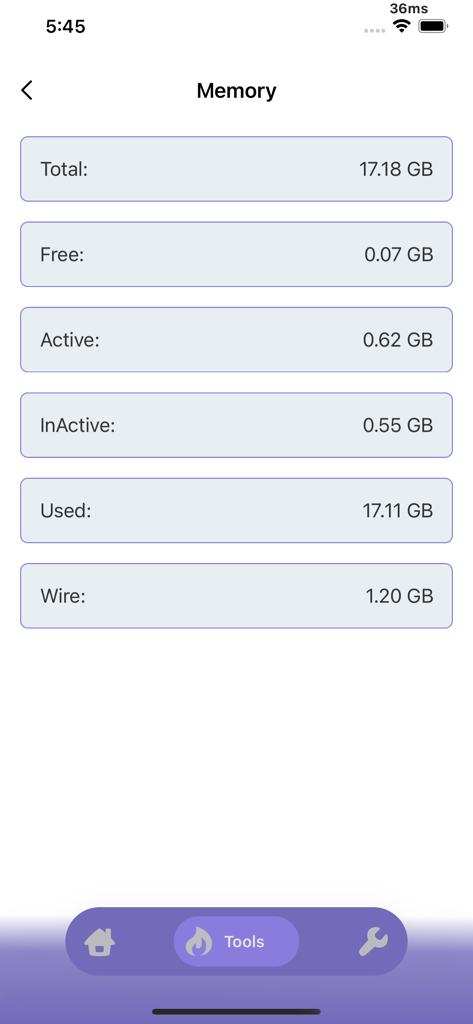
Yes, NetClash can show detailed memory usage. It provides information on total, free, active, inactive, used, and wire memory, accessible through the Tools section.
Apps with similar features and user experience

Ubiquiti Inc.

Jiri Techet

Fing Limited

Spring Tech Co., Ltd.

Huacen Co., LTD

Jiri Techet

方勇 侯

Iurii Mozharovskyi

荣阳 乌