Paper: Sketch, Draw & Create

Paper: Sketch, Draw & Create

Download on App Store
Spark by MWM logo
Logo of Paper: Sketch, Draw & Create

Paper: The Immersive Canvas for Your Best Ideas

Join 30 million visual thinkers who sketch with confidence, collage without limits, and organize their creative flow into beautiful digital journals—all in a distraction-free space.

Publisher

Evernote Corporation

Category

Productivity

Downloads

17M+

User Rating

4.6/5

Total Ratings

548K+

Locales

12

Your Creative Flow

Discover the interface used by 17M+ users.
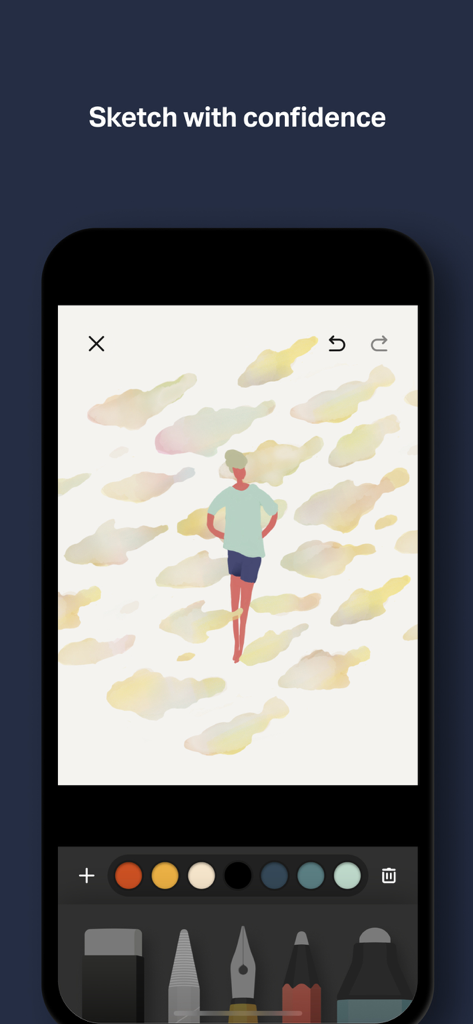
An iPhone screen displaying the Paper app sketching interface with a minimalist illustration of a person surrounded by watercolor shapes and a selection of drawing tools at the bottom.

An iPhone screen displaying the Paper app sketching interface with a minimalist illustration of a person surrounded by watercolor shapes and a selection of drawing tools at the bottom.

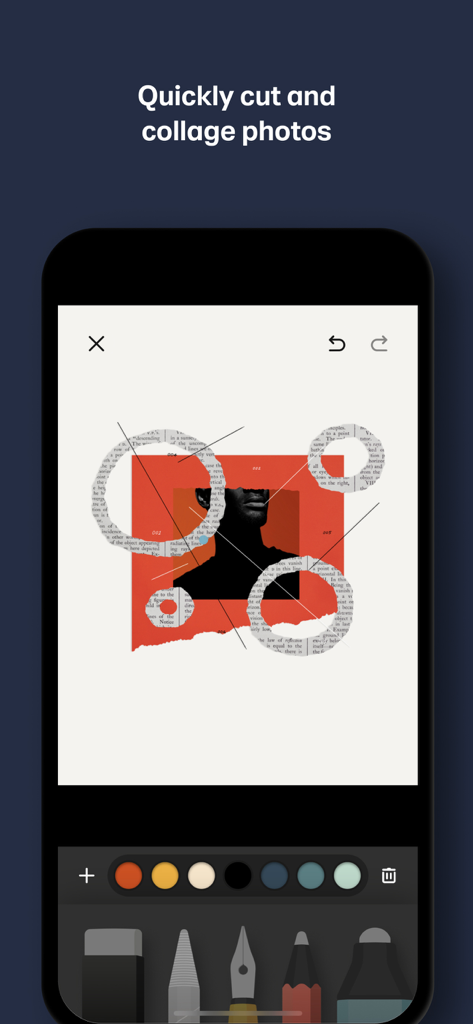
A creative photo collage being edited inside the Paper app with digital sketching and cutting tools.

A creative photo collage being edited inside the Paper app with digital sketching and cutting tools.

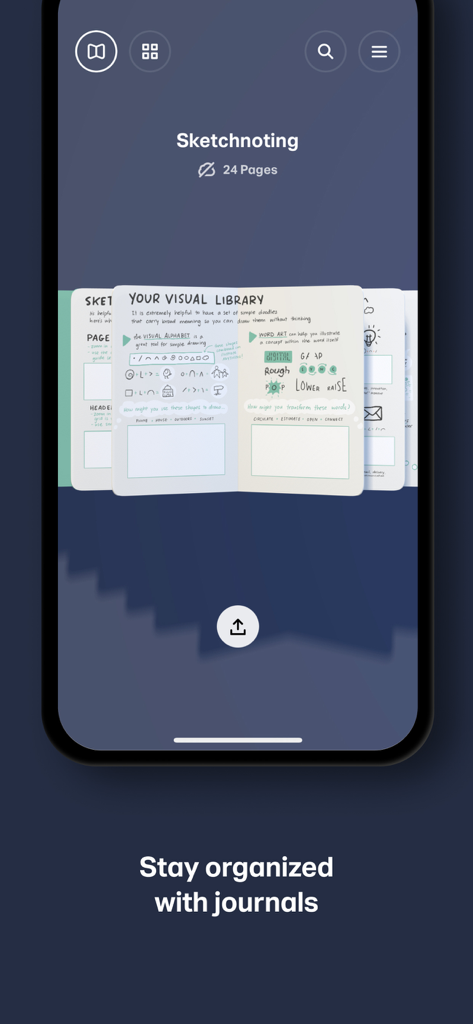
Paper app interface displaying a digital sketchnoting journal with hand-drawn visual notes and sketches on an iPhone screen.

Paper app interface displaying a digital sketchnoting journal with hand-drawn visual notes and sketches on an iPhone screen.

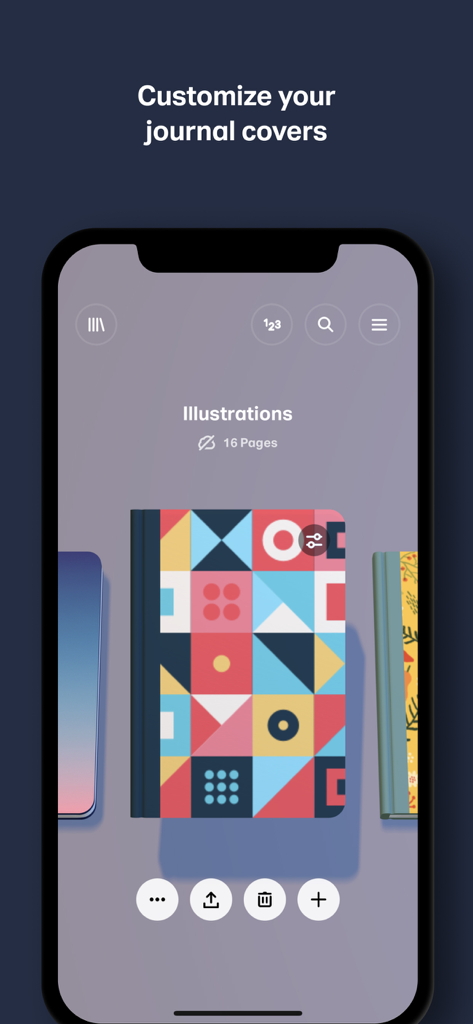
Paper app screen showing customizable digital journal covers with a geometric design

Paper app screen showing customizable digital journal covers with a geometric design

Bring Your Ideas to Life

The tools that make this app stand out, trusted by 17M+ users.

✍️

Flow Without Distraction

Master the art of the sketch with perfectly-tuned tools and natural gestures that keep you focused on your creative process.

🖼️

Effortless Mood Boarding

Combine photos and sketches on a single canvas to build storyboards and inspiration sets without managing complicated layers.

📓

Organized Digital Journals

Store your brainstorms in beautiful, tactile journals that sync across your devices, keeping your ideas ready whenever you are.

Loved by users worldwide

Trusted by 17M+ people who love this app.

"

"As a freelance brand designer, I need to move from a spark of an idea to a visual concept quickly without getting bogged down by complex settings. Paper's gesture-based UI and collaging tools allow me to create stunning mood boards and storyboards in minutes. It is the closest thing to a physical sketchbook I have found, but with the added power of digital sync."

Sarah Jenkins
"

"I have tried almost every drawing app on the App Store, and Paper is the only one that truly stays out of my way. The minimalist design helps me focus entirely on my sketches, and the ability to organize everything into beautiful journals keeps my architecture projects perfectly organized. Whether I am jotting down notes or doodling, the tools feel incredibly natural."

Marcus Lee

About the app

Everything you need to know about Paper: Sketch, Draw & Create.

Description

Over 30 million people set their ideas free with Paper®, the award-winning immersive sketching app. SKETCH WITH CONFIDENCE Paper’s perfectly-tuned tools make it easy to sketch, collage, paint, draw—wherever your thoughts take you. Wave goodbye to distracting menus and let natural gestures guide you, keeping you in your creative flow. GET CREATIVE (WITHOUT THE MESS) Add multiple photos to a single page and cut, stick, move, and fix without the fuss of complex layers. From mood boards to storyboards, pull in inspiration from anywhere and get your ideas moving. YOUR IDEAS, YOUR WAY Wherever and however you get your ideas, it’s never been easier to put them on Paper. Organize pages into beautiful journals and sync them across your devices, ready to pick up where you left off. CREATE LIKE A PRO Take creativity to the next level and subscribe to Paper Pro for more tools, features, and journals. Subscription is optional and you can cancel anytime. To upgrade, simply visit the Paper Pro section in your Settings menu. * Payment will be charged to your iTunes Account once you confirm the purchase. * Your subscription will automatically renew at the end of your subscription period. To opt out, you must turn off auto-renew at least 24 hours before the end of the current period. * Manage changes to your subscription in the iTunes Account Settings. * Any unused portion of a free trial will be forfeited when you purchase a Paper Pro subscription. Love Paper? Leave us a review! Thanks to your comments, reviews, and tweets we can continue to evolve Paper with you in mind. Questions? Shoot us an email at support@wetransfer.com. Terms of Service: https://paper.bywetransfer.com/terms Privacy Policy: https://paper.bywetransfer.com/privacy Patents: https://paper.bywetransfer.com/legal/patents

Latest Version

5.5.10

Size

167.5 MB

First Released

Mar 29, 2012

Ready to set your ideas free?

Join over 30 million visual thinkers and find your flow. Download Paper today and transform your iPad and iPhone into the ultimate immersive journal.

Download on App Store
FAQ

Frequently Asked Questions

Everything you need to know about Paper: Sketch, Draw & Create

What is Paper: Sketch, Draw & Create?

Paper: Sketch, Draw & Create is an award-winning immersive sketching app. It allows users to sketch, collage, paint, and draw using perfectly-tuned tools and natural gestures.

Can users sketch and draw in the Paper app?

Yes, users can sketch and draw in the Paper app. It provides perfectly-tuned tools and natural gestures for an immersive creative experience.

Does Paper: Sketch, Draw & Create support photo collaging?

Yes, Paper: Sketch, Draw & Create supports photo collaging. Users can add multiple photos to a page, then cut, stick, move, and fix them without complex layers.

How does Paper: Sketch, Draw & Create help organize creative work?

Paper helps organize creative work by allowing users to arrange pages into beautiful journals. These journals can then sync across devices.

What additional features does Paper Pro offer?

Paper Pro offers more tools, features, and journals to enhance creativity. It is an optional subscription service within the Paper app.

How is payment processed for a Paper Pro subscription?

Payment for a Paper Pro subscription is charged to your iTunes Account upon purchase confirmation.

Does the Paper Pro subscription automatically renew?

Yes, the Paper Pro subscription automatically renews at the end of its period. To opt out, users must turn off auto-renew at least 24 hours prior to the current period's end.

How can users manage their Paper Pro subscription?

Users can manage changes to their Paper Pro subscription in the iTunes Account Settings.

What happens to any unused free trial portion when purchasing Paper Pro?

Any unused portion of a free trial is forfeited when a user purchases a Paper Pro subscription.

How can users contact support for the Paper app?

Users can contact support for the Paper app by emailing support@wetransfer.com for any questions.

Where can users find the Privacy Policy for Paper: Sketch, Draw & Create?

Users can find the Privacy Policy for Paper: Sketch, Draw & Create at the provided link: https://paper.bywetransfer.com/privacy.

Can creative work in Paper: Sketch, Draw & Create be synced across multiple devices?

Yes, creative work in Paper: Sketch, Draw & Create can be synced across multiple devices. Users organize pages into journals which are then synced.