PDF Converter: Convert to PDFㅤ

PDF Converter: Convert to PDFㅤ

Download on App Store
Spark by MWM logo
Logo of PDF Converter: Convert to PDFㅤ
PDF Converter: Convert to PDFㅤ — The Ultimate All-in-One Mobile Document Suite

Effortlessly transform DOC, JPG, XLS, and more into high-quality PDFs. Built for professionals who need fast, secure conversions and seamless cloud integration on the go.

Publisher

Roberto Hayes

Category

Utilities

Downloads

50K+

User Rating

4.7/5

Total Ratings

100

Locales

1

Versatility at a Glance

Discover the interface used by 50K+ users.
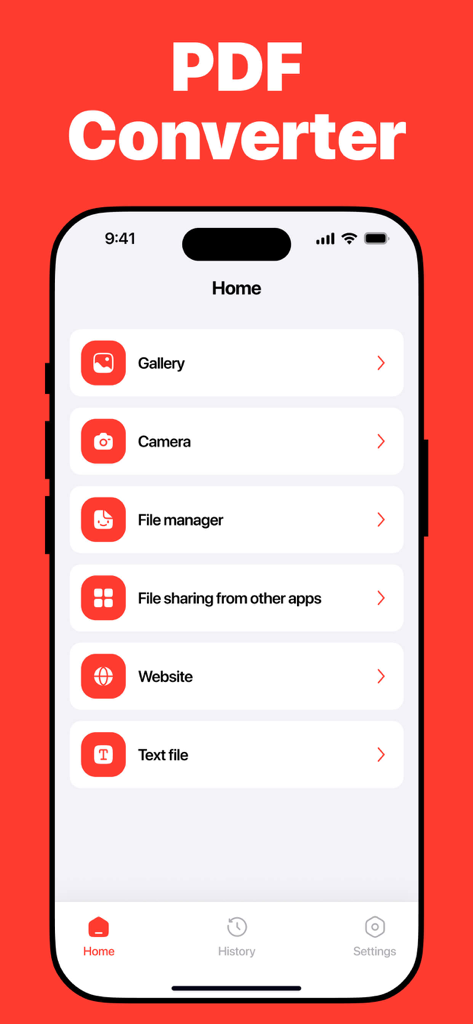
Interface of the PDF Converter mobile app showing options to import files from the gallery camera file manager and other sources

Interface of the PDF Converter mobile app showing options to import files from the gallery camera file manager and other sources

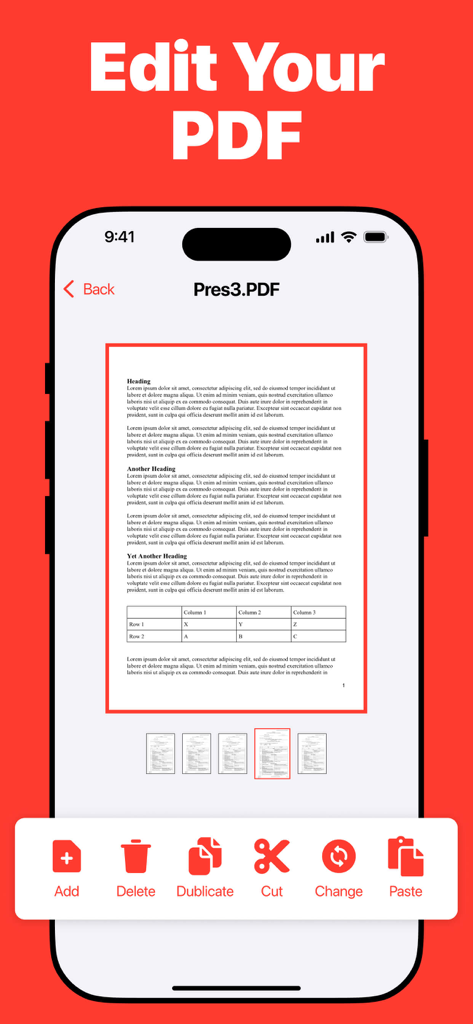
Interface of the PDF Converter app showing a document being edited with tools for adding deleting and duplicating pages

Interface of the PDF Converter app showing a document being edited with tools for adding deleting and duplicating pages

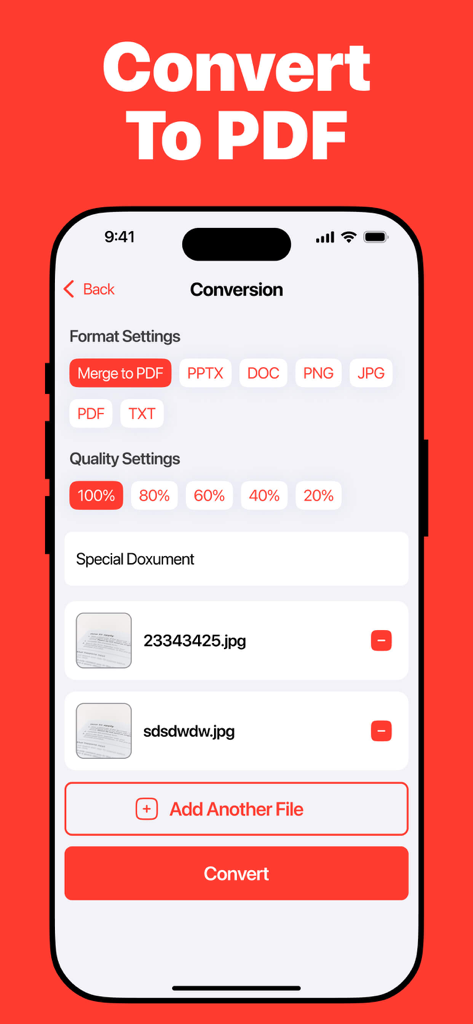
Interface of the PDF Converter app on iPhone showing settings to merge multiple images into one PDF with quality options

Interface of the PDF Converter app on iPhone showing settings to merge multiple images into one PDF with quality options

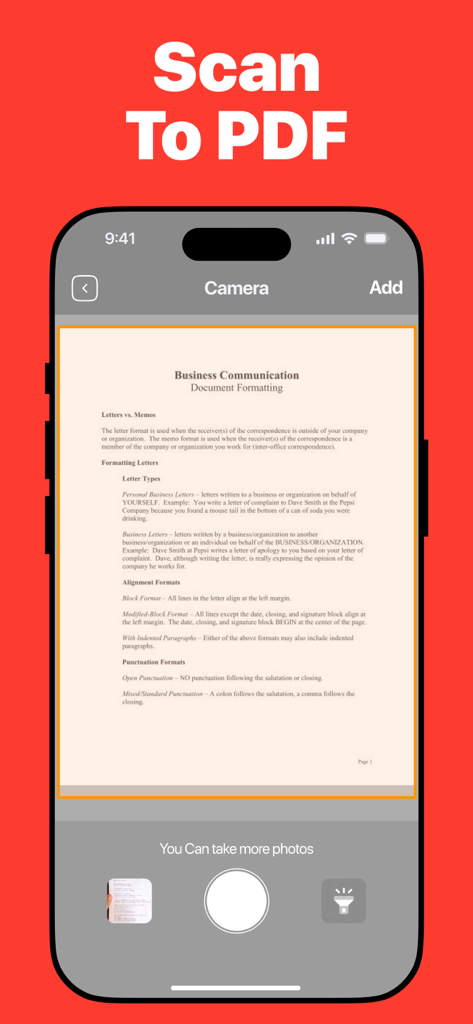
iPhone interface showing a business document being scanned to PDF with a mobile camera

iPhone interface showing a business document being scanned to PDF with a mobile camera

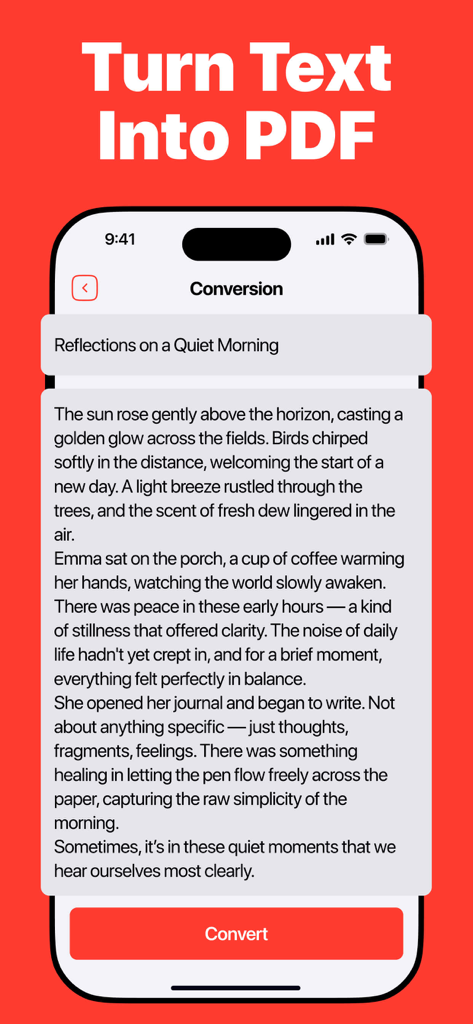
iPhone screen showing the text to PDF conversion feature with a text input field and a red convert button

iPhone screen showing the text to PDF conversion feature with a text input field and a red convert button

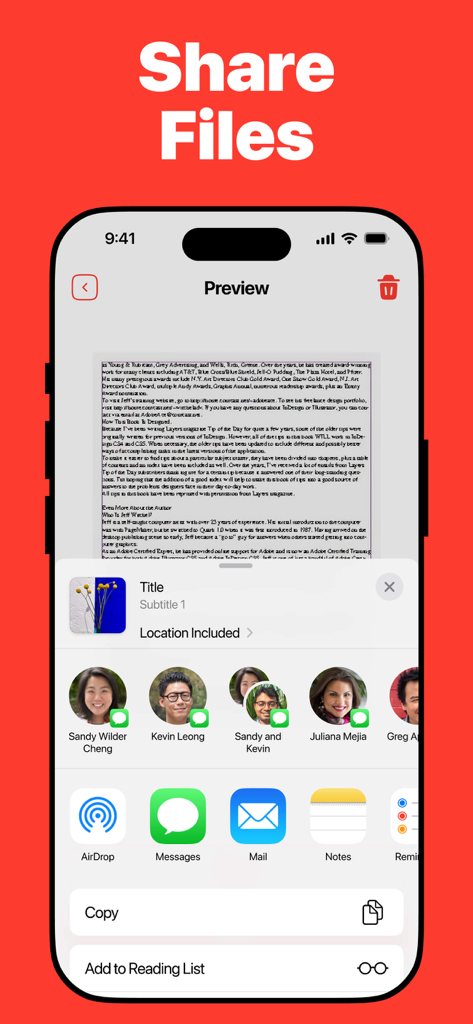
An iPhone displaying the native iOS share sheet to send a converted document via messages, email, or AirDrop.

An iPhone displaying the native iOS share sheet to send a converted document via messages, email, or AirDrop.

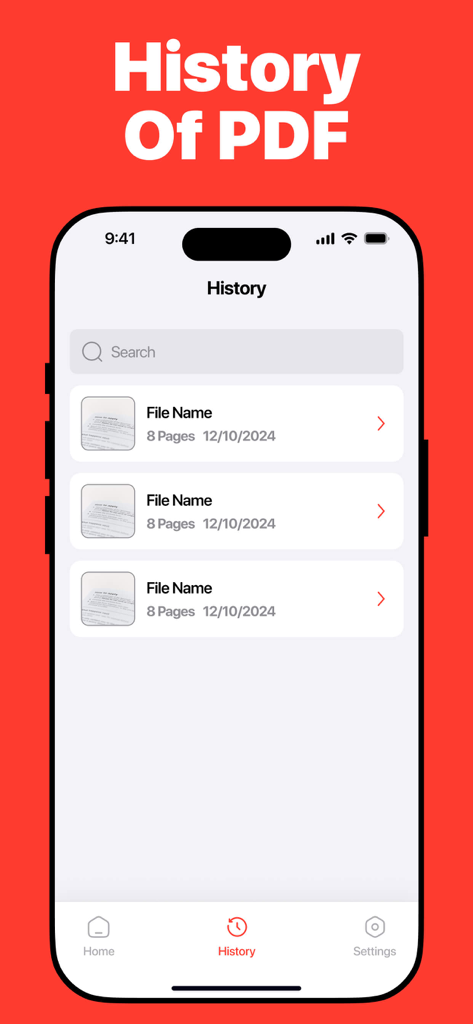
An iPhone screen displaying a history list of converted PDF documents including file names and dates.

An iPhone screen displaying a history list of converted PDF documents including file names and dates.

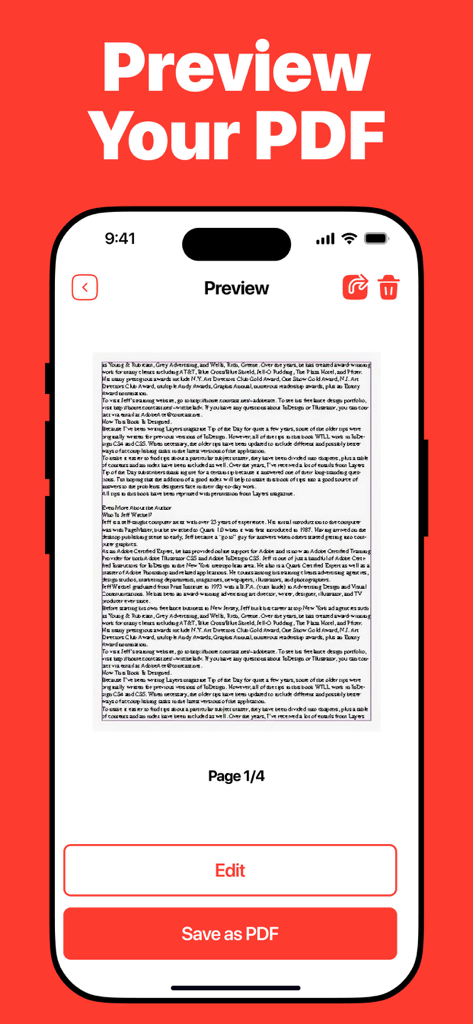
Mobile app interface displaying a document preview with options to edit and save as a PDF

Mobile app interface displaying a document preview with options to edit and save as a PDF

Powerful Conversion at Your Fingertips

The tools that make this app stand out, trusted by 50K+ users.

🔄

Universal File Support

Convert everything from DOC and XLS to complex PSD and SVG files. Our Swiss Army Knife approach means you never need another conversion app again.

📲

Native iOS Workflow

Seamlessly import from iCloud, your Gallery, or Camera. Share your finished documents via AirPrint or save them directly to the Files app in seconds.

📂

Smart History Management

Keep your workspace organized with a built-in conversion log. Quickly access, re-share, or manage your past documents without searching through folders.

Loved by users worldwide

Trusted by 50K+ people who love this app.

"

"As a brand designer constantly on the move, being able to convert PSD and SVG files directly on my iPhone is a total game-changer. This app handles complex formats that others usually fail on, and the iCloud integration fits perfectly into my professional workflow. It's easily the most reliable tool in my productivity folder."

Jessica L., Freelance Designer
"

"I use this app daily for my graduate studies and part-time office work. Turning my handwritten notes into PDFs or converting messy Excel sheets into professional documents takes seconds. The interface is incredibly intuitive, and the AirPrint support makes it so easy to print assignments right from my phone."

Marcus Thompson, Graduate Student

About the app

Everything you need to know about PDF Converter: Convert to PDFㅤ.

Description

Our application is a versatile file conversion app that supports a wide range of popular formats including PDF, DOC, JPG, PNG, XLS, EPUB, PPT, RTF, MOBI, SVG, PSD, and TIFF. Users can select files from various sources such as the gallery, camera, file manager (including iCloud and local storage), other apps, websites, or text files. Once a file is chosen, the app allows you to pick the desired output format and start the conversion process with real-time progress updates and notifications on success or failure. All completed conversions are saved in a history log, giving you easy access to previously converted files and the option to delete unnecessary items. After conversion, you can share files via messaging apps, save them to the Files app, or print directly using AirPrint. The free version offers one successful file conversion with history saving. Upgrading to the premium version unlocks unlimited conversions and full access to all tools. Our application is ideal for anyone who needs a reliable and easy-to-use app for converting and managing documents on the go. This application contains auto-renewable subscriptions and In-App Purchases 1 week - Weekly - $4.99 1 month - Monthly - $12.99 1 year - Yearly - $39.99 Lifetime - $59.99 Privacy Policy Link: https://docs.google.com/document/d/1dfQ7ypj3yYn7sDvswMjHu2-2tUc5V8ReKE5yDJ1unOs/edit?usp=sharing Terms of Use Link: https://www.apple.com/legal/internet-services/itunes/dev/stdeula/

Latest Version

1.0.5

Size

60.1 MB

First Released

Oct 21, 2025

Ready to Convert Anything, Anywhere?

Join over 50,000 professionals who simplify their mobile workflow. Download the ultimate file converter for your iPhone and iPad today.

Download on App Store