PDF Converter – Photos to PDF

PDF Converter – Photos to PDF

Download on App Store
Spark by MWM logo
Logo of PDF Converter – Photos to PDF
PDF Converter – Photos to PDF: The Fast, Professional Way to Convert Any File

Turn images, Word docs, and spreadsheets into high-quality PDFs instantly. Maintain crisp quality and professional formatting directly from your iPhone or iPad.

Download on App Store

Publisher

SMDA GROUP SP. Z OO

Category

Utilities

Downloads

107K+

User Rating

4.7/5

Total Ratings

1K+

Locales

20

A Glimpse of Efficiency

Discover the interface used by 107K+ users.
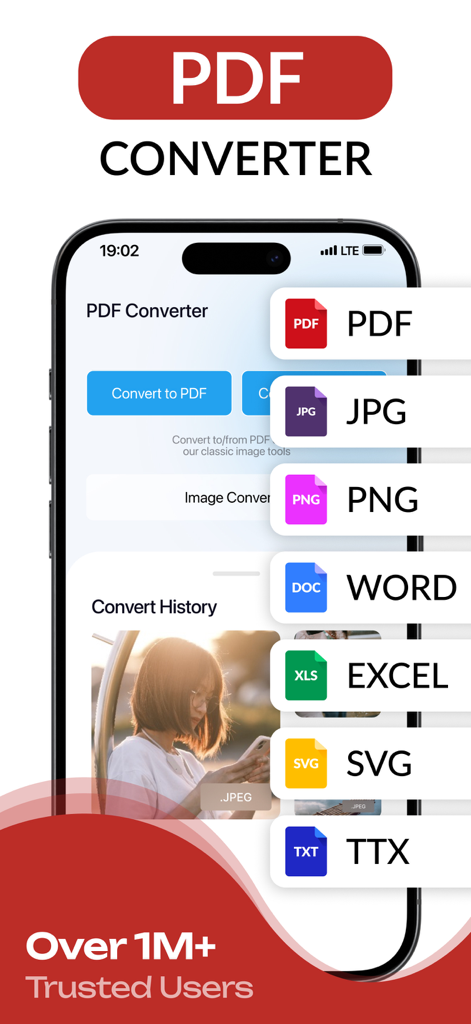
PDF Converter app interface showing conversion options for PDF, JPG, PNG, Word, and Excel.

PDF Converter app interface showing conversion options for PDF, JPG, PNG, Word, and Excel.

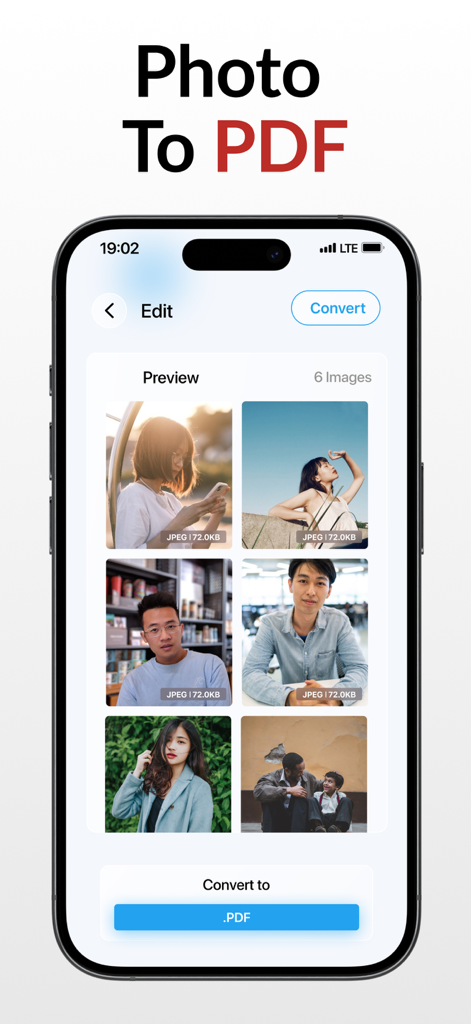
A mobile app screen showing multiple images selected for conversion into a single PDF document on an iPhone.

A mobile app screen showing multiple images selected for conversion into a single PDF document on an iPhone.

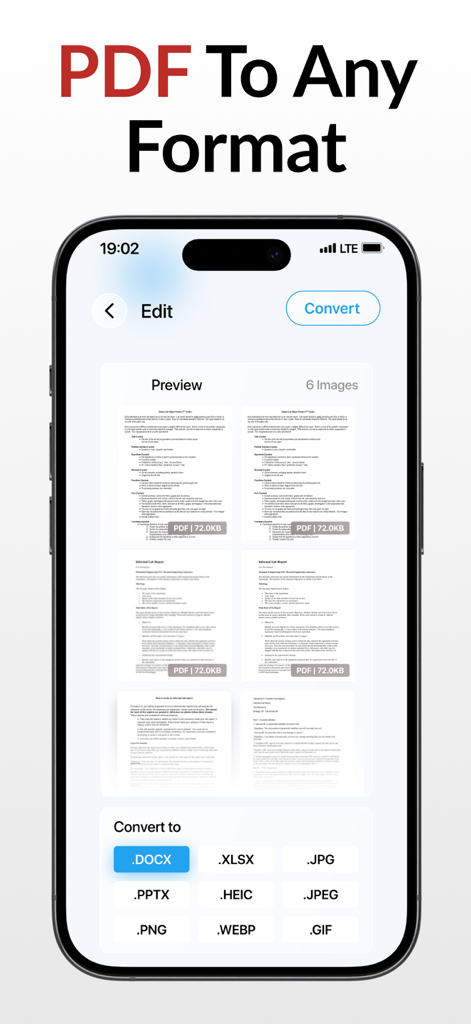
iPhone screenshot showing a PDF being converted to formats like DOCX XLSX and JPG within the PDF Converter app

iPhone screenshot showing a PDF being converted to formats like DOCX XLSX and JPG within the PDF Converter app

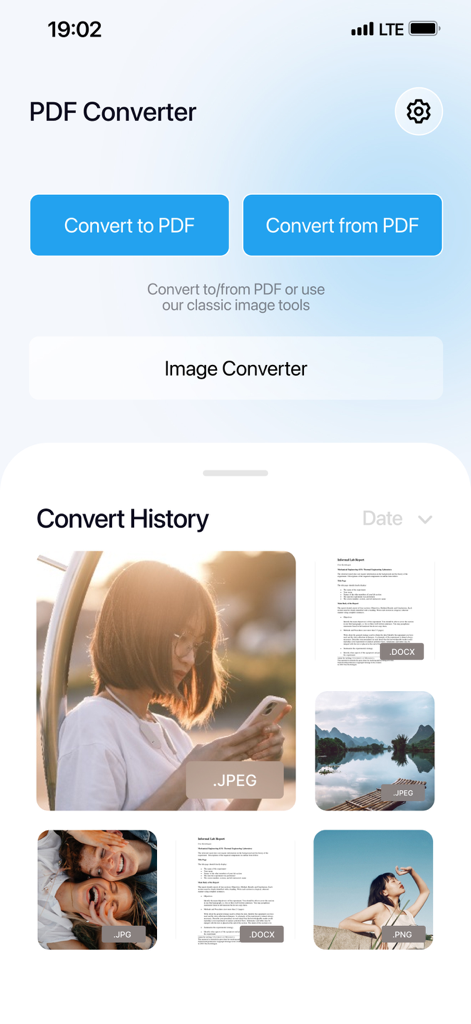
Main screen of the PDF Converter app showing options to convert to and from PDF with a document history section.

Main screen of the PDF Converter app showing options to convert to and from PDF with a document history section.

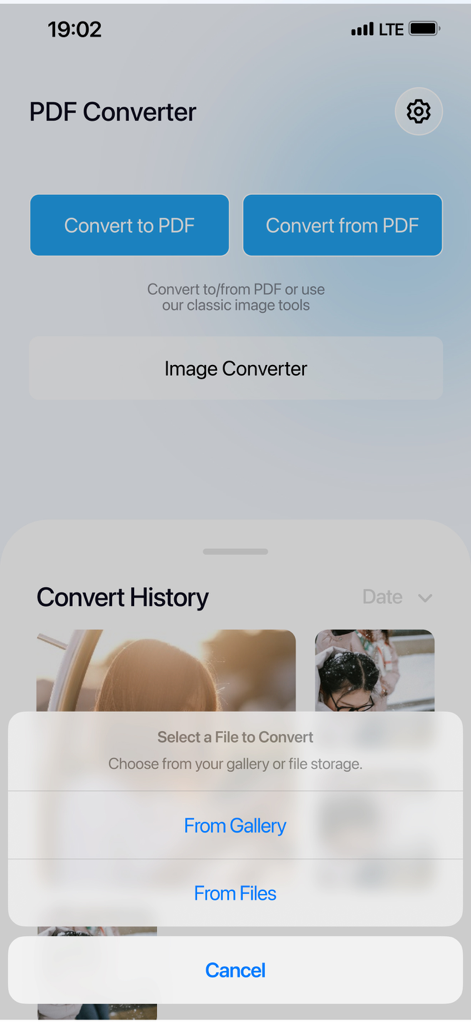
The main screen of the PDF Converter app showing buttons for converting to and from PDF with a file selection menu at the bottom.

The main screen of the PDF Converter app showing buttons for converting to and from PDF with a file selection menu at the bottom.

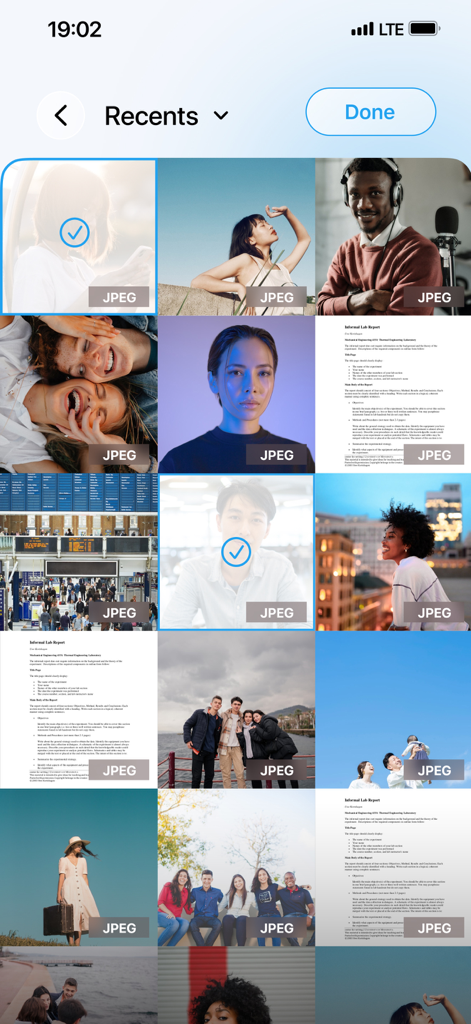
Mobile app interface showing a gallery of photos and scanned documents with selected items for PDF conversion

Mobile app interface showing a gallery of photos and scanned documents with selected items for PDF conversion

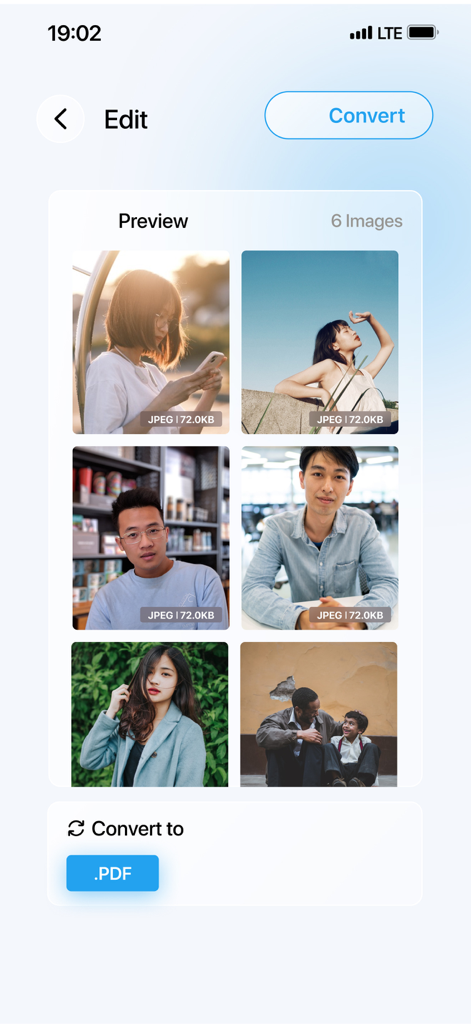
Mobile interface showing six photos selected to be converted into a single PDF document.

Mobile interface showing six photos selected to be converted into a single PDF document.

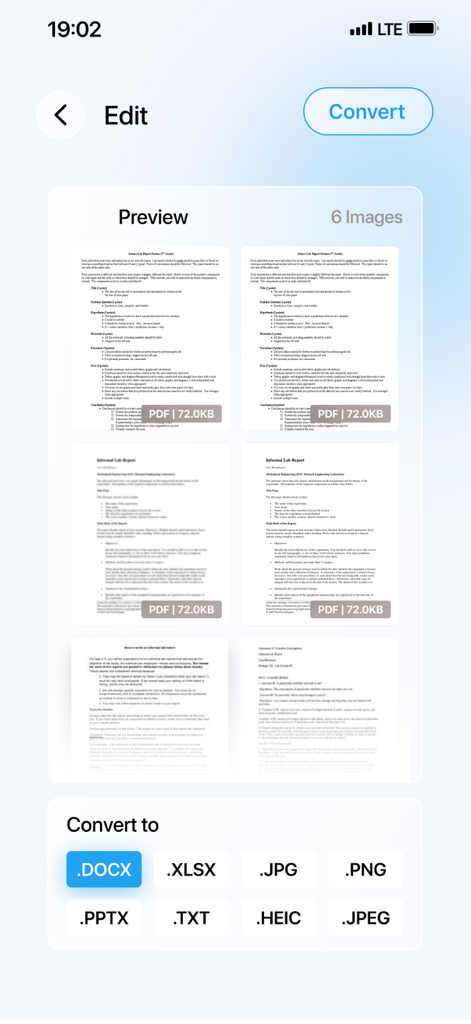
A preview screen of a PDF converter app showing document pages and options to convert to DOCX, XLSX, JPG, and other file formats.

A preview screen of a PDF converter app showing document pages and options to convert to DOCX, XLSX, JPG, and other file formats.

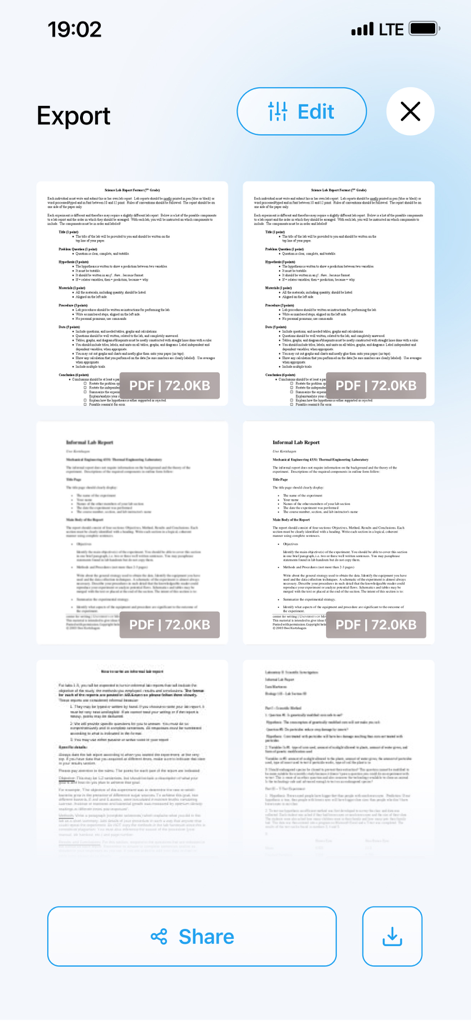
Mobile app screen showing the export interface with multiple PDF document previews and sharing buttons.

Mobile app screen showing the export interface with multiple PDF document previews and sharing buttons.

App screen showing options to export multiple document pages as a single PDF or separate files

App screen showing options to export multiple document pages as a single PDF or separate files

Master Your Mobile Workflow

The tools that make this app stand out, trusted by 107K+ users.

📸

Instant Photo-to-PDF

Convert your camera roll, HEIC images, or physical documents into clean, professional PDFs in seconds—perfect for receipts and assignments.

🔄

Flexible Edit Control

Easily transform PDFs back into editable Word or Excel files without losing layout, fonts, or your valuable formatting.

💎

Lossless Pro Quality

Keep every document crisp and clear with advanced support for RAW, SVG, and high-resolution files, ensuring your work always looks its best.

Loved by users worldwide

Trusted by 107K+ people who love this app.

"

"This app is a game-changer for my workflow. I frequently need to turn site photos and contracts into PDFs for my clients while in the field. It’s incredibly fast, preserves the image quality perfectly, and the interface is so simple. I don't have to wait until I'm back at my desk anymore!"

Elena Rodriguez, Freelance Consultant
"

"Perfect for school! My professors only accept PDF submissions, and this app makes it so easy to convert my iPhone's HEIC photos and Word docs in seconds. It saves me so much time when I'm working from my iPad. Definitely worth the subscription for the convenience."

David Chen, Graduate Student

Review Analysis

Insights from user reviews.

Sentiment Score

28%
Negative

Summary

The app receives predominantly negative feedback, with a significant number of users expressing frustration over its monetization strategy. Many reviews highlight that the app is misleadingly advertised as free but quickly requires a subscription or paid features, often resulting in unexpected charges or inability to use core functionalities without payment. Additionally, users report frequent crashes, an inability to convert files as promised, or conversion to incorrect formats. While a small subset of users found the app easy to use and effective for its intended purpose, these positive experiences are overshadowed by widespread complaints about its stability and aggressive subscription model.

Common Themes

Subscription Model(30)
App Performance(8)
Overall Positive Experience(6)
Conversion Functionality(5)
Customer Support & Refunds(5)
Ease of Use(4)

About the app

Everything you need to know about PDF Converter – Photos to PDF.

Description

PDF Converter — Your All-in-One File & Image Converter PDF Converter makes converting documents and images fast, easy, and high-quality: - Convert photos to PDF: Instantly turn your photos into PDF files in just a few taps. - Convert documents to PDF: Quickly transform Word, Excel, and other documents into PDF. - Convert PDF to editable files: Export PDFs back to editable Word or Excel documents without losing formatting. - Powerful image conversion: Supports JPG, JPEG, PNG, HEIC, HEIF, PDF, SVG, TIFF, WEBP, RAW, GIF, BMP. Convert between formats fast and without quality loss. - Simple & intuitive: Convert files and images in just a few taps with a clean, user-friendly interface. - Maintain original quality: Keep all your documents and images crisp and intact during conversion. - Perfect for work or home: Ideal for students, professionals, designers, and anyone needing reliable and fast file and image conversions. Create, convert, and manage your files and images effortlessly with PDF Converter — the all-in-one solution for all your conversion needs! Subscription Terms: - The app offers subscriptions. - Payment will be charged to your Apple ID account upon confirmation of purchase. - Subscriptions automatically renew unless auto-renew is turned off at least 24 hours before the end of the current period. - Your account will be charged for renewal within 24 hours prior to the end of the current period, at the rate of the selected plan. - You can manage subscriptions and turn off auto-renewal after purchase by going to your App Store account settings. - Subscriptions can be cancelled at any time in the settings of your Apple ID. All prices include applicable local sales taxes. - If a free trial is offered, subscription will automatically renew after the 3-day trial period unless cancelled before the trial ends. - Any unused portion of a free trial period, if offered, will be forfeited upon purchasing a subscription. Privacy Policy: https://sdmagroop.eu/privacy.html Terms of Use: https://sdmagroop.eu/terms.html

Latest Version

2.0.19

Size

81.4 MB

First Released

Jun 16, 2023

Ready to Simplify Your Digital Workflow?

Join over 100,000 professionals and students who turn photos and files into high-quality PDFs in seconds. Download now and experience the most reliable converter for iPhone and iPad.

Download on App Store
FAQ

Frequently Asked Questions

Everything you need to know about PDF Converter – Photos to PDF

What is PDF Converter – Photos to PDF app?

PDF Converter is an all-in-one file and image converter. It quickly transforms photos and documents to PDF, converts PDFs to editable files, and supports conversions between various image formats without quality loss.

Can I convert photos to PDF with PDF Converter?

Yes, PDF Converter instantly converts photos into PDF files in a few taps. It supports various image formats such as JPG, JPEG, PNG, HEIC, TIFF, WEBP, RAW, GIF, and BMP for conversion to PDF.

What document types can PDF Converter convert?

PDF Converter converts Word, Excel, and other documents into PDF. It also converts PDF files back into editable Word or Excel documents, ensuring the original formatting is maintained during the process.

Does PDF Converter convert PDF to editable Word or Excel files?

Yes, PDF Converter allows users to export PDF files back to editable Word (.DOCX) or Excel (.XLSX) documents. The app maintains the original formatting of the document during this conversion.

What image formats does PDF Converter support for conversion?

PDF Converter supports comprehensive image conversion for formats including JPG, JPEG, PNG, HEIC, HEIF, PDF, SVG, TIFF, WEBP, RAW, GIF, and BMP. It converts between these formats fast and without quality loss.

How do I manage my PDF Converter subscription and auto-renewal?

You manage your PDF Converter subscription and auto-renewal through your Apple ID account settings after purchase. Subscriptions can be canceled at any time from these settings.

Is there a free trial period for PDF Converter?

Yes, if a free trial is offered, the PDF Converter subscription automatically renews after the 3-day trial period. Users must cancel the subscription before the trial ends to avoid charges.

Does PDF Converter maintain file quality during conversion?

PDF Converter maintains the original quality of all documents and images during conversion. Files remain crisp and intact, ensuring no quality loss throughout the process.

Where can I find the Privacy Policy for PDF Converter?

The Privacy Policy for PDF Converter is accessible via the link provided in the app's description: https://sdmagroop.eu/privacy.html. Users can review the terms there.