Photomyne Pro

Photomyne Pro

Download on App Store
Spark by MWM logo
Logo of Photomyne Pro

Photomyne Pro: The All-in-One AI Platform for Professional Photo Organizers

Maximize efficiency and minimize effort with high-speed batch scanning, non-destructive AI enhancements, and secure local processing designed for the modern archivist.

Publisher

Photomyne LTD

Category

Photo & Video

Downloads

1K+

User Rating

1.0/5

Total Ratings

0

Locales

16

Precision in Action

Discover the interface used by 1K+ users.
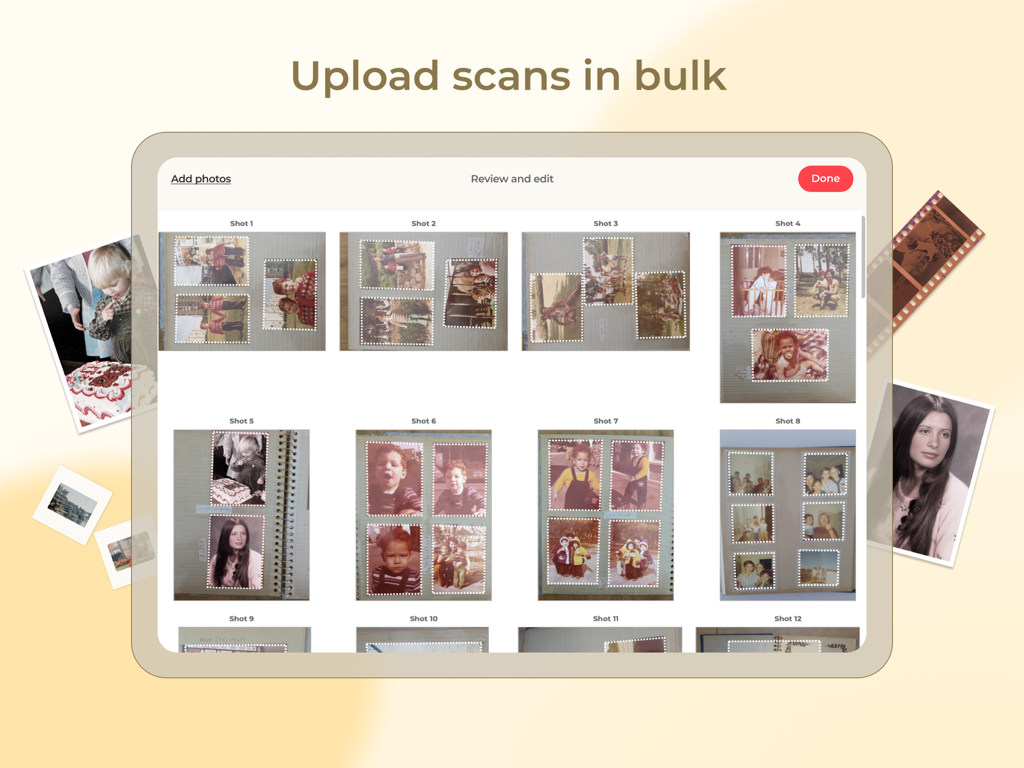
Photomyne Pro app interface on iPad showing the bulk upload and automated processing of multiple scanned photo album pages.

Photomyne Pro app interface on iPad showing the bulk upload and automated processing of multiple scanned photo album pages.

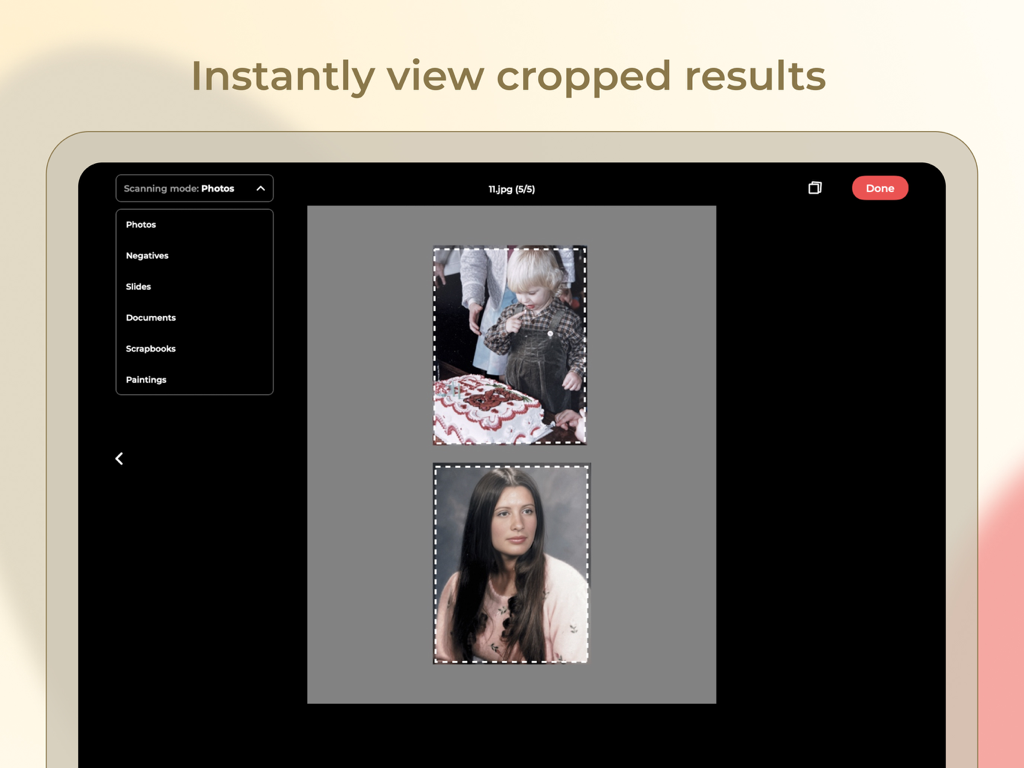
Photomyne Pro iPad interface demonstrating instant automatic photo cropping and detection

Photomyne Pro iPad interface demonstrating instant automatic photo cropping and detection

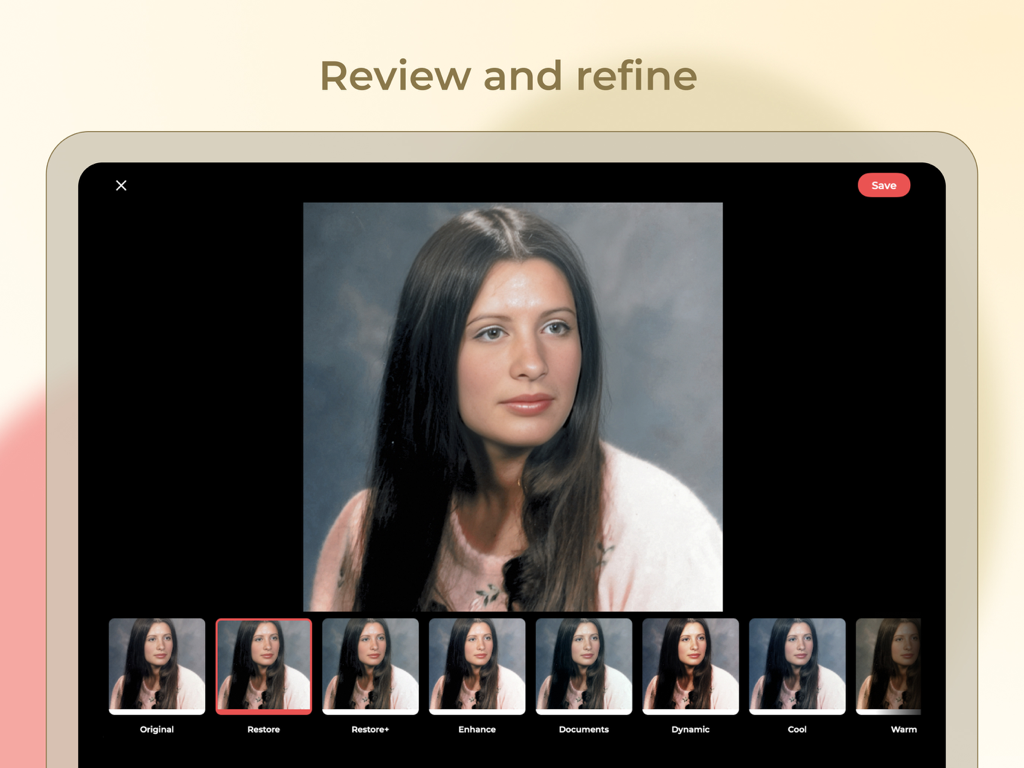
iPad screen of Photomyne Pro showing photo restoration and color correction tools

iPad screen of Photomyne Pro showing photo restoration and color correction tools

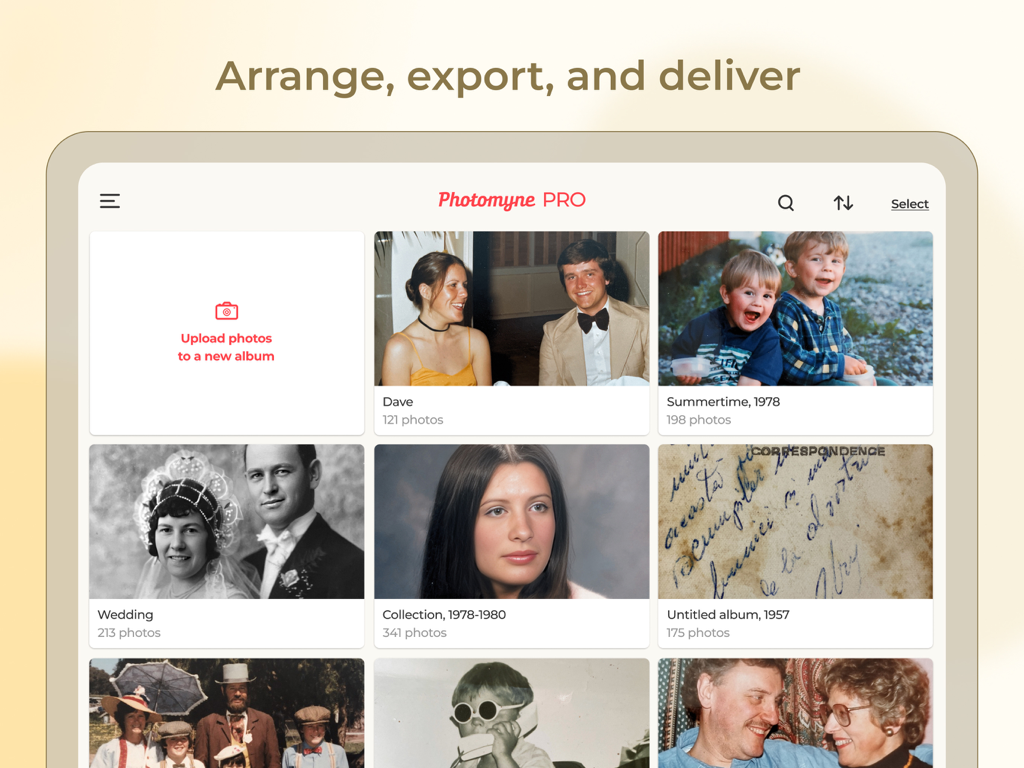
Photomyne Pro iPad interface showing a grid of organized digital photo albums for professional archiving.

Photomyne Pro iPad interface showing a grid of organized digital photo albums for professional archiving.

Built for High-Volume Professionals

The tools that make this app stand out, trusted by 1K+ users.

🚀

Instant AI Batch Processing

Automatically detect, crop, and color-correct hundreds of scans in seconds, transforming hours of manual labor into a streamlined workflow.

📦

Universal Media Support

Handle any project with one tool—from physical scrapbooks and mixed-size prints to 35mm slides and film negatives in JPEG or RAW.

🛡️

Privacy-First Archiving

Maintain client confidentiality with 100% on-device processing and non-destructive editing, ensuring original files are always secure.

Loved by users worldwide

Trusted by 1K+ people who love this app.

"

"As a professional photo organizer, Photomyne Pro has completely transformed my workflow. The AI batch processing handles cropping and color restoration in seconds, saving me hours of manual labor on every project. Being able to process everything locally on my iPad is a huge selling point for my privacy-conscious clients."

Sarah Jenkins, Certified Photo Manager
"

"This app is a powerhouse for our digitization service. Whether we are scanning film negatives or old scrapbooks, the efficiency is unmatched. It integrates perfectly into our existing process, allowing us to deliver high-quality, organized digital archives to our customers with significantly less effort and higher output."

David Chen, Owner of Heritage Digitizing

About the app

Everything you need to know about Photomyne Pro.

Description

Photomyne Pro is a tool for photo organizers and scanning services. With Photomyne Pro you will maximize efficiency and minimize effort. Designed for photo organizers, digitization services, and scanning Professionals, Photomyne Pro is your all-in-one platform to simplify and accelerate even the most complex digitization Projects. Photomyne Pro integrates seamlessly into your workflow—delivering high-quality, well-organized photo libraries while saving you hours of manual work. How It Works: 1. Upload scanned files - Watch as advanced AI automatically processes them in seconds—detecting, cropping, rotating, correcting perspective, and restoring colors. 2. Review and refine - Manually adjust if needed, retrieve originals, apply advanced enhancements, arrange, and annotate. 3. Export and Deliver - Create Professional, high-resolution digital photo libraries ready to share with clients or archive for future use. No Disruptions - Just Seamless Integration. Photomyne Pro works with your existing Process—no adjustments required: * Any media type: Supports all scanned media, including photos, slides, and film negatives. * Any file format: Accepts various file formats: JPEG, RAW, and more. * Any scanned source: Handles scrapbooks, single or multiple photos, mixed sizes, orientations and backgrounds. No Risks—Just Peace of Mind: * All-in-one solution: No extra software or tools required—Photomyne Pro does it all. * Enhancements are non-destructive, with original files safely stored and fully accessible. * Privacy first- All Processing occurs locally on your device, ensuring complete privacy. Whether you’re handling family archives, institutional Projects, or commercial scanning, this tool transforms tedious tasks into a streamlined, high-quality workflow.

Latest Version

1.2

Size

443.7 MB

First Released

Apr 2, 2025

Unlock Your Most Efficient Workflow Yet

Join the professional photo organizers who save hours on every project. Start delivering high-resolution, AI-enhanced archives with the industry’s leading iPad digitization tool.

Download on App Store