Photo Scanner Plus

Photo Scanner Plus

Download on App StoreDownload on Google Play
Spark by MWM logo
Logo of Photo Scanner Plus

Photo Scanner Plus: Bring Your Family’s History Into the Digital Age

The fastest AI-powered way to transform shoeboxes of old photos, slides, and negatives into a vibrant digital legacy. Scan entire albums in minutes, colorize the past, and share precious memories with the next generation.

Download on App Store

Publisher

Photomyne LTD

Category

Photo & Video

Downloads

822K+

User Rating

4.8/5

Total Ratings

26K+

Locales

16

Memories Brought to Life

Discover the interface used by 822K+ users.
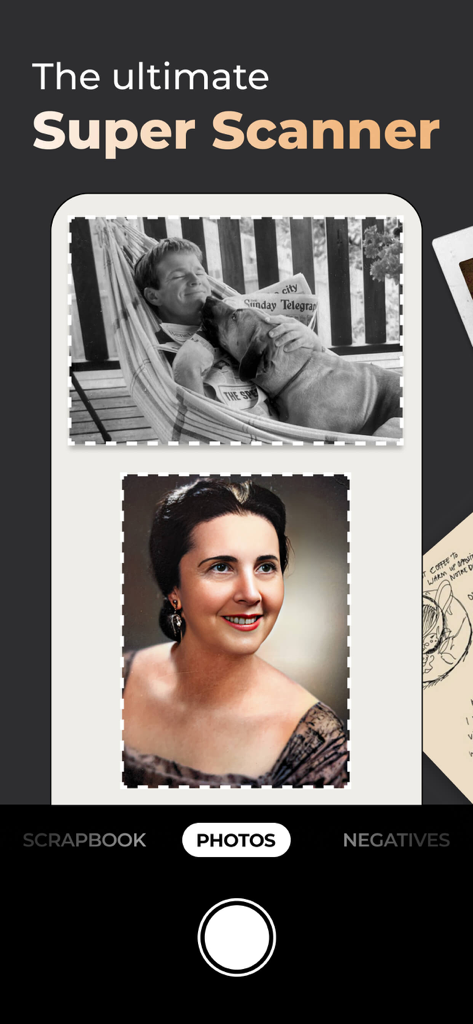
Photo Scanner Plus app interface showcasing AI auto cropping and color restoration of vintage photos

Photo Scanner Plus app interface showcasing AI auto cropping and color restoration of vintage photos

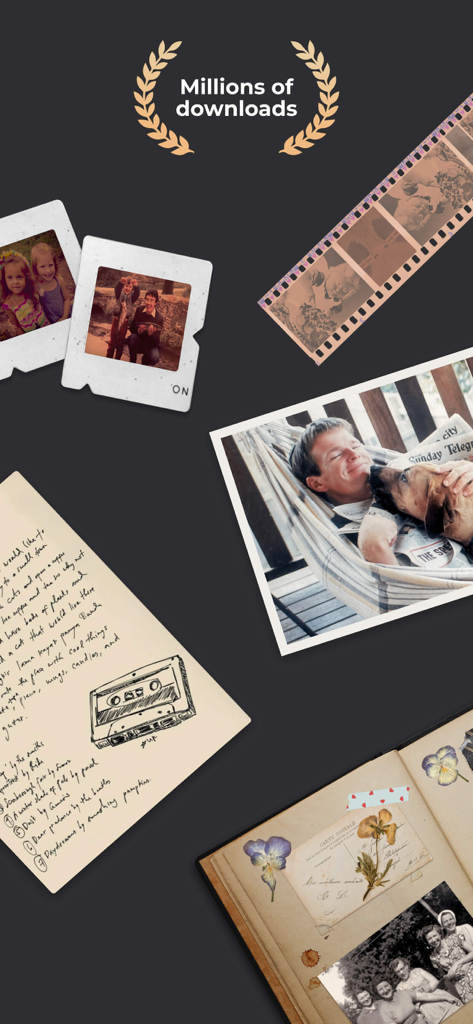
A collection of analog family keepsakes including old photos, film negatives, slides, and scrapbooks with a laurel wreath indicating millions of downloads.

A collection of analog family keepsakes including old photos, film negatives, slides, and scrapbooks with a laurel wreath indicating millions of downloads.

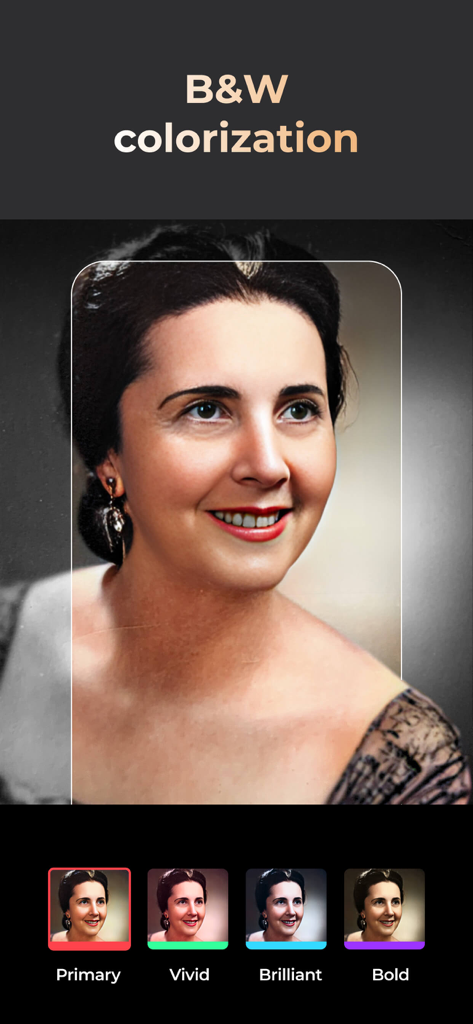
Example of a black and white portrait being colorized using the Photo Scanner Plus app

Example of a black and white portrait being colorized using the Photo Scanner Plus app

A vintage black and white photo of two women being sharpened using the Photo Scanner Plus app

A vintage black and white photo of two women being sharpened using the Photo Scanner Plus app

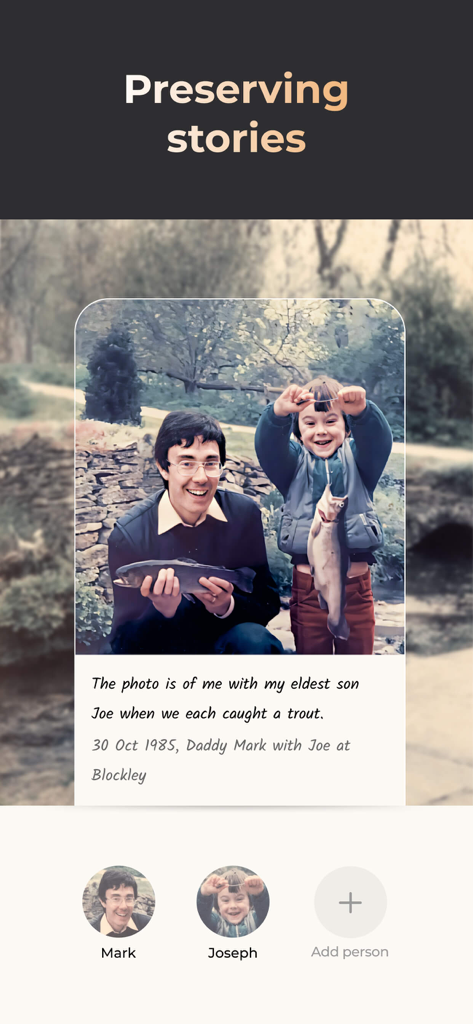
A digitized family photo with a handwritten memory and tagged family members in the Photo Scanner Plus app.

A digitized family photo with a handwritten memory and tagged family members in the Photo Scanner Plus app.

Preserve Your Family Legacy in Minutes

The tools that make this app stand out, trusted by 822K+ users.

Magic Multi-Photo Scanning

Don't waste weeks scanning one by one. Capture entire album pages in a single shot—our AI automatically detects, crops, and saves each photo individually.

🎨

Bring the Past to Life

Breathe new life into old memories with instant black-and-white colorization and AI facial sharpening that restores your ancestors' features in stunning detail.

👨‍👩‍👧‍👦

Share with the Next Generation

Tag family members, add voice stories, and organize albums by date. Send your rediscovered history to loved ones via a private link or social media.

Loved by users worldwide

Trusted by 822K+ people who love this app.

"

"I had dozens of heavy albums gathering dust in my attic for years. Photomyne made it so easy to bring those memories back to life—I scanned entire pages in seconds, and the AI colorization for my parents' old wedding photos actually moved me to tears. Now I can share our family history with my children and grandkids with just a tap."

Linda Sterling
"

"As the designated family historian, I’ve tried every scanning tool out there, but nothing compares to this. I was able to digitize a box of nearly 200 slides and negatives for my father's 80th birthday slideshow in a single afternoon. The quality is professional-grade, and the auto-cropping feature saved me hours of tedious editing."

Robert Miller

About the app

Everything you need to know about Photo Scanner Plus.

Description

Meet the ultimate solution for preserving your old photos. Photomyne is the fastest and easiest way to turn photos, slides, negatives, and other family keepsakes into a digital library spanning generations and share them with others. Download it today to see the magic of this powerful scanning app, built with cutting-edge AI technology. This paid app version offers the full utility power of Photomyne on one iOS device. You will need to purchase a Photomyne Membership (in-app purchase) to access your photos on other devices and online and to back up your photos. SIMPLY HOLD & CAPTURE - SCANNER WILL DO THE REST * Scan multiple analog photographs in a single shot - finish an entire album in minutes. * Scan more than just photos too - film negatives, slides, documents, notes, kids' art, recipes, scrapbooks, and more. * Capture scans by tapping a button or by simply saying 'Go' (if voice control is enabled). * The photo scanner auto-detects picture boundaries, auto-rotates sideways pics, crops, restores colors, and saves them into a digital album. EDIT AND CURATE YOUR COLLECTION OF MEMORIES * Add details to albums and photos (locations, dates and names) * Name the people in the photos. * Scan the back of a photo, add audio recording * Apply color filters & colorize B&W photos * Sharpen blurry faces in photos SAVE & SHARE YOUR REDISCOVERED MEMORIES * Save photos to your mobile device or computer in the best quality (print quality) * Share as many photos as you want via a web link * Enjoy unlimited colorization of Black-and-White (monochromatic) photos * Create gifts with your scanned photos such as photo collages USE SCANNED PHOTOS TO MAKE SPECIAL EVENTS TRULY UNFORGETTABLE: * Add a dose of nostalgia to reunions * Honor memorials with photo memories * Celebrate anniversaries with old photos * Add an element of surprise to birthdays OPTIONAL IN-APP UPGRADE: To access your photos on other devices and online and to backup, consider purchasing an optional paid plan (in-app purchase). Here are the features you get with a paid plan (Photomyne Membership): 1. Access your photos on other devices and online 2. Unlimited photo backup The app offers an optional paid plan via monthly/yearly auto-renewing subscriptions**, as well as a One-Time plan which is paid for by a single upfront payment. These offer unlimited access to the premium mentioned above. **Payment will be charged to your App Store account at confirmation of purchase. Your subscription will automatically renew itself unless auto-renewal is turned off at least 24 hours before the end of the current period. Your account will be charged for renewal within 24 hours prior to the end of the current period. You can manage your subscriptions and turn off auto-renewal by going to your Account Settings in the App Store. If offered, if you choose to use our free trial, any unused portion of the free trial period will be forfeited when you purchase a subscription to that publication, where applicable. Got any questions? We’d love to connect: support@photomyne.com Privacy Policy: https://photomyne.com/privacy-policy Terms of Use: https://photomyne.com/terms-of-use

Latest Version

31.3

Size

160.7 MB

First Released

Mar 10, 2015

Preserve Your Family's Story Forever

Join over 800,000 family historians who have turned dusty albums into digital legacies. Download Photo Scanner Plus today and share the magic of the past with your loved ones.

Download on App StoreDownload on Google Play
FAQ

Frequently Asked Questions

Everything you need to know about Photo Scanner Plus

What is Photo Scanner Plus?

Photo Scanner Plus is an iOS app that converts old photos, slides, negatives, and other family keepsakes into a digital library. It utilizes AI technology for efficient scanning and editing.

How does Photo Scanner Plus scan old photos?

Photo Scanner Plus scans multiple analog photographs in a single shot. It automatically detects picture boundaries, auto-rotates sideways photos, crops, restores colors, and saves them into a digital album.

Can Photo Scanner Plus scan more than just photos?

Yes, Photo Scanner Plus scans various media including film negatives, slides, documents, notes, kids' art, recipes, and scrapbooks, in addition to physical photos.

What editing features does Photo Scanner Plus offer?

The app offers features to add details (locations, dates, names), name people, scan photo backs, add audio, apply color filters, colorize B&W photos, and sharpen blurry faces.

How can I share scanned photos from Photo Scanner Plus?

Photo Scanner Plus allows users to save photos to their mobile device or computer in print quality. Users can also share an unlimited number of photos via a web link.

Does Photo Scanner Plus offer colorization for black and white photos?

Yes, Photo Scanner Plus offers unlimited colorization for Black-and-White (monochromatic) photos. Users can also apply various color filters to their scanned images.

Is Photo Scanner Plus a free app?

No, Photo Scanner Plus is a paid app version for use on one iOS device. Accessing photos on other devices or online requires a separate Photomyne Membership, an in-app purchase.

What is a Photomyne Membership and what does it include for Photo Scanner Plus?

A Photomyne Membership is an optional in-app purchase. It enables access to your photos on other devices and online, and provides unlimited photo backup for Photo Scanner Plus users.

How do I purchase a Photomyne Membership for Photo Scanner Plus?

The Photomyne Membership is purchased as an optional in-app upgrade within Photo Scanner Plus. Payment is charged to your App Store account upon purchase confirmation.

What payment options are available for a Photomyne Membership?

The Photomyne Membership offers monthly/yearly auto-renewing subscriptions or a One-Time plan, which requires a single upfront payment for access to premium features.

How do I cancel a Photomyne Membership subscription for Photo Scanner Plus?

Users can manage subscriptions and disable auto-renewal through their Account Settings in the App Store. Auto-renewal must be turned off at least 24 hours before the current period ends.

Can I save my scanned photos to my computer with Photo Scanner Plus?

Yes, Photo Scanner Plus allows users to save scanned photos directly to their mobile device or transfer them to a computer. Photos are saved in high quality suitable for printing.

What types of memories can Photo Scanner Plus help preserve?

Photo Scanner Plus helps preserve various memories including family photos, slides, film negatives, documents, notes, kids' art, recipes, and scrapbooks, turning them into a digital library.