PicWish: AI Photo Editor

PicWish: AI Photo Editor

Download on App StoreDownload on Google Play
Spark by MWM logo
Logo of PicWish: AI Photo Editor

PicWish: AI Photo Editor for Professional Product Shots

Join 3 million+ resellers and solopreneurs using our one-tap background remover, photo enhancer, and batch editor to turn everyday snapshots into high-converting studio images.

Publisher

Wangxu Technology Co., Ltd

Category

Graphics & Design

Downloads

3M+

User Rating

4.2/5

Total Ratings

2K+

Locales

8

Pro Results, Instantly

Discover the interface used by 3M+ users.
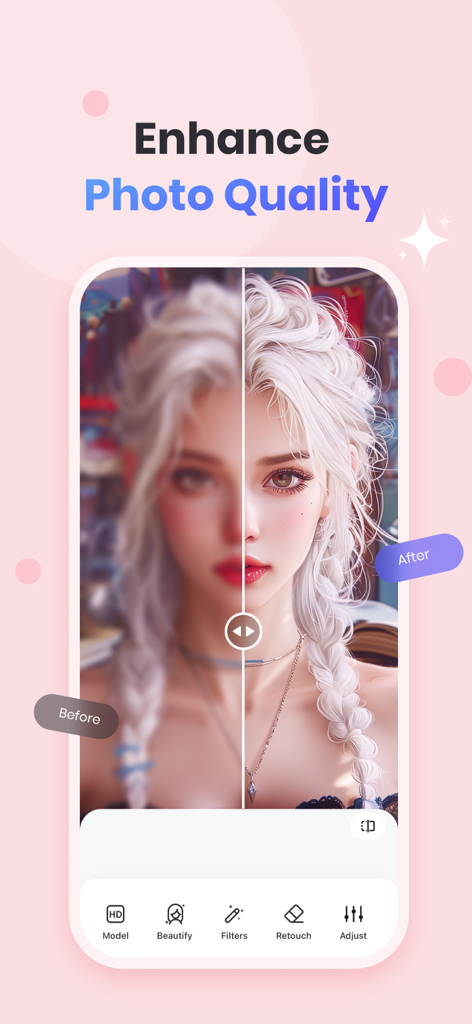
A before and after comparison showing a blurry portrait being sharpened and enhanced by the PicWish AI Photo Editor app.

A before and after comparison showing a blurry portrait being sharpened and enhanced by the PicWish AI Photo Editor app.

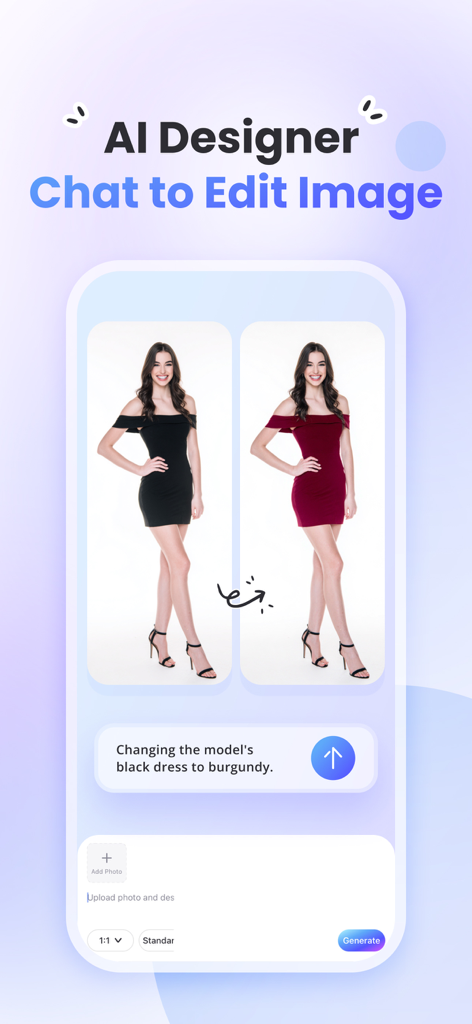
PicWish AI photo editor chat to edit feature changing dress color on a model

PicWish AI photo editor chat to edit feature changing dress color on a model

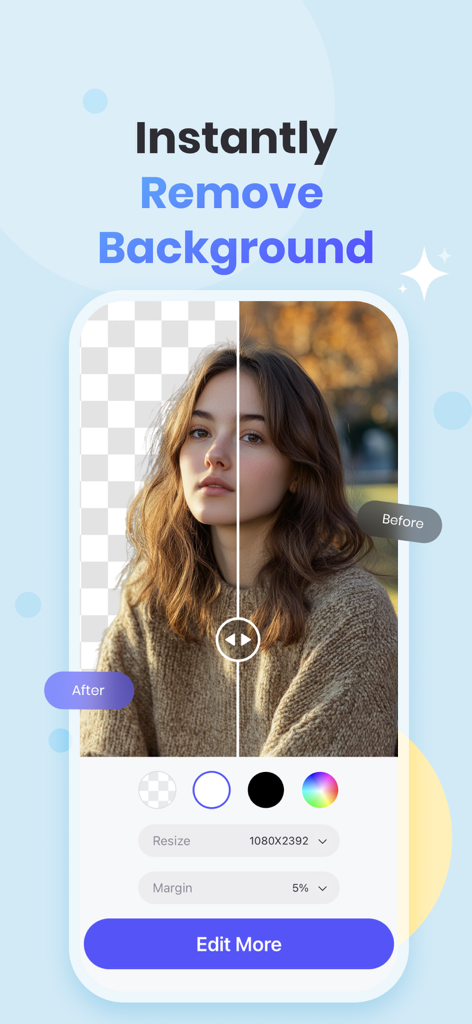
Split screen showing a portrait with the background removed using PicWish AI photo editor

Split screen showing a portrait with the background removed using PicWish AI photo editor

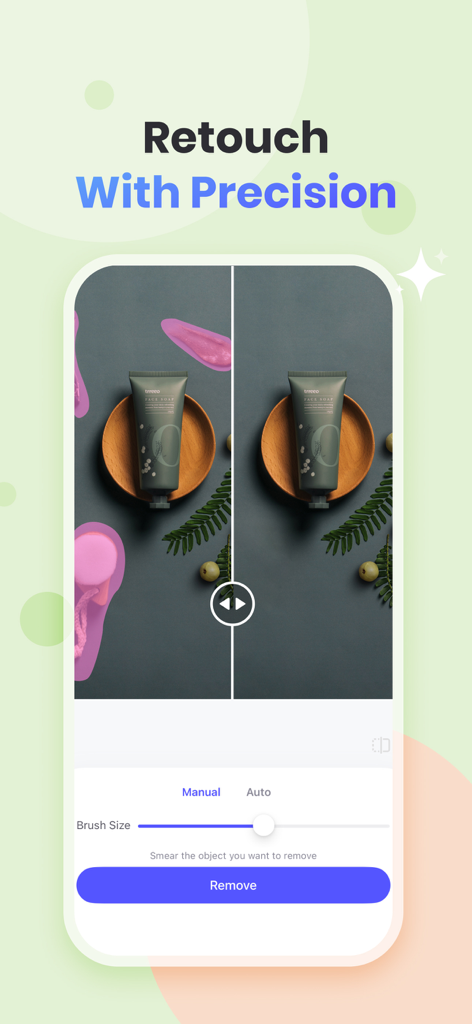
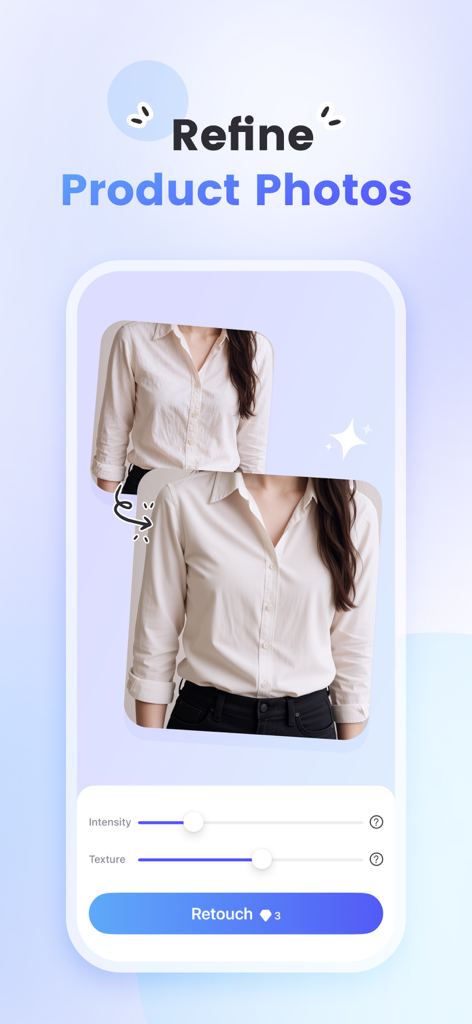
PicWish app interface showing the precision retouch tool to remove unwanted objects from a product photo.

PicWish app interface showing the precision retouch tool to remove unwanted objects from a product photo.

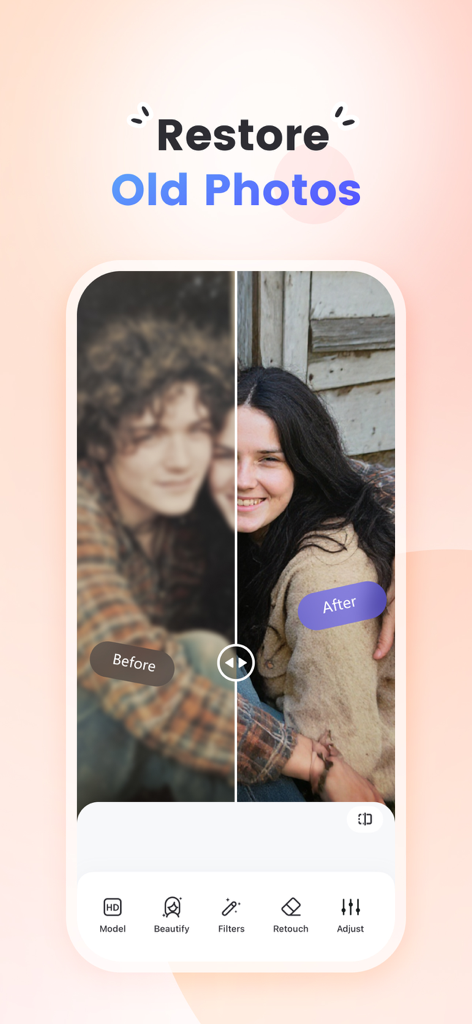
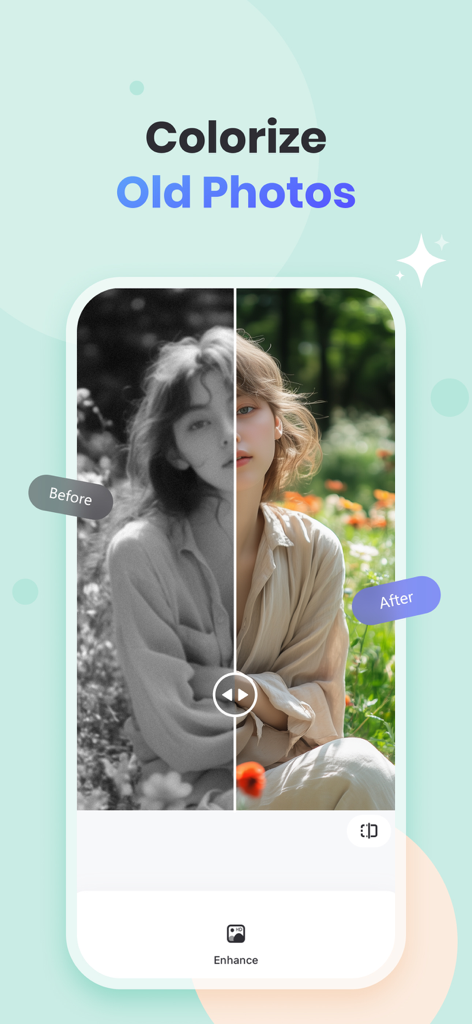
A before and after comparison of an old photo being restored and unblurred using PicWish AI

A before and after comparison of an old photo being restored and unblurred using PicWish AI

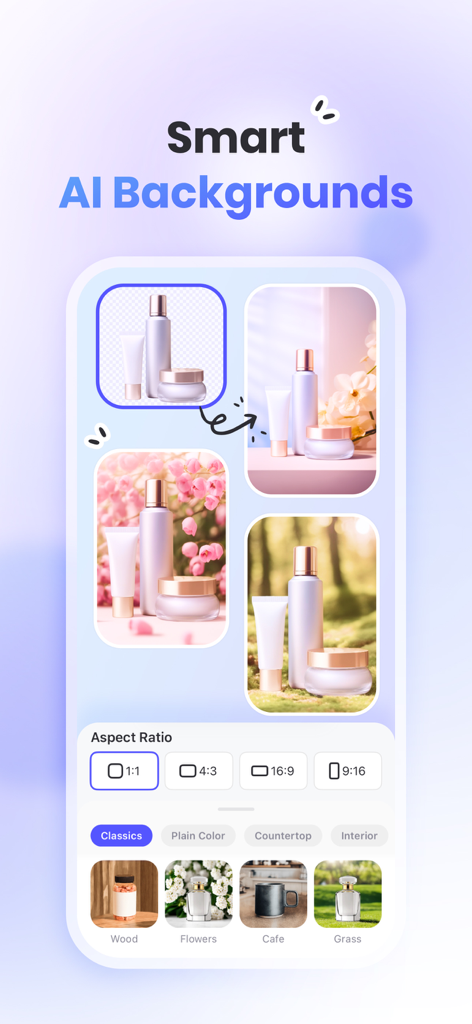
PicWish app screen showing the smart AI backgrounds feature for creating professional product photos with different lifestyle backdrops and aspect ratios.

PicWish app screen showing the smart AI backgrounds feature for creating professional product photos with different lifestyle backdrops and aspect ratios.

Interface of PicWish AI photo editor showing the retouch tool to refine product photos of clothing.

Interface of PicWish AI photo editor showing the retouch tool to refine product photos of clothing.

Before and after comparison of colorizing an old black and white photo using PicWish AI photo editor

Before and after comparison of colorizing an old black and white photo using PicWish AI photo editor

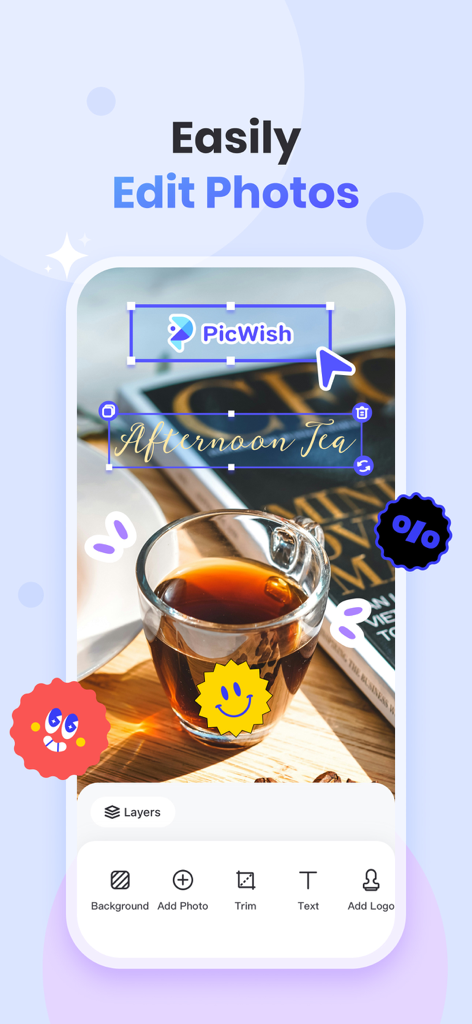
PicWish mobile app screen showing photo editing tools for adding text and logos to an image

PicWish mobile app screen showing photo editing tools for adding text and logos to an image

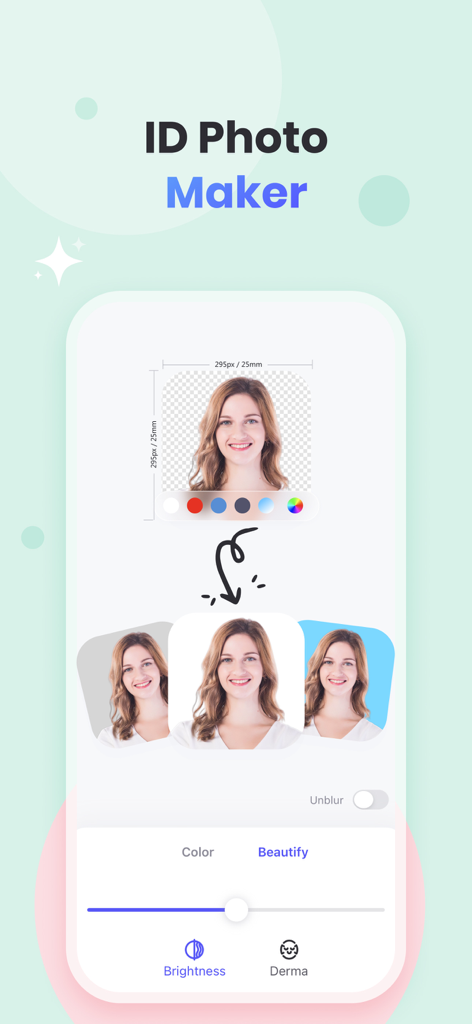
PicWish app screen showing ID Photo Maker feature with portrait background color options and beauty editing tools

PicWish app screen showing ID Photo Maker feature with portrait background color options and beauty editing tools

Elevate Your Brand Instantly

The tools that make this app stand out, trusted by 3M+ users.

🪄

One-Tap Background Removal

Instantly replace cluttered backgrounds with studio-clean whites or AI-generated lifestyle scenes to make your products pop.

Powerful Batch Editing

Save hours of manual work by processing up to 30 images at once—unblur, resize, and remove backgrounds in a single click.

Crystal Clear AI Enhancement

Resurrect blurry or low-light photos into high-definition masterpieces that build instant trust with your customers.

Loved by users worldwide

Trusted by 3M+ people who love this app.

"

"PicWish has been a total game-changer for my vintage shop! I used to spend hours manually editing out my bedroom background from product shots. Now, I can batch-process 30 photos at once, and the AI background generator makes my listings look like they were shot in a professional studio. My sales on Etsy have noticeably improved since I started using it."

Sarah J., E-commerce Reseller
"

"As a social media manager for several small brands, I need high-quality visuals fast. The 'Chat to Edit' feature is incredible—I just tell the app what I want, and it happens. It handles tricky cutouts perfectly, and the unblur tool has saved so many 'imperfect' shots that I thought were unusable. It's the most intuitive AI editor I've used."

Marcus Thorne, Creative Freelancer

About the app

Everything you need to know about PicWish: AI Photo Editor.

Description

Try the easiest AI photo editing app! Remove background and unblur photo to make your products stand out! 100% automatic. Super easy-to-use. Edit photos as easily as chat with PicWish. See our featured tools: * Enhance: - Unblur multiple photos in an instant. - Colorize white-and-black photos. - Add filters to enhance your photos. * Remove Background: - Remove photo backgrounds automatically & edit details manually. - One-tap high-quality product photos with proper lighting. - Change backgrounds, add multiple cutouts on one project, resize, add shadows, etc. * Remove Object: - Remove unwanted objects from your image including folds, smudges, text, etc. - Support auto removal mode. PicWish AI can automatically detect and remove text from your photo. * AI Premium: - Chat Edit & AI Designer: Chat to edit. Transform your photos with a simple text. - AI Background: Automatically remove background, and let AI generate the right background for your product shot or any photo. - AI Portrait: Simply upload a selfie photo and choose an ideal template. PicWish AI enables you to discover your different styles. - AI Art: Instantly text to image. Create your artwork with no design skills. * Edit Photo: - Resize, add text to photo, add logo to photo, adjust brightness, and more editing options. * Batch mode: - Batch background removal or enhancement, up to 30 images at a time. * ID Photos: - Change background color and size to meet ID photo standards. Custom and common sizes such as 2x2 photos are available. - You can choose to remove the blur from your ID photo with one click. Why PicWish? - The easiest AI photo editor - Affordable price with a free trial - Accurate result Who Loves PicWish? - Newbies & pro users who value accuracy - Resellers or people who own a small business - Graphics designers who want to save time and effort - Those who regularly handle a large number of images Want a free trial? Upgrade to PicWish Pro, you'll have full access to all features. * 450 AI credits/mo * Unlock all features * High Definition Export PicWish Pro Subscription: Subscriptions are available weekly, monthly, and annually (with a free trial). Explore all features with a 3-day Free Trail. Once the trial is over, you'll be charged a subscription fee. Subscriptions will then auto-renew every week, month, or year unless turned off at least 24 hours before the end of the current period. Your iTunes Account will be charged for renewal within 24-hours prior to the end of the current period, and identify the cost of the renewal. To stop auto-renewal, visit Account Settings in iTunes after purchase. Download PicWish and light up your products today! Have questions, problems, or feedback? Reach out to us at support@picwish.com Follow us on TikTok @picwish_official for design tips. Terms of Use: https://picwish.com/app-terms Privacy policy: https://picwish.com/app-privacy

Latest Version

2.3.8

Size

139.0 MB

First Released

Mar 9, 2022

Scale Your Business with Studio-Quality Photos in Seconds

Join over 3 million entrepreneurs and resellers who use PicWish to automate their workflow. Start your free trial today and give your products the professional spotlight they deserve.

Download on App StoreDownload on Google Play
FAQ

Frequently Asked Questions

Everything you need to know about PicWish: AI Photo Editor

What is PicWish: AI Photo Editor?

PicWish is an AI photo editing app that automatically removes backgrounds, unblurs photos, enhances images, and offers advanced AI features like object removal and background generation. It makes photo editing as easy as chat.

Can PicWish remove backgrounds from photos?

Yes, PicWish automatically removes photo backgrounds. Users can manually edit details, change backgrounds, add multiple cutouts, resize, and add shadows. It also offers AI Background generation.

Does PicWish offer a free trial for its features?

Yes, PicWish offers a 3-day free trial for PicWish Pro, which provides full access to all features, including 450 AI credits/month and high-definition export.

How does PicWish handle object removal in photos?

PicWish allows users to remove unwanted objects, such as folds, smudges, or text, from images. It supports an auto removal mode where PicWish AI detects and removes text automatically.

Can PicWish unblur multiple photos at once?

Yes, PicWish can unblur multiple photos instantly. It also provides features to enhance photo quality, colorize white-and-black photos, and add filters.

What are the subscription options for PicWish Pro?

PicWish Pro offers weekly, monthly, and annually subscriptions, all starting with a 3-day free trial. Subscriptions auto-renew unless canceled 24 hours before the period ends.

How can I cancel my PicWish Pro subscription?

To stop the auto-renewal of a PicWish Pro subscription, users must visit their Account Settings in iTunes after purchase at least 24 hours before the end of the current period.

Does PicWish provide features for creating ID photos?

Yes, PicWish includes an ID Photos feature. It allows users to change background color and size to meet ID photo standards and custom sizes like 2x2 photos. It can also unblur ID photos.

Can PicWish generate new backgrounds for product photos using AI?

Yes, PicWish AI Background automatically removes the existing background and generates suitable new backgrounds for product shots or any photo.

Who is PicWish: AI Photo Editor designed for?

PicWish is designed for newbies, pro users, resellers, small businesses, graphics designers, and anyone who regularly handles a large number of images and values accuracy.

Does PicWish allow editing photos using text commands?

Yes, PicWish features "Chat Edit & AI Designer" under AI Premium. Users can transform photos by chatting to edit them with a simple text command.

Can PicWish edit multiple images at once?

Yes, PicWish offers a Batch mode for processing multiple images. It supports batch background removal or enhancement for up to 30 images at a time.

Does PicWish have customer support?

Yes, users can contact PicWish support for questions, problems, or feedback by emailing support@picwish.com. They also have a TikTok presence for design tips.