QuiltSize

QuiltSize

Download on App Store
Spark by MWM logo
Logo of QuiltSize

QuiltSize: Master Your Layouts with Precision Quilt Math

Designing the perfect quilt should be about creativity, not calculations. Instantly visualize your layout, set your mattress size, and get exact block counts in seconds without the scratch paper.

Publisher

NNN Software LLC

Category

Lifestyle

Downloads

51K+

User Rating

1.3/5

Total Ratings

0

Locales

1

Visualize Your Masterpiece

Discover the interface used by 51K+ users.
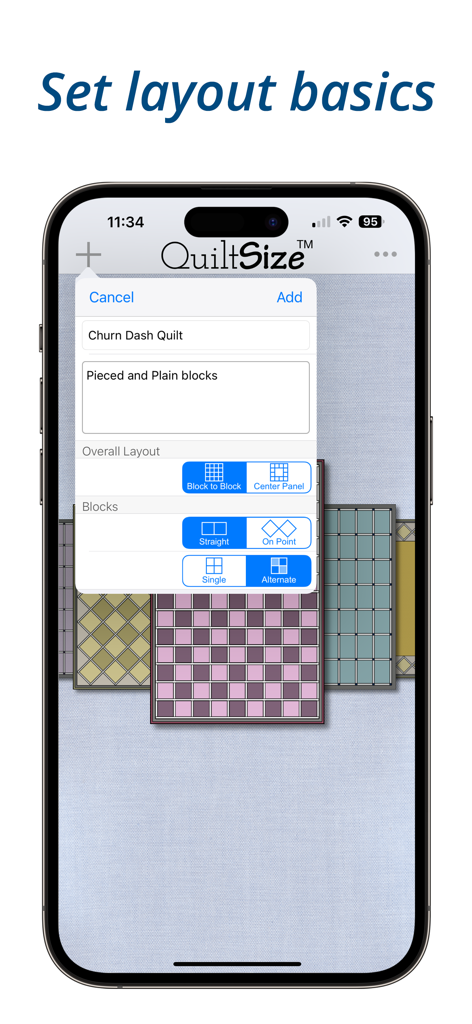
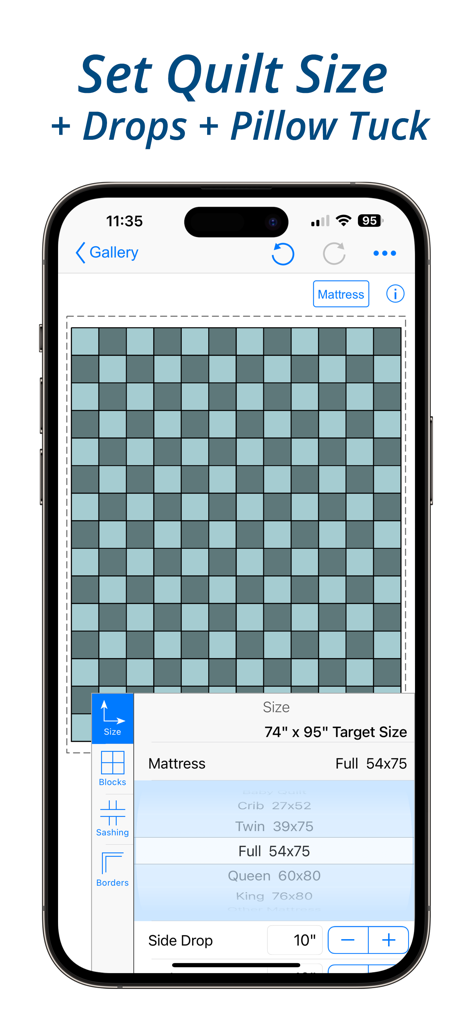
Interface of the QuiltSize app for configuring quilt layout basics and block patterns

Interface of the QuiltSize app for configuring quilt layout basics and block patterns

QuiltSize app interface showing quilt layout and mattress size options

QuiltSize app interface showing quilt layout and mattress size options

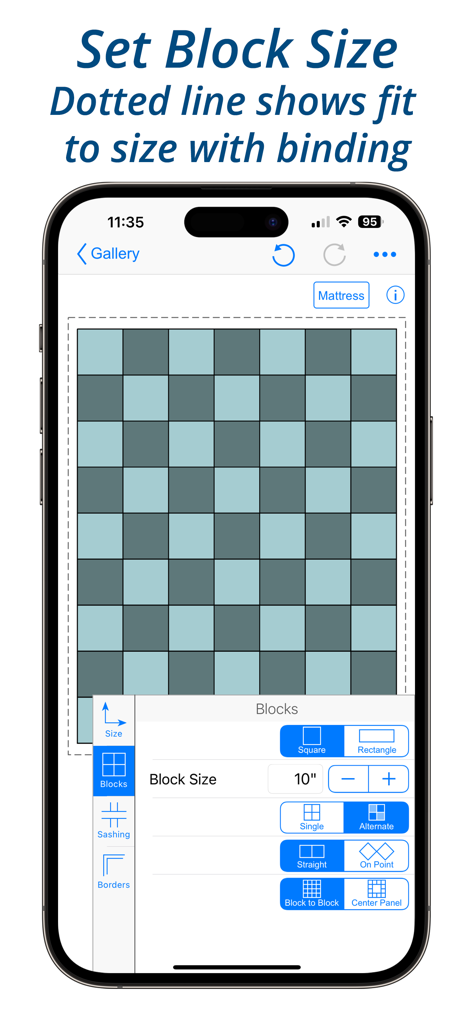
Smartphone screen displaying the QuiltSize app with quilt block layout options and a preview diagram

Smartphone screen displaying the QuiltSize app with quilt block layout options and a preview diagram

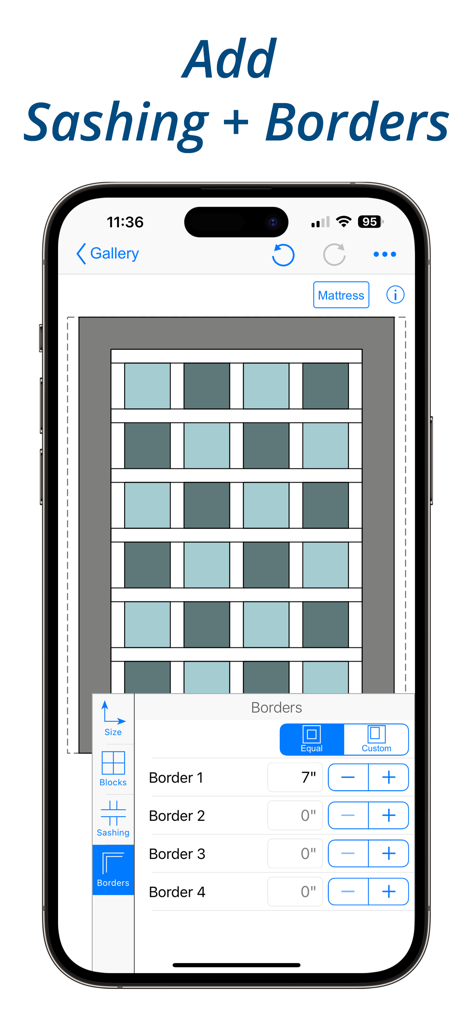
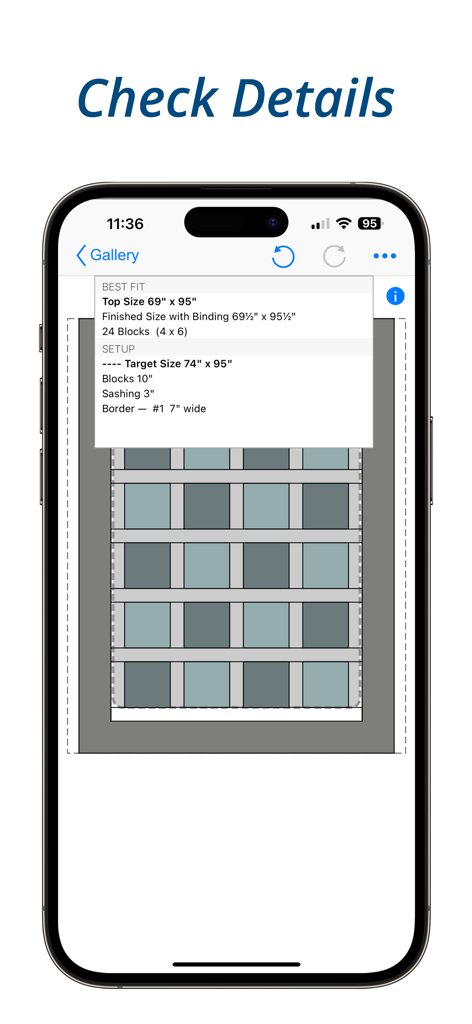
Interface of the QuiltSize app showing a quilt layout diagram with options to customize sashing and border widths

Interface of the QuiltSize app showing a quilt layout diagram with options to customize sashing and border widths

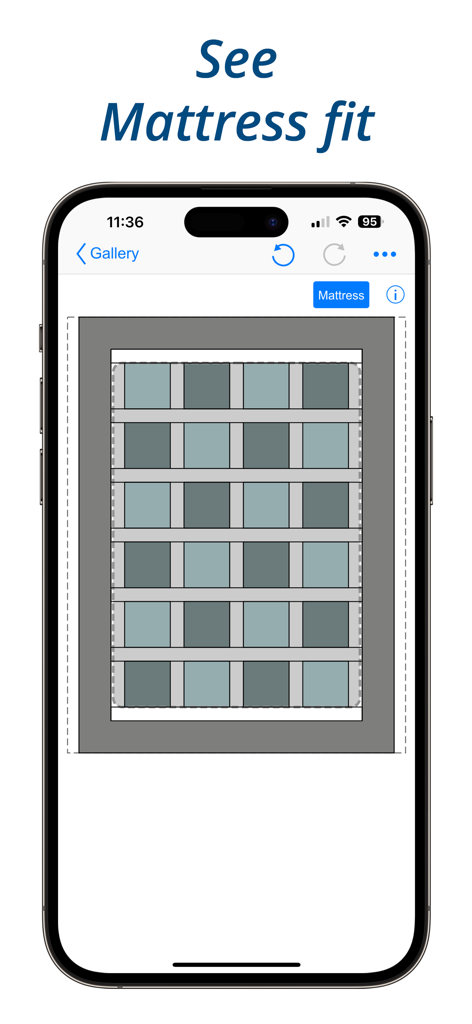
A quilt layout diagram showing the mattress fit visualization in the QuiltSize app

A quilt layout diagram showing the mattress fit visualization in the QuiltSize app

Mobile screen showing quilt dimensions and block layout details in the QuiltSize app

Mobile screen showing quilt dimensions and block layout details in the QuiltSize app

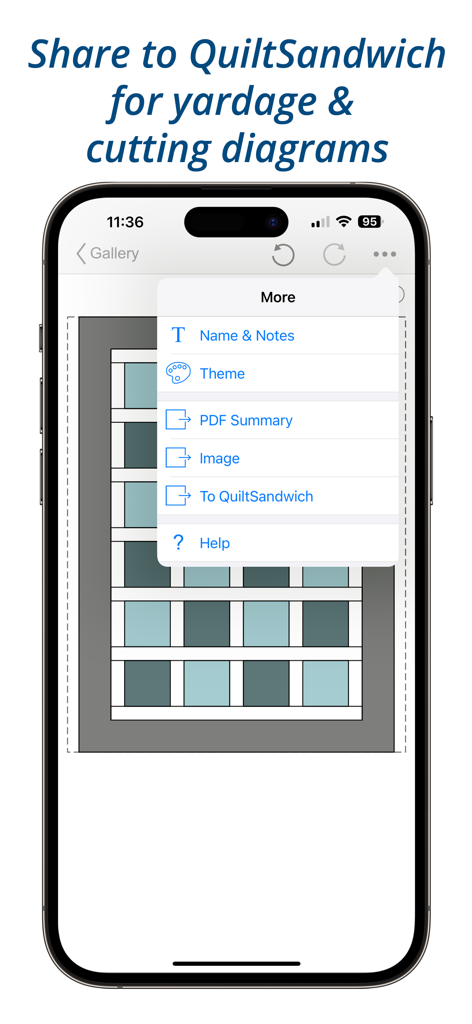
A smartphone displaying the QuiltSize app menu with an option to share a quilt layout to QuiltSandwich for yardage and cutting diagrams.

A smartphone displaying the QuiltSize app menu with an option to share a quilt layout to QuiltSandwich for yardage and cutting diagrams.

Design Your Dream Quilt Without the Headaches

The tools that make this app stand out, trusted by 51K+ users.

🛏️

Tailored to Every Bed

Select standard mattress sizes or create custom dimensions with precise side drops and pillow tucks for a professional fit.

🖼️

Instant Visual Feedback

See your diagram update in real-time as you experiment with straight or on-point layouts, sashing, and multiple border options.

đź§µ

Accurate Block Counts

Know exactly how many blocks you need before you cut a single inch of fabric, preventing waste and saving you money at the quilt shop.

Loved by users worldwide

Trusted by 51K+ people who love this app.

"

"QuiltSize has completely eliminated the headache of calculating drops and pillow tucks for my family's quilts. I used to dread the math, but now I can visualize the entire layout and know exactly how many blocks I need before I even touch my rotary cutter. It is a must-have for any serious maker."

Linda S.
"

"I love how easy it is to experiment with different sashing and border options. The instant diagram updates let me see exactly how my design will look on a standard mattress. Being able to share my layout as a PDF makes my project planning so much more organized and professional."

Brenda M.

About the app

Everything you need to know about QuiltSize.

Description

“How many blocks do I need?” Using quilt and block size QuiltSize calculates the number of blocks and creates a diagram. Refine the layout with borders, sashing, and setting — the diagram instantly adds and subtracts blocks to show how closely quilt layout fits to the size quilt you wanted. IMPORTANT NOTE: Neither QuiltSize nor QuiltSandwich provide block designs. There are marvelous resources available to quilters for block designs — from fancy programs to pencil and paper. If you want to use pencil and paper, check out the app QuiltPaper. QuiltPaper creates unique quilter’s graph papers that can be printed or colored on your device. Three steps (no in-app purchases!) is all it takes to know exactly how many blocks you’ll need — STEP 1. Set the ideal size for the quilt. Tap to choose a standard mattress or set a custom size. Then, add side drops, end drops and a pillow tuck until it is just right. STEP 2. Use menus to select an overall layout, choose setting, set block size, and add sashing and borders: Layout — Choice of Block-to-block or Center panel Setting — Tap to switch between Straight or On point Blocks — Choose Squares or Rectangles Pattern — Tap to switch between a pattern of Single or Alternating blocks Sashing — Choice of Horizontal or Vertical layout and Cornerstone options Borders — Ability to add four borders, width can vary on each side STEP 3. How’s the diagram look? Not quite right? Play with menu options to instantly update the layout until it is just right! It’s your plan, so of course you can share it! Share your project layout diagram as an Image or with notes as a PDF. ***** Want help with the quilt math to create your project? QuiltSandwich does the quilt math so you can quickly answer the question, “How much fabric do I need?” Just a tap will share the QuiltSize layout to QuiltSandwich! QuiltSize sends the blocks as placeholders, and adds the pieces for sashing, borders, center panel, binding, batting and backing. QuiltSandwich creates yardage and cutting diagrams for all the pieces. Replace the placeholder blocks with the size and count of the block pieces and you’ll have a full set of yardage and cutting diagrams. Got questions or comments? We’re here to help! Go to our website at http://www.quiltingapps.com/support-for-quiltsize.html for tips and video helps or to send a message. Your design. Your project. Our math.

Latest Version

2.5.2

Size

14.6 MB

First Released

Dec 21, 2015

Ready to Plan Your Perfect Quilt?

Download QuiltSize today to skip the complex math and get instant diagrams for your next masterpiece. No in-app purchases—just the precision you need to sew with confidence.

Download on App Store