Screen Recorder,Video Recorder

Screen Recorder,Video Recorder

Download on App StoreDownload on Google Play
Spark by MWM logo
Logo of Screen Recorder,Video Recorder

V Recorder: Pro 4K Screen Recording & AI-Powered Video Editing

The all-in-one studio for creators and professionals. Capture flawless 4K gameplay, transcribe meetings with AI, and create viral content using our face cam and floating teleprompter.

Publisher

VIDEOSHOW PTE. LTD.

Category

Photo & Video

Downloads

11M+

User Rating

4.7/5

Total Ratings

269K+

Locales

18

The Studio in Your Pocket

Discover the interface used by 11M+ users.

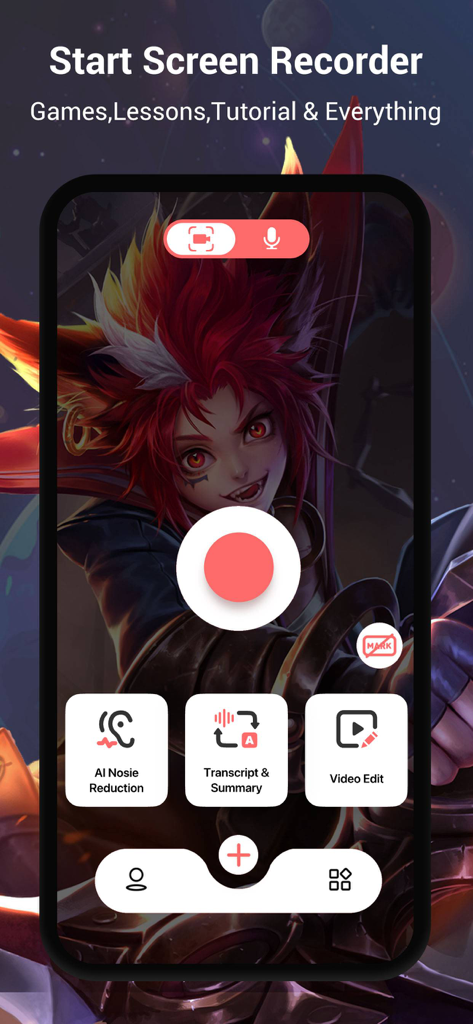
Mobile app interface for V Recorder showing a central record button and AI productivity features like noise reduction and transcript summary.

Mobile app interface for V Recorder showing a central record button and AI productivity features like noise reduction and transcript summary.

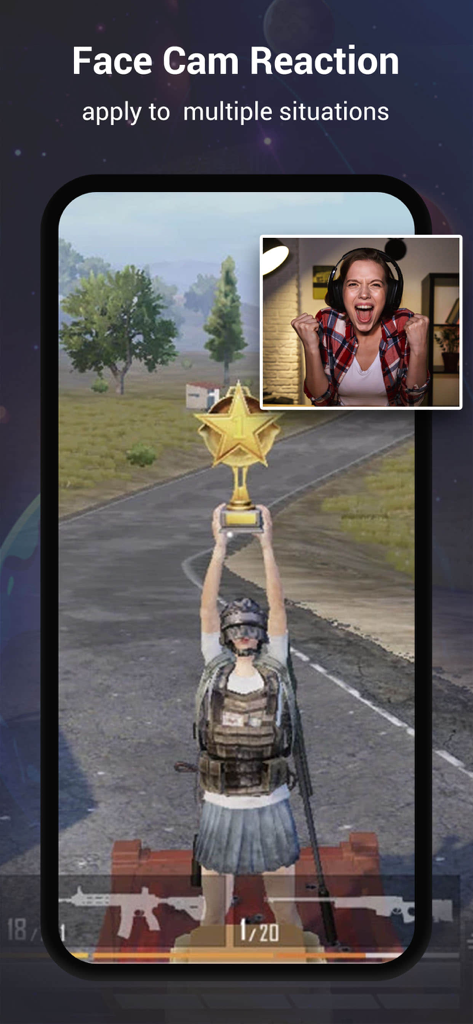
Mobile screen recording of a video game with an active face camera reaction overlay

Mobile screen recording of a video game with an active face camera reaction overlay

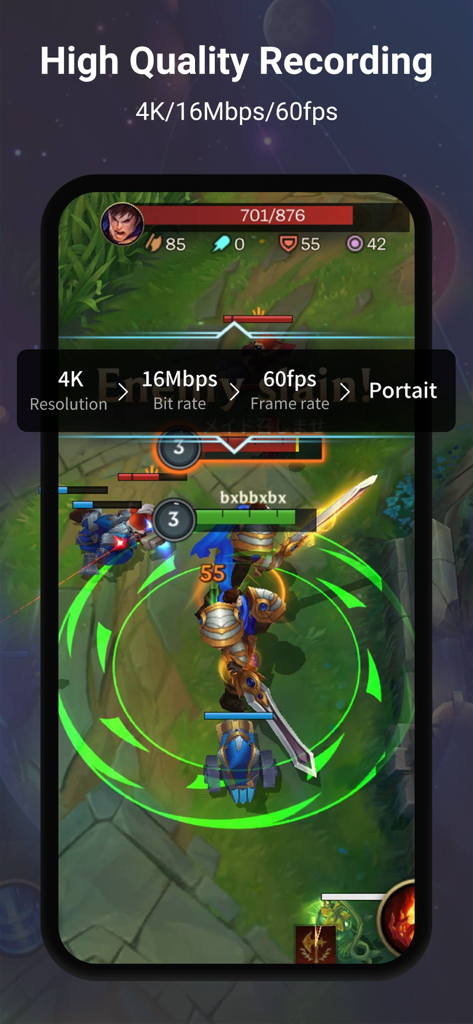
V Recorder app screenshot showing high-quality 4K 60fps screen recording settings over a mobile game

V Recorder app screenshot showing high-quality 4K 60fps screen recording settings over a mobile game

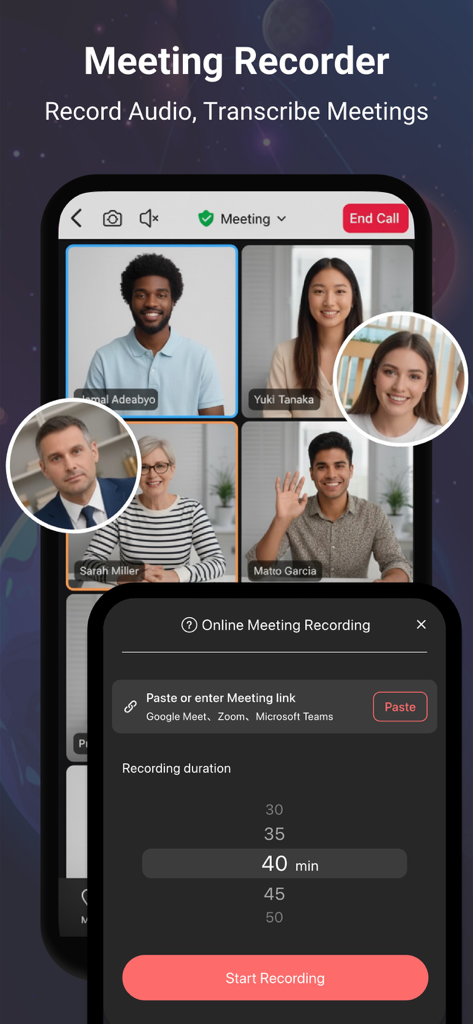
Interface of the V Recorder app showing an online meeting with multiple participants and a recording setup menu.

Interface of the V Recorder app showing an online meeting with multiple participants and a recording setup menu.

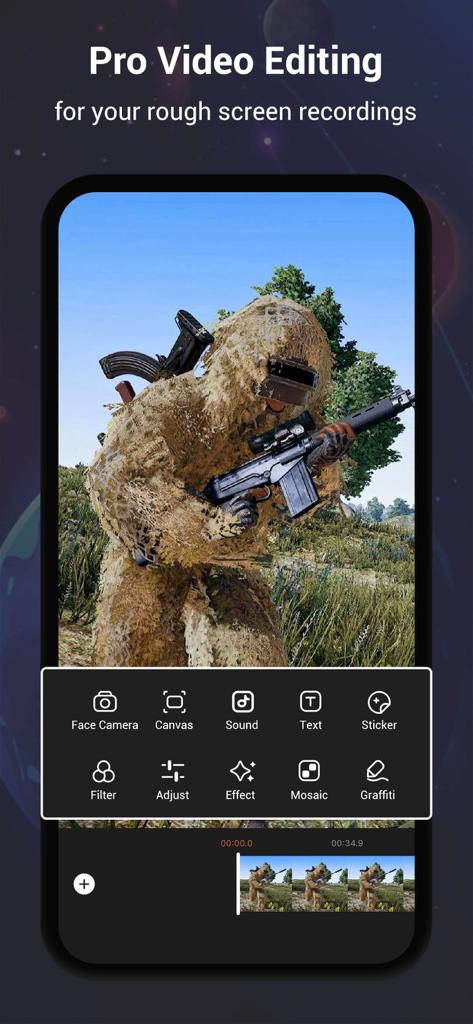
V Recorder app interface showing professional video editing tools for a gaming screen recording

V Recorder app interface showing professional video editing tools for a gaming screen recording

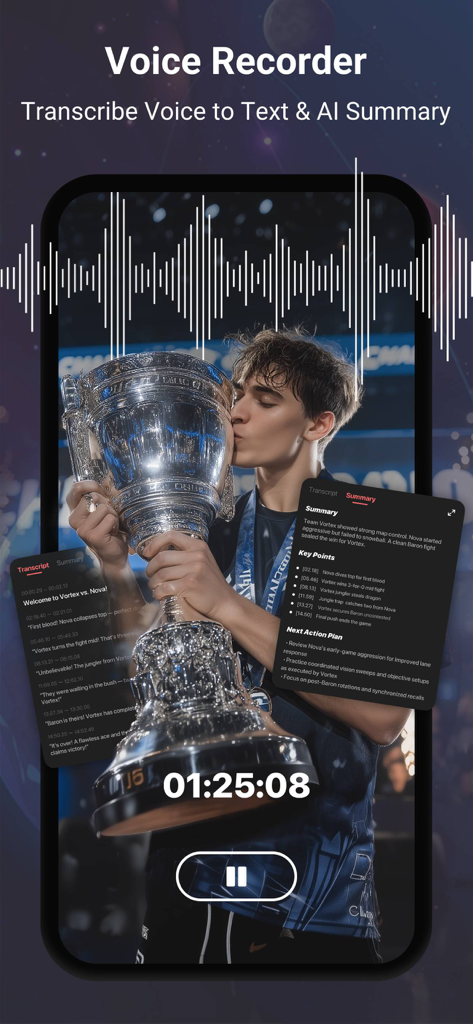
Interface of V Recorder app showing AI voice transcription and meeting summary features on a smartphone screen

Interface of V Recorder app showing AI voice transcription and meeting summary features on a smartphone screen

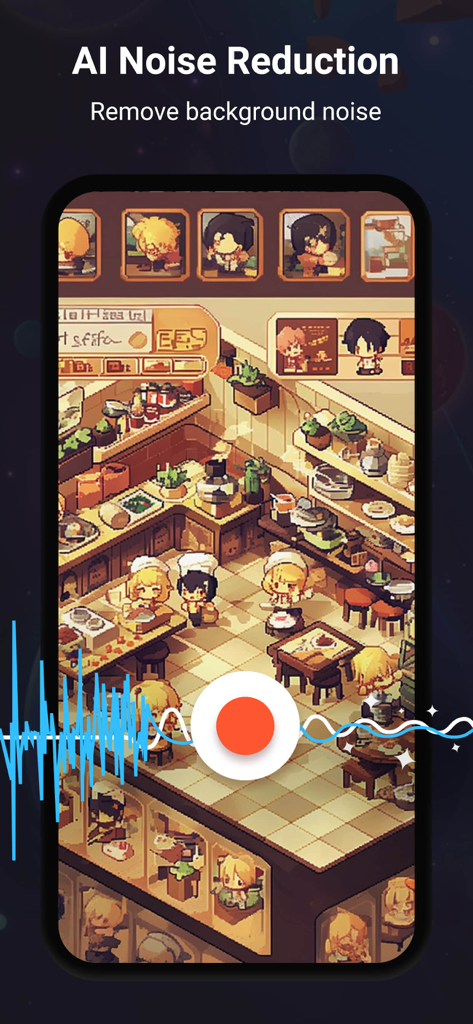
V Recorder app interface showing AI Noise Reduction feature being applied to a mobile game recording.

V Recorder app interface showing AI Noise Reduction feature being applied to a mobile game recording.

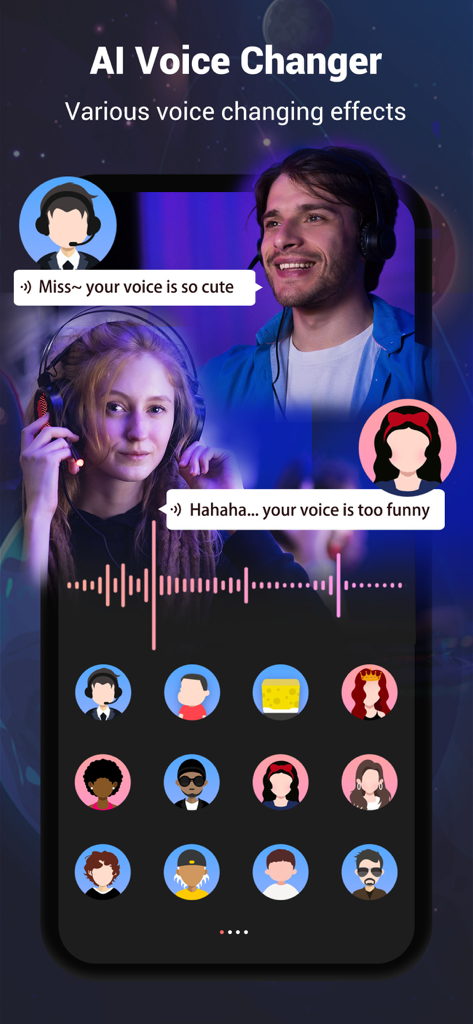
AI Voice Changer feature with various voice effects and character avatars

AI Voice Changer feature with various voice effects and character avatars

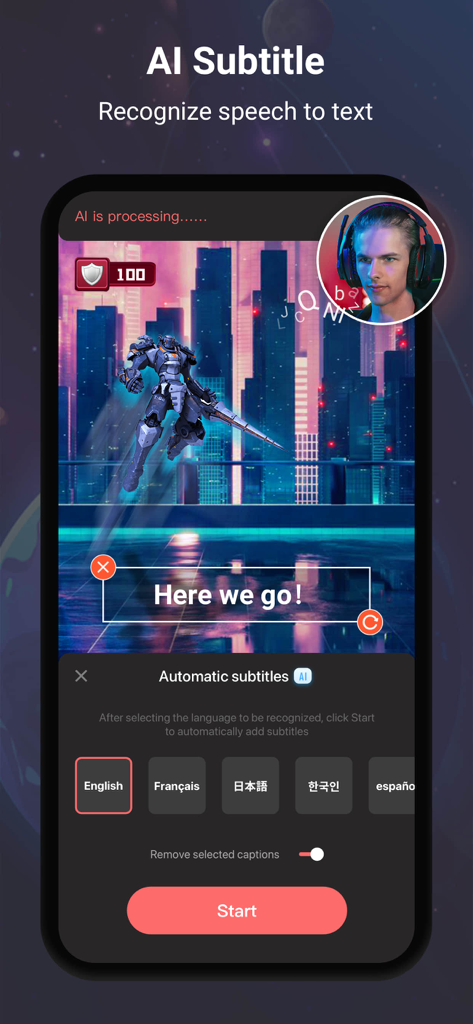
V Recorder mobile app showing AI automatic subtitles and game recording with face cam

V Recorder mobile app showing AI automatic subtitles and game recording with face cam

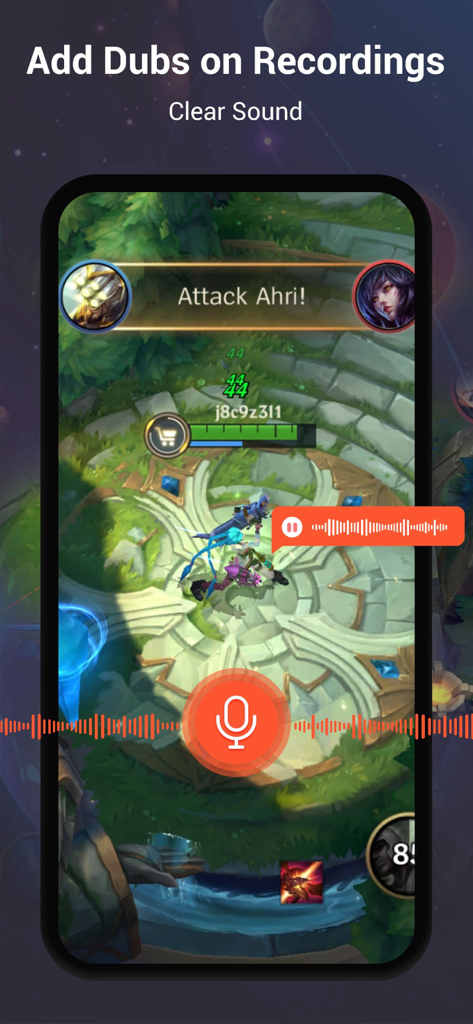
A mobile screen showing the V Recorder app interface adding voice commentary and dubs to a recorded game session with clear sound

A mobile screen showing the V Recorder app interface adding voice commentary and dubs to a recorded game session with clear sound

A Complete Production Studio in Your Pocket

The tools that make this app stand out, trusted by 11M+ users.

🎮

4K Gameplay with Face Cam

Capture every win in stunning 4K resolution and build your brand using the integrated Face Cam for real-time reactions.

🎙️

AI Transcription & Noise Removal

Streamline your workflow by turning meetings into instant text summaries while AI filters out background noise for professional clarity.

📜

Smart Teleprompter & Pro Editor

Record scripts perfectly with a floating prompter and polish your videos instantly using built-in transitions, filters, and licensed music.

Loved by users worldwide

Trusted by 11M+ people who love this app.

"

"As a mobile gamer and aspiring YouTuber, finding a recorder that doesn't lag is nearly impossible. V Recorder is a beast! The 4K quality is incredibly crisp, and being able to use the Face Cam while I play makes my reaction videos look so professional. The built-in editor saved me hours of post-production work."

Jake M., Gaming Content Creator
"

"This has become my go-to tool for remote meetings. The AI noise reduction makes my audio sound studio-quality even when I am working in a noisy coffee shop, and the voice-to-text transcription is a total lifesaver for my meeting notes. The floating teleprompter feature helps me nail my presentations every single time."

Sarah L., Senior Project Manager

About the app

Everything you need to know about Screen Recorder,Video Recorder.

Description

V Recorder - VideoShow Screen Recorder is a powerful and free screen recorder that offers high-quality screen recording, video recording, and voice recording, now with support for online meeting audio recording. This stable 4K HD video recorder is an all-in-one tool, functioning as a professional game recorder, voice recorder, voice-to-text transcriber, and video editor. Whether you want to capture your gameplay, video calls, livestreams, tutorials, reaction videos, or online meetings with complete audio, this screen recording app provides everything you need. With this advanced screen recorder - V Recorder, you can easily record screen content while playing games, watching videos, having video chats, or attending online meetings. The newly supported meeting audio recording helps capture clear and complete voices from meetings, calls, and discussions, so you never miss important details. You can also enhance your video recordings using the built-in video editor, which allows you to apply filters, transitions, music, stickers, and subtitles. Additionally, AI noise reduction ensures crystal-clear audio by removing background noise, AI voice changer lets you modify your voice for fun, making your video recordings more professional and engaging. Key Features: Face Cam & Audio Commentary: Record your face cam while capturing screen content, and add real-time microphone commentary to create engaging gameplay, tutorials, or reaction videos. Online Meeting Audio Recording: Capture complete meeting audio clearly, combine with AI noise reduction, voice to text transcription, and AI summaries for easy review and follow-ups. 4K HD Video Recording: Support 4K high-quality screen recording and customizable settings for recorded videos. Unlimited Screen Recording: Ideal for recording online videos, tutorials, livestreams, and online meetings, or using it as a game recorder with sound. AI Noise Reduction: Advanced AI removes background noise while keeping your voice clear, making this an ideal voice recorder for any environment. Smart Subtitles: AI-powered speech recognition adds subtitles to your recordings automatically. AI Voice Transformer: Modify your voice with our AI voice changer for fun and creative effects. Floating Teleprompter: Display transcripts on any application with adjustable font size and speed, perfect for presentations, meetings, and vlogs. Easy to Use: Start recording with just one tap and customize resolution & FPS. Professional Video Editing: Easily cut, trim, split, rotate, reverse, and adjust speed. Enhance videos with trendy filters, stickers, text, licensed music, and smooth transitions. Seamless Social Sharing: Support multiple aspect ratios and 4K HD export. Share gameplay, videos, and moments instantly to social platforms with ease. With V Recorder - VideoShow Screen Recorder, you get a feature-packed screen recorder, video recorder, voice recorder, voice-to-text transcriber, and video editor in one! Whether you need to capture gameplay, record online meetings with full audio and transcripts, create polished videos, or use Face Cam to capture your reactions, this app delivers a seamless experience. Download now and start capturing your moments effortlessly! Disclaimer: 1. This application is not related to YouTube. It is a recording tool. Please strictly abide by YouTube's platform terms before using this application to record. 2. We respect the copyright of the owners. Please confirm that you have obtained the owners' permission or authorization before using this application for recording. 3. This application is only for your personal study and research use. The recording content should not exceed the scope of personal use. Privacy Policy: https://d10nkoc3mu17gd.cloudfront.net/privacy/VRecorder_iOS_Privacy_Policy.html Terms of use: https://d10nkoc3mu17gd.cloudfront.net/privacy/VRecorder_iOS_Terms_of_Use_Agreement.html

Latest Version

3.1.1.0

Size

339.3 MB

First Released

Dec 24, 2019

Ready to Transform Your Screen into a Professional Studio?

Join over 11 million creators and professionals using AI-powered 4K recording to capture, edit, and share their best moments. Start your journey today for free.

Download on App StoreDownload on Google Play
FAQ

Frequently Asked Questions

Everything you need to know about Screen Recorder,Video Recorder

What is V Recorder - VideoShow Screen Recorder?

V Recorder - VideoShow Screen Recorder is a free, all-in-one app for high-quality screen, video, and voice recording. It features a game recorder, voice-to-text transcriber, and professional video editor with 4K HD output capabilities.

Does V Recorder support online meeting audio recording?

Yes, V Recorder - VideoShow Screen Recorder supports online meeting audio recording. It captures complete meeting audio, integrating AI noise reduction, voice-to-text transcription, and AI summaries for clear records.

Can Screen Recorder, Video Recorder record in 4K resolution?

Yes, Screen Recorder, Video Recorder supports 4K high-quality screen recording. Users customize resolution, bit rate, and frame rate settings for their recorded videos to ensure optimal quality.

Does V Recorder - VideoShow Screen Recorder include a video editor?

Yes, V Recorder - VideoShow Screen Recorder features a professional video editor. Users can cut, trim, split, rotate, add filters, stickers, text, music, and smooth transitions to enhance their recordings.

Can I record my face and voice with V Recorder during screen capture?

Yes, V Recorder - VideoShow Screen Recorder offers Face Cam and Audio Commentary. This allows users to record their reactions and add real-time microphone commentary while capturing screen content for tutorials or gameplay.

Does Screen Recorder, Video Recorder use AI for noise reduction?

Yes, Screen Recorder, Video Recorder provides advanced AI noise reduction. This feature effectively removes background noise, ensuring recorded voices remain crystal clear in any environment.

Can V Recorder - VideoShow Screen Recorder transcribe voice to text?

Yes, V Recorder - VideoShow Screen Recorder transcribes voice to text. It uses AI-powered speech recognition to automatically add subtitles to recordings and generates AI summaries for quick review.

What voice modification features does V Recorder offer?

V Recorder - VideoShow Screen Recorder features an AI Voice Transformer. This allows users to modify their voice with various fun and creative effects, enhancing their video recordings and commentaries.

Is the V Recorder - VideoShow Screen Recorder app free?

Yes, V Recorder - VideoShow Screen Recorder is a powerful and free screen recorder. It offers high-quality screen, video, and voice recording functionalities without any cost.

How can I share recordings from Screen Recorder, Video Recorder?

Screen Recorder, Video Recorder enables seamless social sharing. Users can export their gameplay, videos, and moments in multiple aspect ratios and 4K HD, then instantly share them to various social platforms.

Does V Recorder - VideoShow Screen Recorder offer a teleprompter function?

Yes, V Recorder - VideoShow Screen Recorder includes a Floating Teleprompter. This feature displays transcripts on any application, with adjustable font size and speed, ideal for presentations or vlogs.

Where can I find the privacy policy for V Recorder - VideoShow Screen Recorder?

The privacy policy for V Recorder - VideoShow Screen Recorder is available at https://d10nkoc3mu17gd.cloudfront.net/privacy/VRecorder_iOS_Privacy_Policy.html. Users should review it for information on data handling.