Sweet Home 3D: Plan Your House

Sweet Home 3D: Plan Your House

Download on App Store
Spark by MWM logo
Logo of Sweet Home 3D: Plan Your House
Sweet Home 3D: Plan Your House – Design Your Dream Space with Professional Precision

Stop guessing and start visualizing. Create accurate floor plans, drag-and-drop over 800 customizable furniture pieces, and experience your home in stunning 3D before you start your renovation.

Publisher

AI Photo Editor Lab SRL

Category

Graphics & Design

Downloads

454K+

User Rating

4.4/5

Total Ratings

4K+

Locales

13

Visualize Your Dream

Discover the interface used by 454K+ users.
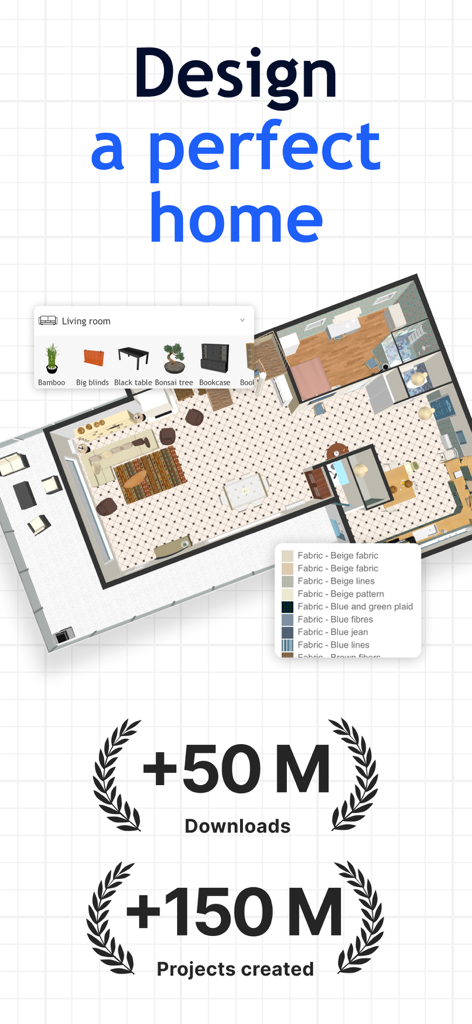
Sweet Home 3d app interface showing a 2D house floor plan with furniture selection menus and user statistics

Sweet Home 3d app interface showing a 2D house floor plan with furniture selection menus and user statistics

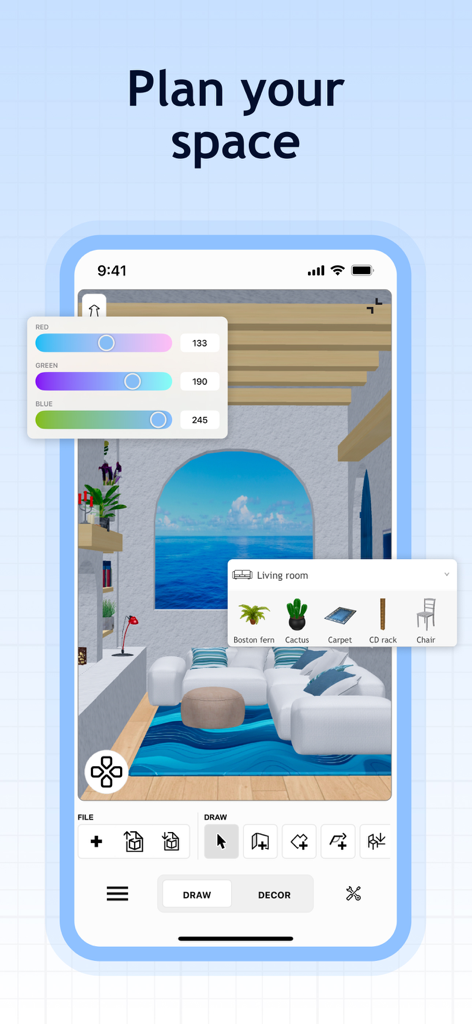
Sweet Home 3D app interface showing a 3D living room design with furniture selection and color adjustment tools.

Sweet Home 3D app interface showing a 3D living room design with furniture selection and color adjustment tools.

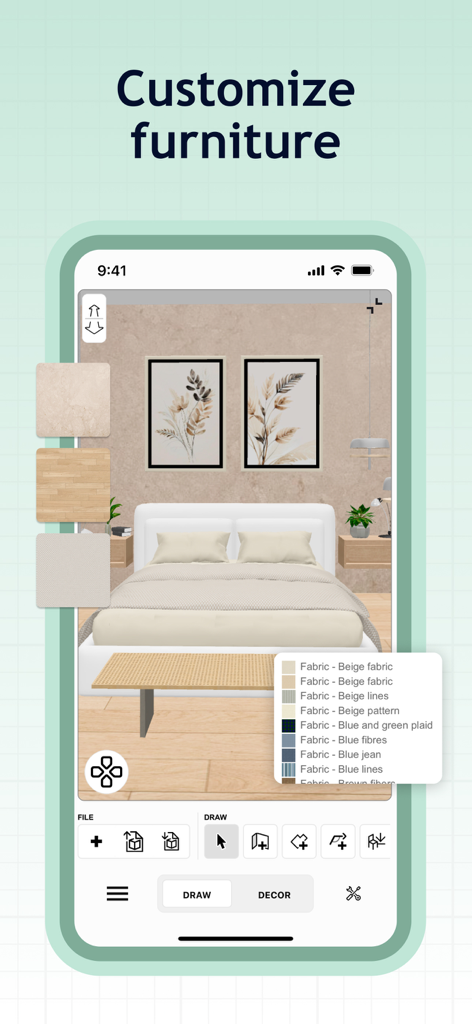
Sweet Home 3D app interface showing a bedroom with fabric and texture customization options for furniture

Sweet Home 3D app interface showing a bedroom with fabric and texture customization options for furniture

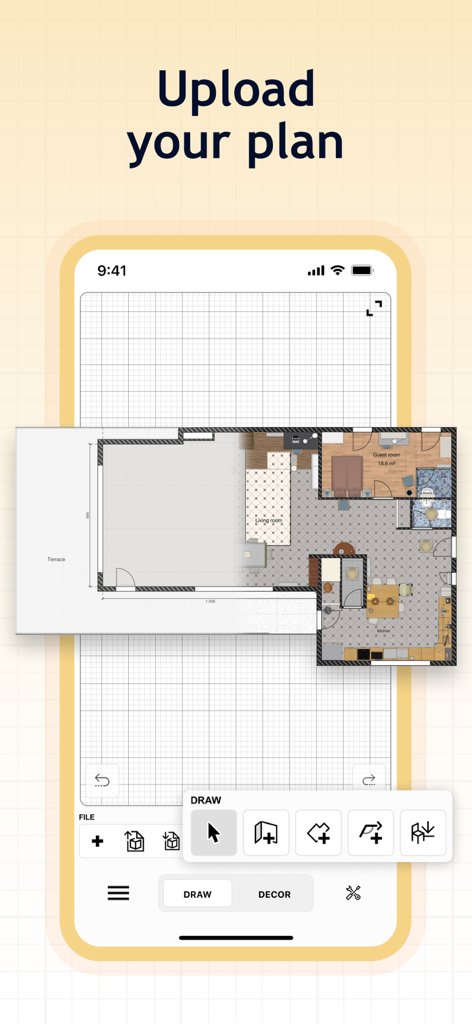
Mobile app interface showing how to upload and trace a floor plan on a digital grid

Mobile app interface showing how to upload and trace a floor plan on a digital grid

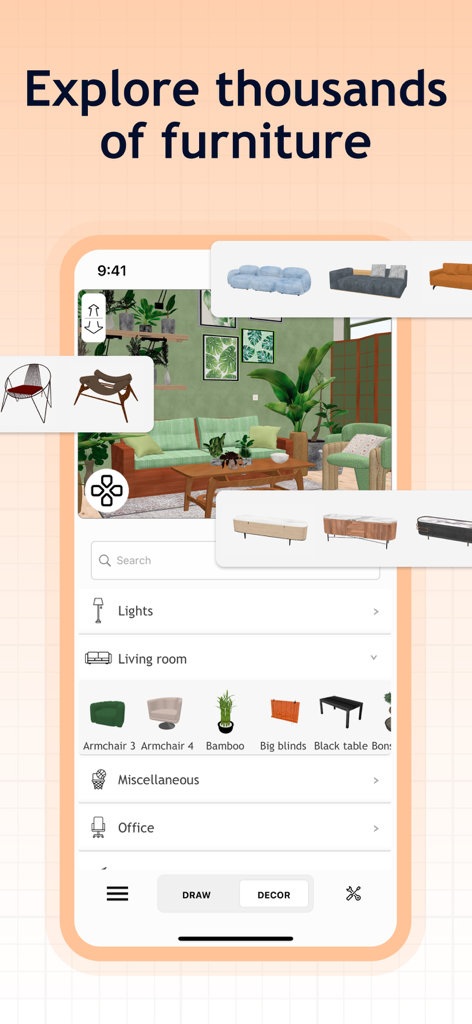
Sweet Home 3D app interface showing a 3D living room design with a catalog of furniture items and decor options.

Sweet Home 3D app interface showing a 3D living room design with a catalog of furniture items and decor options.

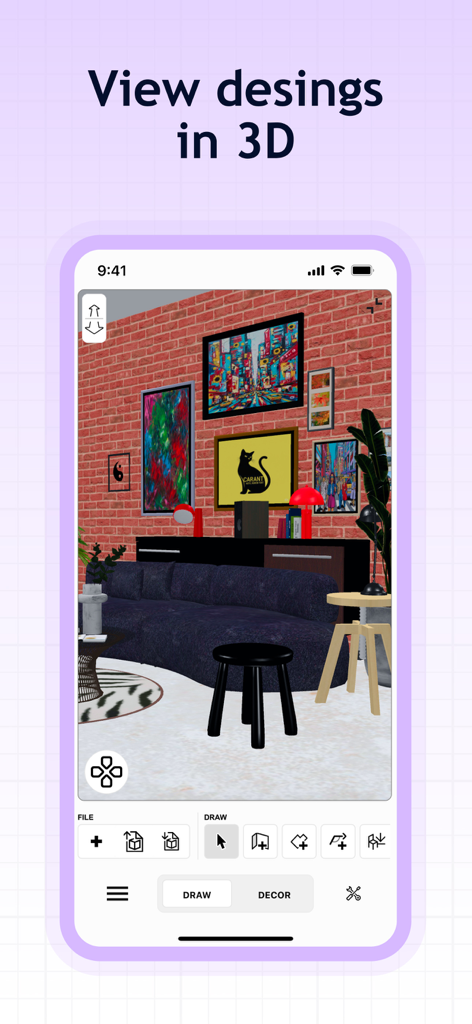
Screenshot of Sweet Home 3D app showing a 3D interior design project with a brick wall and modern furniture

Screenshot of Sweet Home 3D app showing a 3D interior design project with a brick wall and modern furniture

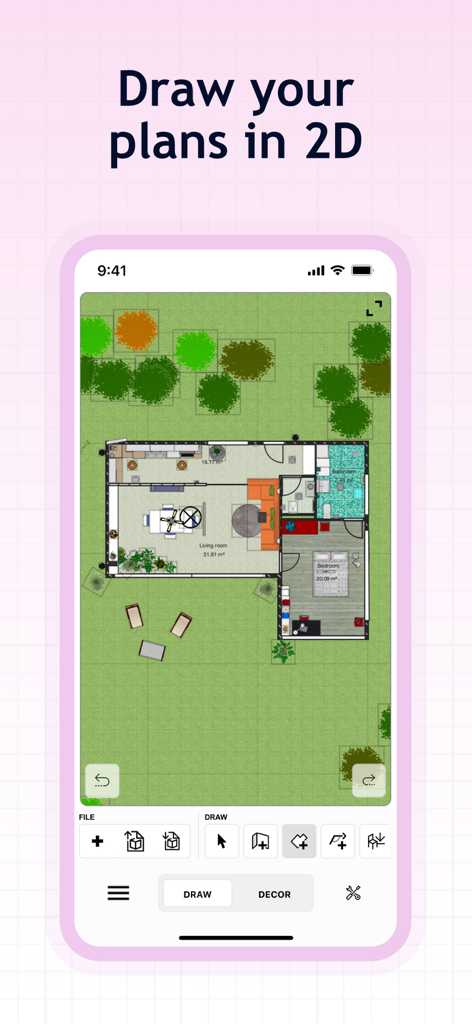
2D floor plan view of a house layout with furniture and garden in the Sweet Home 3D app

2D floor plan view of a house layout with furniture and garden in the Sweet Home 3D app

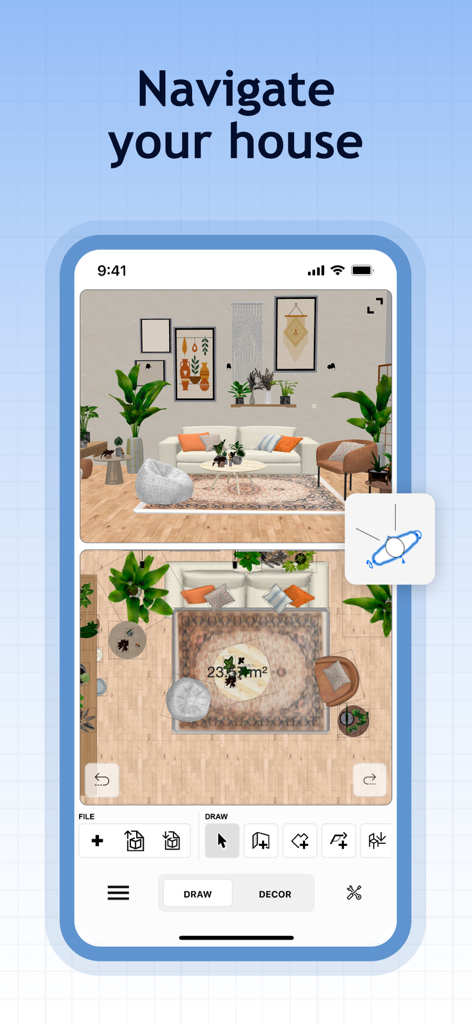
Sweet Home 3D app interface with 2D floor plan and 3D interior visualization

Sweet Home 3D app interface with 2D floor plan and 3D interior visualization

Design Your Dream Home with Precision

The tools that make this app stand out, trusted by 454K+ users.

🏠

Instant 2D to 3D Viewing

Sketch your floor plan in 2D and watch it instantly transform into an immersive 3D model. Experience your space from every angle.

📐

Precision-Perfect Layouts

Stop guessing and start planning. Input exact dimensions to ensure your furniture fits perfectly, saving you from costly delivery mistakes.

800+ Customizable Pieces

Browse an extensive library of furniture and decor. Change colors, sizes, and textures, or import custom 3D models for a truly unique look.

Loved by users worldwide

Trusted by 454K+ people who love this app.

"

"Moving into our first home was overwhelming until I found this app. It allowed me to visualize exactly where our furniture would fit in 3D before we even moved a single box. The drag-and-drop interface is so intuitive that I finished my entire floor plan in one evening!"

Sarah Jenkins
"

"As someone planning a complete basement remodel, the precision of Sweet Home 3D is a lifesaver. Being able to set exact dimensions and choose from hundreds of decor items saved me from making several costly measurement mistakes. It's professional-grade tools made simple."

Mark Thompson

About the app

Everything you need to know about Sweet Home 3D: Plan Your House.

Description

Since its launch in 2006, Sweet Home 3D has become a trusted choice for millions worldwide, with over 50 million downloads. Sweet Home 3D combines ease of use with professional-grade functionality, allowing users of all skill levels to create their dream spaces effortlessly. Why Choose Sweet Home 3D? - Navigate a user-friendly interface: Place furniture and design elements with simple drag-and-drop functionality, making it easy to navigate and customize - Visualize your design both in 2D and 3D: Simultaneously watch 2D and 3D views to explore your design from different perspectives, giving you a true feel of your envisioned space - Add furniture to your design: Choose from +800 furniture pieces, lighting options, and decor items with textures to furnish your space exactly as you envision - Import additional 3D Models: Import custom 3D models to add unique furniture and decor elements, ensuring that your design is as unique as your style - Be precise: Set precise dimensions and adjust room layouts to ensure accuracy and compatibility with your actual space - Save your designs: Save your designs and review them later - Multi-Language Support: Sweet Home 3D is available in multiple languages, making it accessible for users around the globe Features at a glance: - Easy-to-use 2D floor plan creation with instant 3D visualization - +800 items with customizable dimensions and color - Unlimited number of projects - Seamless model and textures imports and customizable options for unique designs - Access to a supportive online community for tips, inspiration, and feedback Download Sweet Home 3D today and start bringing your dream home to life! Subscribe to access to premium app features; subscription details are the following: - Length: weekly or yearly - Free trial: only on selected subscriptions - Your payment will be charged to your iTunes Account as soon as you confirm your purchase - You can manage your subscriptions and turn off auto-renewal from your Account Settings after the purchase - Your subscription will renew automatically, unless you turn off auto-renew at least 24 hours before the end of the current period - The cost of renewal will be charged to your account in the 24 hours prior to the end of the current period - When canceling a subscription, your subscription will stay active until the end of the period. Auto-renewal will be disabled, but the current subscription will not be refunded - Any unused portion of a free trial period, if offered, will be forfeited when purchasing a subscription Terms and Conditions https://sweethome3d.notion.site/iOS-MacOS-Sweet-Home-3D-Terms-Conditions-13ccf6557a08802b971ec995f00eaf5f?pvs=4Terms & Conditions: Privacy Policy: https://sweethome3d.notion.site/iOS-MacOS-Sweet-Home-3D-Privacy-Policy-138cf6557a08805ea75ad0f6dc7e9508?pvs=4 Pay a visit to our website for more information: https://www.sweethome3d.com If you have any questions, please contact us at info@sweethome3d.com

Latest Version

7.5.11

Size

214.2 MB

First Released

Sep 6, 2023

Start Bringing Your Dream Home to Life

Join over 50 million users who design with confidence. Download Sweet Home 3D now to visualize your space in stunning 3D before you move a single piece of furniture.

Download on App Store
FAQ

Frequently Asked Questions

Everything you need to know about Sweet Home 3D: Plan Your House

What is Sweet Home 3D used for?

Sweet Home 3D enables users to design and visualize their dream spaces. It combines 2D floor plan creation with instant 3D visualization, making furniture placement and room layout adjustments effortless for all skill levels.

How does Sweet Home 3D allow users to visualize their designs?

Sweet Home 3D allows design visualization by simultaneously displaying 2D and 3D views. This enables users to explore their designs from multiple perspectives, providing a true feel of the envisioned space.

How many furniture pieces does Sweet Home 3D offer?

Sweet Home 3D offers over 800 furniture pieces, lighting options, and decor items with textures. Users choose from this collection or import custom 3D models to furnish their spaces exactly as envisioned.

Can users import custom 3D models into Sweet Home 3D?

Yes, Sweet Home 3D allows users to import custom 3D models. This feature enables the addition of unique furniture and decor elements, ensuring personalized and distinctive designs within the application.

What are the subscription options for Sweet Home 3D?

Sweet Home 3D offers weekly or yearly subscription lengths for premium app features. Payment is charged to the iTunes Account upon purchase confirmation. Users manage subscriptions via Account Settings.

Does Sweet Home 3D offer a free trial?

Yes, Sweet Home 3D offers a free trial only on selected subscriptions. Any unused portion of a free trial period, if offered, is forfeited when purchasing a subscription.

How do I manage my Sweet Home 3D subscription?

Users manage Sweet Home 3D subscriptions and turn off auto-renewal from their Account Settings after purchase. Auto-renewal must be disabled at least 24 hours before the current period ends.

What languages does Sweet Home 3D support?

Sweet Home 3D supports multiple languages. This multi-language capability makes the application accessible for users around the globe, catering to a diverse international audience.

Can I create 2D floor plans with Sweet Home 3D?

Yes, Sweet Home 3D enables easy creation of 2D floor plans. This feature integrates with instant 3D visualization, providing a comprehensive design experience and precise layout control.

Can Sweet Home 3D help with precise dimension adjustments?

Yes, Sweet Home 3D allows users to set precise dimensions and adjust room layouts. This ensures accuracy and compatibility of the designs with the actual physical space.