Teleprompter.com

Teleprompter.com

Download on App StoreDownload on Google Play
Spark by MWM logo
Logo of Teleprompter.com

Teleprompter.com: Master the Camera with One-Take Professionalism

Empower your brand with the ultimate video tool for creators and leaders. Deliver scripts naturally with AI voice-scrolling, record in high-quality, and maintain perfect eye contact—anywhere, on any device.

Publisher

Teleprompter LLC

Category

Productivity

Downloads

2M+

User Rating

4.8/5

Total Ratings

74K+

Locales

28

The Vision of Perfection

Discover the interface used by 2M+ users.
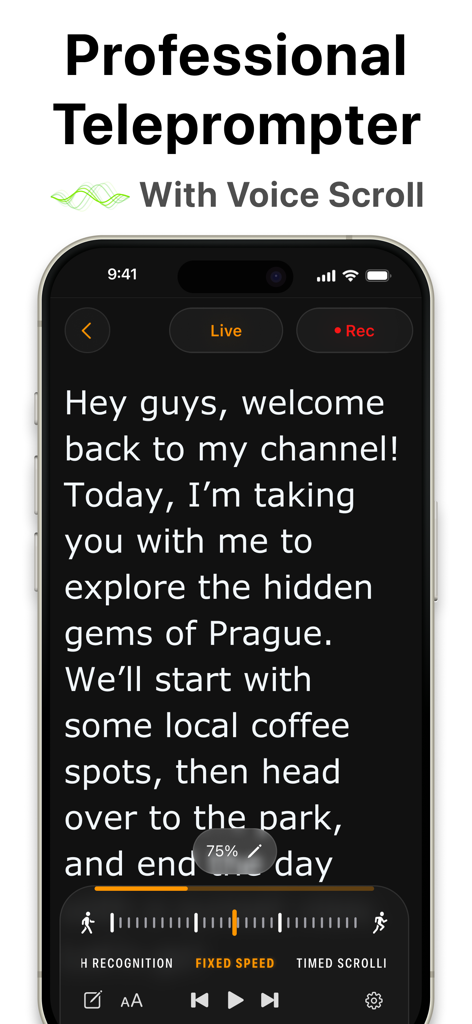
iPhone displaying the Teleprompter app interface with a script and voice scroll feature

iPhone displaying the Teleprompter app interface with a script and voice scroll feature

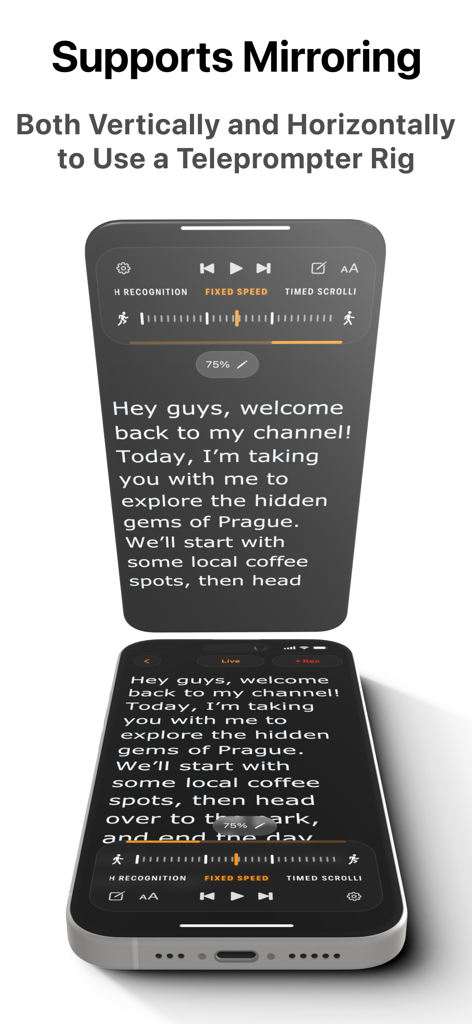
Professional teleprompter app with vertical and horizontal mirroring for hardware rigs

Professional teleprompter app with vertical and horizontal mirroring for hardware rigs

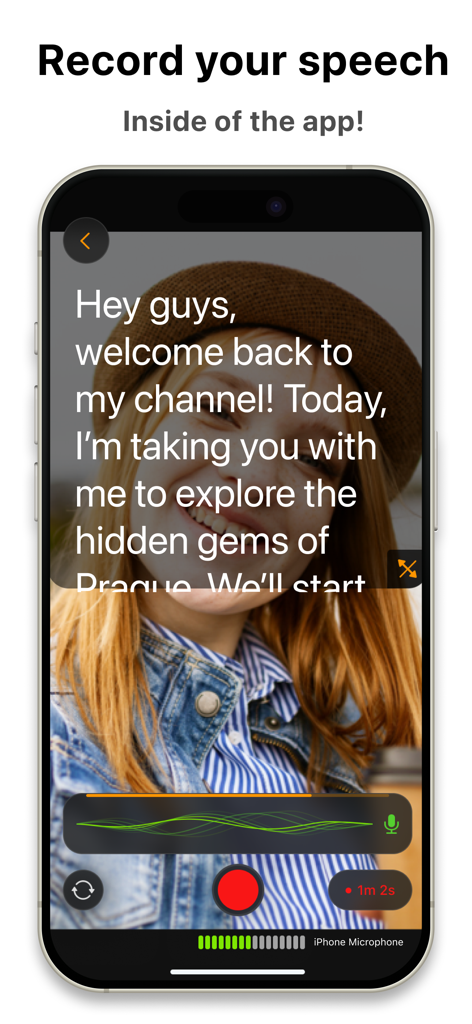
iPhone displaying the Teleprompter.com app recording interface with a script overlay

iPhone displaying the Teleprompter.com app recording interface with a script overlay

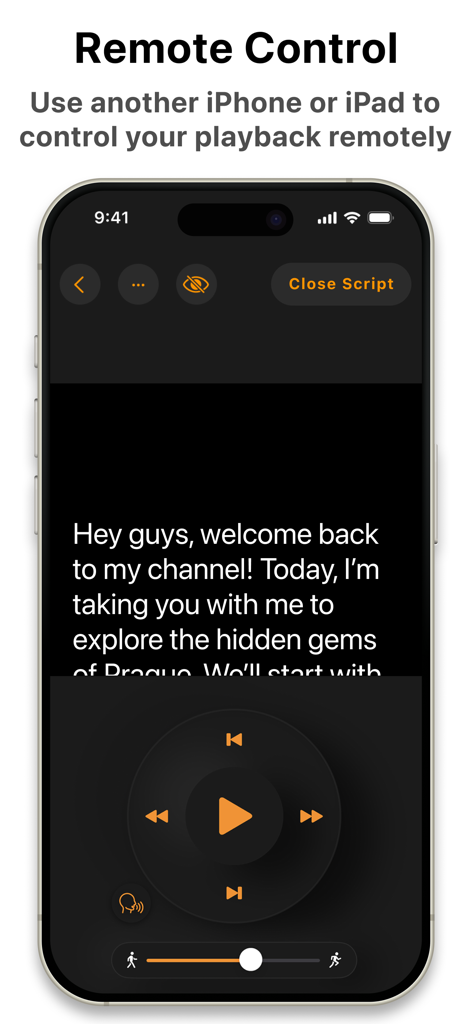
Smartphone screen showing the remote control interface of the Teleprompter app with script playback buttons

Smartphone screen showing the remote control interface of the Teleprompter app with script playback buttons

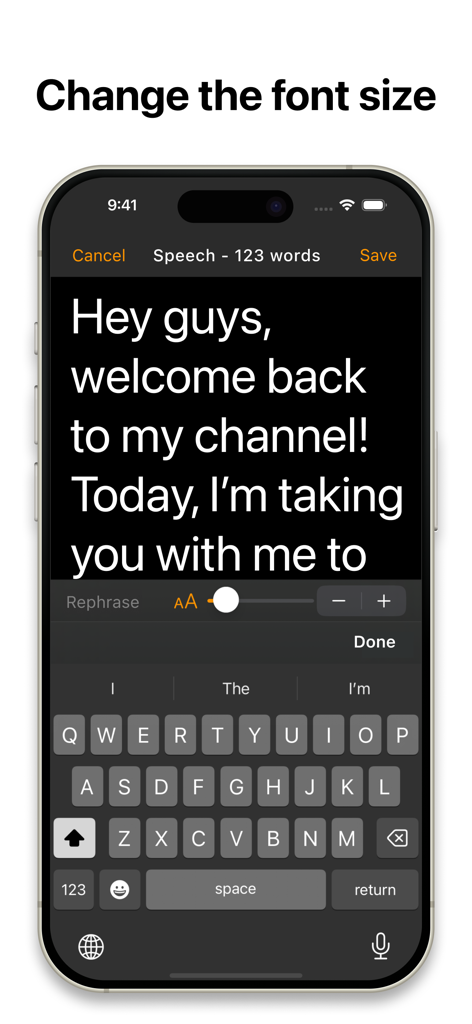
Teleprompter app interface showing a script editor with font size slider controls on an iPhone

Teleprompter app interface showing a script editor with font size slider controls on an iPhone

Command the Camera with Confidence

The tools that make this app stand out, trusted by 2M+ users.

🎙️

AI-Powered Voice Following

Eliminate the stress of manual pacing. Our intelligent scrolling follows your natural speech, ensuring you never miss a beat or lose eye contact.

Multi-Device Remote Control

Manage your script seamlessly from your Apple Watch, Bluetooth remote, or another device. Stay focused on the lens without ever touching your camera rig.

Pro-Level Studio Effects

Instantly replace backgrounds, enhance audio, and record in high definition. Achieve one-take perfection and professional branding every time you hit record.

Loved by users worldwide

Trusted by 2M+ people who love this app.

"

"As a Marketing Director, my schedule is packed and I can't afford to spend hours re-recording internal updates. Teleprompter.com has been a total game-changer for my executive presence. The voice-following scroll is pure magic—it waits for me to pause for emphasis, making my delivery look completely natural instead of scripted. I've officially become a 'one-take wonder' and saved hours of production time every week."

Sarah Jenkins, Corporate Communications Lead
"

"I’ve always struggled with reading scripts due to my dyslexia, but this app’s inclusion of the Open Dyslexic font and customizable margins changed everything for me. I can finally keep my eyes on the lens while feeling confident in what I'm saying. Being able to sync my scripts across my Mac and iPad, then control them with my Apple Watch, gives me a professional studio setup right in my home office."

Jordan Miller, E-Learning Content Creator

About the app

Everything you need to know about Teleprompter.com.

Description

More than 5 million downloads and counting—Teleprompter.com is your go-to teleprompting app designed to make professional videos effortless for content creators, public speakers, educators, and businesses. Teleprompt Like a Pro Teleprompter.com helps you easily read and deliver scripts without missing a beat. Compatible with iPhone, iPad, and Mac, it offers smooth script scrolling, easy video recording, and flawless live streaming, all from one intuitive app. Key Features: Script Management Made Easy - Write and edit scripts directly within the app - Import TXT, Word, and PDF scripts from your favorite cloud services - Store unlimited scripts securely within the app - Automatically generate subtitles from your scripts Advanced Teleprompting Controls - Automatic scrolling that seamlessly follows your voice - Adjustable scrolling speed for manual control - Timed scrolling for precise delivery - Rephrase tricky lines instantly with AI-powered assistance - Customize fonts, including accessible fonts like Lexend and Open Dyslexic - Resize text to keep your eyes focused on the camera - Vertical and horizontal mirroring options - Countdown timer before scrolling starts - Remaining script time indicator to clearly track how much time is left - Progress bar to visually monitor script completion Record and Edit Your Videos - Record high-quality videos directly in the app - Seamlessly switch between front and rear cameras during recordings - Pause and resume recordings without hassle - Trim your footage easily - Add personalized intros and outros for professional finishing touches Boost Your Visual Appeal - Replace backgrounds with custom images or videos - Portrait mode to blur backgrounds elegantly, keeping the focus on you - Adjustable resizing options for perfect framing - Professional-grade audio quality is achievable with the clean audio feature, which eliminates background noise. Live Streaming Made Easy - Perfect for live broadcasts—stay on-point every time Remote Control - Use another device with the Teleprompter.com app to control playback and see the screen from the remote remotely - Works online and offline as well - Edit your scripts from the remote and do not touch the device in the teleprompter rig - Additional remote options: Apple Watch, Bluetooth keyboards, presentation remotes, game controllers, MIDI controllers, and foot pedals Enhanced Accessibility & Integration - Optimized support for right-to-left languages (Hebrew, Arabic, and more) - Connect to DockKit-supported gimbals for stable, professional-grade videos - External USB microphone support on compatible devices for exceptional audio quality - Customize margins to suit any teleprompter setup perfectly Easy Sign-In & Customization - Quick sign-in across devices (including Sign in with Apple and Google) - Customizable app icons and quick launch from your lock screen with iOS 18 - Enhanced macOS performance with an intuitive, user-friendly interface Stay Connected with Your Audience Consistently create engaging content like: - Short videos for social updates - Tutorials and explainer content - Testimonials and interviews - Internal company messages - Product pitches and announcements - E-learning content and coaching materials - Teasers and trailers linked to your website Teleprompter.com Pro Subscription Unlock all premium features with our monthly subscription for just $19.99/month after a 7-day free trial. Easily manage your subscription through your iTunes account. Note: Any unused portion of a free trial period will be forfeited when you purchase the subscription. Privacy Policy: https://www.teleprompter.com/privacy-policy Terms of Use: https://www.teleprompter.com/end-user-licence-agreement Got feedback? We'd love to hear from you: support@teleprompter.com Transform your video presentations effortlessly—download Teleprompter.com now and deliver every line perfectly!

Latest Version

9.0.12

Size

77.9 MB

First Released

Aug 23, 2018

Ready to Become a One-Take Wonder?

Join 5 million professionals creating high-impact videos in minutes, not hours. Download Teleprompter.com today and start your 7-day free trial.

Download on App StoreDownload on Google Play
FAQ

Frequently Asked Questions

Everything you need to know about Teleprompter.com

What devices does the Teleprompter.com app support?

The Teleprompter.com app supports iPhone, iPad, and Mac devices. It is designed for seamless teleprompting across these Apple platforms.

What is the cost of the Teleprompter.com Pro Subscription?

The Teleprompter.com Pro Subscription costs $19.99 per month. It includes a 7-day free trial to unlock all premium features.

Can users import scripts into the Teleprompter.com app?

Yes, users can import TXT, Word, and PDF scripts into the Teleprompter.com app directly from their favorite cloud services for easy management.

Does Teleprompter.com support screen mirroring for teleprompter rigs?

Yes, Teleprompter.com supports both vertical and horizontal mirroring options. This feature allows users to integrate the app with teleprompter rigs.

Can Teleprompter.com record videos directly within the app?

Yes, Teleprompter.com allows users to record high-quality videos directly in the app. It also supports switching between front and rear cameras during recording.

How does remote control work with the Teleprompter.com app?

Users can control Teleprompter.com playback remotely using another device with the app, Apple Watch, Bluetooth keyboards, presentation remotes, game controllers, or foot pedals.

Does Teleprompter.com offer voice-activated script scrolling?

Yes, Teleprompter.com features automatic scrolling that seamlessly follows the user's voice. This ensures a natural delivery without manual adjustments.

Can Teleprompter.com change video backgrounds or blur them?

Yes, Teleprompter.com can replace backgrounds with custom images or videos. It also offers a portrait mode to blur backgrounds, keeping focus on the presenter.

Does Teleprompter.com offer AI assistance for scripts?

Yes, Teleprompter.com provides AI-powered assistance to instantly rephrase tricky lines within the script. This helps users deliver content smoothly.

Does Teleprompter.com offer a free trial for its Pro features?

Yes, Teleprompter.com provides a 7-day free trial for its Pro Subscription. This allows users to unlock and experience all premium features before committing.