
TimeStamp Camera+MAP



Protect your business and automate field reporting with anti-tamper GPS, time, and weather watermarks. The trusted documentation tool for construction, logistics, and property management professionals.
Publisher
Category
UtilitiesDownloads
384K+User Rating
Total Ratings
9K+Locales
3Discover the interface used by 384K+ users.
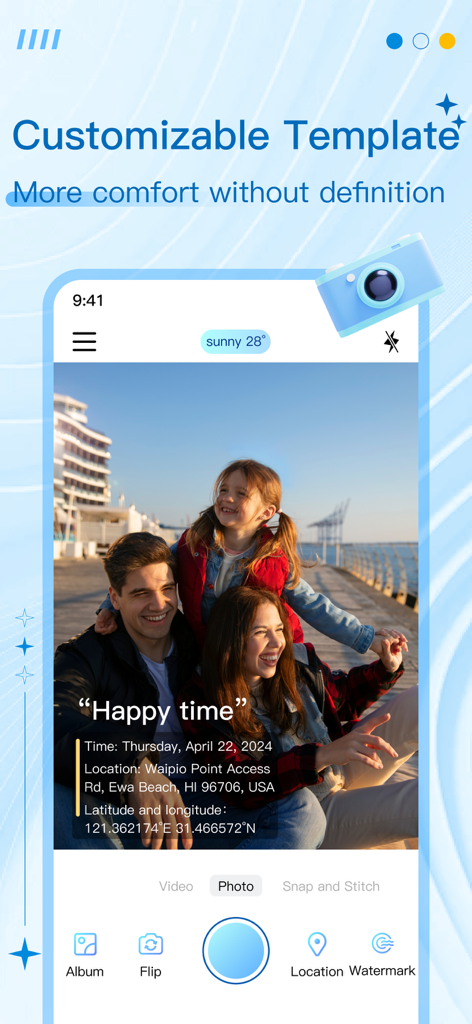
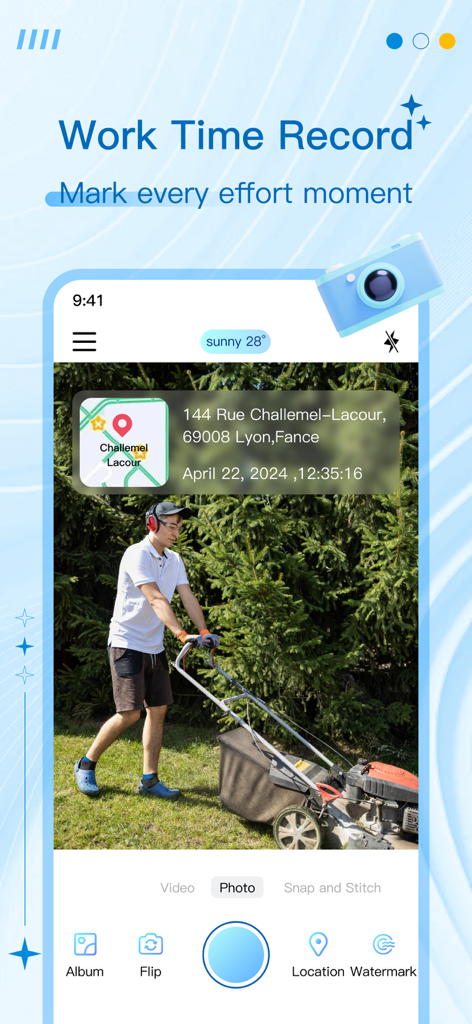
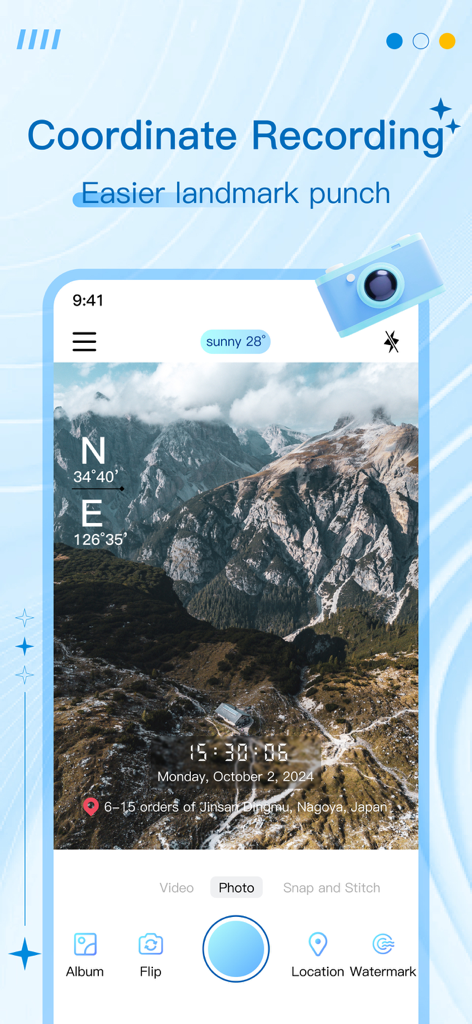
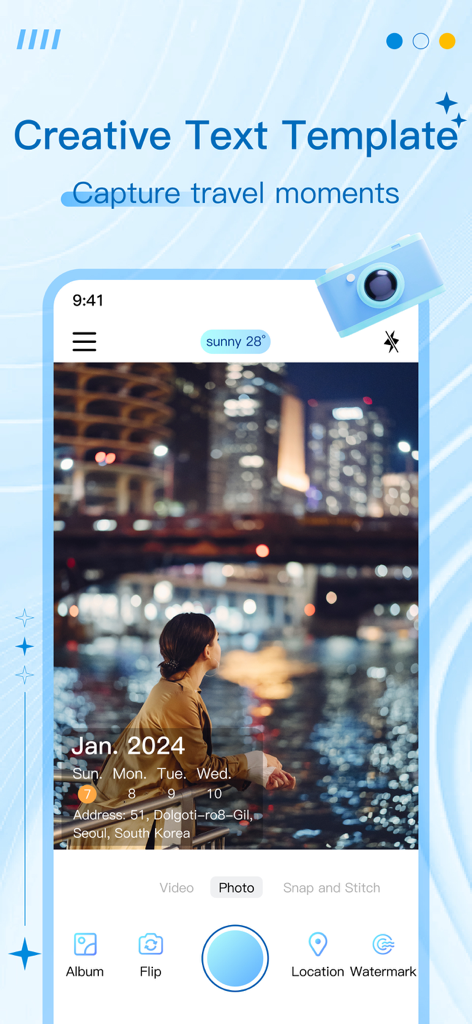
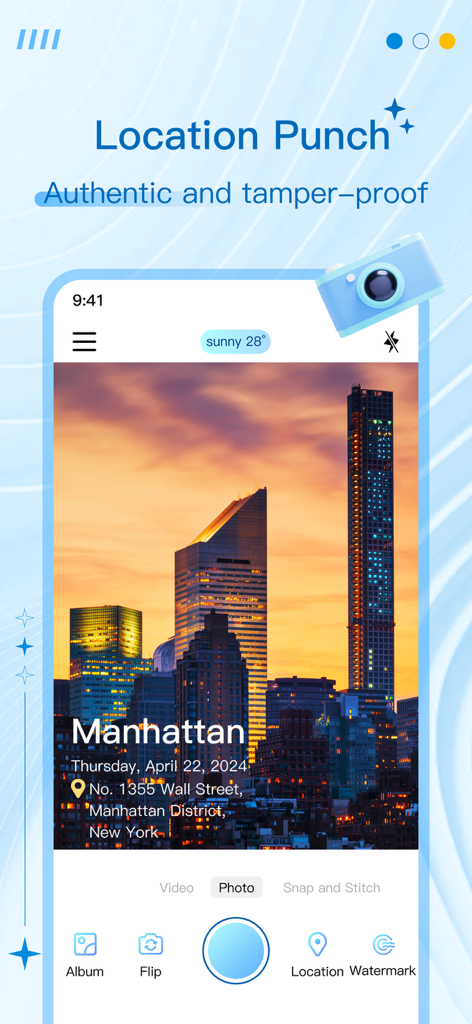
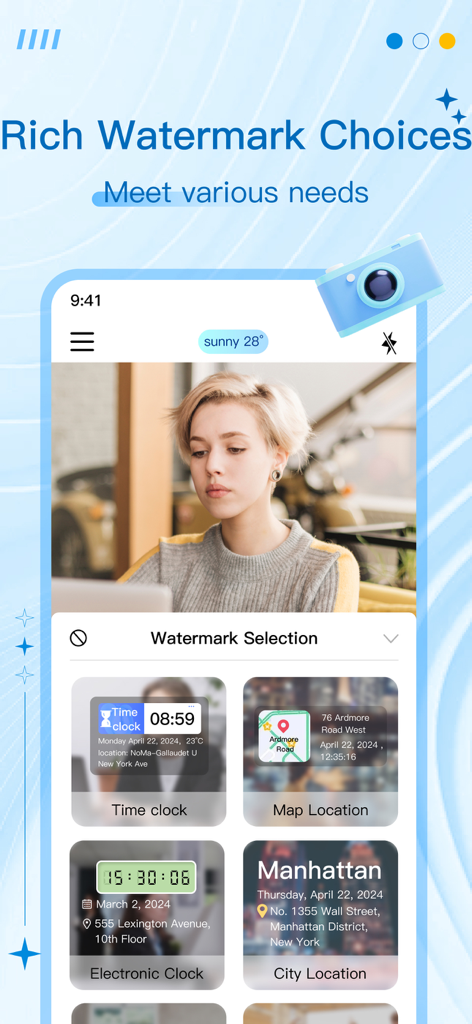
The tools that make this app stand out, trusted by 384K+ users.
Ensure your records are bulletproof with real-time and GPS data that cannot be edited, providing an ironclad audit trail for clients and stakeholders.
Go beyond a simple photo by automatically embedding coordinates, altitude, weather, and decibel levels to provide a complete picture of job site conditions.
Switch between specialized layouts for construction logs, property inspections, and attendance tracking to standardize your reporting and save hours of office work.
Trusted by 384K+ people who love this app.
"This app is an absolute game-changer for our construction site inspections. The anti-tamper timestamps and GPS data provide the irrefutable proof we need for our daily progress reports, saving us hours of manual documentation while protecting us from liability."
"Managing multiple commercial properties means I need documentation I can trust. Being able to bake the exact location, time, and even weather conditions directly into my photos makes my move-out inspections professional and prevents any disputes with tenants."
Everything you need to know about TimeStamp Camera+MAP.
Description
Latest Version
1.0.13
Size
116.9 MB
First Released
Apr 24, 2024
Join over 380,000 professionals who rely on our anti-tamper watermarks to provide irrefutable proof of work, time, and location.
Everything you need to know about TimeStamp Camera+MAP
TimeStamp Camera+MAP is an app that adds watermarks with real-time and location data to photos and videos. It is designed to prevent tampering and is suitable for various professional and personal recording needs.
Yes, TimeStamp Camera+MAP allows users to add watermarks to both photos and videos. These watermarks include real-time and location information.
Yes, TimeStamp Camera+MAP ensures watermarks contain real-time and location data to prevent tampering. This feature makes it a reliable tool for professional documentation.
TimeStamp Camera+MAP can add various types of information to watermarks, including work details, real-time, location, latitude and longitude, altitude, weather, and decibel levels.
Yes, TimeStamp Camera+MAP is suitable for attendance clock-in. It offers professional watermark templates where real-time and location data cannot be tampered with.
To cancel your TimeStamp Camera+MAP subscription, go to "iTunes Store and App Store," click "App ID," then "Account Settings," "Subscription," and choose to cancel renewal.
Yes, TimeStamp Camera+MAP allows users to customize watermark content. You can freely switch content options on and off and edit them within the application.
TimeStamp Camera+MAP is designed for scenarios like time clock-in, attendance clock-in, transportation records, meeting records, property management, custom text addition, and location clock-in.
Yes, TimeStamp Camera+MAP automatically updates watermarks with real-time date, location, weather, and decibel information. This ensures accuracy and relevance for recorded data.
The Privacy Agreement for TimeStamp Camera+MAP is available at https://docs.google.com/document/d/e/2PACX-1vSSLnQ2d_4J4R9Xt2IdqcG-vNllkSQxoQpdKOG9-njEzz3wqkVvA3YSz66ICkd7nQNu4NdF1Ns-MOnm/pub.
Apps with similar features and user experience

Keep Curiosity, Inc.

OCEAN GALAXY PTE. LTD.

Beidou Hanglu Technology Co.,Ltd.

CompanyCam, Inc
Keep Curiosity, Inc.

Shuzhuo Network Technology Guangzhou Co., Ltd.

Chengdu Chongbianli Science and Technology Ltd.

佳铭 游

则建 高