
UniFi




Effortlessly scale, monitor, and optimize your IT infrastructure with professional analytics, secure VPN access, and intuitive management designed for home and business.
Publisher
Category
ProductivityDownloads
2M+User Rating
Total Ratings
23K+Locales
18Discover the interface used by 2M+ users.
The tools that make this app stand out, trusted by 2M+ users.
Adopt, configure, and scale your entire UniFi ecosystem from a single dashboard on your iPhone or iPad.
Protect your privacy on public networks with a single-tap VPN that tunnels directly back to your secure home gateway.
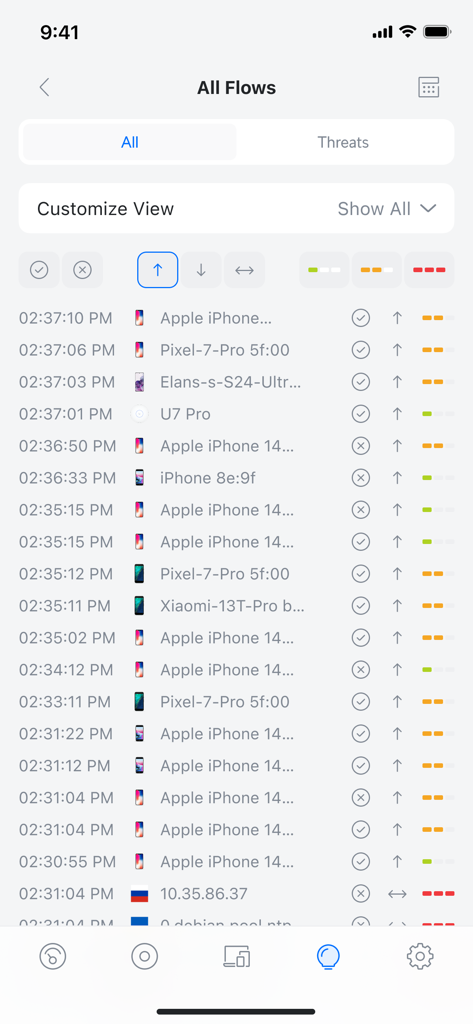
Identify bandwidth hogs and optimize performance with real-time data visualization and detailed client tracking.
Trusted by 2M+ people who love this app.
"The UniFi app has completely transformed how I manage my home network. The Teleport VPN is a lifesaver when I am traveling, allowing me to access my secure home connection with a single tap. It is the perfect blend of professional power and mobile simplicity for any tech enthusiast."
"Managing our office IT infrastructure used to be a headache until we switched to UniFi. The real-time analytics and intuitive traffic routing give me total visibility over our network performance, making it incredibly easy to scale as our team grows. Highly recommended for small business owners."
Everything you need to know about UniFi.
Description
Latest Version
10.31.4
Size
355.6 MB
First Released
Dec 1, 2015
Join over 2 million prosumers and IT experts scaling their infrastructure with enterprise-grade precision, detailed analytics, and single-tap security.
Everything you need to know about UniFi
The UniFi app provides a central management interface for home and business IT. It allows users to easily scale, monitor, and optimize every aspect of their network, including WiFi setup and traffic routing.
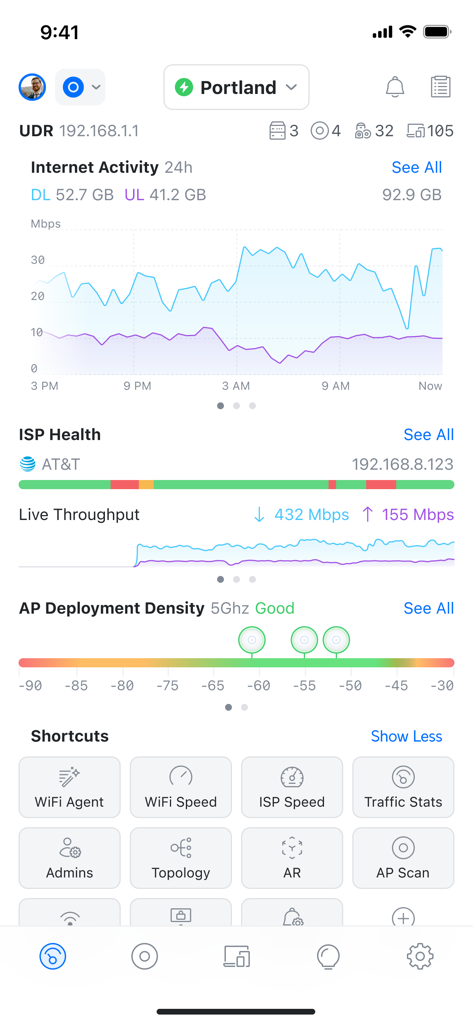
The UniFi app monitors network performance by displaying internet activity with download and upload data usage, a live throughput graph, and ISP health. It also shows AP deployment density for optimal coverage.
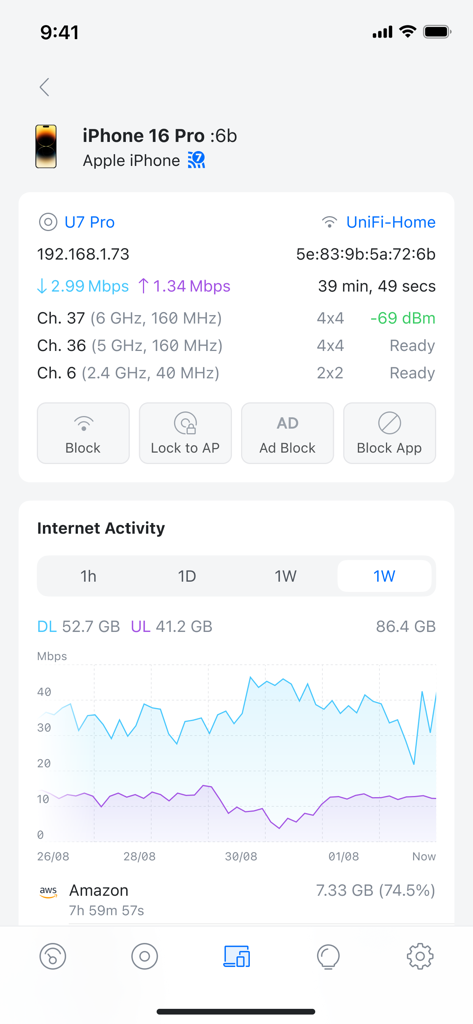
Yes, the UniFi app provides individual client network details. Users can see a client's device type, connection information, real-time download and upload speeds, active channels, and signal strength.
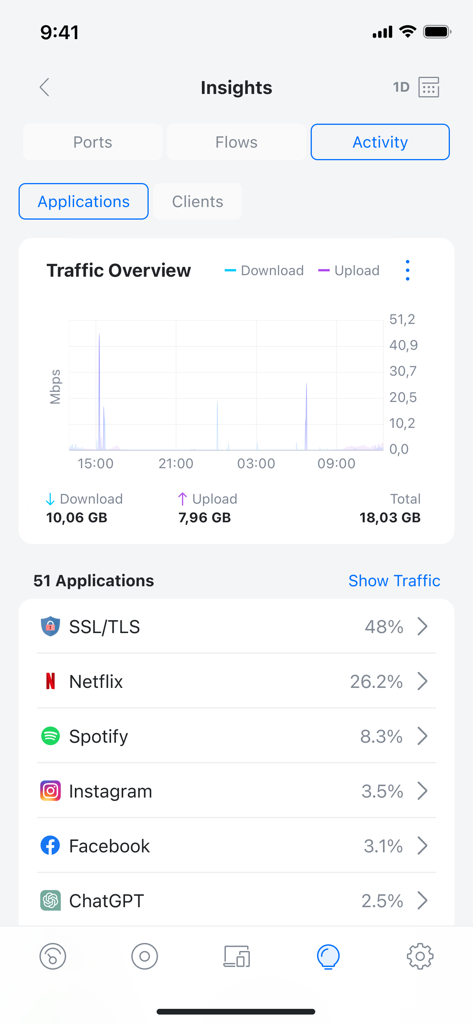
Yes, the UniFi app shows application-level network traffic usage. It provides a traffic overview graph and lists specific applications, such as Netflix and Spotify, by their percentage of total data consumption.
Yes, the UniFi app offers secure, single-tap VPN access. This feature simplifies establishing secure connections for managing networks in both home and business environments.
The UniFi app simplifies WiFi setup and configuration through its intuitive central management interface. This allows users to easily manage and optimize their wireless network settings.
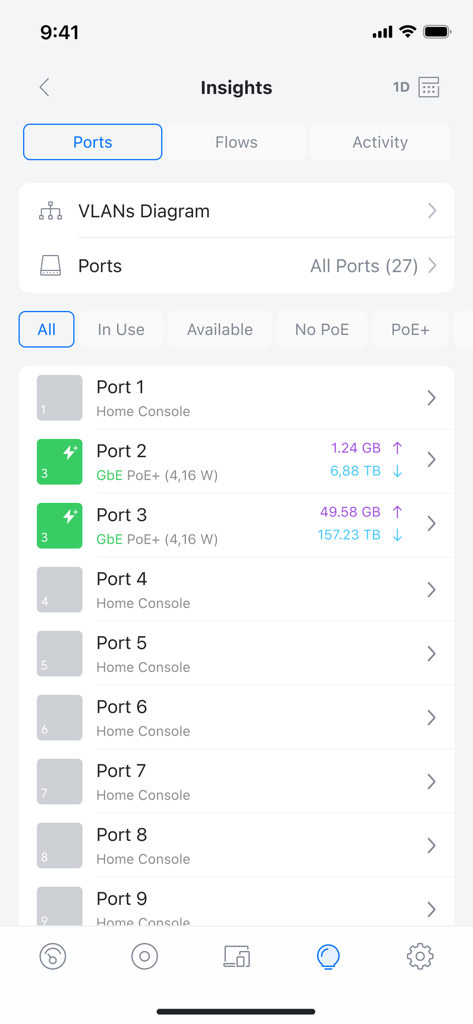
Yes, the UniFi app displays detailed network port information. It shows a list of all ports, their usage status (e.g., in use, available, PoE+), and associated data throughput.
Apps with similar features and user experience

TP-Link Systems Inc.

AT&T Services, Inc.

TP-Link Systems Inc.

eero LLC

MERCUSYS Technologies Co., Ltd.

TP-Link Systems Inc.

eero LLC

NETGEAR, Inc.

Freebox
