
Voice Recorder Lite: Record HD


Capture crystal-clear sound with advanced noise reduction from up to 100 meters. Whether in a lecture hall or a boardroom, record, edit, and sync your audio instantly to the cloud with the tool trusted by millions of professionals and students.
Publisher
Category
BusinessDownloads
6M+User Rating
Total Ratings
280K+Locales
10Discover the interface used by 6M+ users.
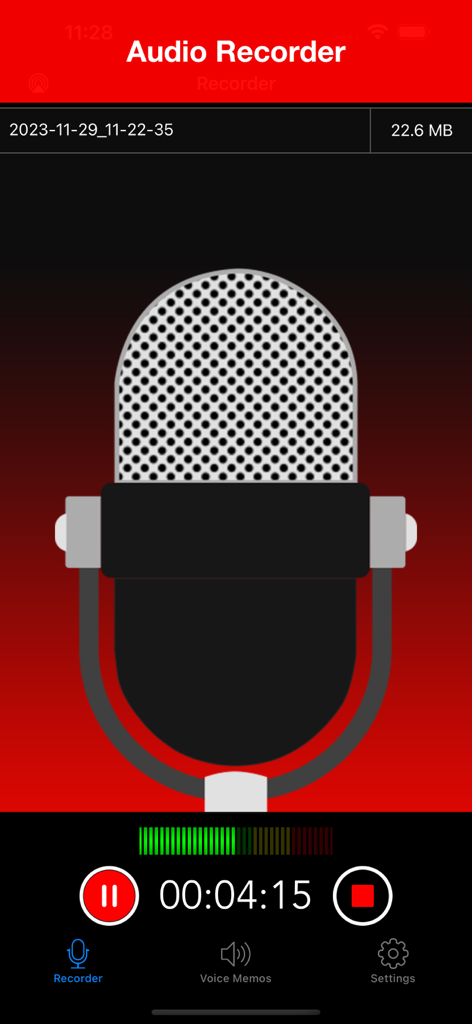
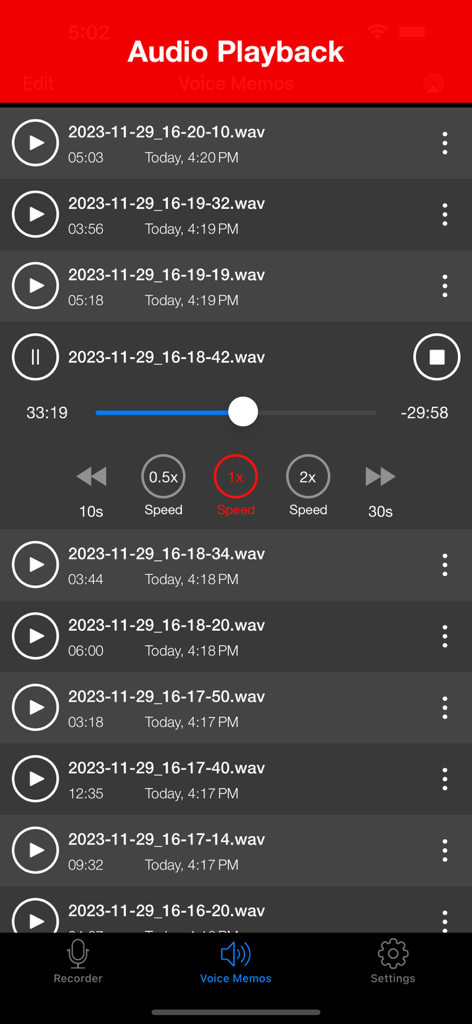
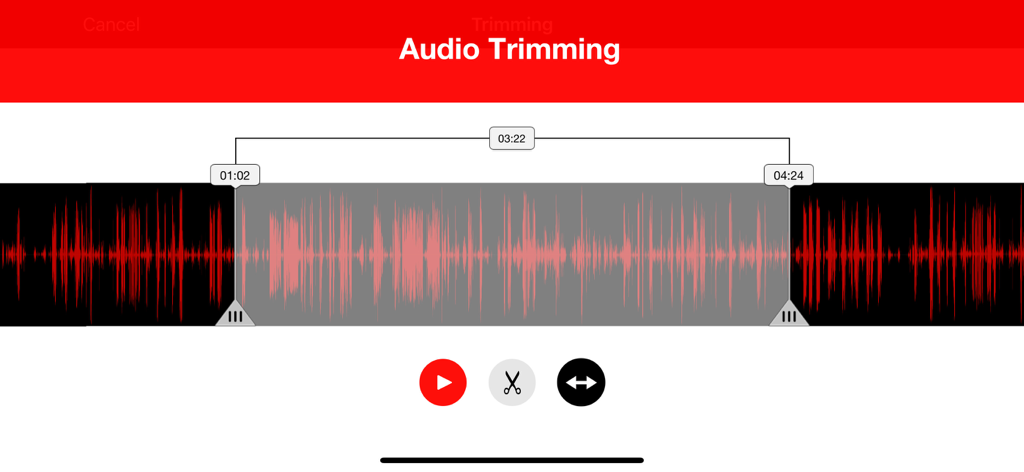
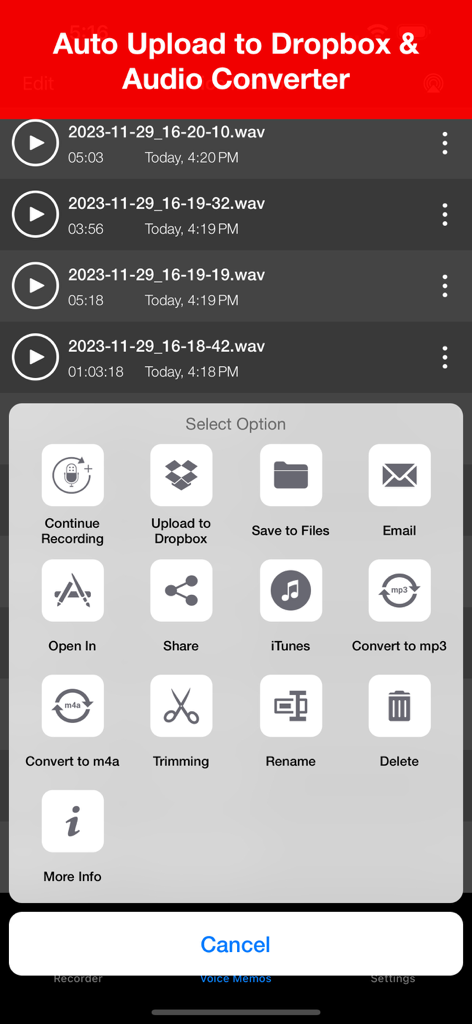
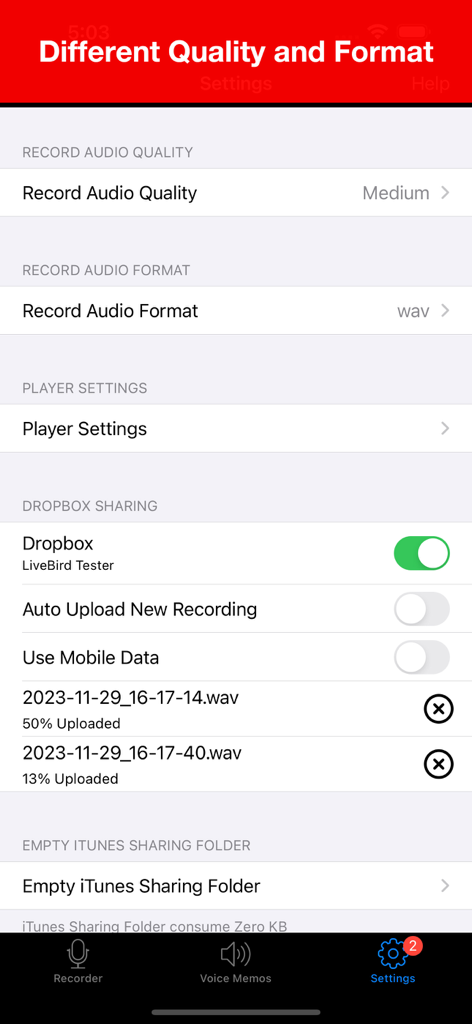
The tools that make this app stand out, trusted by 6M+ users.
Capture high-fidelity sound from up to 100 meters away with built-in noise reduction technology, perfect for large lecture halls and busy conference rooms.
Never lose a recording again. Automatically sync your files to Dropbox or iCloud, and rest easy knowing recordings resume instantly after incoming phone calls.
Trim your audio on the fly and connect external Tascam or Bluetooth microphones for a professional studio setup on your iPhone or iPad.
Trusted by 6M+ people who love this app.
"This app is a total lifesaver for my university lectures. I often sit at the back of large halls, but the noise reduction captures the professor's voice with incredible clarity. Syncing directly to Dropbox and trimming the audio on my iPad makes my study sessions so much more efficient."
"As a professional journalist, reliability is everything. The call interruption handling gives me peace of mind during interviews, and the external mic support allows me to capture studio-quality sound anywhere. It is far superior to the native voice memo app for serious work."
Everything you need to know about Voice Recorder Lite: Record HD.
Description
Latest Version
8.5
Size
37.9 MB
First Released
Jan 14, 2015
Join over 6 million professionals and students who trust Voice Recorder Lite for noise-free, HD recordings that sync instantly to your cloud.
Everything you need to know about Voice Recorder Lite: Record HD
Yes, Voice Recorder Lite supports various audio quality settings including Low (8KHz), Medium (22.05KHz), and High (44.1KHz) to suit your recording needs.
Voice Recorder Lite allows users to save recordings in multiple formats. It supports WAV, CAF, and M4A formats for audio files.
Yes, Voice Recorder Lite supports background recording, allowing you to continue capturing audio even when the app is not actively open on your screen.
Yes, Voice Recorder Lite includes audio trimming functionality. Users can select a specific part of a recording and trim it as needed.
Voice Recorder Lite offers multiple sharing options including email, Dropbox (with auto-upload), iCloud Drive, iTunes file sharing, and Airdrop to iOS and Mac devices.
Yes, Voice Recorder Lite supports external input devices. It has been tested with Bluetooth microphones and other external microphones, including Tascam mics.
Yes, Voice Recorder Lite supports auto-uploading recordings directly to Dropbox. Users can enable this feature in the app's settings.
Yes, Voice Recorder Lite features call interruption handling. Recording will automatically continue after a phone call or other interruption ends.
Voice Recorder Lite provides quick audio playback with controls. These include fast backward, fast forward, and speed adjustment options (0.5x, 1x, 2x).
Yes, Voice Recorder Lite is a universal app. It provides support for both iPhone and iPad devices, ensuring consistent functionality across platforms.
Yes, Voice Recorder Lite incorporates codec noise reduction technology to enhance the clarity and quality of recorded audio.
Yes, Voice Recorder Lite allows converting audio files. Users can convert recordings to MP3 or M4A formats from the sharing options menu.
Apps with similar features and user experience

Kohei Yasui

Hieu Nguyen

Shure Incorporated

Hieu Nguyen

LiveBird Technologies Private Limited

Newkline Co., Ltd.

Protection & Security App LLC

SMM service, s.r.o.
Viktor Sukhoy

