ZWCAD Mobile - Mobile CAD

ZWCAD Mobile - Mobile CAD

Download on App Store
Spark by MWM logo
Logo of ZWCAD Mobile - Mobile CAD
ZWCAD Mobile: Professional CAD Power in Your Pocket

Trusted by 10 million architects and engineers. View, edit, and annotate DWG files with 8-digit precision to bridge the gap between your office and the construction site.

Publisher

ZWCAD Software Co.,Ltd.

Category

Productivity

Downloads

1M+

User Rating

4.7/5

Total Ratings

6K+

Locales

15

Precision in the Palm of Your Hand

Discover the interface used by 1M+ users.
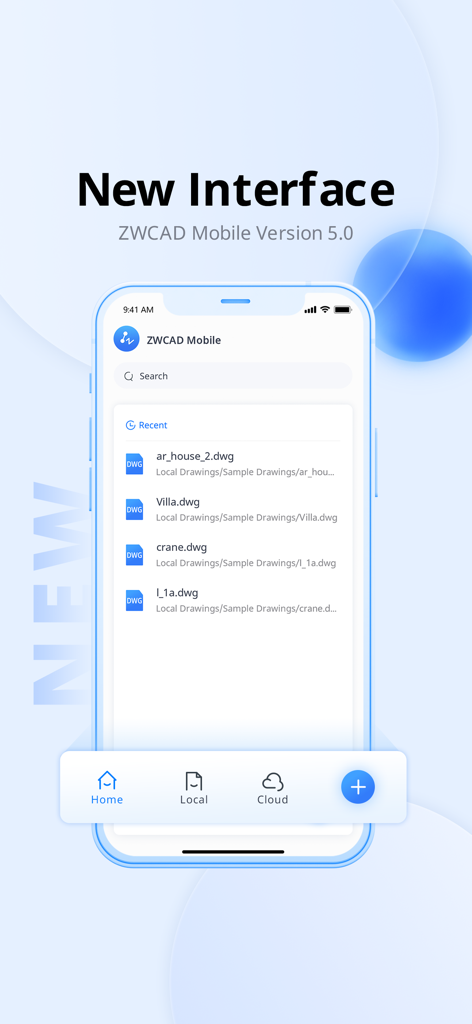
ZWCAD Mobile Version 5 interface showing a list of DWG drawings

ZWCAD Mobile Version 5 interface showing a list of DWG drawings

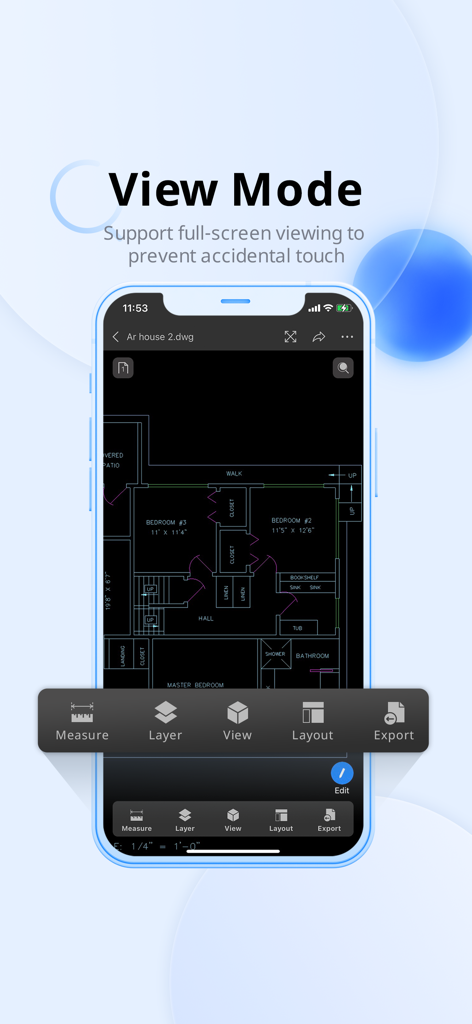
ZWCAD Mobile app displaying a detailed house floor plan in full screen view mode on a smartphone

ZWCAD Mobile app displaying a detailed house floor plan in full screen view mode on a smartphone

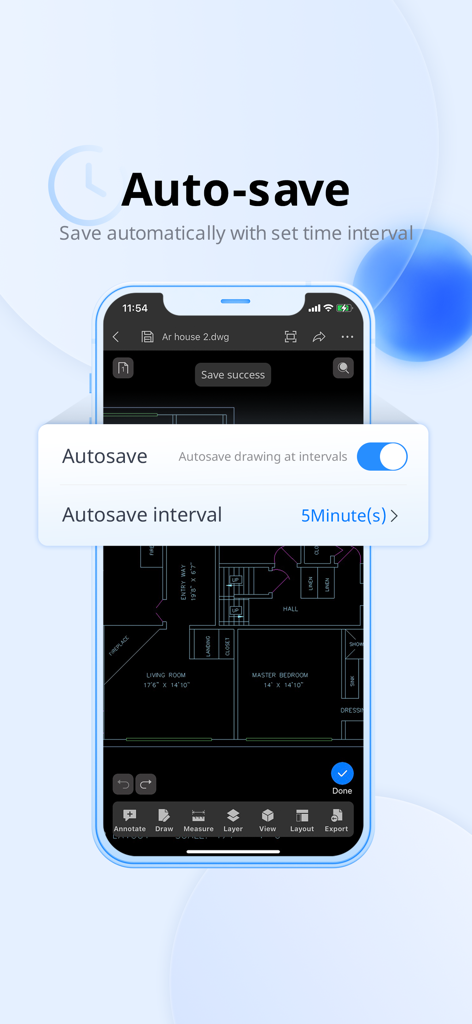
ZWCAD Mobile app auto-save settings interface showing time interval options over a CAD floor plan

ZWCAD Mobile app auto-save settings interface showing time interval options over a CAD floor plan

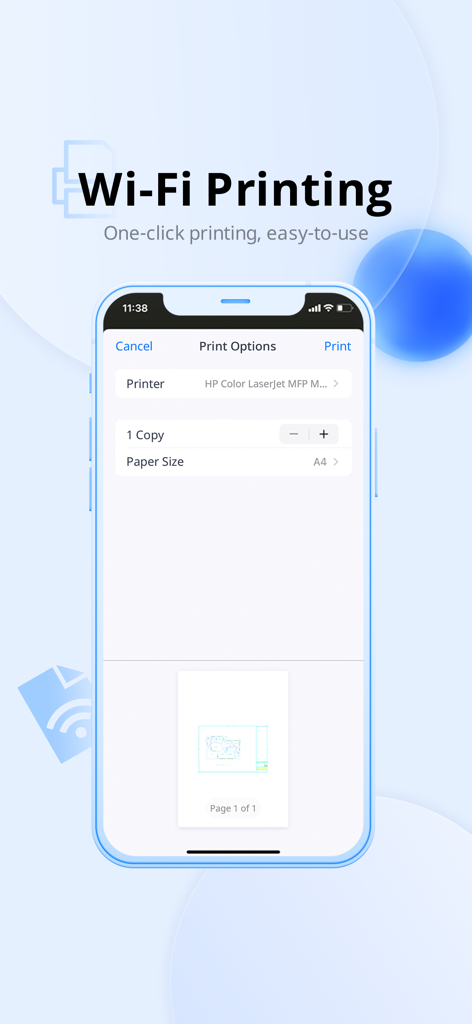
Smartphone screen showing Wi-Fi printing options for a CAD drawing in ZWCAD Mobile

Smartphone screen showing Wi-Fi printing options for a CAD drawing in ZWCAD Mobile

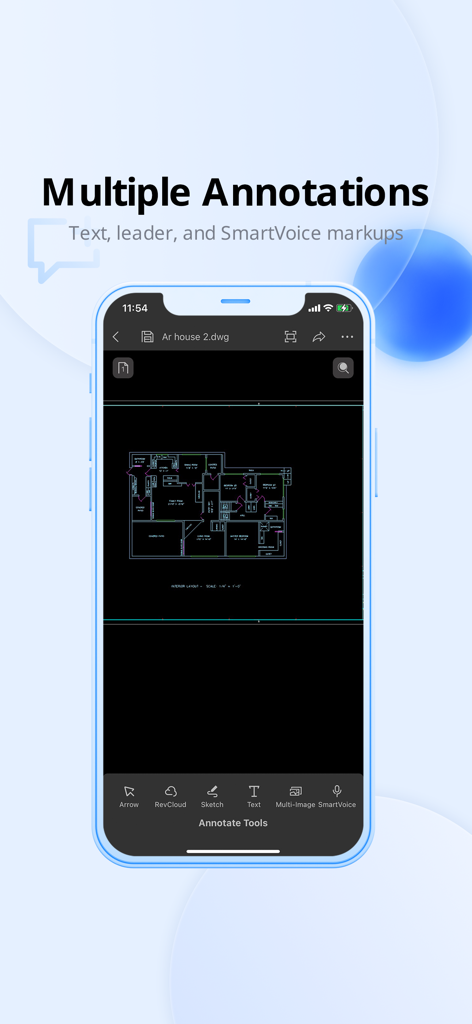
ZWCAD Mobile app interface showing floor plan annotation and markup tools.

ZWCAD Mobile app interface showing floor plan annotation and markup tools.

Empower Your Fieldwork with Desktop-Grade Precision

The tools that make this app stand out, trusted by 1M+ users.

📏

Unmatched Precision in Every Pixel

Measure with 8-digit decimal accuracy. Trust professional-grade tools for site surveys and engineering tasks where every fraction of an inch counts.

✏️

Seamless DWG Editing on the Go

Modify, annotate, and manage layers directly on your iPad or iPhone. Support for DWG, DXF, and PDF ensures your entire project library is always accessible without a laptop.

🎙️

Smart Collaboration Tools

Use SmartVoice to record notes directly onto coordinates and Revision Clouds to highlight changes. Export snapshots as PDF or JPEG to keep your team and clients updated instantly.

Loved by users worldwide

Trusted by 1M+ people who love this app.

"

"As a site superintendent, carrying bulky blueprints is a thing of the past. ZWCAD Mobile is incredibly fast, and the SmartVoice feature allows me to leave precise annotations for my team without even taking off my work gloves. It has become an essential tool for our field-to-office workflow."

David Miller, Site Superintendent
"

"The 8-digit decimal precision is a game changer for my on-site surveys. I can edit DWG files directly on my iPad and export them as PDFs for clients before I even leave the meeting. It’s the most robust and reliable mobile CAD solution I’ve used to date."

Sarah Jenkins, Senior Architect

About the app

Everything you need to know about ZWCAD Mobile - Mobile CAD.

Description

*ZWCAD Mobile is a free CAD viewing, drawing and sharing app developed by ZWSOFT. It integrates multiple functions including fast viewing and editing of DWG files, precise measurement, annotation, and printing. ZWCAD Mobile has been developed for nearly ten years. It enables you to view, edit and export drawings of multiple formats such as DWG, DWF, DXF and PDF. Plus, it has an abundant TTF font library, supports precise measurement (accuracy: 8 digits after the decimal point), and provides more than 100 functions, such as annotating, editing, snapping, layer layout and cloud drawing management. *Trusted by 10 million users, including architects, engineers, construction professionals, field technicians and contractors. Whether it is mechanical drawing, electrical drawing, engineering construction, site survey or interior design, ZWCAD Mobile can handle all tasks easily. --------View and Edit-------- ZWCAD Mobile supports editing DWG files and viewing DWF, DXF and PDF files. Editing Tools: Move, Copy, Rotate, Scale, Erase, Mirror, Align, Edit Text, Grip Edit, Block Attribute Edit. Drawing Tools: Circle, Polyline, Line, Rectangle, Arc, Text, Insert Block, Smartpen, Image. Measuring Tools: Aligned Dimension, Radial Dimension, Angular Dimension, Linear Dimension, Arc Length Dimension, Coordinate Dimension, Perimeter and Area, Distance, Coordinate Query. View Mode: 2D and 3D views, Regen, Change Background Color. Annotating Tools: Revision Cloud, Brush, Text, Multi-image, SmartVoice. Exporting Tools: Export JPEG, PDF or DWF. Text Search: Search for text to quickly find the location. Modeling Tools: Switch between the Model space and any other Layout space that are included in your drawing. Layering Tools: Create, Rename, Change, Turn On/Off, Delete. Coloring Tools: Change the color of the object in the drawing. Contact us: tech@zwsoft.com

Latest Version

5.6.7

Size

105.8 MB

First Released

Aug 2, 2012

Ready to Take Your CAD Workflow to the Field?

Join over 10 million professionals and experience the precision of 8-digit measurement and seamless DWG editing on your mobile device today.

Download on App Store