AO Office Pro

AO Office Pro

ダウンロード: App Store
Spark by MWM logo
ロゴ: AO Office Pro

AO Office Pro:OpenOfficeとLibreOfficeのデスクトップ機能をiOSでフル活用

iPadやiPhoneをプロフェッショナルなワークステーションに変貌させます。Writer、Calc、Impressの完全なPC級スイートにアクセス。100%のドキュメント互換性と、サブスクリプション料金不要の利便性を提供します。

ダウンロード: App Store

開発元

Akikazu Yoshikawa

カテゴリ

Productivity

ダウンロード

103K+

ユーザー評価

4.1/5

評価数

1K+

対応言語

41

ポケットサイズのデスクトップ・パワー

このインターフェースを利用する 103K+ 人のユーザー.

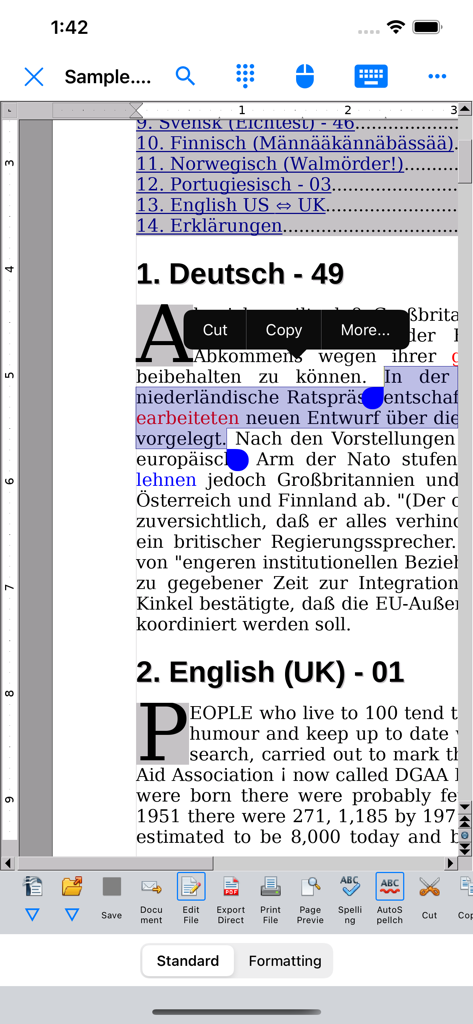
テキスト選択とデスクトップ・スタイルのツールバーを使用してドキュメント編集を行うAO Office Proモバイルアプリ

テキスト選択とデスクトップ・スタイルのツールバーを使用してドキュメント編集を行うAO Office Proモバイルアプリ

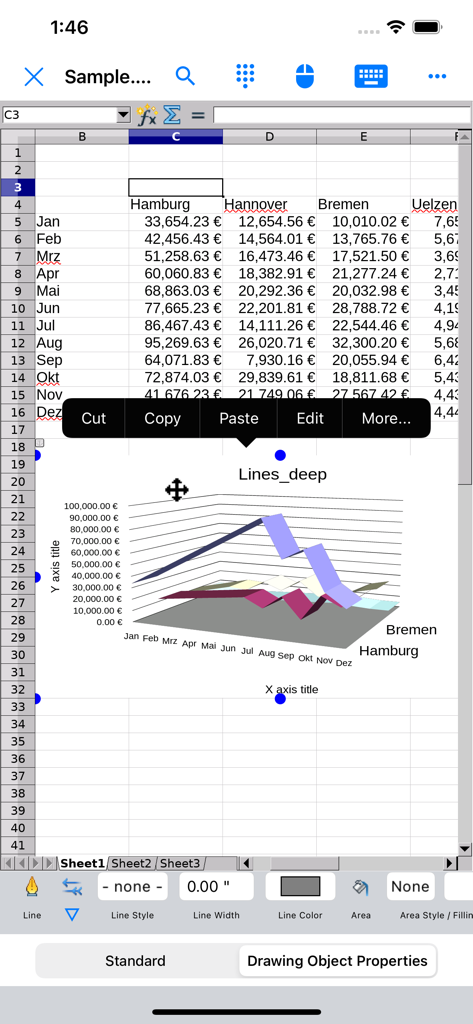
3D折れ線グラフと財務データ表を表示するAO Office Proのスプレッドシート

3D折れ線グラフと財務データ表を表示するAO Office Proのスプレッドシート

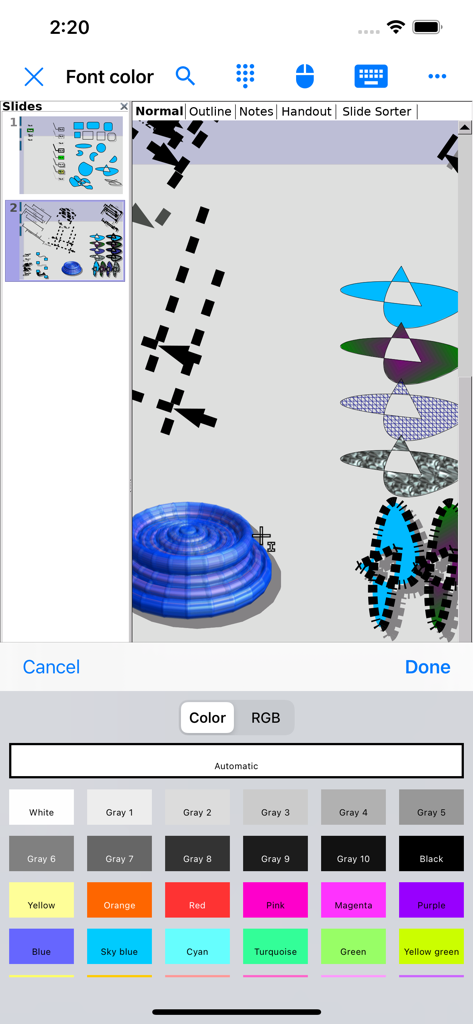
iPhone上で3Dイラストとフォントカラーピッカーを表示するAO Office Proプレゼンテーション・エディタ

iPhone上で3Dイラストとフォントカラーピッカーを表示するAO Office Proプレゼンテーション・エディタ

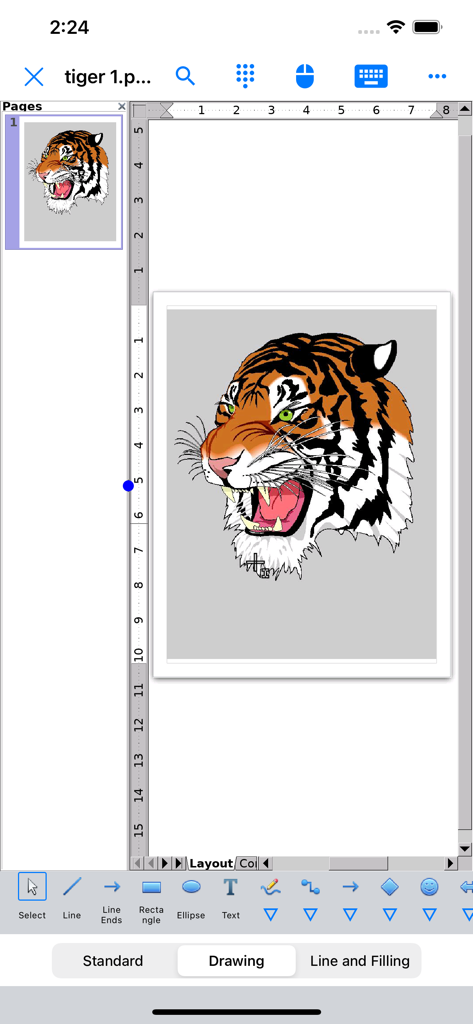
Drawモジュールで虎の頭のイラストを表示するAO Office Proのインターフェース

Drawモジュールで虎の頭のイラストを表示するAO Office Proのインターフェース

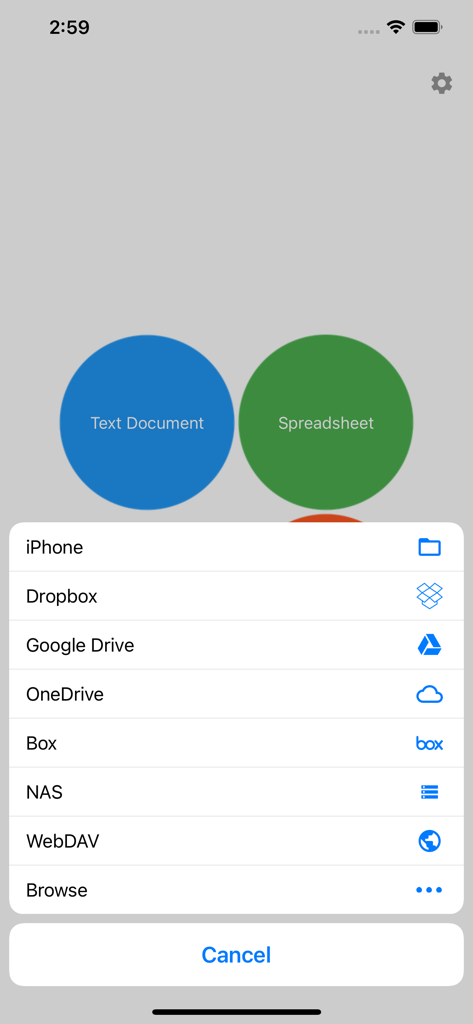
ドキュメント作成ボタンとGoogle DriveやDropboxなどのクラウドストレージプロバイダーのオプションを表示するAO Office Proのメニュー

ドキュメント作成ボタンとGoogle DriveやDropboxなどのクラウドストレージプロバイダーのオプションを表示するAO Office Proのメニュー

解き放たれたiOS向けのフル・デスクトップ・スイート

このアプリを際立たせるツール、 103K+ 人のユーザーが選択.

🖥️

100% PC級の機能

Writer、Calc、Impressの全機能にアクセス。デスクトップ版のあらゆるメニュー、数式、高度な書式設定ツールを指先一つで操作できます。

🔄

比類なきファイル互換性

標準的なMicrosoft Office文書から、AutoCAD、WordPerfect、Photoshopなどのニッチな形式まで、書式を1ピクセルも崩さずに閲覧・編集・保存できます。

☁️

プロレベルのクラウドとワークフロー

高度なジェスチャーサポートと、iCloud、Dropbox、Google Drive、プライベートNASとのシームレスな統合により、タブレットとデスクトップの垣根をなくします。

世界中のユーザーに愛されています

Trusted by 103K+ 人がこのアプリを愛用しています.

"

"リサーチ・コンサルタントとして、複雑な数式や膨大なデータセットを扱う必要がありますが、「ライト版」のモバイルアプリでは対応できませんでした。AO Office Proは私のiPadワークフローを一変させました。まさにデスクトップ体験そのもので、WriterやCalcはPC版と同じように動作し、ファイルの互換性も完璧です。ついにタブレットが本当の意味でノートPCの代わりになりました。"

マーカス・ソーン博士
"

"他のオフィススイートの月額サブスクリプションや削ぎ落とされた機能にうんざりしていました。このアプリは完璧なソリューションです。古いAutoCADやWordPerfect形式など、どんなレガシーファイルも開くことができます。さらに、WebDAV経由でのプライベートNASとの統合も非常にスムーズです。外出先で本物のツールを必要とするパワーユーザーなら、手に入れる価値のある唯一のアプリです。"

サラ・J・ミラー

アプリについて

について知っておくべきこと AO Office Pro.

説明

AO Office is the world's first porting of OpenOffice for iOS and it's a powerful and complete office suite for OpenOffice / LibreOffice documents. You can view, edit, import, and export PDF, Word, Excel & PowerPoint documents using full features of the OpenOffice in the PC version. AO Office has 5 components: Writer: a word processor you can use for anything from writing a quick letter to producing an entire book. Calc: a powerful spreadsheet with all the tools you need to calculate, analyze, and present your data in numerical reports or graphics. Impress: the fastest, most powerful way to create effective multimedia presentations. Draw: lets you produce everything from simple diagrams to dynamic 3D illustrations. Math: lets you create mathematical equations with a graphic user interface or by directly typing your formulas into the equation editor. * AO Office is a forked project from the Apache OpenOffice project. AO Office is not affiliated with the Apache OpenOffice and LibreOffice projects. ■ Features ■ - View / edit / import / export documents - High reproducibility for Open Document Format - Export and import documents as PDF - Formatting paragraphs - Create stylized text with special effects - Support for extensive file formats - Support for embedded object - Support for Dropbox / iCloud Drive / Google Drive / OneDrive / Box / NAS / WebDAV - Support for Audio and Video - Support for recovering the unsaved work - Support for modern encryption ■ Supported File Formats ■ AO Office can open and save to: - Microsoft Word (DOC / DOT / RTF) - Microsoft Word 2007 (DOCX / DOTX / DOCM) - Microsoft Excel (XLS / XLT) - Microsoft Excel 2007 (XLSX / XLTX / XLSM) - Microsoft PowerPoint (PPT / POT) - Microsoft PowerPoint 2007 (PPTX / POTX / PPTM) - OpenDocument (ODT / ODS / ODP / ODG / ODF) - Portable Document Format (PDF) - OpenOffice.org1.0 / StarOffice6.0 (SXW / SXC / SXD / SXI / SXG / SXM) - Text (TXT / CSV / XML) - HyperText Markup Language (HTML) - Adobe Photoshop (PSD) - Scalable Vector Graphics (SVG) - Windows Metafile (EMF / WMF) - Tagged Image File Format (TIFF) - Data Interchange Format (DIF) - SYLK (SLK) - Portable Anymap Format (PBM / PGM / PPM) - OS/2 Metafile (MET) - Sun Raster Image (RAS) - Mac Pict (PCT) - X PixMap (XPM) - StarView Metafile (SVM) AO Office can open: - WordPerfect Document (WPD) - AutoCAD (DXF) - T602 Document (602) - Computer Graphics Metafile (CGM) - Truevision Targa (TGA) - X Bitmap (XBM) - Zsoft Paintbrush (PCX) - Kodak Photo CD (PCD) AO Office can save to: - PlaceWare (PWP) - Macromedia Flash (SWF) - JPG / GIF / PNG / BMP ■ Gesture Assignments ■ - Hard Press or 2 Finger Tap = Context Menu - Pinch In & Out = Zoom In & Out - Drag = Scrolling - Drag with Hard Press or 2 Finger Tap = Drag & Drop ■ Limitations ■ - Not supported for macro ■ Contact Us ■ Email: support-ios@aooffice.app Twitter: @office700

最新バージョン

5.5.9

サイズ

276.7 MB

リリース日

2016年9月2日

iPadでデスクトップ級の生産性を解き放つ

機能制限のあるモバイルアプリで妥協するのはもうやめましょう。iOS向けの完全なOpenOfficeスイートを手に入れ、月額料金なしで、どこでもあらゆるファイル形式を扱えます。

ダウンロード: App Store