AR Draw: Sketching & Painting

AR Draw: Sketching & Painting

ダウンロード: App Store
Spark by MWM logo
ロゴ: AR Draw: Sketching & Painting
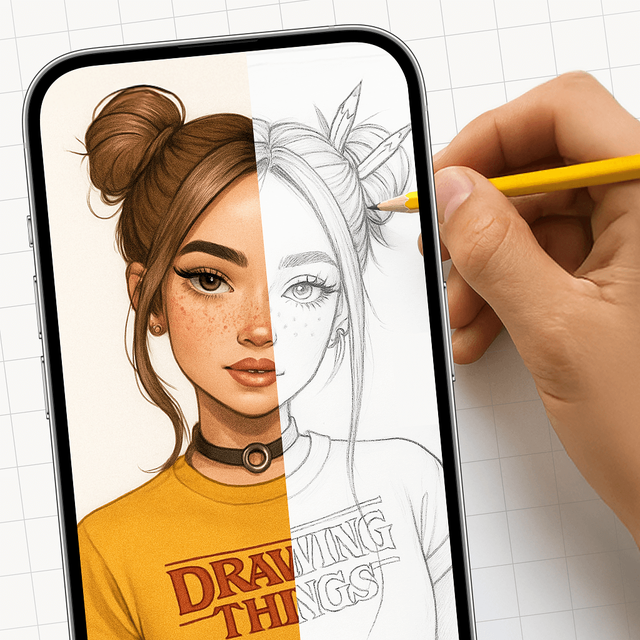
AR Draw: スケッチ&ペイント:ARマジックでプロレベルのアートを作成

iPhoneをバーチャルプロジェクターに。あらゆるものを正確にトレースし、お気に入りのスケッチをマスターし、ソーシャルメディア向けのバイラルプロセス動画を撮影しましょう。

ダウンロード: App Store

開発元

EIGEN SOFTWARE LIMITED

カテゴリ

Entertainment

ダウンロード

214K+

ユーザー評価

4.6/5

評価数

1K+

対応言語

1

画面から紙へ

このインターフェースを利用する 214K+ 人のユーザー.

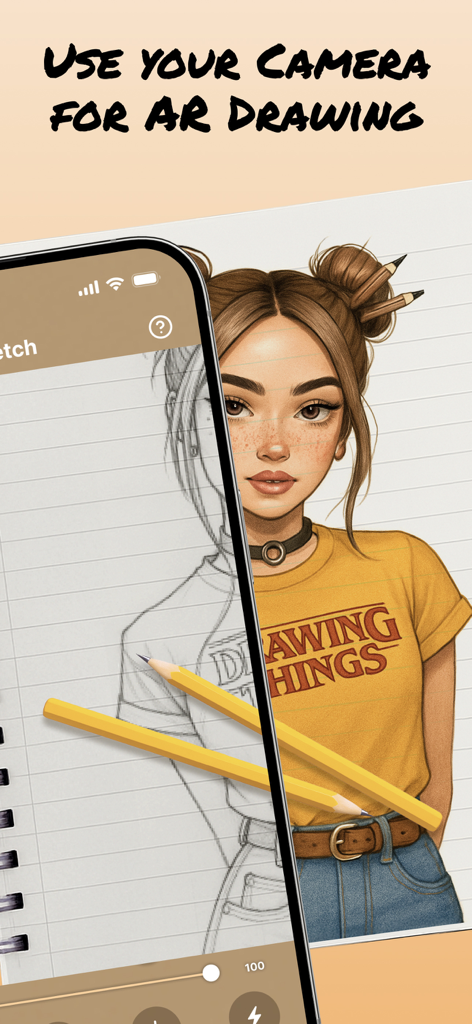
拡張現実を使ってポートレートスケッチを紙に投影し、トレースと描画を行うiPhone。

拡張現実を使ってポートレートスケッチを紙に投影し、トレースと描画を行うiPhone。

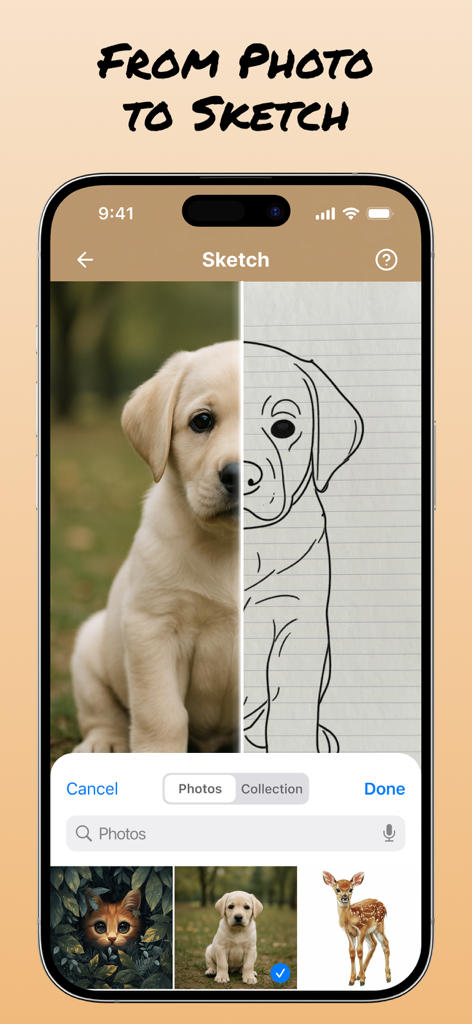
AR Drawアプリの分割画面インターフェース。実際の子犬の写真と、トレース用の線画スケッチが表示されています。

AR Drawアプリの分割画面インターフェース。実際の子犬の写真と、トレース用の線画スケッチが表示されています。

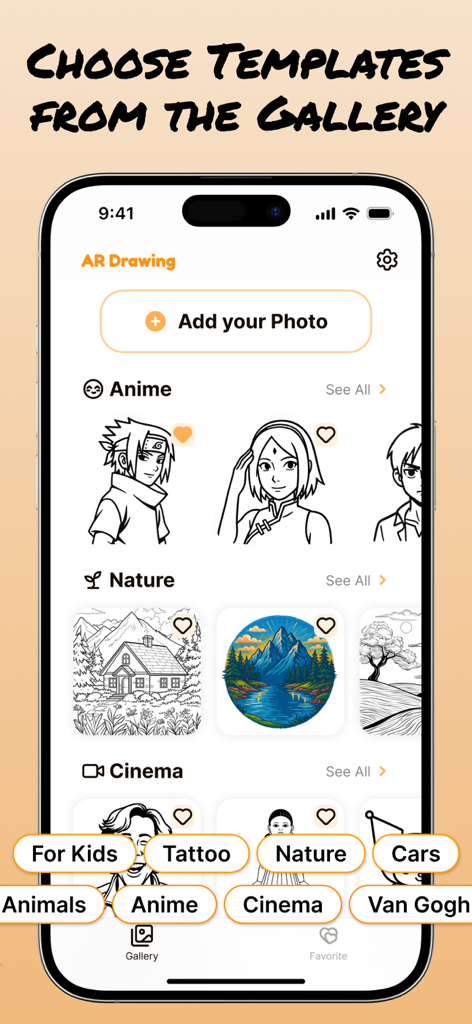
アニメ、自然、シネマなどのテーマでカテゴリ分けされた描画テンプレートのギャラリーを表示するモバイルアプリインターフェース。

アニメ、自然、シネマなどのテーマでカテゴリ分けされた描画テンプレートのギャラリーを表示するモバイルアプリインターフェース。

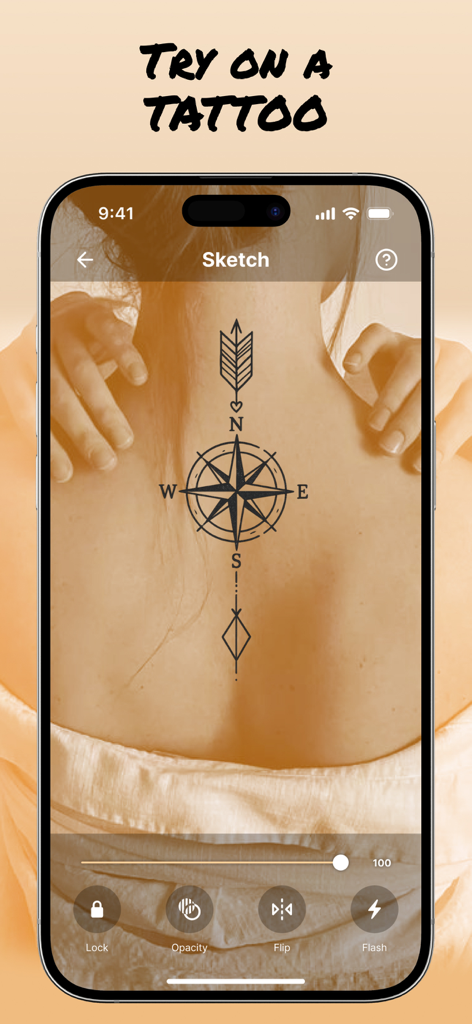
AR Drawアプリが人の背中に仮想のコンパスタトゥープレビューを表示しています。

AR Drawアプリが人の背中に仮想のコンパスタトゥープレビューを表示しています。

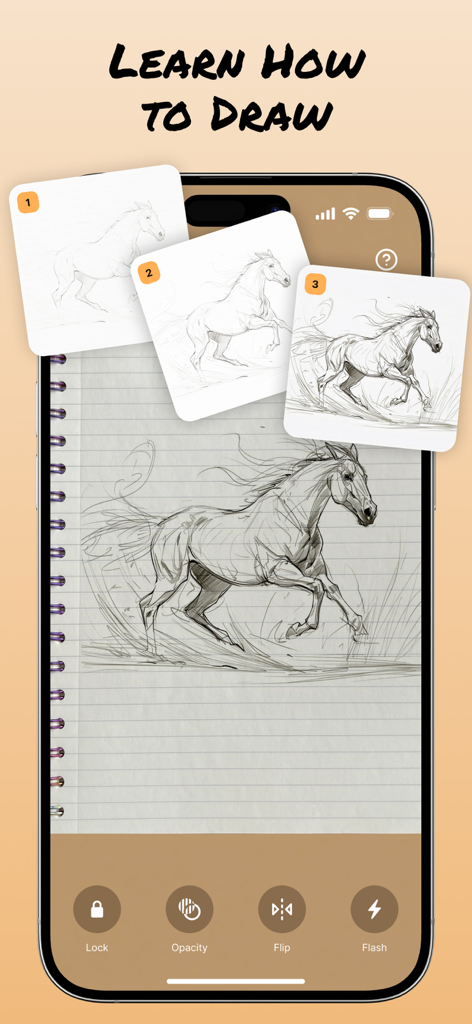
AR Drawingアプリのインターフェースに、ノートブック上にステップバイステップの馬のスケッチチュートリアルが表示されています。

AR Drawingアプリのインターフェースに、ノートブック上にステップバイステップの馬のスケッチチュートリアルが表示されています。

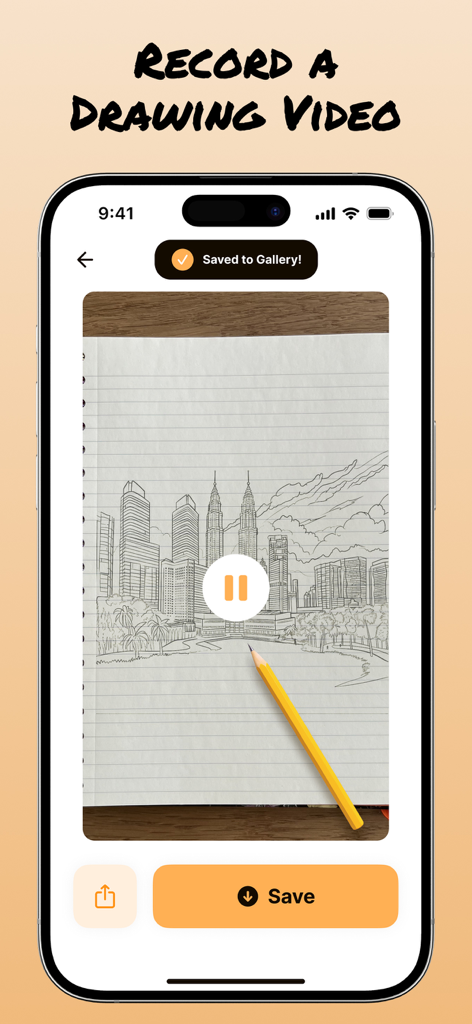
AR Drawアプリで都市のスカイラインのスケッチが録画されているスマートフォン画面。ギャラリーに保存された通知が表示されています。

AR Drawアプリで都市のスカイラインのスケッチが録画されているスマートフォン画面。ギャラリーに保存された通知が表示されています。

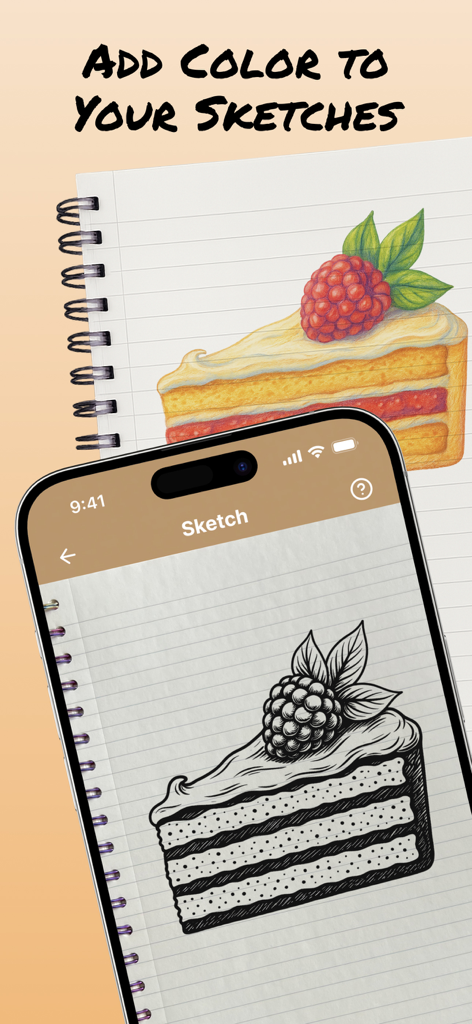
ケーキのスライスの白黒スケッチと、ノートブック上の色付きバージョンを表示する携帯電話。

ケーキのスライスの白黒スケッチと、ノートブック上の色付きバージョンを表示する携帯電話。

経験不問、描画の技術をマスターする

このアプリを際立たせるツール、 214K+ 人のユーザーが選択.

🪄

インスタントARトレース

「プロポーションが悪い」とはもう言わせません。どんな画像でも紙に投影し、スマホカメラを使ってピクセルパーフェクトな精度でトレースしましょう。

🤳

バイラルコンテンツを作成

描画プロセス全体を自動で録画。ワンタップでTikTokやInstagramにクリエイティブな流れを共有し、あなたのスキルを披露しましょう。

🎨

無限のインスピレーション

アニメリッチなキャラクターから、バレットジャーナルや部屋の装飾のためのトレンディなDIYパターンまで、膨大なテンプレートライブラリを探索しましょう。

世界中のユーザーに愛されています

Trusted by 214K+ 人がこのアプリを愛用しています.

"

"ずっとお気に入りのアニメキャラを描きたかったんだけど、いつもプロポーションがずれてしまって。このアプリは本当にゲームチェンジャー!タイムラプスとしてプロセス全体を録画できるのが気に入っています—リールでとてもクールに見えます。まるでポケットの中にプロのプロジェクターがあるようです。"

Avery M.
"

"もともと芸術的ではない私にとって、このアプリはついにバレットジャーナルを始める自信を与えてくれました。ヘッダーや複雑なイラストを簡単にトレースするために使っています。線に沿って描くだけで、紙の上に完璧なスケッチが現れるのを見るのはとてもリラックスできます。DIY愛好家にはまさに必需品です!"

Sarah J.

アプリについて

について知っておくべきこと AR Draw: Sketching & Painting.

説明

Bring Your Imagination to Life with AR Draw: Sketching & Painting! Our art AR Drawing app turns your iPhone into a virtual projector that helps you simply draw with precision. Here’s exactly how the process works: 1. Select an Image Start by choosing an sketch from the app’s built-in gallery — like a cartoon character, animal, flower. 2. Position Your Paper Place a blank sheet of paper on a flat surface (like a desk or table) in a well-lit environment. Make sure your phone can see the entire sheet. 3. Activate AR Mode Open the image in AR mode. Your phone will use its camera to detect the paper and overlay the image directly on top of it through the screen. 4. Adjust the View Move your phone until the image is perfectly aligned with the paper. You can resize or rotate the image using your fingers to make sure it fits exactly the way you want. 5. Start Tracing the sketch Now, simply look at your phone screen while keeping your pencil on the paper. The image appears “on the paper” in your screen view, allowing you to trace the lines precisely. It feels like you’re copying a transparent image that’s floating above your paper — but with total control! 6. Finish & Save Once your outline is done, you can finish the drawing with your own style — add colors, shading, or extra details. If you want, you can record a video of your drawing process, as well as take a photo of your finished work and save or share it directly from the app. Why It’s So Effective Traditional tracing requires light tables or printed guides. With AR Drawing, you trace using your eyes and hands guided by real-time AR projection — no special tools, no printing, no setup. Just your iphone, a pencil, and paper. Discover a fun new way to sketch and paint using Augmented Reality. Whether you’re a beginner or a pro, simply AR Draw App helps you trace anything with precision and ease. Our app also lets you record your drawing process. Share the video with friends and show off your skills! Subscription Information: Unlock the full experience of AR Draw: Sketching & Painting with a subscription. - Payment will be charged to your iTunes account at confirmation of purchase. - Subscriptions automatically renew unless canceled at least 24 hours before the end of the current period. - Renewal charges will apply within 24 hours prior to the end of the current period, indicating the cost of the renewal. - Manage or cancel subscriptions in your account settings after purchase. - Free trial periods will be canceled when your subscription is activated. - If your subscription is not canceled before the end of the free trial period, your subscription will be activated for the selected period and your account will be charged automatically. Terms and Conditions: https://seapptic.com/terms.html Privacy Policy: https://seapptic.com/privacy.html

最新バージョン

1.8

サイズ

145.7 MB

リリース日

2025年6月27日

次の傑作を作成する準備はできましたか?

今日、214,000人以上のクリエイターに参加しましょう。AR Drawをダウンロードして、あなたのスケッチをプロフェッショナルなアートに変え、あなたの創造的なプロセスを世界と共有しましょう—経験は不要です。

ダウンロード: App Store
FAQ

よくある質問

について知っておくべきこと AR Draw: Sketching & Painting

AR Draw: Sketching & Paintingとは何ですか?

AR Draw: Sketching & Paintingは、iPhoneを仮想プロジェクターに変えます。ARモードでスマートフォンのカメラを通して画像を描画用紙に重ね合わせることで、正確な描画を支援します。

AR Drawアプリはどのように描画を支援しますか?

AR Drawアプリは、選択した画像をスマートフォンの画面を通して描画用紙に重ね合わせます。ユーザーはスマートフォンを見ながら投影された線に沿ってなぞることで、物理的な紙の上で正確に鉛筆をガイドします。

AR Draw: Sketching & Paintingで描画プロセスを録画できますか?

はい、AR Draw: Sketching & Paintingアプリでは、描画プロセスのビデオを録画できます。ユーザーはアプリから直接これらのビデオを保存または共有できます。

AR Draw: Sketching & Paintingは描画テンプレートを提供していますか?

はい、AR Draw: Sketching & Paintingには、さまざまなスケッチテンプレートが内蔵されたギャラリーがあります。ユーザーは、漫画のキャラクター、動物、花などの画像を選択してなぞります。

AR Draw: Sketching & Paintingのサブスクリプションはどのように機能しますか?

AR Draw: Sketching & Paintingのサブスクリプションは自動的に更新され、iTunesアカウントに請求されます。更新料を避けるためには、現在の期間が終了する少なくとも24時間前までにキャンセルする必要があります。

AR Draw: Sketching & Paintingで写真をスケッチに変換できますか?

はい、AR Draw: Sketching & Paintingアプリには、写真をスケッチに変換する機能が搭載されています。これにより、ユーザーは自分の画像をなぞることができます。

AR Draw: Sketching & Paintingには段階的な描画レッスンが含まれていますか?

はい、AR Draw: Sketching & Paintingには「ステップバイステップで描く方法を学ぶ」機能が含まれています。これは、ユーザーがスケッチ中に従うためのガイド付き手順を提供します。

AR Draw: Sketching & Paintingで重ね合わせた画像をカスタマイズできますか?

はい、ユーザーは指で画像をリサイズまたは回転させて位置を調整できます。アプリには、さらにカスタマイズするための不透明度、反転、フラッシュコントロールも備わっています。