Da Vinci Eye: AR Trace & Draw

Da Vinci Eye: AR Trace & Draw

ダウンロード: App Storeダウンロード: Google Play
Spark by MWM logo
ロゴ: Da Vinci Eye: AR Trace & Draw

Da Vinci Eye: ARトレース & お絵描き – ARの精度であらゆるキャンバスをマスター

世界No.1のデジタル「カメラ・ルシダ」を使用している何百万人ものアーティスト、菓子職人、クリエイターの仲間入りをしましょう。拡張現実(AR)の力で、プロポーションを完璧にし、あらゆる写真から描く方法を学び、バズるタイムラプスを記録しましょう。

ダウンロード: App Store

開発元

Da Vinci Eye LLC

カテゴリ

Graphics & Design

ダウンロード

2M+

ユーザー評価

4.6/5

評価数

13K+

対応言語

4

画面からキャンバスへ

このインターフェースを利用する 2M+ 人のユーザー.

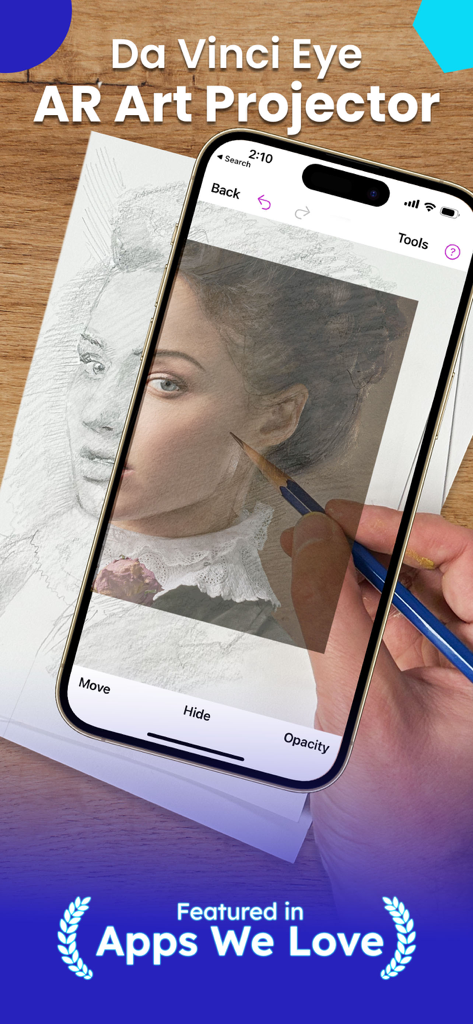
スマートフォンでDa Vinci Eye ARアプリを使用し、鉛筆で紙にポートレートを投影・トレースしている様子。

スマートフォンでDa Vinci Eye ARアプリを使用し、鉛筆で紙にポートレートを投影・トレースしている様子。

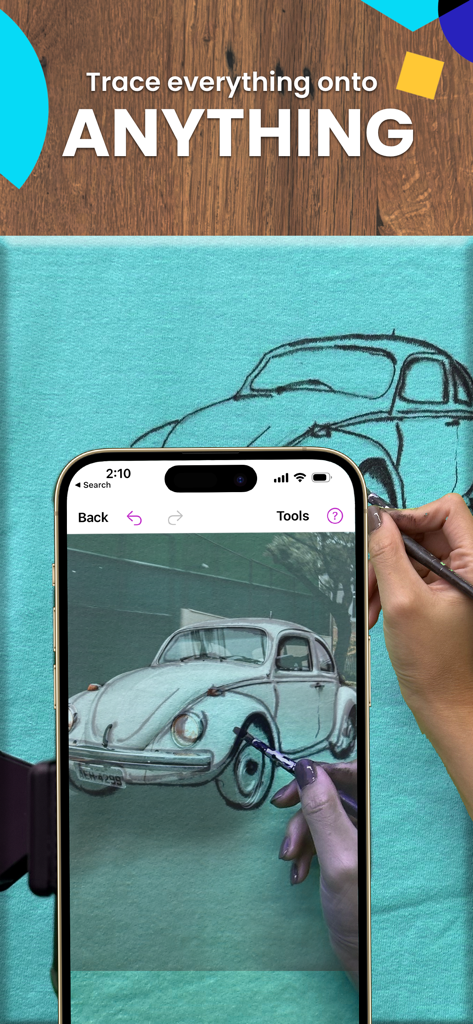
Da Vinci Eye ARお絵描きアプリを使用して、布のキャンバスにヴィンテージカーをトレースしている様子。

Da Vinci Eye ARお絵描きアプリを使用して、布のキャンバスにヴィンテージカーをトレースしている様子。

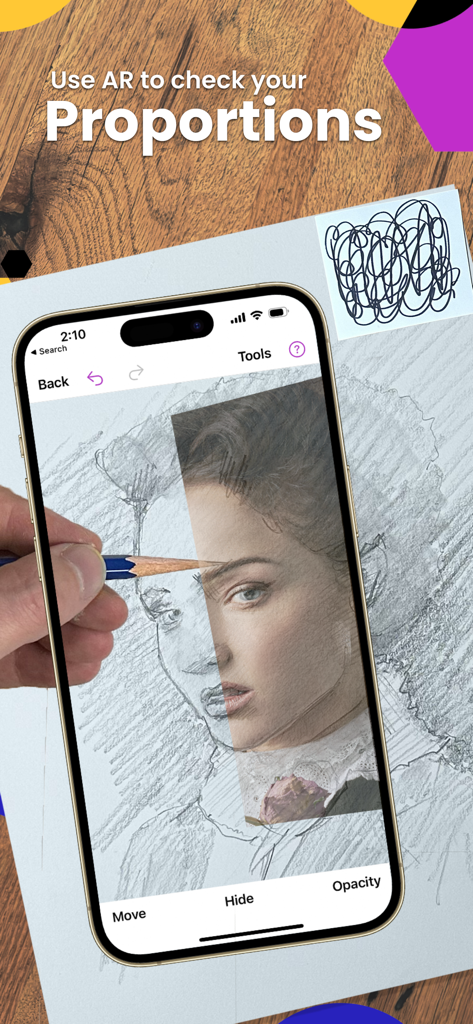
鉛筆で紙にポートレートを描きながら、Da Vinci Eye ARアプリを使用してプロポーションを確認している様子。

鉛筆で紙にポートレートを描きながら、Da Vinci Eye ARアプリを使用してプロポーションを確認している様子。

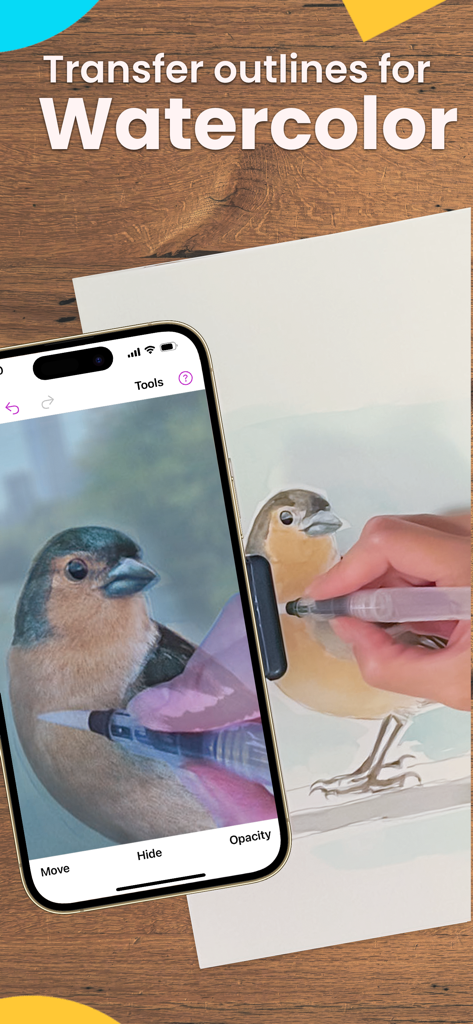
ARアプリを使用して水彩画用に鳥をトレースしている様子。

ARアプリを使用して水彩画用に鳥をトレースしている様子。

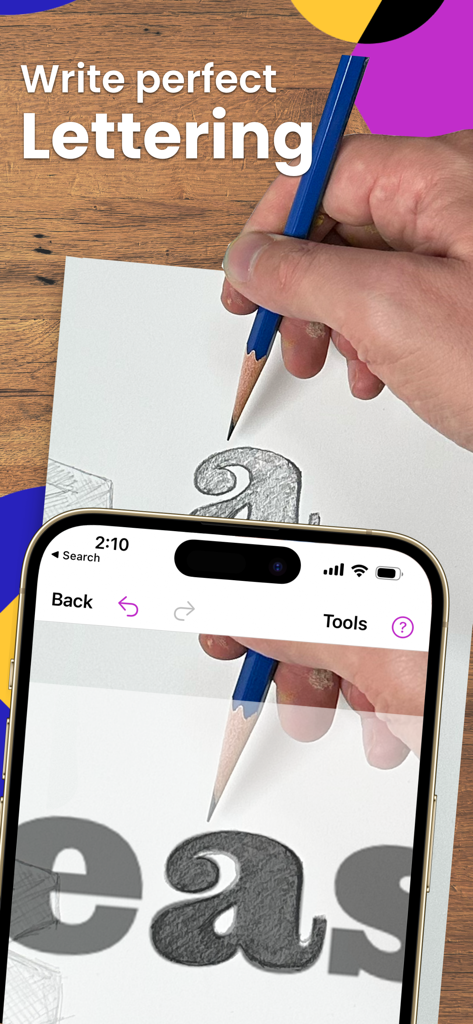
Da Vinci Eye ARアプリを使用して、鉛筆で紙に完璧なレタリングをトレースしている様子。

Da Vinci Eye ARアプリを使用して、鉛筆で紙に完璧なレタリングをトレースしている様子。

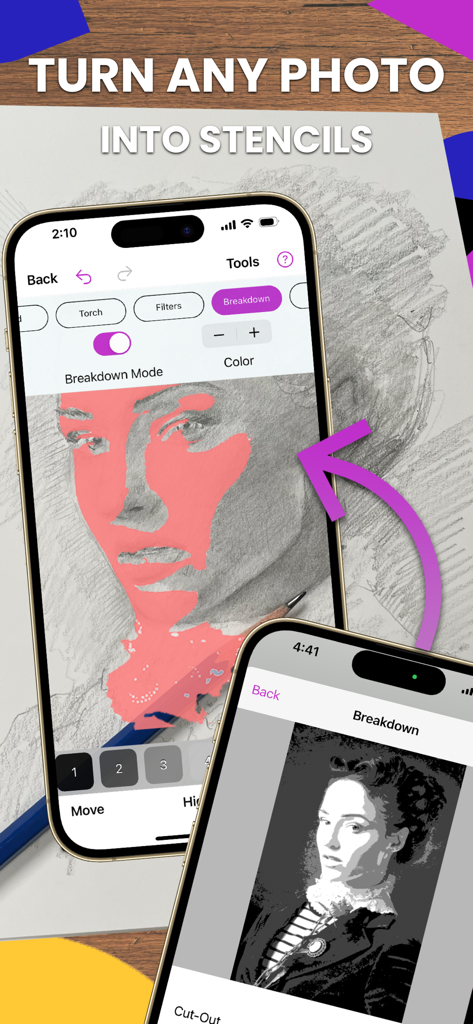
写真をお絵描き用のステンシルに変換する、Da Vinci Eyeアプリの分解モードを表示したiPhoneの画面。

写真をお絵描き用のステンシルに変換する、Da Vinci Eyeアプリの分解モードを表示したiPhoneの画面。

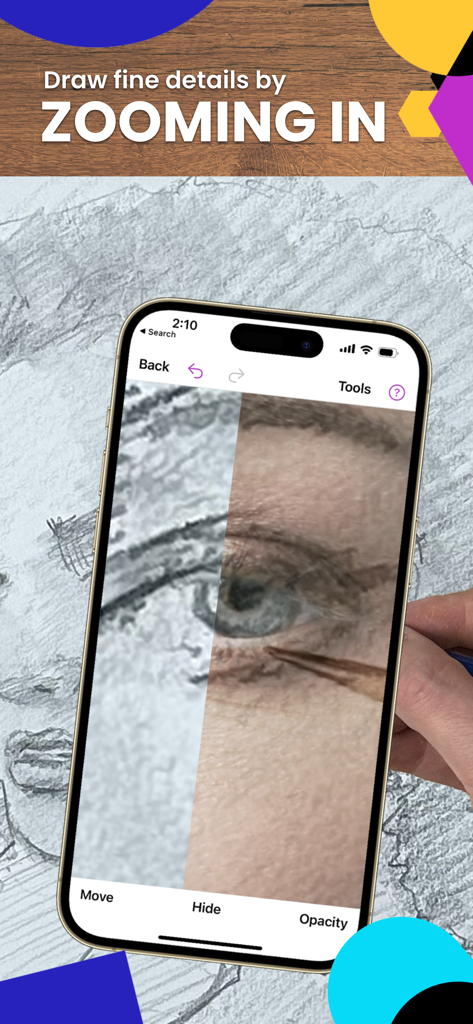
Da Vinci Eye ARトレースアプリを使用して、描いている目にズームインしている様子。

Da Vinci Eye ARトレースアプリを使用して、描いている目にズームインしている様子。

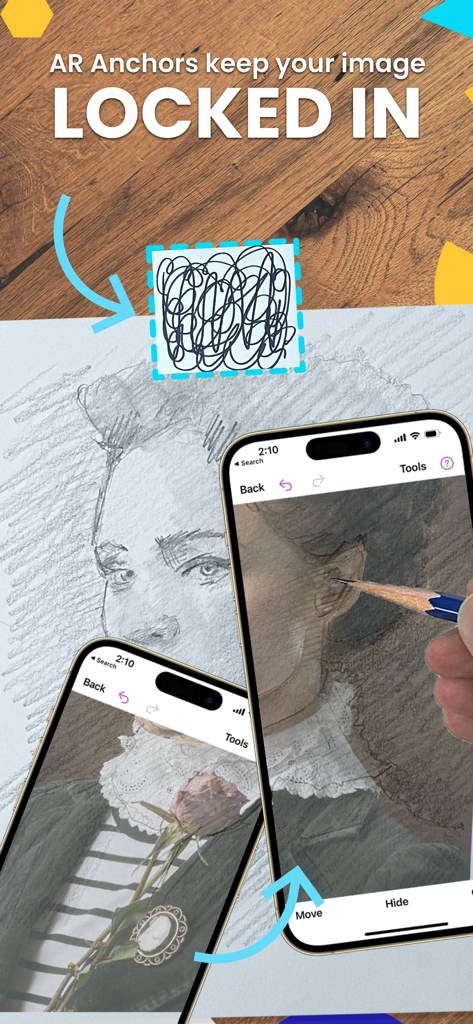
精密なトレースのために、物理的な描画領域の上に仮想ポートレートを固定するARアンカーを表示したiPhoneの画面。

精密なトレースのために、物理的な描画領域の上に仮想ポートレートを固定するARアンカーを表示したiPhoneの画面。

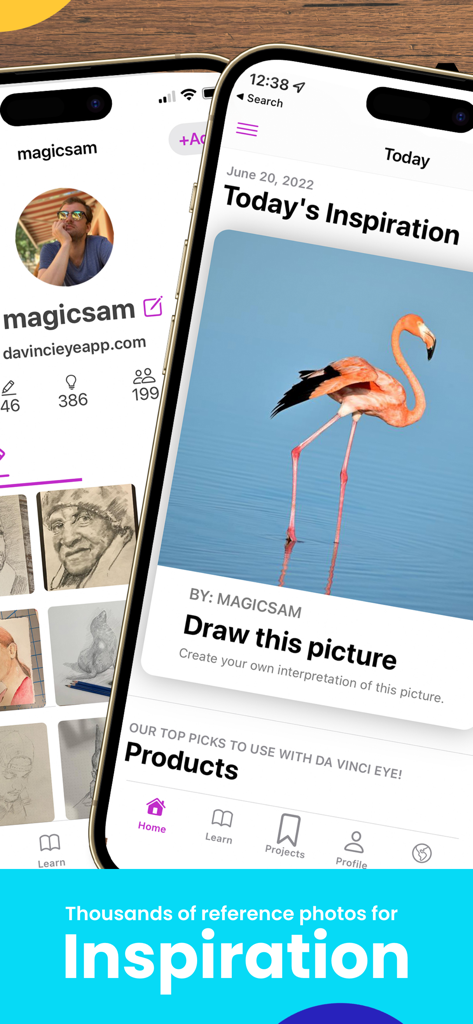
お絵描きのインスピレーションのためのフラミンゴの参考写真を表示しているDa Vinci Eyeアプリのインターフェース。

お絵描きのインスピレーションのためのフラミンゴの参考写真を表示しているDa Vinci Eyeアプリのインターフェース。

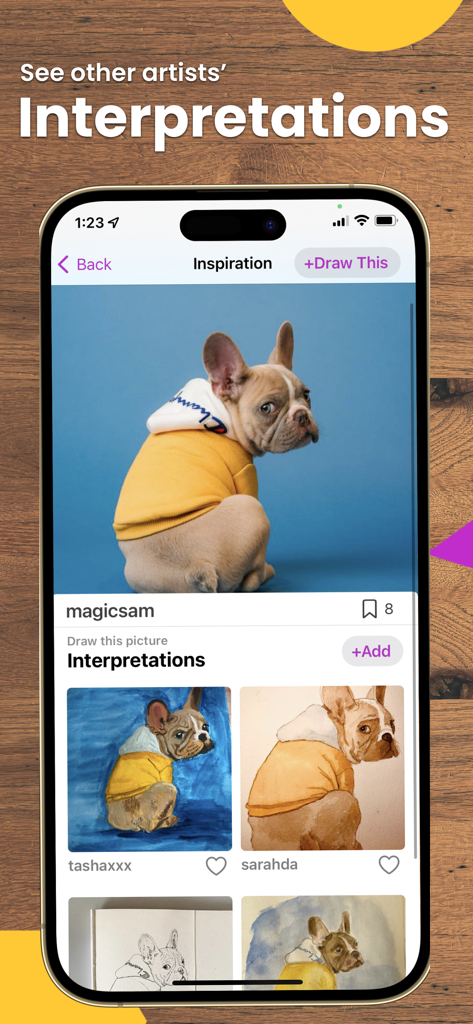
犬の写真と、ユーザーから投稿された様々な解釈の絵を表示しているDa Vinci Eyeアプリの画面。

犬の写真と、ユーザーから投稿された様々な解釈の絵を表示しているDa Vinci Eyeアプリの画面。

ARの精度ですべてのストロークをマスター

このアプリを際立たせるツール、 2M+ 人のユーザーが選択.

📐

一瞬で完璧なプロポーション

ARを使って、あらゆる写真をキャンバスに直接投影。パーツのずれを心配するのはもうやめて、どんな表面でも100%の正確さでお絵描きを始めましょう。

📹

内蔵のコンテンツ制作機能

お絵描きのプロセスの素晴らしいタイムラプス動画を自動でキャプチャ。TikTokやInstagramであなたの才能を共有し、アーティストとしてのブランドを成長させるのに最適です。

🎨

高度なシェーディング分解

複雑な画像をカラーバリュー(色の明度)レイヤーに分解。ハイライトとシャドウをどこに配置すべきかを正確に学び、常に超リアルな仕上がりを実現します。

世界中のユーザーに愛されています

Trusted by 2M+ 人がこのアプリを愛用しています.

"

"カスタムクッキー職人として、Da Vinci Eyeは私のワークフローを完全に変えてくれました。複雑なロゴや入り組んだデザインを、完璧な精度でお菓子に直接投影できます。何時間ものフリーハンド作業を節約でき、スモールビジネスの拡大に役立ちました。プロのクリエイターなら、このアプリは必須です!"

Sarah M.、プロの菓子職人
"

"ずっとリアルな似顔絵を描きたいと思っていましたが、プロポーションに苦労していました。このアプリのおかげで、誇りに思える作品を実際に作りながら、とても簡単に学ぶことができました。内蔵のタイムラプス機能は私のSNSにとって大きなプラスで、フォロワーは絵に命が吹き込まれるのを見るのが大好きです!これは単なるアプリではなく、個人のアート家庭教師です。"

Jax R.、コンテンツクリエイター & アーティスト

アプリについて

について知っておくべきこと Da Vinci Eye: AR Trace & Draw.

説明

As seen on Shark Tank and featured in Apple's Apps We Love, Watercolor Artist Magazine, Handmade Seller Magazine, LifeHacker, MakeUseOf, Fast Company (Innovation Award winner), Apple News and more! Da Vinci Eye is used by millions of creatives from painters to bakers to make incredible artwork. The app is not just for tracing, it offers a wide range of drawing tools, lessons, daily drawing prompts, and a supportive community to share your artwork! IMPORTANT!: Please read how this app works below and the device requirements for AR Mode BEFORE purchasing. HIGHLIGHTS • Create incredible artwork from your own photos • Make hyper-realistic drawings with our strobe feature • Record time-lapse videos of your drawings • Separate images into layers by color value, then view those areas on your canvas • Easily learn the fundamentals of drawing • Breakdown any image into step-by-step instructions • Video tutorials • Use filters to make drawing even easier • Zoom in to capture micro details in your drawings • Connect with our community to share your artwork • Insanely fast customer support! PERFECT FOR ANY ARTIST • Bakers • Cartoonists • Tattoo Artists • Illustrators • Fiverr Designers • Hobbyists • Makeup artists • Nail Technicians • Animators No matter what skill level you’re at — Da Vinci Eye is here for you! OVERVIEW How many times have you been drawing a portrait for hours only to realize that the nose or the eye is in the wrong place? You can use Da Vinci Eye to layout artwork before you begin or even check your work as you progress. Having a hard time seeing where lights or darks go? Breakdown images into layers by color value. Then virtually project those layers on top of your image. You can see exactly where to place the darkest darks, mid-tones, and highlights. CAN'T THINK OF WHAT TO DRAW? Check out our inspiration section for user uploaded reference photos. If you have a great pic, you can even upload your own content for other artists to draw. LEARNING HOW TO DRAW? We have lessons using our unique patent-pending learning method. You can also turn ANY photo into a step by step shading drawing lesson. HOW DOES IT WORK? Based on a tool that has been used by artists for centuries, this app is a digital version of a Camera Lucida. You suspend your iPhone or iPad above or in front of your canvas with a stand, tall glass, or other objects easily found around your house. When you look through your phone, you will see both the image and the canvas simultaneously. It's similar in functionality to an art projector or light box, but with the ability to do so much more. You can draw on any surface, zoom in to draw micro details in your drawing, and you don't have to draw in the dark. WILL THIS HELP ME LEARN HOW TO DRAW? Using Da Vinci Eye, you will be training your eye to recognize proportions and draw with shading while training your hand to translate precise lines and strokes on paper. You’ll learn faster and more efficiently using our proven techniques compared to any other app. AR MODE REQUIREMENTS To use AR mode, you must have an A10x or A11 processor and above. We recommend using: – iPhone 8 and newer (iPhone 7 and below will not work) – iPad Mini 5th Generation and newer – iPad Air 2019 and newer – iPad Pro 3rd Gen (Any pro made after 2018) and newer AR & CLASSIC MODE AR mode anchors your image to an object in the real world. This lets you move your canvas or phone, and the drawing and projected image will stay aligned. Classic mode is like a normal art projector, where if you move your phone or canvas, the drawing will no longer be aligned. AR mode is especially useful for drawing or painting on an easel. However, in most cases, Classic mode will achieve the same result. TAKE YOUR DRAWING TO THE NEXT LEVEL Download Da Vinci Eye today! No one ever regretted sharpening their drawing skills. Terms of Use Link: http://davincieyeapp.com/terms-of-service/

最新バージョン

4.6.2

サイズ

193.5 MB

リリース日

2016年6月16日

最高の作品を作る準備はできていますか?

200万人以上のアーティスト、菓子職人、クリエイターに参加しましょう。今すぐDa Vinci Eyeをダウンロードして、お使いのデバイスをプロ仕様のスタジオに変え、あらゆる表面でプロポーションとディテールをマスターしましょう。

ダウンロード: App Storeダウンロード: Google Play
FAQ

よくある質問

について知っておくべきこと Da Vinci Eye: AR Trace & Draw

Da Vinci Eyeアプリとは何ですか?

Da Vinci Eyeは、アーティストがキャンバスに画像を重ねてトレースしたり描画したりするのを支援するARアートプロジェクターアプリです。デジタルカメラ・ルーシダとして機能し、描画ツール、レッスン、コミュニティ機能を提供します。

Da Vinci Eyeアプリはどのように機能しますか?

Da Vinci Eyeアプリは、デバイスをキャンバスの上または前に配置して機能します。画像をキャンバスに重ねて表示し、トレース、描画、比率の確認のために両方を同時に見ることができます。

Da Vinci Eyeは描画を学ぶのに役立ちますか?

はい、Da Vinci Eyeは、比率を認識するように目を訓練し、陰影を奨励することで、ユーザーが描画を学ぶのを支援します。アプリはレッスンを提供し、写真を段階的な描画指示に変換し、効率的な学習のための実績のあるテクニックを提供します。

Da Vinci EyeのARモードのデバイス要件は何ですか?

Da Vinci EyeのARモードを使用するには、デバイスにA10xまたはA11プロセッサ以降が必要です。これには、iPhone 8以降、iPad mini第5世代以降、iPad Air 2019以降、iPad Pro第3世代(2018年モデル)以降が含まれます。

Da Vinci EyeのARモードとクラシックモードの違いは何ですか?

Da Vinci EyeのARモードは、キャンバスや電話が動いても位置合わせを維持しながら、投影された画像を実際のオブジェクトに固定します。クラシックモードは通常のプロジェクターのようなもので、移動すると位置合わせが乱れます。ARモードはイーゼルに最適です。

Da Vinci Eyeを使用して細かいディテールを描画できますか?

はい、Da Vinci Eyeアプリでは、画像をズームインして、マイクロディテールを正確にキャプチャして描画できます。この機能は、複雑なアートワークの精度を高めます。

Da Vinci Eyeは描画のインスピレーションやプロンプトを提供しますか?

はい、Da Vinci Eyeには、ユーザーがアップロードした参照写真や毎日の描画プロンプトを含むインスピレーションセクションがあります。ユーザーは自分のコンテンツをアップロードして、他の人が描画できるようにすることもできます。

Da Vinci Eyeは描画のために画像を色値で分離できますか?

はい、Da Vinci Eyeは画像を色値に基づいてレイヤーに分離できます。この機能は、アーティストが暗部、中間調、ハイライトの領域を特定し、キャンバスに仮想的に投影するのに役立ちます。

Da Vinci Eyeアプリは誰のために設計されていますか?

Da Vinci Eyeアプリは、画家、パン職人、漫画家、タトゥーアーティスト、イラストレーター、メイクアップアーティスト、アニメーターなど、幅広いクリエイター向けに設計されています。すべてのスキルレベルに対応しています。

Da Vinci Eyeはビデオチュートリアルを提供していますか?

はい、Da Vinci Eyeはユーザーを支援するためにビデオチュートリアルを提供しています。これらのチュートリアルは、アプリの機能の説明に役立ち、アーティストにさまざまな描画プロセスをガイドします。