Arduino Manager

Arduino Manager

ダウンロード: App Store
Spark by MWM logo
ロゴ: Arduino Manager

Arduino Manager:IoTプロジェクトのための究極のプロフェッショナルダッシュボード

リアルタイムデータ視覚化、カスタムウィジェットコントロール、インテリジェントコードジェネレーターでDIY発明を強化しましょう。お気に入りのiOSデバイスからArduino、ESP32、Raspberry Pi Picoをシームレスに操作します。

ダウンロード: App Store

開発元

Fabrizio Boco

カテゴリ

Productivity

ダウンロード

121K+

ユーザー評価

3.0/5

評価数

100

対応言語

2

あなたのプロジェクトコマンドセンター

このインターフェースを利用する 121K+ 人のユーザー.

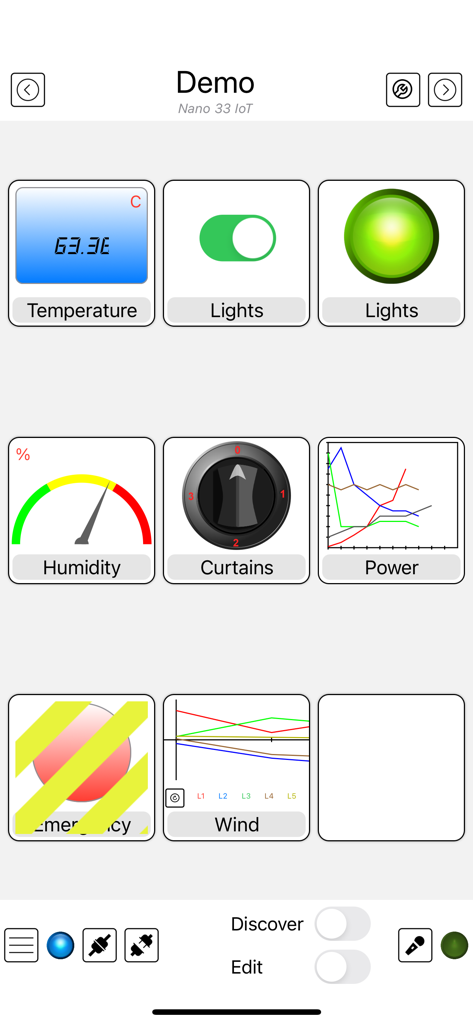
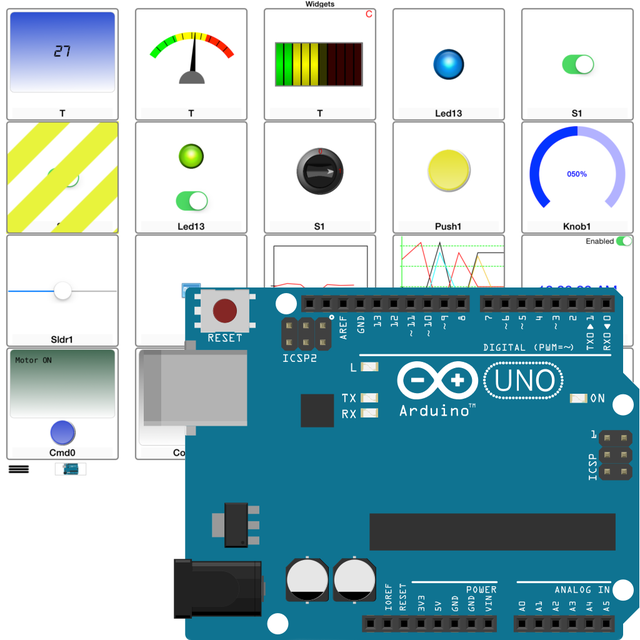
Arduino Managerアプリのインターフェース。マイクロコントローラープロジェクト用のグラフ、スイッチ、ゲージなどのさまざまなコントロールウィジェットが表示されています

Arduino Managerアプリのインターフェース。マイクロコントローラープロジェクト用のグラフ、スイッチ、ゲージなどのさまざまなコントロールウィジェットが表示されています

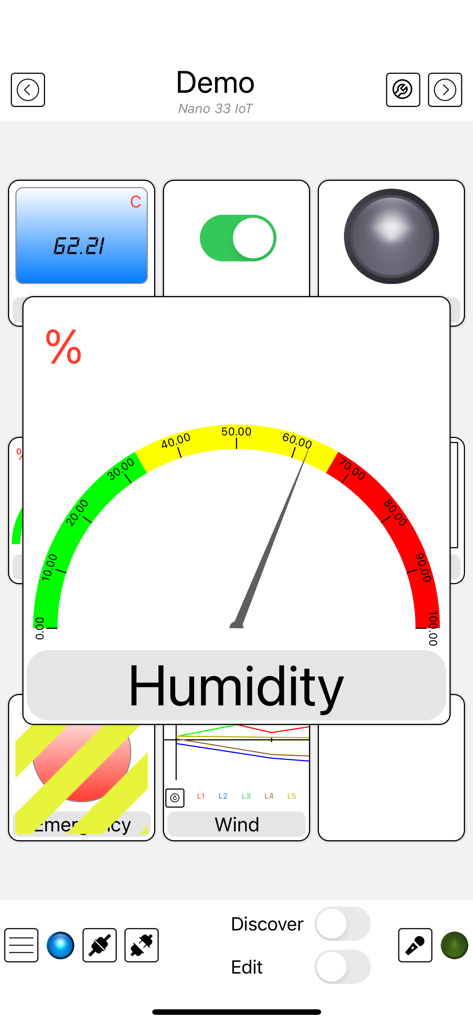
Arduino Managerアプリのインターフェース。湿度ゲージとさまざまなIoTセンサーウィジェットが表示されています

Arduino Managerアプリのインターフェース。湿度ゲージとさまざまなIoTセンサーウィジェットが表示されています

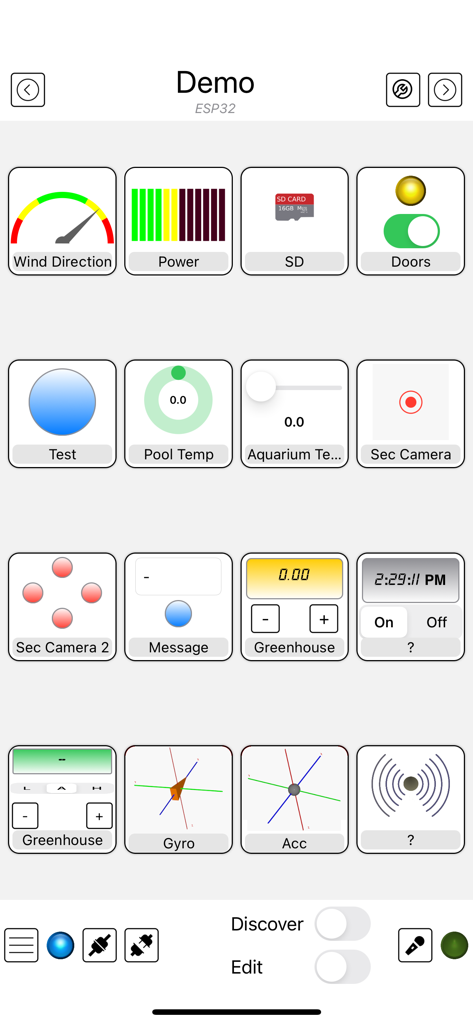
Arduino Managerアプリのインターフェース。DIY電子プロジェクトの制御と監視のためのカスタムウィジェットのグリッドが表示されています

Arduino Managerアプリのインターフェース。DIY電子プロジェクトの制御と監視のためのカスタムウィジェットのグリッドが表示されています

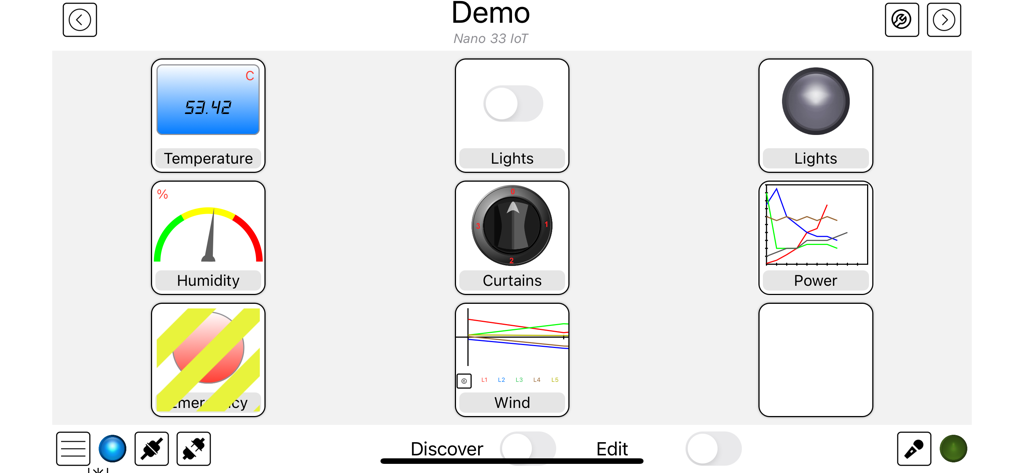
Arduino Managerダッシュボードインターフェース。温度、湿度、照明制御用のウィジェットが含まれています。

Arduino Managerダッシュボードインターフェース。温度、湿度、照明制御用のウィジェットが含まれています。

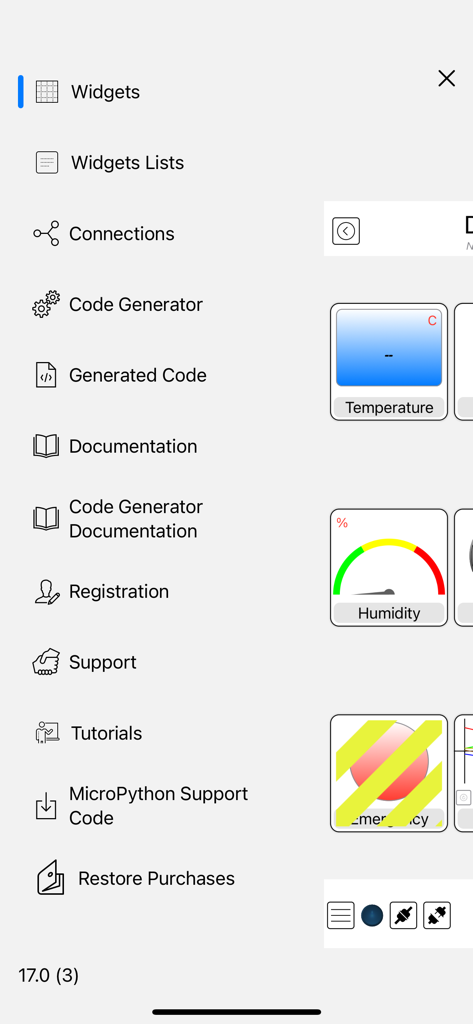
Arduino Managerアプリのサイドメニュー。コード生成とウィジェット構成オプションが含まれています。

Arduino Managerアプリのサイドメニュー。コード生成とウィジェット構成オプションが含まれています。

よりスマートに構築、より速くコーディング

このアプリを際立たせるツール、 121K+ 人のユーザーが選択.

インスタントコード生成

退屈な定型文作成をスキップしましょう。ハードウェアとiOSデバイス間の通信ブリッジを自動生成し、数時間ではなく数分でプロジェクトを実行できるようにします。

📊

プロフェッショナルデータダッシュボード

リアルタイムグラフ、コンソールログ、インタラクティブウィジェットでデータを視覚化しましょう。DIYプロジェクトを洗練された高性能コマンドセンターに変えます。

🔌

ユニバーサル接続性

すべてのボードに対応する1つのアプリ。ESP32、Arduino UNO、またはRaspberry Picoを使用する場合でも、WiFi、Bluetooth、またはEthernet経由で簡単に接続でき、iCloud同期も完全です。

世界中のユーザーに愛されています

Trusted by 121K+ 人がこのアプリを愛用しています.

"

"Arduino Managerは、私のホームオートメーションプロジェクトにとって絶対的なゲームチェンジャーです。コードジェネレーターは手動プログラミングの時間を何時間も節約してくれ、グラフウィジェットは通常ゼロから構築するのに数週間かかるレベルのデータ視覚化を提供します。DIYセンサーをiPad上のプロフェッショナルグレードの監視システムに変えます。"

Kevin R.
"

"数十個のIoTアプリを試しましたが、これほど多様なボードを扱えるものはありませんでした。照明用にESP32を使用する場合でも、ロボット工学用にPico Wを使用する場合でも、インターフェースはシームレスです。ローバーコントローラーは使うのが楽しく、Apple Watchからコマンドをトリガーできることで、私のプロジェクトは未来のようです。"

Marcus T.

アプリについて

について知っておくべきこと Arduino Manager.

説明

Supported Boards: UNO R4 WiFi, UNO R3, Nano, MEGA2560, ESP32, ESP8622, Zero, MKR1000, Nano 33 IoT, Teensy e nRF52 BLE, Raspberry Pico Pi W (also using SDK). ESP32, Raspberry Pico and Pico W with MicroPython. Arduino Manager is an app to control the Arduino board and receive information from it through: - Ethernet Shield (arduino.cc) - HM-10 / HM19 - Adafruit * WINC1500 WiFi * CC3000 WiFi * nRF52 BLE * nRF8001 Bluefruit LE * LE SPI Friend The app shows a grid and tapping on it you can insert specialized widgets to send and receive information from Arduino. For a better visualization or control, each widget can be zoomed by the means of a double tap on it; tap on Configure for configuring the widget itself. Some widgets are: - Display Widget: shows values coming from your Arduino (i.e. Temperature). It can show numbers with 0,1,2,3 decimal digits or rolling text - LED Widget: shows a LED that can be turned on and off through digital values from Arduino - Switch Widget: sets a digital value to Arduino - Switch & LED Widget: a combination of the two previous widgets to save space when they are used together with the same variable - Push Button Widget: temporarily sets a digital value to Arduino - Knob Widget: sets a non-digital value to Arduino - SD Widget: shows the list of files in the root of SD Card and selecting a file it shows the content - Graph Widget: graphs values in (almost) real time coming from your Arduino (e.g. instantaneous temperature) - Logged Data Graph Widget: graphs up to 5 values logged onto the SD Card attached to Arduino. Libraries have helping functions to log data onto the SD Card - Alarm Widget: configures an alarm on the Arduino board which is then fired at the desired time. The alarm is fired even if the iOS device is not connected and retained across power off - power on cycles - Command Widget: allows to send a command (text message) to Arduino once the yellow button is tapped. You can add more Command Widgets to send different commands - Rover Controller Widget: allows driving a rover robot just rotating the device - Sound Alarm Widget: sounds an alarm each time the associated condition is verified - Threshold Widget: allows setting a threshold to the Arduino board (e.g. the room temperature under which the board has to start an heater) - Console Widget: helps the user to debug the Arduino code, receiving and displaying debugging messages Other widgets are available, please see support site. Each widget is associated with a name and a variable (i.e. name: Temperature, variable: T). The variable is either written or read by the sketch running on the board allowing the iOS app receiving information from Arduino or controlling it. The app can be easily connected to more boards, each page of widgets can connects to a different board at the same time. User can easily manage different lists of widgets and switch among them in order to control different projects. Any widget list can be shared between own devices via iCloud and/or other users via an email message. Many Arduino libraries are available to easily integrate your own projects with Arduino Manager. Libraries, related documentation, demo sketches and a video tutorial are available for free from my site. Available In-App purchases: - Code Generator: allows to generate the communication infrastructure between the Arduino board and iOS device and the code for each chosen widget in order to simplify the programming effort on Arduino board. - PIN Code Generator: allows the user to associate a pin to each Widget and generate the code to manage that pin. In most cases this avoid writing any code - Voice Commands: You can now control most of the AM features by mean of voice commands (in English only). It also unlocks Voice Commands Widget Continuous use of background location can decrease battery life.

最新バージョン

23.2.0

サイズ

29.8 MB

リリース日

2012年1月31日

あなたの創造物をコントロールしよう

通信の定型文作成に時間を無駄にするのはやめましょう。Arduino Managerをダウンロードして、iPhoneまたはiPadを今日のプロジェクトのためのプロフェッショナルグレードのコマンドセンターに変えましょう。

ダウンロード: App Store