Audiobus: Mixer for Music Apps

Audiobus: Mixer for Music Apps

ダウンロード: App Store
Spark by MWM logo
ロゴ: Audiobus: Mixer for Music Apps

Audiobus: 音楽アプリ用ミキサー — モバイルスタジオのコマンドセンター

プロ仕様の仮想ケーブルで、クリエイティブツールの垣根を取り払いましょう。オーディオのルーティング、MIDIの同期、AUv3プラグインのホストをシームレスに行い、iPadやiPhoneを強力でモジュール式の制作拠点へと進化させます。

開発元

Audiobus Pty. Ltd.

カテゴリ

Music

ダウンロード

383K+

ユーザー評価

4.4/5

評価数

1K+

対応言語

13

あなたのスタジオを可視化

このインターフェースを利用する 383K+ 人のユーザー.

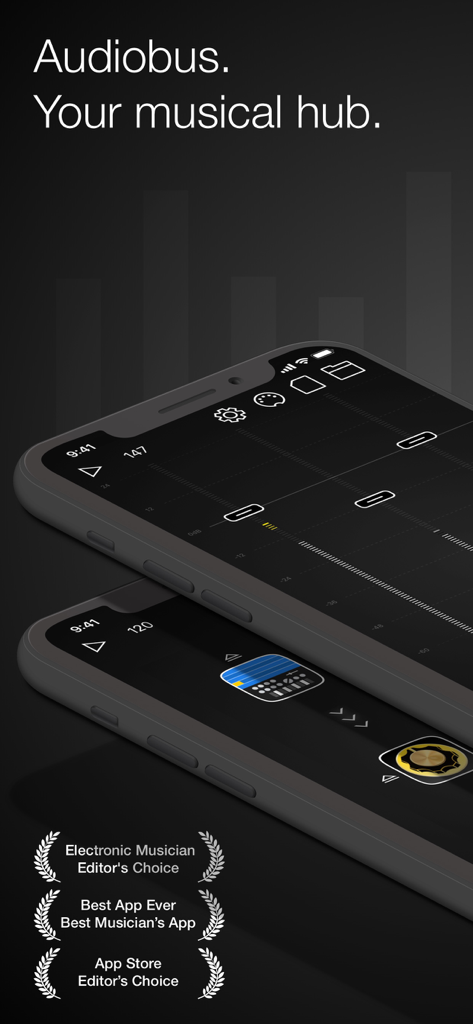
業界賞と「ミュージカルハブ」のキャッチコピーが特徴的な、iPhone上のAudiobus音楽ミキサーアプリのインターフェース

業界賞と「ミュージカルハブ」のキャッチコピーが特徴的な、iPhone上のAudiobus音楽ミキサーアプリのインターフェース

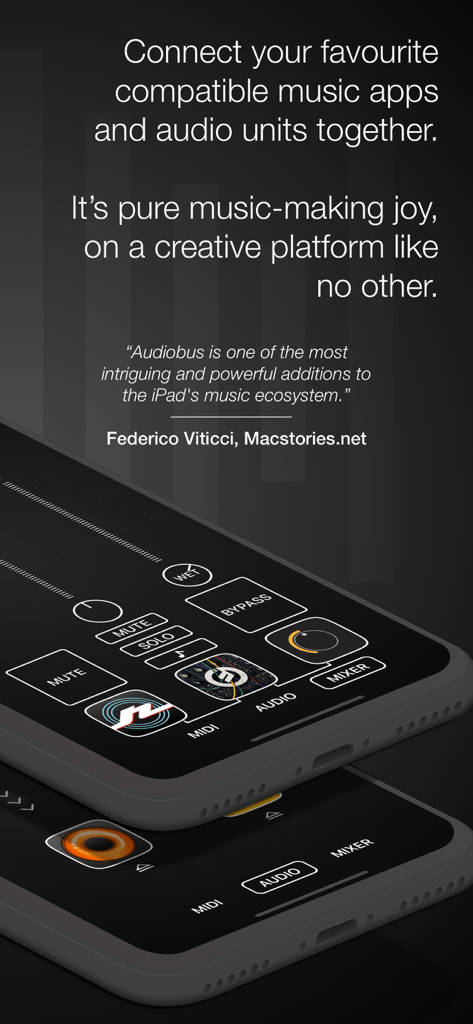
音楽制作アプリ用のミキサーとルーティング機能を表示している、モバイルデバイス上のAudiobusアプリインターフェース。

音楽制作アプリ用のミキサーとルーティング機能を表示している、モバイルデバイス上のAudiobusアプリインターフェース。

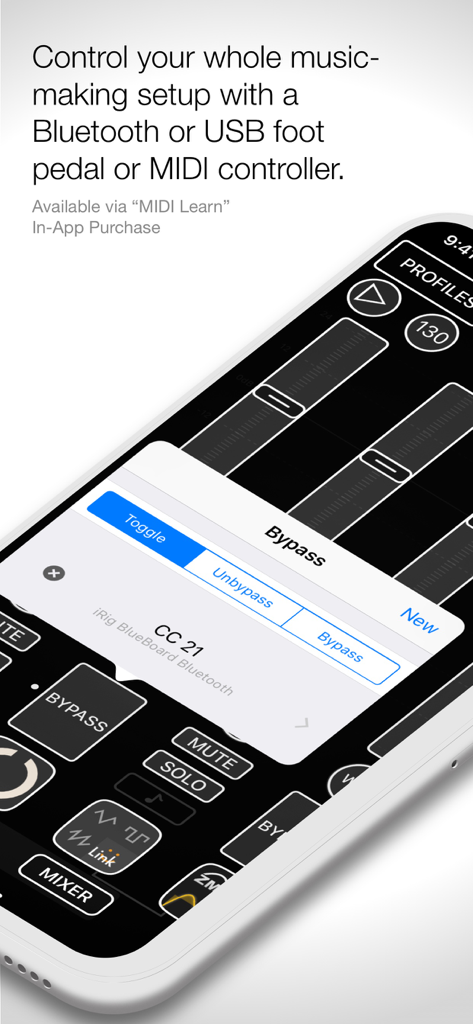
外部ハードウェアコントローラー用のMIDI Learn設定を表示しているAudiobusアプリのスクリーンショット

外部ハードウェアコントローラー用のMIDI Learn設定を表示しているAudiobusアプリのスクリーンショット

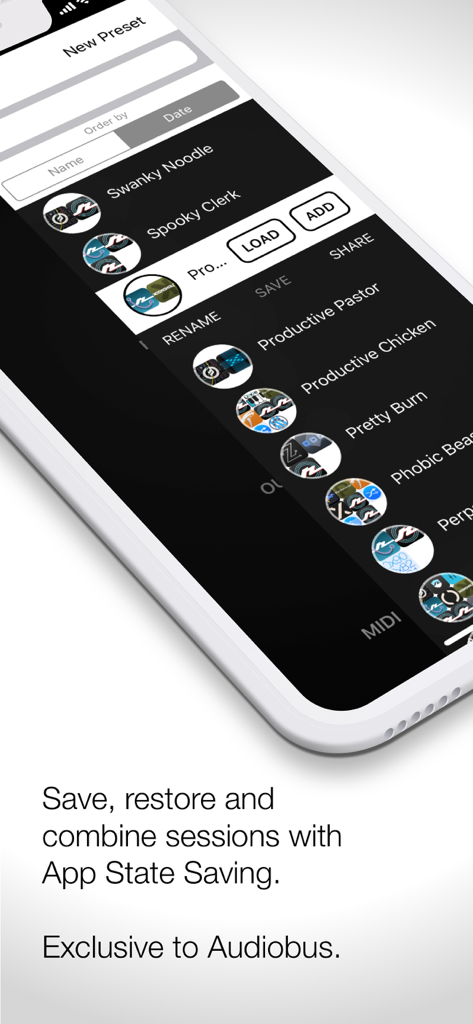
保存された音楽制作セッションとプリセットのリストを表示しているAudiobusアプリインターフェース

保存された音楽制作セッションとプリセットのリストを表示しているAudiobusアプリインターフェース

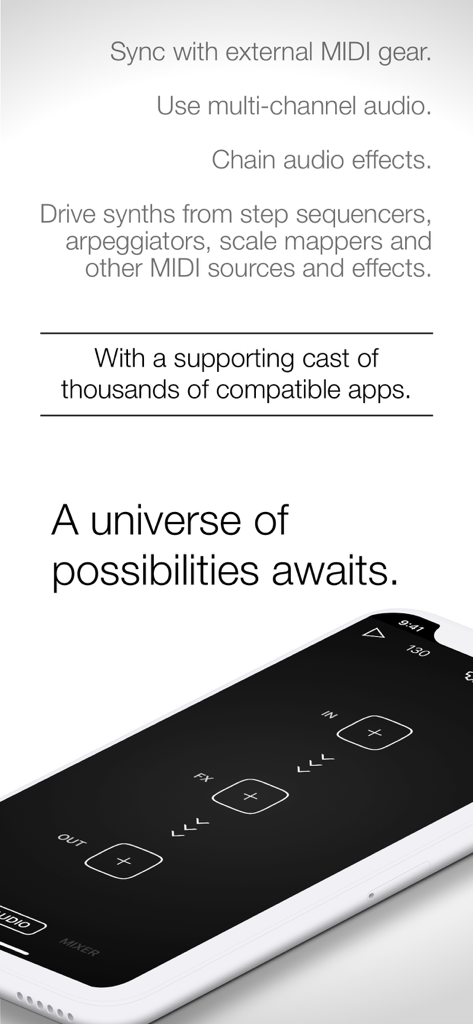
スマートフォン上でMIDIとオーディオエフェクトのルーティングスロットを表示しているAudiobusアプリインターフェース。

スマートフォン上でMIDIとオーディオエフェクトのルーティングスロットを表示しているAudiobusアプリインターフェース。

モバイル音楽のワークフローを向上させる

このアプリを際立たせるツール、 383K+ 人のユーザーが選択.

🔌

シームレスなアプリ間連携

ハイエンドスタジオで物理的なパッチケーブルを使っているかのように、AUv3ユニットと独立したアプリ間でライブオーディオとMIDIをルーティングします。

🎚️

統合されたミキシングとルーティング

レベルのバランス調整や、複雑なエフェクトの並列・直列チェインが可能な強力なミキサーで、サウンドスケープを自在に操りましょう。

⏱️

プロフェッショナルな同期とコントロール

クラス最高のMIDIクロック同期とカスタムコントローラーマッピングでセットアップ全体を指揮し、極めて安定した低レイテンシーのライブパフォーマンスを実現します。

世界中のユーザーに愛されています

Trusted by 383K+ 人がこのアプリを愛用しています.

"

"Audiobusは、私のiPadをプロ仕様のスタジオに変えてくれた『デジタルの接着剤』です。どんなシンセもお気に入りのブティックエフェクトに通して、ゼロレイテンシーでDAWに直接送ることができます。私のモバイル制作ワークフローにとって、間違いなくゲームチェンジャーです。"

マーカス・ソーン、エレクトロニック・プロデューサー
"

"信頼性は比類ありません。ライブセット中にハードウェアMIDIコントローラーを複数のアプリと同時に同期させるために使用しています。ミキサーインターフェースは直感的で、MIDI Learn機能により複雑なルーティングも簡単に行えます。すべてのiOSミュージシャンにとって真に不可欠なツールです。"

エレナ・ロドリゲス、ライブ・パフォーマー

レビュー分析

ユーザーレビューの分析.

感情スコア

24%
ネガティブ

概要

The app currently receives overwhelmingly negative feedback, primarily due to recent updates that introduced a mandatory subscription model, data trackers, and a requirement for a constant internet connection, which severely impacts offline usability. Users who previously purchased the app express frustration over the sudden paywall and perceived betrayal, with the 3.6 update specifically noted for removing MIDI and mixer functionality. While some positive remarks highlight the app's historical strength in audio mixing and routing, praising its intuitiveness and integration with other audio apps, these positive aspects are largely overshadowed by widespread complaints about performance issues, including frequent crashes, slow startup times, and connectivity problems with Inter-App Audio (IAA).

主なテーマ

Subscription Model(18)
Performance & Stability(16)
Data Tracking(11)
Offline Usability(11)
Core Audio Functionality(5)
Previous Version Quality(4)

アプリについて

について知っておくべきこと Audiobus: Mixer for Music Apps.

説明

Unlock new dimensions of music creation with Audiobus, the ultimate hub that connects your music apps seamlessly, just like virtual cables. Whether you're crafting beats, experimenting with effects, or syncing live performances, Audiobus empowers your creativity with endless possibilities. With Audiobus, you can: - Send live audio or MIDI from one Audiobus-compatible app or AUv3 Audio Unit to another - Add effects on top of your favourite synthesizer, and use your favourite step sequencer to drive it or plug in your guitar, and create your own effects chain, in parallel with your mic input - Adjust the mix and balance with the mixer - Send the result to your favourite DAW, sampler or looper, or run it out through a multi-channel audio interface Integrate your music gear with Audiobus: - Connect a Bluetooth or wired MIDI keyboard to play a synth or other app or Audio Unit. - Control your whole session from a foot switch or other MIDI controller using Audiobus' MIDI Learn In-App Purchase. - Sync with external hardware with Audiobus' best-in-class MIDI clock. Explore a vibrant ecosystem of over a thousand compatible apps, including: - Korg Gadget - GarageBand - Launchpad - Animoog - Loopy HD - Cubasis - Auria - Amplitube ...and many more! Check the full list at https://audiob.us/apps. For detailed guidance, visit the Audiobus user manual at https://audiob.us/help. Subscribe to access to premium app features; subscription details are the following: - Length: weekly or yearly - Free trial: only on selected subscriptions - Your payment will be charged to your iTunes Account as soon as you confirm your purchase - You can manage your subscriptions and turn off auto-renewal from your Account Settings after the purchase - Your subscription will renew automatically, unless you turn off auto-renew at least 24 hours before the end of the current period - The cost of renewal will be charged to your account in the 24 hours prior to the end of the current period - When canceling a subscription, your subscription will stay active until the end of the period. Auto-renewal will be disabled, but the current subscription will not be refunded - Any unused portion of a free trial period, if offered, will be forfeited when purchasing a subscription Terms & Conditions: [https://magic-cake-e95.notion.site/Audiobus-Terms-Conditions-14acf6557a088036899aed8f1a3ffd9d?pvs=4](https://www.notion.so/Audiobus-Terms-Conditions-14acf6557a088036899aed8f1a3ffd9d?pvs=21) Privacy Policy: [https://magic-cake-e95.notion.site/Audiobus-Privacy-Policy-14acf6557a08808ca1adc1d8a0e67223?pvs=4](https://www.notion.so/Audiobus-Privacy-Policy-14acf6557a08808ca1adc1d8a0e67223?pvs=21) Pay a visit to our website for more information: https://audiob.us/ If you have any questions, please contact us at audiobus.help@gmail.com

最新バージョン

3.7.1

サイズ

63.5 MB

リリース日

2017年4月3日

究極のiOSスタジオを構築する準備はできましたか?

モバイル音楽制作の業界標準ブリッジを使用している38万人以上のプロデューサーに加わりましょう。Audiobusをダウンロードして、制限のないクリエイティビティのルーティングを始めましょう。

ダウンロード: App Store