Camelot Pro

Camelot Pro

ダウンロード: App Store
Spark by MWM logo
ロゴ: Camelot Pro

Camelot Pro:現代のミュージシャンのための究極のライブパフォーマンスワークステーション

オールインワンのセットリストマネージャー、AUv3ホスト、MIDIルーターでステージセットアップを完全にコントロールしましょう。プロフェッショナルな信頼性のために設計されたCamelot Proは、ギャップレスなシーン切り替えと、ハードウェアおよびソフトウェアギアのシームレスな統合を保証します。

ダウンロード: App Store

開発元

Audio Modeling Srl

カテゴリ

Music

ダウンロード

24K+

ユーザー評価

4.4/5

評価数

100

対応言語

-

ショーを指揮しよう

このインターフェースを利用する 24K+ 人のユーザー.

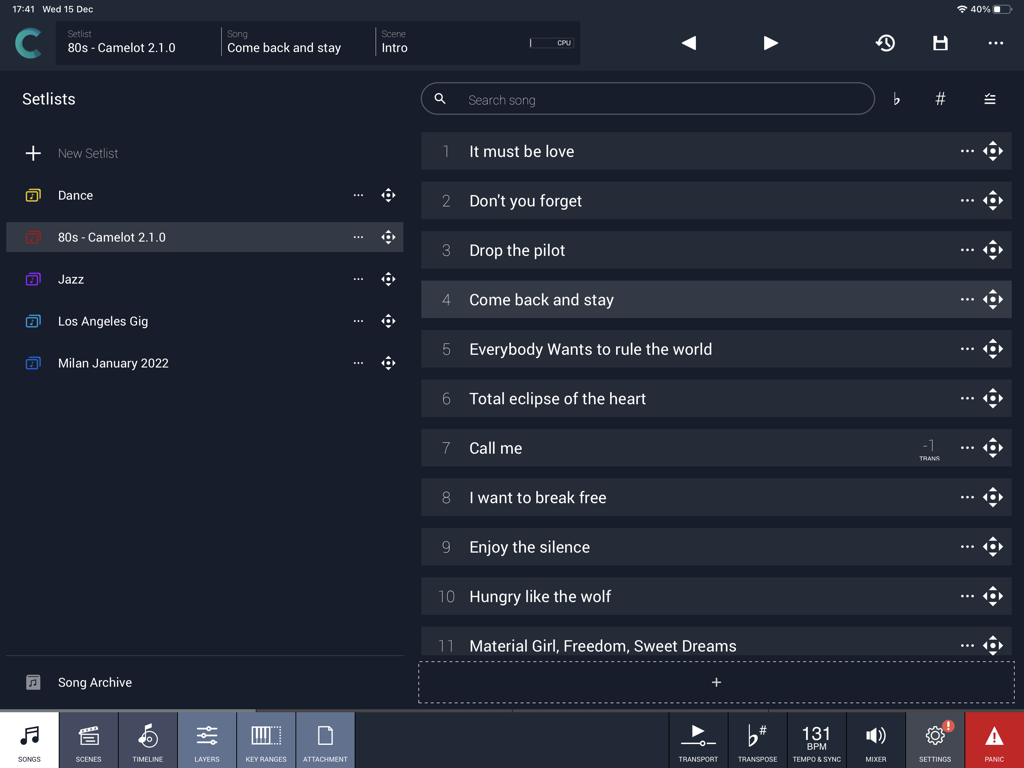
Camelot Proアプリのインターフェイス。ミュージシャン向けの曲セットリストとパフォーマンス管理を表示。

Camelot Proアプリのインターフェイス。ミュージシャン向けの曲セットリストとパフォーマンス管理を表示。

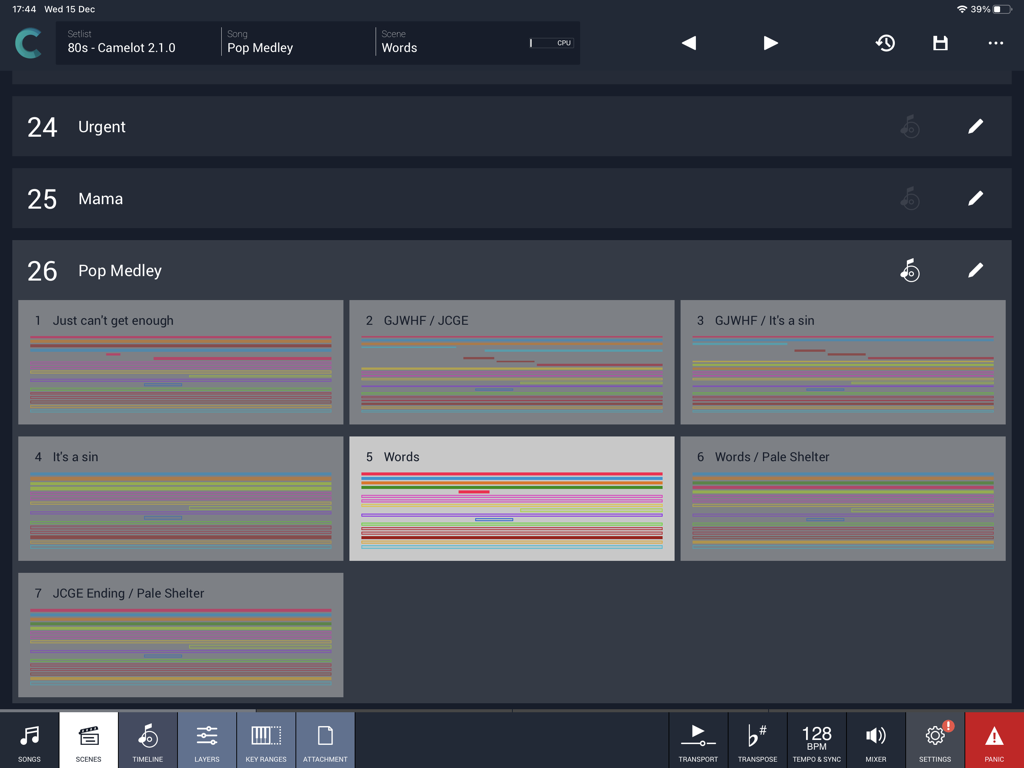
Camelot Pro iPadアプリのインターフェイス。ポップメドレーのセットリストのシーンビューを表示。

Camelot Pro iPadアプリのインターフェイス。ポップメドレーのセットリストのシーンビューを表示。

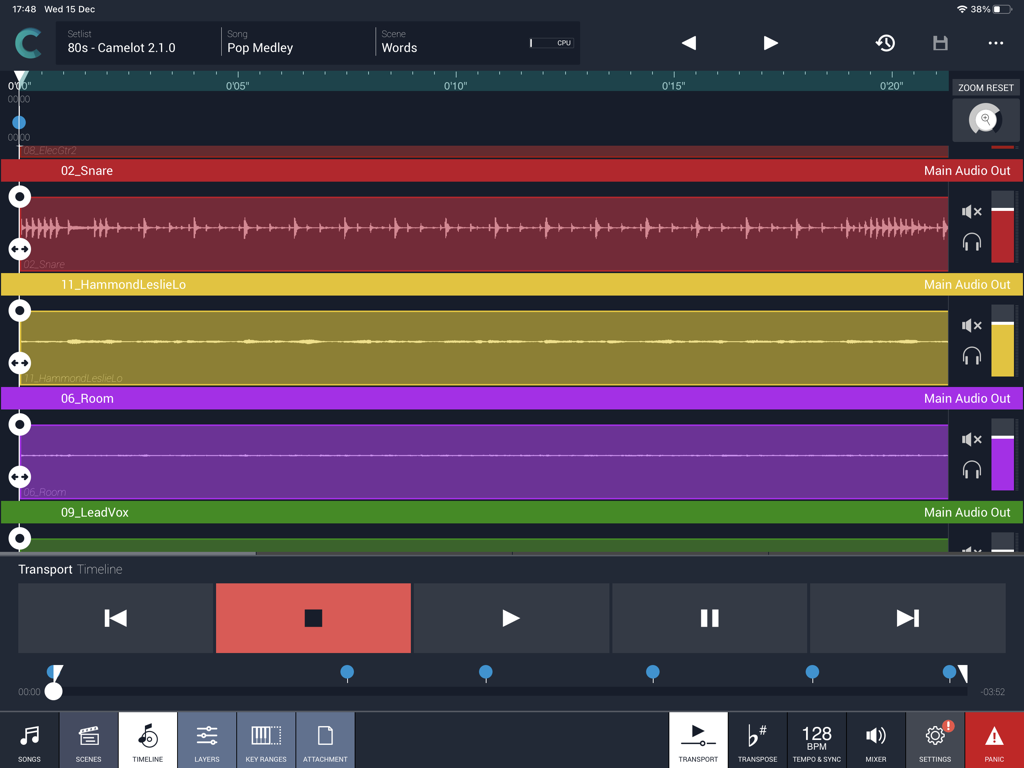
ライブ音楽パフォーマンス用のiPad上のCamelot Proマルチトラックオーディオタイムラインビュー。

ライブ音楽パフォーマンス用のiPad上のCamelot Proマルチトラックオーディオタイムラインビュー。

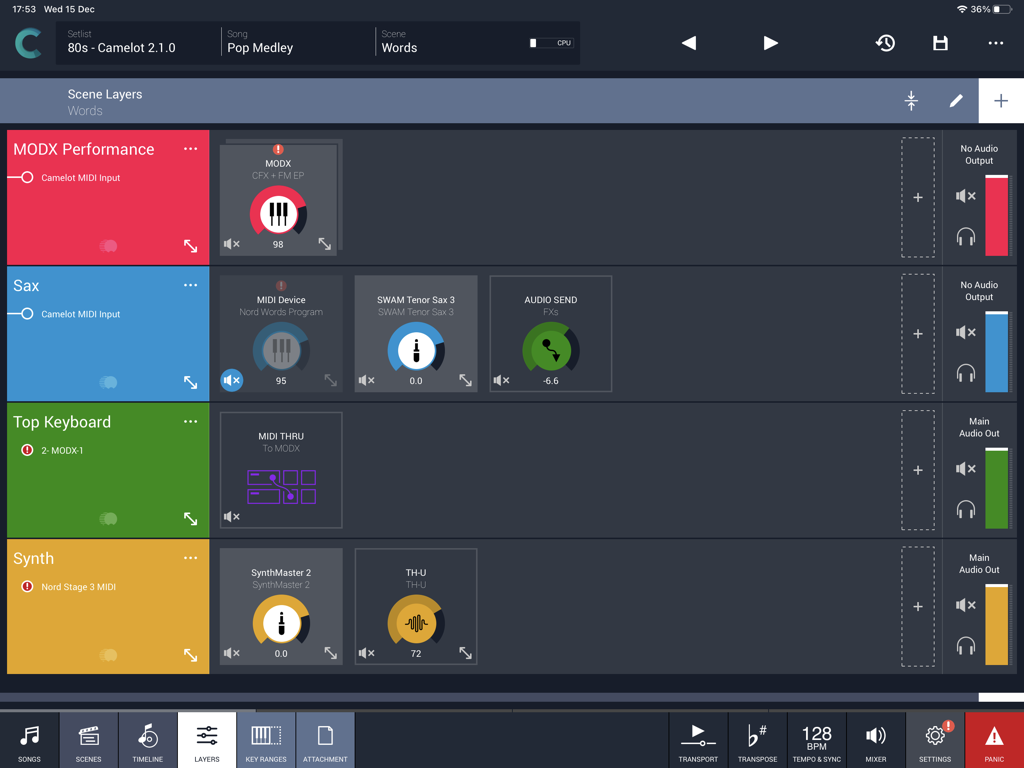
ライブ音楽パフォーマンスのシーンレイヤーを表示するCamelot Proアプリのインターフェイス。

ライブ音楽パフォーマンスのシーンレイヤーを表示するCamelot Proアプリのインターフェイス。

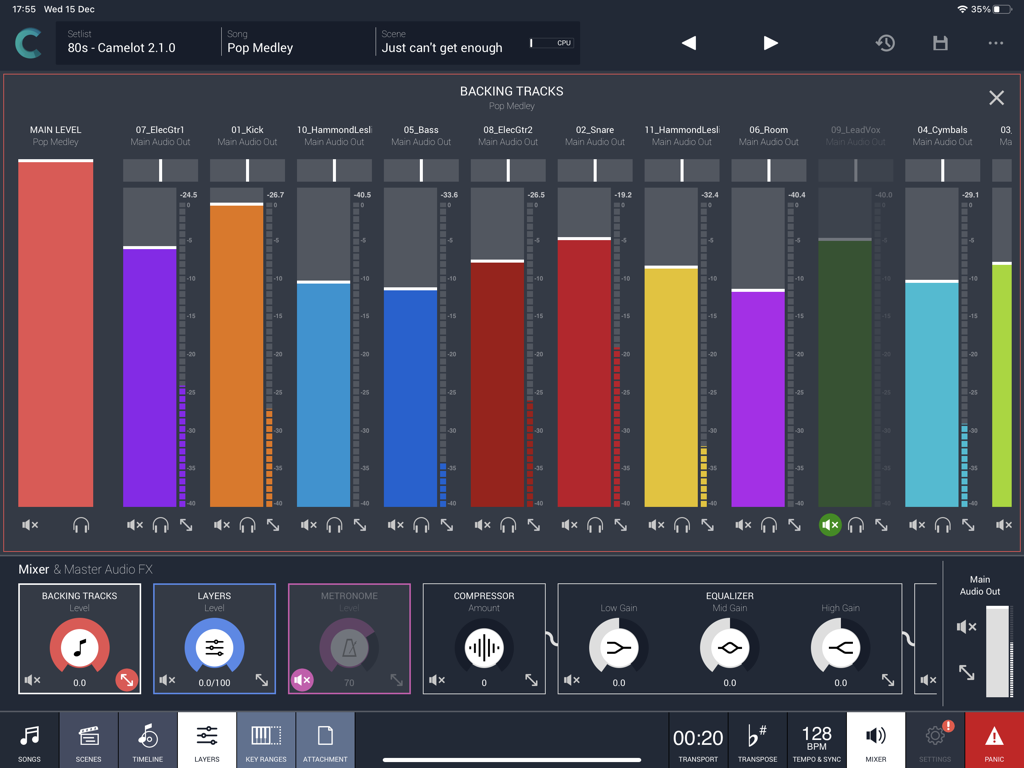
ライブパフォーマンスのバッキングトラック用のマルチトラックオーディオミキサーを表示するCamelot Proアプリのインターフェイス。

ライブパフォーマンスのバッキングトラック用のマルチトラックオーディオミキサーを表示するCamelot Proアプリのインターフェイス。

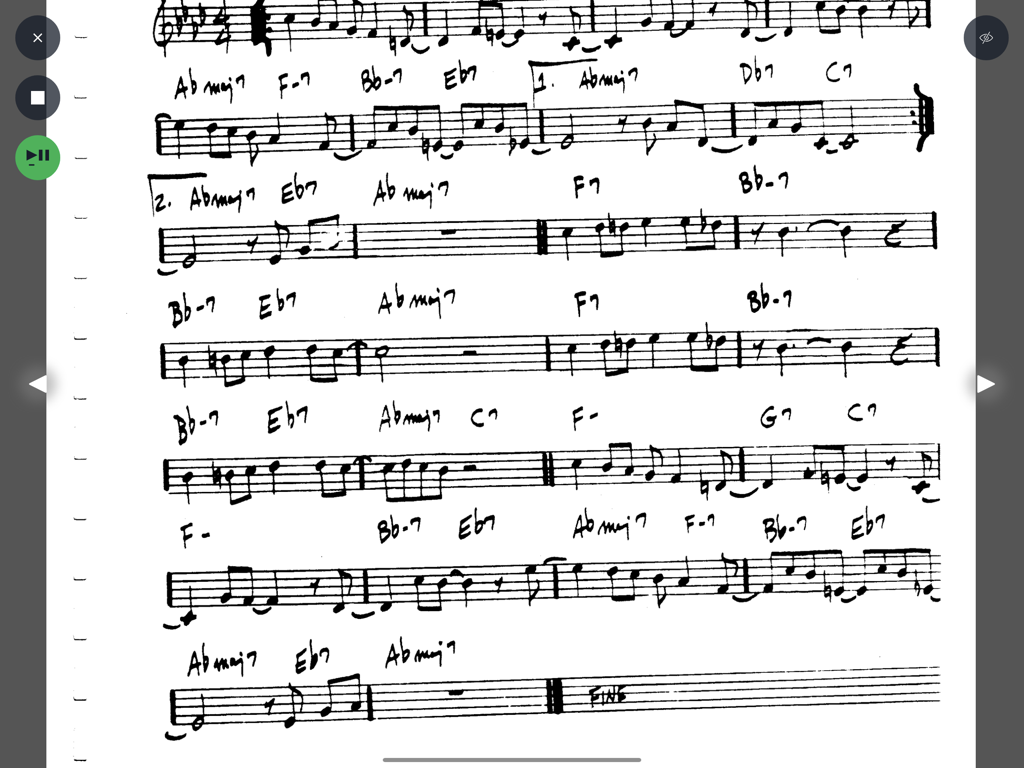
Camelot Proスコアリーダーインターフェイスに表示された、コードとノート付きの手書き楽譜。

Camelot Proスコアリーダーインターフェイスに表示された、コードとノート付きの手書き楽譜。

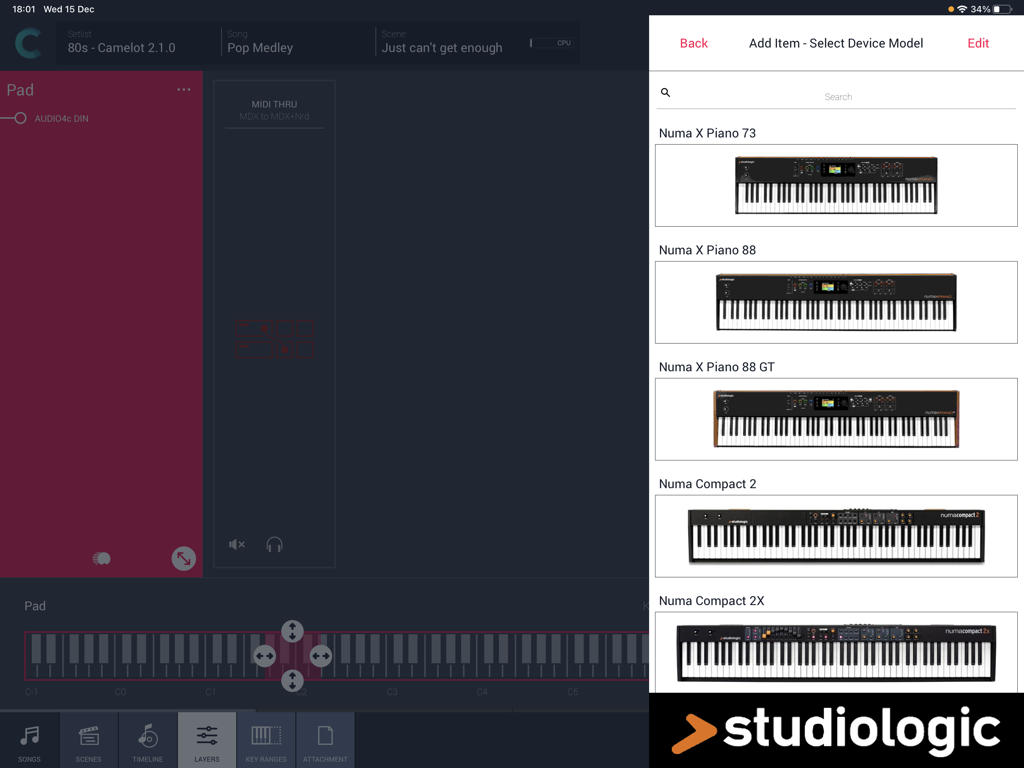
Camelot Pro iPadアプリのハードウェアセットアップメニューでStudiologicデジタルピアノモデルを選択。

Camelot Pro iPadアプリのハードウェアセットアップメニューでStudiologicデジタルピアノモデルを選択。

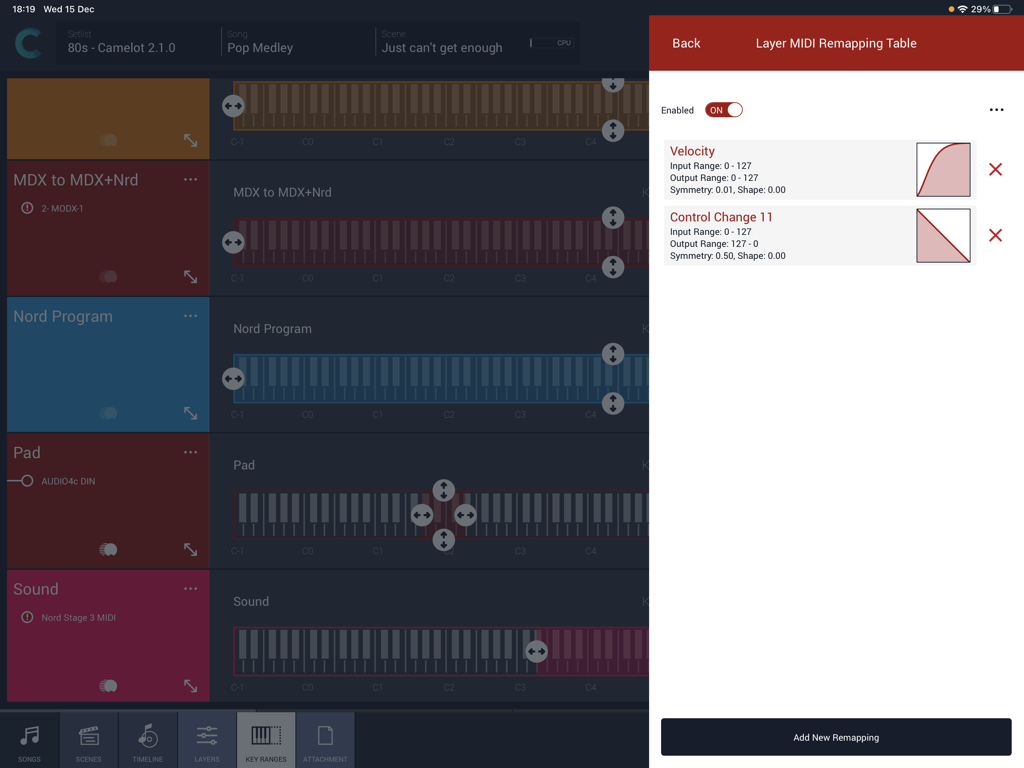
Camelot Proアプリのインターフェイス。キーボードレイヤー範囲を持つMIDIベロシティおよびコントロールチェンジアマッピングカーブを表示。

Camelot Proアプリのインターフェイス。キーボードレイヤー範囲を持つMIDIベロシティおよびコントロールチェンジアマッピングカーブを表示。

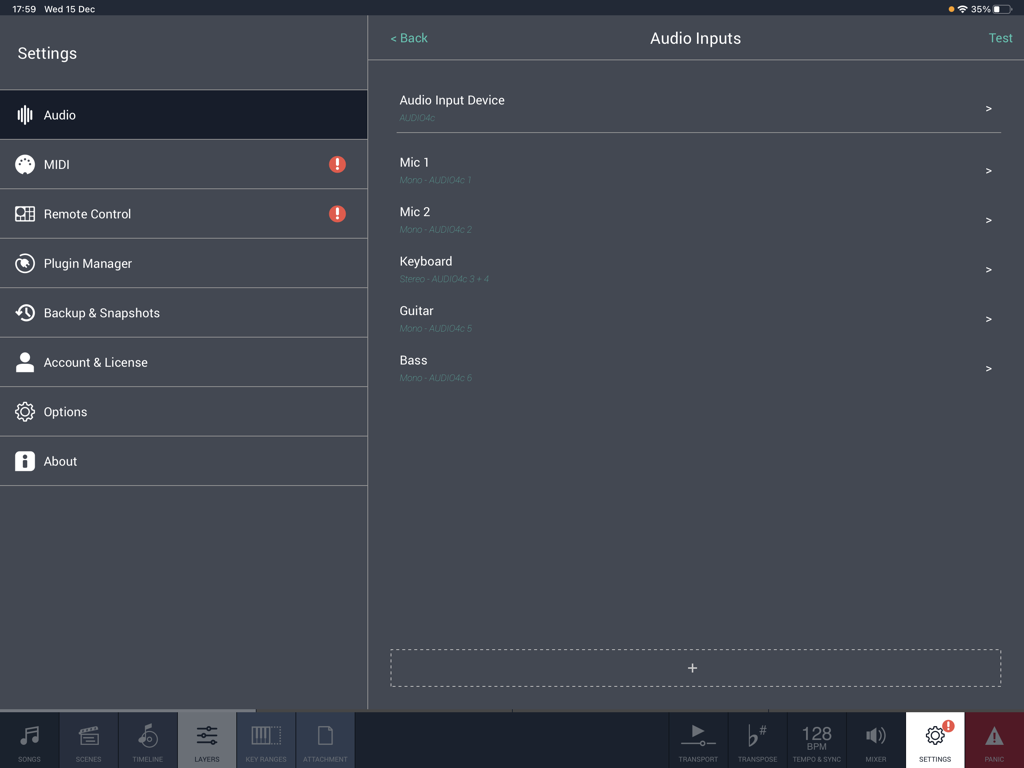
iPad用Camelot Proアプリのオーディオ入力設定画面。マイク、キーボード、ギター、ベースの設定を表示。

iPad用Camelot Proアプリのオーディオ入力設定画面。マイク、キーボード、ギター、ベースの設定を表示。

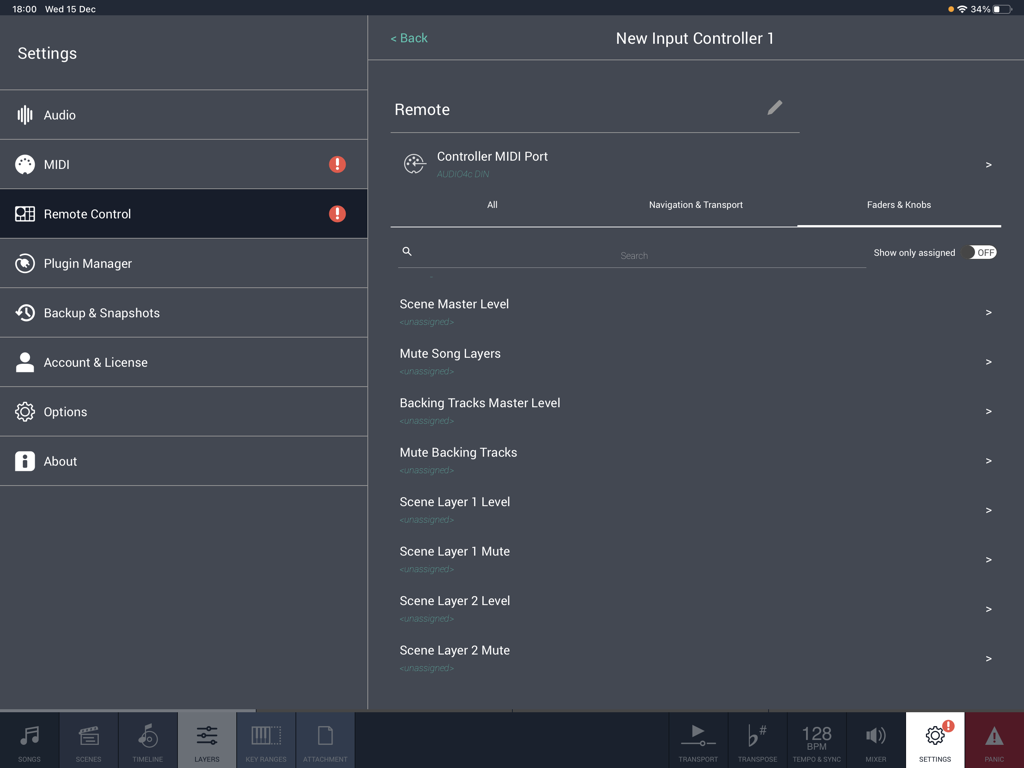
MIDIフェーダーとノブのマッピング用のリモートコントロール設定を表示するCamelot Proアプリのインターフェイス。

MIDIフェーダーとノブのマッピング用のリモートコントロール設定を表示するCamelot Proアプリのインターフェイス。

ライブショーのための究極のコマンドセンター

このアプリを際立たせるツール、 24K+ 人のユーザーが選択.

ギャップレスなシーン切り替え

ポップ音や無音なしで、複雑なレイヤーやサウンド間をオーディオの中断なく切り替えることができます。究極のパフォーマンスを体験してください。

🎹

リグ全体をマスターする

高度な技術知識なしに、ハードウェアシンセサイザーとソフトウェアプラグイン間でMIDIとオーディオを簡単にルーティングできます。

📋

完全なパフォーマンスマネージャー

セットリスト、PDF楽譜、マルチトラックバッキングトラックを同期させ、簡単なドラッグ&ドロップ操作で準備完了の状態に保ちます。

世界中のユーザーに愛されています

Trusted by 24K+ 人がこのアプリを愛用しています.

"

"Camelot Proは私のツアーリグにとって、まさにゲームチェンジャーです。ついに、かさばるラップトップを捨ててiPadのみのセットアップに移行しました。スマートシーン切り替えは完璧で、重いシンセリードから、リバーブテールが残る繊細なピアノに、オーディオのドロップアウトなしで切り替えることができます。これまでに使用した中で最も安定したライブホストです。"

Marcus Reed, Touring Keyboardist
"

"複雑な日曜日のセットを演奏するには、4つの異なるアプリを使い分ける必要がありました。今ではCamelotがすべてを処理してくれます。AUv3プラグイン、ハードウェアのMIDIルーティング、コードチャートです。バッキングトラックを再生しながらシーン変更を自動化するタイムラインがあることで、ワークフローが劇的に簡素化されました。これは私のステージセットアップ全体の頭脳です。"

Sarah Jenkins, Music Director

アプリについて

について知っておくべきこと Camelot Pro.

説明

Camelot is an application created to address the most complex live performance needs with a simple and guided workflow. It combines in one app, a convenient and beautifully designed digital performance workstation that in the past could only be achieved with a complex setup made of connecting different applications and devices together. Camelot is a Setlist Manager, a Software Instrument & FX Host, a PDF Music Score reader, a Multitrack Audio Player, and the most advanced Audio/MIDI Patchbay and Router. All in one piece of software: ● Hardware Instrument presets: select your instrument Smart Map and go! With no MIDI knowledge! ● Software instruments and effects (AUv3) Play with your favorite software sounds & FX (Auv3 format) and enjoy switching from one scene to another WITHOUT SOUND INTERRUPTION! ● MIDI keyboards and MPE controllers: connect any MIDI controller directly or with a USB hub; ● Advanced MIDI routing: duplicate, filter, and route any MIDI messages with ease; ● Powerful MIDI Transformers: Message Transformers convert CC messages from one number to another. Trigger a chord by pressing one note Remap/rescale any CC or velocity curve. Easily play different scales or harmonize/shift parts; ● MIDI and Bluetooth remote controls: Remote scene switching, start/stop buttons, or assign track levels to external pedals, faders, or controllers; ● Smart Scene Switching: It’s a unique feature on iOS!!! There is no AUv3 host capable of switching sound with NO AUDIO INTERRUPTION and clever MIDI messages management, that does not truncate MIDI instances & routing. Stop using production tools for live performances! ● Tempo Sync with MIDI Clock and Ableton Link, with dedicated output for metronome (click) ● Lyrics and Chords attachments with custom annotations: each Scene recalls PDF or images that you can visualize during the performance. The attached file can be saved at the desired zoom level and scroll position. Stop using paper chord, lyrics, or music score books! ● Audio backing tracks, Timeline & Automations: attach Audio Tracks, add auto-play and auto-stop markers, and even add Scene automation. You can have multiple audio tracks with separate audio outputs and, at the same time, use the Timeline to automate Scene switches at specific points in the sequence; ● Audio Inputs and Routing: Manage any audio input source: mic, guitar, bass, or hardware synth. Add effects to any internal or external audio source in Camelot. Endless audio routing options with dedicated audio send connectors; ● Manage your Performance with ease: Forget about the complications of last-minute Setlist changes. Rearrange, move and duplicate Songs with simple Drag & Drop directly on each Setlist. How Camelot is organized: ● Setlists - a collection of Songs ● Songs - can have one or more Scenes that each include a Timeline. When you select a Song in Camelot, you load all the resources needed to play that Song (i.e., Virtual Instruments, FX, and Audio Tracks). ● Scenes - recall and organize Hardware instruments presets, MIDI connections, Software plugin presets, and Music Score Attachments. You can switch freely from one Scene to another with no interruption in the sound. ● Layers - the building blocks of each Scene. Layers allow the connection between MIDI Input Controllers and the Items. Layers manage the MIDI and Audio flow for all the Items that are loaded on them. ● Items - Individual Hardware or Software Instruments and FX.

最新バージョン

2.4.0

サイズ

57.4 MB

リリース日

2018年12月13日

ライブパフォーマンスを指揮しよう

複雑さを捨て、絶対的な自信を持って演奏しましょう。数千人のプロミュージシャンがCamelotを使用して、iPad 1台でショー全体を動かしています。

ダウンロード: App Store