Bear - Markdown Notes

Bear - Markdown Notes

ダウンロード: App Store
Spark by MWM logo
ロゴ: Bear - Markdown Notes

Bear - あなたの思考を、美しく整理する

集中力を大切にするクリエイティブなプロフェッショナルのための、数々の賞を受賞したMarkdownアプリ。アイデアを書き留め、自分だけのWikiを構築し、すべてのAppleデバイスで邪魔されることなく執筆できます。

ダウンロード: App Store

開発元

Shiny Frog Ltd.

カテゴリ

Productivity

ダウンロード

4M+

ユーザー評価

4.6/5

評価数

31K+

対応言語

11

すべてのピクセルにエレガンスを

このインターフェースを利用する 4M+ 人のユーザー.

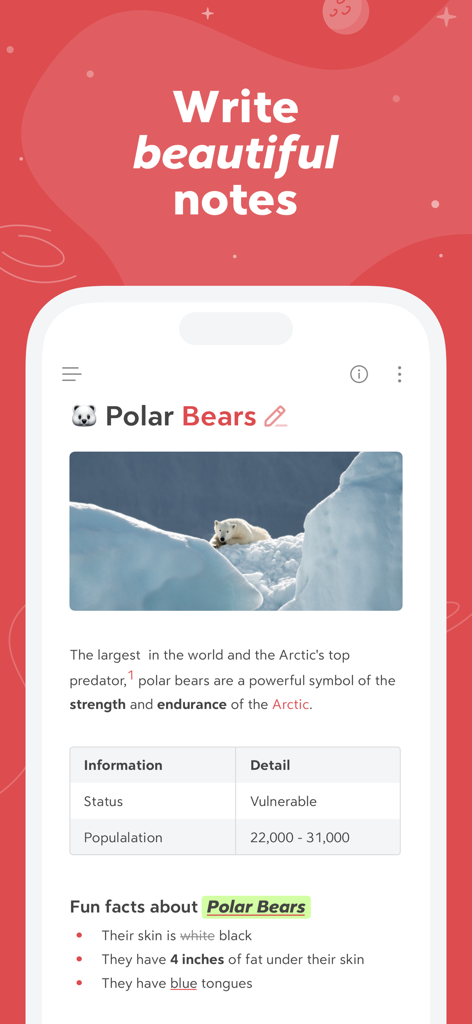
画像と表を含むホッキョクグマに関するフォーマット済みノートが表示された、Bearアプリのスマートフォン画面

画像と表を含むホッキョクグマに関するフォーマット済みノートが表示された、Bearアプリのスマートフォン画面

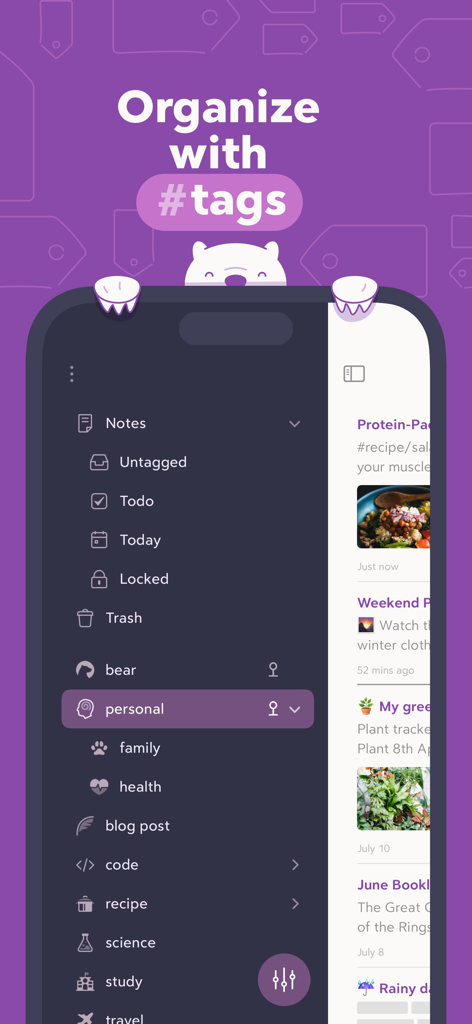
ダークモードのサイドバーで、ネストされたハッシュタグを使用してノートを整理しているBearアプリのインターフェース

ダークモードのサイドバーで、ネストされたハッシュタグを使用してノートを整理しているBearアプリのインターフェース

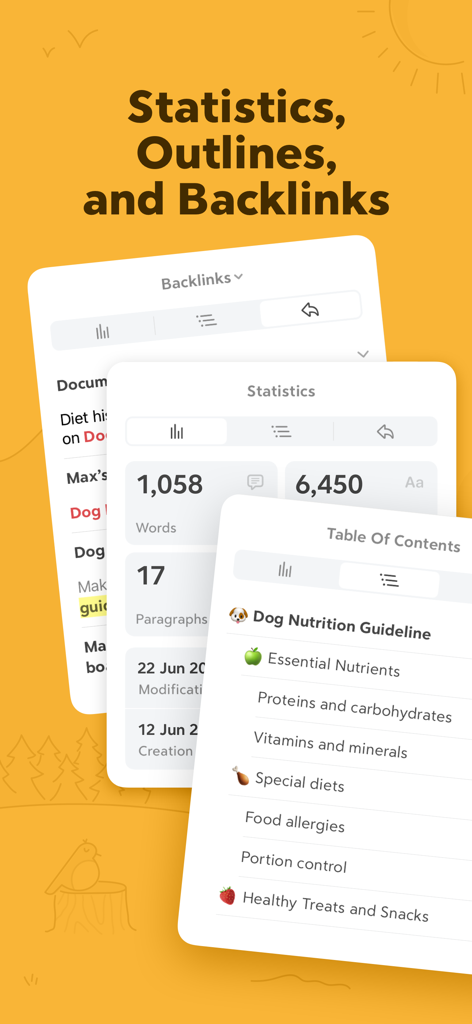
文字数統計、目次、バックリンクパネルが表示されたBearアプリのインターフェース

文字数統計、目次、バックリンクパネルが表示されたBearアプリのインターフェース

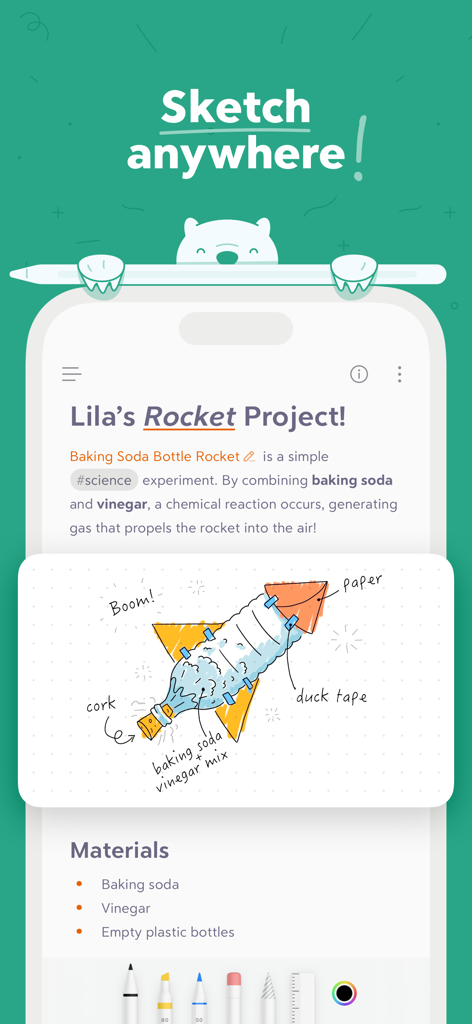
手書きのロケットのイラストが添えられた、科学プロジェクトのノートを表示するBearアプリのインターフェース

手書きのロケットのイラストが添えられた、科学プロジェクトのノートを表示するBearアプリのインターフェース

テキストや画像内でハイライトされた「focus」という単語の検索結果を示すBearアプリのインターフェース

テキストや画像内でハイライトされた「focus」という単語の検索結果を示すBearアプリのインターフェース

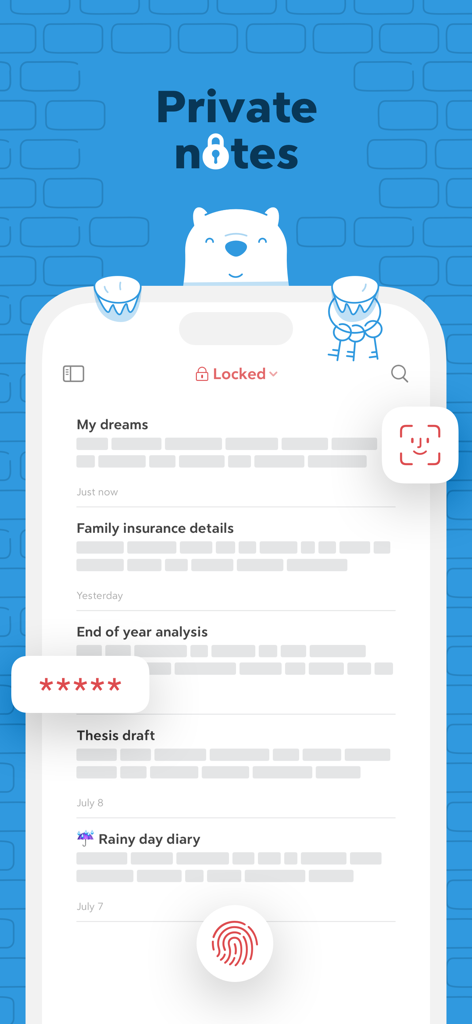
Face ID、Touch ID、およびパスワード暗号化によって保護されたプライベートノートを表示するBearアプリのインターフェース

Face ID、Touch ID、およびパスワード暗号化によって保護されたプライベートノートを表示するBearアプリのインターフェース

デジタルワークを洗練させる

このアプリを際立たせるツール、 4M+ 人のユーザーが選択.

🖋️

集中を妨げない執筆

テクニカルなMarkdown構文を隠す、美しくクリーンなキャンバス。素晴らしいタイポグラフィとテーマで、フロー状態に入ることができます。

🏷️

柔軟なタグベースの整理

硬直したフォルダ構造を、柔軟なネスト(入れ子)タグとWikiリンクに置き換えましょう。アイデアと共に成長する個人のナレッジベースを構築できます。

🔒

プライバシー重視の同期

アカウント作成やトラッキングは一切ありません。iCloud経由でiPhone、iPad、Mac間でシームレスに同期され、データは非公開かつ安全に保たれます。

世界中のユーザーに愛されています

Trusted by 4M+ 人がこのアプリを愛用しています.

"

"使うのが苦痛にならない『第二の脳』ツールを何年も探していました。Bearは完璧なバランスです。リサーチに必要なMarkdownとWikiリンクのパワーを備えつつ、集中を助けるミニマルなデザインも兼ね備えています。ネストされたタグシステムは、従来のフォルダの煩雑さなしに複雑なプロジェクトを整理できる、まさに画期的な機能です。"

サラ・チェン、ソフトウェアエンジニア
"

"ライターにとって、仕事をする環境は言葉そのものと同じくらい重要です。Bearは私がこれまでに使った中で最も美しい執筆アプリです。テーマは素晴らしく、タイポグラフィも完璧。iPadでのアイデア出しからMacでのドラフト作成への移行も非常にスムーズです。プロ仕様のパワーが、見事でプライベートなパッケージに包まれています。"

ジュリアン・ロス、フリーランスジャーナリスト

アプリについて

について知っておくべきこと Bear - Markdown Notes.

説明

Bear is a beautiful, powerfully simple Markdown app to capture, write, and organize your life. ​ Take notes, plan your day, journal thoughts, organize tables, create lists and tasks, sketch ideas, link notes together, write a book, and much more. Bear is used by writers, lawyers, chefs, CEOs, teachers, doctors, engineers, students, parents.. you get the picture. Getting started couldn’t be faster—no signup and no account. Just open a note and write naturally. ​ "My journaling app of choice is Bear" - Kit Eaton, New York Times ​ * 2017 Apple Design Award * 2016 App Store App of the Year * Editors' choice for 7 consecutive years * Most of our parents love it ​ ## BEAUTIFUL. SIMPLE. POWERFUL. PRIVATE - Tools stay out of your way so you can just write - Sketch ideas on iPad with an extendable canvas and Apple Pencil (and other styli) - Clip web pages and other content with Bear’s app extension - The redesigned Info Panel now with Table of Contents and Backlinks - Use Apple Watch to dictate and append to recent notes - Support for all the scripts including RTL languages like Arabic, Hebrew, and Persian - Easily create notes with Siri and Shortcuts - Your notes, not ours - Bear is private at its core: We cannot see your notes, tags, or anything else ​ ## FLEXIBLE MARKDOWN ​ - Work in plain text - easy to move between apps - Still use formatting like bold, italics, strikethrough, links, tables, and more with Markdown - Combine text styles like bold and underline, even in headings - Markdown hides for a clean reading experience - Use WikiLinks to connect notes and build a personal wiki or knowledge management tool ​ ## GET ORGANIZED with #tags, tasks, and more ​ - Add #tags, #multi-word tags# and even #multiple/nested/tags anywhere in a note for quick organization - Pin important tags to the top of the Sidebar - Make important tags stand out in the Sidebar with TagCons - Add tasks to notes and easily view all notes that include tasks - Fold sections to get them out of the way ​ ## SHARING MADE EASY ​ - Export notes to plain text, Markdown, TextBundle, Bear note, and rich text - Export notes to HTML, DocX, PDF, JPG, and ePub (Bear Pro required) - Easily share your notes to any third-party app with the Share Sheet ​ ## SEARCH FAR AND WIDE ​ - Use Spotlight to search your notes from anywhere - Search for text inside photos and PDFs (Bear Pro required) - Focus on specific types of notes with powerful Special Searches like @todo, @images, and @yesterday ​ ## CREATE YOUR COZY SPACE ​ * Pick from nearly 30 themes for the perfect writing space in both Light and Dark Mode (Bear Pro required) * Choose an app icon that speaks to your personality (Bear Pro required) * Set your own fonts for plain text, headings, and code * Set line height and width, paragraph spacing, and more ​ ## GET MORE WITH BEAR PRO ​ One subscription enables a variety of features on all your devices and keeps the Bear hugs coming. ​ - Sync notes between your iPhone, iPad, and Mac via iCloud - Encrypt individual notes with a password that is entirely private to you - Lock Bear with Face/Touch ID - Export to more formats including HTML, DocX, PDF, JPG, and ePub - Search for text inside images and PDFs in Bear notes - Over 30 beautiful app themes & app icons ​ $2.99 monthly $29.99 yearly 14-day free trial ​ ----- Price may vary by location. Subscriptions will be charged to your credit card through your App Store account. Your subscription will automatically renew unless canceled at least 24 hours before the end of the current period. You will not be able to cancel the subscription once activated. After purchase, manage your subscriptions in App Store Account Settings. Any unused portion of a free trial period will be forfeited when the user purchases a subscription. ----- ​ bear@shinyfrog.net Twitter: BearNotesApp Reddit: reddit.com/r/BearApp Facebook: BearNotes Instagram: BearNotesApp Privacy Policy: http://www.bear.app/privacy/ Terms of Service: http://www.bear.app/terms/

最新バージョン

2.6.4

サイズ

143.5 MB

リリース日

2016年11月2日

あなたの執筆体験を、より高みへ。

大切な思考をBearに託す400万人以上のクリエイターやプロフェッショナルの仲間に加わりましょう。美しく、プライバシーを守り、アカウント不要でいつでも使えます。

ダウンロード: App Store
FAQ

よくある質問

について知っておくべきこと Bear - Markdown Notes

Bear - Markdown Notesとは何ですか?

Bearは、生活をキャプチャ、作成、整理するための、パワフルでシンプルなMarkdownアプリです。メモを取ったり、計画を立てたり、日記を書いたり、リストを作成したり、アイデアをスケッチしたり、メモをリンクしたりすることができます。

Bearアプリを使用するためにアカウントは必要ですか?

いいえ、Bearにはサインアップやアカウントは必要ありません。ユーザーはアプリを開いて、初期設定なしで直ちに書き始めることができます。

BearでApple Pencilを使ってアイデアをスケッチできますか?

はい、BearはiPadで、拡張可能なキャンバスとApple Pencil、およびその他のスタイラスを使用してアイデアをスケッチすることをサポートしています。

BearアプリはフォーマットにMarkdownを使用していますか?

はい、Bearは柔軟なMarkdownを使用しています。ユーザーはプレーンテキストで作業し、太字、斜体、取り消し線、リンク、テーブルなどのフォーマットを適用できます。Markdownは、クリーンな読書体験のために非表示になります。

Bearアプリでメモを整理するにはどうすればよいですか?

Bearでは、#タグ、#複数単語タグ#、#ネストされた/タグ#で整理できます。ユーザーは重要なタグをピン留めしたり、メモに直接タスクを追加したりして、管理を容易にすることもできます。

Bear - Markdown Notesアプリはプライベートですか?

はい、Bearは本質的にプライベートです。開発者は、ユーザーのメモ、タグ、その他のコンテンツを見ることができないことを確認しており、ユーザーのプライバシーを確保しています。

Bear Proの料金プランはありますか?

Bear Proは月額2.99ドルまたは年額29.99ドルです。価格は場所によって異なり、App Storeアカウントを通じて請求されます。

Bear Proは無料トライアルを提供していますか?

はい、Bear Proには14日間の無料トライアルが含まれています。ユーザーがサブスクリプションを購入した場合、トライアルの未使用部分は失効します。

Bear Proは複数のデバイス間でメモを同期できますか?

はい、Bear ProはiCloud経由でiPhone、iPad、Mac間でメモの同期を可能にし、すべてのデバイスでメモにアクセスできるようにします。

Bearアプリで個々のメモをロックするにはどうすればよいですか?

Bear Proでは、ユーザーはプライベートパスワードで個々のメモを暗号化できます。また、Face IDまたはTouch IDでBearアプリ全体をロックして、セキュリティを強化することもできます。

Bear Proで利用できるエクスポート形式は何ですか?

Bear Proは、HTML、DocX、PDF、JPG、ePub形式へのメモのエクスポートをサポートしています。無料バージョンは、プレーンテキスト、Markdown、TextBundle、Bear note、リッチテキストにエクスポートします。

Bearアプリは画像やPDF内のテキストを検索できますか?

はい、Bear Proでは、Bearメモ内の写真やPDF内のテキストを検索できます。この高度な検索機能にはBear Proサブスクリプションが必要です。

Bear Proサブスクリプションをキャンセルするにはどうすればよいですか?

ユーザーは購入後、App Storeアカウント設定でBear Proサブスクリプションを管理します。自動更新は、現在の期間が終了する少なくとも24時間前にキャンセルする必要があります。

Bearアプリは右から左(RTL)の言語をサポートしていますか?

はい、Bearはアラビア語、ヘブライ語、ペルシャ語などの右から左(RTL)言語を含むすべてのスクリプトをサポートしており、幅広い言語の互換性を確保しています。

Bearでテーマやアプリのアイコンをカスタマイズできますか?

はい、Bear Proは、ライトモードとダークモードの両方で、執筆スペース用の約30のテーマを提供し、ユーザーがアプリのアイコンを選択してエクスペリエンスをパーソナライズできるようにします。