CalliPro محترف الخط

CalliPro محترف الخط

ダウンロード: App Store
Spark by MWM logo
ロゴ: CalliPro محترف الخط

CalliPro محترف الخط:アラビア書道の芸術を極める

プロフェッショナルなベクターツール、エレガントなフォント、コーラン統合機能を使用して、素晴らしいデジタルアートをデザイン。経験不要で、美しい文字を作成、エクスポート、共有できます。

ダウンロード: App Store

開発元

Diwan Software Limited

カテゴリ

Productivity

ダウンロード

123K+

ユーザー評価

4.1/5

評価数

500

対応言語

1

すべての曲線に宿る芸術性

このインターフェースを利用する 123K+ 人のユーザー.

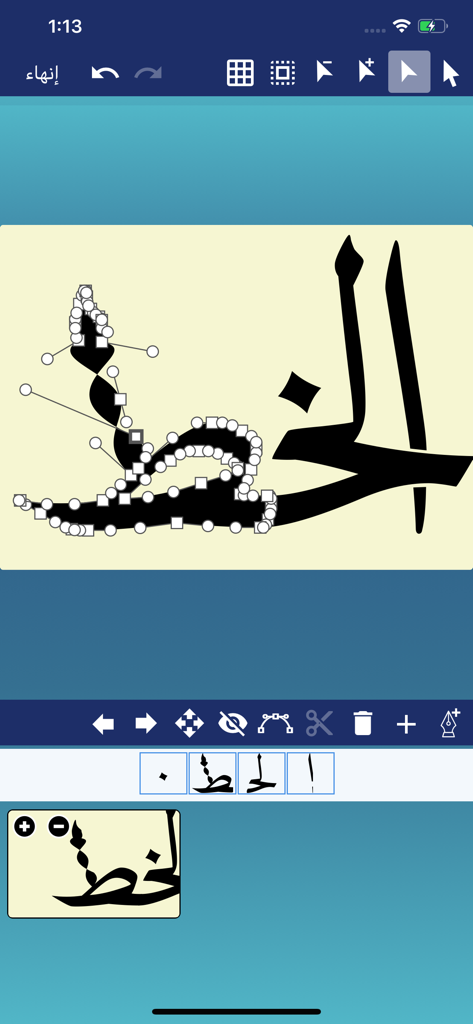
アラビア書道アプリ「CalliPro」のベクターパス編集インターフェース

アラビア書道アプリ「CalliPro」のベクターパス編集インターフェース

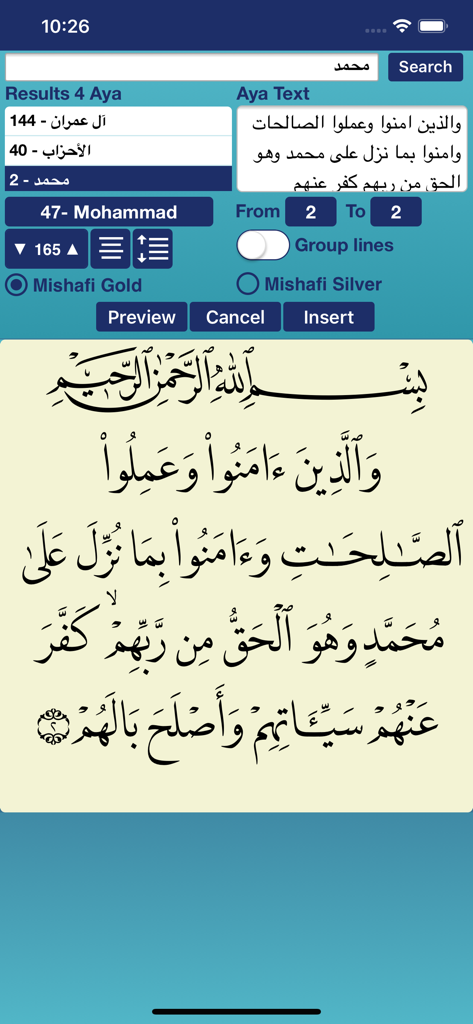
コーラン検索機能とアラビア書道テキストのプレビューを表示するCalliProアプリのスクリーンショット

コーラン検索機能とアラビア書道テキストのプレビューを表示するCalliProアプリのスクリーンショット

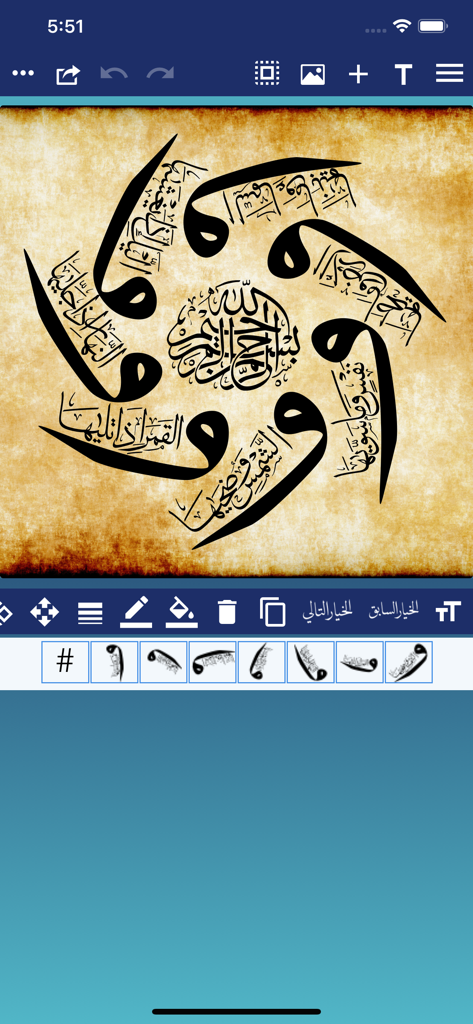
羊皮紙の背景にCalliProアプリで作成された円形のアラビア書道デザイン

羊皮紙の背景にCalliProアプリで作成された円形のアラビア書道デザイン

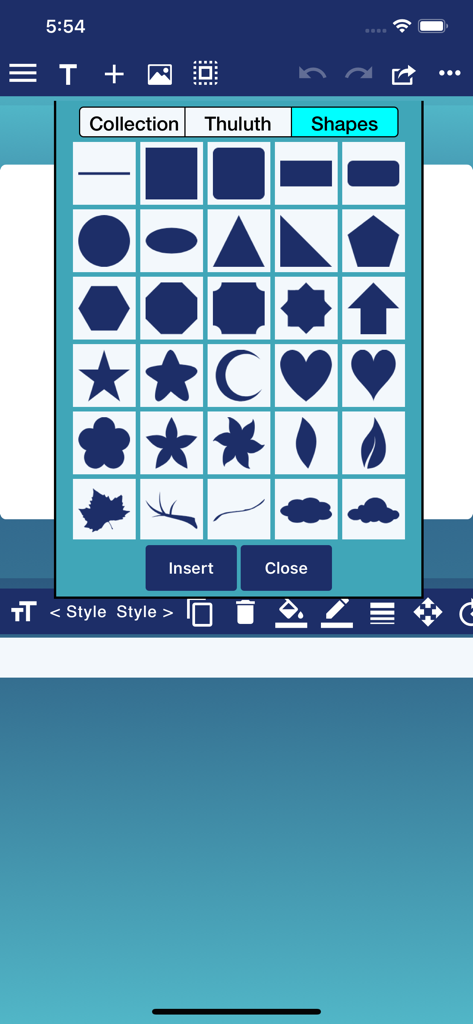
書道デザイン用の幾何学的および装飾的な形状のメニューを表示するCalliProアプリのインターフェース

書道デザイン用の幾何学的および装飾的な形状のメニューを表示するCalliProアプリのインターフェース

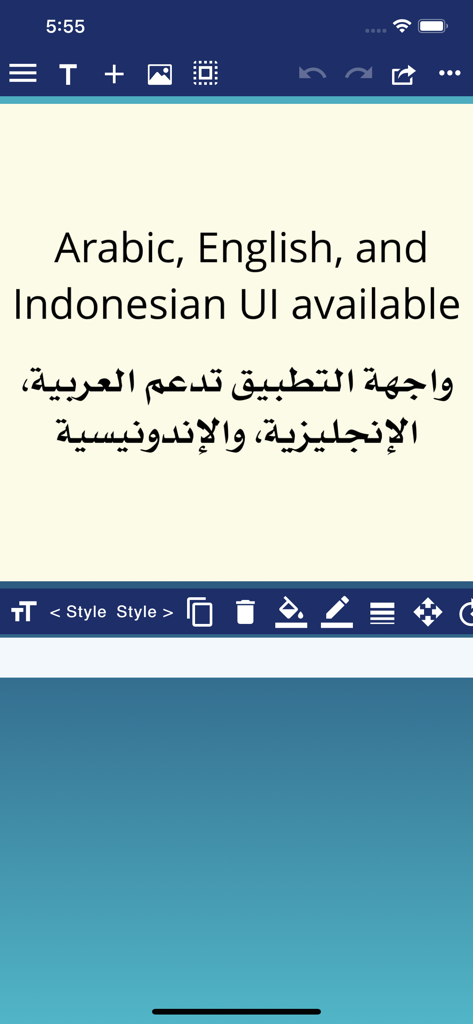
英語とアラビア語の両方で利用可能な、アラビア語、英語、インドネシア語のUIを表示するCalliProアプリのスクリーンショット

英語とアラビア語の両方で利用可能な、アラビア語、英語、インドネシア語のUIを表示するCalliProアプリのスクリーンショット

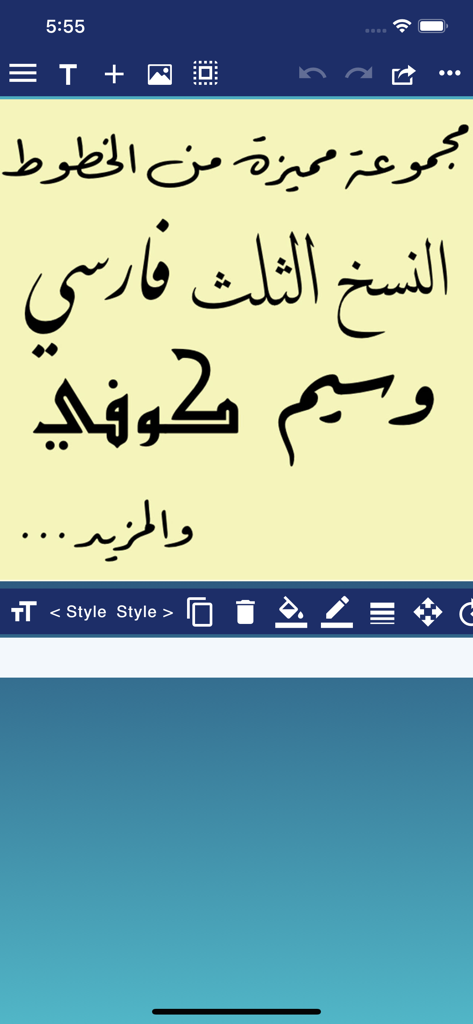
ナスフ体、スルース体、クフィ体を含む様々なアラビア書道スタイルを表示するCalliProアプリのインターフェース

ナスフ体、スルース体、クフィ体を含む様々なアラビア書道スタイルを表示するCalliProアプリのインターフェース

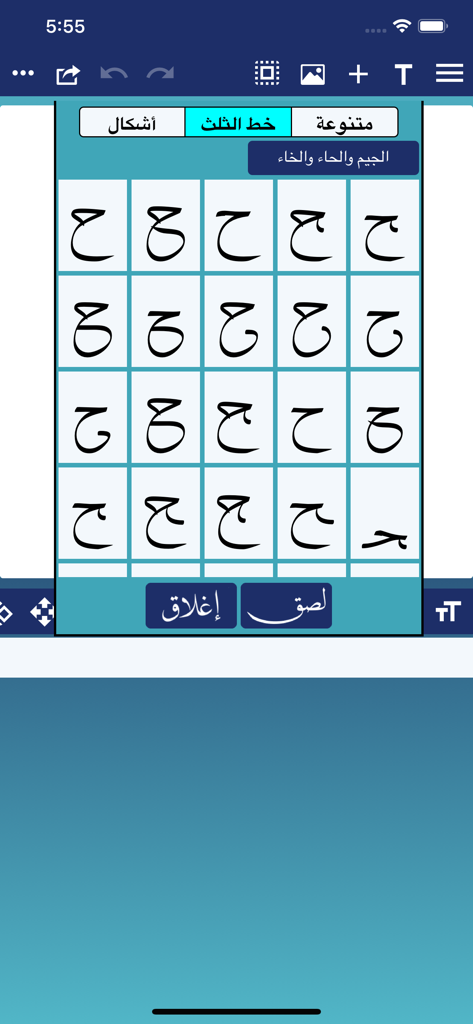
スルース体におけるアラビア書道の文字バリエーション

スルース体におけるアラビア書道の文字バリエーション

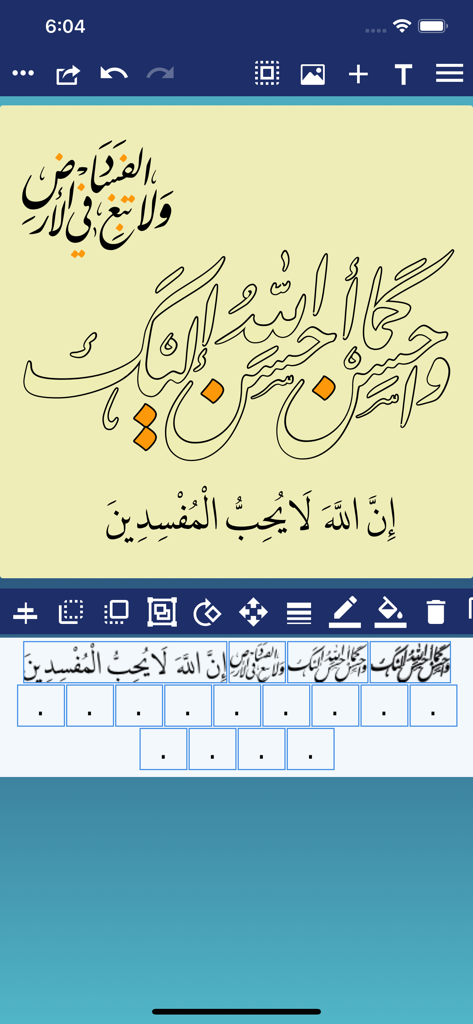
様々なデジタル編集ツールを使用してアラビア書道デザインを表示するCalliProのモバイルアプリインターフェース

様々なデジタル編集ツールを使用してアラビア書道デザインを表示するCalliProのモバイルアプリインターフェース

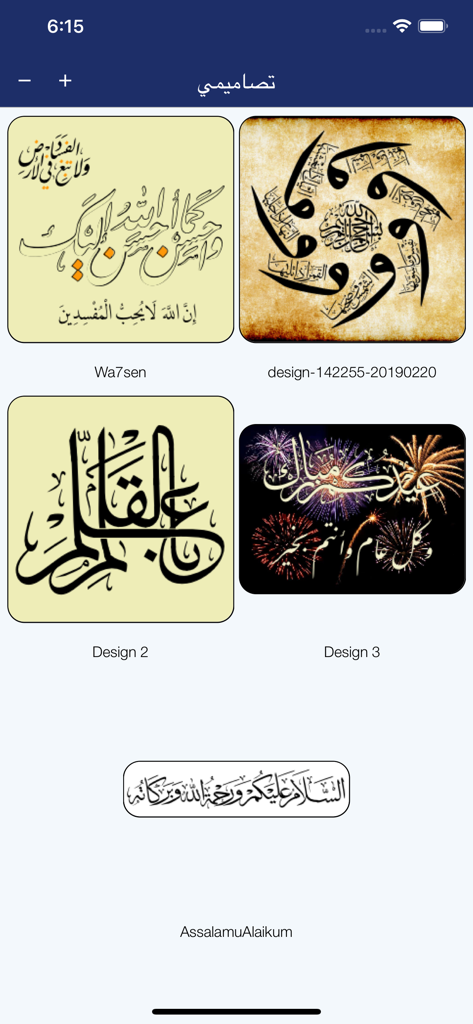
CalliProアプリ内の様々なアラビア書道デザインのギャラリー表示

CalliProアプリ内の様々なアラビア書道デザインのギャラリー表示

アラビア書道の芸術を極める

このアプリを際立たせるツール、 123K+ 人のユーザーが選択.

🖋️

本物のデジタルスクリプト

スルース体やクフィ体など、21種類のプレミアムなアラビア語フォントにアクセス。長年の修行を必要とせず、エレガントで流れるようなデザインを作成できます。

📖

聖典テキストの統合

完璧な発音記号付きのコーランの節を即座に検索して挿入。正確な精神的・教育的アートを簡単に作成できます。

プロ仕様のデザインエクスポート

傑作をSVGや高解像度PDFとしてエクスポート。プロのブランディング、Cricutでのビニールカット、または大規模なインテリア装飾に利用できます。

世界中のユーザーに愛されています

Trusted by 123K+ 人がこのアプリを愛用しています.

"

"グラフィックデザイナーとして、CalliProに出会うまで、高品質なアラビア語のタイポグラフィツールを見つけるのにいつも苦労していました。SVGエクスポートと精密なパス編集により、iPad上で素晴らしいロゴやウェディングステーショナリーを直接作成できます。スルース体やディーワーニー体といった伝統的な書道の魂を完璧に捉えています。"

Lina M.、フリーランス・ブランドデザイナー
"

"このアプリがアラビア書道を誰にでも身近なものにしてくれるところが大好きです。コーランの統合は、私のデジタルジャーナリングやSNS投稿にとって画期的です。すべてのストロークをカスタマイズしたり、装飾的な形状を追加したりできるので、趣味でやっている私でもプロのような仕上がりになります。"

Yusuf S.、クリエイティブ教育者

アプリについて

について知っておくべきこと CalliPro محترف الخط.

説明

Callipro lets you create beautiful Arabic-style calligraphy with ease! Customize styles, colors, and curves to design stunning calligraphic art—no experience needed. Whether you're a pro or just playing around, express yourself in elegant, flowing script. Save and share your creations in seconds! The main features include Powerful Calligraphy Tools, Quran Integration, Fonts & Typography, Layout & Design Control, Precise Editing Features, Multilingual Interface, Save, Export & Share, and Flexible Canvas Options. - Add Text, Shapes, or both to a Favorites list. - Edit the Text, Tashkeel, Shapes, and Glyphs as a path (full Edit Path features available as In-App Purchase). - Show or hide touch gesture. - Insert Quranic text using Mishafi Gold or Silver with search capability (full Quran available as In-App Purchase). - Inspect the glyphs and ligatures for any font and add them to the design. - Choose a specific color using the Eyedropper tool. - Align text or shapes using the Alignment tools. - Bring design elements Forward or send them Backward. - Choose from a variety of vector shapes. - Change the color and the width of the text outline. - Choose either Arabic, English or Indonesian UI [user interface] and menus. - Edit and then re-send a design received through iMessage (requires iOS 10 or later). - Choose from a collection of 21 fonts including Diwan's most advanced Arabic fonts like Diwan Naskh Mishafi, Diwan Thuluth, Diwan Farsi, Waseem (Ruqa’a like font), Kufi, and more. - Import external fonts - Note: Import external fonts and import design are not supported by Google Drive. - Select from a number of shaping options for each word segment including alternative shapes, wide forms, and removed dots. - Freely position word segments to create complex compositions. - Add a range of decorative shapes that can be positioned freely to decorate the overall design. - Change the font size. - Use multi-level undo and redo. - Select from a wide range of colors for text and background. - Make the background transparent. - Save the design as an image that can be used with other applications. - Save the design as a high-resolution PDF. - Export the design to SVG (Scalable Vector Graphics). - Create designs with different sizes. - Save designs and open them at any time. - Export or Import designs. - Merge two designs to create one design. - Zoom in or out. - Add a background image. - Use a grid for easier positioning of text. - Rotate the text. - Flip the text horizontally and vertically. - Insert multi-line text. - Select font size, alignment, and line spacing before inserting the text. - Lock or Unlock the design. - Group words or letters. - Share and send the design through iMessage (requires iOS 10 or later). - Share the design on Facebook no longer available.

最新バージョン

3.3.0

サイズ

102.3 MB

リリース日

2016年7月23日

時代を超えたアラビア書道の芸術をマスターする

プロフェッショナルなブランディングから個人的な精神的アートまで、モバイルデバイスで素晴らしい文字を作成するためのツールをアンロックしましょう。今すぐCalliProをダウンロードして、創造的な旅を始めましょう。

ダウンロード: App Store