CASIO ClassPad

CASIO ClassPad

ダウンロード: App Storeダウンロード: Google Play
Spark by MWM logo
ロゴ: CASIO ClassPad

CASIO ClassPad:STEM教育の成功を支えるプロフェッショナルなCASグラフ作成スイート

数式処理システム(CAS)のフルパワーで、あなたの学究生活を強力にサポート。AP微積分から工学まで、成績優秀な学生たちに信頼されているツールを使って、複雑な方程式や視覚的な幾何学をマスターしましょう。

開発元

CASIO COMPUTER CO., LTD.

カテゴリ

Education

ダウンロード

133K+

ユーザー評価

1.9/5

評価数

100

対応言語

5

画面上に広がるCASのパワー

このインターフェースを利用する 133K+ 人のユーザー.

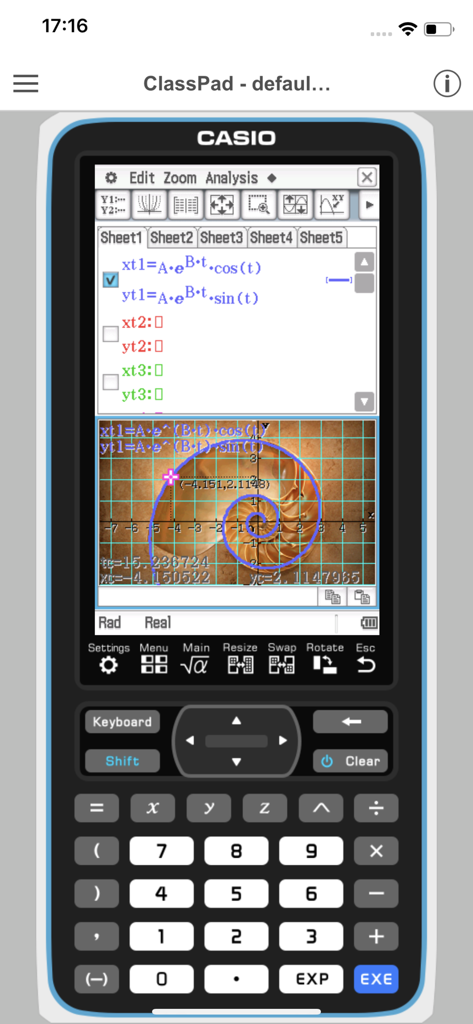
複雑な方程式と対数螺旋のグラフが表示されたCASIO ClassPadアプリのスマートフォン画面。

複雑な方程式と対数螺旋のグラフが表示されたCASIO ClassPadアプリのスマートフォン画面。

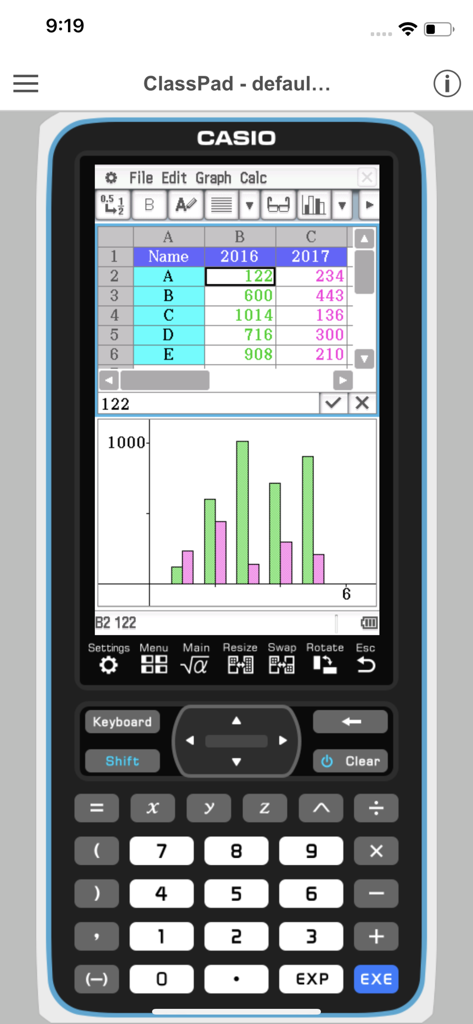
仮想グラフ関数電卓のインターフェース上に、スプレッドシートのデータと統計棒グラフを表示しているCASIO ClassPadアプリ。

仮想グラフ関数電卓のインターフェース上に、スプレッドシートのデータと統計棒グラフを表示しているCASIO ClassPadアプリ。

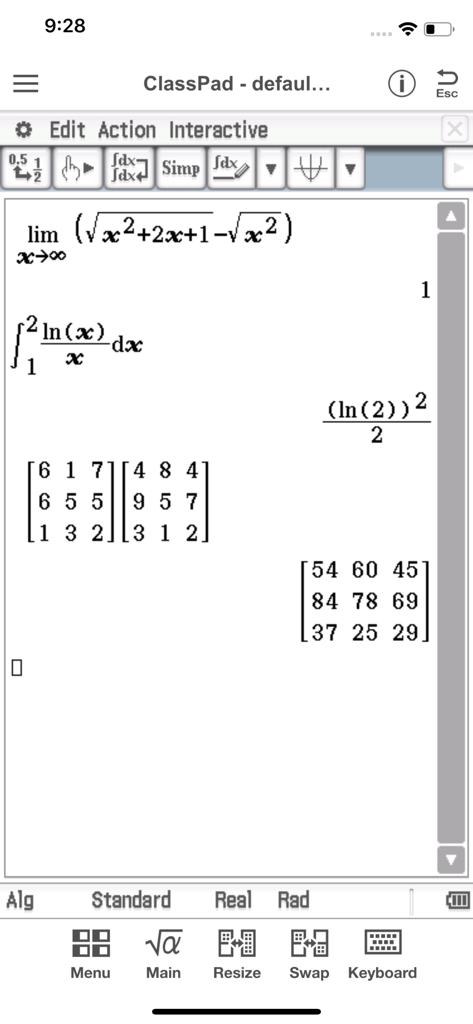
高度な微積分、積分、行列の掛け算を表示しているCasio ClassPadモバイルアプリケーション。

高度な微積分、積分、行列の掛け算を表示しているCasio ClassPadモバイルアプリケーション。

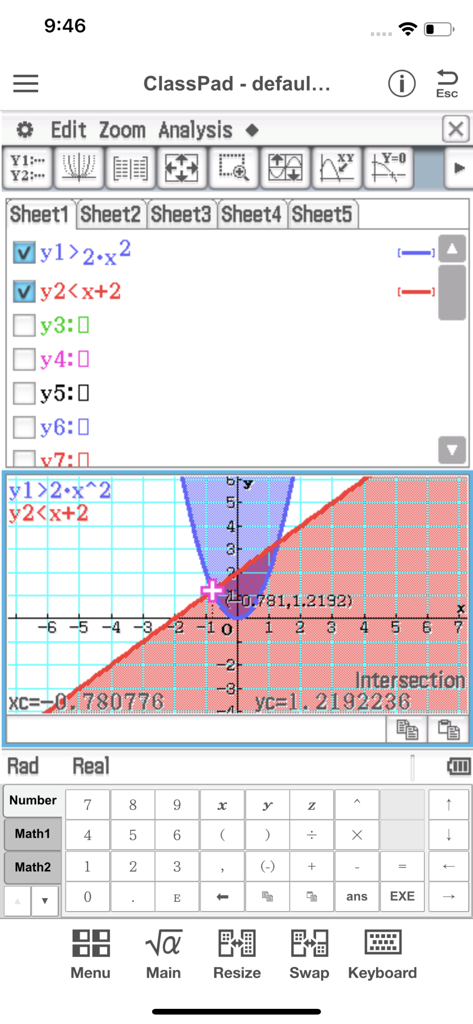
影付きの領域と交点の計算が表示された、不等式グラフを示すCASIO ClassPadアプリのインターフェース。

影付きの領域と交点の計算が表示された、不等式グラフを示すCASIO ClassPadアプリのインターフェース。

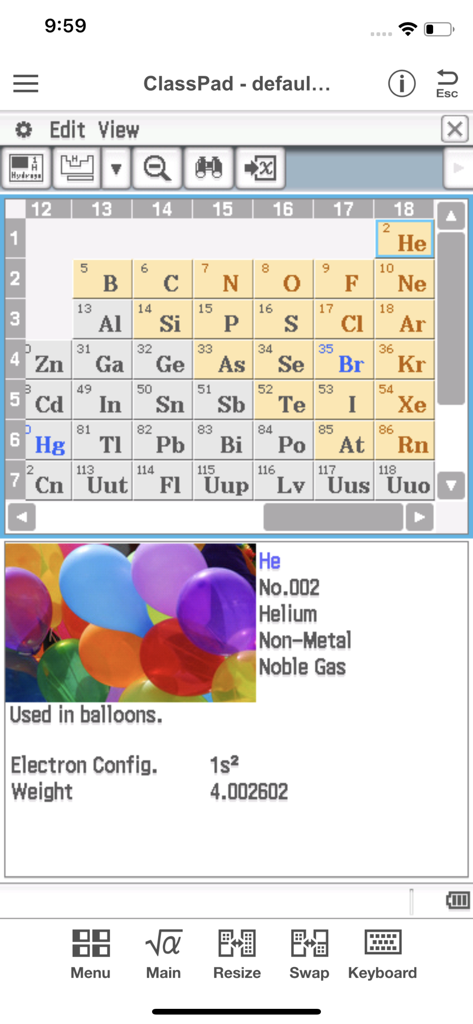
周期表とヘリウム元素の詳細情報を表示しているCASIO ClassPadアプリ。

周期表とヘリウム元素の詳細情報を表示しているCASIO ClassPadアプリ。

ポケットに入るプロ仕様の数学ツール

このアプリを際立たせるツール、 133K+ 人のユーザーが選択.

♾️

記号計算CASインテリジェンス

高性能な数式処理システム(CAS)を使用して、複雑な代数方程式の解法、因数分解、積分を簡単に行えます。

📉

ダイナミックな3Dビジュアライゼーション

抽象的な関数をインタラクティブなグラフや幾何学的なアニメーションに変換し、難解なAPや工学の概念をマスターしましょう。

📝

統合された学習ワークフロー

eActivityを使用して数式とテキストを組み合わせ、完璧なデジタル実験レポートや試験対策用の学習ガイドを作成できます。

世界中のユーザーに愛されています

Trusted by 133K+ 人がこのアプリを愛用しています.

"

"工学部の2年生として、かさばるグラフ関数電卓をどこにでも持ち歩くのは大変でした。このアプリは私のiPadにとって画期的な存在です。数式処理システム(CAS)は実機のClassPadと全く同じように動作し、学習中の複雑な微積分や記号操作も簡単に行えます。デジタル実験レポートの作成には最高のパートナーです。"

アレックス R.、工学部学部生
"

"AP微積分と化学の授業のためにCAS対応の電卓が必要でしたが、ハードウェアに150ドルも払いたくありませんでした。月額1.99ドルで、このアプリは必要なものすべてを提供してくれます。Physiumツールは周期表の定数を確認するのに非常に役立ち、eActivityワークシートは学習ノートを整理するのに便利です。ハイレベルなSTEM学生にとって、間違いなくお買い得なアプリです。"

マヤ L.、AP特進クラス学生

アプリについて

について知っておくべきこと CASIO ClassPad.

説明

●App Overview ClassPad comes equipped to perform complex calculations, draw graphs, and to use a computer algebra system (CAS) to investigate mathematics and solve problems. It has a user interface in the style of the handheld ClassPad, a tool used in classrooms worldwide. This app will be beneficial for both new and experienced ClassPad users. ClassPad in combination with the free activities available from CASIO can help to take your study of mathematics to the next level. ●Trial Version vs Monthly Subscription Version After you register for a ClassPad Subscription, you will be provided access to a variety of different apps and functions that are essential for math and natural science learning and calculation. ・Applications You get access to a selection of more than 10 new apps that allow you to perform calculations using dynamic visual representations of math and natural science concepts. Four typical applications, each of which is essential for math and natural science learning and calculations, are described below. -eActivity eActivity lets you input math expressions and textual explanations in files that can then be used as worksheets. -Spreadsheet In addition to standard spreadsheet calculations, this app also provides statistical chart analysis and statistical calculation capabilities. -Geometry Geometry makes it possible for students to grasp relationships between figures using number tables and animations. -Physium Physium provides access to a periodic table and scientific constants for calculations. ・Functions You get additional access to more than 300 middle and higher grade math functions, including calculus, complex numbers, probability distribution, and more. ●Monthly Subscription ・Subscription Fee and Period A subscription costs $1.99 per month (calculated from your date of purchase), automatically renewed each month until you cancel your subscription. Billing is through your iTunes account. ・Automatic Renewal Details Subscriptions are renewed automatically as long as the subscriber does not cancel the subscription at least 24 hours before the end of the current subscription period. Billing for an automatically renewed subscription will be performed within 24 hours after the auto renewal. ・Checking Your Current Subscription Status and Canceling a Subscription (by Stopping Auto Renewal) You can check your current subscription status by navigating to the applicable page as shown below. [Settings > iTunes & App Store > Tap your Apple ID. > View Apple ID > Subscriptions] On the page that appears, you can check your next auto renewal date, and cancel or reconfigure your auto renewal. *You can also use iTunes to check your next auto renewal date, and cancel or reconfigure your auto renewal. ・Partial Month Cancellation Cancellation of a subscription partway through a month is not allowed. ●Terms of use http://edu.casio.com/software_app/app/termsofuse/en.html ●Privacy Policy http://world.casio.com/privacy/

最新バージョン

1.0.14

サイズ

54.0 MB

リリース日

2017年7月3日

CASIOの力で高度な数学をマスター

AP微積分から工学学位まで、お使いのデバイスをプロ仕様の数式処理システム(CAS)に変えましょう。すべての講義や実験で卓越するために必要な精度とツールを手に入れてください。

ダウンロード: App Storeダウンロード: Google Play