Dorico for Education

Dorico for Education

ダウンロード: App Store
Spark by MWM logo
ロゴ: Dorico for Education

Dorico for Education:次世代の作曲家のためのプロフェッショナル楽譜作成

世界で最もインテリジェントな記譜ソフトウェアで、あなたの作曲に命を吹き込みましょう。学生や教育者向けに設計されたDorico for Educationを使えば、iPad上で直接、見栄えの良い楽譜を作成、記譜、再生できます。

ダウンロード: App Store

開発元

Steinberg Media Technologies GmbH

カテゴリ

Music

ダウンロード

100

ユーザー評価

1.0/5

評価数

0

対応言語

1

すべての音符に精度を

このインターフェースを利用する 100 人のユーザー.

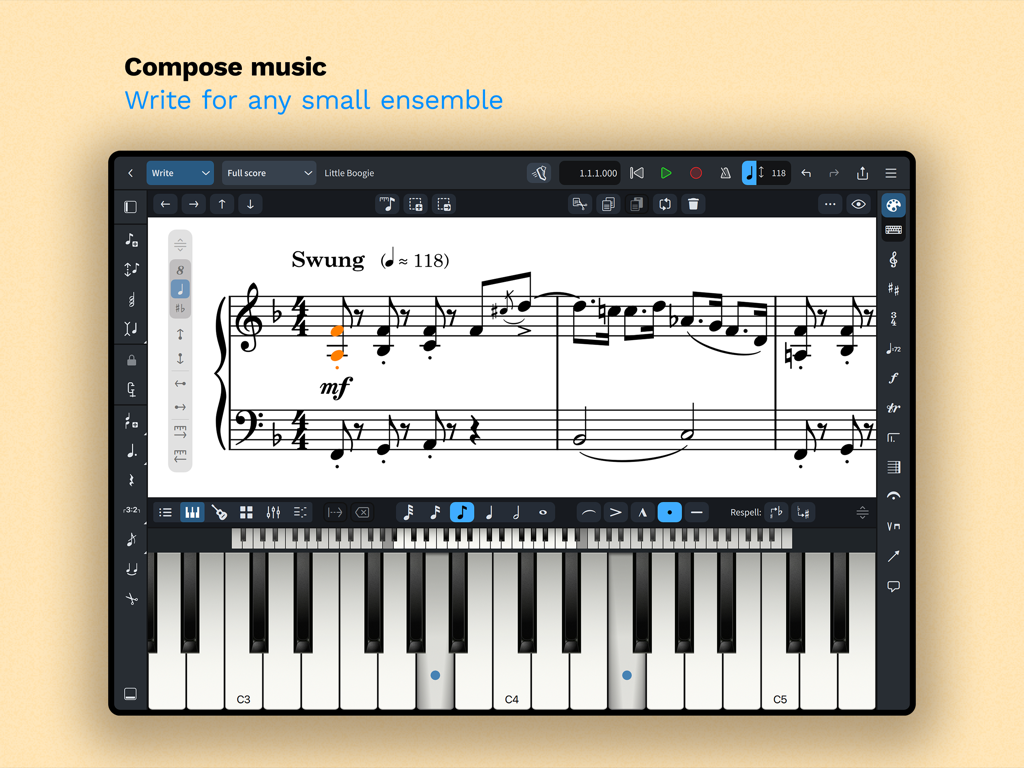
Dorico for Education iPadアプリのインターフェース、ピアノ楽譜と仮想キーボードによる作曲

Dorico for Education iPadアプリのインターフェース、ピアノ楽譜と仮想キーボードによる作曲

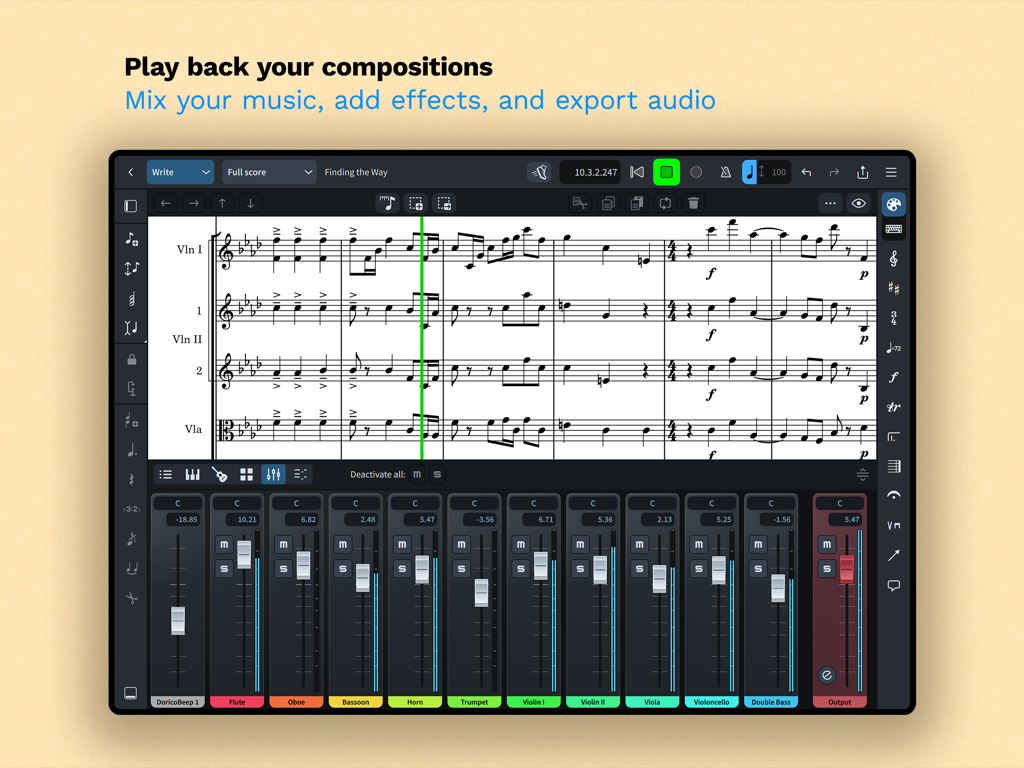
Dorico for Educationの楽譜インターフェース、楽譜と楽器ミキサーパネルが表示されています

Dorico for Educationの楽譜インターフェース、楽譜と楽器ミキサーパネルが表示されています

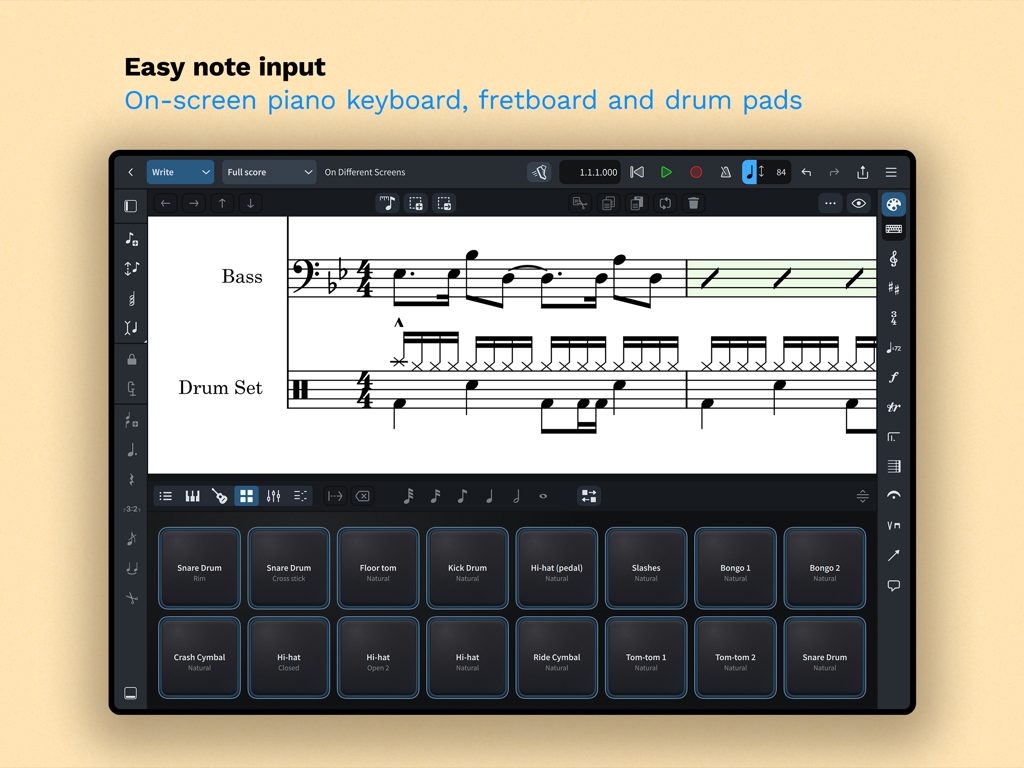
Dorico for EducationアプリがiPadに表示され、楽譜作成と音符入力のための仮想ドラムパッドが表示されています

Dorico for EducationアプリがiPadに表示され、楽譜作成と音符入力のための仮想ドラムパッドが表示されています

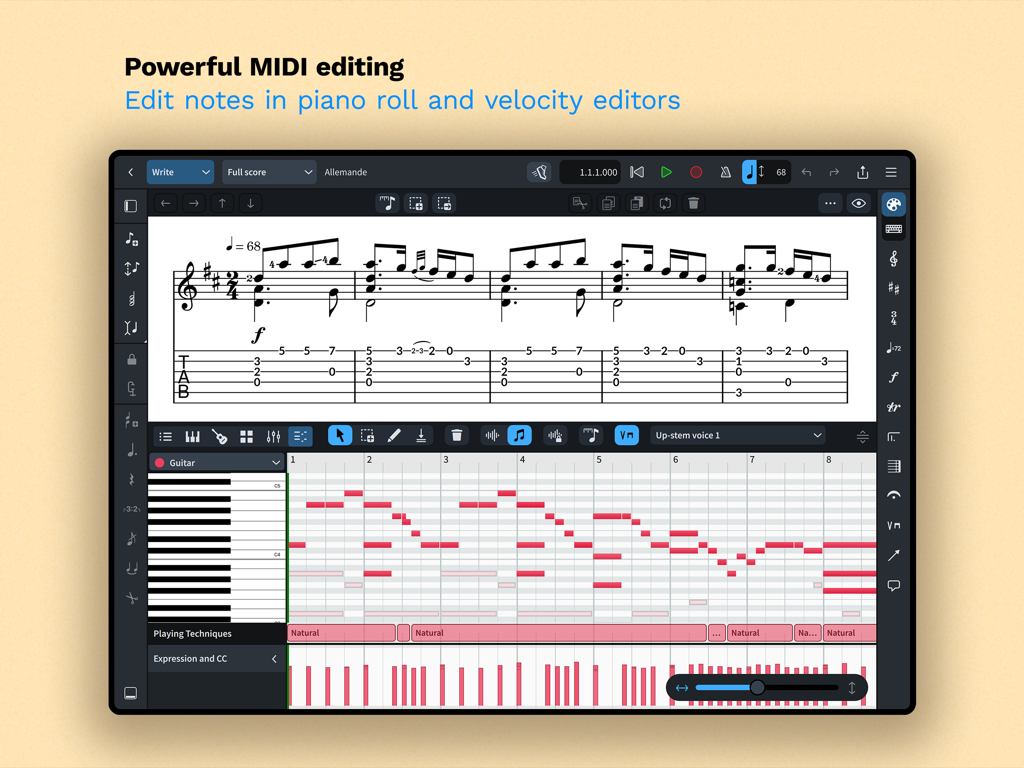
Dorico for EducationのMIDI編集、ピアノロールとベロシティエディタが表示されています

Dorico for EducationのMIDI編集、ピアノロールとベロシティエディタが表示されています

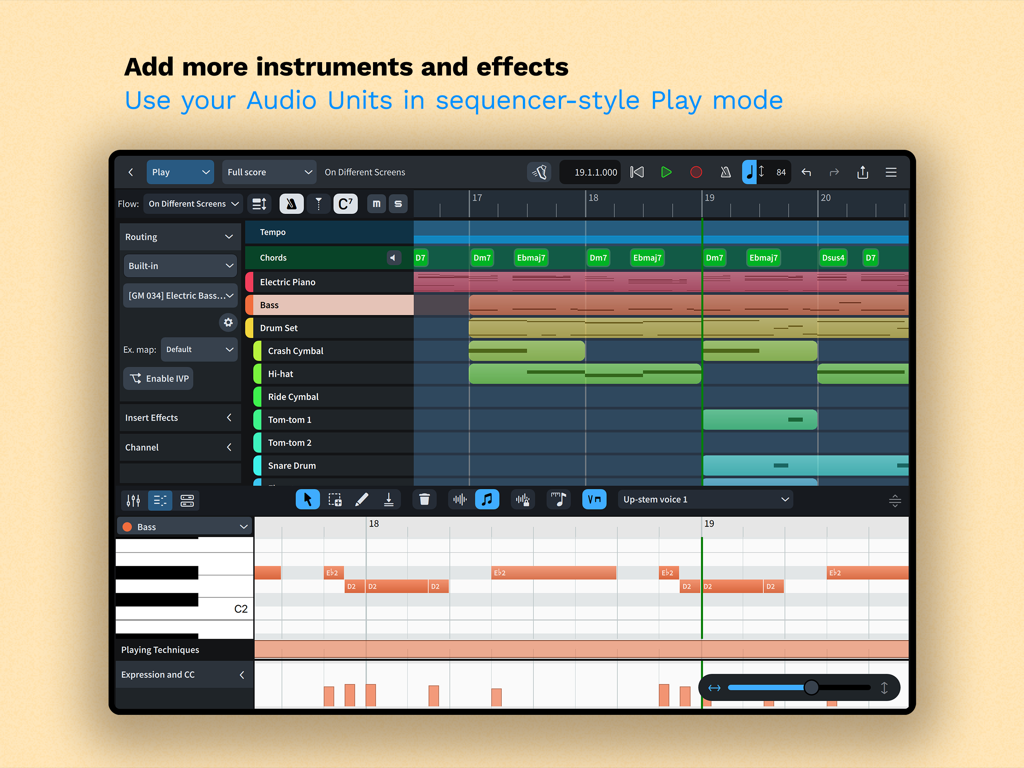
Dorico for EducationアプリがiPad上で楽器トラックとピアノロールエディタを備えたシーケンサー風再生モードを表示

Dorico for EducationアプリがiPad上で楽器トラックとピアノロールエディタを備えたシーケンサー風再生モードを表示

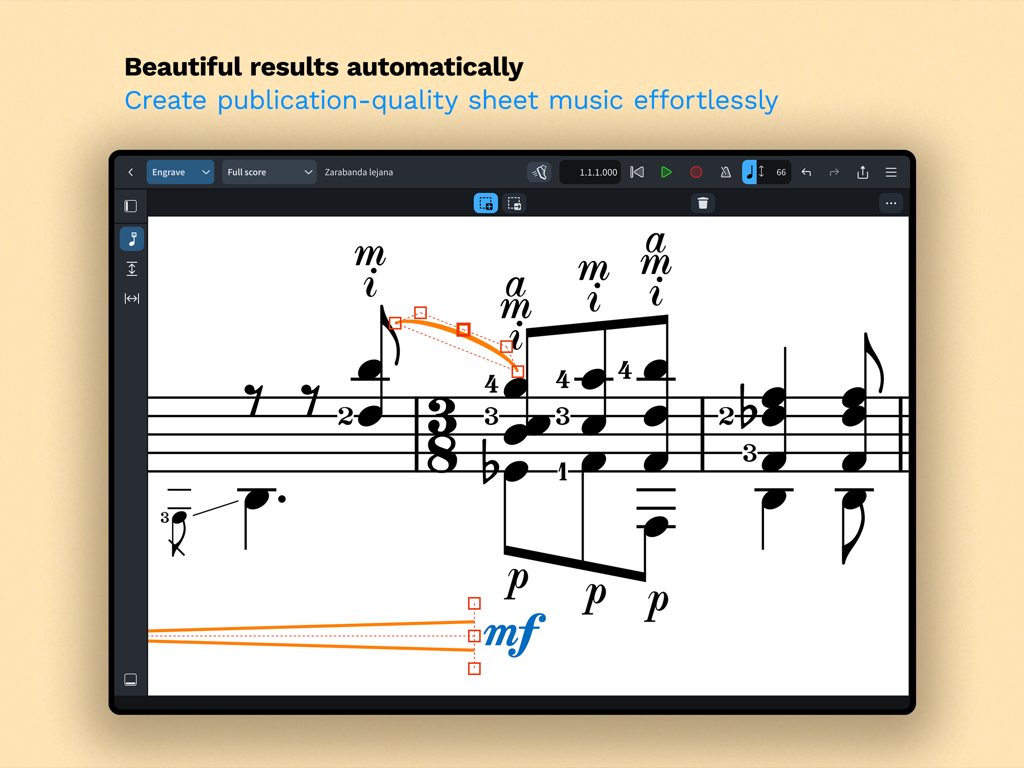
Dorico for EducationアプリがiPad上でプロフェッショナルな楽譜作成および記譜ツールを表示

Dorico for EducationアプリがiPad上でプロフェッショナルな楽譜作成および記譜ツールを表示

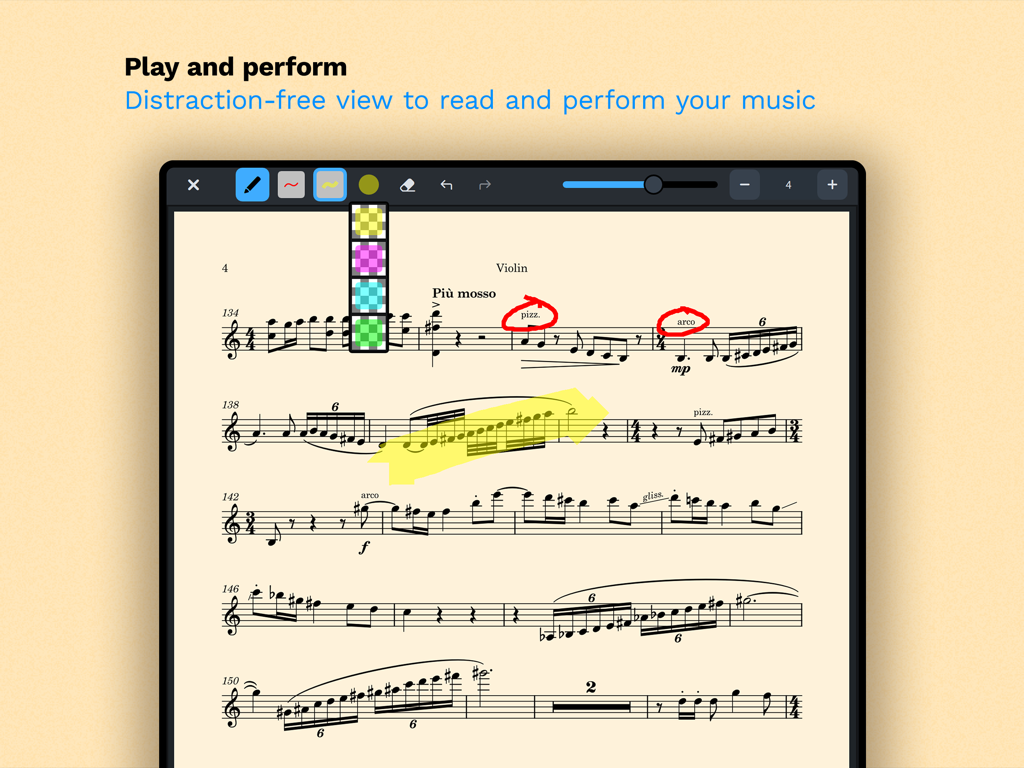
Dorico for EducationのiPadスクリーンショット、パフォーマンスモードでの注釈およびハイライターツールを備えたヴァイオリン楽譜が表示されています

Dorico for EducationのiPadスクリーンショット、パフォーマンスモードでの注釈およびハイライターツールを備えたヴァイオリン楽譜が表示されています

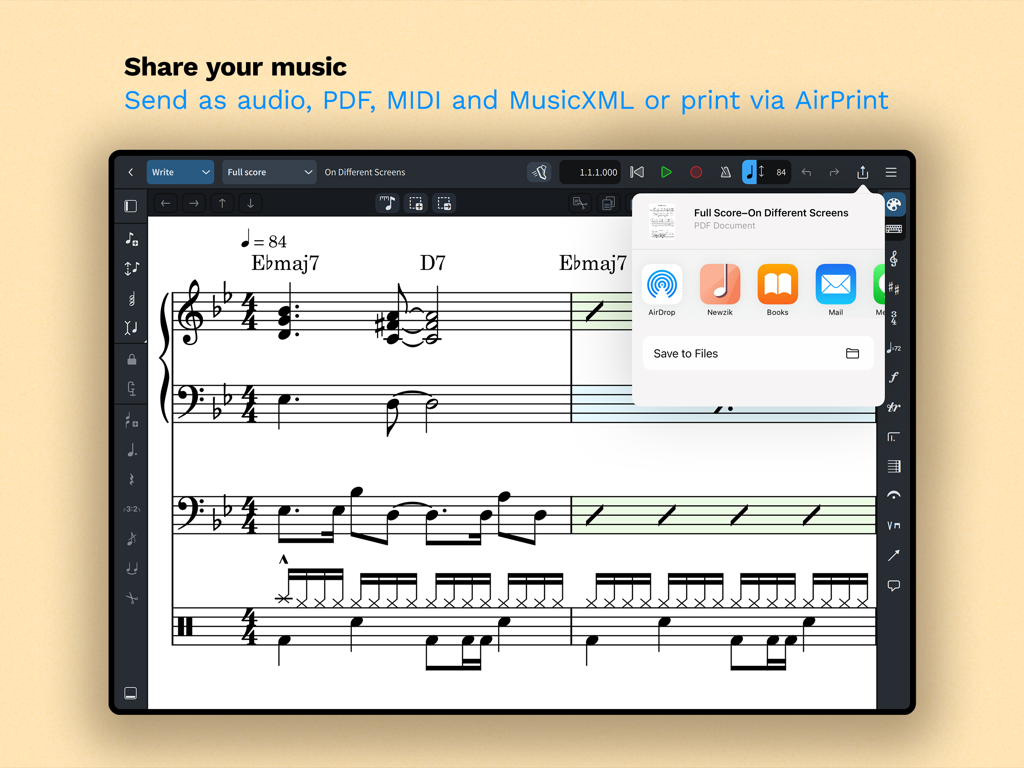
iPadインターフェース、Dorico for EducationでのPDF、MIDI、MusicXMLの楽譜共有オプションが表示されています。

iPadインターフェース、Dorico for EducationでのPDF、MIDI、MusicXMLの楽譜共有オプションが表示されています。

どこへでも持ち運べるプロフェッショナル作曲

このアプリを際立たせるツール、 100 人のユーザーが選択.

🎼

出版品質の記譜

業界最高の自動レイアウト機能により、プロフェッショナルグレードの楽譜作成にかかる時間を短縮し、作曲に集中しましょう。

✍️

直感的なペン&タッチ入力

Apple Pencilまたは画面上のキーボードを使って自然に書き込みましょう。作成に合わせてインテリジェントに調整される記譜機能が搭載されています。

🚀

iPadでデスクトップ並みのパワー

完全なクロスプラットフォーム互換性とプロフェッショナルなMIDIツールにより、練習室からスタジオまでシームレスに移動できます。

世界中のユーザーに愛されています

Trusted by 100 人がこのアプリを愛用しています.

"

"Dorico for iPadは私のワークフローを完全に変えました。練習室でApple Pencilを使ってオーケストラの楽譜のスケッチを作成し、その後ラップトップで記譜を完了できるのは、まさにゲームチェンジャーです。課題が、手間なく出版可能なレベルのプロフェッショナルな仕上がりになります。"

Julian R.、作曲専攻学生
"

"自動レイアウト機能は、忙しい教師にとって救世主です。移動中に生徒のために簡単な曲をアレンジし、リハーサルが始まる前にAirPrint経由で美しく読みやすいパート譜を印刷できます。私が15年間使ってきた中で最も直感的な記譜ソフトウェアです。"

Sarah M.、高校バンドディレクター

アプリについて

について知っておくべきこと Dorico for Education.

説明

Compose your own music with Dorico. Create beautiful music notation for any number of instruments quickly and easily with the on-screen keyboard, drum pads and fretboard. Play back instantly with the included sounds, including the high-quality Iconica Sketch sound library, and shape the performance with powerful MIDI editing tools. When your piece is finished, share it as PDF, audio or MusicXML, or print directly to your AirPrint-enabled printer. Perform using the built-in read mode, and annotate with your Apple Pencil. Dorico is the award-winning music notation and composition software from Steinberg for macOS, Windows, and iPadOS. It’s easy enough to learn and use that it is used by students in schools, and deep enough that it satisfies the needs of the most demanding professionals in the worlds of concert music, music for film and TV, and music publishing. Dorico for iPad is fully compatible with Dorico for macOS and Windows, so you can work on your projects on the move on your iPad and in your studio on your desktop or laptop computer, or share projects with musicians using Dorico on any platform. Dorico’s interface is split into four modes. In Setup mode, you can add and change instruments, create and reorder sections of music (called “flows”), and choose how your music will be formatted for your musicians into layouts. In Write mode, you can input and edit music and other notations using simple, well-organized toolboxes and panels. In Engrave mode (included if you buy a paid subscription to Dorico’s advanced features), you can make graphical tweaks to every item in your project. Finally, in Play mode, you have access to powerful sequencer-style MIDI editing tools, including piano roll and velocity editors. Dorico includes built-in virtual instruments and effects to allow you to play back your compositions, and you can also easily use any compatible Audio Unit plug-in or external MIDI device, and tweak playback using the on-screen Mixer. Input music using an on-screen piano keyboard, or by connecting a MIDI keyboard to your iPad directly via USB or using a compatible USB-to-Lightning adaptor. If you have a Magic Keyboard or other external keyboard, you can make use of extensive keyboard shortcuts to work quickly and efficiently. HIGHLIGHTS • Best automatic engraving of any software • Easy note input using on-screen keyboard, MIDI keyboard, or external keyboard • Intelligently adjusts notation as you write • Any number of movements or pieces in a single project • Automatic layout of instrumental parts • Expressive playback using included sounds and effects • Supports Audio Unit virtual instruments and effects processors • Sequencer-style piano roll MIDI editor • Sophisticated chord symbols, unpitched percussion and drum set notation • Unbarred music, tuplets across barlines, etc. all handled correctly — no workarounds • Transfer to and from other apps via MusicXML, MIDI, PDF, etc. For support, please visit www.dorico.com/forum If you like Dorico, please support us by rating this app in the App Store. Thank you!

最新バージョン

6.1.10

サイズ

968.3 MB

リリース日

2024年7月9日

今すぐあなたの作曲をレベルアップ

次世代の作曲家や教育者の仲間入りをしましょう。Dorico for Educationをダウンロードして、あなたのiPadをプロフェッショナルな音楽ワークステーションに変えましょう。

ダウンロード: App Store