Dorico - Compose Music

Dorico - Compose Music

ダウンロード: App Store
Spark by MWM logo
ロゴ: Dorico - Compose Music

iPad上のプロフェッショナル楽譜作成のゴールドスタンダード:Dorico

これまで設計された中で最もインテリジェントな楽譜作成ソフトウェアで、あなたの作品に命を吹き込みましょう。受賞歴のある浄書から強力なMIDI編集まで、スタジオからステージまであなたと共に移動するデスクトップグレードのワークフローを体験してください。

ダウンロード: App Store

開発元

Steinberg Media Technologies GmbH

カテゴリ

Music

ダウンロード

252K+

ユーザー評価

4.6/5

評価数

2K+

対応言語

1

完璧な楽譜

このインターフェースを利用する 252K+ 人のユーザー.

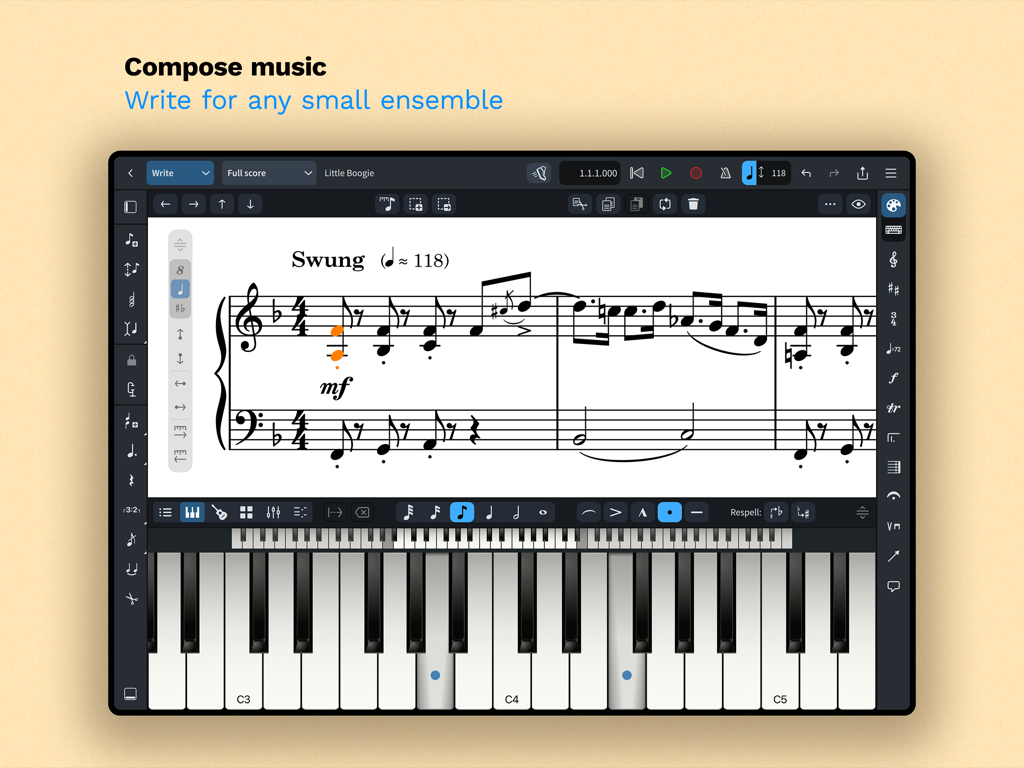
iPad上のDorico楽譜作成インターフェース。楽譜と画面上のピアノキーボードが表示されています。

iPad上のDorico楽譜作成インターフェース。楽譜と画面上のピアノキーボードが表示されています。

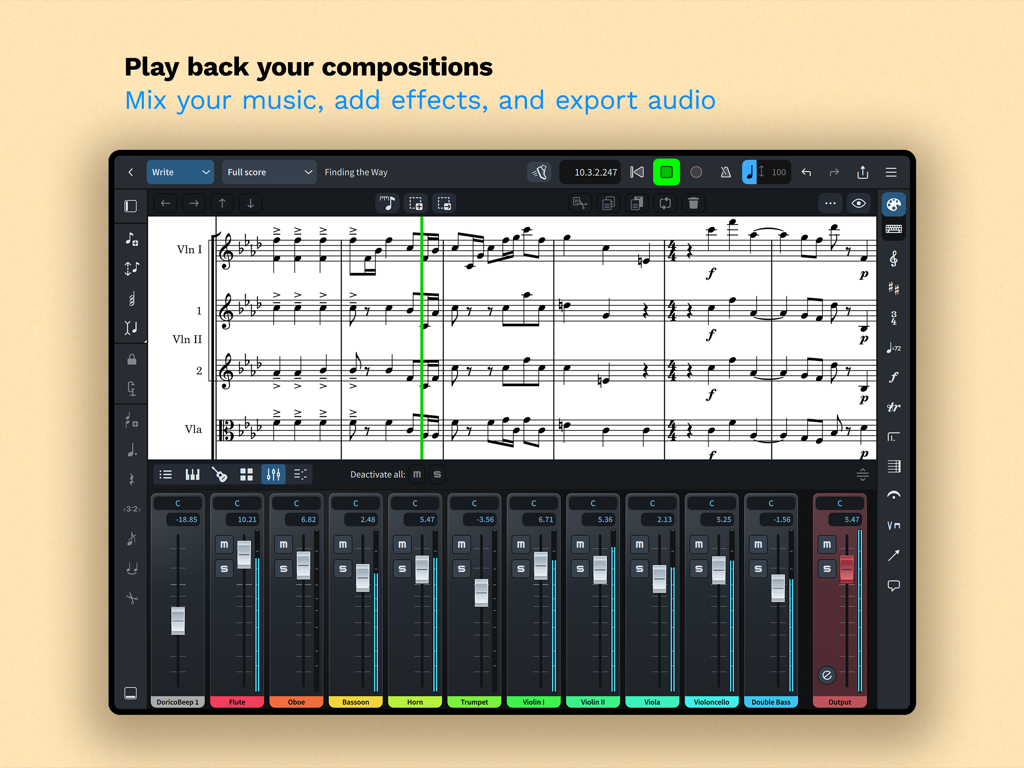
iPad上で楽譜と統合されたマルチトラックオーディオミキサーが表示されているDoricoアプリインターフェース。

iPad上で楽譜と統合されたマルチトラックオーディオミキサーが表示されているDoricoアプリインターフェース。

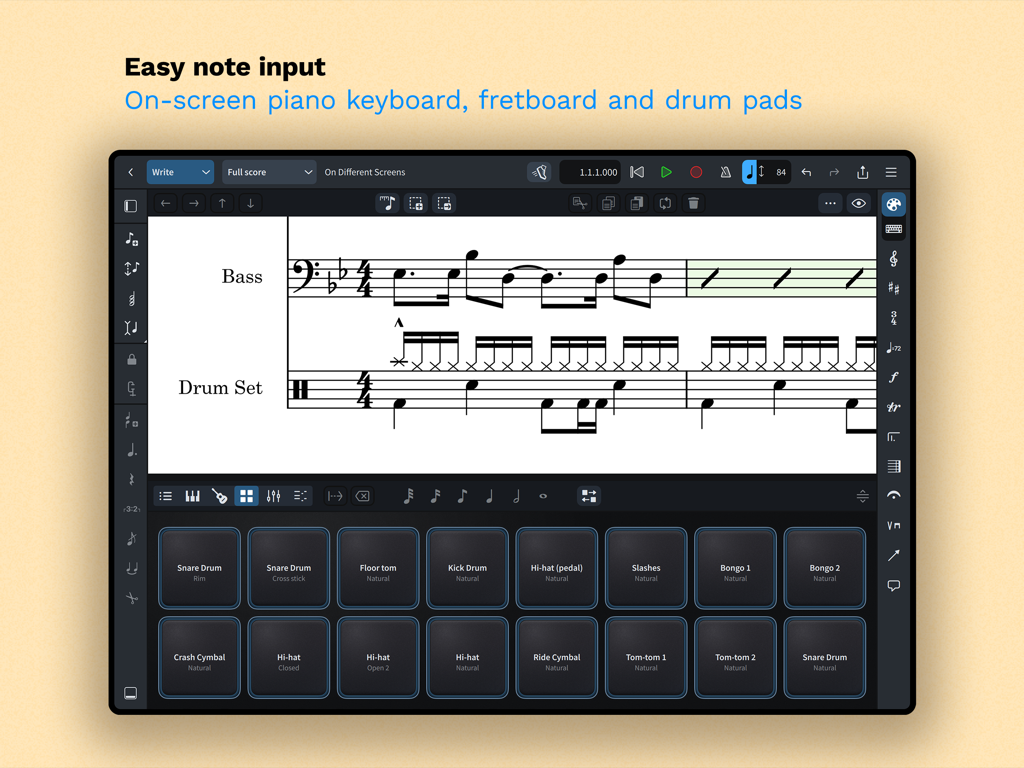
iPad上のDoricoアプリインターフェース。簡単な楽譜入力のための画面上のドラムパッドが表示されています。

iPad上のDoricoアプリインターフェース。簡単な楽譜入力のための画面上のドラムパッドが表示されています。

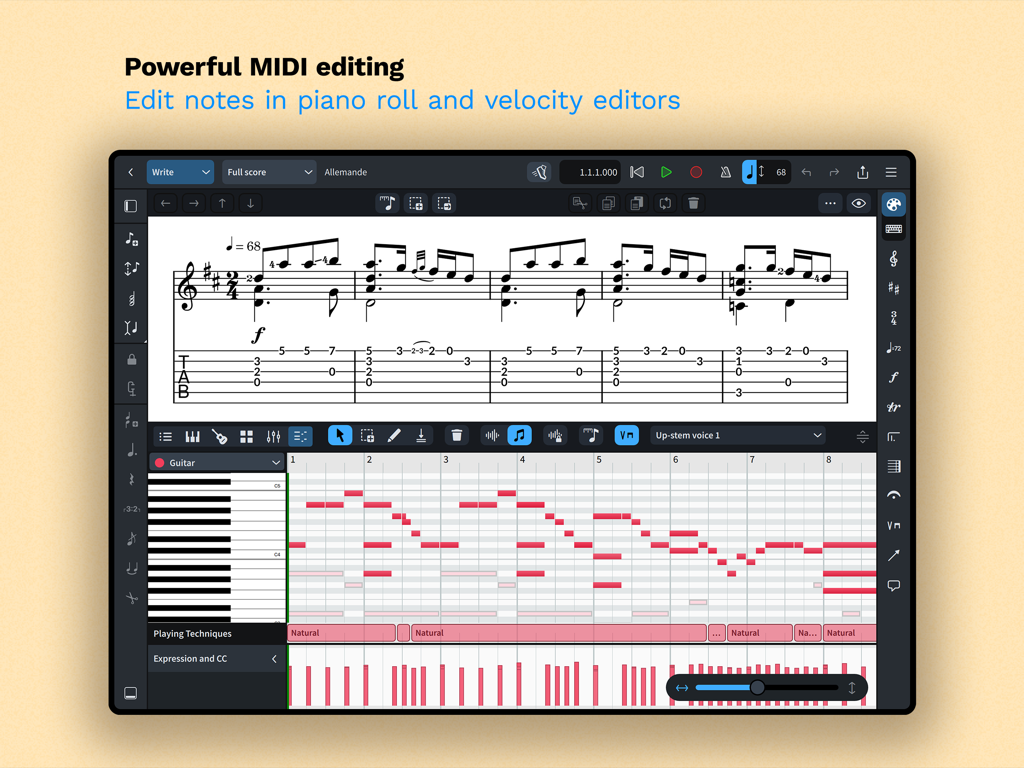
iPad上のDoricoアプリインターフェース。作曲のためのピアノロールとベロシティエディタを備えた強力なMIDI編集が表示されています。

iPad上のDoricoアプリインターフェース。作曲のためのピアノロールとベロシティエディタを備えた強力なMIDI編集が表示されています。

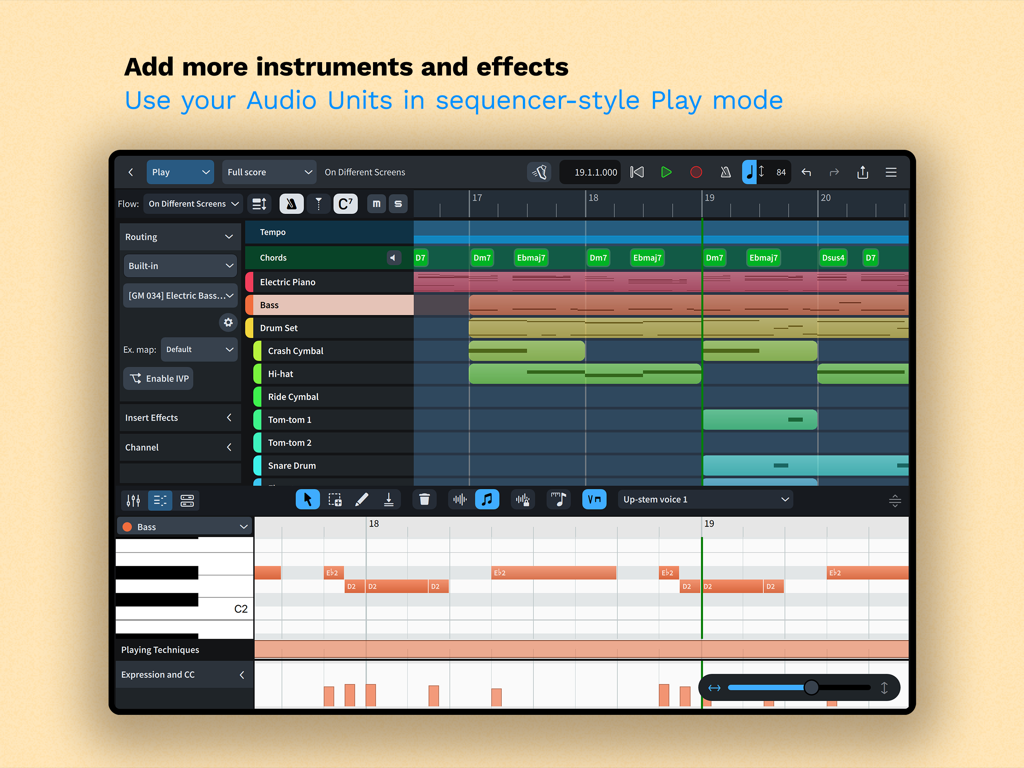
Dorico iPadアプリの再生モードインターフェース。マルチトラックシーケンサーとピアノロールMIDIエディタが特徴です。

Dorico iPadアプリの再生モードインターフェース。マルチトラックシーケンサーとピアノロールMIDIエディタが特徴です。

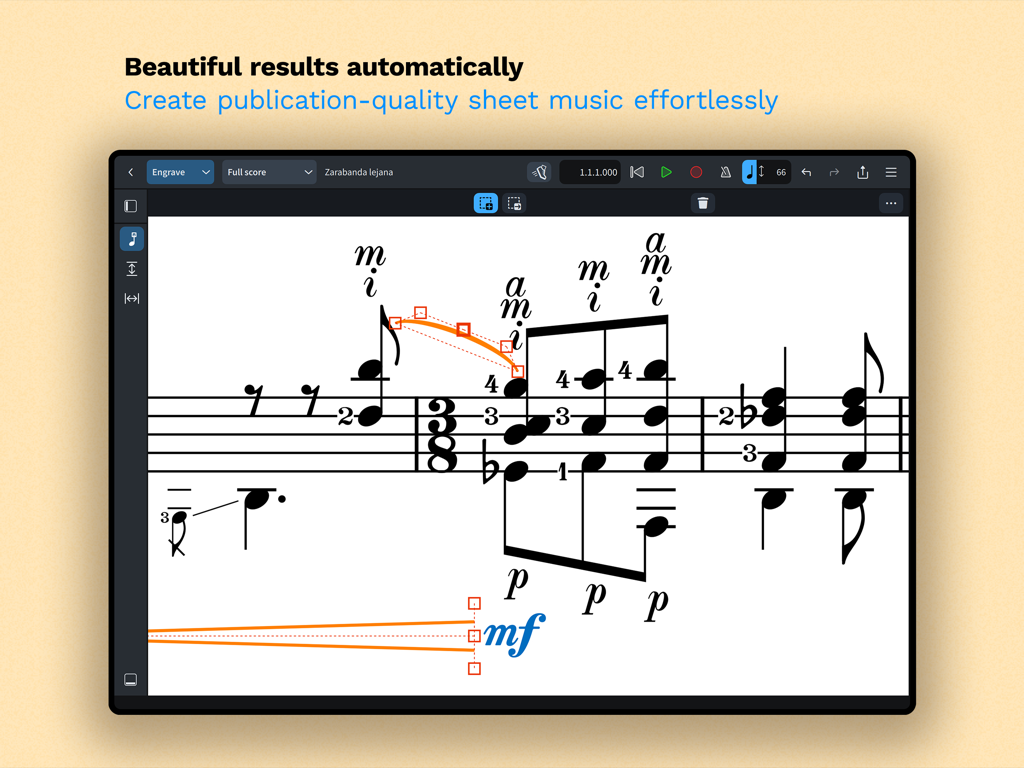
自動フォーマットを備えた浄書モードでのプロフェッショナルな楽譜表示。Doricoアプリインターフェースのスクリーンショット。

自動フォーマットを備えた浄書モードでのプロフェッショナルな楽譜表示。Doricoアプリインターフェースのスクリーンショット。

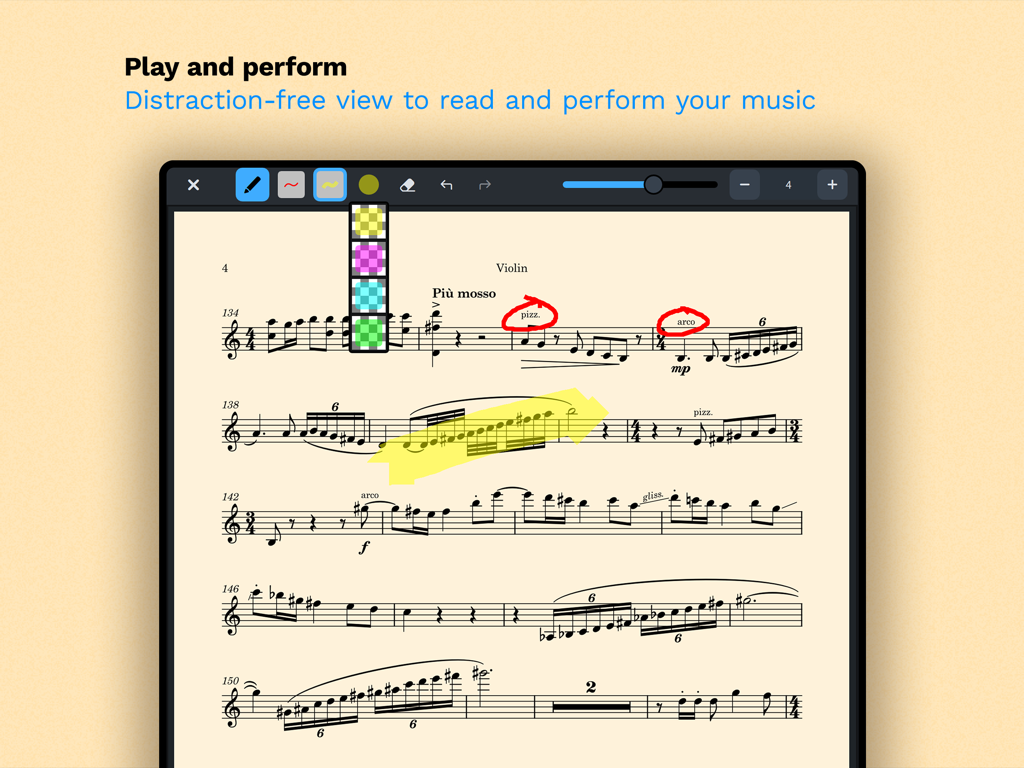
散漫にならない読み取りモードでのバイオリンの楽譜。デジタル注釈とハイライトが表示されています。

散漫にならない読み取りモードでのバイオリンの楽譜。デジタル注釈とハイライトが表示されています。

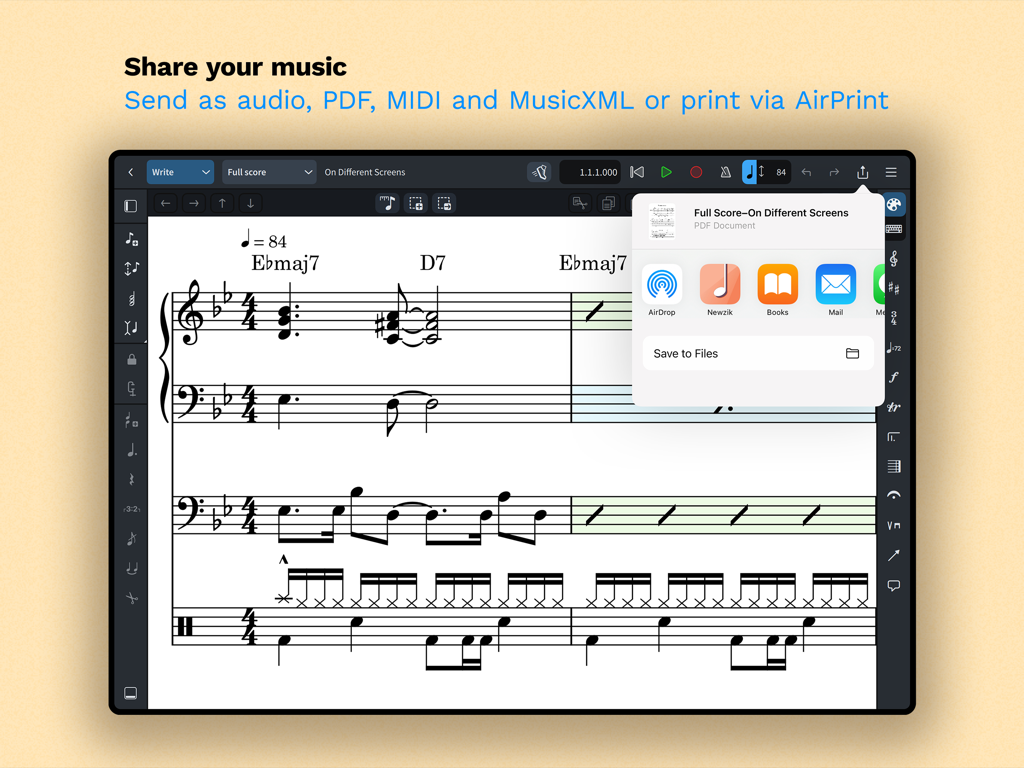
iPad画面。Doricoでの楽譜共有およびエクスポートオプションを表示しています。

iPad画面。Doricoでの楽譜共有およびエクスポートオプションを表示しています。

iPad上でデスクトップクラスの作曲を

このアプリを際立たせるツール、 252K+ 人のユーザーが選択.

🎼

インテリジェントな自動浄書

手動フォーマットの時間を節約。当社の世界クラスのエンジンは、入力と同時に楽譜を自動的に調整し、あなたの楽譜が常に最高のプロフェッショナル基準を満たすことを保証します。

📲

シームレスなプロフェッショナルワークフロー

スタジオを移動させましょう。デスクトップ版Doricoとの完全な互換性と、タッチ、Magic Keyboard、Apple Pencil注釈に最適化されたインターフェースをお楽しみください。

🎹

シーケンサー風MIDI編集

楽譜とプロダクションのギャップを埋めます。ピアノロールとベロシティエディタを使用して、内蔵サウンドまたはAudio Unitプラグインで表現力豊かな演奏を形成します。

世界中のユーザーに愛されています

Trusted by 252K+ 人がこのアプリを愛用しています.

"

"映画作曲家として、スタジオからステージまで私と一緒に移動できるツールが必要です。iPad版Doricoは、妥協を感じさせない最初のモバイルアプリです。デスクトッププロジェクトとのシームレスな同期とApple Pencilサポートの精度は、レコーディングセッション中の私のワークフローを完全に変えました。"

Julian Vance
"

"これまでにすべての楽譜作成ソフトウェアを試しましたが、Doricoのインテリジェントレイアウトエンジンは、私の学校バンドのアレンジにとってゲームチェンジャーです。複雑な連桁や打楽器の記譜法を楽々と処理します。リハーサル中にiPad上で楽譜を素早く調整し、AirPrint経由でクリーンなPDFを即座に印刷できることで、数え切れないほどの時間を節約できました。"

Sarah Jenkins

アプリについて

について知っておくべきこと Dorico - Compose Music.

説明

Compose your own music for free with Dorico. Create beautiful music notation for up to eight instruments quickly and easily with the on-screen keyboard, drum pads and fretboard. Play back instantly with the included sounds and shape the performance with powerful MIDI editing tools. When your piece is finished, share it as PDF, audio or MusicXML, or print directly to your AirPrint-enabled printer. Perform using the built-in read mode, and annotate with your Apple Pencil. Dorico is the award-winning music notation and composition software from Steinberg for macOS, Windows, and iPadOS. It’s easy enough to learn and use that it is used by students in schools, and deep enough that it satisfies the needs of the most demanding professionals in the worlds of concert music, music for film and TV, and music publishing. Dorico for iPad is fully compatible with Dorico for macOS and Windows, so you can work on your projects on the move on your iPad and in your studio on your desktop or laptop computer, or share projects with musicians using Dorico on any platform. Dorico’s interface is split into four modes. In Setup mode, you can add and change instruments, create and reorder sections of music (called “flows”), and choose how your music will be formatted for your musicians into layouts. In Write mode, you can input and edit music and other notations using simple, well-organized toolboxes and panels. In Engrave mode (included if you buy a paid subscription to Dorico’s advanced features), you can make graphical tweaks to every item in your project. Finally, in Play mode, you have access to powerful sequencer-style MIDI editing tools, including piano roll and velocity editors. Dorico includes built-in virtual instruments and effects to allow you to play back your compositions, and you can also easily use any compatible Audio Unit plug-in or external MIDI device (with optional subscription or Lifetime Unlock in-app purchase), and tweak playback using the on-screen Mixer. Input music using an on-screen piano keyboard, or by connecting a MIDI keyboard to your iPad directly via USB or using a compatible USB-to-Lightning adaptor. If you have a Magic Keyboard or other external keyboard, you can make use of extensive keyboard shortcuts to work quickly and efficiently. Dorico is free to use, allowing you to write for ensembles of up to four players. Register with your free Steinberg ID to increase the player limit to eight, allowing you to write for ensembles like string or wind quartet, or SATB choir. If you want to take your composition and arranging to the next level, you can buy an optional subscription or Lifetime Unlock in-app purchase to access more features and power: write for ensembles of any number of players, and gain access to Engrave mode, allowing you to make graphical tweaks to individual items anywhere in your project. HIGHLIGHTS • Best automatic engraving of any software • Easy note input using on-screen keyboard, MIDI keyboard, or external keyboard • Intelligently adjusts notation as you write • Any number of movements or pieces in a single project • Automatic layout of instrumental parts • Expressive playback using included sounds and effects • Supports Audio Unit virtual instruments and effects processors • Sequencer-style piano roll MIDI editor • Sophisticated chord symbols, unpitched percussion and drum set notation • Unbarred music, tuplets across barlines, etc. all handled correctly — no workarounds • Transfer to and from other apps via MusicXML, MIDI, PDF, etc. For support, please visit www.dorico.com/forum If you like Dorico, please support us by rating this app in the App Store. Thank you!

最新バージョン

6.1.10

サイズ

968.9 MB

リリース日

2021年7月27日

妥協のない作曲

世界をリードする作曲家や教育者たちに参加しましょう。iPad上でプロフェッショナルグレードの楽譜作成を体験し、今日から最大8つの楽器のための無料作曲を始めましょう。

ダウンロード: App Store
FAQ

よくある質問

について知っておくべきこと Dorico - Compose Music

Dorico - Compose Musicとは何ですか?

Doricoは、SteinbergがmacOS、Windows、iPadOS向けに提供する受賞歴のある音楽記譜および作曲ソフトウェアです。ユーザーは、楽曲の記譜、編集、再生、共有を行うことができます。

Dorico - Compose Musicは無料で利用できますか?

はい、Doricoは最大4パートの楽曲であれば無料で利用できます。無料のSteinberg IDを登録すると、この制限は8パートまで拡張されます。

ユーザーはどのようにDoricoで楽曲を入力しますか?

Doricoでは、画面上のピアノキーボード、ドラムパッド、またはフレットボードを使用して楽曲を入力できます。MIDIキーボードを接続したり、外部キーボードショートカットを利用して効率的に入力することも可能です。

Dorico - Compose Musicには再生用のサウンドが含まれていますか?

はい、Doricoには再生用の仮想楽器とエフェクトが組み込まれています。また、互換性のあるAudio Unitプラグインと外部MIDIデバイスもサポートしていますが、これにはオプションのサブスクリプションが必要な場合があります。

ユーザーはDorico - Compose Musicで作成した楽曲をどのように共有できますか?

ユーザーは完成したDoricoの楽曲をPDF、オーディオ、またはMusicXMLファイルとして共有できます。このアプリは、AirPrint対応プリンターへの直接印刷もサポートしています。

Dorico for iPadは他のバージョンのDoricoと互換性がありますか?

Dorico for iPadは、macOSおよびWindows版のDoricoと完全に互換性があります。これにより、ユーザーは異なるデバイス間でシームレスにプロジェクト作業を行い、他のミュージシャンと共有できます。

Dorico - Compose Musicの主なインターフェイスモードは何ですか?

Doricoには4つのモードがあります:Setup(楽器とレイアウトの設定)、Write(入力と編集)、Engrave(グラフィック調整、有料機能)、Play(MIDI編集と再生)。

Doricoのサブスクリプションではどのような高度な機能が利用可能になりますか?

Doricoの有料サブスクリプションまたはアプリ内購入のLifetime Unlockにより、Engraveモードへのアクセスが可能になり、無制限のパート数のアンサンブルの記譜が可能になります。

Dorico - Compose MusicはMIDI編集機能を備えていますか?

はい、Doricoは強力なMIDI編集ツールを備えています。これには、Playモードで利用できるピアノロールエディタやベロシティエディタが含まれており、楽曲の演奏を調整できます。