Epson iProjection

Epson iProjection

ダウンロード: App Storeダウンロード: Google Play
Spark by MWM logo
ロゴ: Epson iProjection

Epson iProjection: あらゆるプレゼンテーションにワイヤレスの自由を

ケーブルやドングルなしで、画面をミラーリングし、ドキュメントを共有し、共同作業を行いましょう。iPhoneまたはiPadから直接Epsonプロジェクターを操作できます。

開発元

Seiko Epson Corporation

カテゴリ

Productivity

ダウンロード

2M+

ユーザー評価

4.4/5

評価数

19K+

対応言語

9

ワイヤレスの自由を体験

このインターフェースを利用する 2M+ 人のユーザー.

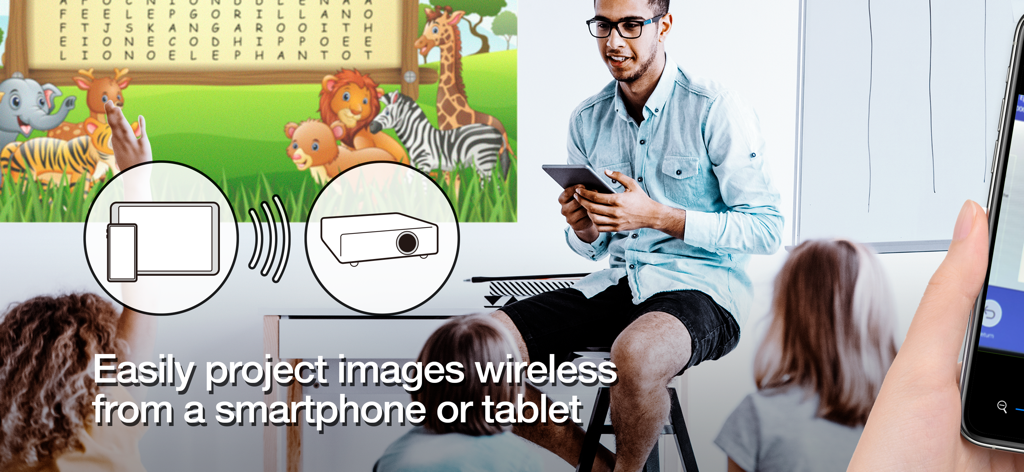
教師が教室の画面にタブレットから教育コンテンツをワイヤレスで投影している

教師が教室の画面にタブレットから教育コンテンツをワイヤレスで投影している

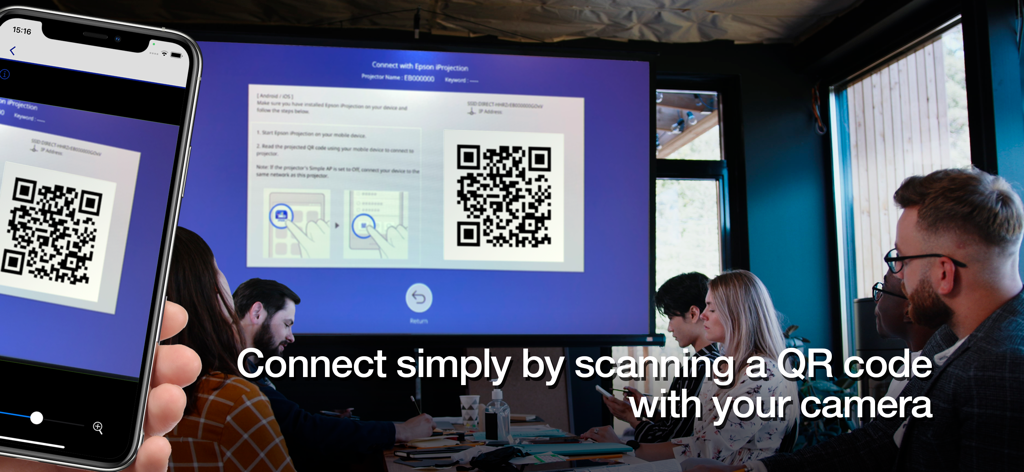
会議室でスマートフォンがプロジェクター画面上のQRコードをスキャンしてワイヤレス接続している

会議室でスマートフォンがプロジェクター画面上のQRコードをスキャンしてワイヤレス接続している

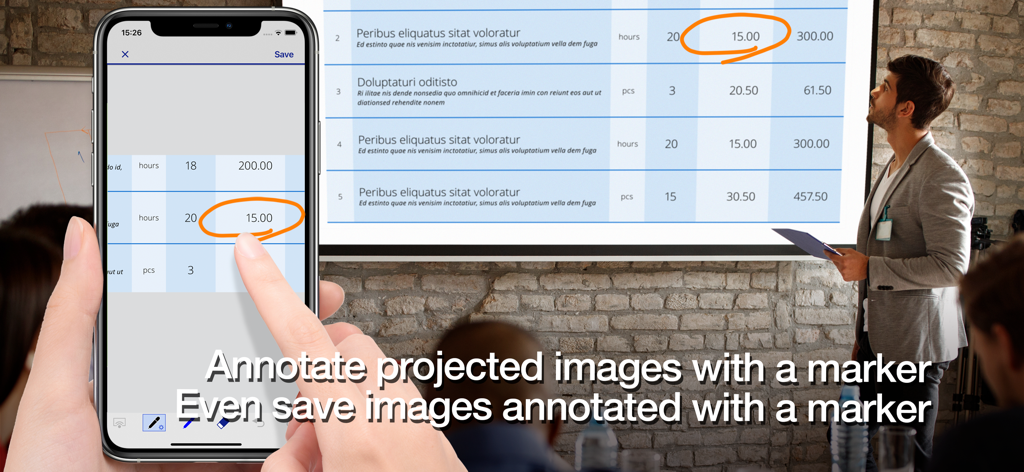
プロフェッショナルがEpson iProjectionアプリを使用して、スマートフォンでプロジェクター画面上のドキュメントに注釈を付けている

プロフェッショナルがEpson iProjectionアプリを使用して、スマートフォンでプロジェクター画面上のドキュメントに注釈を付けている

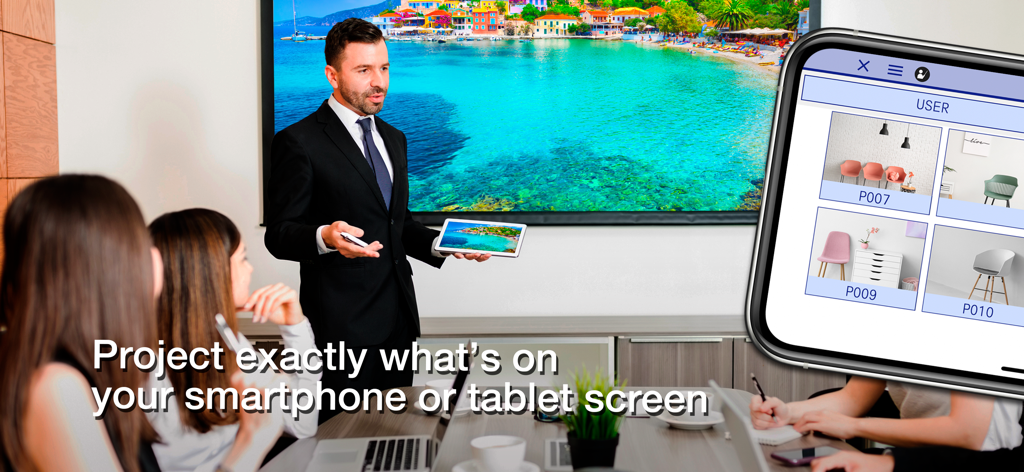
役員室の大画面にタブレット画面をワイヤレスでミラーリングするためにEpson iProjectionを使用しているプレゼンター

役員室の大画面にタブレット画面をワイヤレスでミラーリングするためにEpson iProjectionを使用しているプレゼンター

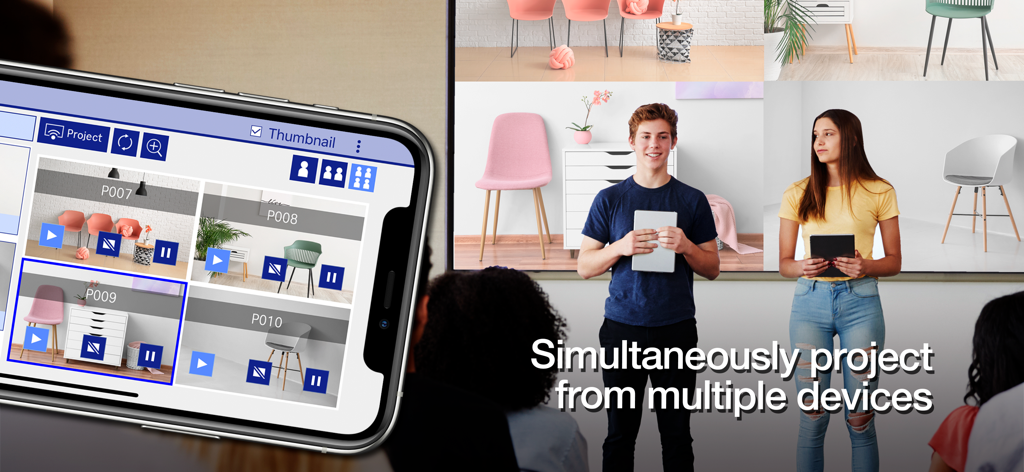
Epson iProjectionアプリを使用して、生徒がモバイル画面を同時に1つの大画面に投影している

Epson iProjectionアプリを使用して、生徒がモバイル画面を同時に1つの大画面に投影している

ケーブルなしでインパクトのあるプレゼンテーションを実現

このアプリを際立たせるツール、 2M+ 人のユーザーが選択.

📱

ケーブル不要のミラーリング

ドングルやアダプターなしで、iPadまたはiPhoneをリアルタイムでミラーリングしながら、部屋を自由に移動できます。

ワンタップ接続

ネットワーク設定は不要です。投影されたQRコードをスキャンするだけで、デバイスが瞬時にリンクされ、ドキュメントや写真の共有を開始できます。

👥

インタラクティブなチームワーク

ブレインストーミングやグループワークに最適です。最大50台のデバイスを接続し、4つの画面を同時に表示してアイデアを比較できます。

世界中のユーザーに愛されています

Trusted by 2M+ 人がこのアプリを愛用しています.

"

"Epson iProjectionは私の教室を完全に変えました。もうデスクに縛られることはなく、iPadを持って生徒の間を歩き回りながら、ライブ実験をミラーリングしたり、図をその場で注釈付けしたりできます。インタラクティブな学習と生徒のエンゲージメントにとって画期的なものです。"

サラ・ミラー、中学校教育者
"

"高リスクのコンサルティングの世界では、ドングルで手間取ることは許されません。このアプリを使えば、どの役員室に入っても、簡単なQRスキャンでKeynoteスライドのプレゼンテーションを開始できます。プロフェッショナルで、速く、私のセールスピッチからすべての技術的な摩擦を取り除きます。"

デビッド・チェン、シニアビジネスコンサルタント

アプリについて

について知っておくべきこと Epson iProjection.

説明

Epson iProjection is a wireless projection app for iPhone®, iPad®, or iPod® touch. This app makes it easy to mirror your device's screen, and project documents and photos wirelessly to a supported Epson projector. [Key Features] 1. Mirror your device’s screen and output your device’s audio from the projector. 2. Project your photos in the "Photos" app, project documents loaded in this app, and project in real-time video from your device's camera. 3. Easily connect your device by scanning a projected QR code. 4. Connect up to 50 devices to the projector, display up to four screens simultaneously, and share your projected image with the other connected devices. 5. Annotate projected images with a pen tool and save the edited images on your device. 6. Control the projector like a remote control. [Notes] • For supported projectors, visit https://support.epson.net/projector_appinfo/iprojection/en/. You can also check "Supported Projectors" in the app's support menu. • While mirroring your device’s screen, video and audio may be delayed depending on the device and network specifications. Only unprotected content can be projected. • Use the mirroring feature to project videos in the "Photos" app. [About Projecting Documents] • The following file types are supported when projecting using "Documents". - Microsoft® Word - Microsoft® Excel - Microsoft® PowerPoint - Keynote - PDF - JPG - PNG - The file types mentioned above are also supported when stored in cloud file services • Depending on the document, the projected image may differ from the image on the computer or at the time of creation, for example, some characters may not be projected correctly. If this occurs, use the mirroring feature ("Mirror device screen") instead. • Animations and screen transition effects, videos, and audio are not played. Use the mirroring feature to play them. • We recommend testing the projection in advance when using this app for presentations. [Using the App] Make sure that the network settings for the projector have been completed. 1. Switch the input source on the projector to "LAN". Network information is displayed. 2. Connect to the same network as the projector from "Settings" > "Wi-Fi" on your iPhone/iPad/iPod touch. 3. Start Epson iProjection and connect to the projector. 4. Select and project from "Mirror device screen", "Photos", "Documents", "Web Page", or "Camera". [App permissions] The app requires the following permissions for specific features. 【Required】 Local Network - Search for and connect to the projector. 【Optional】] Photo - Project selected photos from the device to the projector. * You can use the app without granting the optional permissions, but some features may not work. All images are examples and may differ from the actual screens.

最新バージョン

4.2.0

サイズ

27.4 MB

リリース日

2012年1月5日

完全な自由でプレゼンテーション

ケーブルを捨てた何百万人ものプロフェッショナルや教育者に加わりましょう。今すぐEpson iProjectionをダウンロードして、iPhoneまたはiPadから部屋をコントロールしましょう。

ダウンロード: App Storeダウンロード: Google Play
FAQ

よくある質問

について知っておくべきこと Epson iProjection

Epson iProjectionとは何ですか?

Epson iProjectionは、iPhone、iPad、またはiPod touch向けのワイヤレス投影アプリです。デバイスの画面をミラーリングし、対応するエプソンプロジェクターにドキュメントや写真をワイヤレスで投影します。

Epson iProjectionは、ワイヤレス投影でどのデバイスをサポートしていますか?

Epson iProjectionは、ワイヤレス投影のためにiPhone、iPad、またはiPod touchデバイスをサポートしています。デバイスの画面を互換性のあるエプソンプロジェクターにミラーリングします。

Epson iProjectionを使用してEpsonプロジェクターに接続するにはどうすればよいですか?

はい、デバイスのカメラで投影されたQRコードをスキャンして接続します。デバイスとプロジェクターの両方が同じネットワーク上にあることを確認してください。

Epson iProjectionでデバイスの画面をミラーリングできますか?

はい、Epson iProjectionはデバイスの画面をミラーリングし、コンテンツをワイヤレスで投影します。プロジェクターからデバイスのオーディオを出力することもできます。

Epson iProjectionはどの種類のドキュメントを投影できますか?

Epson iProjectionは、Microsoft Word、Excel、PowerPoint、Keynote、PDF、JPG、PNGファイルを投影できます。これには、クラウドファイルサービスに保存されているドキュメントも含まれます。

Epson iProjectionは、複数のデバイスが同時に接続することを許可しますか?

はい、Epson iProjectionは、最大50台のデバイスをプロジェクターに接続できます。また、これらのデバイスから最大4つの画面を同時に表示できます。

Epson iProjectionで投影された画像を注釈付けできますか?

はい、Epson iProjectionには、投影された画像に注釈を付けるためのペンツールが含まれています。注釈を付けて編集した画像も保存できます。

Epson iProjectionはプロジェクターをリモートで制御できますか?

はい、Epson iProjectionはプロジェクターのリモートコントロールとして機能します。この機能により、ユーザーはデバイスから直接プロジェクターの設定を管理できます。

Epson iProjectionアプリにはどのような権限が必要ですか?

このアプリは、プロジェクターを検索して接続するためにローカルネットワークの権限が必要です。写真の権限はオプションで、アプリがデバイスから選択した画像を投影できるようにします。

Epson iProjectionでドキュメントを投影する際に、ビデオやアニメーションはサポートされていますか?

いいえ、Epson iProjectionは、ドキュメントを投影する際にアニメーション、画面遷移効果、ビデオ、またはオーディオを再生しません。このようなコンテンツには、ミラーリング機能を使用してください。

Epson iProjectionは、デバイスのカメラからコンテンツを投影できますか?

はい、Epson iProjectionは、デバイスのカメラから直接リアルタイムビデオを投影できます。この機能は、アプリの投影オプションから選択されます。

Epson iProjectionでデバイスの画面をミラーリングする際に、オーディオは投影されますか?

はい、Epson iProjectionは、画面をミラーリングする際にプロジェクターからデバイスのオーディオを出力します。ネットワークの状態によっては、ビデオとオーディオに遅延が発生する場合があります。