Roku TV Remote Control & Cast

Roku TV Remote Control & Cast

ダウンロード: App Store
Spark by MWM logo
ロゴ: Roku TV Remote Control & Cast
Roku TVリモコン&キャスト:究極のワイヤレスミラーリング&コントロールハブ

絡まった配線や失くしたリモコンにさよなら。iPhoneのリアルタイムミラーリング、お気に入りの思い出のクリアな品質でのキャスト、そしてタップ一つでRoku TVの完全なコントロールをお楽しみください。

開発元

Aleh Piashkou

カテゴリ

Utilities

ダウンロード

208K+

ユーザー評価

4.7/5

評価数

1K+

対応言語

13

魔法を体験する

このインターフェースを利用する 208K+ 人のユーザー.

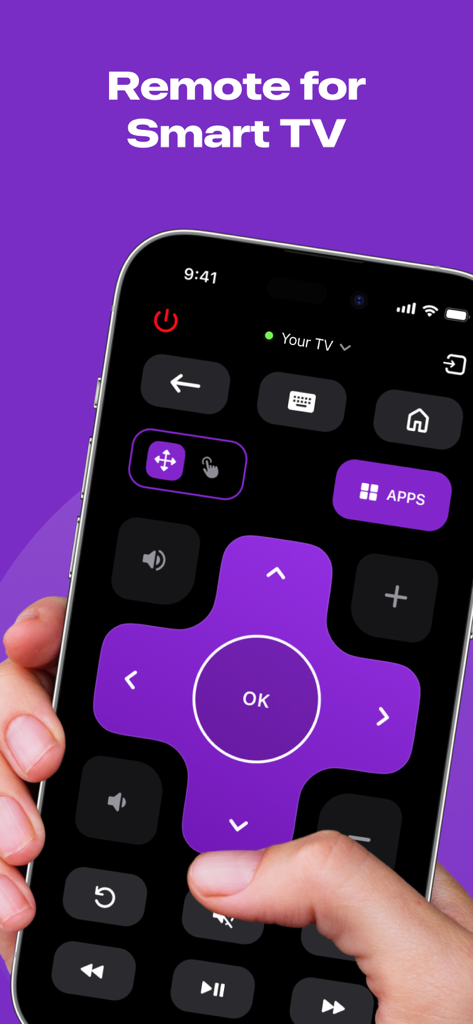
iPhone画面に表示されたスマートTV用デジタルリモコンインターフェース

iPhone画面に表示されたスマートTV用デジタルリモコンインターフェース

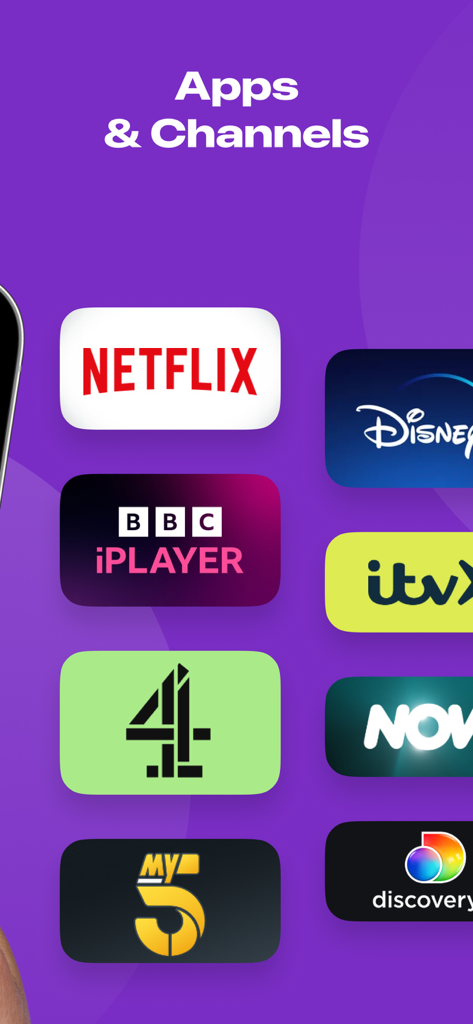
NetflixやDisney Plusなどのストリーミングアプリとチャンネルのリスト

NetflixやDisney Plusなどのストリーミングアプリとチャンネルのリスト

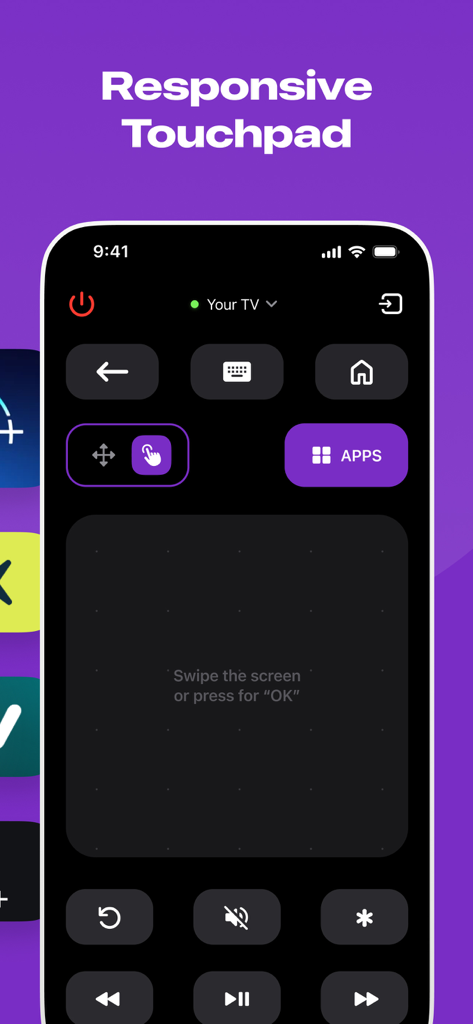
Roku TV Remoteアプリのインターフェース。ナビゲーション用の応答性の高いタッチパッドが表示されています。

Roku TV Remoteアプリのインターフェース。ナビゲーション用の応答性の高いタッチパッドが表示されています。

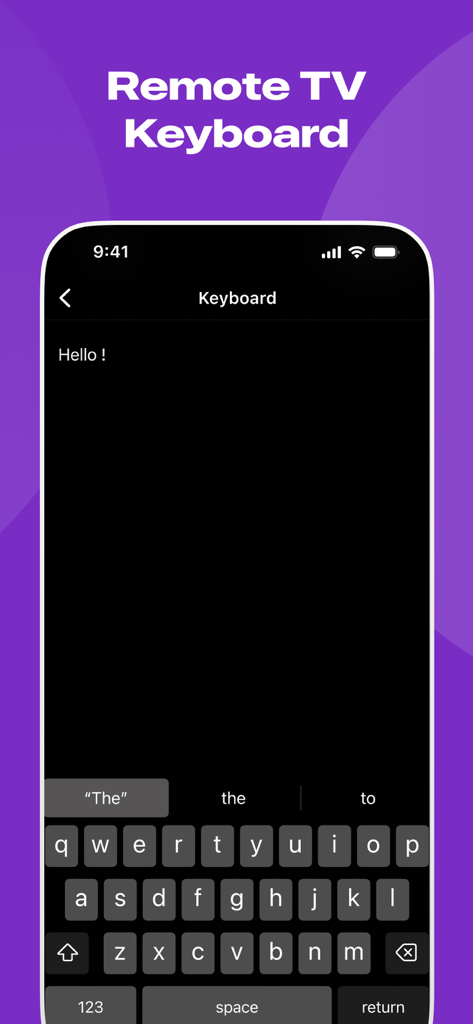
iPhone上のRoku用リモートTVキーボード機能

iPhone上のRoku用リモートTVキーボード機能

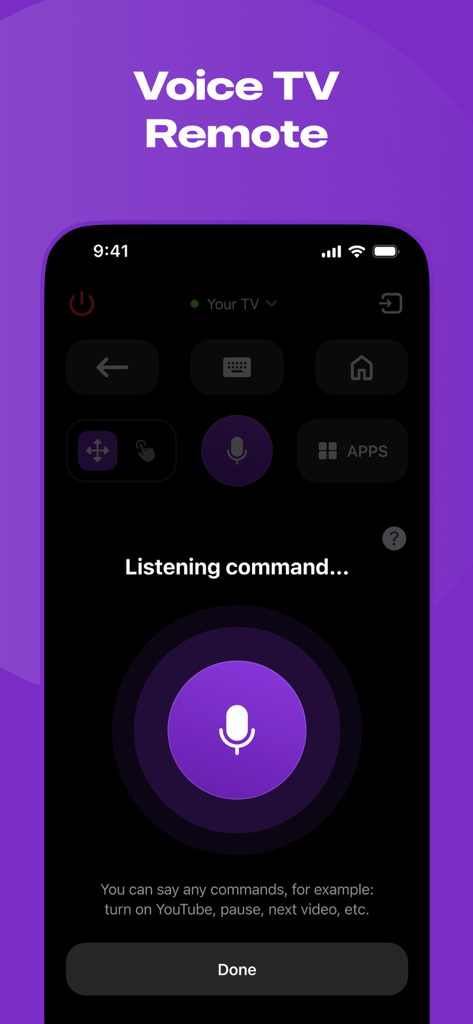
Roku TVリモート用のモバイルアプリインターフェース。大きなマイクボタンとリスニングプロンプトが表示された音声コントロール機能を示しています。

Roku TVリモート用のモバイルアプリインターフェース。大きなマイクボタンとリスニングプロンプトが表示された音声コントロール機能を示しています。

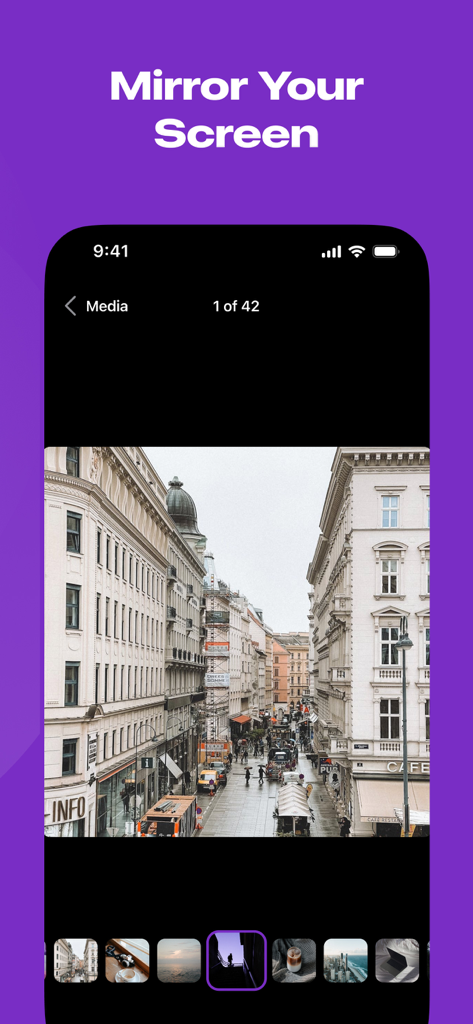
「画面をミラーリング」という見出しの下に写真ギャラリーを表示するiPhone画面

「画面をミラーリング」という見出しの下に写真ギャラリーを表示するiPhone画面

究極のRokuコンパニオン

このアプリを際立たせるツール、 208K+ 人のユーザーが選択.

📱

いつでも使えるリモコン

ソファの隙間をもう探す必要はありません。プラスチック製のリモコンよりも速く、信頼性の高いインターフェースで、テレビの操作、アプリの起動、音量の調整ができます。

📡

ワイヤーフリーミラーリング

お気に入りのTikTok、モバイルゲーム、家族の写真を即座にキャストできます。高価なアダプターは必要ありません。絡まるケーブルなしで、クリーンでミニマルなセットアップをお楽しみください。

遅延のないHDストリーミング

メディアを驚くほど高解像度で体験してください。リアルタイムテクノロジーにより、プレゼンテーションやビデオは、携帯電話で見るのと同じくらいスムーズに大画面に表示されます。

世界中のユーザーに愛されています

Trusted by 208K+ 人がこのアプリを愛用しています.

"

"物理的なRokuリモコンを数ヶ月前に失くして、ついにこのアプリを見つけました。まさに救世主です!iPhoneから、子供たちのサッカーのビデオや休暇の写真を、すぐに祖父母に見せることができるのが気に入っています。配線なし、遅延なし、ただ超クリアな品質です。とても直感的で、ベビーシッターをしているときでも母が使えます。"

Sarah J.
"

"頻繁に簡単なプレゼンテーションをする私にとって、ドングルを持ち運ぶのは嫌なので、ShareRemoteはゲームチェンジャーです。画面ミラーリングは信じられないほど応答性が高く、遅延はほとんどありません。これはワイヤレスキャストとしては珍しいことです。私のRoku TVを一瞬でプロフェッショナルなポートフォリオディスプレイに変えてくれました。信頼性だけでも、サブスクリプションの価値は間違いなくあります。"

Marcus T.

レビュー分析

ユーザーレビューの分析.

感情スコア

27%
ネガティブ

概要

This mobile app elicits a highly polarized response from users. A small segment finds it very useful, praising its remote control capabilities and even noting its functionality as superior to the original app. However, the overwhelming majority of feedback is negative, primarily due to the app's mandatory payment structure for core features, leading many to label it a scam or unusable. Users frequently report frustration with recurring charges and connectivity problems.

主なテーマ

App Utility(2)
Performance and Functionality(2)
Overall User Experience(2)
Remote Control Feature(1)
Convenience(1)

アプリについて

について知っておくべきこと Roku TV Remote Control & Cast.

説明

Introducing ShareRemote iOS screen mirroring app. Whether you're showing off your latest photos, streaming videos with friends, or presenting that killer presentation, our app is your go-to for making it all happen effortlessly. **Why You'll Love It:** 1. **No More Wires:** Tangled cables? No, thank you! Our app lets you mirror your device wirelessly. Just a quick tap, and voila – your screen is on the big stage! 2. **Crystal Clear Picture:** Your memories and content deserve the best. Our app keeps the quality top-notch, making sure your pictures and videos look as fabulous on the big screen as they do on your device. 3. **Keep it Real-Time:** Show off your skills live! Whether you're playing games, giving a presentation, or just goofing around, our app mirrors every move in real-time. It's like having your own mini movie premiere. 4. **Easy Peasy Interface:** No tech degree needed here! Our app is designed to be super easy to use. Just open, tap, and watch the magic unfold. It's so simple even your grandma could do it. Whether you're a pro or just looking to spice up your digital life, our screen mirroring app is the sidekick you've been waiting for. Turn any screen into a portal to your device. Download now and let the mirroring adventures begin! ShareRemote subscription plans are: - Yearly subscription - 6 months subscription - Monthly subscription - Weekly subscription - Payment will be charged to iTunes Account at confirmation of purchase. - Subscription automatically renews unless auto-renew is turned off at least 24-hours prior to the end of the current period. - The account is charged for renewal within 24-hours before the end of the current period. - Subscriptions may be managed by the user and auto-renewal may be turned off by going to the user’s Account Settings after purchase. - The cost of renewal is equal to the value that “Apple’s App Store Matrix” determines as the equivalent of the subscription price in $USD. - Any unused portion of a free trial period, if offered, will be forfeited when the user purchases a subscription to that publication. *Prices are equal to the value that "Apple's App Store Matrix" determines is the equivalent of the subscription price in $USD. Privacy Policy - https://docs.google.com/document/d/1ahEeO01U4RiZyrZyXq2MkmMjxl8cBKmxlYxlrHaGwUg/edit?usp=sharing Terms of Use - https://docs.google.com/document/d/1xD4dteABb8nb7IY_UNEBLtTUo7Z4KFDfuvoq2gmuVk8/edit?usp=sharing

最新バージョン

1.5

サイズ

52.3 MB

リリース日

2024年1月23日

Roku TVを使いこなす準備はできましたか?

失くしたリモコンや絡まった配線を諦めた208,000人以上のユーザーに加わりましょう。今すぐShareRemoteをダウンロードして、あなたの世界をリアルタイムでミラーリングし始めましょう。

ダウンロード: App Store
FAQ

よくある質問

について知っておくべきこと Roku TV Remote Control & Cast

Roku TV Remote Control & Cast アプリとは何ですか?

Roku TV Remote Control & Cast アプリは、スマートテレビのリモコンとして機能し、ワイヤレス画面ミラーリングを提供します。応答性の高いコントロール、キーボード、音声コマンドを備え、写真や動画を大画面にキャストできます。

Roku TV Remote Control & Cast アプリは画面ミラーリングを許可しますか?

はい、Roku TV Remote Control & Cast アプリはワイヤレス画面ミラーリングを許可します。ユーザーは、デバイスから写真を表示したり、動画をストリーミングしたり、プレゼンテーションを大画面に表示したりでき、鮮明な品質とリアルタイムのパフォーマンスが得られます。

Roku TV Remote Control & Cast はどのようなリモコン機能を提供しますか?

Roku TV Remote Control & Cast は、電源制御、ナビゲーション、アプリへのアクセス、音量調整、メディア再生など、包括的なリモコン機能を提供します。応答性の高いタッチパッド、リモコンキーボード、テレビの音声コントロールも含まれています。

Roku TV Remote Control & Cast のサブスクリプションオプションにはどのようなものがありますか?

Roku TV Remote Control & Cast は、いくつかのサブスクリプションオプションを提供しています。アプリの全機能にアクセスするために、年間、6か月、月間、週間プランから選択できます。

Roku TV Remote Control & Cast サブスクリプションの自動更新を管理するにはどうすればよいですか?

ユーザーは Roku TV Remote Control & Cast サブスクリプションを管理し、自動更新をオフにすることができます。これは、購入後に iTunes のユーザーアカウント設定に移動することで行われます。

Roku TV Remote Control & Cast アプリのプライバシーポリシーはどこにありますか?

Roku TV Remote Control & Cast のプライバシーポリシーは、アプリの説明に記載されている直接リンクからアクセスできます。これにより、ユーザーはデータ処理慣行に関する情報にアクセスできます。