FileBrowser: Documents Manager

FileBrowser: Documents Manager

ダウンロード: App Store
Spark by MWM logo
ロゴ: FileBrowser: Documents Manager

FileBrowser: ドキュメントマネージャー:プロユーザー向けデスクトップクラスのファイルマネージャー

サーバー、NAS、クラウドストレージにシームレスに接続。ドキュメントをインプレース編集し、メディアをストリーミングし、マルチタブブラウジングでiPadを高性能ワークステーションに変えましょう。

ダウンロード: App Store

開発元

Stratospherix

カテゴリ

Utilities

ダウンロード

518K+

ユーザー評価

4.7/5

評価数

9K+

対応言語

9

デスクトップクラスのコントロール

このインターフェースを利用する 518K+ 人のユーザー.

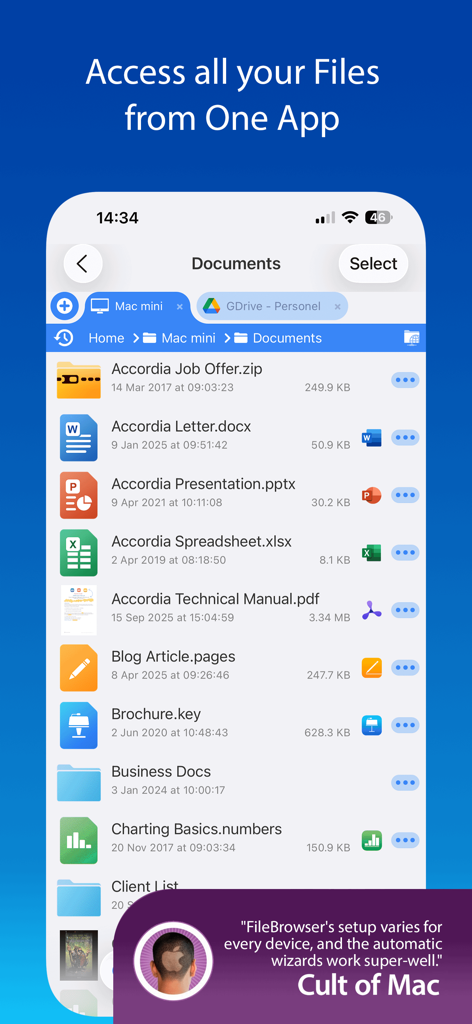
FileBrowserアプリのインターフェース。iPhone上のリモートおよびクラウドストレージからのドキュメントリストを表示しています。

FileBrowserアプリのインターフェース。iPhone上のリモートおよびクラウドストレージからのドキュメントリストを表示しています。

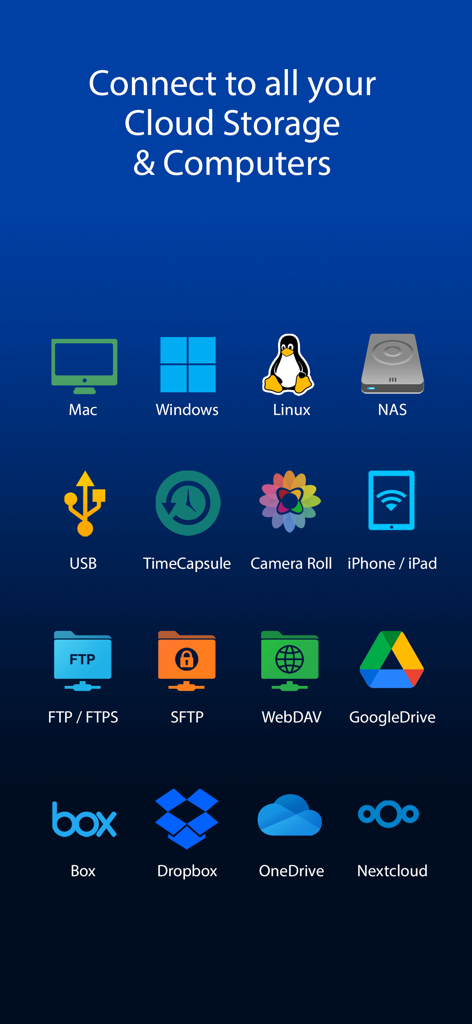
Mac Windows Linux NAS、Dropboxなどのサポートされているクラウドストレージとネットワークドライブ接続のアイコン。

Mac Windows Linux NAS、Dropboxなどのサポートされているクラウドストレージとネットワークドライブ接続のアイコン。

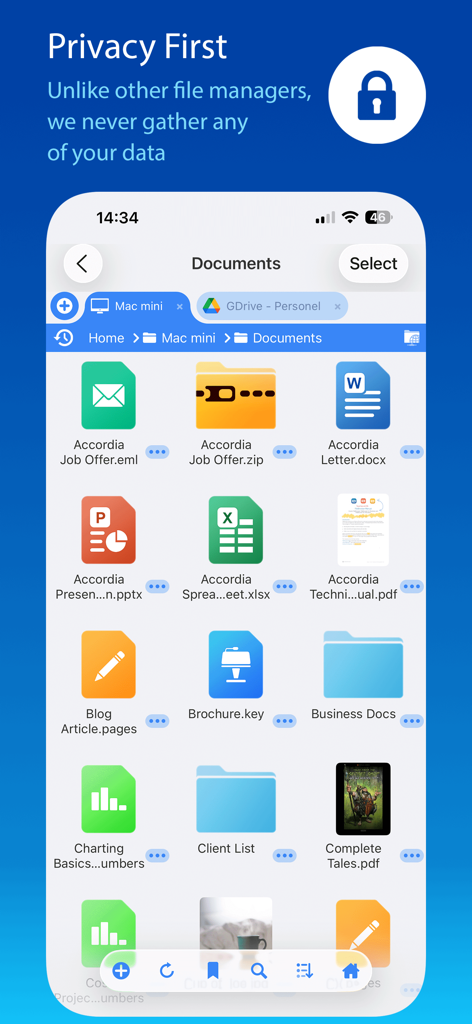
FileBrowserアプリのインターフェース。さまざまなドキュメントとプライバシーファーストのコミットメントバナーを表示しています。

FileBrowserアプリのインターフェース。さまざまなドキュメントとプライバシーファーストのコミットメントバナーを表示しています。

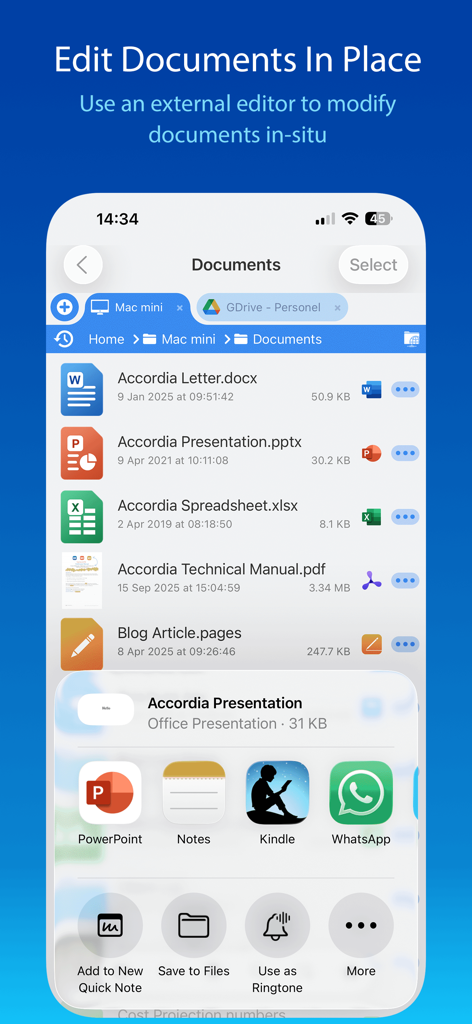
FileBrowserアプリのインターフェースのスクリーンショット。ドキュメントリストに「ドキュメントをインプレース編集」機能と外部アプリ統合が表示されています。

FileBrowserアプリのインターフェースのスクリーンショット。ドキュメントリストに「ドキュメントをインプレース編集」機能と外部アプリ統合が表示されています。

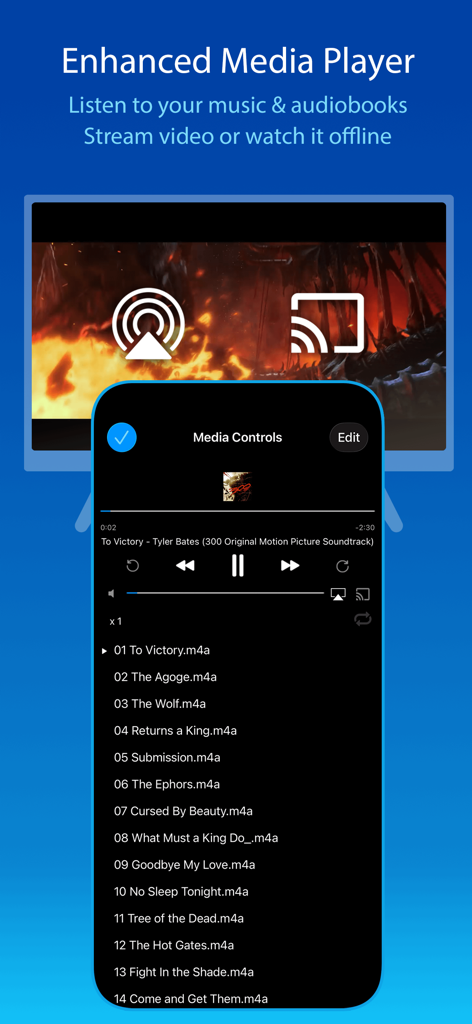
FileBrowserアプリのメディアプレーヤー。iPhoneおよびiPad向けの音楽プレイリストとストリーミングオプションを表示しています。

FileBrowserアプリのメディアプレーヤー。iPhoneおよびiPad向けの音楽プレイリストとストリーミングオプションを表示しています。

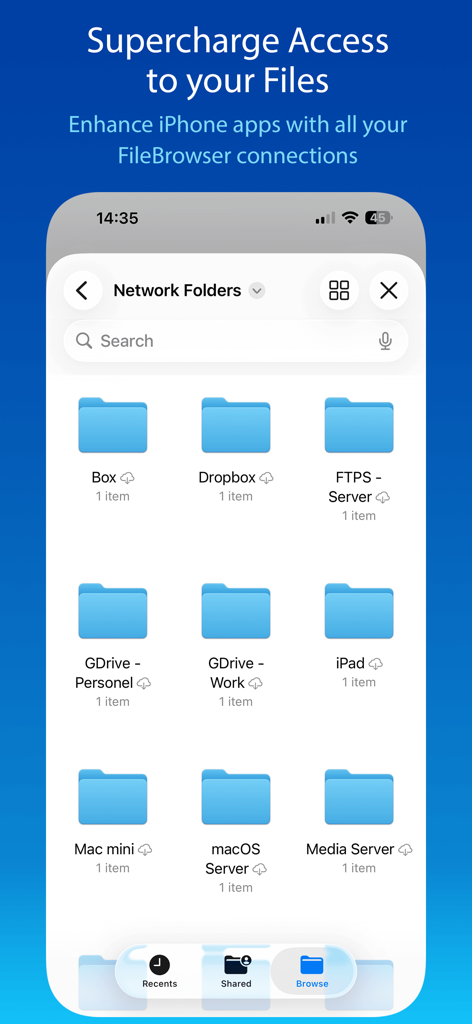
FileBrowserアプリのインターフェース。iPhone上のさまざまなネットワークおよびクラウドストレージフォルダを表示しています。

FileBrowserアプリのインターフェース。iPhone上のさまざまなネットワークおよびクラウドストレージフォルダを表示しています。

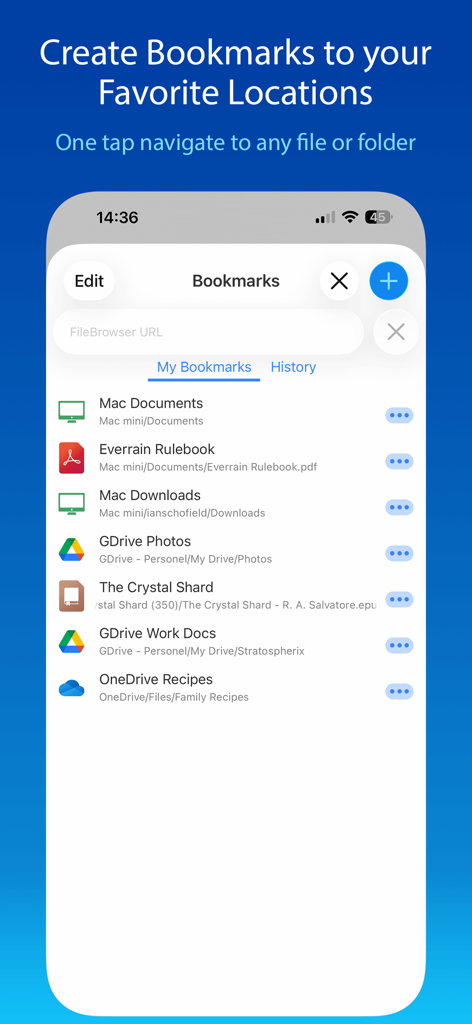
FileBrowserアプリのブックマーク画面。さまざまなネットワークおよびクラウドストレージのショートカットを表示しています。

FileBrowserアプリのブックマーク画面。さまざまなネットワークおよびクラウドストレージのショートカットを表示しています。

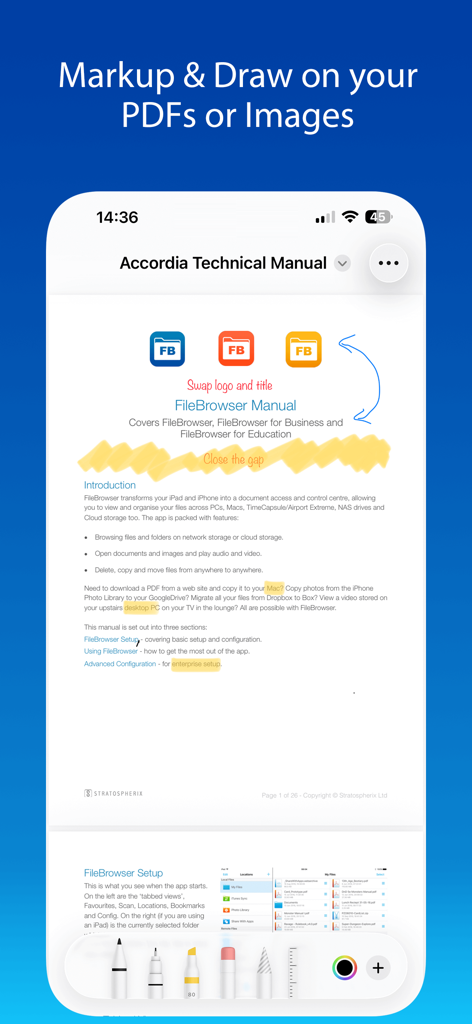
FileBrowserアプリのスクリーンショット。技術マニュアルで使用されているPDFマークアップおよび描画ツールを表示しています。

FileBrowserアプリのスクリーンショット。技術マニュアルで使用されているPDFマークアップおよび描画ツールを表示しています。

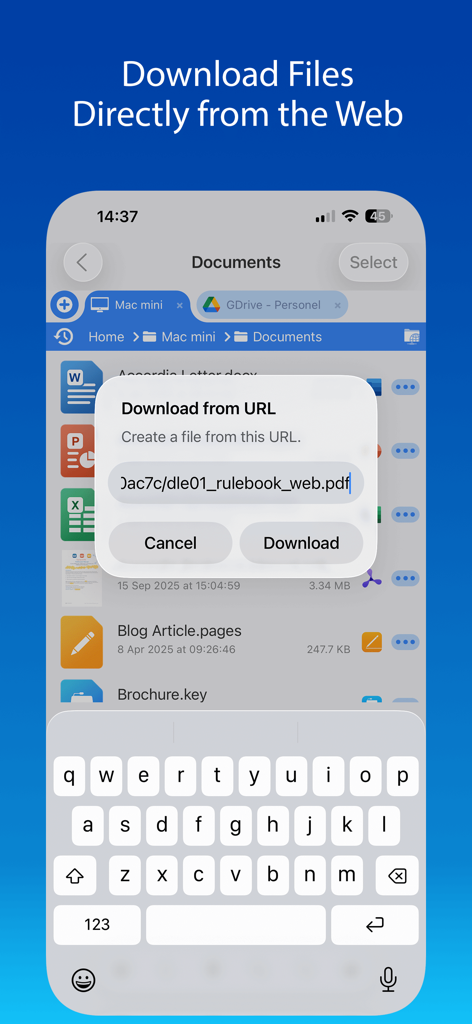
FileBrowserアプリの「URLからダウンロード」ダイアログを表示するiPhone画面。Webから直接PDFを保存できます。

FileBrowserアプリの「URLからダウンロード」ダイアログを表示するiPhone画面。Webから直接PDFを保存できます。

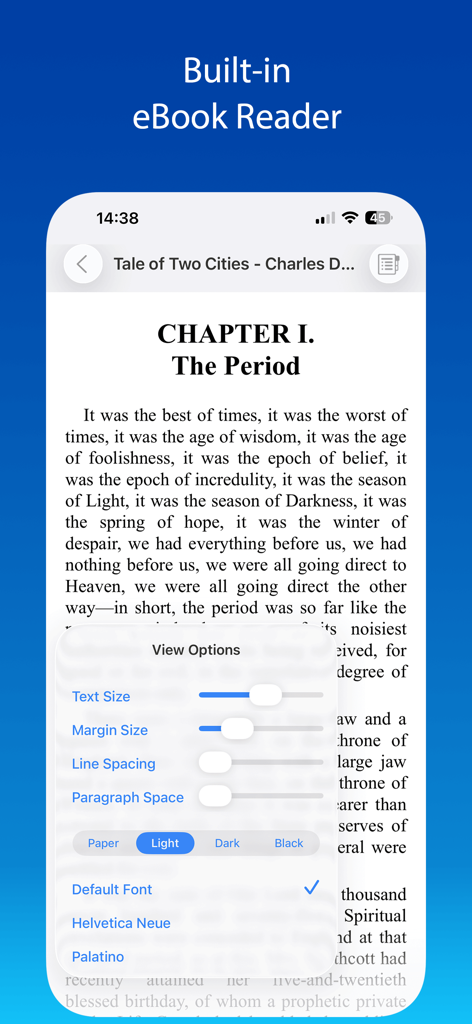
FileBrowserアプリ。カスタマイズ可能なテキストとテーマ設定を備えた組み込みの電子書籍リーダーを表示しています。

FileBrowserアプリ。カスタマイズ可能なテキストとテーマ設定を備えた組み込みの電子書籍リーダーを表示しています。

プロレベルのファイル管理

このアプリを際立たせるツール、 518K+ 人のユーザーが選択.

🌐

ユニバーサル接続

SMB、FTP、SFTP、WebDAV経由でNAS、ホームサーバー、プロフェッショナルクラウドにアクセス。すべてのデジタルインフラストラクチャを1つの統合されたインターフェースでブリッジします。

効率的な「インプレース編集」

Office、Pages、Numbers内でネットワークドキュメントを直接編集します。自動的でシームレスな保存により、ダウンロード・アップロードのサイクルを排除し、元のソースに直接保存します。

📂

デスクトップクラスの生産性

マルチタブブラウジングとスプリットスクリーンサポートでファイルをマスターしましょう。MacまたはPCの精度で、場所をまたいだ整理、ジップ、ドラッグ&ドロップが可能です。

世界中のユーザーに愛されています

Trusted by 518K+ 人がこのアプリを愛用しています.

"

"FileBrowserは私のワークフローを完全に変えました。NASからクラウドへの4K映像の移動は信じられないほど高速で、ドキュメントをインプレース編集できることで、多くの時間を節約できます。これはiPad Proが意図されていたデスクトップクラスのファイルマネージャーです。"

Sarah J.、クリエイティブディレクター
"

"App Storeのすべてのファイルマネージャーを試しましたが、これに匹敵するものはありません。LinuxサーバーにSFTP経由で接続し、高解像度のメディアライブラリをテレビにストリーミングできる機能は完璧です。あらゆるパワーユーザーにとって必須です。"

James M.、ITコンサルタント

アプリについて

について知っておくべきこと FileBrowser: Documents Manager.

説明

Use your iPad or iPhone to connect to your home computers, network drives and cloud storage. Easily upload/download/copy files and folders from one location to another, and browse your content using a variety of built-in viewers. *** FileBrowser remains the best option if you're looking for a file manager that supports a variety of external connections and also integrates deeply with iOS - Federico Viticci - MacStories *** *** FileBrowser's setup varies for every device, and the automatic wizards work super-well. Charlie Sorrel - Cult of Mac *** Ultra-fast browsing of your computers. Faster than Windows Explorer or Mac Finder and our users agree! GET ORGANIZED FileBrowser gives you everything you need to keep your files effortlessly organized: Move, edit, delete, rename, copy, zip and unzip. Download files from the web and paste them wherever you choose. MULTI-TABBED BROWSING Our FileBrowser suite of apps are the first file management apps to support multiple tabs. Connect to many of your locations at once and switch between them with ease. Use iPadOS split-screen mode to drag & drop between multiple windows. CONNECT TO Windows, Mac, Linux, Time Capsule, NAS drives, portable WiFi drives, SMB, Samba. Google Drive, Dropbox, Box, OneDrive, WebDAV, FTP and SFTP. Link to the same cloud storage with multiple accounts, if you have more than one Dropbox account, for example. EXTEND THE FILES APP FileBrowser allows you to access all your connections from the iOS Files app and other apps that use this as their document chooser, bringing network access to those apps. EDIT IN-PLACE No more copying of documents between apps. Launch an app to edit a network document in-place, such as Word or Pages or any of the Office and Mac suite. Changes are saved to the original document automatically. BLAZINGLY FAST Create bookmarks to your favorite locations & folders. Use a single tap to connect and browse to a favorite folder. PHOTO VIEWER Browse your photos wherever they are stored and display them on your TV or projector using AirPlay or Chromecast. Easily flick through holiday snaps or use the built-in slideshow feature. STREAM YOUR MOVIES / MUSIC Stream movie files or listen to music, both with AirPlay™ and Chromecast support. Use our built-in viewers or stream video to other apps. DOCUMENT VIEWER View Microsoft Office, Apple Pages, Numbers, KeyNote, PDF, text files, source code, HTML, and many more using the built-in viewers. ANNOTATE PDFS AND IMAGES Use the built-in annotation tools for PDFs and images, or use the iOS annotation tools to add notes, drawings or highlight text. SECURITY AND ENCRYPTION FileBrowser securely stores your passwords in the iOS keychain and uses iOS encryption features to protect your local content. Protect local files using a password, TouchID or FaceID. CONNECT ANYWHERE Connect to your Mac or PC when away from home. See our website for details: https://www.stratospherix.com/setupvpn TOO MANY FEATURES TO LIST FileBrowser has many features that we would like to tell you about. Check out our website. You'll be amazed! https://www.stratospherix.com/products/filebrowser FIRST CLASS SUPPORT User manuals and help are available at stratospherix.com/support with how-to articles and videos. You can also email us for fast, friendly support.

最新バージョン

25.12

サイズ

63.5 MB

リリース日

2010年4月3日

iPadとiPhoneのデスクトップクラスのパワーを解き放つ

50万人以上のパワーユーザーやプロフェッショナル愛好家に加わりましょう。所有するすべてのサーバーとクラウドアカウント間で、究極の自由な管理、編集、ストリーミングを体験してください。

ダウンロード: App Store