FileBrowser for Education

FileBrowser for Education

ダウンロード: App Store
Spark by MWM logo
ロゴ: FileBrowser for Education

FileBrowser for Education:すべての生徒と教師のための、安全で管理されたファイルアクセス

シームレスなネットワークサーバー統合、一元化されたMDM制御、および学校データのためのプロフェッショナルグレードのセキュリティにより、1人1台のiPadプログラムを強化します。

ダウンロード: App Store

開発元

Stratospherix

カテゴリ

Education

ダウンロード

1K+

ユーザー評価

1.0/5

評価数

0

対応言語

9

実際のコントロール画面

このインターフェースを利用する 1K+ 人のユーザー.

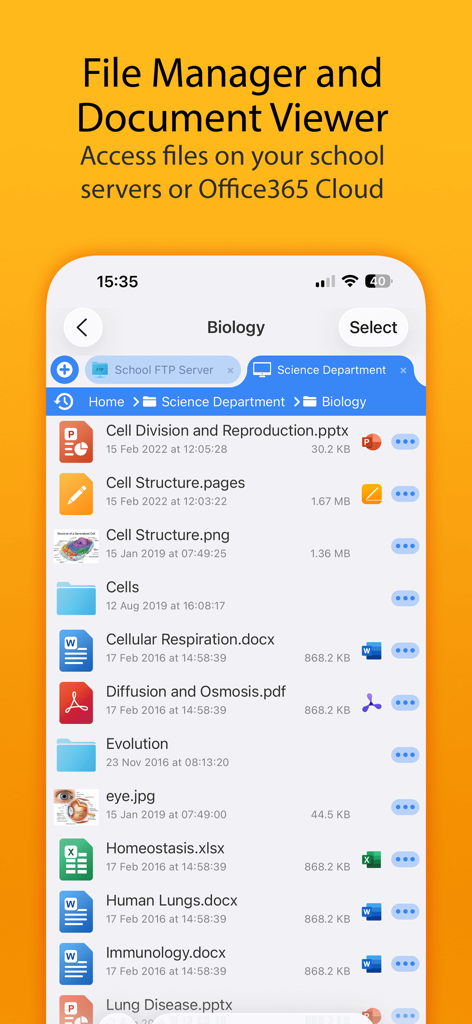
学校のサーバーから生物学のレッスンファイルを表示しているFileBrowser for Educationのモバイルインターフェース

学校のサーバーから生物学のレッスンファイルを表示しているFileBrowser for Educationのモバイルインターフェース

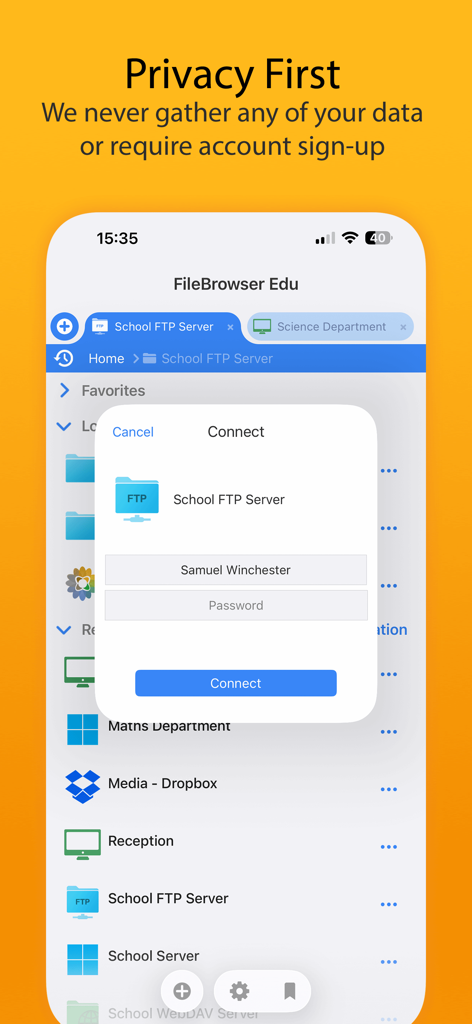
「プライバシー第一」のメッセージとともに、安全なサーバーログインプロンプトを表示しているFileBrowser for Educationアプリのインターフェース

「プライバシー第一」のメッセージとともに、安全なサーバーログインプロンプトを表示しているFileBrowser for Educationアプリのインターフェース

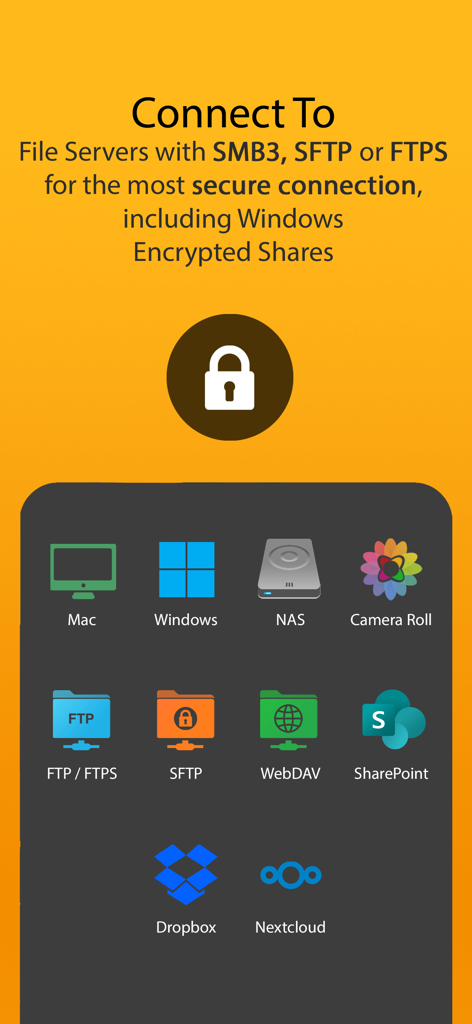
ファイルサーバーやクラウドストレージプロバイダーへの安全な接続オプションを表示しているFileBrowser for Educationのインターフェース

ファイルサーバーやクラウドストレージプロバイダーへの安全な接続オプションを表示しているFileBrowser for Educationのインターフェース

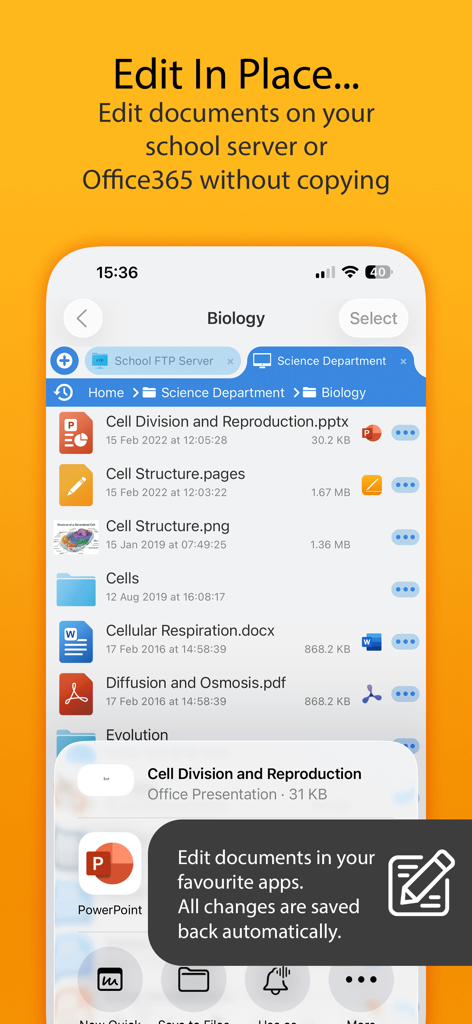
学校のサーバー上のドキュメントをその場で編集できる機能を表示しているFileBrowser for Educationアプリのインターフェース

学校のサーバー上のドキュメントをその場で編集できる機能を表示しているFileBrowser for Educationアプリのインターフェース

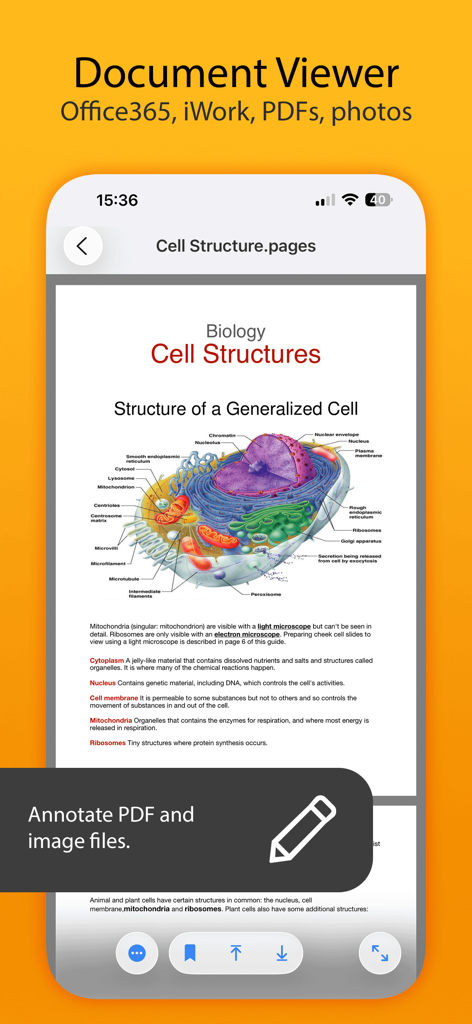
注釈ツールを備えた細胞構造に関する生物学のドキュメントを表示しているモバイルアプリの画面

注釈ツールを備えた細胞構造に関する生物学のドキュメントを表示しているモバイルアプリの画面

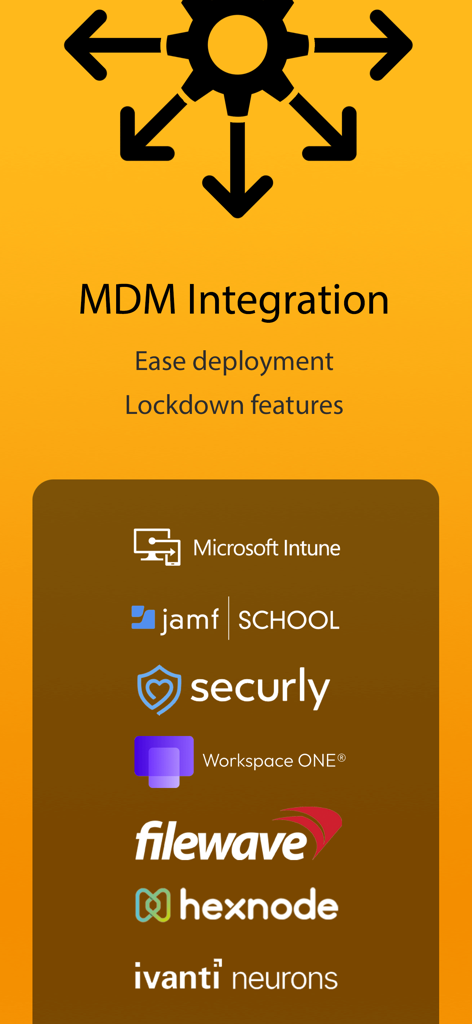
Microsoft Intune、Jamf School、Securlyのサポートを含む、FileBrowser for EducationのMDM統合機能を示すインフォグラフィック

Microsoft Intune、Jamf School、Securlyのサポートを含む、FileBrowser for EducationのMDM統合機能を示すインフォグラフィック

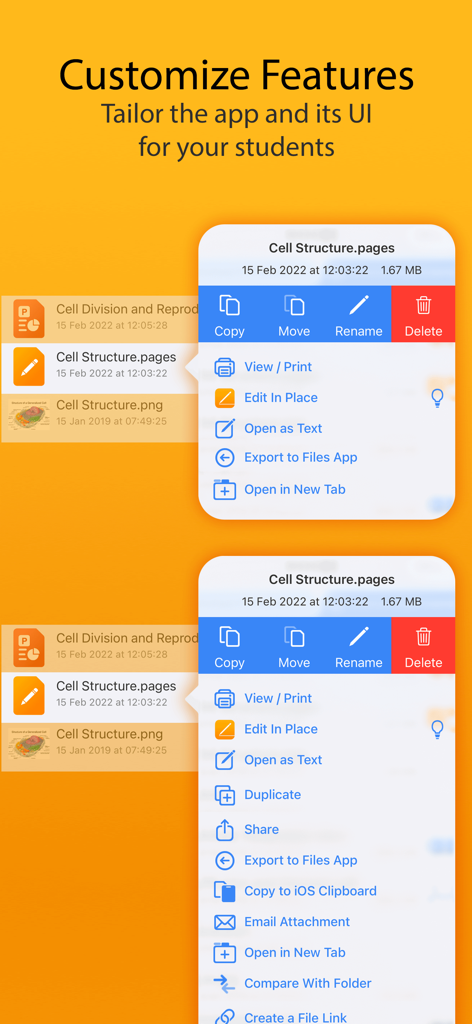
FileBrowser for Educationで生徒に合わせてアプリ機能をカスタマイズおよび調整する方法を示すインターフェース

FileBrowser for Educationで生徒に合わせてアプリ機能をカスタマイズおよび調整する方法を示すインターフェース

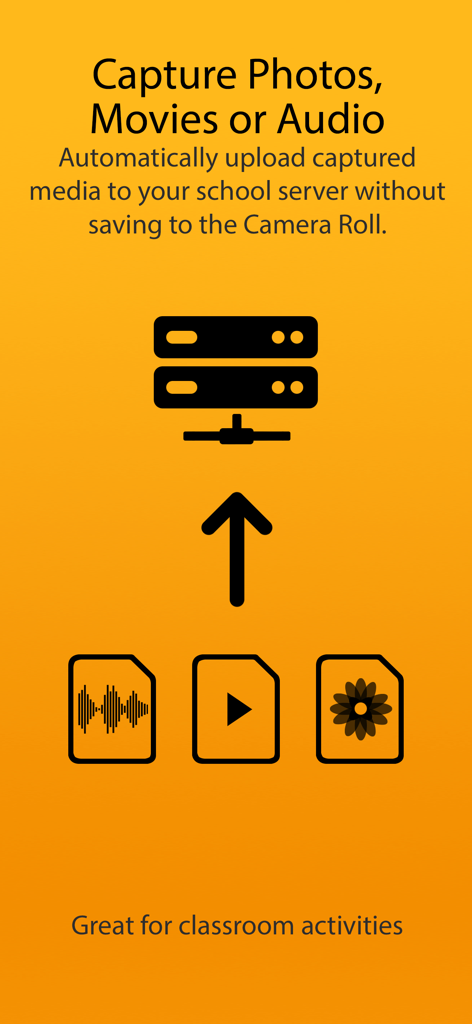
カメラロールを使用せずに、撮影したメディアを学校のサーバーに自動アップロードすることを説明するグラフィック

カメラロールを使用せずに、撮影したメディアを学校のサーバーに自動アップロードすることを説明するグラフィック

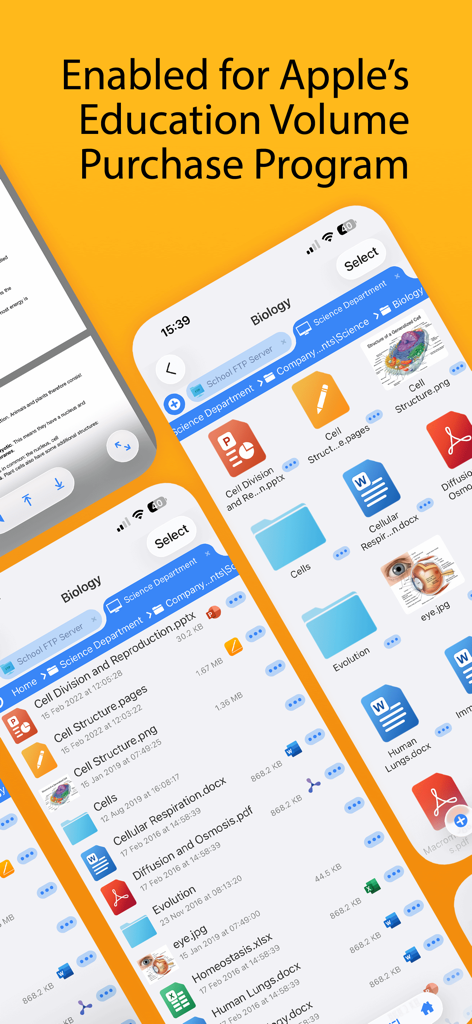
ファイル管理機能とApple Education Volume Purchase Program(教育機関向け一括購入プログラム)への対応を表示しているFileBrowser for Educationアプリのインターフェース

ファイル管理機能とApple Education Volume Purchase Program(教育機関向け一括購入プログラム)への対応を表示しているFileBrowser for Educationアプリのインターフェース

学校向けに構築された安全なファイル管理

このアプリを際立たせるツール、 1K+ 人のユーザーが選択.

📲

ゼロタッチMDM展開

JamfやMosyleなどの既存のMDMインフラを使用して、サーバー構成やセキュリティポリシーを数千台のデバイスに即座にプッシュします。

🔒

きめ細かなロックダウン制御

厳格なセキュリティポリシーを強制し、ローカル設定を無効化。「キオスク」モードを使用して生徒の集中力を維持し、データがFERPA/COPPAに準拠するようにします。

📂

ネイティブなOffice 365ワークフロー

生徒がサーバー上のドキュメントをMS WordやPowerPoint内で直接編集できるようにします。シームレスな自動保存に対応し、ローカルにファイルが複製されることはありません。

世界中のユーザーに愛されています

Trusted by 1K+ 人がこのアプリを愛用しています.

"

"学区内の5,000台のiPadにMDM経由でFileBrowser for Educationを導入するのは、驚くほどスムーズでした。セキュリティ設定を完全に制御しつつ、生徒にWindowsファイルサーバーへの安全で直接的なアクセスを提供できるという、最大の課題を解決してくれました。1人1台のiPadプログラムにおいて、まさに欠けていたピースです。"

マーカス・トンプソン、ITディレクター
"

"このアプリは、生徒が課題を扱う方法を一変させました。複雑な回避策をとることなく、学校のネットワークから直接プロジェクトファイルを開き、Office 365で編集して保存できるようになりました。iPadが初めてプロフェッショナルなワークステーションのように感じられます。"

エレナ・ロドリゲス博士、大学教授

アプリについて

について知っておくべきこと FileBrowser for Education.

説明

FileBrowser for Education is an extended version of FileBrowser with enhanced security and control features for schools, colleges and universities. == Bulk purchase discount available via an Apple School Manager account == With FileBrowser for Education, users can benefit from direct and secure file access to servers, workstations and other storage devices on the network. No additional configuration of IT systems is necessary. Office Apps Integration - Use the document picker in MS Office apps to open files from network file servers, edit them and automatically save back. Core Features - Access file servers and iCloud storage - View documents and optionally store them for offline viewing - Show a video, PowerPoint or Keynote direct from the server - Copy and move between any type of storage, from single files to whole directories - Integrates with other apps allowing you to edit, save and share files - Integrates with your existing infrastructure, including Active Directory - Integrates with iOS data protection, utilising hardware-based encryption to secure content - VPN on-demand support for third-party VPN clients - Supports Microsoft Distributed File System (DFS) - Requires no additional software on file servers MDM Integration - Centralised distribution of FileBrowser configuration settings - Enforced security lockdown - Confirm to your Mobile Security Policies - Prevent users from changing local settings - Selectively override any local configuration setting - Distribute file server connection details - Control whether offline viewing/storage is permitted - Control whether content can be emailed as attachments - ‘Kiosk’ mode for highly directed read-only file access FileBrowser uses the SMB1, SMB2 & SMB3 network access protocols (also known as CIFS or Windows File Sharing). This enables access to Macs, PCs, NAS drives, & Windows File Servers. It can also connect to the following types of server: - Microsoft SharePoint - Microsoft OneDrive for Business (as part of Office365) - WebDAV servers - FTP servers - SFTP servers - Dropbox cloud storage For fast friendly support please email support@stratospherix.com. Please note that we are only able to provide support in English.

最新バージョン

26.0

サイズ

65.0 MB

リリース日

2016年1月6日

学区のiPadファイルアクセスを効率化する準備はできていますか?

完全なMDM制御により、生徒とスタッフをネットワークサーバーに安全に接続します。今すぐFileBrowser for Educationを導入し、Apple School Manager経由の一括割引をご利用ください。

ダウンロード: App Store