Filmora: AI Video Editor&Maker

Filmora: AI Video Editor&Maker

ダウンロード: App Storeダウンロード: Google Play
Spark by MWM logo
ロゴ: Filmora: AI Video Editor&Maker

Filmora: バズる動画を作るためのAI動画編集&作成ツール

手軽なAIツールで創造性を解き放ちましょう。ダイナミックキャプションからシネマティックなオートカットまで、TikTok、Instagram、YouTube向けのプロ級コンテンツを数秒で作成できます。

ダウンロード: App Store

開発元

Shenzhen Wondershare Software Co., Ltd

カテゴリ

Photo & Video

ダウンロード

24M+

ユーザー評価

4.7/5

評価数

338K+

対応言語

21

AIマジックの舞台裏

このインターフェースを利用する 24M+ 人のユーザー.

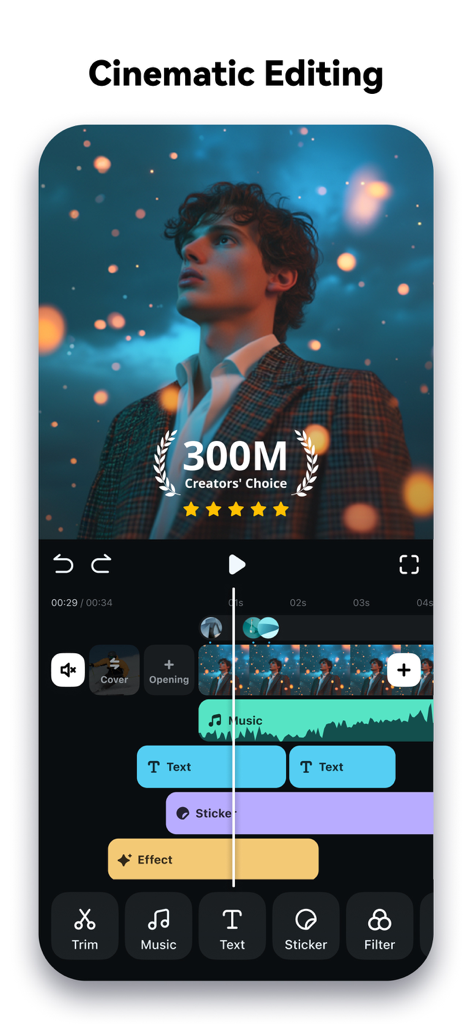
テキスト、音楽、エフェクトを使用したシネマティックな動画編集のためのマルチレイヤータイムラインを表示するFilmoraモバイルアプリのインターフェース

テキスト、音楽、エフェクトを使用したシネマティックな動画編集のためのマルチレイヤータイムラインを表示するFilmoraモバイルアプリのインターフェース

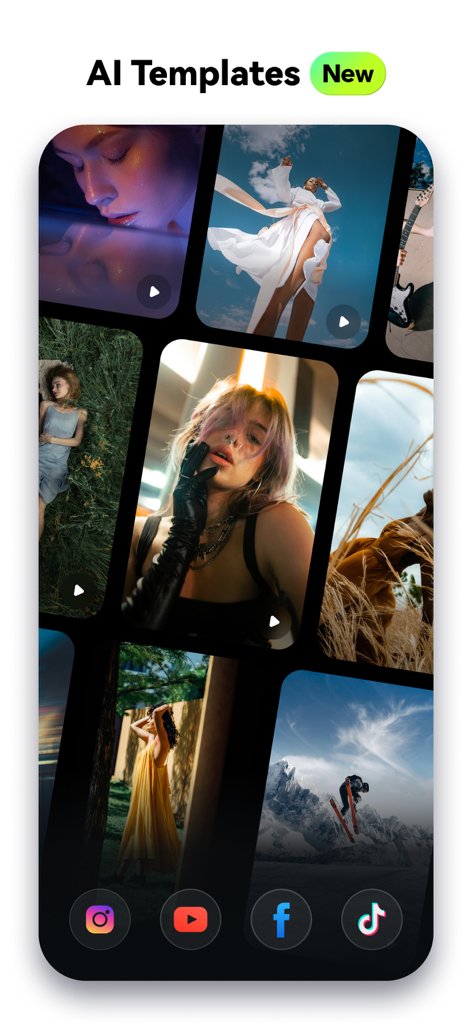
Filmoraアプリ内のソーシャルメディアクリエイター向けの芸術的なAI動画テンプレートのコレクション

Filmoraアプリ内のソーシャルメディアクリエイター向けの芸術的なAI動画テンプレートのコレクション

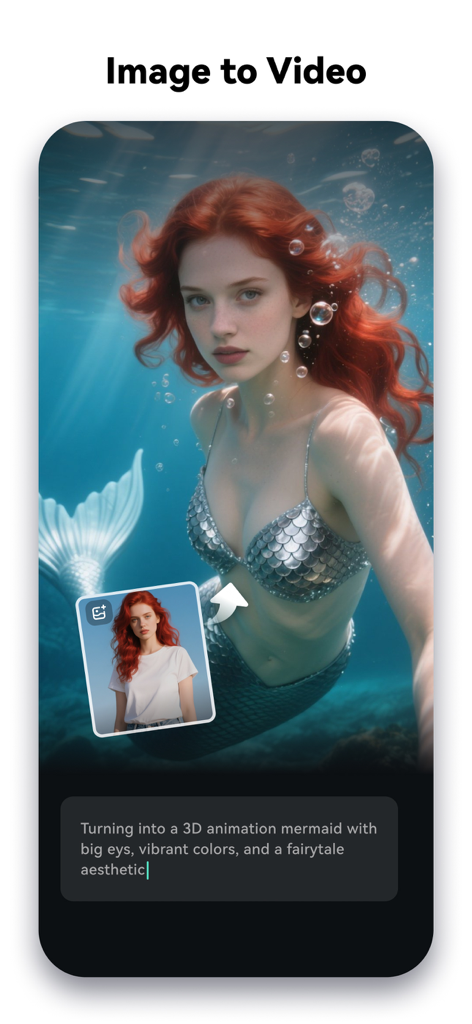
女性が3Dの人魚アニメーションに変身する「画像から動画へ」の変換を表示するFilmora AI動画編集インターフェース

女性が3Dの人魚アニメーションに変身する「画像から動画へ」の変換を表示するFilmora AI動画編集インターフェース

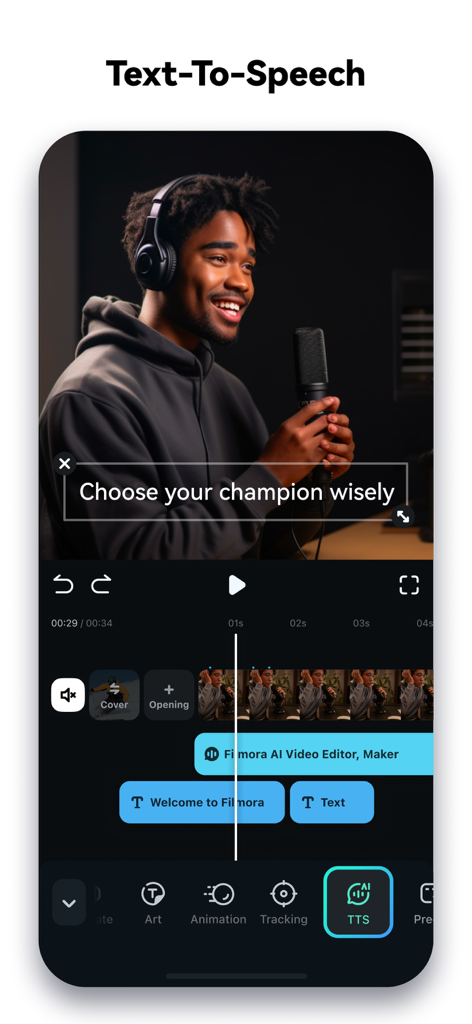
動画編集用のテキスト読み上げ機能を表示するFilmoraモバイルアプリのインターフェース

動画編集用のテキスト読み上げ機能を表示するFilmoraモバイルアプリのインターフェース

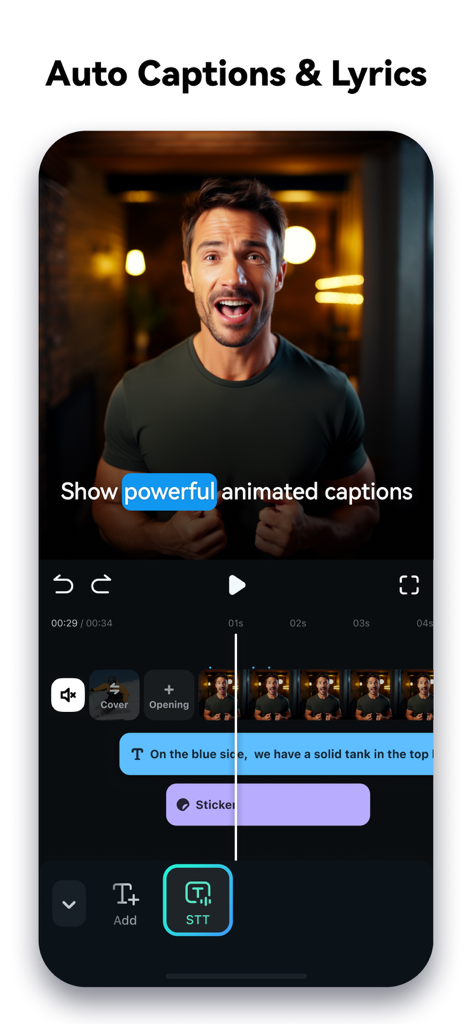
自動ダイナミックキャプションと音声からテキストへの変換機能を表示するモバイル動画編集インターフェース

自動ダイナミックキャプションと音声からテキストへの変換機能を表示するモバイル動画編集インターフェース

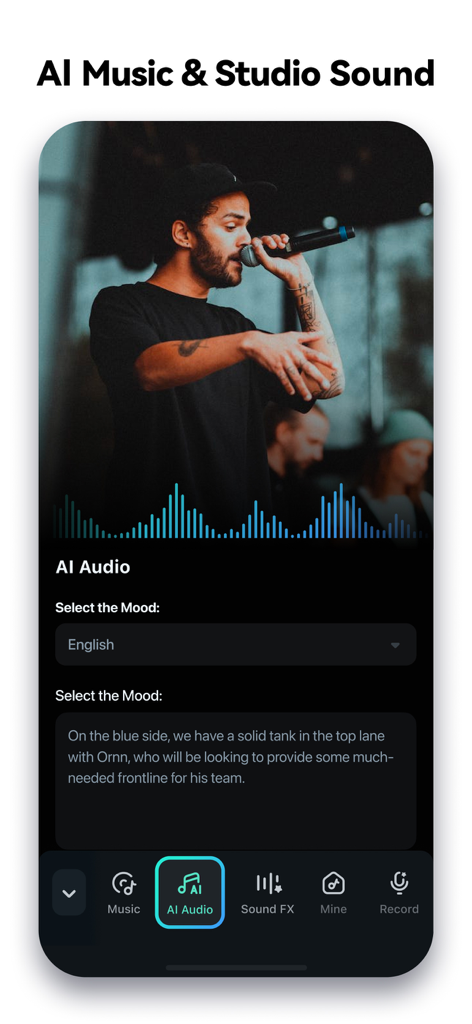
AI音楽とスタジオサウンド編集機能を表示するFilmoraモバイルアプリのインターフェース

AI音楽とスタジオサウンド編集機能を表示するFilmoraモバイルアプリのインターフェース

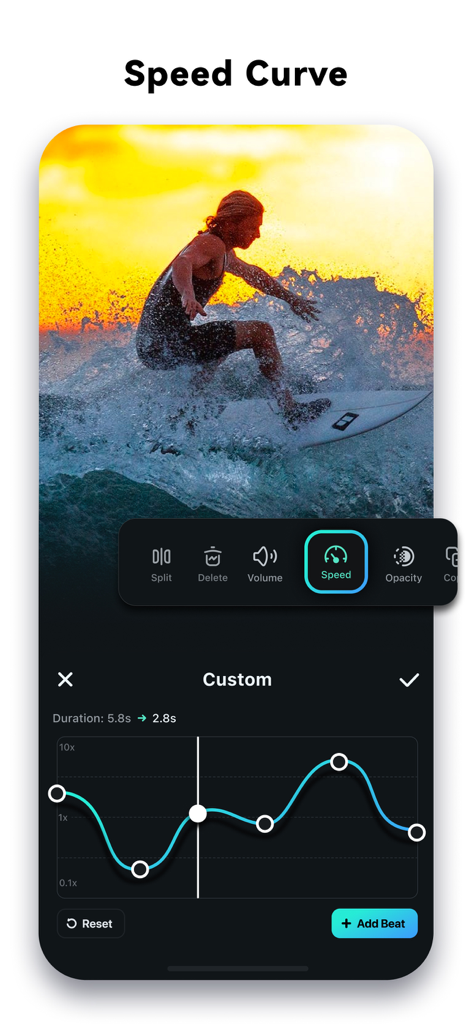
カスタム動画テンポ調整用のスピードカーブツールを表示するFilmora AI動画編集のインターフェース

カスタム動画テンポ調整用のスピードカーブツールを表示するFilmora AI動画編集のインターフェース

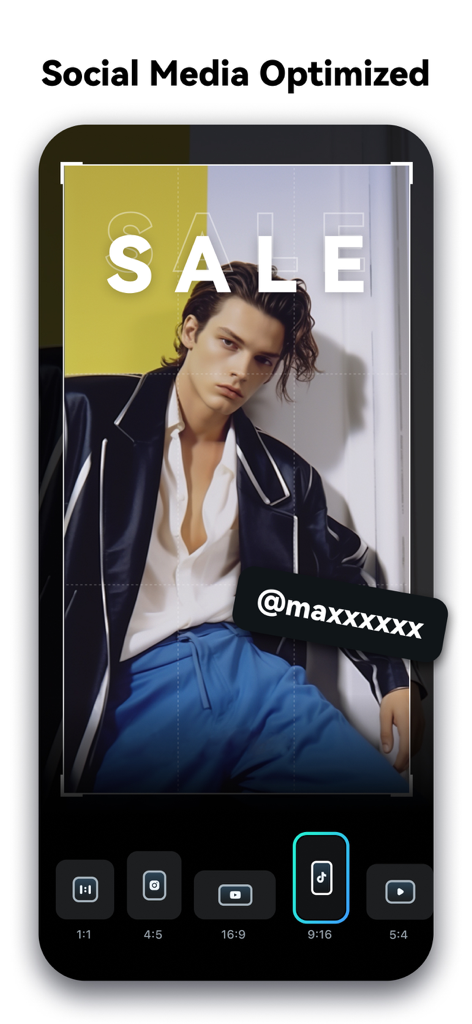
ソーシャルメディア動画のアスペクト比最適化のためのFilmoraアプリインターフェース

ソーシャルメディア動画のアスペクト比最適化のためのFilmoraアプリインターフェース

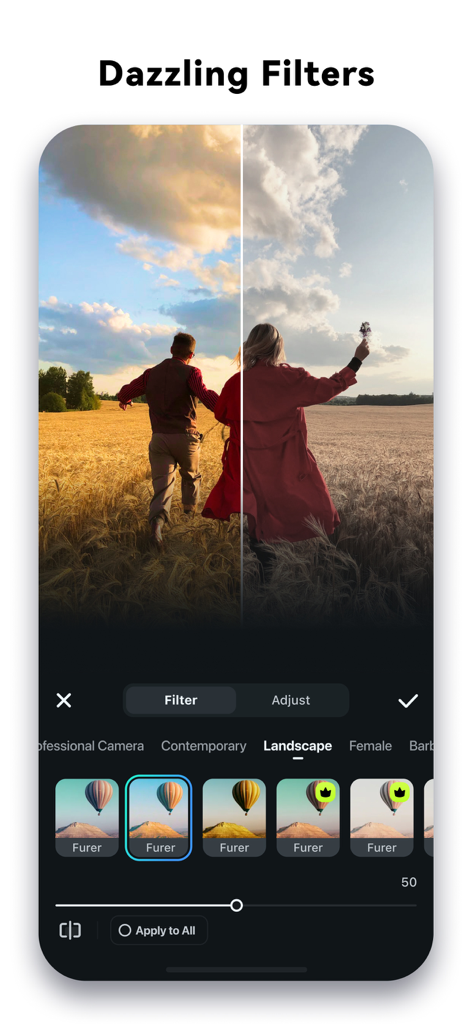
Filmoraアプリで風景フィルターを適用する前と後の動画の比較表示

Filmoraアプリで風景フィルターを適用する前と後の動画の比較表示

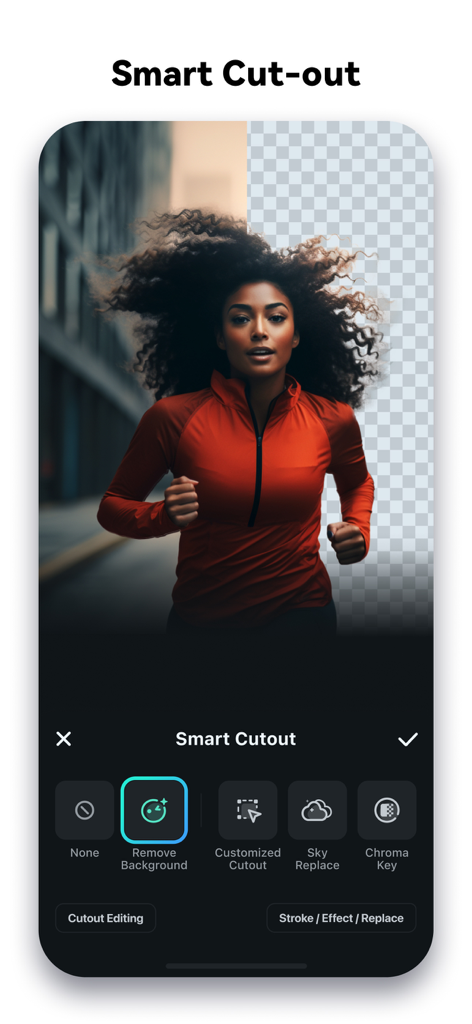
走っている女性の動画から背景を削除するAIスマート切り抜き機能を表示するFilmora動画編集アプリのインターフェース

走っている女性の動画から背景を削除するAIスマート切り抜き機能を表示するFilmora動画編集アプリのインターフェース

あなたのバズる時代がここから始まる

このアプリを際立たせるツール、 24M+ 人のユーザーが選択.

🪄

AIスマート編集

面倒なトリミングは不要です。AIオートカットが最高の瞬間を見つけ出し、瞬時にシネマティックなストーリーへとつなぎ合わせます。

💬

バズるダイナミックキャプション

ナレーションと完璧に同期する自動生成のワードバイワードのキャプションで、視聴者を釘付けにします。

プロ級のAIエフェクト

インフィニットズームからスマート切り抜きまで、通常はプロのスタジオが必要なハイエンドな視覚効果にアクセスできます。

世界中のユーザーに愛されています

Trusted by 24M+ 人がこのアプリを愛用しています.

"

"以前は毎週のVlog編集に何時間も費やしていましたが、FilmoraのAIオートカットは文字通り命の恩人です。最高の瞬間を見つけて、リール用に完璧につなぎ合わせてくれます!ダイナミックキャプションも、手間をかけずにコンテンツをよりプロフェッショナルに見せてくれます。"

Chloe V., ライフスタイルクリエイター
"

"AIスマート切り抜きはすごいです。スマホから数秒で背景を入れ替えたり、クールなエフェクトを追加したりできます。多くのモバイル編集アプリを試してきましたが、Filmoraのキーフレームとトラッキングの精度に勝るものはありません。モバイルでデスクトップ体験に最も近いツールです。"

Marcus J., テックインフルエンサー

アプリについて

について知っておくべきこと Filmora: AI Video Editor&Maker.

説明

It’s your turn to go viral now! Filmora AI Video Editor (formerly FilmoraGo video editor) is an AI-based video editor & movie maker, featuring VideoGen, AI Auto Cut, AI Remover, Dynamic Captions, Text to Video, etc! Let Filmora help you to become the next star on RedNote, lemon8, TikTok, Clapper and Flip! [ AI Video Editor & AI Features ] VideoGen - This video-to-video feature lets you seamlessly swap or add elements to your videos. AI Auto Cut - Seamlessly stitching highlight moments into cinematic tales! AI Remover - Effortlessly erasing unwanted elements from videos. Dynamic Captions - Auto speech to text into dynamic word-by-word captions. Text to Video - Generate videos with AI copywriting and subtitles, while maintaining visual quality and adherence to your prompt. Text to Speech - Transform text into professional voiceovers for your videos. AI video effects - AI Show: Transform your photos into stunning, stylized photos or videos with just one click! - Infinite Zoom: Dive into the world of endless visual possibilities. AI Music & Sound Effects - Generate professional music and soundscapes for your videos! AI Smart Cutout - Customized Cutout: Swipe your finger, then intelligently identify the target area and cut anything out as you want! - Cutout Plus: You can set strokes, overlay effects, and replace backgrounds for your keyed objects. Rhythm Master - You can sync rhythm videos to the perfect beat for a seamless creation experience. [ User-friendly video editing for beginners ] - Trim, split, duplicate, or merge video clips without losing quality. - Add text, emoji, and exclusive stickers. - Add music, sound effects & voice-overs. - Extract music from the video and split audio to remove unwanted parts - Rotate or crop: Adjust the orientation or size - Adjust video ratios for Instagram/TikTok/Youtube posts. - Adjust speed for fast or slow motion. Speed control with customizable & pre-set curves for various themes. - Stunning templates help create videos in one click. [ Full-featured video editing for professionals ] - All-in-one Keyframe: More adjustment items support keyframes, combined with color and special effects, you can create more cool animations. - Chromakey: Easily edit green screen video. - PIP (Picture in Picture): add multiple layers of video, images, stickers, special effects, text, etc. - Masking: Cover and mix video clips, get different video effects. - Smart tracking: Support stickers, text, and picture-in-picture intelligent tracking targets, whether you need to track faces, objects, or anything else. [ FILMORA PRO SUBSCRIPTION ] - With Filmora Pro video editor unlimited subscription, you can access all features and paid editing materials including stickers, filter packages, etc. Watermark and Logo Roll will be removed automatically. - With “iOS Pro”, you can access all Pro features and paid editing materials on iOS. - Subscription: Monthly, Annual or Perpetual billing. - Payments will be charged to your iTunes account. - Subscriptions will automatically be renewed unless auto-renew is turned off at least 24 hours before the time of renewal. - Your account will be charged for the subscription renewal up to 24 hours prior to the end of your current subscription period in order to avoid service gaps. - You can turn off auto-renewal at any time through your Account Settings. - Any unused portion of a free trial period, if offered, will be forfeited when the user purchases a subscription. [ PRIVACY & TERMS ] Terms of Use https://www.wondershare.com/company/terms_conditions.html Privacy Policy https://www.wondershare.com/privacy.html [ CONTACT US ] We value your feedback and here’s how you can contact us: mailer@service.wondershare.com http://support.wondershare.com https://www.facebook.com/filmoravideoeditor https://www.instagram.com/filmora_editor/ https://www.youtube.com/c/FilmoraWondershare

最新バージョン

15.1.91

サイズ

645.0 MB

リリース日

2016年4月28日

バズる準備はいいですか?今すぐAIで動画作成を始めましょう

2,400万人以上のクリエイターがFilmoraを使って、アイデアをTikTok、リール、Lemon8のトレンド動画に変えています。

ダウンロード: App Storeダウンロード: Google Play
FAQ

よくある質問

について知っておくべきこと Filmora: AI Video Editor&Maker

Filmora AI Video Editorとは何ですか?

Filmora AI Video Editorは、AIベースのビデオエディターおよびムービーメーカーです。Image to Video、VideoGen、AI Auto Cut、Dynamic Captionsなどのツールを備え、ユーザーがビデオを作成および編集するのに役立ちます。

Filmora AI Video Editorは「Image to Video」機能を搭載していますか?

はい、Filmora AI Video Editorには「Image to Video」機能が含まれています。ユーザーがクリエイティブなアイデアを入力すると、AIが写真をダイナミックなビデオに変換します。この機能はスクリーンショット#3でも確認できます。

Filmora AI Video Editorはビデオから不要な要素を削除できますか?

はい、Filmora AI Video Editorには「AI Remover」が搭載されており、ビデオから不要な要素を簡単に消去できます。また、「AI Smart Cutout」機能により、オブジェクトの削除や背景の置き換えをカスタマイズできます。

Filmora Proのサブスクリプションオプションは何ですか?

Filmora Proのサブスクリプションには、月次、年次、または永年払いの請求オプションがあります。これらのサブスクリプションにより、すべての機能と有料編集素材にアクセスでき、ウォーターマークとロゴロールが自動的に削除されます。

Filmora AI Video Editorはテキストから音声への変換をサポートしていますか?

はい、Filmora AI Video Editorはテキストから音声への変換をサポートしています。この機能は、テキストをビデオのプロフェッショナルなナレーションに変換し、聴覚コンテンツを強化します。スクリーンショット#4に、テキストから音声への機能が表示されています。

Filmora AI Video Editorはキャプションをどのように処理しますか?

Filmora AI Video Editorは、「Dynamic Captions」を提供しており、スピーチを単語ごとのキャプションに自動変換します。また、「Text to Video」機能により、AIコピーライティングと字幕付きのビデオを生成できます。

Filmora AI Video Editorはビデオ速度の調整を許可しますか?

はい、Filmora AI Video Editorではユーザーがビデオ速度を調整できます。カスタマイズ可能およびプリセットされたカーブによる速度制御が含まれており、スローモーションまたはファストモーション効果を可能にします。スクリーンショット#7に、「Speed Curve」インターフェイスが表示されています。

Filmora AI Video Editorはビデオから音楽を抽出できますか?

はい、Filmora AI Video Editorはビデオから直接音楽を抽出できます。また、ユーザーはオーディオを分割して不要なセグメントを削除したり、さまざまな音楽、効果音、またはナレーションを追加したりできます。

Filmora AI Video Editorは初心者向けですか?

はい、Filmora AI Video Editorは初心者向けの使いやすい機能を提供しています。これには、クリップのトリミング、分割、結合、テキストや絵文字の追加、そしてワンクリックでビデオを作成するための魅力的なテンプレートの使用が含まれます。

Filmora AI Video Editorのサポートにはどのように連絡すればよいですか?

Filmora AI Video Editorのサポートには、メール (mailer@service.wondershare.com) またはサポートウェブサイト (http://support.wondershare.com) を訪問することで連絡できます。