Fitbit to Apple Health Sync

Fitbit to Apple Health Sync

ダウンロード: App Store
Spark by MWM logo
ロゴ: Fitbit to Apple Health Sync

FitbitからAppleヘルスケアへの同期:フィットネス履歴のすべてを、手間なく連携

デバイス間でデータが失われるのはもう終わりにしましょう。歩数、睡眠ステージ、31以上のヘルスケア指標をAppleヘルスケアに自動同期している100万人以上のユーザーの仲間入りを。強固なバックグラウンド同期技術で、自分のデータを所有し、継続記録を維持しましょう。

ダウンロード: App Store

開発元

Bickster LLC

カテゴリ

Health & Fitness

ダウンロード

1M+

ユーザー評価

4.3/5

評価数

29K+

対応言語

1

データを、思い通りの場所に

このインターフェースを利用する 1M+ 人のユーザー.

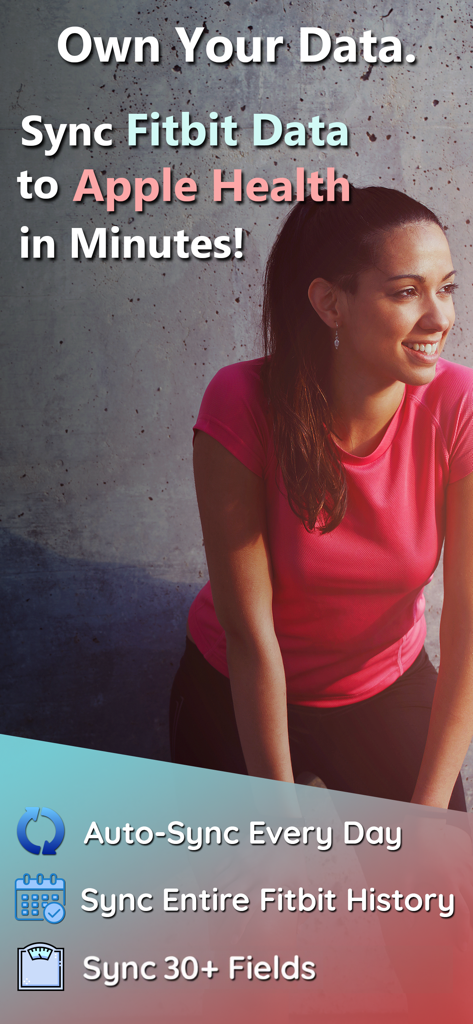
FitbitからAppleヘルスケアへの同期アプリのプロモーション用スクリーンショット。毎日の自動同期と履歴移行機能を強調。

FitbitからAppleヘルスケアへの同期アプリのプロモーション用スクリーンショット。毎日の自動同期と履歴移行機能を強調。

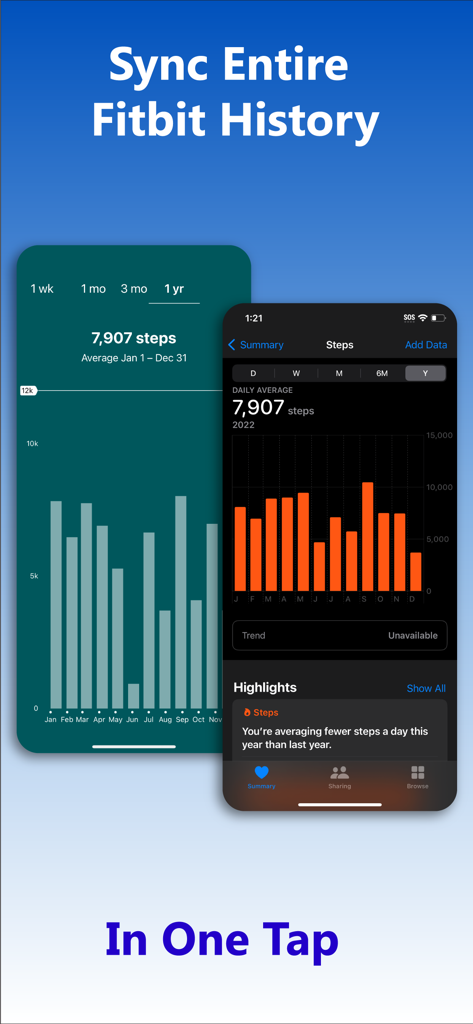
ワンタップでFitbitの歩数履歴データをAppleヘルスケアに同期するインターフェース。

ワンタップでFitbitの歩数履歴データをAppleヘルスケアに同期するインターフェース。

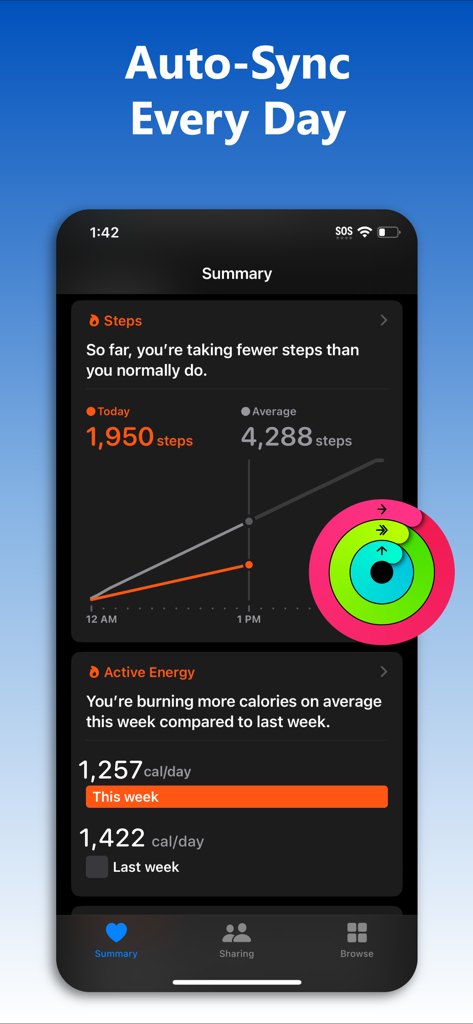
FitbitからAppleヘルスケアへのフィットネスデータ自動同期のサマリーを表示するiPhone画面。

FitbitからAppleヘルスケアへのフィットネスデータ自動同期のサマリーを表示するiPhone画面。

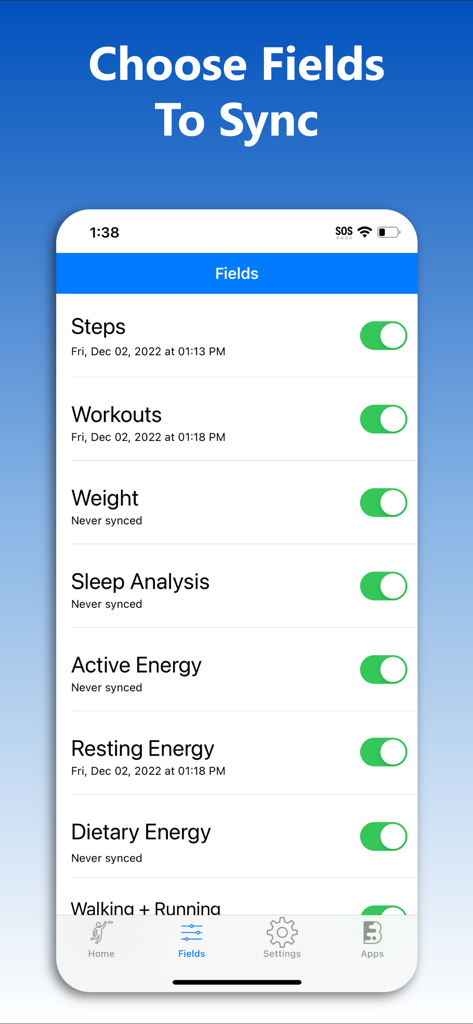
FitbitからAppleヘルスケアに同期する歩数やワークアウトなどのヘルスケアデータ項目の選択画面。

FitbitからAppleヘルスケアに同期する歩数やワークアウトなどのヘルスケアデータ項目の選択画面。

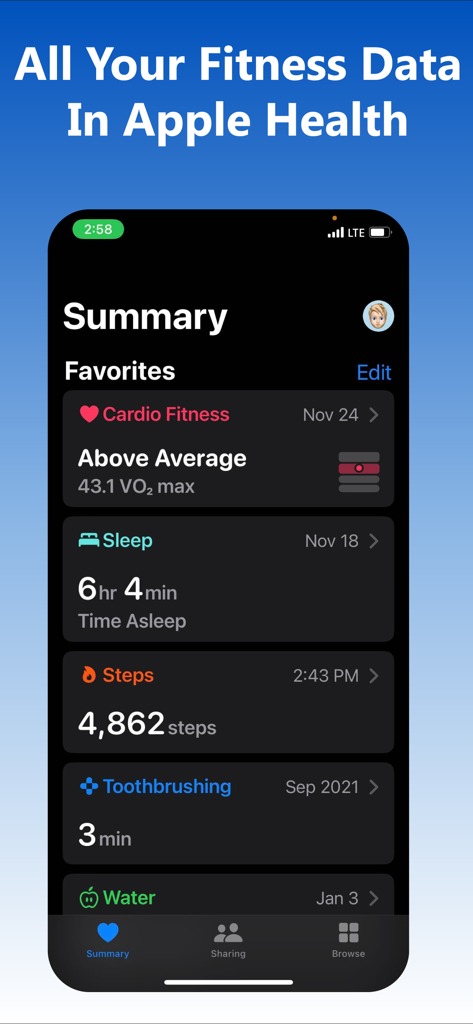
歩数や睡眠を含む同期されたフィットネスデータを表示するAppleヘルスケアのサマリー画面。

歩数や睡眠を含む同期されたフィットネスデータを表示するAppleヘルスケアのサマリー画面。

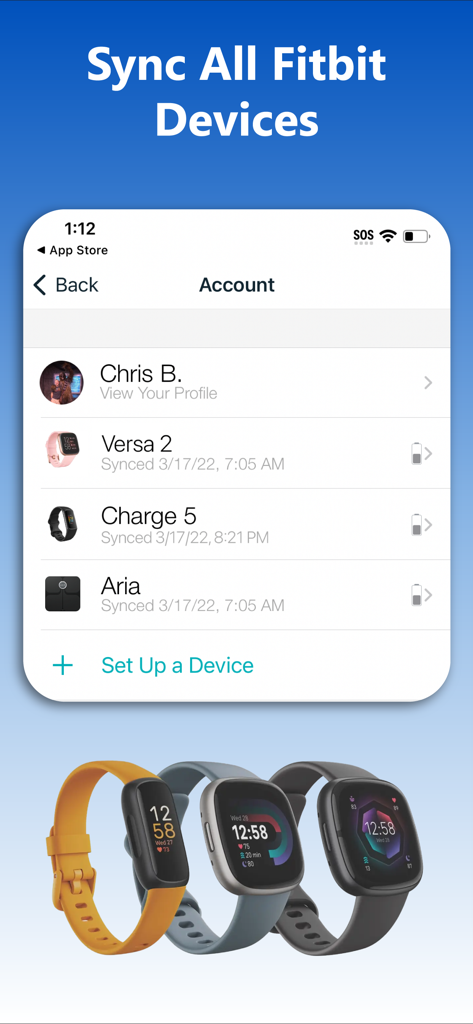
Versa 2やCharge 5を含む、接続されたFitbitデバイスのリストを表示するFitbitからAppleヘルスケアへの同期アプリのインターフェース。

Versa 2やCharge 5を含む、接続されたFitbitデバイスのリストを表示するFitbitからAppleヘルスケアへの同期アプリのインターフェース。

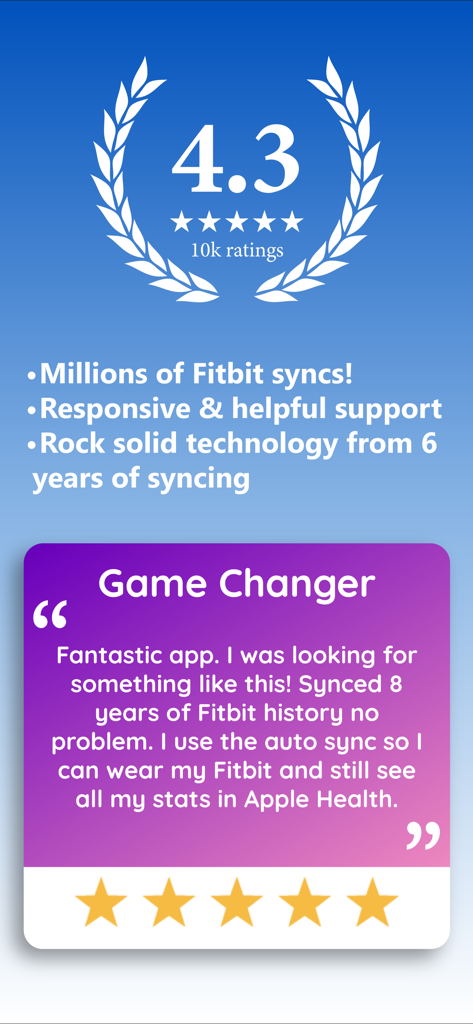
履歴データの同期に関するFitbitからAppleヘルスケアへの同期アプリの評価とユーザーのレビュー。

履歴データの同期に関するFitbitからAppleヘルスケアへの同期アプリの評価とユーザーのレビュー。

ヘルスケアデータを一箇所で管理

このアプリを際立たせるツール、 1M+ 人のユーザーが選択.

🕰️

全履歴を保存

長年の成果を置き去りにしないでください。私たちはFitbitの全履歴を同期できる唯一のアプリで、あらゆるマイルストーンをAppleヘルスケアに安全に保存します。

🔄

シームレスなバックグラウンド同期

手動での書き出しはもう不要です。「設定したらあとはお任せ」の技術により、1日に何度も自動でデータを更新。ヘルスケアダッシュボードは常に最新の状態です。

📊

31以上の詳細なデータ指標

基本的な歩数以上の情報を。詳細な睡眠ステージ(レム睡眠、深い睡眠、浅い睡眠)、心拍数、身体組成を同期して、健康状態を360度把握しましょう。

世界中のユーザーに愛されています

Trusted by 1M+ 人がこのアプリを愛用しています.

"

"2015年からのFitbitユーザーですが、Apple Watchに切り替える時に長年のデータが失われるのが不安でした。このアプリは歩数、睡眠ステージ、体重といった全履歴を数分で移行してくれました。安心感だけでも、一銭の価値があります!"

Jessica M.
"

"ついに、本当に機能する解決策に出会えました!バックグラウンド自動同期は、Appleヘルスケアのダッシュボードを正確に保つための画期的な機能です。Fitbitの体重計からの水分補給量やBMIまで、保険の報酬アプリに直接同期してくれるのが気に入っています。"

David L.

レビュー分析

ユーザーレビューの分析.

感情スコア

26%
ネガティブ

概要

This app receives predominantly negative feedback from users, primarily due to persistent issues with data syncing to Apple Health and overall app functionality, often hindering the core purpose. Users frequently express frustration with the aggressive subscription model, including high pricing, misleading advertisements for free features, and intrusive ads even in free or trial versions. While some customers reported success in syncing steps and historical data after troubleshooting, and a few praised customer support, the general sentiment points to a poor user experience and perceived lack of value for money.

主なテーマ

Data Syncing Performance(6)
Free Features & Ads(3)
Subscription Model & Pricing(2)
App Functionality & Reliability(2)
Customer Support(2)
Ease of Use & Setup(2)

アプリについて

について知っておくべきこと Fitbit to Apple Health Sync.

説明

Download your entire Fitbit history and store it on your iPhone in Apple Health with myFitnessSync. Auto-sync new data in the background multiple times a day. Own your data! Works with ALL Fitbit models and the Aria scale. myFitnessSync - Fitbit to Apple Health exports up to 31 fields. You can choose which fields to sync: * Steps * Weight * Workouts - Functional Strength Training; - Traditional Strength Training; - Yoga - Cycling - Mountain Bike - Aerobics - Run - Hiking - Walk - Elliptical - Swimming * Resting Heart Rate * Walking + Running Distance * Active Energy * Resting Energy * Dietary Energy (Food Calories) * Sleep Analysis & Sleep Stages - Time In Bed - Time Asleep - REM - Deep - Light - Wake * Body Fat Percentage * Body Mass Index (BMI) * Lean Body Mass * Flights Climbed * Water / Hydration If you have any issues please contact support. We will address your questions ASAP Fitbit to Apple Health Sync exports years of data - your entire Fitbit history. We are the only app that can sync your entire Fitbit history. Our app will not overwrite any Apple Health data. Any Apple Health data you might have will not change NOTE: Fitbit restricts access to intraday heart rate data Over 10,000 5 star reviews! Our rock-solid syncing technology has synced Fitbit data to Apple Health for over 100,000 people in the last 5 years Need to sync your Apple Health app data or Apple Watch data to your Fitbit app? Try our other myFitnessSync app: Sync For Apple Health > Fitbit - http://appsto.re/us/yJr7jb.i THOUSANDS OF REVIEWS ----------------------------------- 5/5 "This app is awesome! I have an iWatch but I love the Fitbit! Finally an app that puts all my info in the iPhone health and does it correctly! Thank you" -TTWalker57 5/5 "Hard to beat software that works well!" -icanthinkofanickname 5/5 "This is the Best app to Sync Fitbit data to Health and it works perfectly. Auto sync feature works great. This is the best sync app I ever used. Best Buy!" -Karthikeyan "Very easy to use with my fitbit app and health app" "The amount of money and time that have been wasted could have been saved if I had come across this app first. Thank you!" -Mo8858 --------------------------------- Syncs with rewards programs such as Go365 We cannot respond to your questions or comments in review posts. Instead of posting questions or comments as a review please send them to support@bickster.com or visit our support page - http://www.bickster.zendesk.com. Thank you HOW DOES IT WORK Data is synced using 3 easy steps. After your first sync you can use One Click Sync 1. In the app, sign into Fitbit.com using your account credentials 2. Pick the fitness fields (steps, sleep, etc..) you want to sync with Apple Health 3. Click the "Sync Now" button to start syncing your Fitbit data with Apple Health To avoid seeing duplicate activity data in the Apple Health app disable fitness tracking on your iPhone. Go to Settings->Privacy->Motion & Fitness and disable Fitness Tracking Subscriptions - The app is free to sync daily steps and sleep analysis. With Pro, you can sync historical data, 31 fields, and use auto sync - Subscribers pay the fixed price for your country. Prices listed in USD - Payment will be charged to your iTunes Account upon confirmation of purchase - Subscription automatically renews unless auto-renewal is turned off at least 24 hours before the end of the current period - Your Account will be charged for renewal within 24 hours prior to the end of the current subscription period - You can manage your subscriptions and turn off auto-renewal by going to your Account Settings after purchase - When canceling a subscription, your subscription will stay active until the end of the current period Terms of Use & Privacy Policy: https://www.bickster.com/terms-privacy This product is not a Fitbit product, and Fitbit does not service or warrant the functionality of this product

最新バージョン

3.2.0

サイズ

63.0 MB

リリース日

2016年7月18日

フィットネス履歴を自分で管理する準備はできましたか?

FitbitとAppleヘルスケアの架け橋として信頼されている100万人以上のユーザーに加わりましょう。今すぐダウンロードして、長年のデータと31のヘルスケア指標を自動的に同期。

ダウンロード: App Store
FAQ

よくある質問

について知っておくべきこと Fitbit to Apple Health Sync

myFitnessSyncとは何ですか、そして何をするのですか?

myFitnessSyncは、Fitbitの履歴全体をApple Healthに同期し、すべてのFitbitデータをiPhoneに保存します。また、1日に複数回、新しいデータを自動同期します。

myFitnessSyncはすべてのFitbitモデルとAriaスケールで動作しますか?

はい、myFitnessSyncはすべてのFitbitモデルとAriaスケールで動作します。さまざまなFitbitデバイスからの包括的なデータ同期をサポートしています。

myFitnessSyncはFitbitからApple Healthにどの特定のデータフィールドを同期できますか?

myFitnessSyncは、歩数、体重、さまざまなワークアウト、安静時心拍数、睡眠分析、体脂肪率、水分/水分補給など、最大31のデータフィールドをエクスポートできます。

myFitnessSyncは私のFitbitの履歴データをすべて同期できますか?

はい、myFitnessSyncはFitbitの履歴全体を含む、数年分のデータをエクスポートします。あなたの完全なFitbit履歴を同期できる唯一のアプリとして記載されています。

myFitnessSyncは新しいデータの自動同期機能を提供していますか?

はい、myFitnessSyncはProサブスクリプションで自動同期機能を提供しており、Fitbitの新しいデータを1日に複数回バックグラウンドでApple Healthに同期します。

myFitnessSyncは私の既存のApple Healthデータを上書きしますか?

いいえ、myFitnessSyncは既存のApple Healthデータを上書きしません。Apple Healthアプリにすでに存在するデータは変更されません。

myFitnessSyncのサブスクリプションオプションは何ですか?

このアプリは、毎日の歩数と睡眠分析は無料です。Proサブスクリプションにより、履歴データ、すべての31フィールド、自動同期が可能になります。

myFitnessSyncで問題が発生した場合、どのようにサポートを受けられますか?

support@bickster.comにメールするか、http://www.bickster.zendesk.comのサポートページにアクセスすることで、myFitnessSyncのサポートに連絡できます。

myFitnessSyncは、日中の心拍数データを同期できますか?

いいえ、myFitnessSyncはFitbitから日中の心拍数データを同期できません。Fitbitはこの特定の種類のデータへのアクセスを制限しています。

myFitnessSyncのセットアップ手順は何ですか?

セットアップには、アプリでFitbit.comにサインインし、目的のフィットネスフィールドを選択して、「今すぐ同期」をクリックします。後続の同期はワンクリックで実行できます。