Genki Studio

Genki Studio

ダウンロード: App Store
Spark by MWM logo
ロゴ: Genki Studio

Genki Studio:iPadをプログレードのポータブルモニターに変身

iPadのパワーを解き放ち、コンソールゲームをプレイしたり、プロ仕様のカメラを監視したり、高品質のビデオをデバイスまたは外部SSDに直接録画したりしましょう。

ダウンロード: App Store

開発元

Human Things, Inc

カテゴリ

Utilities

ダウンロード

120K+

ユーザー評価

4.6/5

評価数

0

対応言語

4

プロスタジオを一目で

このインターフェースを利用する 120K+ 人のユーザー.

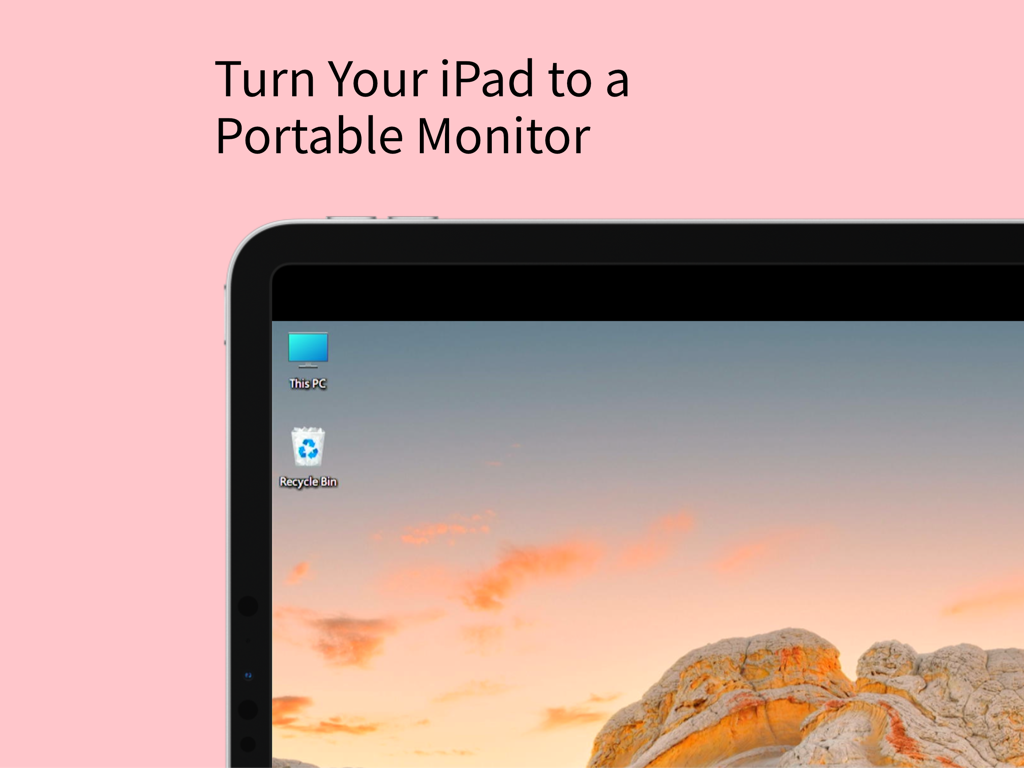
Windowsデスクトップをポータブルモニターとして表示するiPad画面

Windowsデスクトップをポータブルモニターとして表示するiPad画面

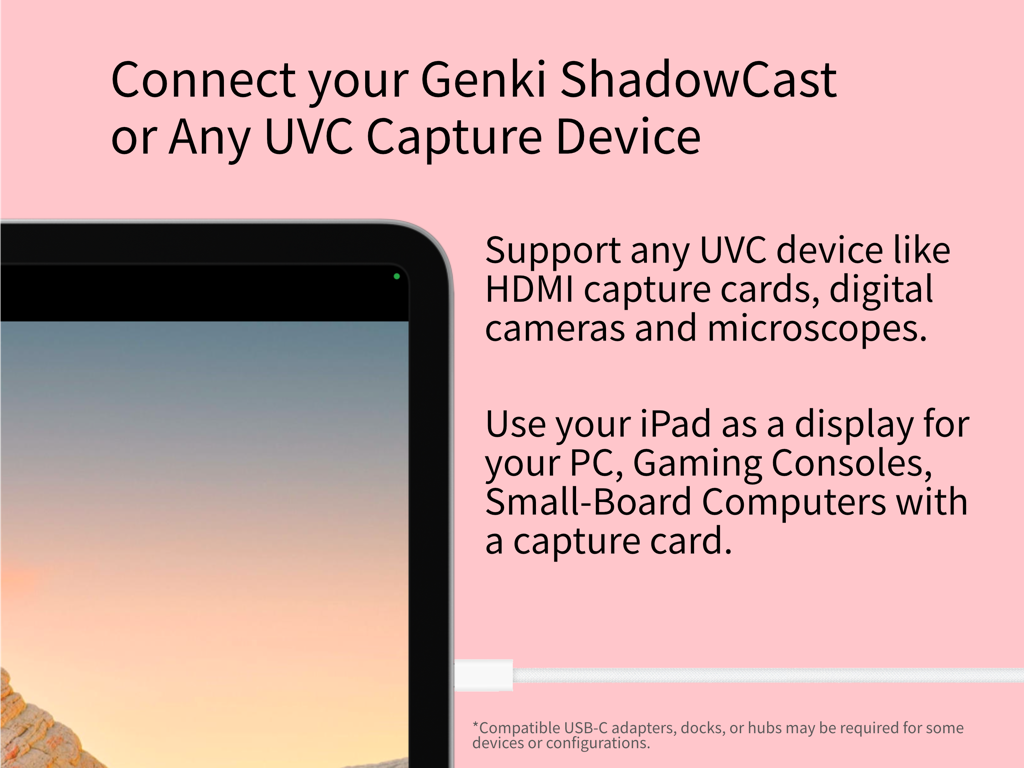
ゲームとプロユースのためのUVCキャプチャデバイスに接続されたiPadディスプレイ

ゲームとプロユースのためのUVCキャプチャデバイスに接続されたiPadディスプレイ

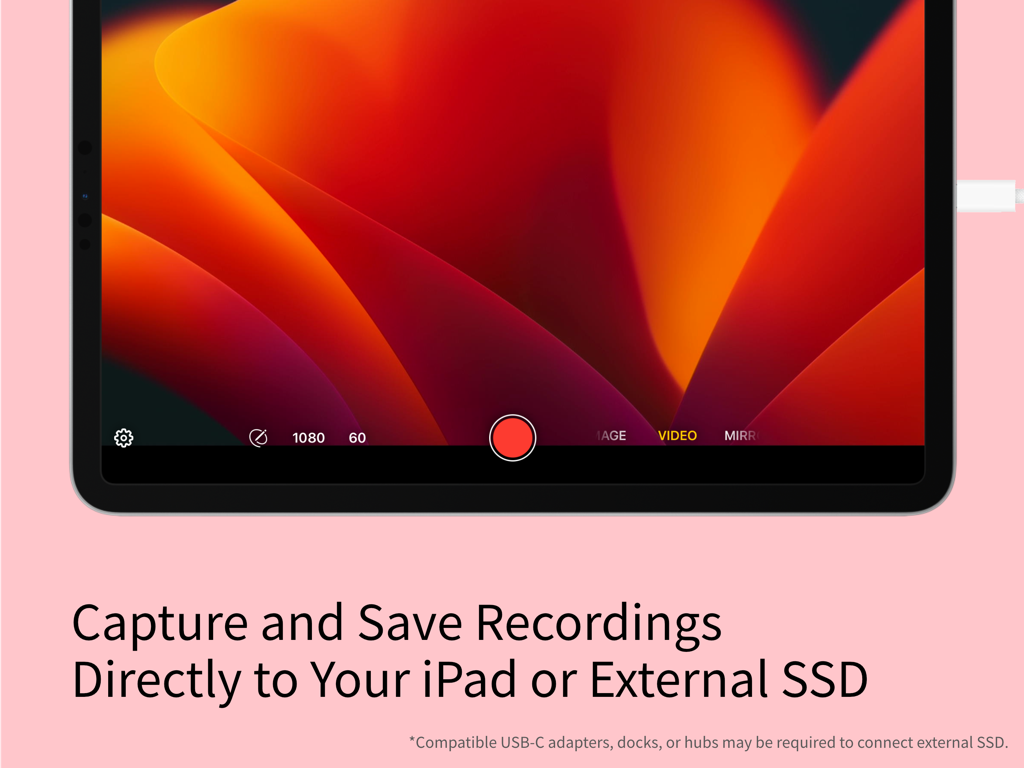
ビデオ録画機能と外部ストレージオプションを表示するiPad上のGenki Studioアプリインターフェース。

ビデオ録画機能と外部ストレージオプションを表示するiPad上のGenki Studioアプリインターフェース。

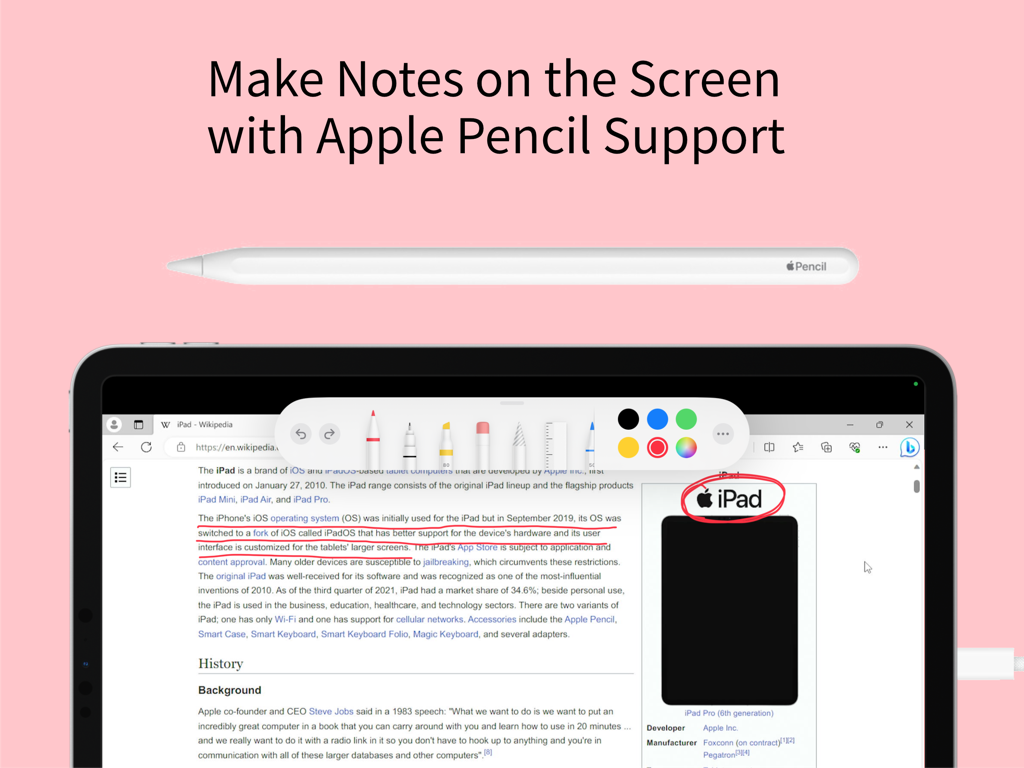
Genki Studioアプリでメモや注釈を作成するためにApple Pencilサポートを表示するiPad画面

Genki Studioアプリでメモや注釈を作成するためにApple Pencilサポートを表示するiPad画面

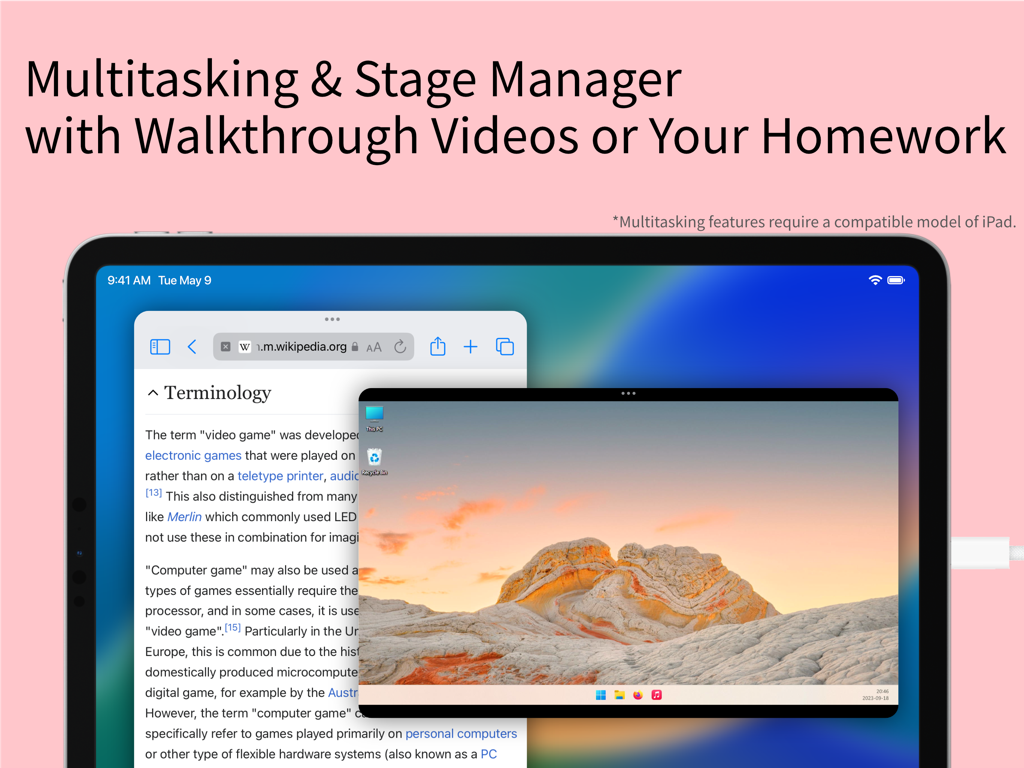
Wikipedia記事とリモートPCデスクトップビデオフィードとのマルチタスクに使用するステージマネージャーを備えたiPad画面

Wikipedia記事とリモートPCデスクトップビデオフィードとのマルチタスクに使用するステージマネージャーを備えたiPad画面

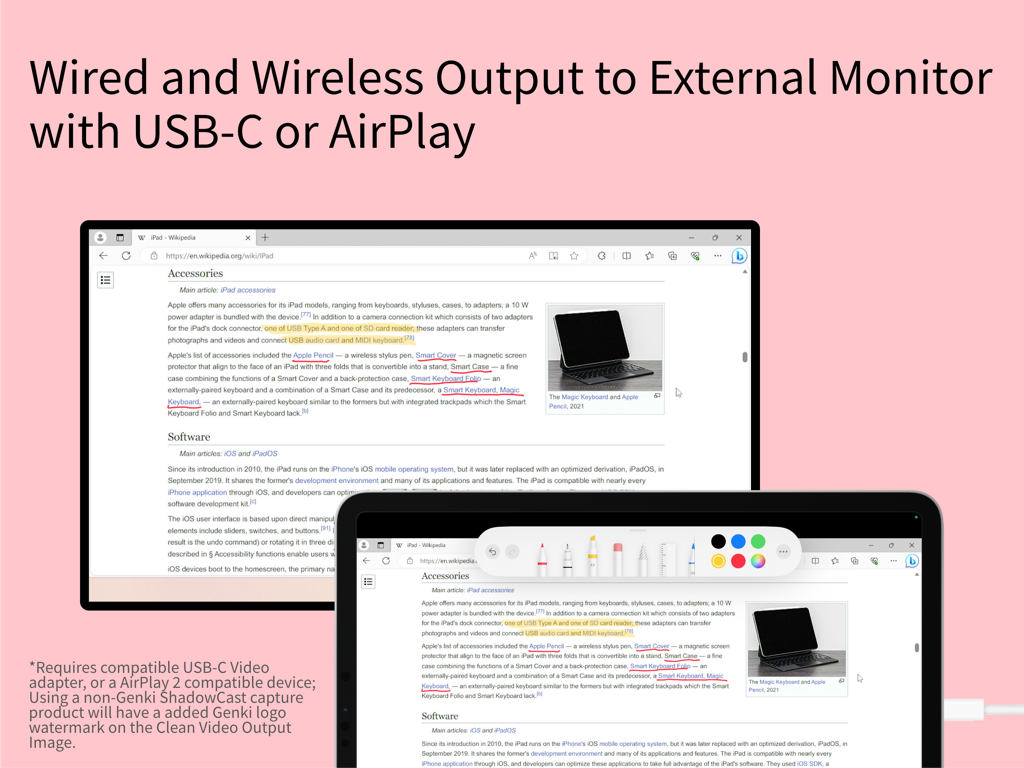
注釈ツールとともに外部モニターにミラーリングされたiPad画面

注釈ツールとともに外部モニターにミラーリングされたiPad画面

iPadの隠れた可能性を解き放つ

このアプリを際立たせるツール、 120K+ 人のユーザーが選択.

🎮

究極のポータブルディスプレイ

Nintendo Switch、Steam Deck、またはPCを接続して、所有する最高の画面で、プレミアムで遅延のないゲーム体験をお楽しみください。テレビは不要です。

🎥

プロレベルのビデオキャプチャ

プロ仕様のグリッドオーバーレイでカメラフィードを監視し、シームレスなワークフローのためにiPadまたは外部SSDに直接高品質の映像を録画します。

✏️

ライブ注釈&プレゼンテーション

Apple Pencilを使用して、ライブビデオにリアルタイムでスケッチします。コーチング、ティーチング、またはClean Video Outputを介したインタラクティブなプレゼンテーションに最適です。

世界中のユーザーに愛されています

Trusted by 120K+ 人がこのアプリを愛用しています.

"

"Genki Studioは、私の旅行セットアップにとって、まさにゲームチェンジャーです。電車の中でiPad ProをNintendo SwitchのHDモニターとして使用できるようになり、ステージマネージャーサポートのおかげで、ゲームのウォークスルーを横に開いておくことができます。遅延は実質的に存在せず、完璧なポータブルゲーミングステーションになっています。"

Alex Rivera, Tech Enthusiast & Digital Nomad
"

"フリーランスのビデオグラファーとして、このアプリは高価な専用フィールドモニターの購入を回避させてくれました。ミラーレスカメラをUVC経由で接続すると、プロ仕様のグリッドオーバーレイを備えたゴージャスな大画面プレビューが得られます。Apple Pencilでショットに注釈を付けながら、フィードを外部SSDに直接録画できることで、ワークフロー全体が合理化されました。"

Sarah Chen, Content Creator

アプリについて

について知っておくべきこと Genki Studio.

説明

Genki Studio turns your iPad into a portable monitor and advanced video capture and presentation device. Connect your Genki ShadowCast or any compatible USB UVC input device to start using your iPad as a portable monitor for your gaming console, PC, digital camera, small board computer, or microscope. Record the input at maximum quality and save the media file directly to your iPad or an external SSD to save storage space on your iPad. With external monitor support, your iPad can output full-screen content to another external display via AirPlay or USB-C to HDMI/DisplayPort adapters while continuing recording to your iPad, or use mirror mode and Apple Pencil markup for a quick presentation. Highlights of this app: · Connect your Genki ShadowCast or any compatible USB UVC input device to your iPad. · View the UVC input directly on your iPad. · Capture images or videos with audio with maximum quality, to your iPad storage or directly to an external storage device like a portable SSD. · Fully compatible with Stage Manager and Multitasking features of the iPad, enjoy music or play the video guide of your game while playing your game all on an iPad. · Grid and Ratio Overlay for easy monitoring of professional cameras. · Clean Video Output to display input on an external monitor with AirPlay or a wired connection, while continuing recording to your iPad at the same time. · Mark Up with Apple Pencil support lets you scribble on the screen. · Connecting to an external monitor and using Mark Up to enable Mirroring Mode, which turns your iPad into a portable notepad perfect for any live events. · Optimized for accessibility with VoiceOver support. * Connecting to UVC devices requires a compatible model of iPad. Using this app requires additional UVC accessories; this app supports Genki ShadowCast, and any other USB UVC input device including capture cards, professional cameras, microscopes, or webcams that conform with UVC standards. Appropriate USB-C adapters, docks, or hubs are required for some devices or configurations. Multitasking features require a compatible model of iPad. Using Clean Video Output with a wirelessly connected monitor requires AirPlay 2-enabled TVs, streaming boxes or sticks, or a compatible Mac with the latest macOS update installed; also, using a non-Genki ShadowCast capture product will have an added Genki logo watermark on the Clean Video Output Image. UVC input are supported on iPad with a USB-C port: · iPad Pro 11-inch and 13-inch (M4) · iPad Pro 12.9-inch (3rd generation and later) · iPad Pro 11-inch (1st generation and later) · iPad Air 11-inch and 13-inch (M2) · iPad Air (4th and 5th generation) · iPad mini (A17 Pro) · iPad mini (6th generation) · iPad (A16) · iPad (10th generation) USB-C ports on some iPad only supports maximum USB 3.0 SuperSpeed 5Gbps or USB 2.0 High-Speed, which may limit the formats you can use with your UVC devices. Please check your iPad’s support before downloading this app or buying accessories.

最新バージョン

1.5.2

サイズ

7.3 MB

リリース日

2023年9月19日

iPadをプログレードのディスプレイに変身

12万以上のクリエイターやゲーマーに加わり、Genki Studioを使って、制限なくプレイ、録画、プレゼンテーションを行いましょう。今日からポータブルセットアップを始めましょう。

ダウンロード: App Store
FAQ

よくある質問

について知っておくべきこと Genki Studio

Genki Studioとは何ですか?

Genki Studioは、iPadをポータブルモニターおよび高度なビデオキャプチャ・プレゼンテーションデバイスに変えます。Genki ShadowCastなどのUVC入力デバイスに接続して、さまざまなソースからのビデオを表示および録画できます。

Genki Studioはビデオ入力を録画できますか?

はい、Genki Studioはオーディオを含むUVC入力を最高品質で録画します。メディアファイルはiPadのストレージまたは外部SSDに直接保存できます。

Genki Studioを使用して、どのデバイスをiPadに接続できますか?

Genki Studioは、Genki ShadowCastまたは互換性のあるUSB UVC入力デバイスに接続します。これには、キャプチャカード、プロフェッショナルカメラ、顕微鏡、ゲーム機、PC、小型ボードコンピューターなどが含まれます。

Genki Studioは外部モニターをサポートしていますか?

はい、Genki Studioは外部モニターをサポートしています。iPadは、録画がiPad上で続行している間でも、AirPlayまたはUSB-CからHDMI/DisplayPortアダプター経由でフルスクリーンのコンテンツを出力できます。

Genki StudioはApple Pencilをサポートしていますか?

はい、Genki StudioはApple Pencilをサポートしています。ユーザーは画面にマークアップや落書きができ、iPadをポータブルノートパッドに変えるミラーリングモードを有効にして、プレゼンテーションに使用できます。

UVC入力に対応しているGenki StudioのiPadモデルは何ですか?

Genki Studioは、USB-Cポートを備えたiPadでUVC入力をサポートしています。これには、iPad Pro、iPad Air、iPad mini(第6世代およびA17 Pro)、iPad(第10世代およびA16)のさまざまな世代が含まれます。

Genki StudioはStage Managerなどのマルチタスク機能と連携できますか?

はい、Genki StudioはiPadのStage Managerおよびマルチタスク機能と完全に互換性があります。ユーザーは、アプリを同時に使用しながら、音楽を聴いたりビデオガイドを視聴したりできます。

クリーンビデオ出力でGenki ShadowCast以外のデバイスを使用した場合、ウォーターマークは表示されますか?

はい、Genki ShadowCast以外のキャプチャ製品を使用すると、クリーンビデオ出力画像にGenkiロゴのウォーターマークが表示されます。

Genki Studioでの録画の保存オプションは何ですか?

Genki Studioでは、録画をiPadの内部ストレージまたはポータブルSSDなどの外部ストレージデバイスに直接保存できます。

Genki Studioはプレゼンテーションに使用できますか?

はい、Genki Studioはプレゼンテーションをサポートしています。ユーザーはミラーモードとApple Pencilのマークアップ機能を利用して、iPadをポータブルノートパッドに変え、ライブイベントに最適化できます。