HomeCAD — Design your home

HomeCAD — Design your home

ダウンロード: App Store
Spark by MWM logo
ロゴ: HomeCAD — Design your home
HomeCAD — 複雑さなしで理想の住まいをデザイン

DIYを楽しむ住宅所有者のための究極のiPad間取り作成ツール。プロ仕様の部屋レイアウトを作成し、自動的に寸法を生成して、施工業者に希望を正確に伝えるためのプロジェクトPDFを書き出せます。

ダウンロード: App Store

開発元

Aleksei Unshchikov

カテゴリ

Productivity

ダウンロード

83K+

ユーザー評価

3.4/5

評価数

200

対応言語

7

視覚化されたデザイン

このインターフェースを利用する 83K+ 人のユーザー.

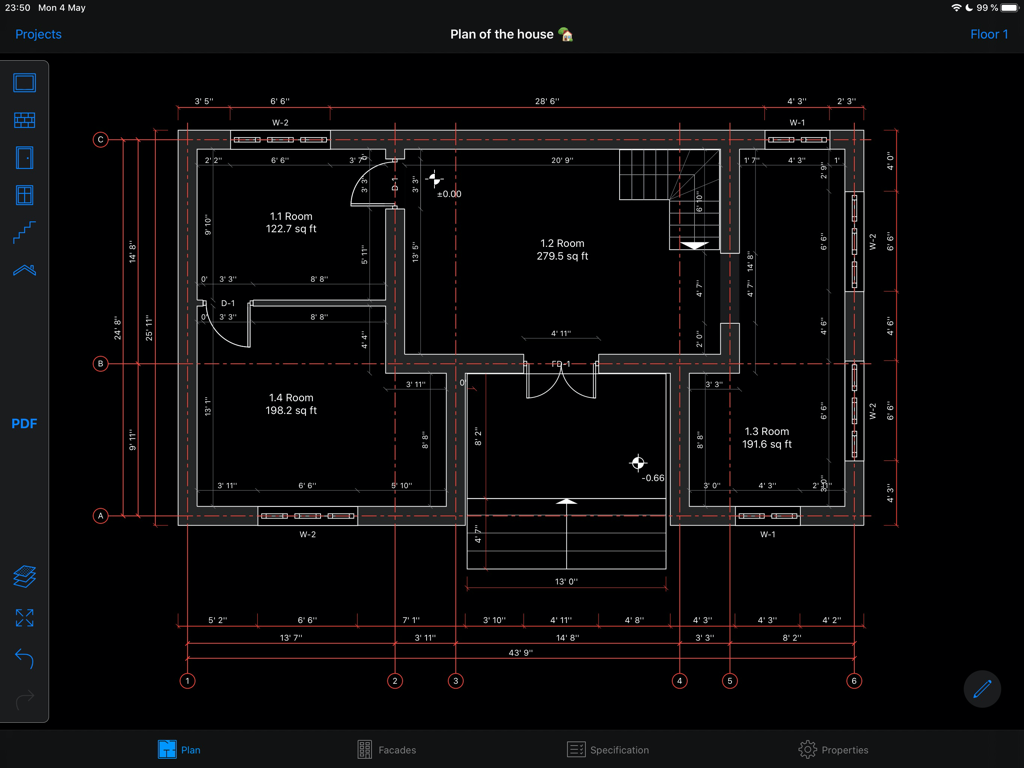
HomeCADアプリでの寸法付きプロフェッショナル2D住宅間取り図

HomeCADアプリでの寸法付きプロフェッショナル2D住宅間取り図

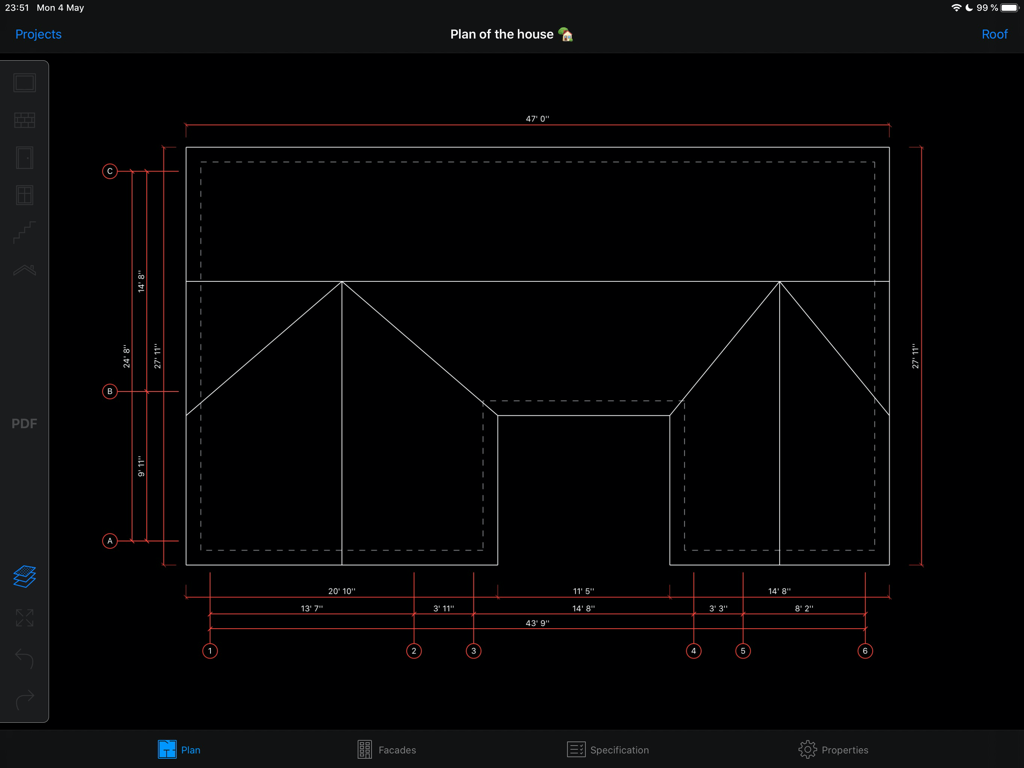
HomeCADアプリでの寸法付き詳細住宅間取り図

HomeCADアプリでの寸法付き詳細住宅間取り図

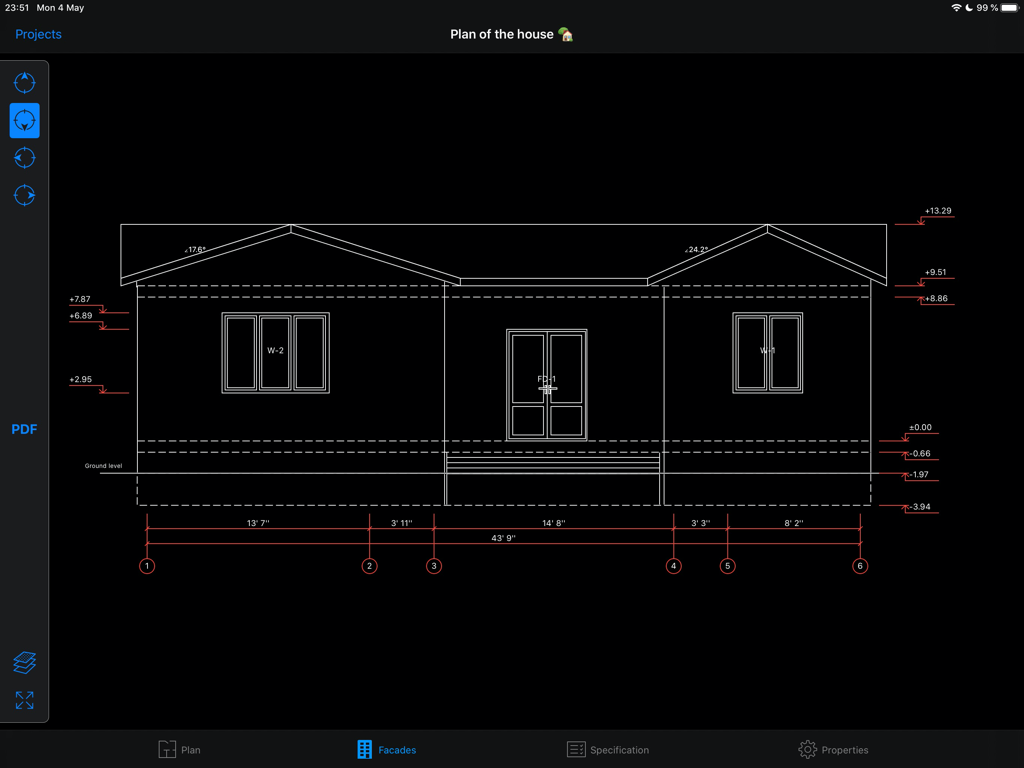
HomeCADアプリでの寸法付き住宅デザインの建築立面図

HomeCADアプリでの寸法付き住宅デザインの建築立面図

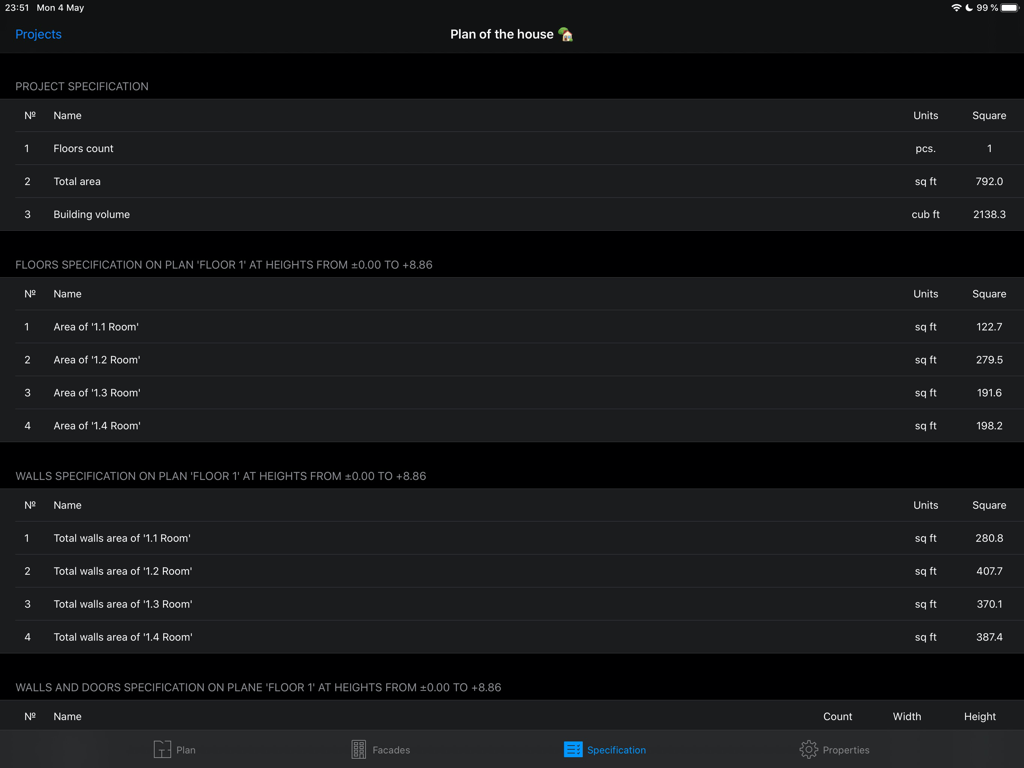
合計面積と部屋の寸法(平方フィート)を含む自動プロジェクト仕様を表示する、iPad上のHomeCADアプリのスクリーンショット

合計面積と部屋の寸法(平方フィート)を含む自動プロジェクト仕様を表示する、iPad上のHomeCADアプリのスクリーンショット

複雑さのないデザイン

このアプリを際立たせるツール、 83K+ 人のユーザーが選択.

🛠️

直感的な部屋作成

iPadを数回タップするだけで、簡単に部屋を描き、壁、ドア、窓を追加できます。空間のデザインは、紙にスケッチするのと同じくらい簡単です。

自動計測

計算の心配はもう不要です。正確な計画のために、すべての寸法、面積計算、複雑な屋根構造が自動的に生成されます。

📋

施工業者向けの書き出し

建設業者と共有するためのプロ仕様のPDF設計図と四面立面図を生成し、あなたのビジョンを完璧に伝えます。

世界中のユーザーに愛されています

Trusted by 83K+ 人がこのアプリを愛用しています.

"

"何ヶ月もキッチンの増築を計画していましたが、複雑なデザインソフトに苦労していました。HomeCADがすべてを変えてくれました!iPadでの操作は驚くほど直感的で、自動寸法機能のおかげで大幅に時間を短縮できました。PDFを書き出してそのまま施工業者に渡すことができたので、打ち合わせが非常にスムーズに進みました。DIY愛好家にはぜひお勧めします。"

Sarah Mitchell
"

"裏庭に離れ(ADU)を建てるのは大変そうに思えましたが、このアプリに出会って変わりました。建築の経験はありませんが、わずか数分で間取りをスケッチし、立面図を確認することができました。屋根のオーバーハングを自動で処理してくれる機能は画期的です。アイデアをプロフェッショナルなプロジェクトへと繋ぐのに最適なツールです。"

David Henderson

アプリについて

について知っておくべきこと HomeCAD — Design your home.

説明

Development starts with the project. The app "HomeCAD" will help easily project a house on the device. It doesn’t require special knowledge. Just create rooms, divide them within inner walls if needed, add doors, windows, facade and inner staircases. You can easily create several floors for the house. All metrics for the project will be generated automatically. Roof creating can be the final step of the project. Just set roof overhang value and the roof is going to be added automatically by the application. So the project will be finally completed. As a result you get: - a full plan of the object with the metrics for it - facade views from four sides - a brief specification of the project Also the application supports metric and imperial unit systems. You can switch between them right in the project settings. Feel free to contact us at support@homecad.app with your feedback and suggestions. There are Pro-features available in the HomeCAD app. You should purchase subscription to access them. Pro-functions include the generation of a PDF document based on the created plan and will be gradually expanded. Available types of subscriptions: - monthly subscription - annual subscription Subscription price varies by region. The subscription fee will be charged from the bank card associated with your iTunes account. Subscriptions automatically renew unless auto-renew is turned off at least 24 hours before the end of the current active subscription. You can manage subscriptions in your iTunes account settings. Terms of Use: https://homecad.app/en/terms.php Privacy Policy: https://homecad.app/en/privacy_policy.php

最新バージョン

6.4

サイズ

29.6 MB

リリース日

2017年5月16日

あなたのビジョンを形にする準備はできましたか?

HomeCADを使って夢をデザインしている83,000人以上の住宅所有者やDIY愛好家の仲間に加わりましょう。今すぐiPadにダウンロードして、わずか数分で次のリフォームのためのプロ品質のプランを作成してください。

ダウンロード: App Store